

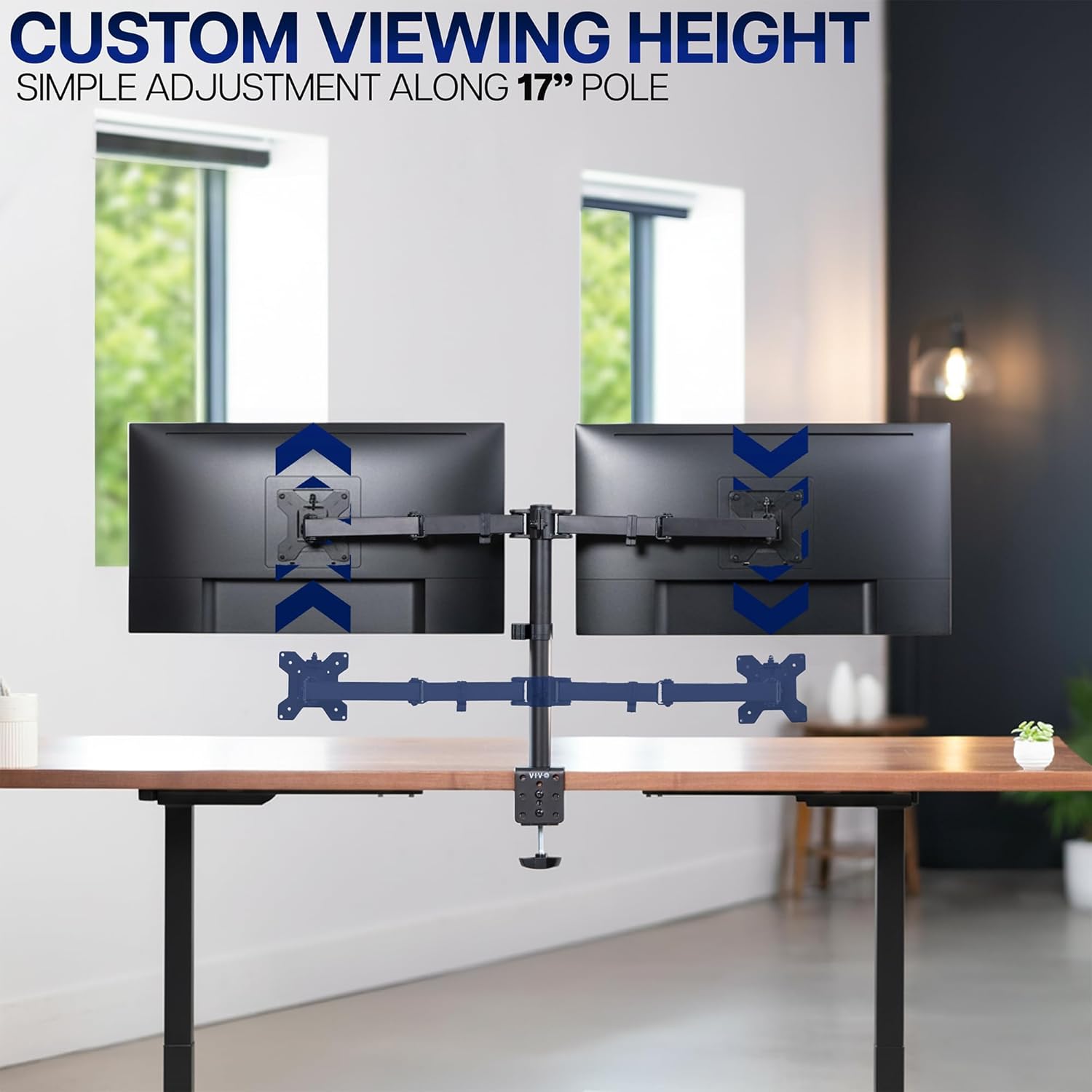
VIVO Dual Monitor Desk Mount STAND-V002 (Heavy Duty, Holds 2 Screens up to 30")
Product description
What this stand is for
If your desk currently feels too crowded, a dual monitor desk mount is one of those upgrades that tends to pay off every day. The VIVO Dual Monitor Desk Mount STAND-V002 is designed to hold two screens side-by-side (or stacked, if you prefer), while keeping both monitors adjustable for comfortable viewing. On paper, it’s a proper heavy-duty steel solution, built for users who want positioning control rather than just “a place to screw monitors”.
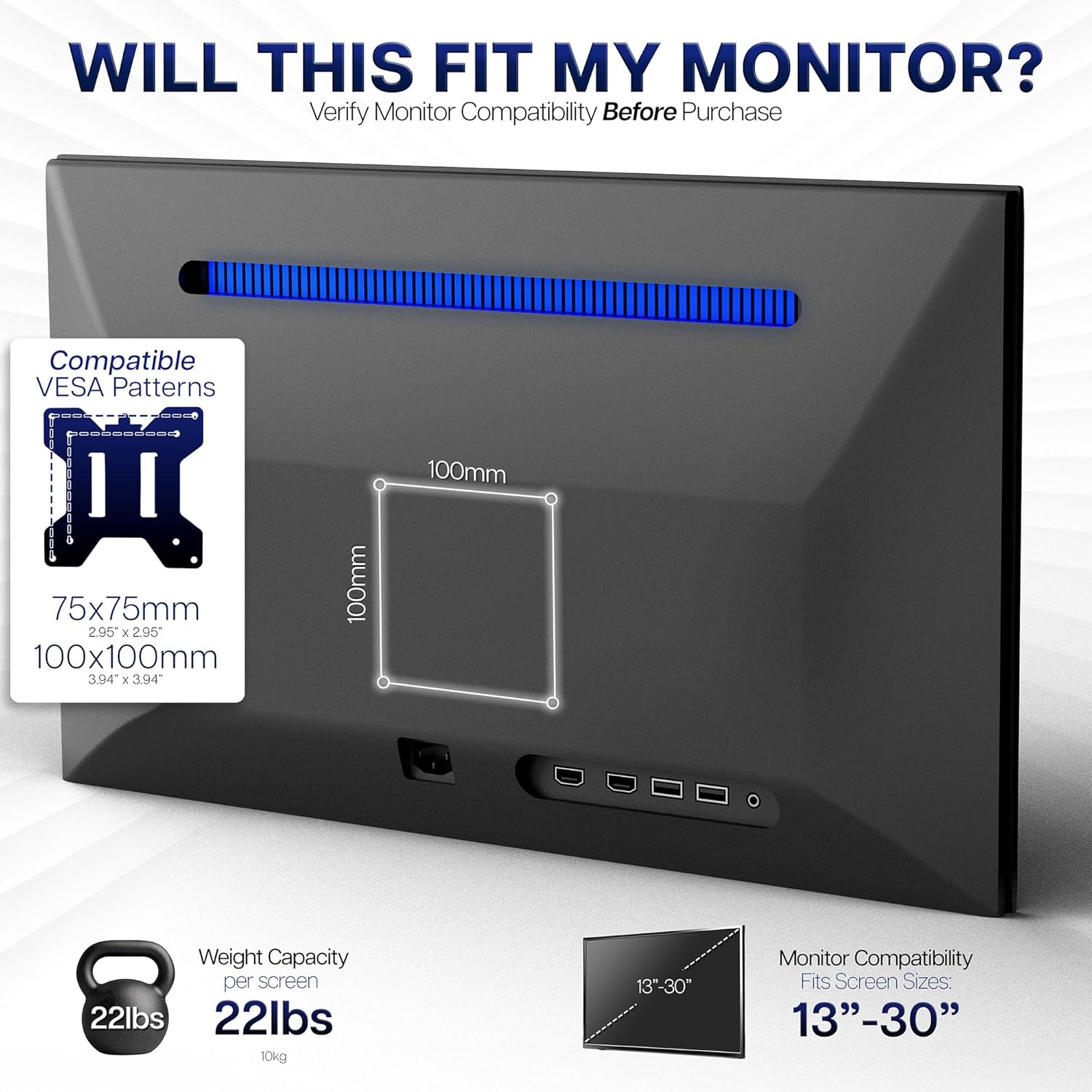
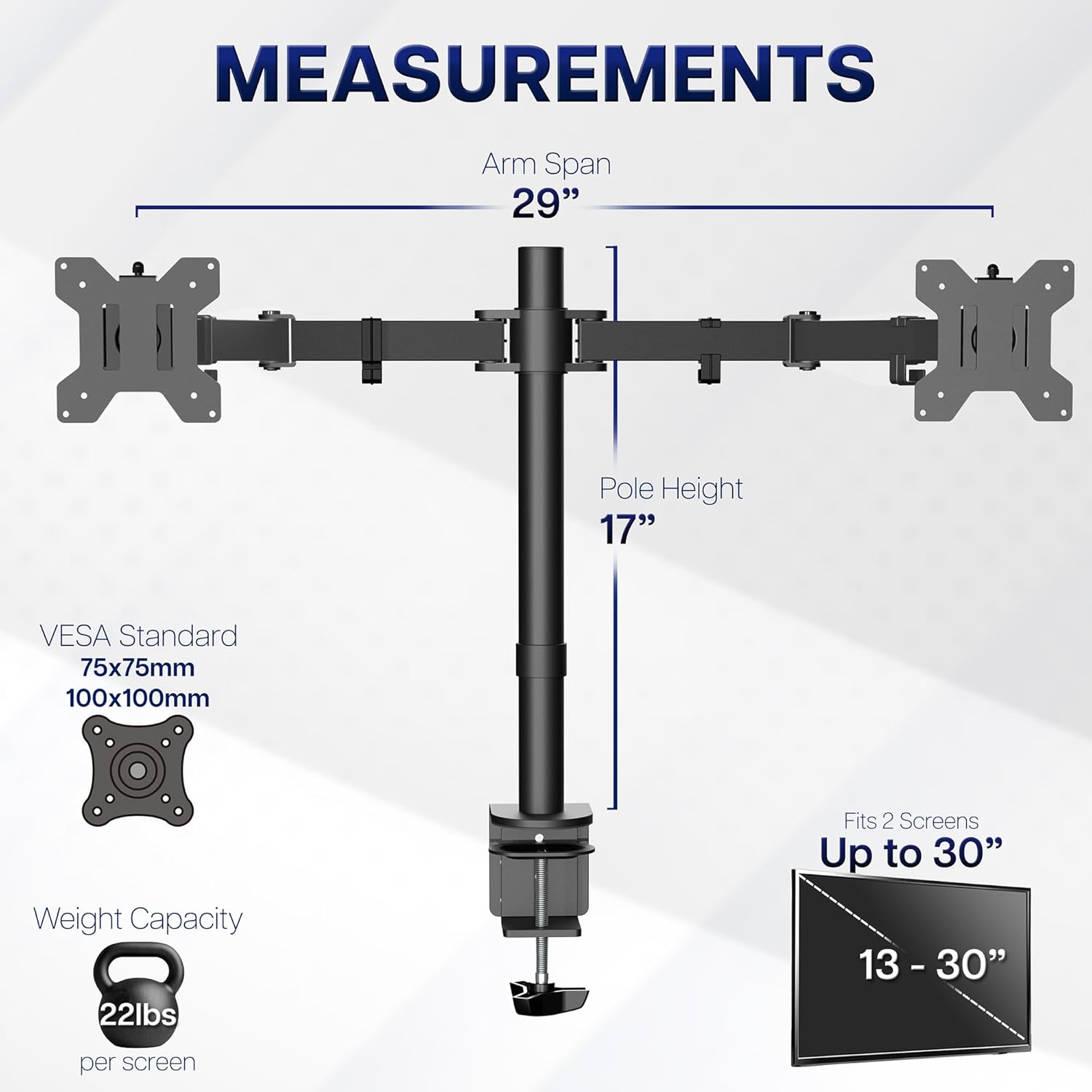
It supports two monitors sized from 13" to 30", with each screen rated up to 10kg. It also works with VESA 75x75mm or 100x100mm mounting holes at the back, using the provided detachable VESA plates for installation.
Key takeaways
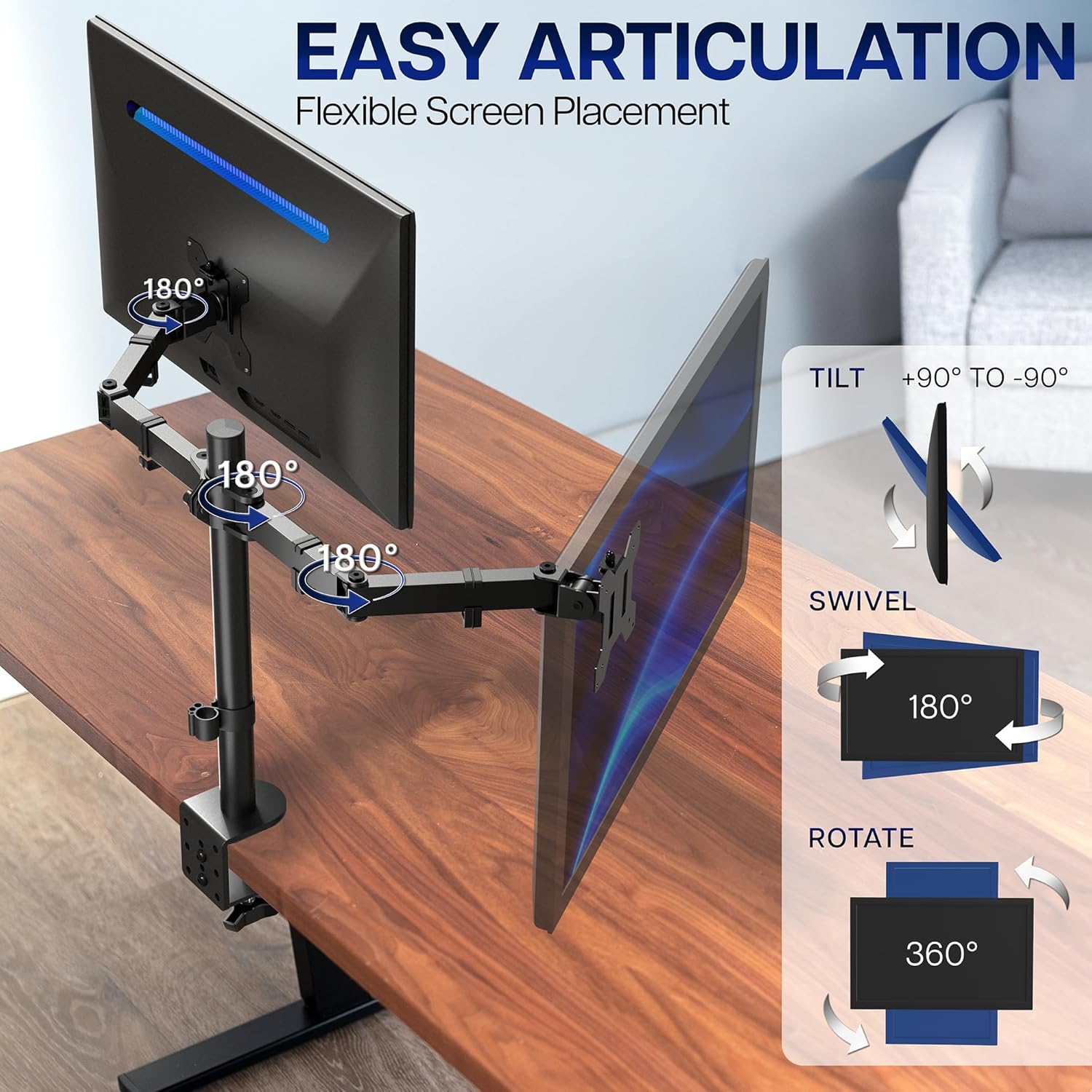
The big draw here is full adjustability: tilt, swivel, rotation and height changes are all covered, so you’re not stuck with one fixed viewing position. It also offers portrait or landscape placement, which matters if you edit documents, write code, or want a tall “spread” for spreadsheets.
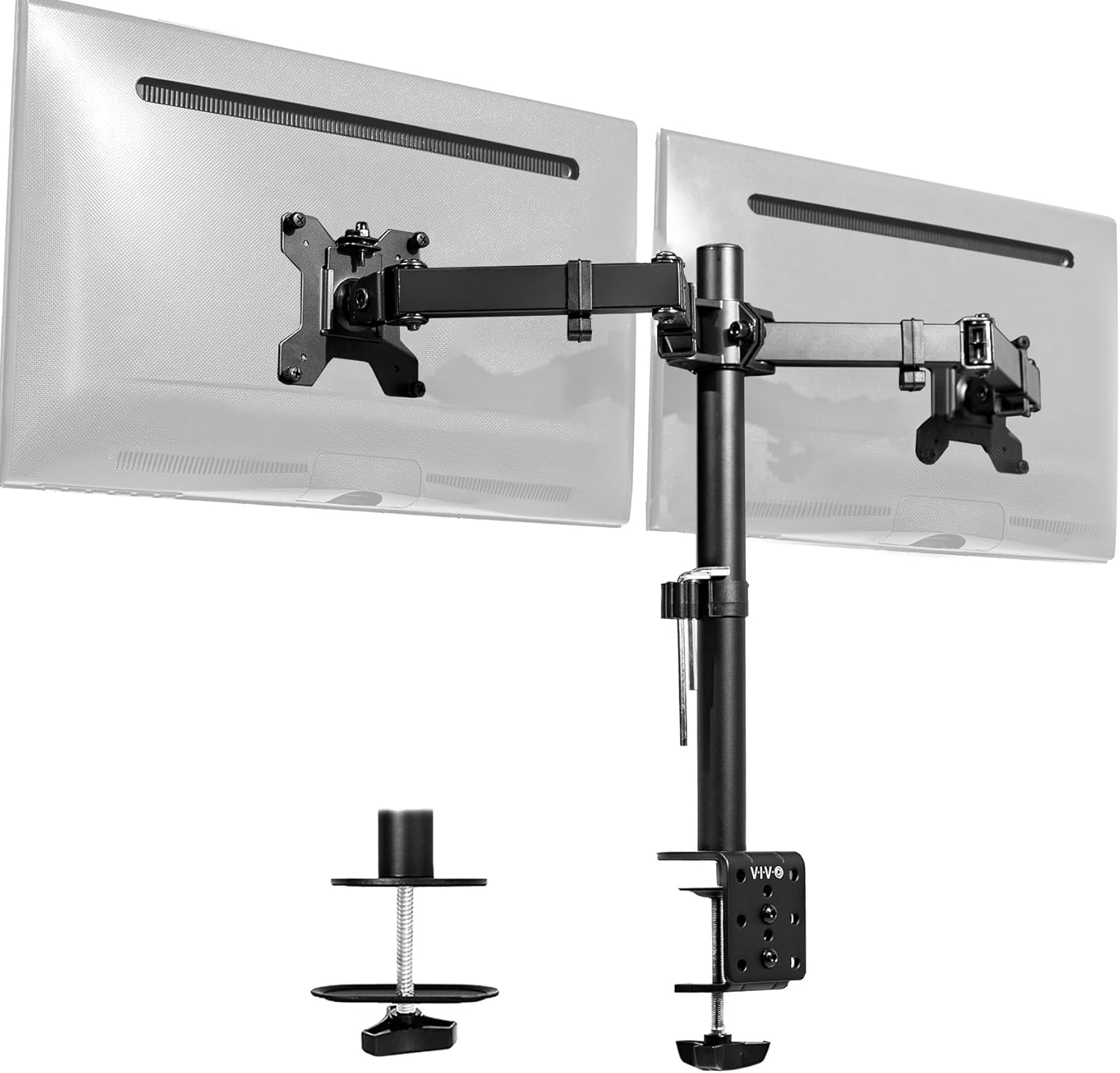
You also get cable-management clips on the arms and centre pole, which helps stop charging cables and monitor leads from becoming a tangle. That might sound minor, but when you adjust the arms often, having clips to guide cables makes day-to-day use far less fiddly.
Where it shines in everyday use
Think about the moment you realise you’ve been craning your neck for months. With this mount, you can tilt monitors to reduce glare and adjust angles for your seating height. The stated tilt range runs from +90° to -90°, plus a 180° swivel and 360° rotation, so getting the monitors facing you (or switching orientation) is part of the setup, not a compromise.
A practical example: if you start the day in portrait for reading a long document, you can rotate the screens without moving your desk around. Later, when you switch to landscape for video or side-by-side comparisons, you can change orientation and bring the monitors back to a more “wide” layout.
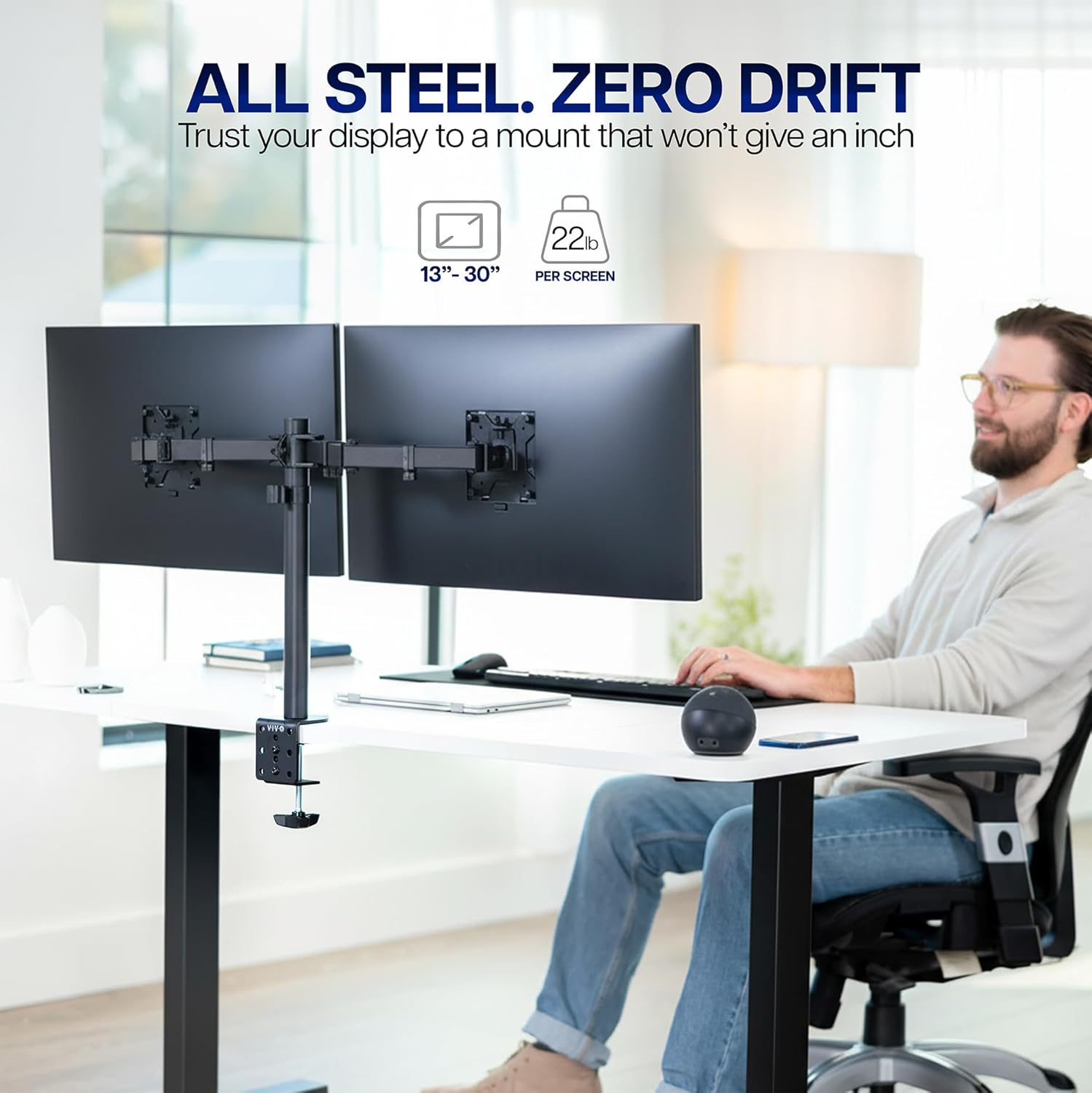
One more detail worth noting: the arm and centre-pole cable clips are designed to keep cords organised while you move the monitors. It won’t magically eliminate cable clutter in every desk setup, but it gives you a structure to work with.
Installation and desk fit (the bit people forget to check)
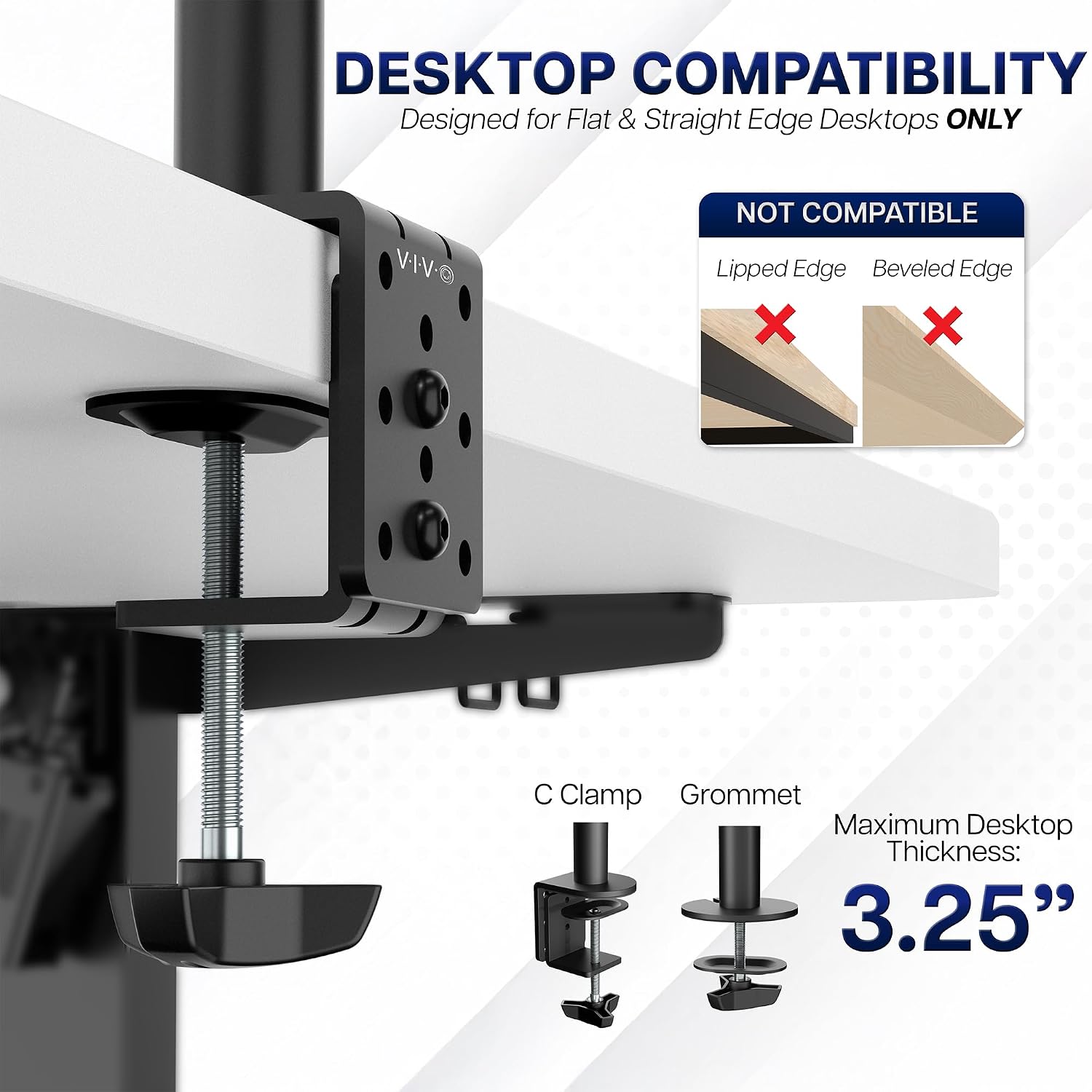
This mount can be secured via a heavy-duty C-clamp that attaches to the surface (up to 8cm thick) using hand tightening, or you can use the grommet mount option if that suits your desk layout better.
There’s also an important limitation: it’s not compatible with beveled edged desktops. So if your desk has angled edges near the mounting point, this may not sit securely or at all.
Also, make sure your monitors match the VESA pattern (75x75mm or 100x100mm) and fall within the 13"–30" size range. If either of those checks fails, you’re going to be stuck looking for a different mount.
How much flexibility you really get
This is the kind of mount you buy when you care about positioning. The combination of height adjustment along the centre pole and multi-direction articulation means you can usually dial in a more natural line of sight.
That said, heavy-duty mounts are still “workspace-dependent”. Your desk design, thickness, and whether you can use the clamp or grommet mount will affect how straightforward it feels. And if you prefer a simple fixed setup, you might find yourself spending more time adjusting than you expected.
In terms of positioning, it supports both portrait and landscape orientation, so it’s well aligned with mixed-use setups like spreadsheets plus reference documents.
Specs at a glance (what to verify before buying)
- Fits screens sized 13" to 30"
- Holds 2 monitors, up to 10kg per screen
- VESA mounting: 75x75mm or 100x100mm
- Tilt range: +90° to -90°
- Swivel: 180°
- Rotation: 360°
- Height adjustment: along the centre pole
- Mounting methods: C-clamp (up to 8cm thick) or grommet mount
- Note: not compatible with beveled edged desktops
Pros and cons to weigh up
Pros: - Strong adjustment range (tilt, swivel, rotation, plus height movement) - Designed for two monitors, with portrait/landscape support - Heavy-duty steel approach, and C-clamp/grommet mounting options - Includes cable management clips for a cleaner desk
Cons / limitations: - Not compatible with beveled edged desktops, so desk shape matters - You’ll need the correct VESA pattern and screen size/weight range to use it - If you want minimal fuss and don’t care about repositioning, the adjustability may be more than you need
Should you buy it?
A solid pick if you want a dual monitor setup with proper positioning control, and your monitors fall within the 13"–30" range and up to 10kg each, with VESA 75x75mm or 100x100mm. It also makes sense if you’re the kind of user who changes orientation (portrait for reading, landscape for work) and wants cables guided rather than hanging loose.
It may not be the best match if your desk has beveled edges where the mount needs to grip, or if your monitors don’t meet the stated VESA pattern/weight limits. Also, if you’re aiming for a simple, almost “set-and-forget” arrangement, you might prefer a less adjustable mount to keep installation and tweaking to a minimum.
Mini FAQ
Will this fit any dual monitors?
It’s intended for two screens sized 13" to 30" and up to 10kg each, using VESA 75x75mm or 100x100mm mounting holes. If your monitors sit outside those ranges, you’ll want to double-check compatibility.
Can I mount it on a thick desk?
The C-clamp method is stated as suitable for desk thickness up to 8cm. If your desk is thicker or you’d rather avoid clamping, the grommet mount option is also mentioned.
Does it support portrait orientation?
Yes—monitors can be placed in portrait or landscape, and rotation is supported, so switching orientation is part of the design rather than an extra workaround.
Is cable management included?
Cable management clips are provided along the arms and centre pole to help keep cables organised.
Is it suitable for beveled desks?
No, this mount is not compatible with beveled edged desktops, so it’s worth checking your desk’s edge shape before committing.