


CACOE 360 Rotating Case for iPad (A16) 11th/10th Generation with Pencil Holder – Wine Red
Product description
If you use your iPad as much for work and reading as you do for drawing or watching, a cover that rotates through different angles can be genuinely handy. The CACOE 360 Rotating Case is built around that idea: you get a 360° rotating cover, a stand-style setup, and a pencil holder, wrapped in a protective shell.
That said, it’s worth being clear about what you’re buying. This is a case designed for specific iPad A16 / 11th and 10th generation models, and the fit matters. If you’re expecting a one-size-fits-all folio, this won’t match that mindset.
The essentials
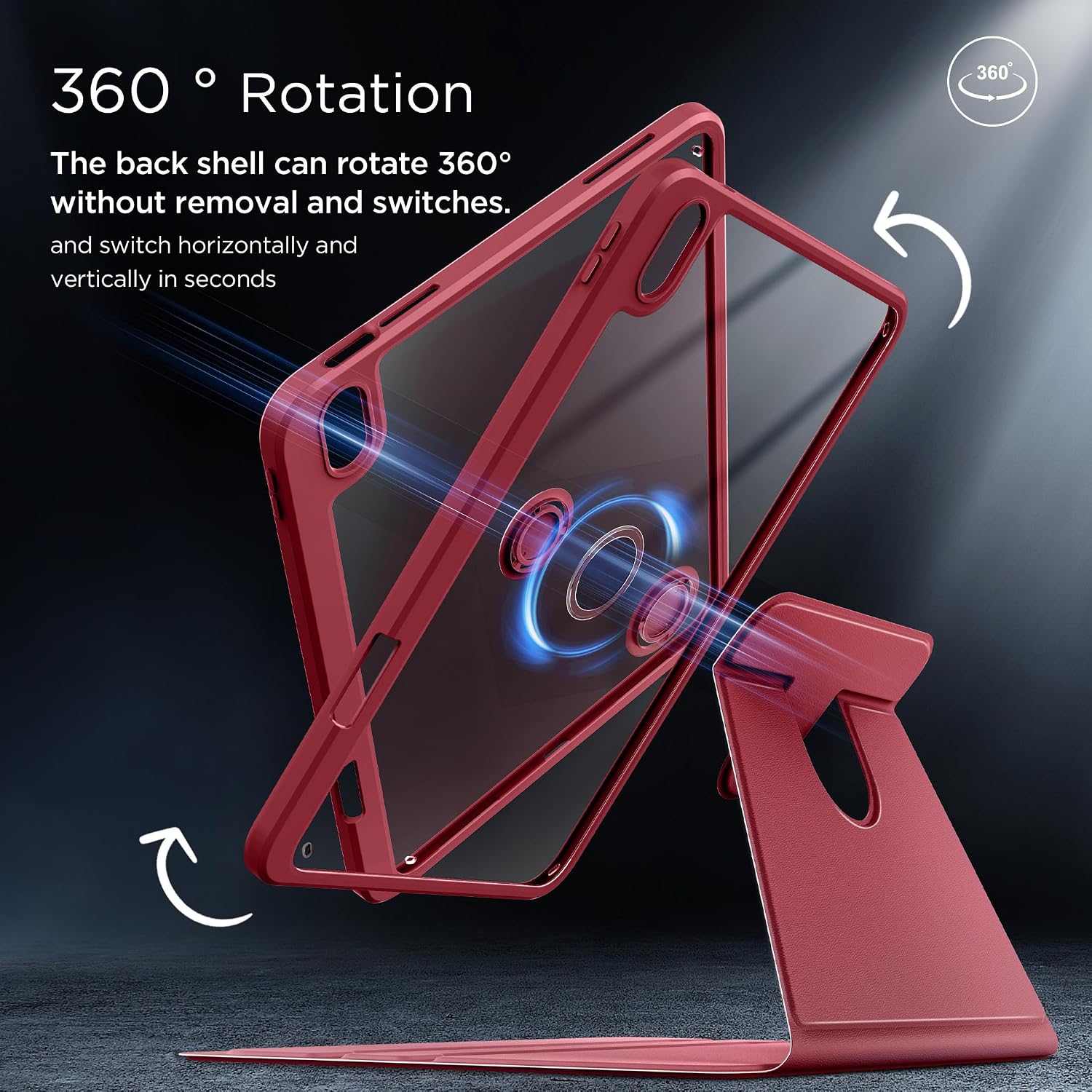
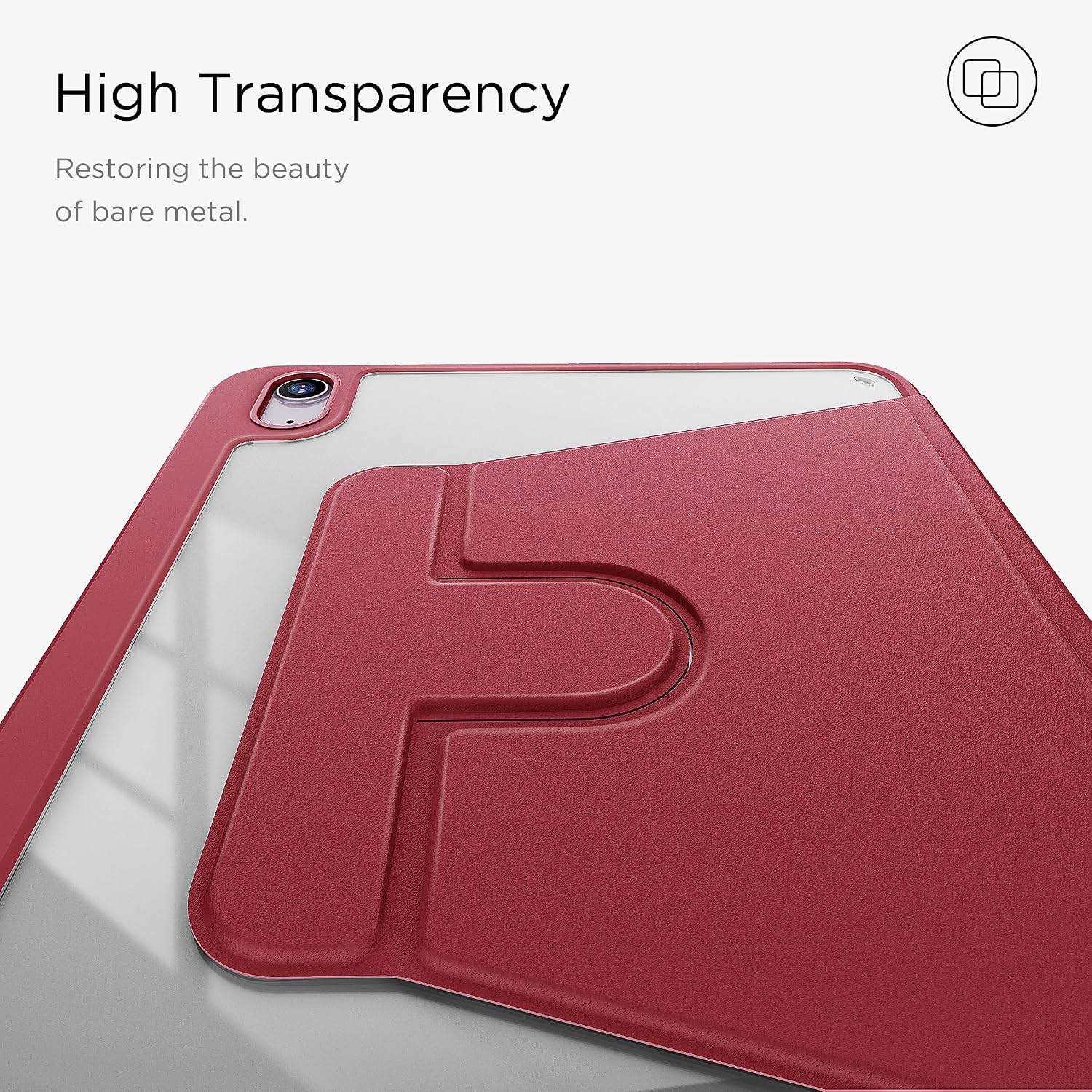
This is a folio-style rotating case for the iPad (A16) 11th generation and the iPad 10th generation, aimed at daily protection and flexible viewing. Over the cover, the front is PU leather (described as skin-friendly), while the back uses an acrylic shell with shock-absorbing corners. The “360° rotation” feature is the headline, because it lets you choose different viewing positions rather than being stuck with a single landscape/portrait angle.
There’s also an auto wake/sleep feature. In practice, that means opening the cover wakes the iPad, and closing it puts it to sleep, so you’re not relying solely on manual buttons.

If you’re the type of person who constantly adjusts their setup—bed reading, kitchen recipes, desk emails, then switching to drawing—this style of stand can make those transitions less fiddly.
What it’s like to use day to day
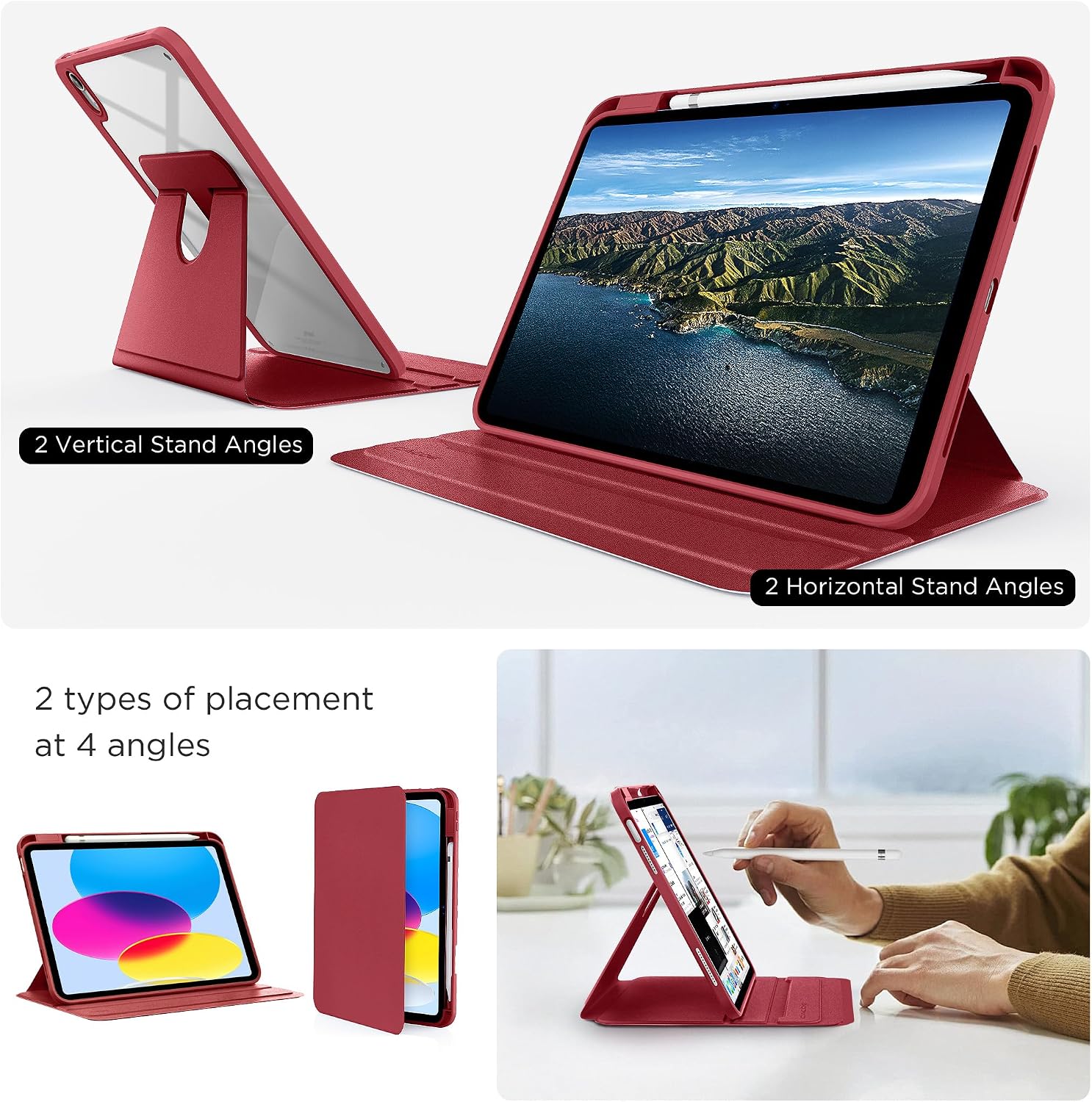
The main benefit on paper is the 360° rotation plus stand use. Instead of positioning your iPad with trial-and-error every time, you can angle the screen for different tasks. Watching something? You can dial in a comfortable view. Reading for longer stretches? A fixed, chosen angle usually feels better than holding it. Drawing or sketching? Having the device held at a stable angle can help, particularly if you also want the pencil to be close to hand.
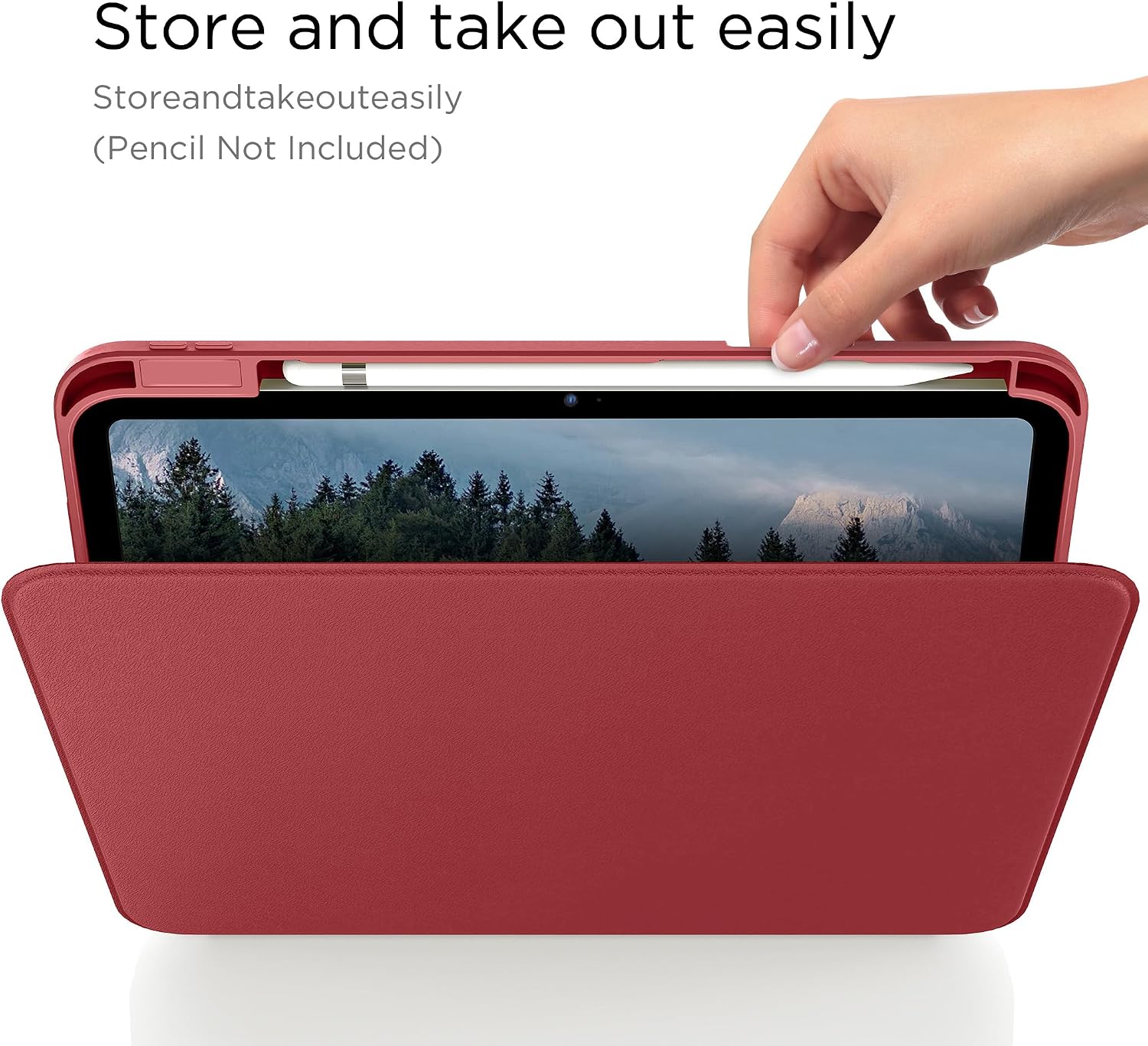
A small but practical detail: it includes a pencil holder. That’s not just a convenience gimmick—if you keep grabbing your stylus to jot notes or mark up documents, having it stored in the case reduces the “where did I put it?” moments.
One limitation to keep in mind: rotation and folding covers can add bulk compared with thinner cases. If you prefer a minimal feel and don’t adjust angles much, you may find it more than you need.
Protection and build materials
The case is described as having shock-absorbing corners, with an acrylic back intended to be clear and tough, while the PU leather front is made to be skin-friendly. The pitch here is protection without completely hiding the iPad’s look—especially because the back is meant to be clear.
Also, the cutouts are stated to be precise, so controls and ports should be easy to press and access. In everyday terms, that’s the difference between “usable” and “annoying” when you’re plugging in the charger, adjusting volume, or using the camera.
If you’re rough on tech—bags, drops, or kids around—this approach will likely feel reassuring. It’s not marketed as an extreme armour-grade solution, though, it’s best thought of as a practical protective folio.
Key points to check before you buy
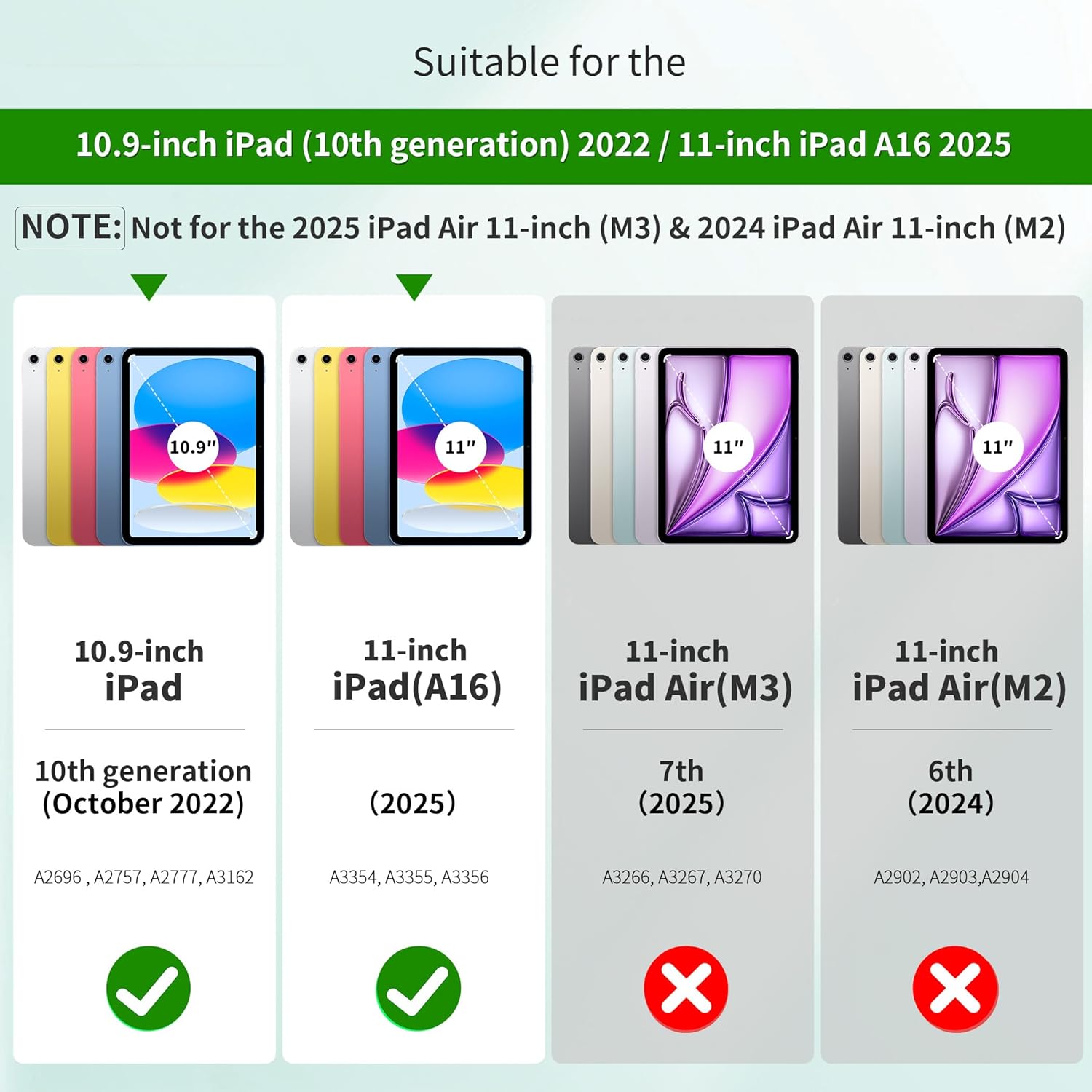
Fit is the big one. This case is specifically designed for the iPad models listed for the iPad (A16) 11th/10th generation releases (including model numbers A3354, A3355, A3356, A2696, A2757, A2777, and A3162). If your iPad isn’t one of those, it may not sit right or align with cutouts.
Second, consider whether you’ll actually use the rotation and viewing angles. The 360° feature is excellent if you switch between tasks and want convenience. But if you always use your iPad in one orientation, a simpler stand case might be a better match.
Finally, pay attention to the cutouts and access points: the listing describes ports, speakers, and camera cutouts as “easy to press” compatible. That’s what you want for daily use, but the only way to be truly sure is to confirm your exact iPad model first.
Quick comparison in buying terms
There are basically two ways people buy iPad covers: simple protection folios that stay at one angle, or more adjustable cases like this one that prioritise posture and viewing comfort. The CACOE 360 Rotating Case clearly leans toward the second approach.
So, if you value an adjustable stand for watching, reading, or drawing, this fits that style of use. If your priority is the thinnest cover possible, or you don’t care about angle changes, you may end up paying for a feature you rarely use.
Is it worth it?
It’s worth considering if you have an iPad that matches the stated A16 / 11th or 10th generation model numbers and you like the idea of a rotating, angle-friendly stand. The auto wake/sleep and pencil holder are also practical touches for everyday routines.
You may want to skip it if you’re after a minimal case, you don’t adjust viewing angles, or your iPad model doesn’t match the listed fit notes. In those cases, a simpler cover will likely feel more natural and less bulky.
Mini FAQ
FAQ
Does the case turn the iPad on and off automatically?
Yes, it’s described as having an auto wake/sleep function: opening the cover wakes the iPad, and closing it puts it to sleep.
What does the 360° rotation help with?
The 360° rotation is intended to let you choose multiple viewing angles, which can make tasks like watching videos, reading, or drawing more comfortable.
Is the case protective or mainly decorative?
It’s positioned as protective, with shock-absorbing corners and an acrylic back, while the front is PU leather.
Will the controls and ports be easy to reach?
The listing states that cutouts are precise for pressing controls and accessing ports such as speakers and the camera area.
Is it compatible with all iPads?
No. It’s designed for specific iPad (A16) 11th/10th generation models and includes stated model numbers, so it’s important to confirm your exact model before buying.