

Inateck Keyboard Case for iPad Air 13 inch M4 (2026) / M3 / M2 with UK backlit keyboard and large multi-touch trackpad
Product description
What it is and why you’d want it
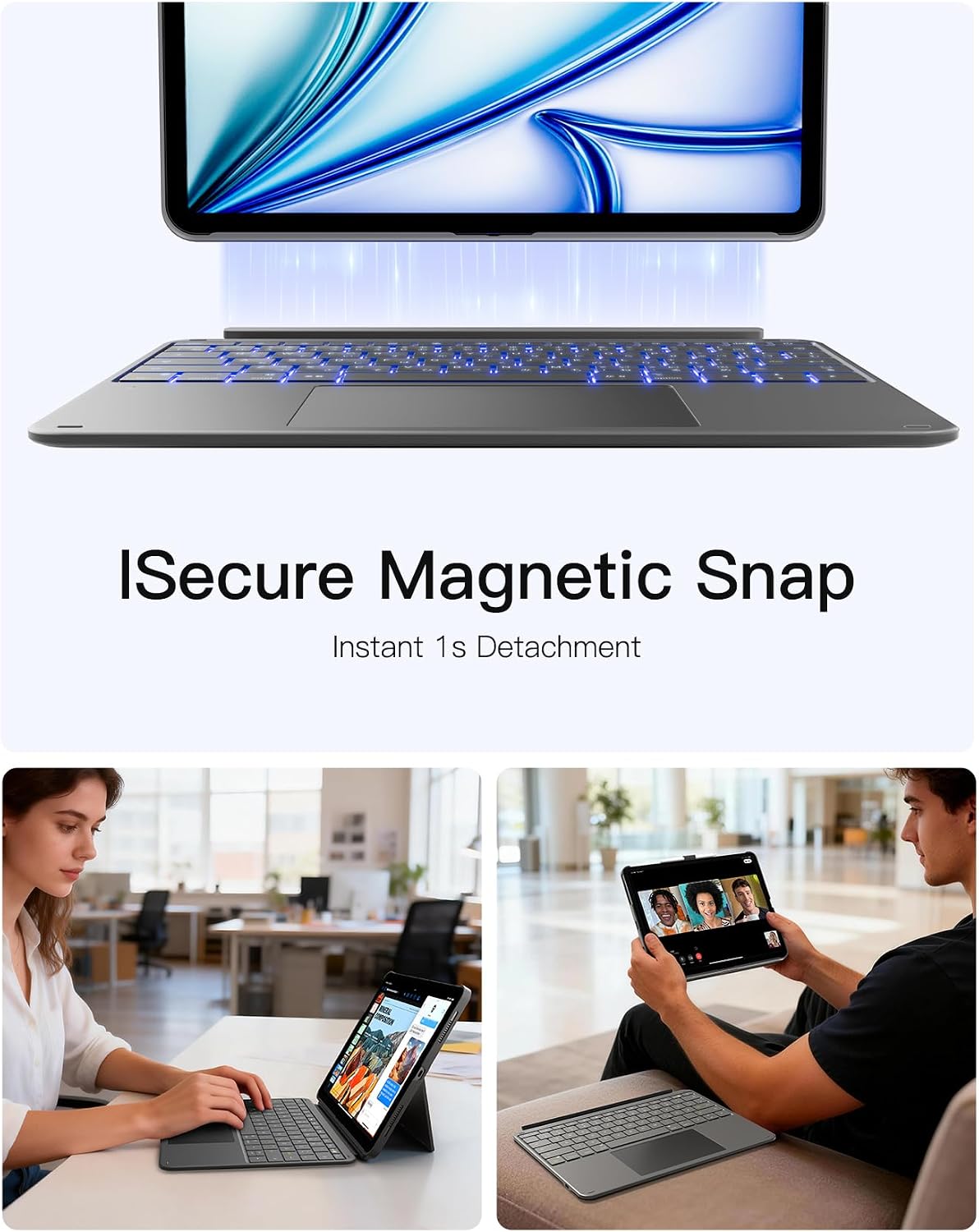
This Inateck keyboard case is built for people who treat their iPad like a laptop replacement for at least some tasks. The idea is simple: you get a protective keyboard case that magnetically connects to the iPad, and the keyboard setup can be detached quickly when you don’t need it. On paper, it’s aiming at everyday productivity—writing, studying, working on documents—and also those lighter moments like watching, reading, or sketching.
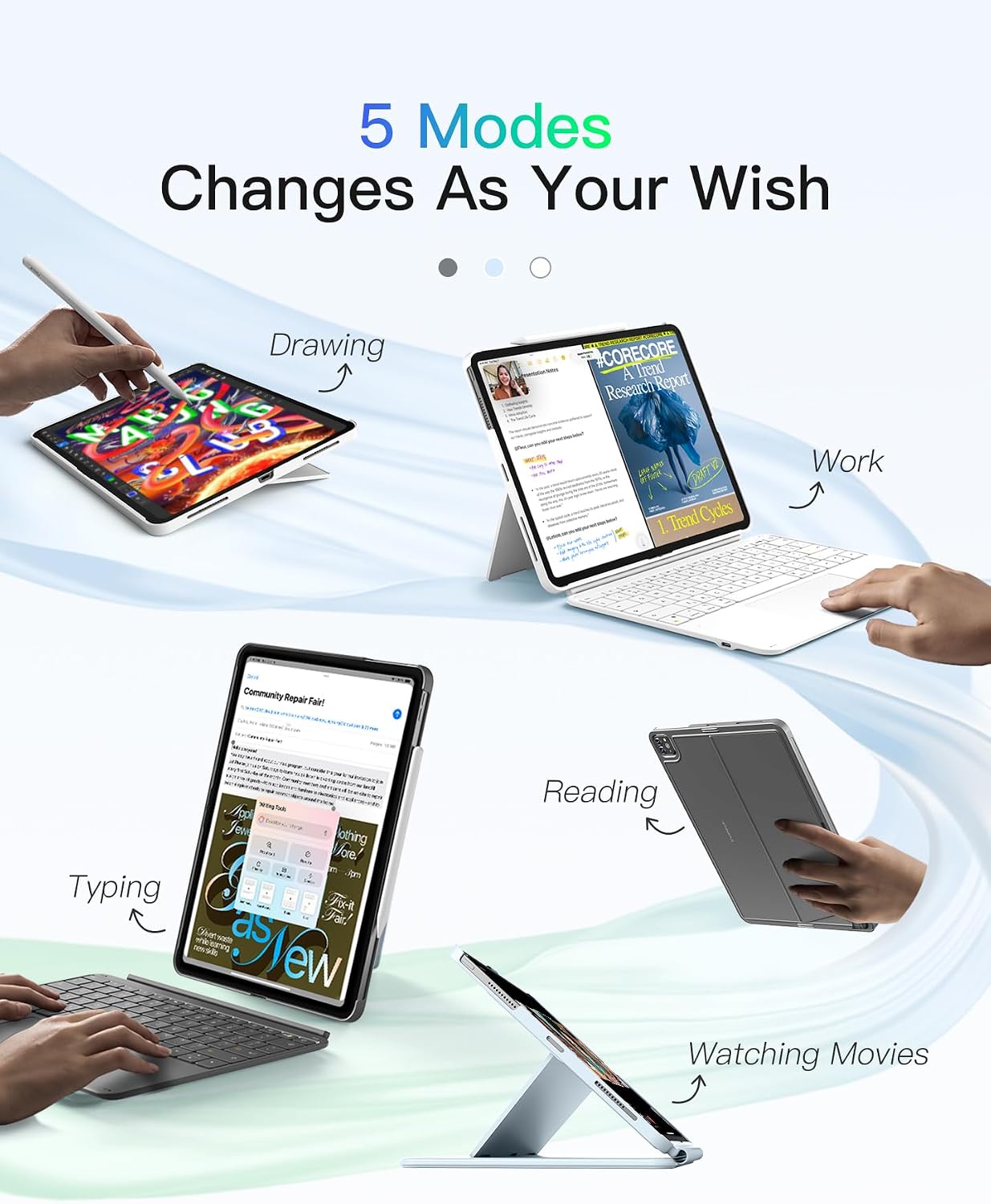
A practical detail is the “one-case” approach: instead of juggling a separate keyboard, you get a stable hold with the case form factor. The keyboard position can also be set horizontally or vertically, which may help if you like a specific viewing angle for calls, lessons, or media.
Key takeaways (the bits you’ll notice)
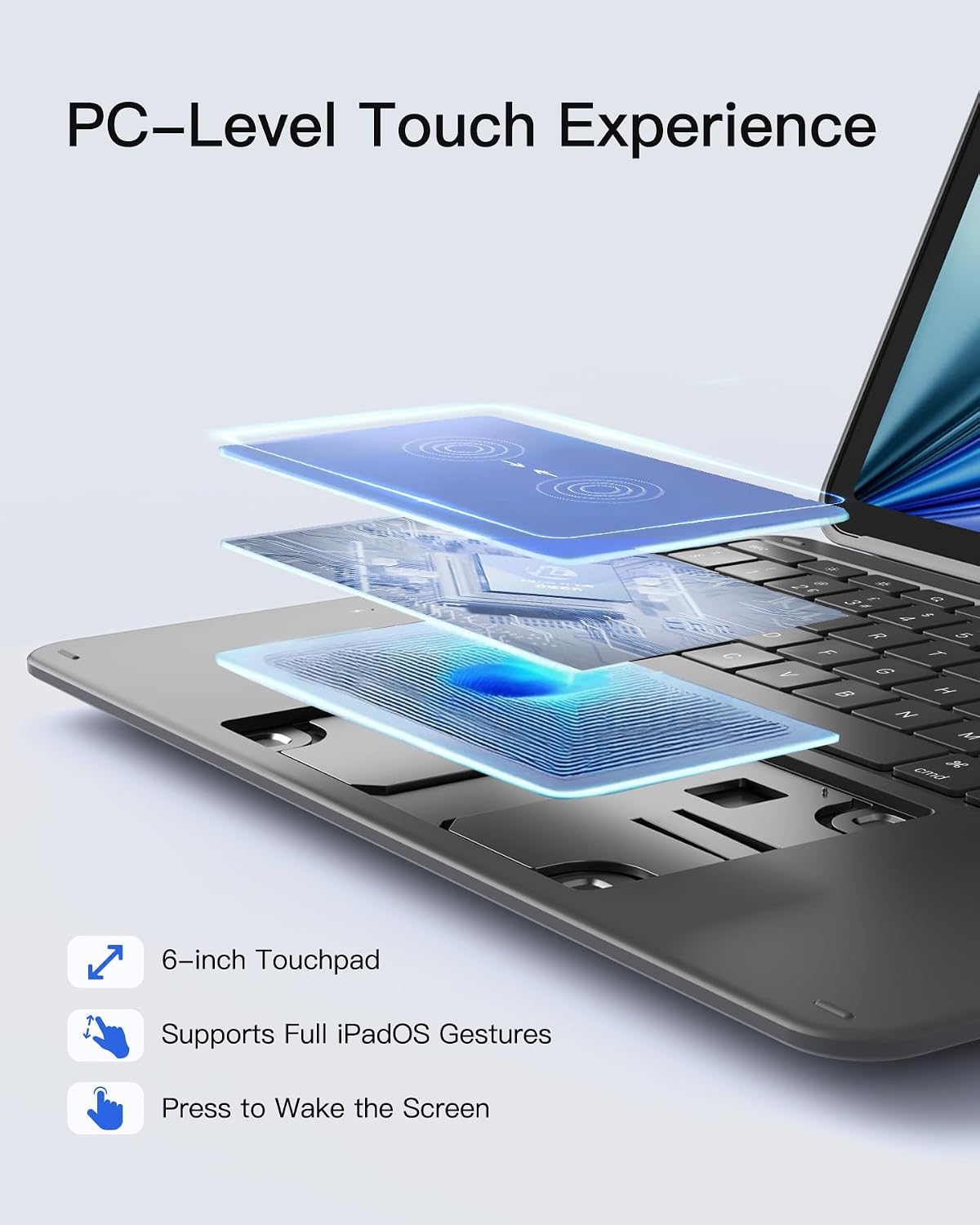
The trackpad is a standout feature in this design. It uses an ultra-large, full-surface multi-touch touchpad (listed as 6-inch, with dimensions of 126 × 82 mm). If you’re used to relying on gestures and pointer control on a MacBook, a bigger surface can feel more natural than smaller trackpads.
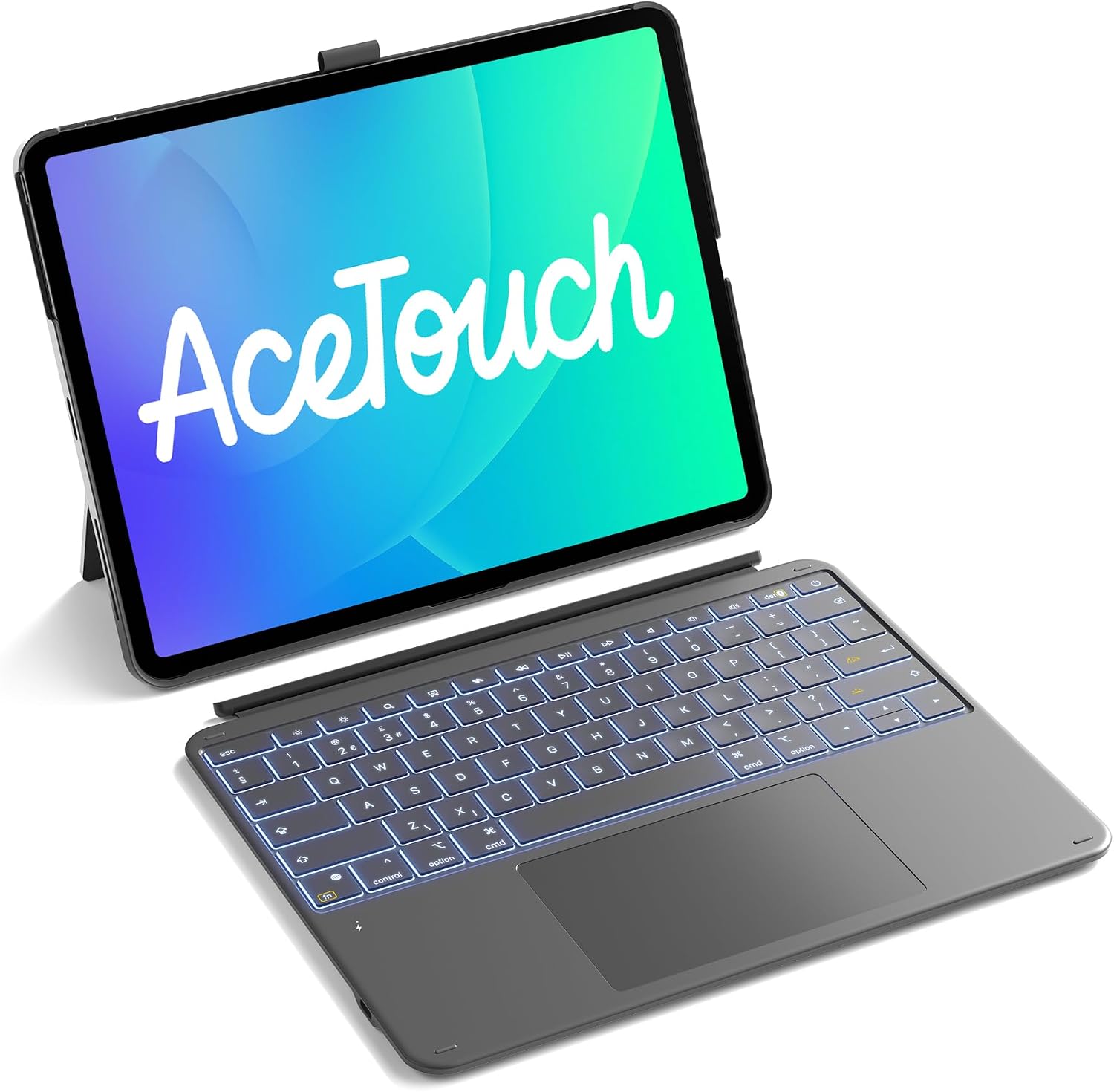
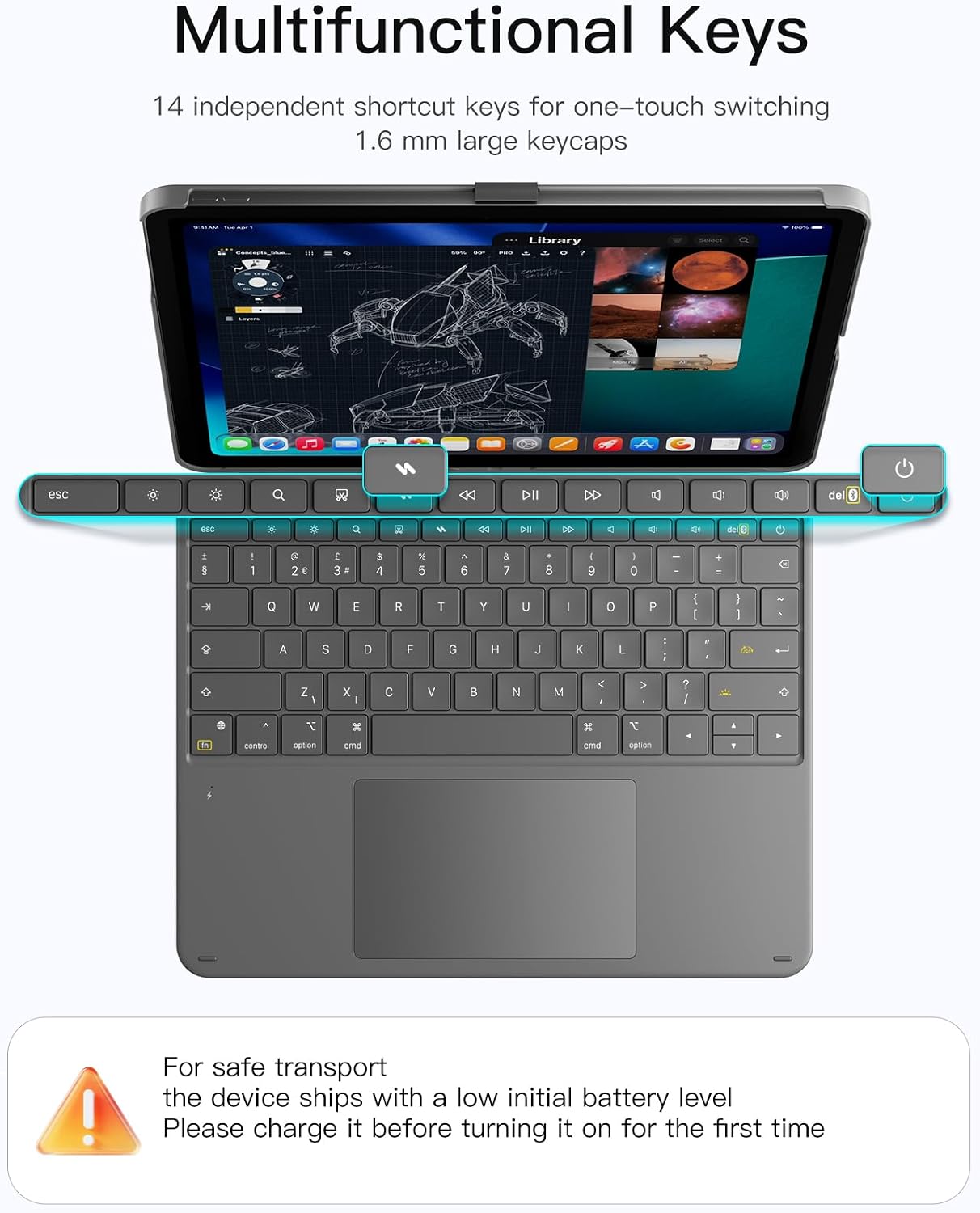
Typing is addressed too. The keyboard is described with scissor-foot keys and a 1-mm key travel. It also includes a Bluetooth chip intended to keep latency lower and reduce interference (again, as described). For key comfort, it uses 1.6 mm larger keycaps, which could help if your hands prefer a bit more surface.
There’s also a set of 14 independent key combinations for one-click switching, meant to support faster multitasking.
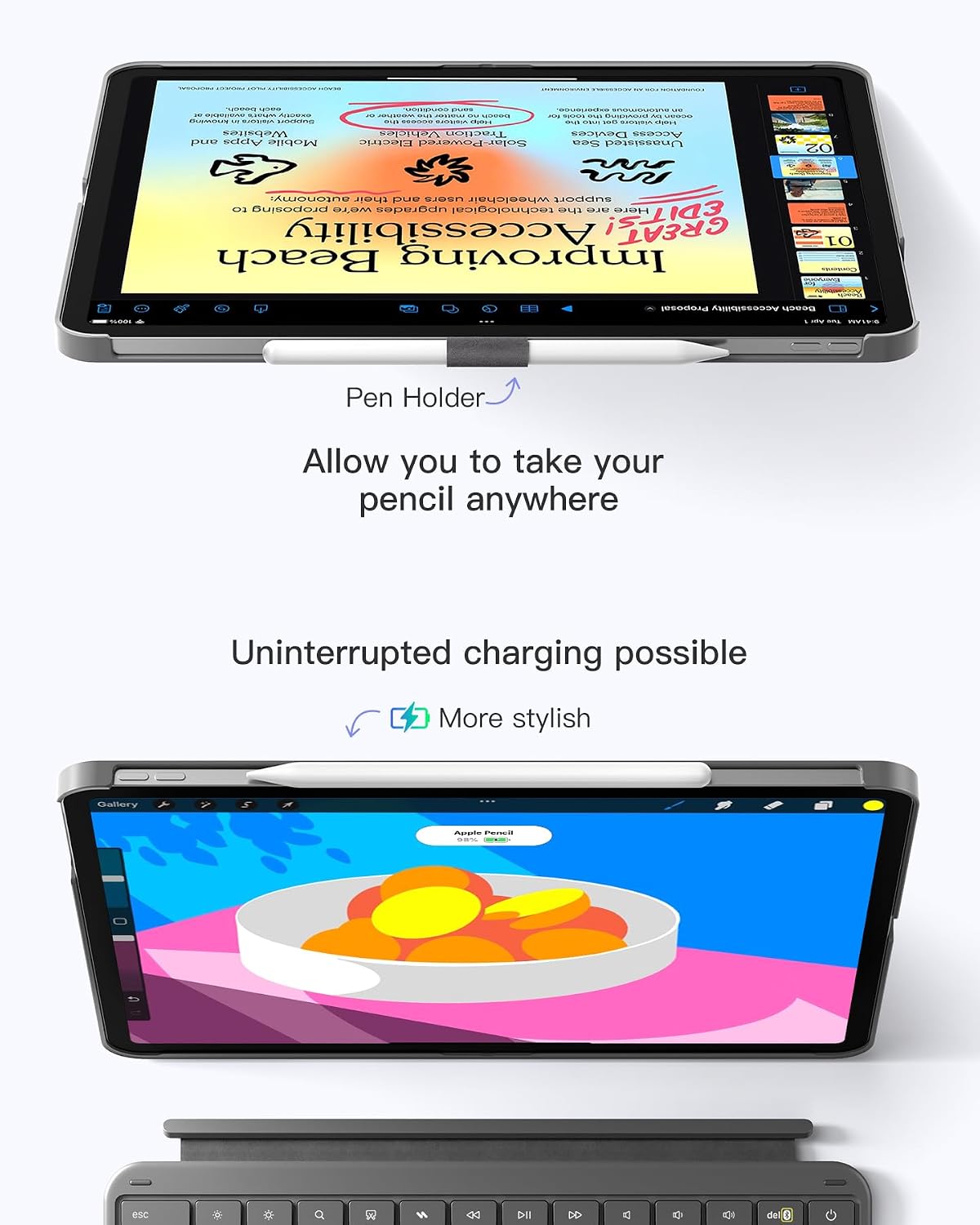
And yes, the pencil holder is built in, but designed to stay out of sight most of the time. When you need it, it can be taken out to store an Apple Pencil safely and help prevent scratching and loss, when not needed, it can be hidden back into the case.
Compatibility and fit: the important caveat
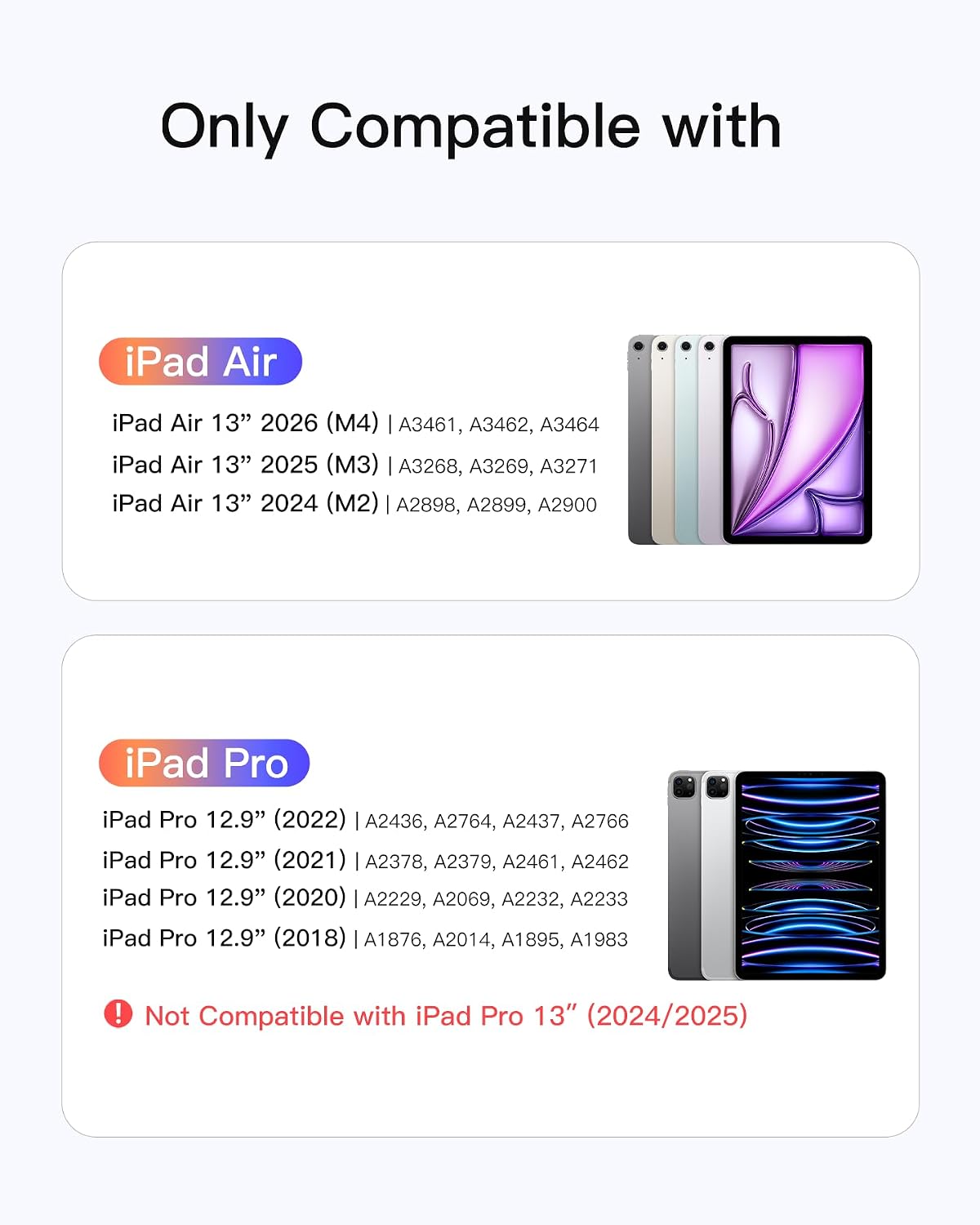
This case is specifically developed for an iPad Air 13-inch (M3/M2, 2025/2024 mentioned) and an iPad Pro 12.9-inch 6th/5th/4th/3rd generation, with listed model numbers for each Pro generation (A2436/A2764/A2437/A2766 for 6th Gen, A2378/A2379/A2461/A2462 for 5th Gen 2021, and so on).
That means it’s not a “works with any iPad” accessory. If your iPad’s model number doesn’t match what’s listed, it’s not a good idea to gamble. Before buying, double-check the model number rather than relying on screen size alone.
If you prioritise the iPad Air 13-inch M4 2026, keep in mind the description calls out Air 13-inch M3/M2 (2025/2024) as the developed compatibility—so it’s worth verifying that your exact M4 year/version aligns with the stated support.
What’s good in day-to-day use
In everyday scenarios, this kind of keyboard case tends to shine when you want quick, stop-start productivity. For example, you can keep the case detached when you’re reading or watching, then snap it on when you need to write an email, take notes in a lesson, or tidy up a document.
The trackpad size and gesture support matter most if you do more than just occasional cursor movement. The listing states it’s compatible with all iPad OS gestures and includes anti-mistouch, aiming for more precise, lag-free operation.
There’s also a quick pointer-efficiency setup mentioned: go to Settings > General > Trackpad, move the pointer speed slider to the middle, enable “Tap to Click” and “Secondary Click with Two Fingers”. That kind of guidance is genuinely useful because keyboard cases can feel awkward if pointer speed is set too high or low.
Where it may fall short (so you’re not disappointed)
Keyboard cases are a compromise by nature. Detachable keyboards can be brilliant for flexibility, but they also mean you’re relying on the magnet connection and the case’s stability for typing sessions. If you’re the type who wants an uninterrupted “tablet stays off, keyboard stays on” setup all day, you may find yourself detaching less often—or wanting something more rigid.
Also, while the case supports trackpad gestures and aims for low-latency performance, it’s still positioned as an ultralight keyboard case. Depending on your expectations, it may sit more in the mid-range practical category than a fully workstation-grade typing experience.
Finally, if you don’t use an Apple Pencil, the pencil holder design won’t be something you’ll benefit from.
Tech specs (as stated by the listing)
- Type: Keyboard case for iPad with detachable UK-layout backlit keyboard
- Trackpad size: 6-inch full-surface touchpad (126 × 82 mm)
- Key travel: 1 mm
- Key mechanism: scissor-foot structure
- Bluetooth chip: 5.3 mm (as listed)
- Keycaps: 1.6 mm larger keycaps
- Trackpad setup notes: Settings > General > Trackpad, pointer speed mid, “Tap to Click” and “Secondary Click with Two Fingers”
In the box / setup notes
The listing focuses on the detachable keyboard case and the built-in pencil holder design, but it doesn’t clearly state what accessories are included beyond the case components. If you’re specifically expecting any additional items, it’s worth checking the product listing details before ordering.
Should you buy it?
It makes sense if you want one magnet-connected iPad keyboard case that covers both protection and everyday typing, with a large touchpad for smoother cursor control and iPad OS gesture use. It’s a sensible choice for students, note-takers, and anyone who regularly switches between watching/reading and getting real work done.
You may want to skip it if your iPad model number isn’t one of the listed compatible generations, or if you’re buying assuming it will suit “any” 13-inch or 12.9-inch iPad. It’s also not the best match if you expect a laptop-like typing setup that never needs repositioning—this is still a detachable, case-based approach.
Quick FAQ
Is it suitable for iPad Air 13 inch M4?
The title mentions iPad Air 13 inch M4 (2026), but the compatibility text highlights iPad Air 13-inch M3/M2 (2025/2024). Worth double-checking the exact model/version details in the listing before you commit.
Does it have a detachable keyboard?
Yes. The keyboard and protective case are described as magnetically connected and detachable in about one second.
Is the trackpad large enough for gestures?
It’s described as an ultra-large full-surface touchpad (6-inch). The listing also states compatibility with all iPad OS gestures.
Can the iPad be used horizontally or vertically?
The case can be set up horizontally or vertically, aimed at different scenarios.
Does it support Apple Pencil?
There’s an invisible pencil holder design that can be taken out to store an Apple Pencil and can be hidden when not in use.