

Anker A210C USB-C Hub with Smart Display, Dual 2K@240 Hz, HDMI and DisplayPort
Product description
Set up a laptop workstation with two external displays, wired Ethernet and card-reader access from one desktop hub. The Anker A210C brings these connections together in an upright design, with most ports facing the back to help keep cables routed away from the front of your desk.
Its built-in smart display shows port status, charging power, data transfer speed and device temperature. You can also add personal images for a rotating slideshow or use the customizable focus timer. Want a hub that does more than connect peripherals? The display adds useful at-a-glance information to a working desk setup.
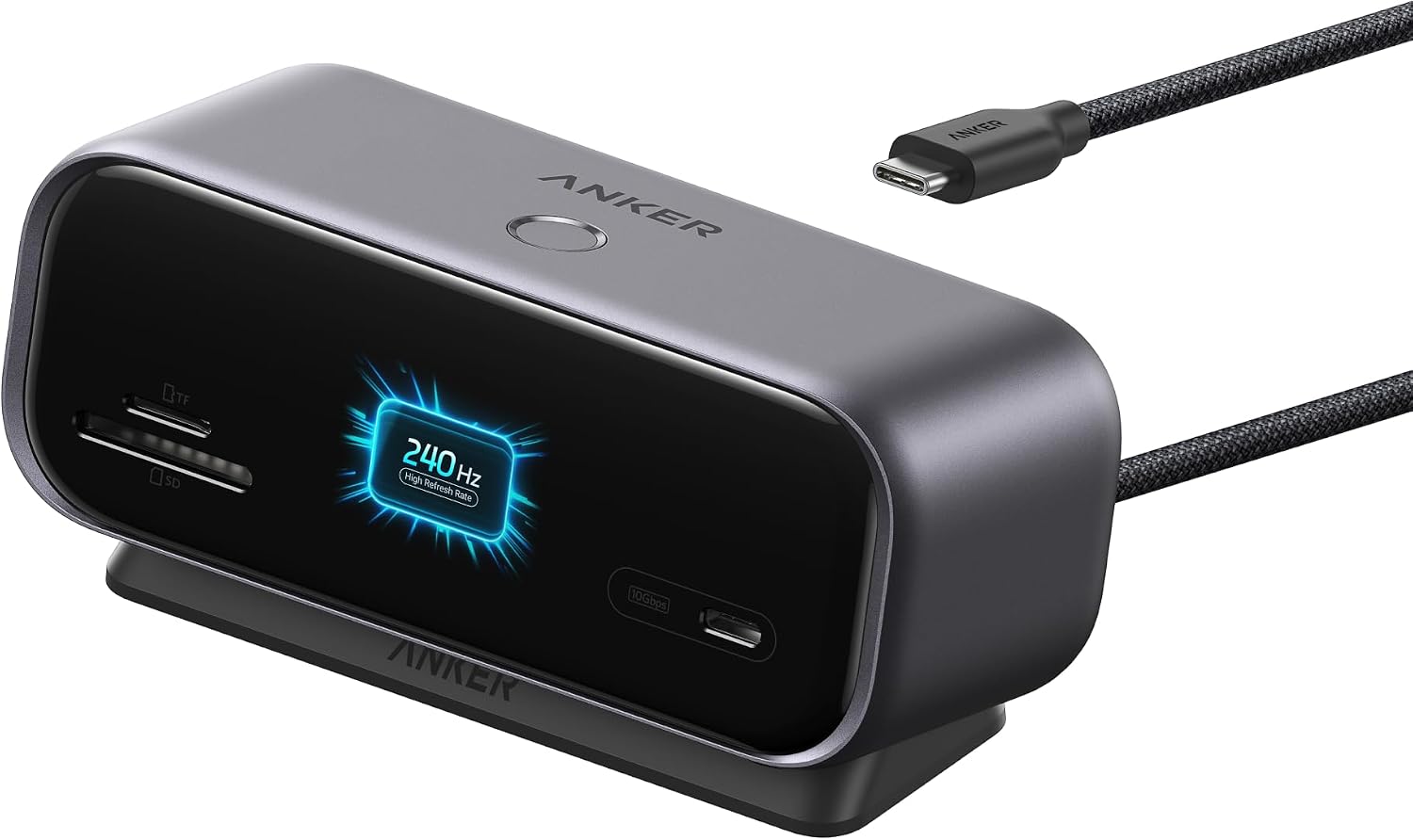
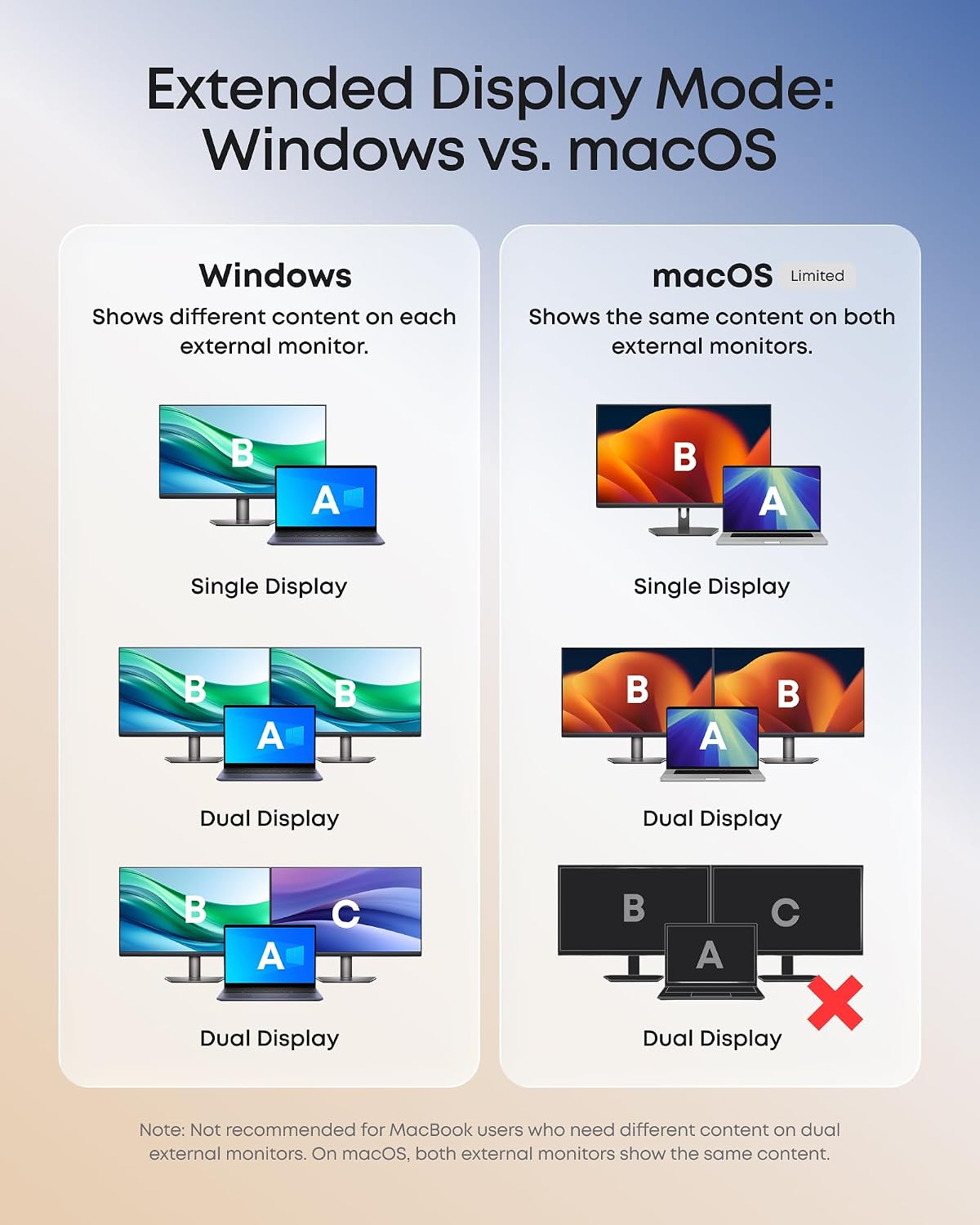
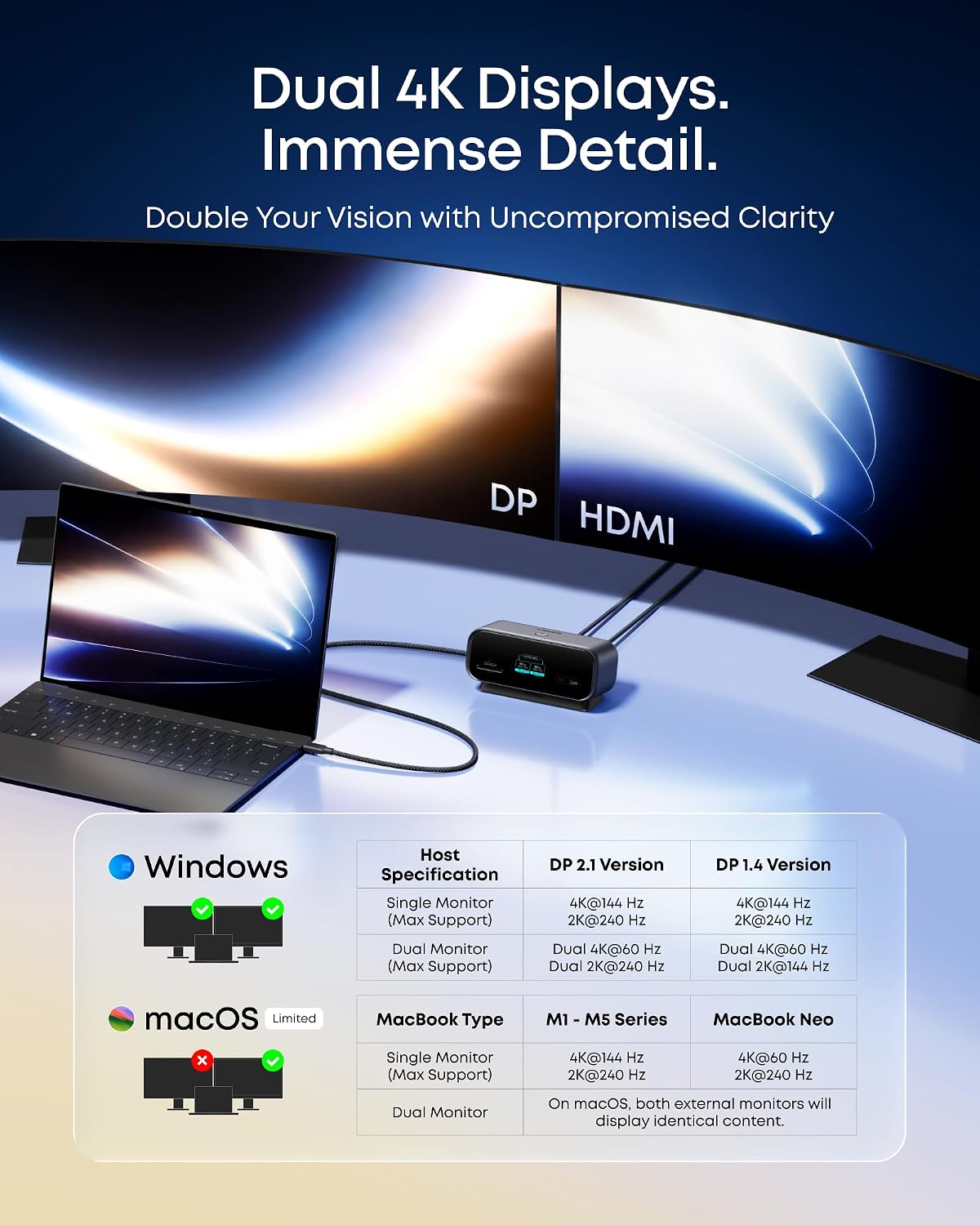
Use it with a compatible laptop to connect screens and everyday accessories, whether you’re working across documents, editing or streaming. Windows can extend to two displays with different content, on macOS, both external monitors show the same content.
Key features
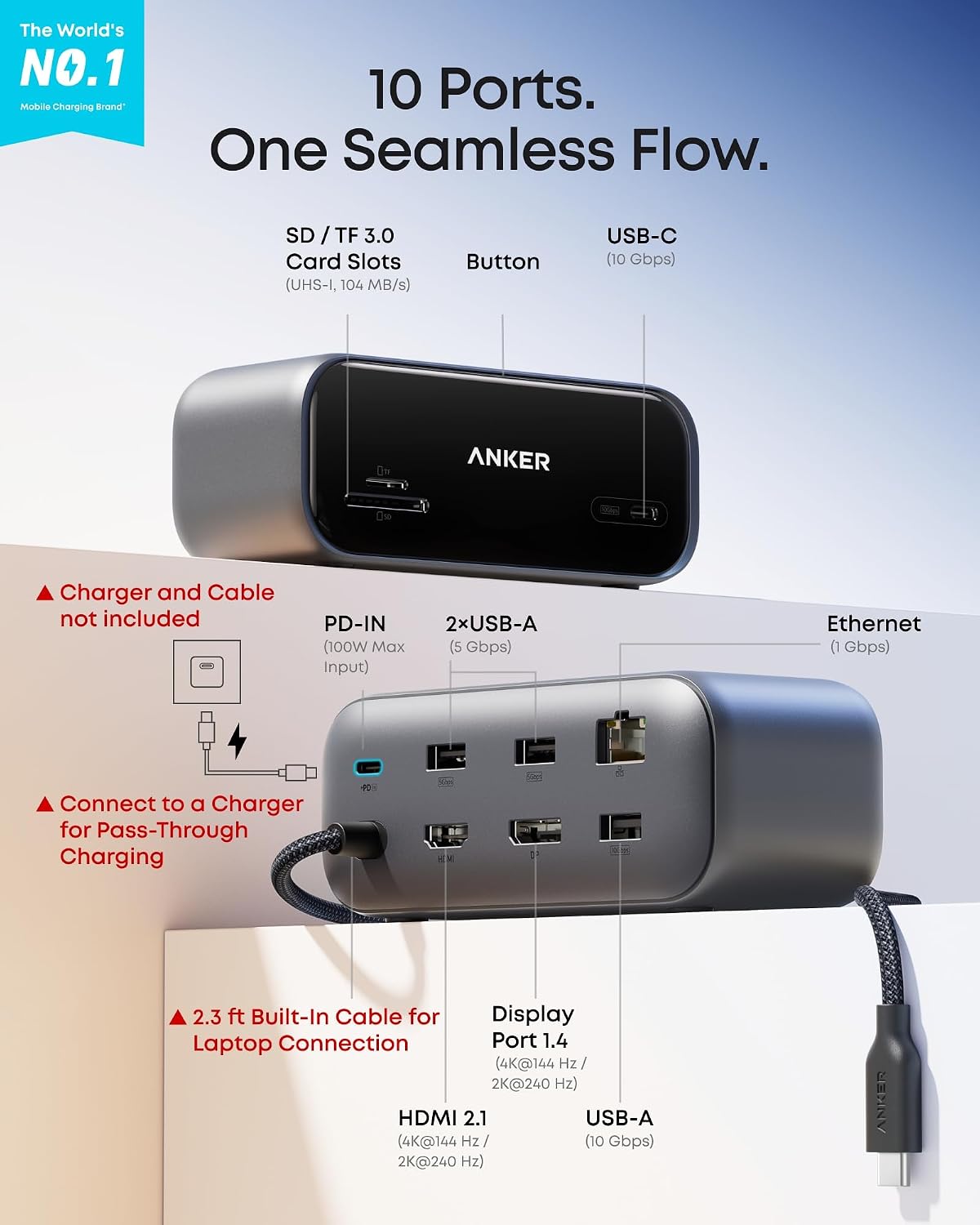
The 10-in-1 hub has HDMI 2.1 and DisplayPort 1.4 video outputs, a Gigabit Ethernet port, SD and microSD 3.0 card slots, and four USB-A ports. A USB-C data port and a USB-A data port support transfer speeds up to 10 Gbps, two additional USB-A ports support up to 5 Gbps. The USB-C and USB-A data ports are for data transfer, while video output is through HDMI and DisplayPort.
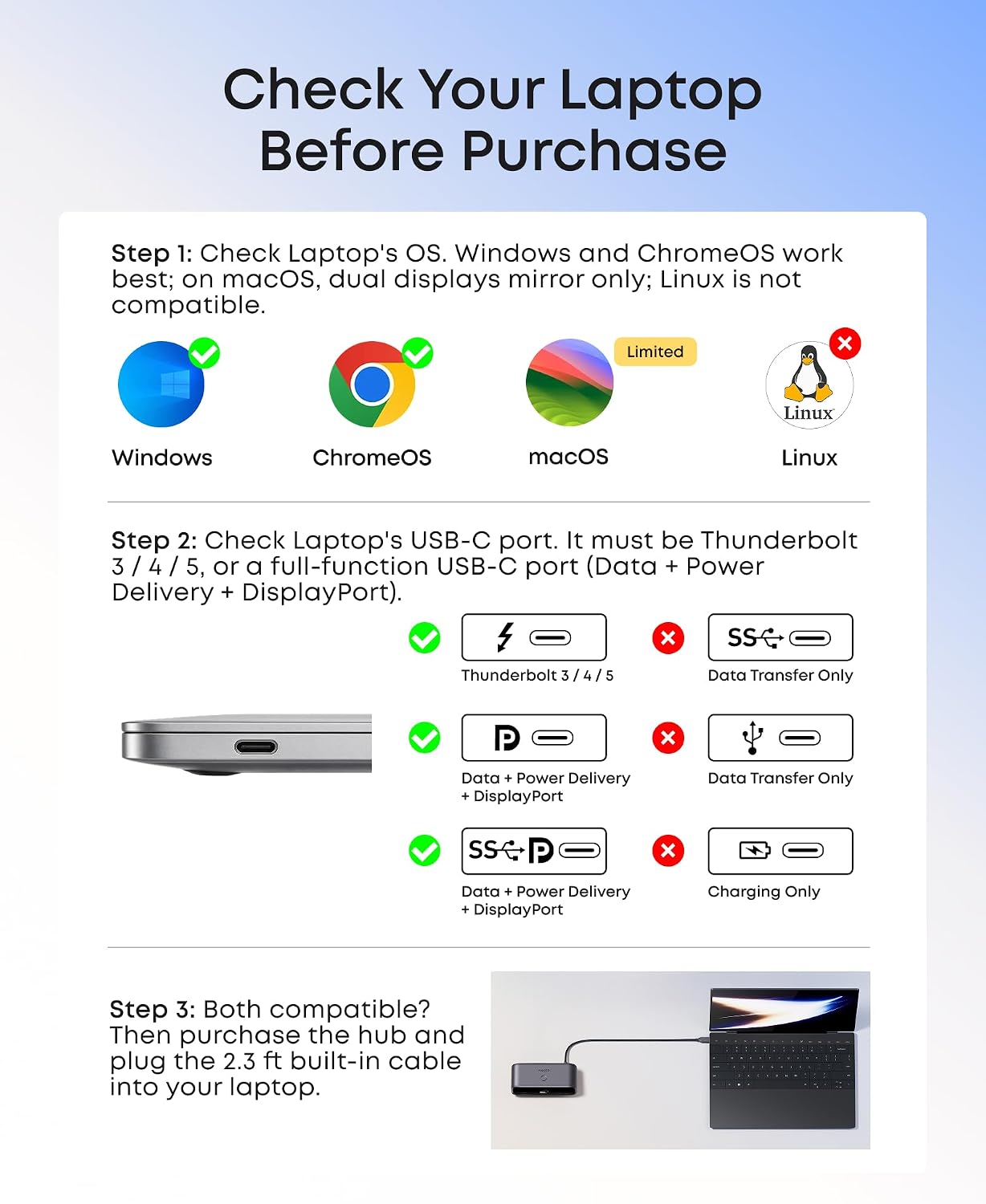
For display work, the hub supports one monitor at up to 4K@144 Hz or 2K@240 Hz, or dual displays at up to 2K@240 Hz. Dual 2K@240 Hz requires a laptop USB-C port supporting DP 2.1 with DSC 3:1. The host laptop’s USB-C port must support Power Delivery, DisplayPort 1.2, 1.4 or 2.1, and USB4 or Thunderbolt 3, 4 or 5.
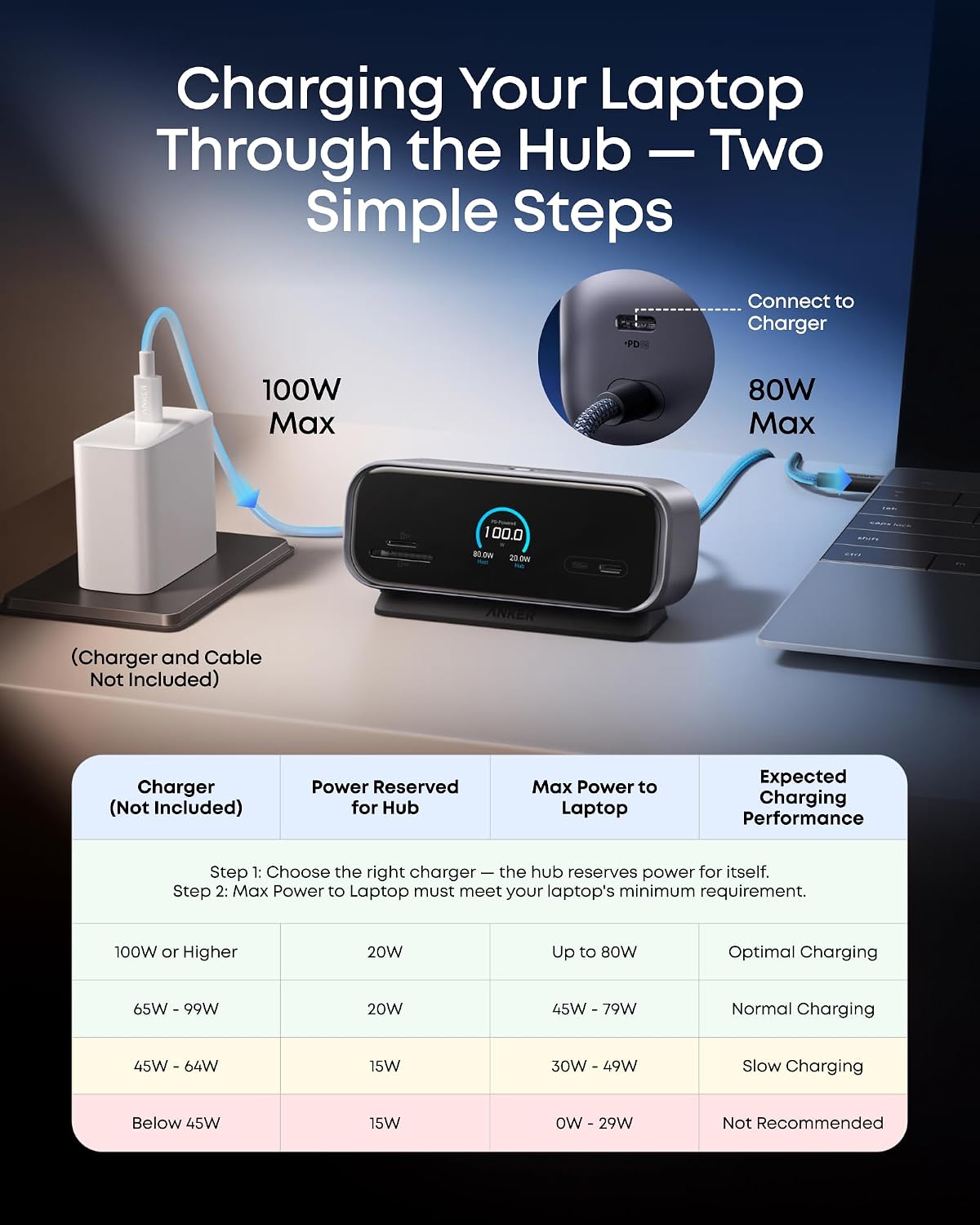
The 100W max PD-IN port enables up to 80W of host charging. A 65W or higher USB-C charger is recommended for optimal performance, the charger is not included. The hub can draw power from the laptop for basic functionality when used without an external charger.
Practical tips
Place the hub upright near the laptop so the rear-facing ports can route cables behind the desk. Its built-in 27.6-inch host cable allows flexible positioning, and the included magnetic base lifts the display for a better viewing angle. The base uses residue-free adhesive to help keep the hub stable, adhesion can vary by surface.
Use the web dashboard to customize the display, check port status and adjust the 25-minute focus timer. The app supports photo slideshows and firmware updates. Before connecting monitors, match the display setup to your laptop’s operating system and USB-C capabilities. USB-C monitors are not supported for video output through this hub.
Practical questions
Can the hub show different content on two monitors? On Windows, each external monitor can show different content. On macOS, both connected external monitors display identical content.
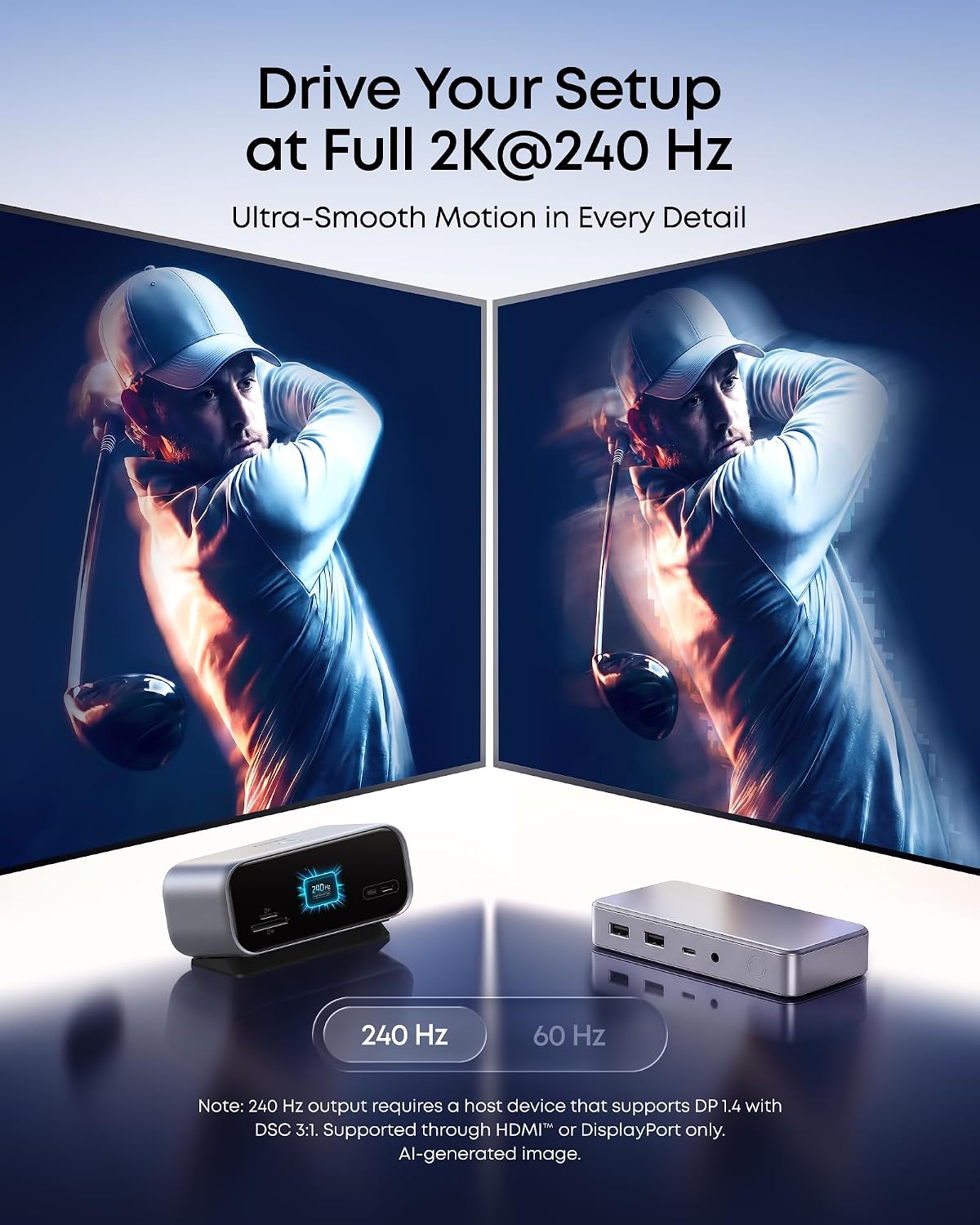
What do I need for dual 2K@240 Hz output? The laptop’s USB-C port must support DP 2.1 with DSC 3:1. Connect the monitors through the hub’s HDMI and DisplayPort outputs.
Can it charge the connected laptop? Yes. Connect a USB-C charger to the 100W max PD-IN port for up to 80W of host charging. A 65W or higher USB-C charger is recommended for optimal performance, and the charger is sold separately.
Final verdict
The A210C suits a desk setup that needs display connections, fast data transfer, Ethernet and SD or microSD access in one compact hub. Its smart display adds practical status information and a customizable focus timer, while rear-facing ports help keep the work area orderly. For compatible Windows laptops, it’s a capable choice for extending a workspace across two monitors, Mac users can connect external displays knowing they will mirror the same content.