

ZYK Universal IR Replacement Remote for Apple TV 4K and Apple TV HD (Non-Siri, Non-Voice)
Product description
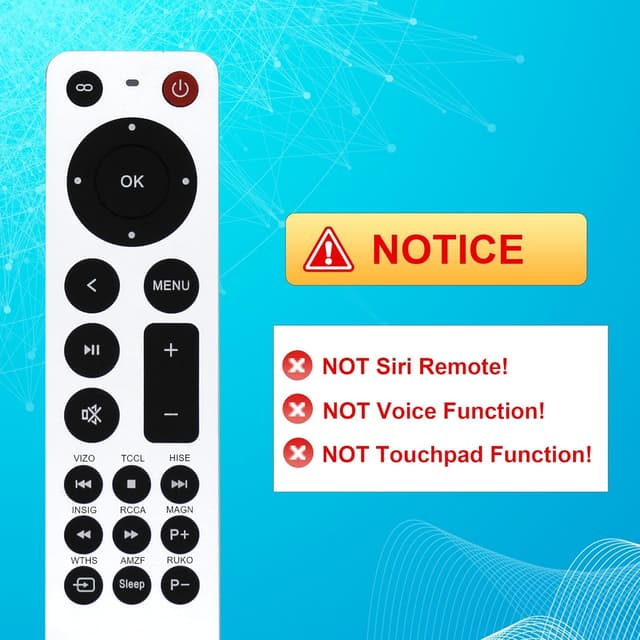
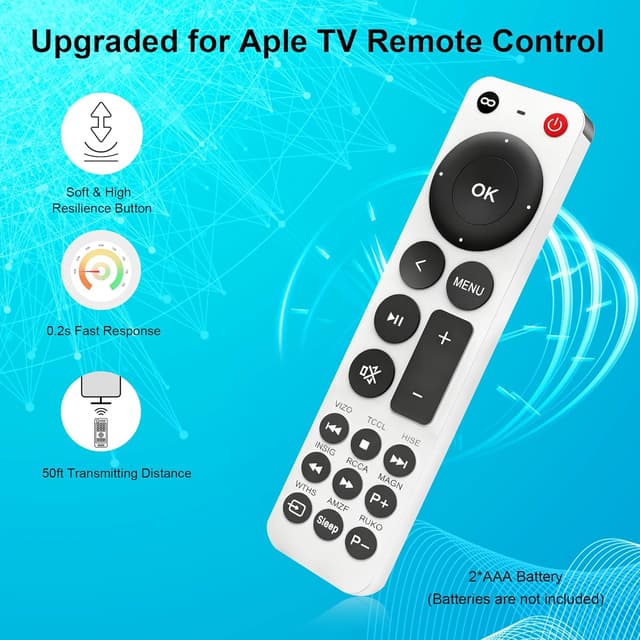
If your Apple TV remote has gone missing—or is finally acting up—this ZYK replacement is built for one job: taking back control without pairing. That said, it’s not the same as a Siri/voice remote, and it won’t try to replace those features.
The essentials
This is a universal replacement remote specifically described for Apple TV 4K and Apple TV HD models (including the generations listed in the compatibility notes). It’s an IR (infrared) remote, so instead of Bluetooth-style pairing, it relies on line-of-sight control. The big practical upside is simple setup: insert the batteries and use it.
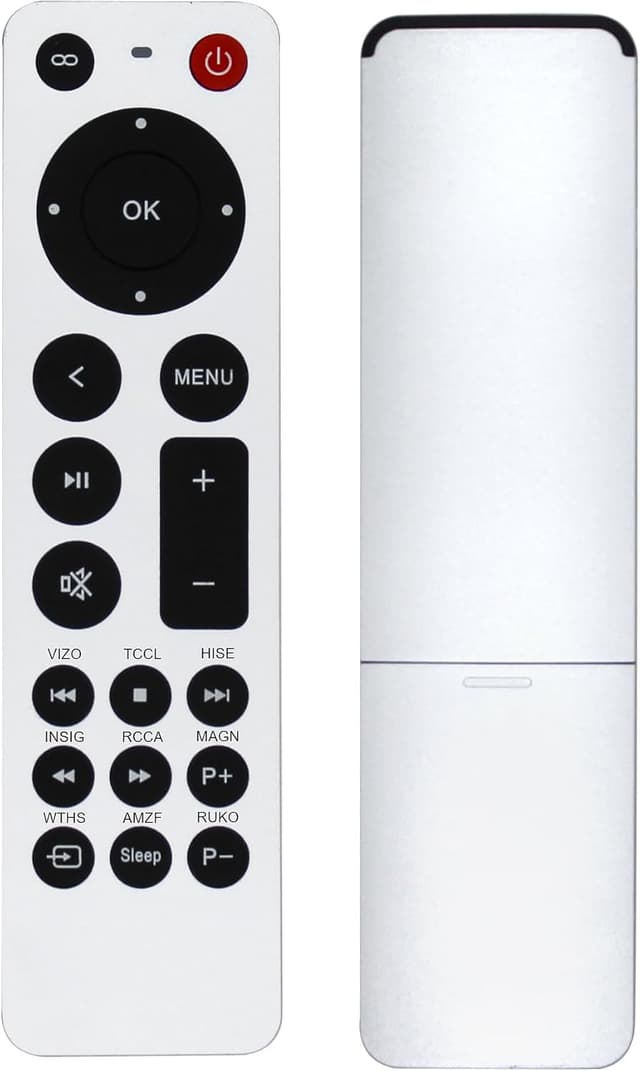
Where it can disappoint a bit: it’s labeled as NO Siri and NO voice. The remote also notes limitations around TV controls—power, volume, mute can only work for certain TV brands (Vizio, TCL, Hisense, Insignia, Westinghouse, Roku). If your TV isn’t in that list, you may still be able to control Apple TV, but TV button behavior may be partial or inconsistent.
Compatibility and what to double-check before buying
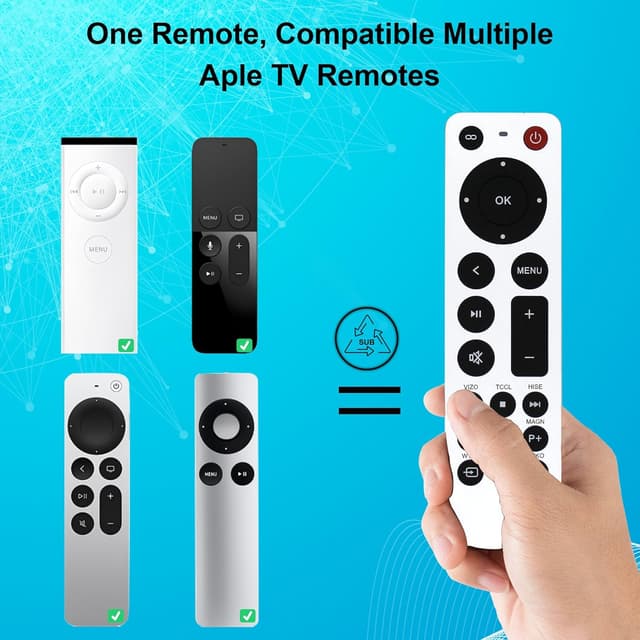
The product listing includes a long set of Apple TV model identifiers (A-series model numbers) for both Apple TV 4K and Apple TV HD, plus compatibility notes for different Apple TV remote families (including Apple TV Remote and Siri Remote generations). The listing also stresses it’s an IR remote.
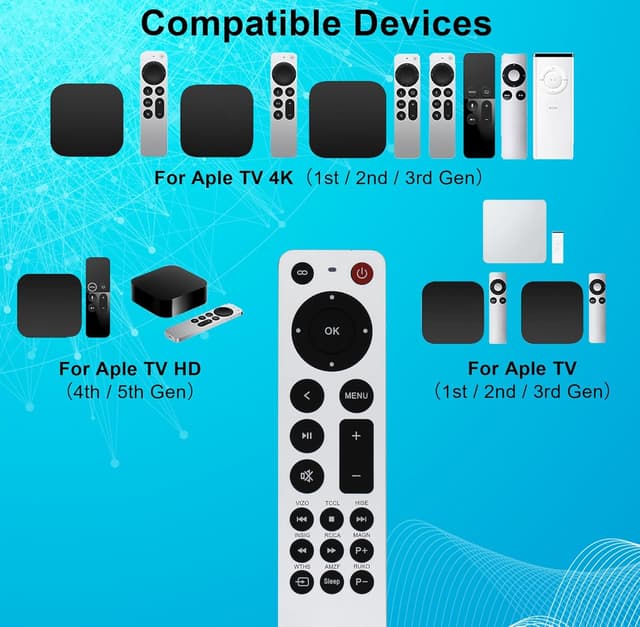
One limitation worth taking seriously: it mentions that button functions for TV controls depend on your TV brand, and it also advises checking that your TV is “above the TV brand” level before purchase. The wording is a little unclear, but the intent is clear—if your TV setup doesn’t match, you might only get partial functionality.
Before you order, confirm two things: - Your Apple TV model matches one of the generations/model numbers referenced. - You’re okay with IR-only behavior and without Siri/voice.
Setup and everyday use
No pairing headaches is the headline here. The listing says you can get started by inserting 2 AAA batteries (batteries are not included). Once installed, you switch your input/source to your Apple TV channel, or press the menu button to activate Apple TV.
On a practical level, think of the experience like this: you point the remote at the Apple TV and navigate menus the normal way. It’s the kind of replacement that fits well when you just want the basics—play/pause, navigation, and menu control—back in your living room quickly.
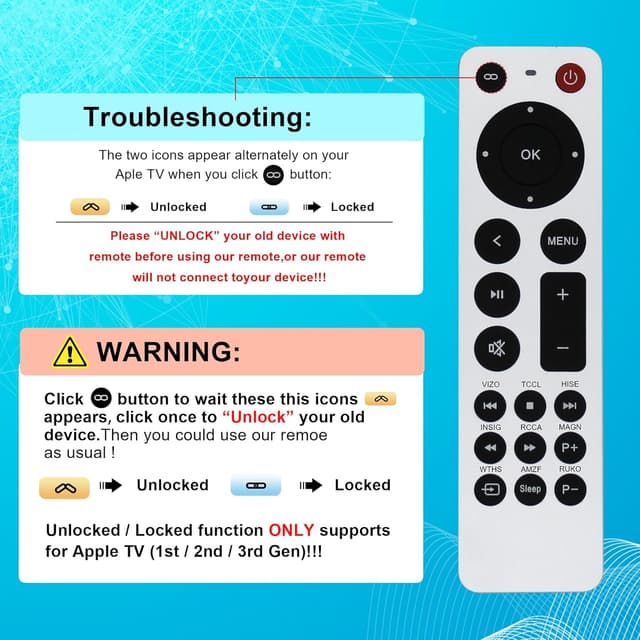
There’s also a note about unlocking your old device remote before using this replacement, if the Apple TV still expects pairing behavior from the previous remote, this can matter. It’s not something most people want to deal with, but it’s better to know it exists.
What stands out (and what doesn’t)
What you’ll likely notice day to day - IR replacement approach: designed to work without pairing. - Simple battery-based setup. - Direct Apple TV remote replacement focus, including multiple listed Apple TV generations.
Where it may not be a great match - If you rely on Siri or voice control, this is explicitly not that remote. - TV power/volume/mute control is limited to certain TV brands, and the listing suggests functionality may be partial outside those conditions. - Because it’s IR, it may be more sensitive to line-of-sight than Bluetooth-style remotes (depending on how your setup is arranged).
The essentials from the box
The package includes 1 replacement remote and 1 user manual. The manual language isn’t guaranteed to be Spanish. Batteries are not included, so you’ll want to have 2 AAA on hand.
Is it worth it?
This ZYK replacement remote makes sense if you need a straightforward Apple TV remote substitute for listed Apple TV 4K/HD models and you don’t care about Siri or voice. It’s especially reasonable if your main goal is getting navigation and menu control working again without going through a pairing process.
It’s not the best choice if you depend on Siri/voice features or if you expected full TV control (power/volume/mute) on a TV brand that isn’t mentioned in the compatibility notes. In those cases, you may end up with partial functionality and more frustration than savings.
Mini FAQ
Does this remote include Siri or voice control? No. The listing specifically states it does not have Siri or remote voice features.
Is it an IR remote or a Bluetooth remote? It’s described as an IR (infrared) replacement remote.
What batteries does it use? It uses 2 AAA batteries, and the listing says batteries are not included.
Can it control my TV volume and power? The listing says power/volume/mute buttons may only work for certain TV brands (Vizio, TCL, Hisense, Insignia, Westinghouse, Roku), and functionality may be partial if your setup doesn’t match the notes.
Does it connect or pair to Apple TV? The listing emphasizes no pairing steps—insert batteries, switch to the Apple TV input/source, then use the menu button.