

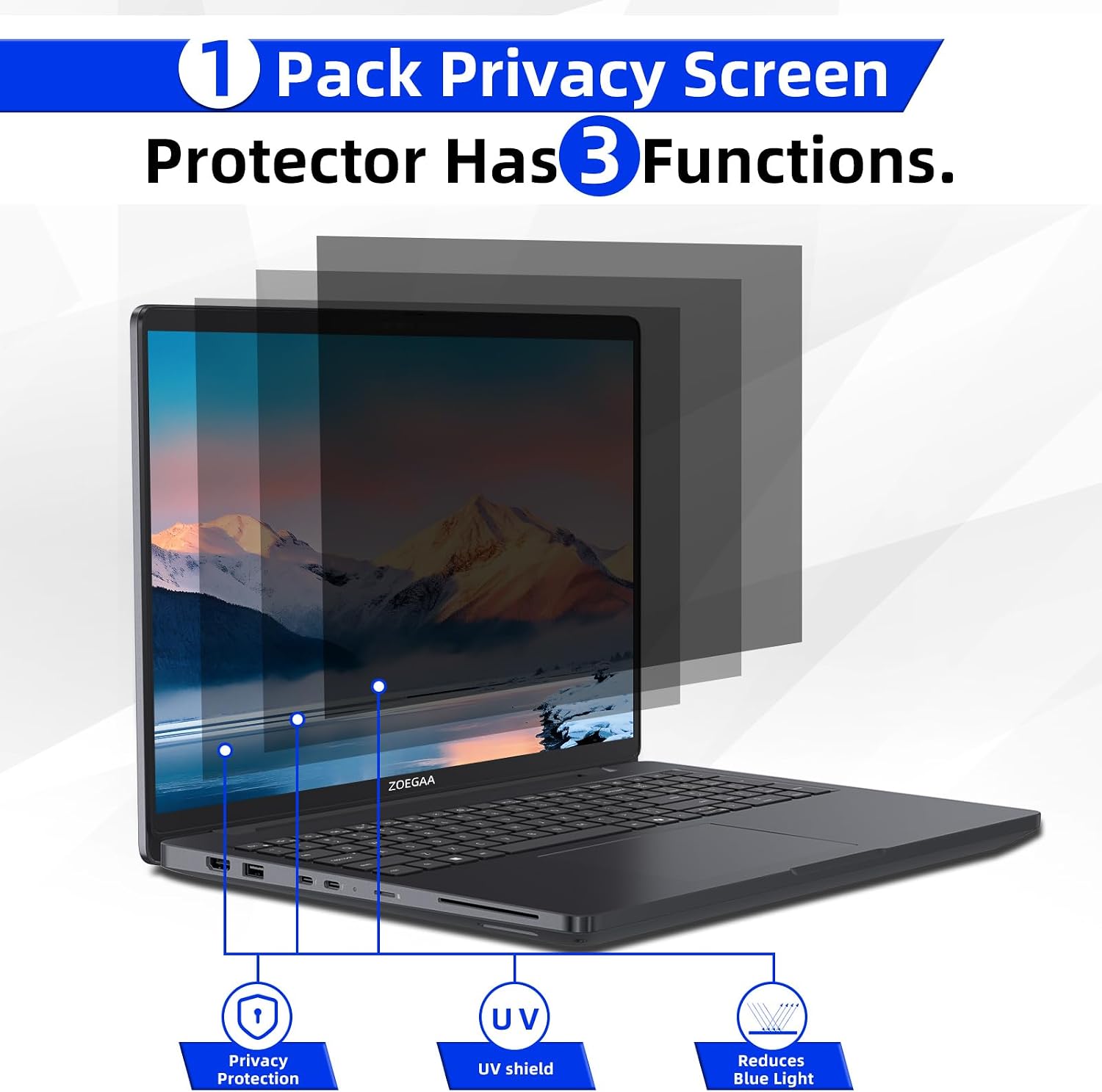
ZOEGAA 4-way 360° Privacy Screen for 14-inch 16:10 Laptops (Removable, Anti-Glare & Blue Light)
Product description
Quick overview: what it is and what it’s for
ZOEGAA’s 4-way 360° privacy screen is a removable privacy filter designed for certain 14-inch 16:10 laptop displays. The goal is simple: help keep what’s on your screen harder to see from the sides while also addressing distractions like reflections and bright screen glare. On paper, it’s the kind of add-on you’d pick up if you regularly work in public or shared spaces—coffee shops, offices, classrooms, or commuting—where privacy can feel like a gamble.
It’s also positioned around comfort: the screen is described as blocking blue light and ultraviolet rays, plus reducing glare. That’s a lot to promise from a thin film, so you should think of it as an everyday screen helper, not a miracle fix for eye strain.
Key points: 360° privacy and two finish options
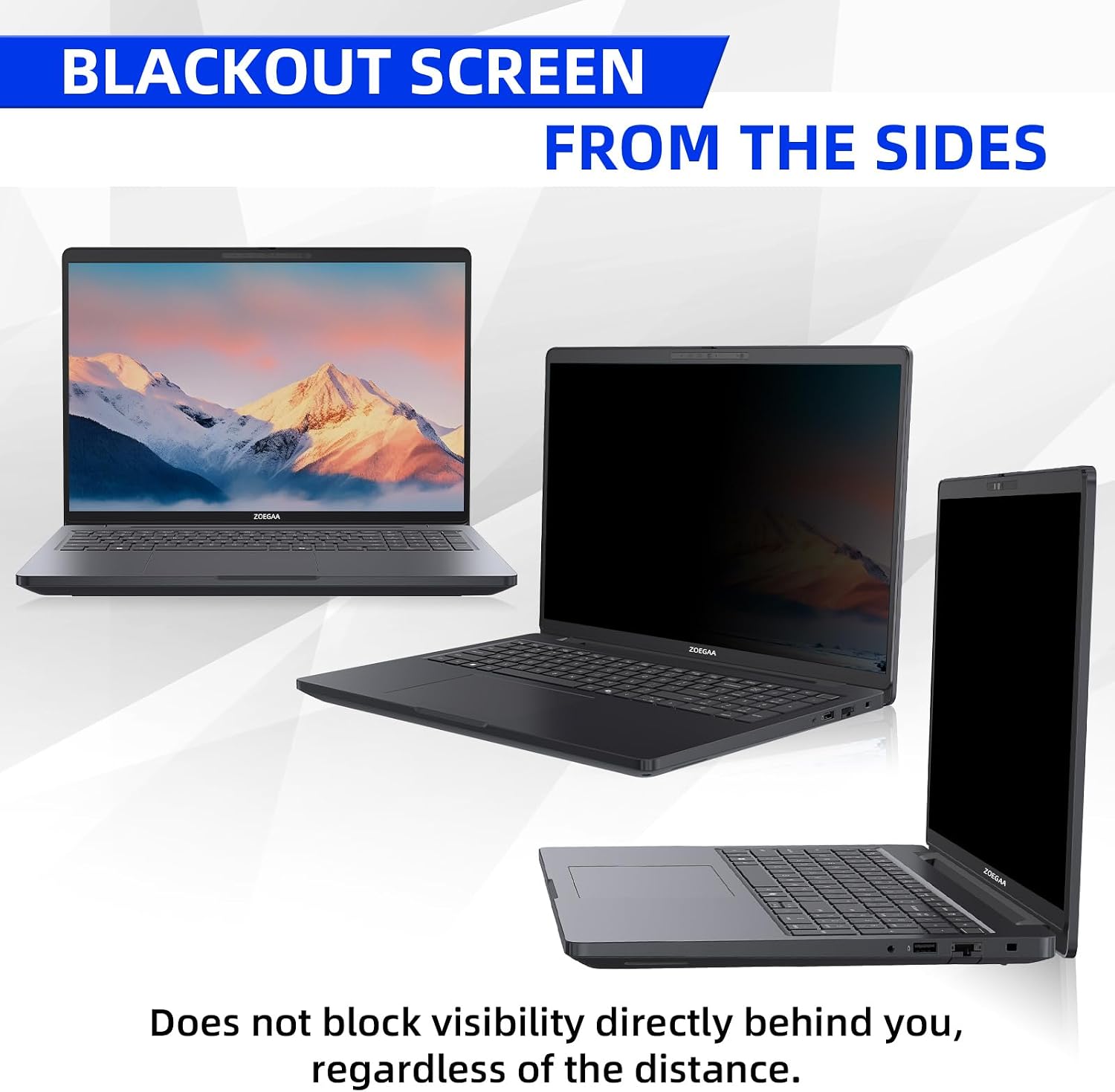
Most privacy screens only narrow visibility horizontally (think: left-to-right). This one is marketed as 4-way 360° privacy protection, covering up, down, left, and right. If your biggest concern is people catching your screen from awkward angles—say, when someone stands near your seat—this “four-direction” approach is the headline feature.
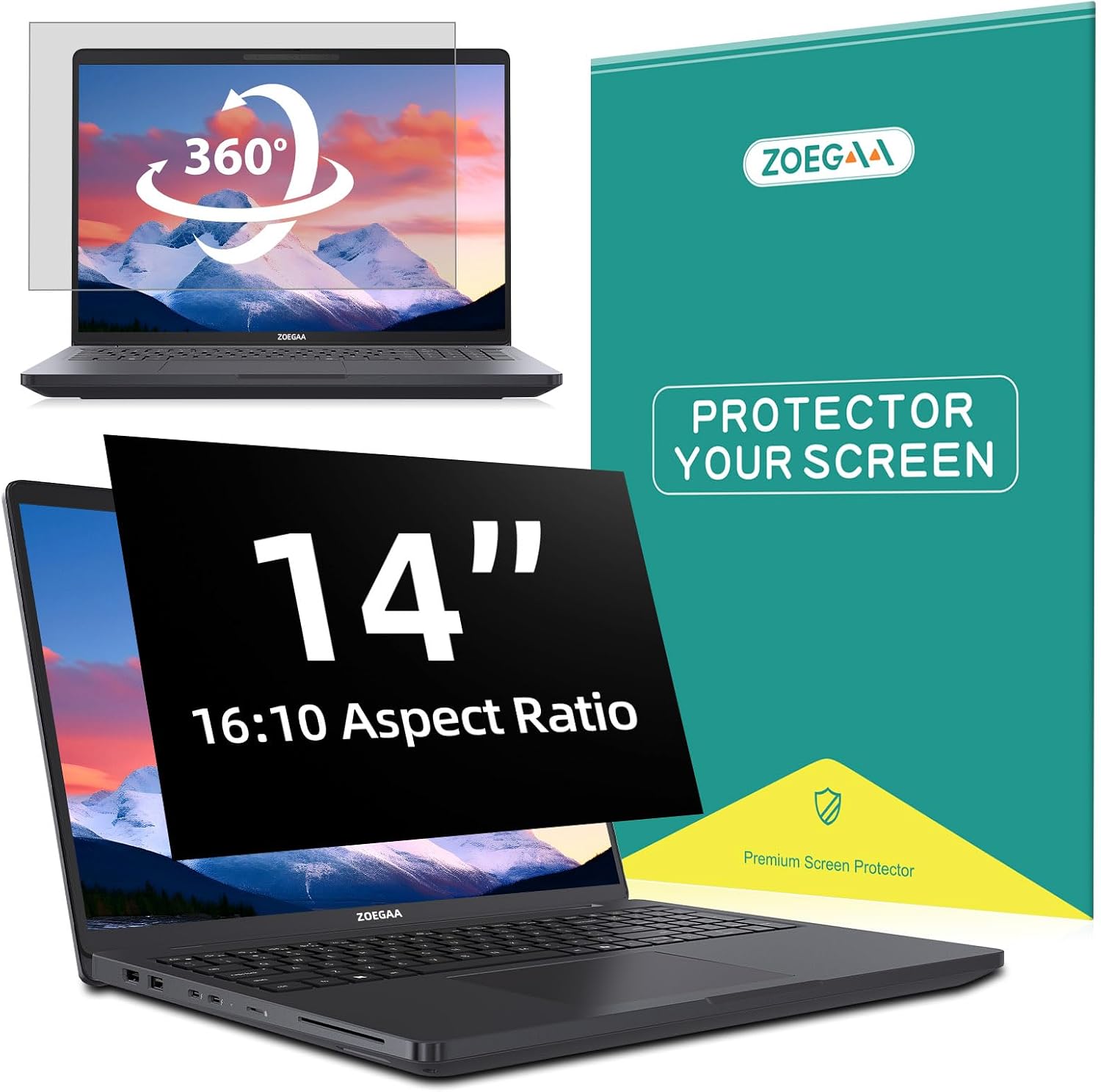
You also get two finish options. The glossy side is described as offering better privacy, while the matte side is meant to prevent glare. That matters because you can end up choosing between “maximum privacy” and “less reflection,” depending on your lighting.
One practical limitation to keep in mind: it’s not compatible with Surface and MacBook series computers, so you’ll want to verify your exact laptop model/screen size before ordering.
What you’ll notice day to day
In use, the privacy film is meant to reduce casual visibility from passersby, while glare prevention can make the screen easier to look at under brighter conditions. For example, imagine you’re working on a spreadsheet at a cafe table facing a window. A matte-oriented setup can help cut down reflections that wash out the display, and the privacy effect can reduce side viewing when someone walks by.
As for comfort, the manufacturer claims it blocks blue light and ultraviolet rays and helps with eye fatigue. Realistically, outcomes can vary by person and by how long you’re on your screen—so it’s reasonable to treat this as “potentially helpful,” especially if you spend long stretches in front of a laptop.
Installation: two ways, but you’ll want it secure
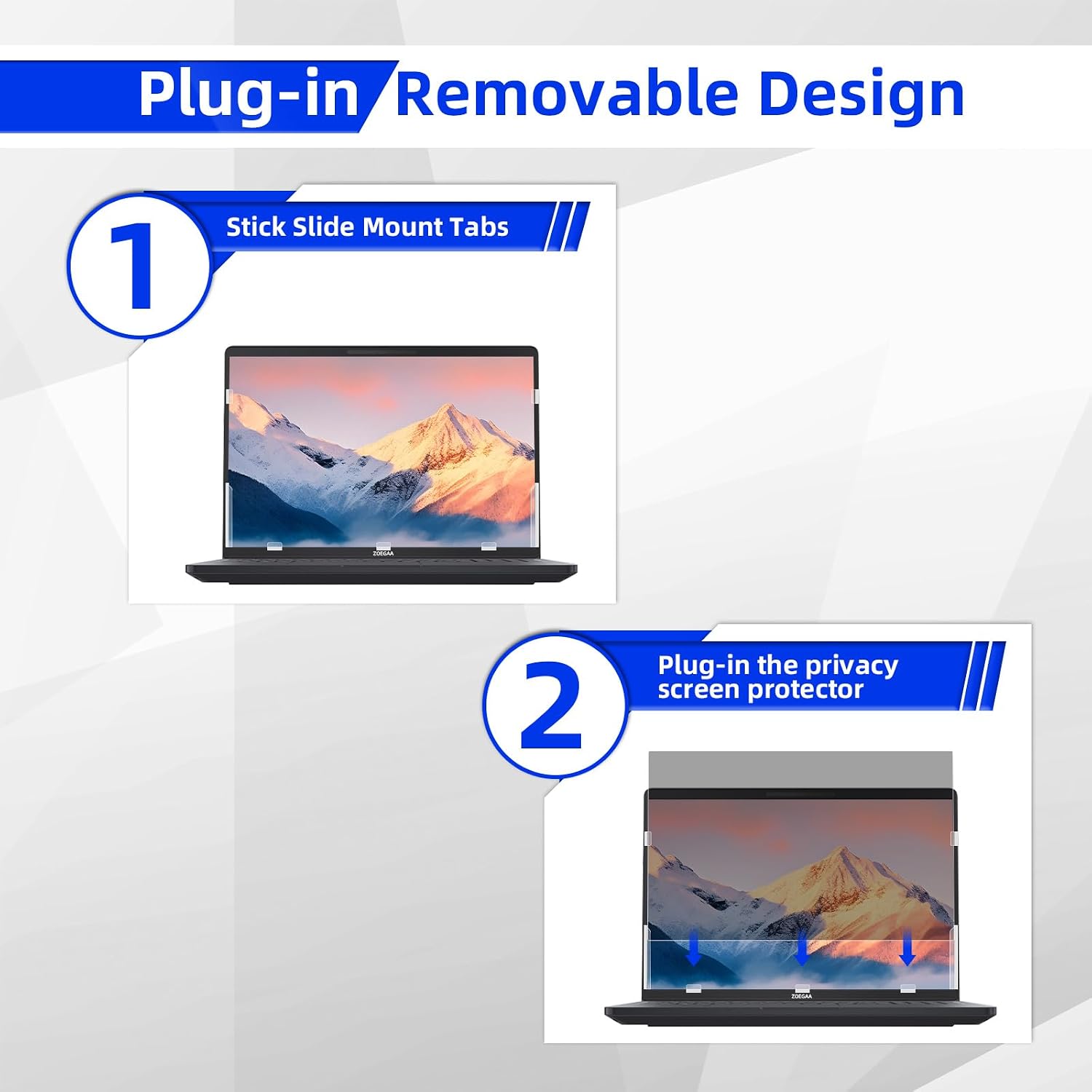
This privacy screen supports two installation methods:
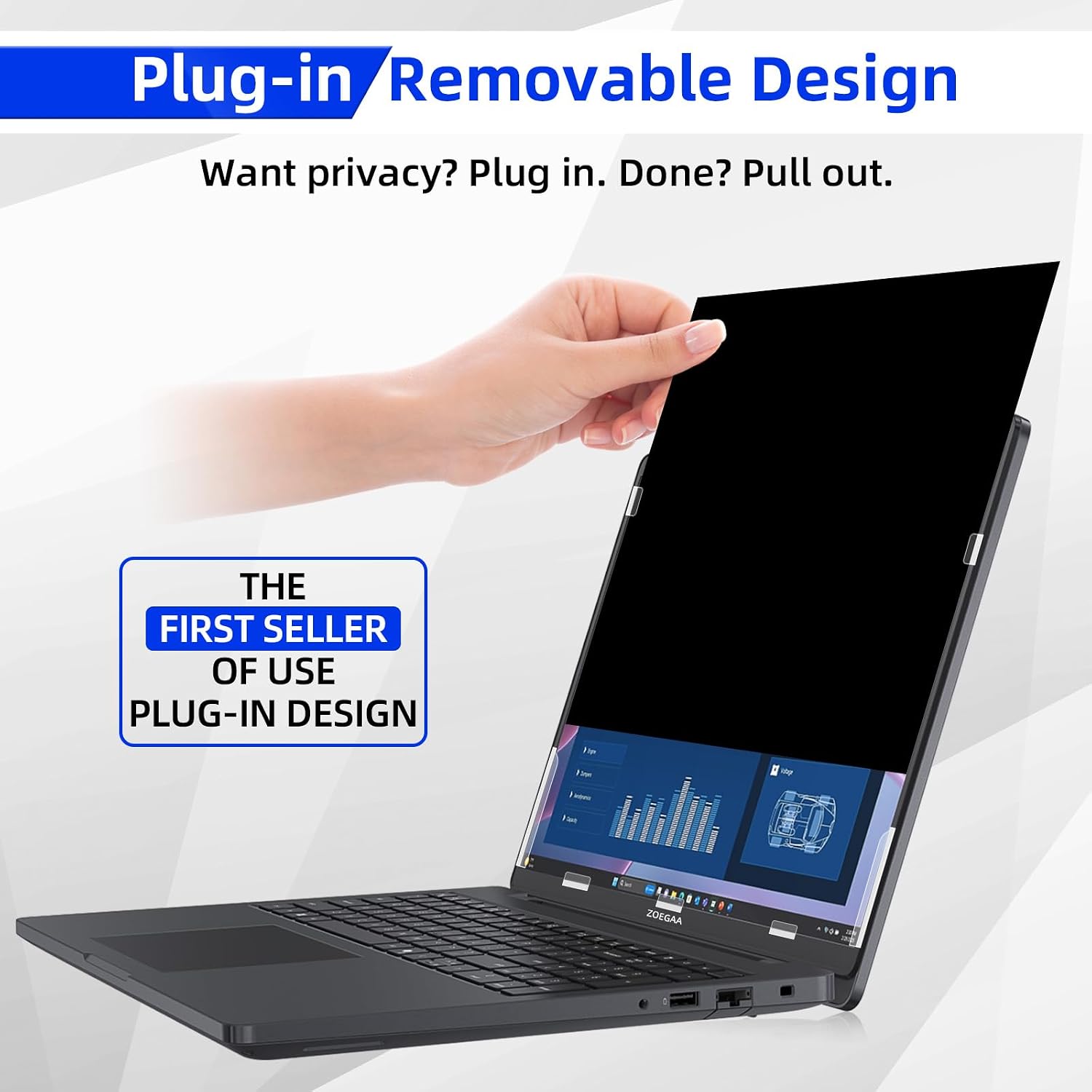
- Insert installation method: slide mount tabs around the screen border, then insert the 14-inch privacy screen.
- Double-sided adhesive method: use included double-sided adhesive stickers at the four corners, then attach the film to the laptop screen. If it doesn’t feel firmly attached, the instructions suggest adding more adhesive tape for stability.
If you’re the type who swaps devices or removes accessories often, the insert method is likely the more convenient approach. If you prefer a more “set it and forget it” feel, the adhesive method may be tempting—but only if you’re comfortable applying and re-securing adhesive.
Compatibility and fit to double-check before buying
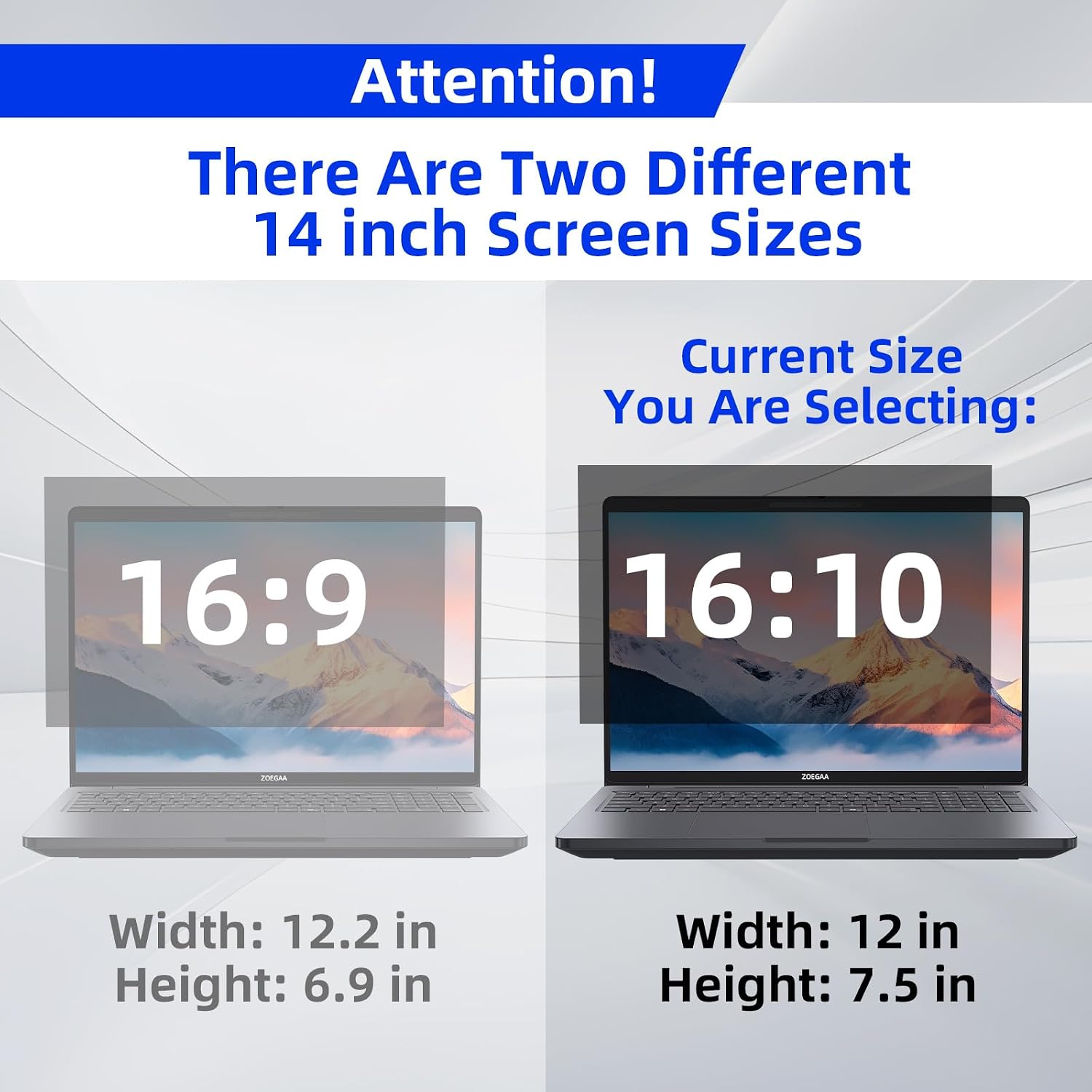
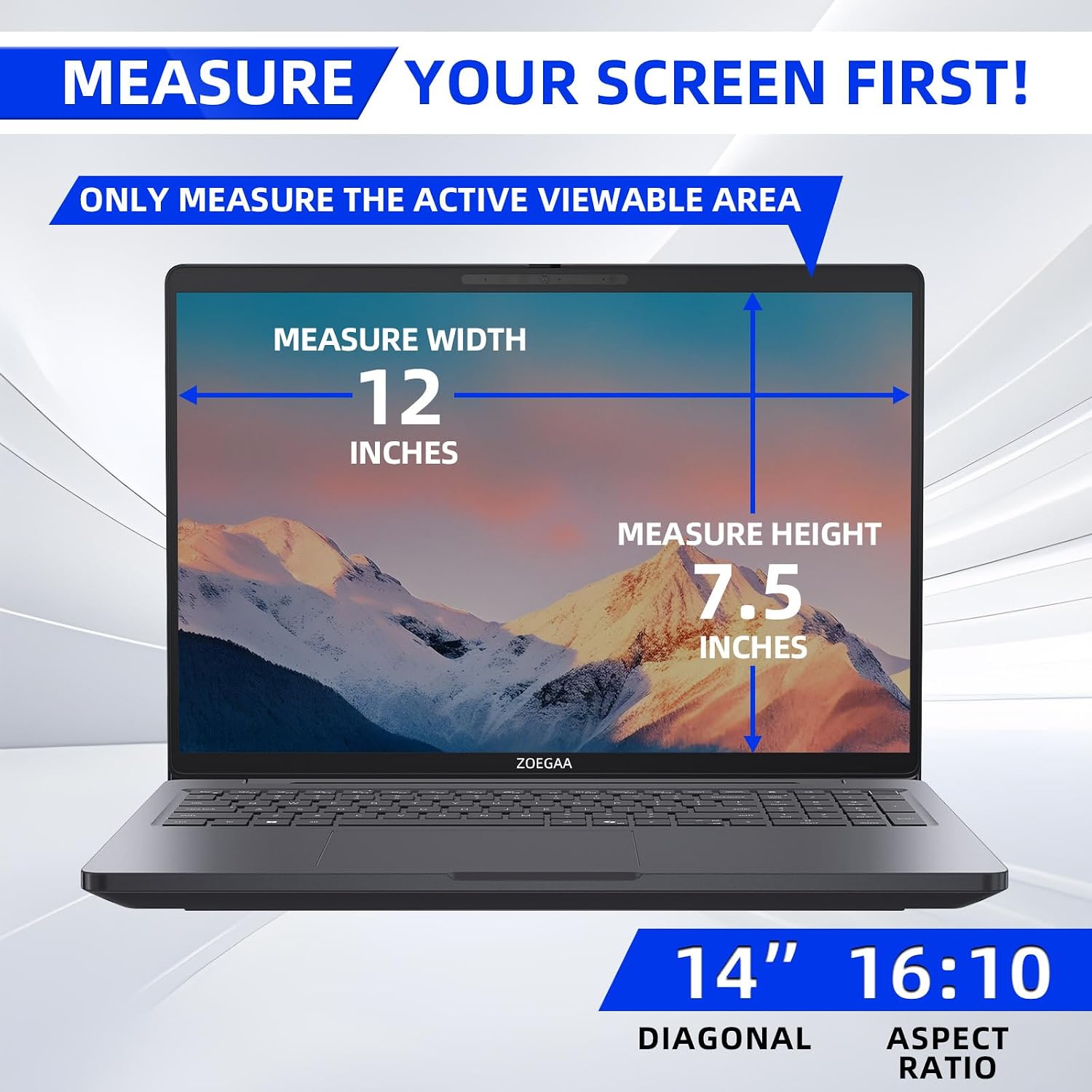
This privacy screen is described as suitable for laptop screens with a 14-inch 16:10 format, with the screen size noted as about 11 14/16 inches wide and 7 6/16 inches high (diagonal length is also listed, but the guidance says not to rely on diagonal measurement only). The description also emphasizes brand compatibility with 14-inch 16:10 laptops from HP, Dell, Acer, Asus, Samsung, and ThinkPad.
However, it explicitly says it is NOT compatible with Surface and MacBook series computers. Before purchasing, confirm your laptop’s screen size and 16:10 aspect ratio match what’s stated—especially if your model is slightly different from common configurations.
Pros
- 4-way 360° privacy protection is the standout claim, not just left/right blocking
- Includes a glossy option (privacy emphasis) and a matte option (glare emphasis)
- Designed to reduce reflections and block blue light/UV rays (per the product description)
- Removable and supports two installation methods
Not the best choice if…
It may not suit you if: - You use a Surface or MacBook series laptop (listed as not compatible) - Your device is not a 14-inch 16:10 display, since the fit is size-specific - You expect the film to fully eliminate eye strain—some benefit may happen, but it’s not a substitute for breaks, proper lighting, or an appropriate display setup
When it makes sense?
ZOEGAA’s 4-way 360° privacy screen makes sense if your daily routine involves shared or public spaces and you want stronger privacy than typical 180-degree filters—while also trying to cut down glare. It’s a practical add-on for people like healthcare providers, mobile workers, students, and business users who need to keep personal information harder to spot.
On the other hand, if privacy isn’t your main issue and you mainly just want a cleaner reflection-free view, you might want to think about whether the matte side alone (or a simpler approach) fits your priorities better—because the “4-way 360°” focus is a specific selling point.
Mini FAQ
Is this privacy screen truly 360°?
It’s marketed as 4-way 360° privacy protection covering up, down, left, and right. That’s the core claim in the product description.
Which finish should I choose: glossy or matte?
The glossy side is described as offering better privacy, while the matte side is described as helping prevent glare. If reflections bother you most, matte may be the better starting point.
How does it attach to the laptop?
You can install it via slide mount tabs (insert method) or with double-sided adhesive stickers at the corners (adhesive method).
Does it work with Surface or MacBook?
No. The description explicitly states it is NOT compatible with Surface and MacBook series computers.
Final verdict: should you buy it?
Final verdict: should you buy it?
Buy it if you have a 14-inch 16:10 laptop (from the listed compatible brands) and you want stronger side-angle privacy than many standard 180-degree shields—especially if you work in public, shared offices, or places where screen visibility is an ongoing concern. The matte/glossy choice also gives you a little control over glare versus privacy.
Skip it if your laptop isn’t a 14-inch 16:10 model, or if you’re using a Surface or MacBook series device. And don’t treat it as an all-in-one fix for eye fatigue—think of it as a helpful screen filter that may improve comfort and reduce distractions rather than guaranteeing major results for everyone.