

for Mac Game Switch 2/1 Charging Dock Station: Dual Joycon Charging & Display Hub with 9 RGB Modes
Product description
What it is and what problem it solves
This charging dock is designed for Switch and Switch 2 controllers, offering a combined solution to charge up to four Joy-Cons simultaneously while securely holding your Switch, OLED, or Switch 2 TV Dock. It integrates charging and display in one unit, helping keep your gaming space organized and reducing clutter.
How it works and what to expect
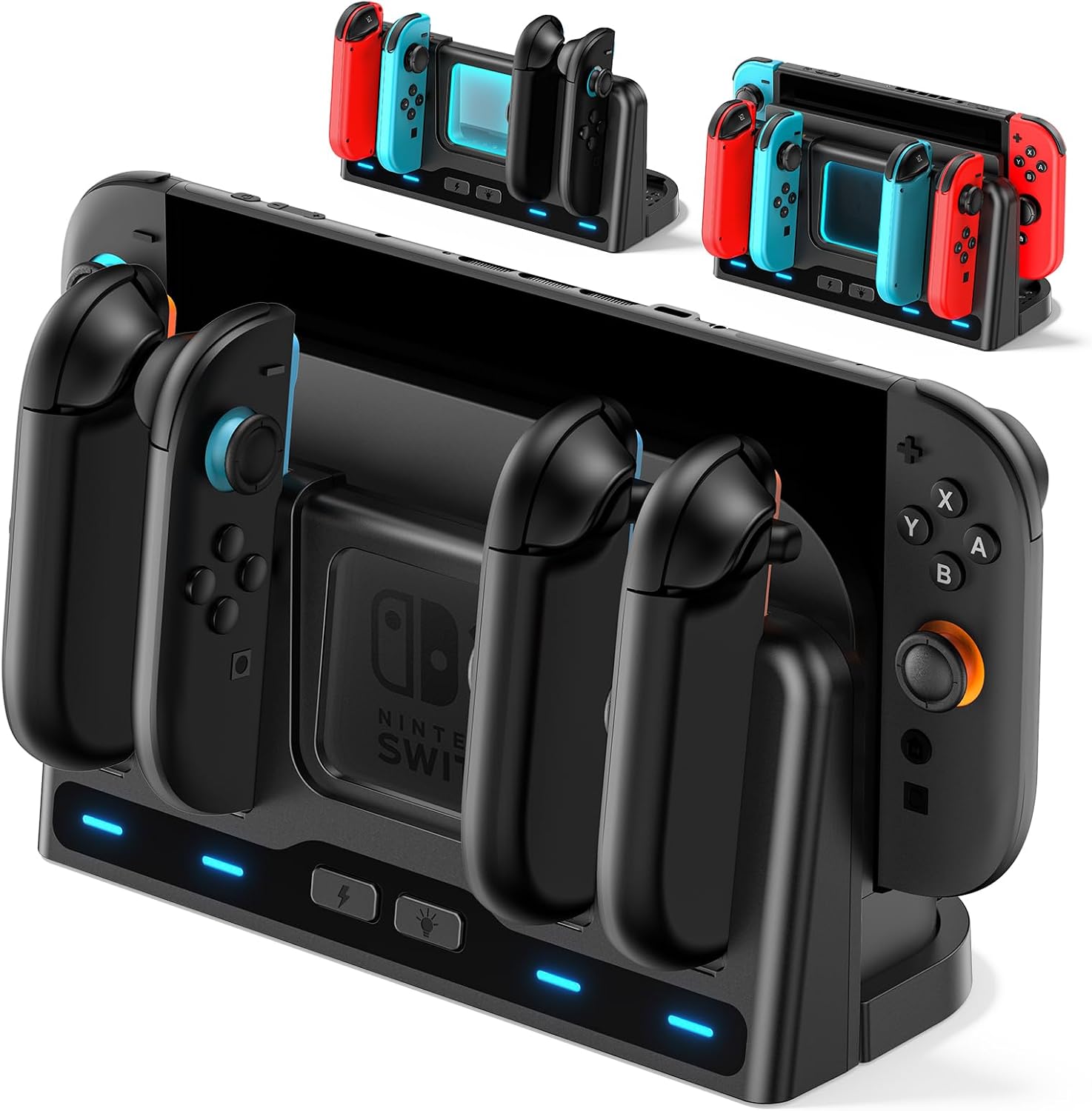
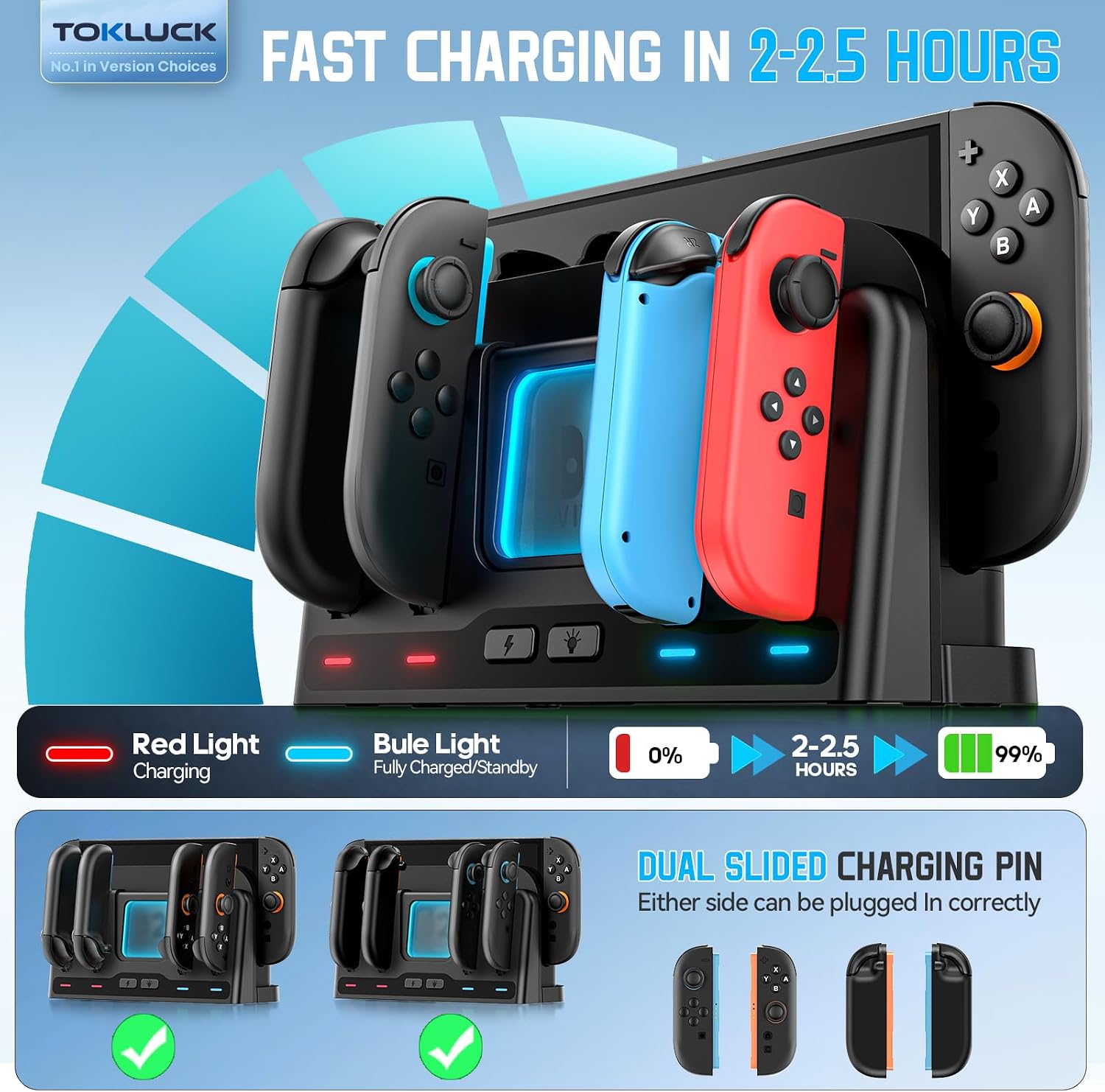
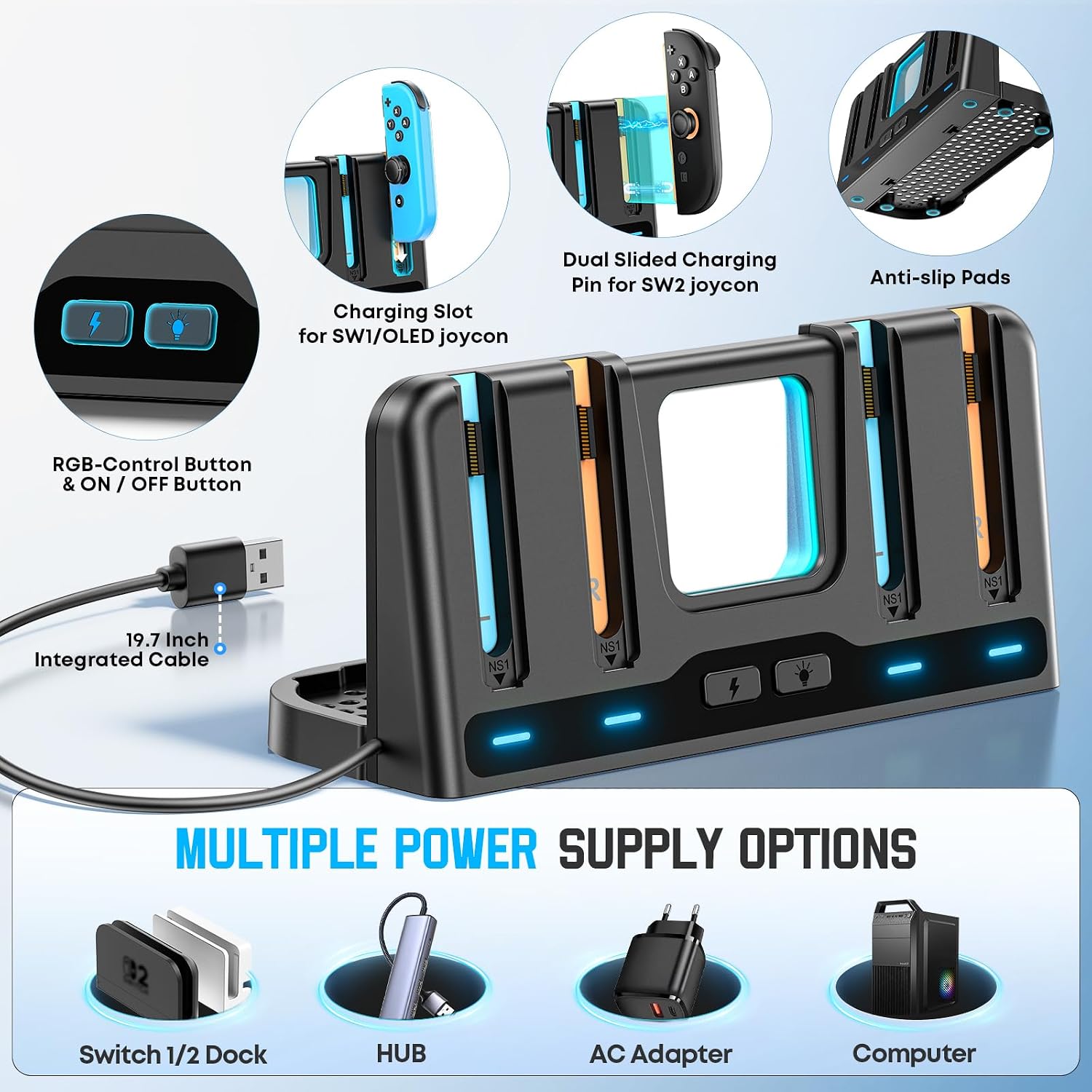
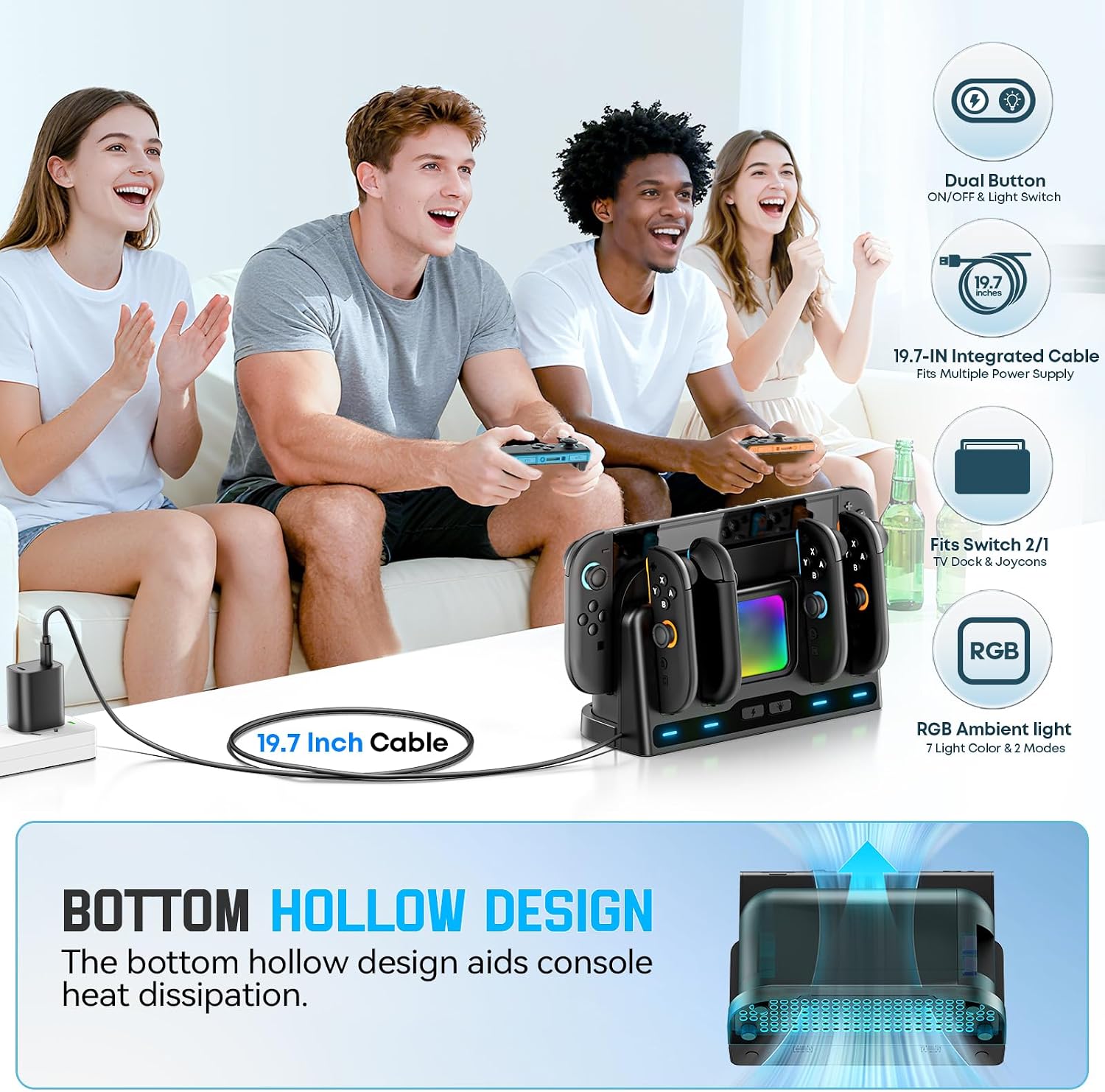
The dock supports fast charging for Switch 1/2 Joy-Cons, typically reaching full charge in about 2–2.5 hours. A blue indicator shows full charge or standby, while red indicates charging. You can charge Joy-Cons on either side via magnetic or standard slots, and the unit is powered through a 19.7-inch USB cable connected to a Switch TV Dock, computer, hub, or AC adapter. If you’re using a Switch 2 TV Dock as the power source, stable power is available when the dock is in TV Mode, Sleep Mode or power-off may affect power stability.
What stands out in use
A notable feature is the built-in ventilation at the base to help prevent overheating of the TV Dock during use. The design includes a square transparent lighting zone with 9 RGB modes (7 single colors plus 2 breathing patterns). You can cycle through modes with a short press or turn the lights off with a long press. The lighting also remembers the last mode used.
Pros and potential drawbacks
Pros: compact all-in-one solution for charging and displaying your Switch ecosystem, supports multiple Joy-Cons on one unit, useful ventilation to mitigate overheating, aesthetic RGB lighting with memory function, easy to use with magnetic charging alignment. Cons: user notes about power stability depend on the chosen power source, if your setup relies on Sleep Mode or a powered-off dock, you may see less stable charging. The product description does not specify exact wattage or compatibility beyond Joy-Con charging, so those details are worth verifying for specialized setups.
Who it’s for
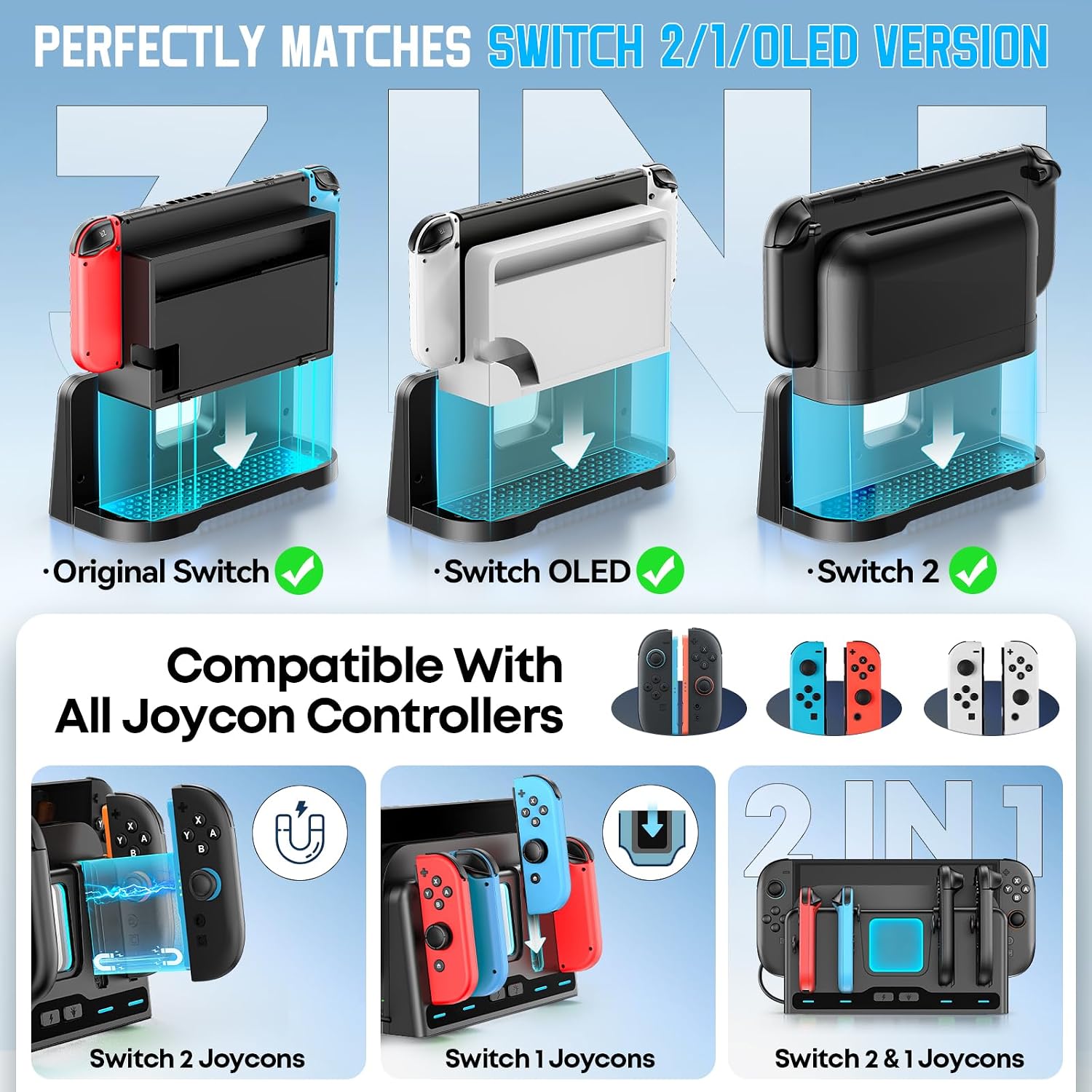
This dock is a good fit if you own a Switch or Switch 2 and want a single station to charge multiple Joy-Cons while keeping your consoles organized and on display. It’s particularly appealing for gamers who value a clean desk setup and enjoy ambient RGB lighting as part of their gaming space.
Who it isn’t the best fit for
If your charging needs require charging more than four Joy-Cons at once, or if you depend on a very high-powered setup with precise power specs, this dock may fall short of those strict requirements. Also, if you prioritize a non-illuminated, minimal look, the RGB lighting could feel intrusive.
When it makes sense to buy
Consider this dock when you want a single location for charging multiple Joy-Cons and displaying your Switch setup, especially if you appreciate RGB lighting and a ventilated base to help prevent overheating during long gaming sessions.
What to check before buying
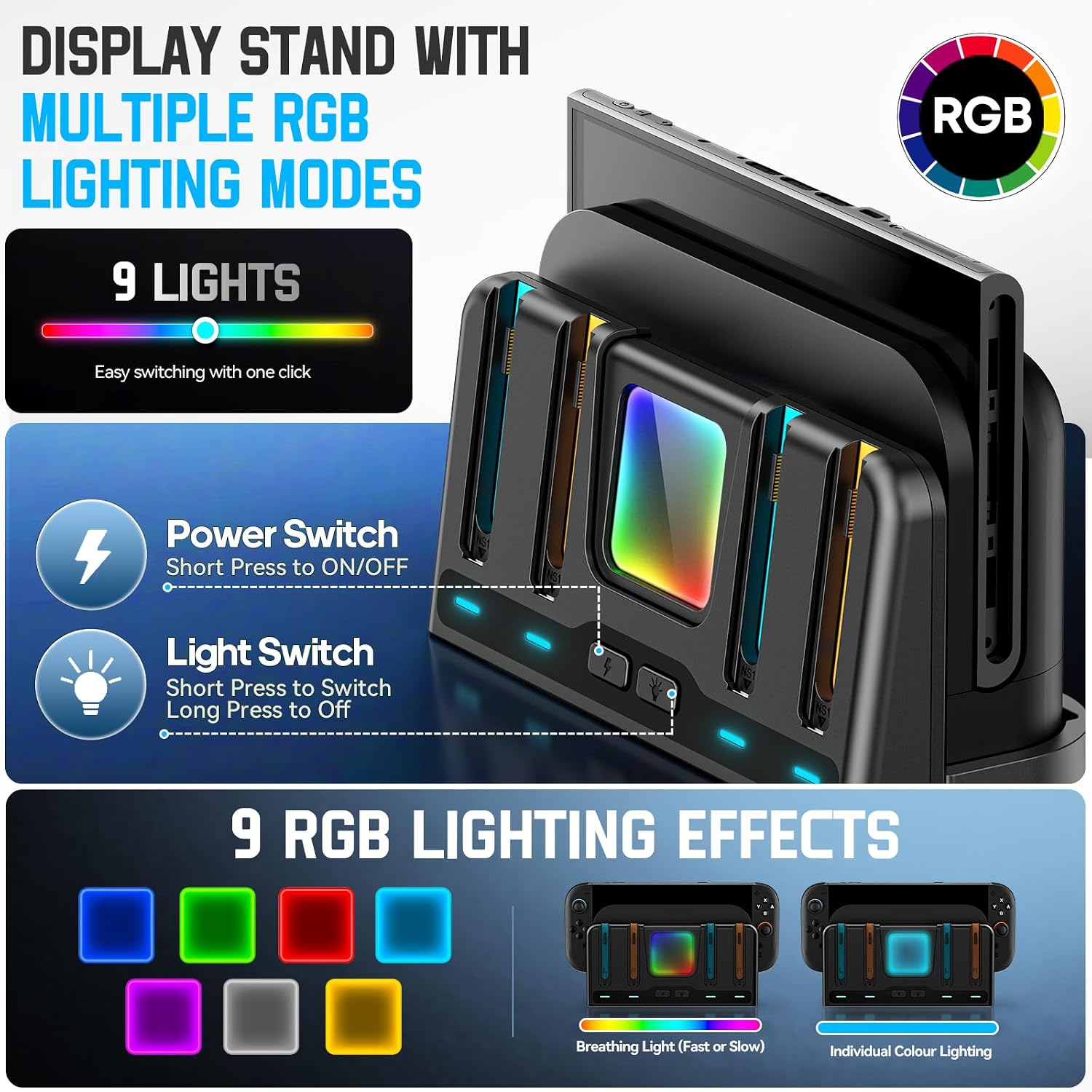
Confirm your preferred power source supports stable power for the dock (TV Mode vs Sleep Mode considerations) and ensure you have enough USB power available. If you rely on a completely dark aesthetic, test whether the lighting fits your space by trying the lighting modes and memory feature.
How it compares to other approaches
Compared to standalone chargers or separate display stands, this unit consolidates charging and display into one footprint, saving desk space. If you value a straightforward, integrated solution with a touch of ambiance, this approach makes more sense than buying multiple single-purpose accessories.
Practical usage example
Imagine you’re hosting a casual game night: you drop all four Joy-Cons into the slots, plug the dock into your Switch TV Dock or a hub, and while you play, the RGB lighting slowly cycles through a calming set of colors. When you’re ready to switch to handheld, you’ll find the Joy-Cons ready to go in about two hours.
FAQ
- How many Joy-Cons can it charge at once? Up to four Joy-Con or Joy-Con 2 controllers.
- How long does a full charge take? Approximately 2–2.5 hours for Switch 1/2 Joy-Cons.
- Does the RGB lighting remember the last mode? Yes, it retains the last used mode on reactivation.
Is it worth it?
Final verdict: It makes sense if you value an all-in-one charging and display solution and you don’t mind a built-in lighting feature. If you prefer a minimal, non-illuminated setup or require specific power specs beyond what’s described, you may want to explore alternatives first.