


Klipdasse Charging Dock for Nintendo Switch & Switch OLED (Up to 4 Joy-Con Controllers)
Product description
If your Switch setup always turns into a cable mess, a dedicated Joy-Con charging dock can make day-to-day play feel a lot calmer. This Klipdasse Charging Dock is made to attach to your Nintendo Switch dock and charge up to four Joy-Con controllers at once, with an LED indicator so you can tell what’s happening without guessing.
That said, it’s not the same category as a full multi-device charging hub with lots of ports. This one is focused on Joy-Con handles, so it’s worth evaluating whether that’s exactly what you want to streamline.
The essentials
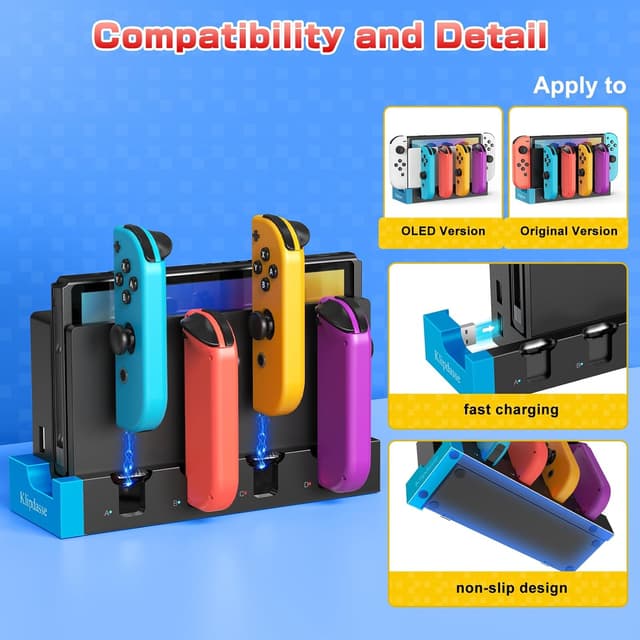
This dock is designed for Nintendo Switch and Switch OLED models. On paper, it’s a space-saving accessory that keeps your controllers charging in one place, rather than relying on separate cables and wall outlets. It uses included dual-sided adhesives to secure the charging dock to your Switch dock, and it’s built to sit neatly in your existing setup.
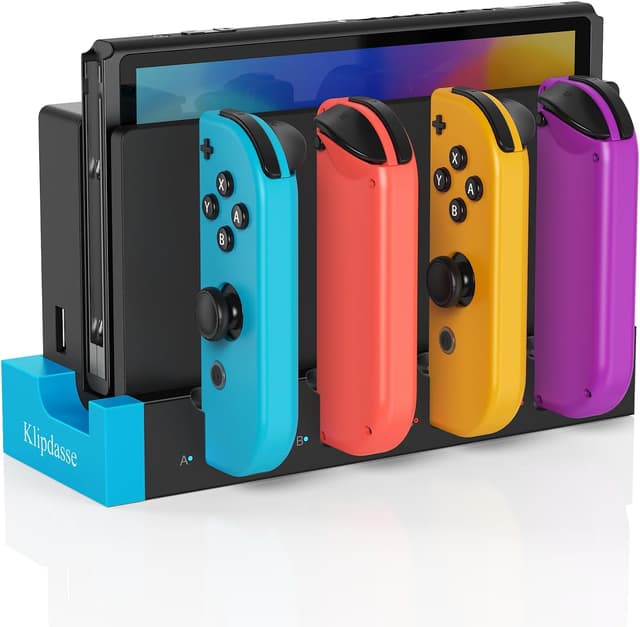
You also get charging status feedback: the LED indicator lights glow red while charging, and switch to blue once the controllers are fully charged. There’s even a built-in light guide plate intended to mirror the status look of your Switch dock.
Key features that matter in real use
The headline feature is simple: charging capacity for up to four Joy-Con controllers simultaneously. If you play local multiplayer or you rotate controllers among family members, that “all in one place” approach can be genuinely useful. Less plugging/unplugging, fewer loose cables, and fewer moments where you realize one controller is still dead.
Setup is also meant to be straightforward. You attach the dock to the Switch dock using the included dual-sided adhesives. If you prefer a clean, organized station for your controllers, it fits that goal.
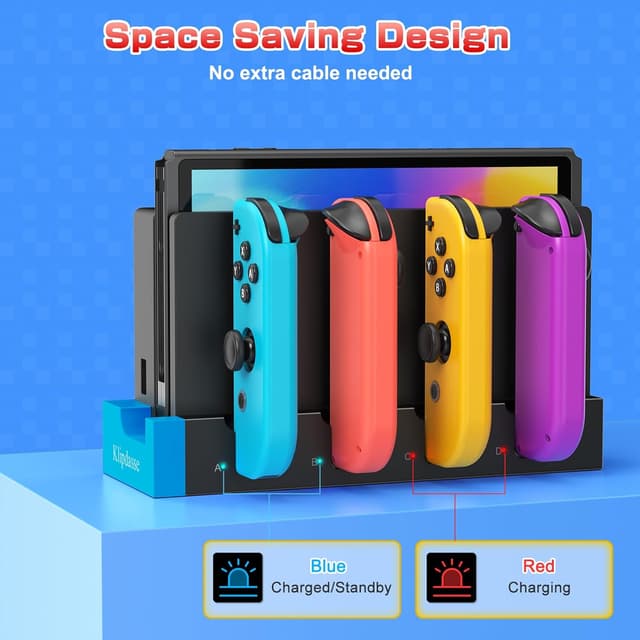
The dock’s size is described as compact with a space-saving footprint, and it’s positioned as a portable option too—handy for people who carry their Switch setup when traveling. Still, portability is the kind of “small enough to take along” feature, not a full travel charger replacement.
Safety and charging behavior
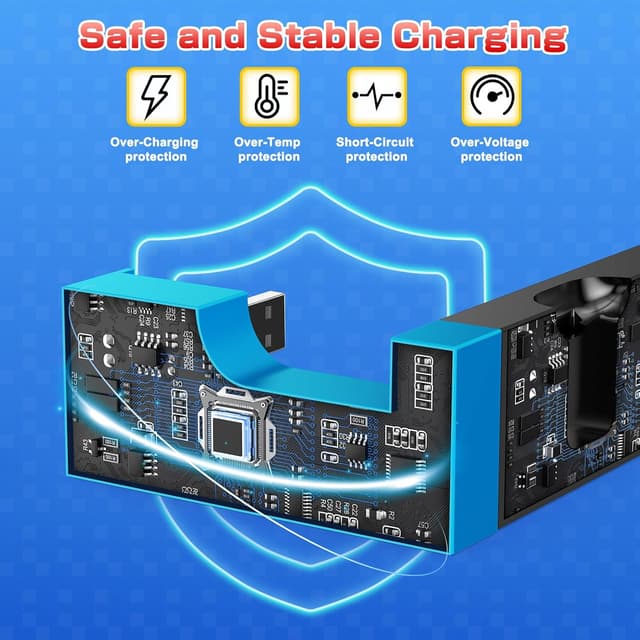
Charging docks should be boring—in the best way—and this one is built with multiple safety protections mentioned in the description. It includes short-circuit protection and smart IC chips intended to help prevent over-current, over-voltage, and overheating.
There’s also an automatic off feature, described as stopping charging once the Joy-Cons are fully powered. That can reduce unnecessary charging time, which is one of those small details that makes the dock feel more “set it and forget it.”
A limitation worth noting: the description focuses on charging Joy-Con controllers, so if you’re trying to charge other Switch accessories, this may not be your match.
What you’ll notice day to day
One of the easiest wins here is the status indicator. Red during charging, blue when complete means you can quickly check without pulling controllers out and testing battery levels manually.
For a concrete example: imagine you finish a weekend session, drop four Joy-Cons back onto the stand, and walk away. Later, you glance at the dock’s LEDs—if you see blue, you’re ready to jump back into multiplayer without hunting for the charging cable or remembering which controller was last used.
This kind of workflow is where docks like this feel worth it. If you mainly play solo and only keep one pair charged, the benefit may feel less dramatic.
Tech specs
- Name: Klipdasse Charging Dock for Joy-Con Controllers
- Type: Charger dock (for Joy-Con controller stand)
- Format: Attaches to Nintendo Switch dock using dual-sided adhesives
- Capacity: Charges up to 4 Joy-Con controllers simultaneously
- Charging indicators: Red while charging, blue when complete
- Safety features: Short circuit protection, smart IC chips for over-current, over-voltage, and overheating protection, automatic off when fully charged
- Compatibility: Nintendo Switch and Nintendo Switch OLED models
Should you buy it?
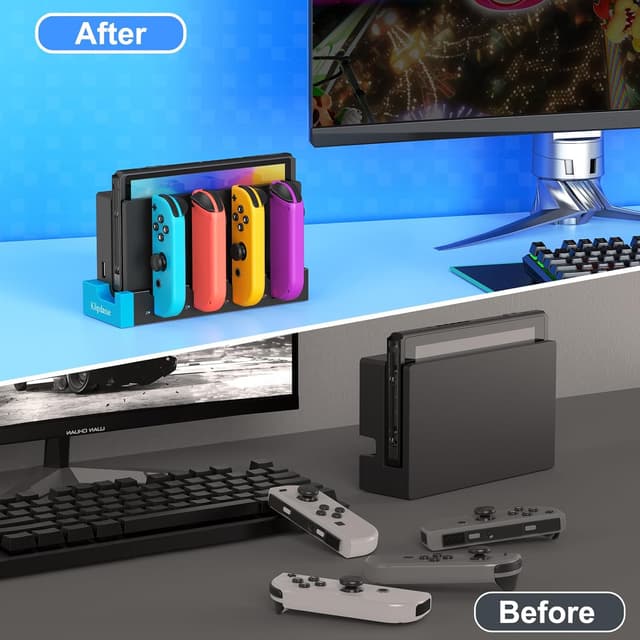
It’s a solid pick if you want a cleaner Switch charging routine, especially if you regularly rotate between multiple Joy-Con controllers for multiplayer. The up-to-four capacity and LED charging indicator are the two things you’ll likely care about most, and the space-saving design can help keep your gaming area from turning into a cable pile.
You may want to skip it if you only ever charge one pair of controllers, or if you’re looking for a broader charging hub for more than Joy-Cons. Also, since the dock relies on adhesive attachment to your Switch dock, it’s worth thinking about whether you’re comfortable with that mounting approach before you commit.
Mini FAQ
Is this dock compatible with Nintendo Switch OLED?
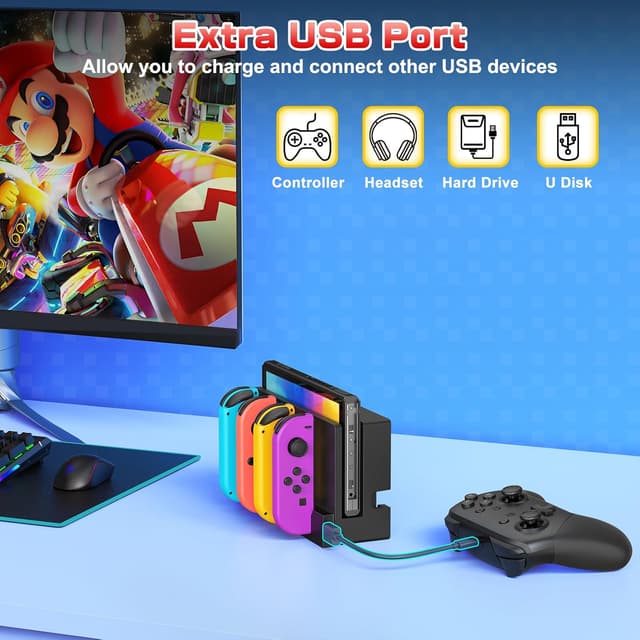
Yes—it's described as compatible with both Nintendo Switch and Switch OLED models.
How many Joy-Con controllers can it charge at once?
The description states it can charge up to 4 Joy-Con controllers simultaneously.
What do the LED lights mean?
According to the description, the LED indicator glows red while charging and turns blue when charging is complete.
Does it stop charging when the controllers are full?
It’s described as having an automatic off feature that stops charging once fully powered.
How do you attach it to the Switch dock?
The dock attaches to the Nintendo Switch dock using the included dual-sided adhesives.