

Auarte RGB Charging Station for PS VR2 / PS5 Edge & DualSense Controllers with AC Adapter
Product description
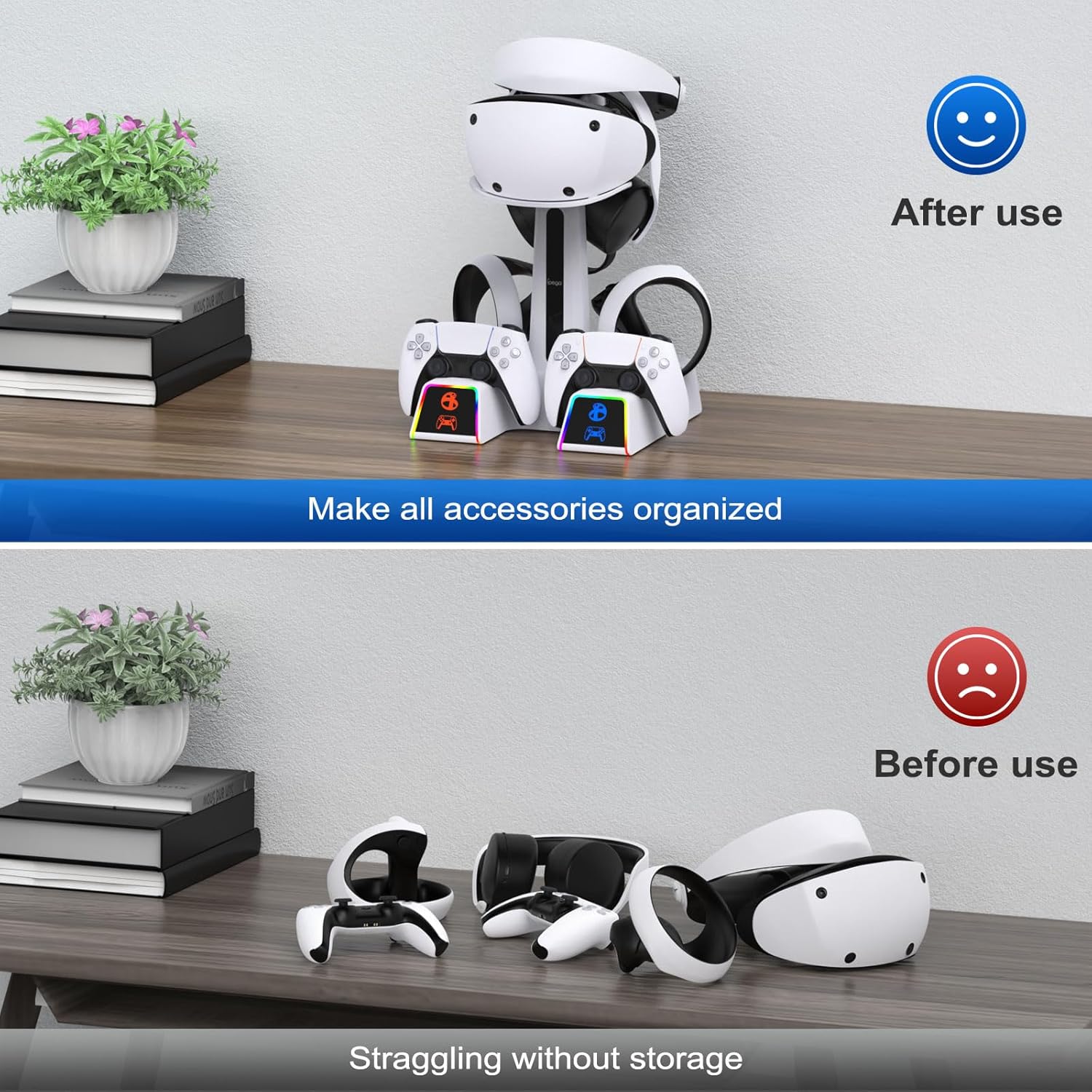
If you’re tired of hunting for charging cables (or leaving controllers half-charged until it’s too late), a dedicated charging station can feel like one of those small upgrades that actually changes your routine. The Auarte RGB Charging Station is built for PS VR2 and DualSense controller charging, with an integrated stand and indicator lights that make it easy to see charging status at a glance.
On paper, it’s aimed at people who want a cleaner setup around their PS VR2 headset and controllers—plus the option to add some ambience with multiple RGB light modes. It’s not a complicated device, but it does take on the daily “plug it in / remember it / organize it” job for you.
Key takeaways
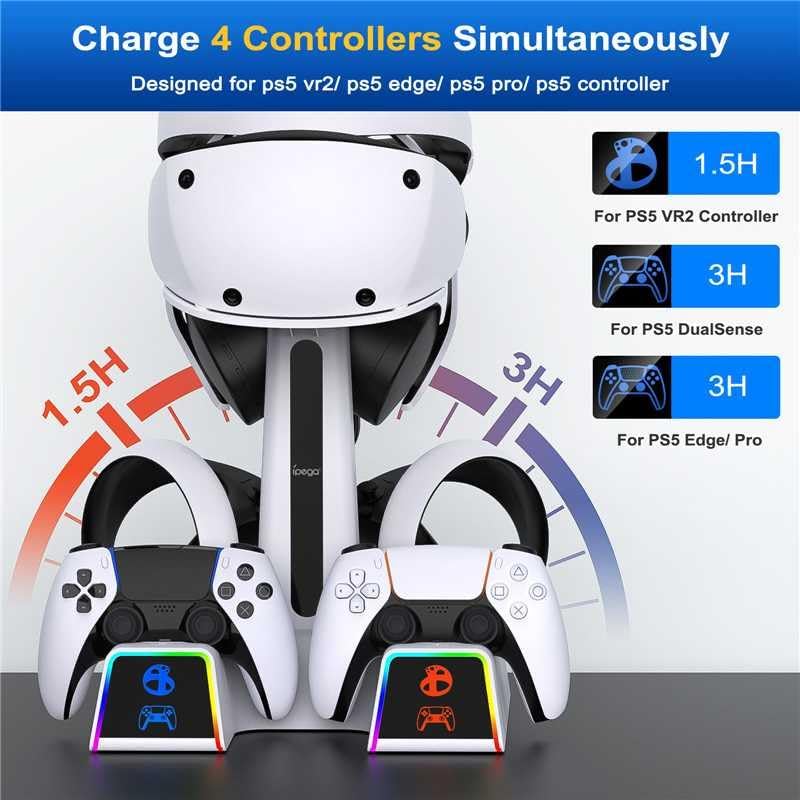
The core idea is simple: charge and store your VR2 gear in one place. The station is described as being able to charge controllers simultaneously (with stated times depending on how many are charging), and the LEDs change color to reflect the charging state. There’s also a dedicated button to control charging/indicator functions, which can be comforting if you prefer predictable behavior over fiddling.
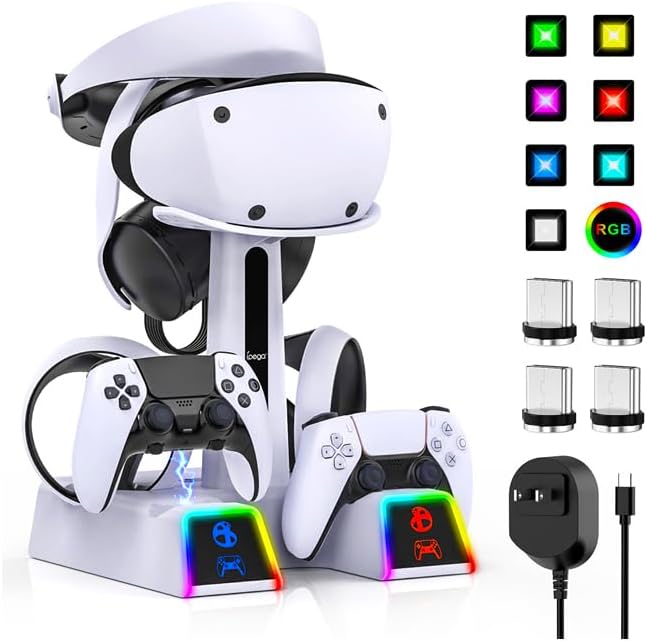
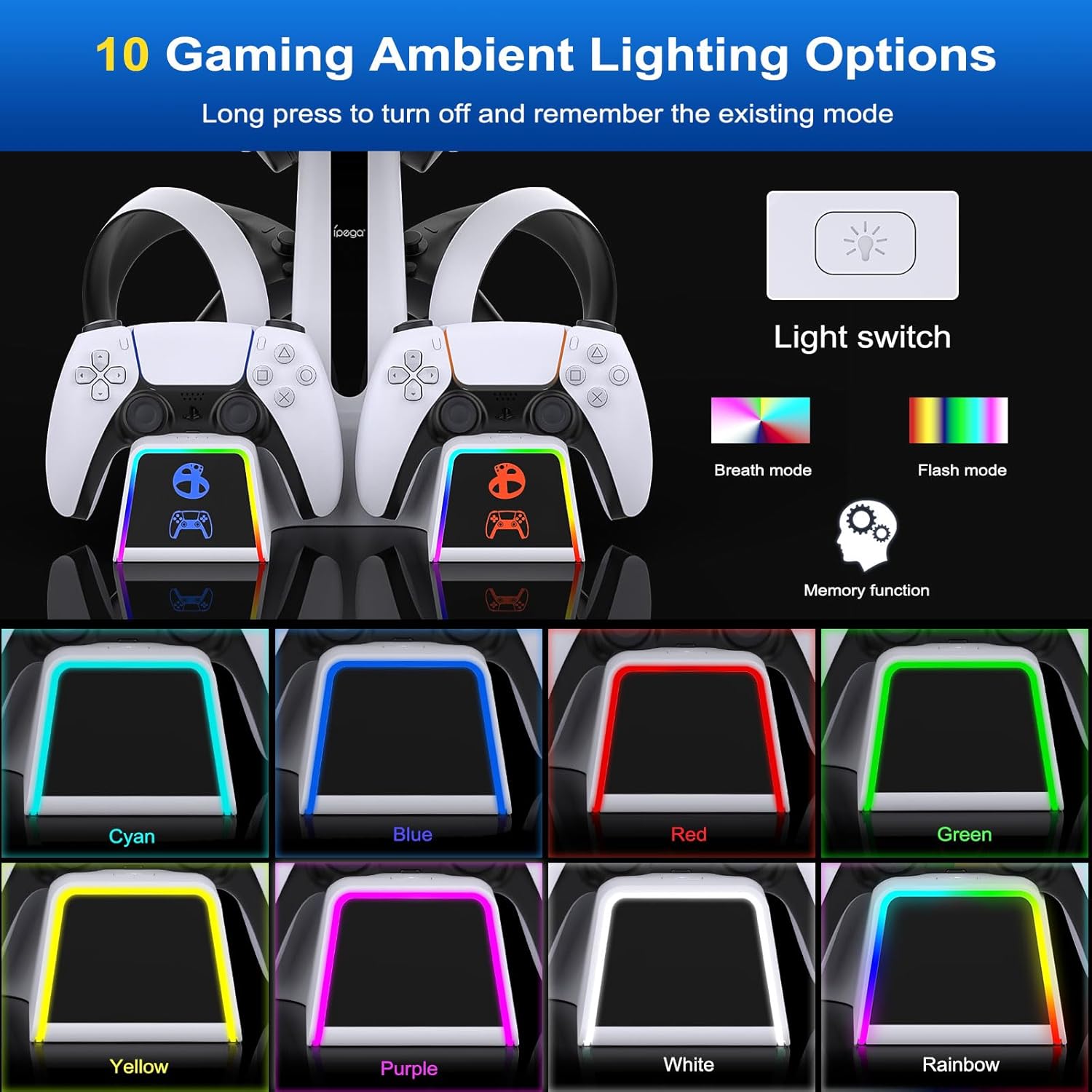
Where it gets more interesting is the RGB side. The station includes multiple light modes (including rainbow-style and color-specific options), and it also mentions flash and breathing modes. If you like your gaming space to feel a little more alive, that’s the part you’ll notice most.
One more practical touch: it includes a metal (aluminum) base for heat dissipation compared with a plastic base. It may not be a “headline” spec, but for charging docks, keeping temperatures in check is usually worth paying attention to.
The essentials: what this charging station does
This Auarte station is positioned as an all-in-one PS VR2 accessories charging dock and stand. Based on the details provided, it’s designed to:
- Charge PS VR2 controllers (described as charging two at once in about 1.5 hours)
- Charge DualSense controllers (described as charging two at once in about 3 hours)
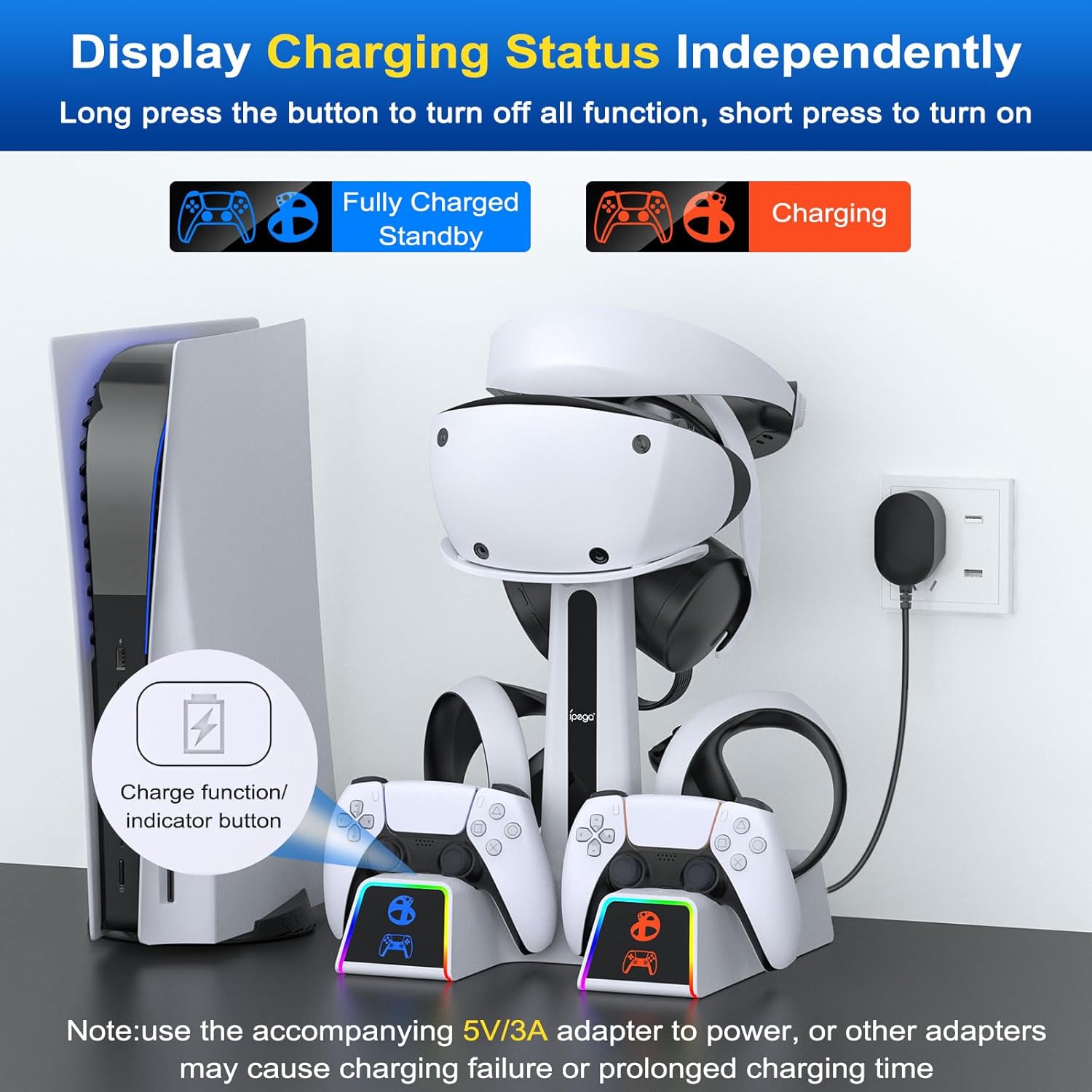
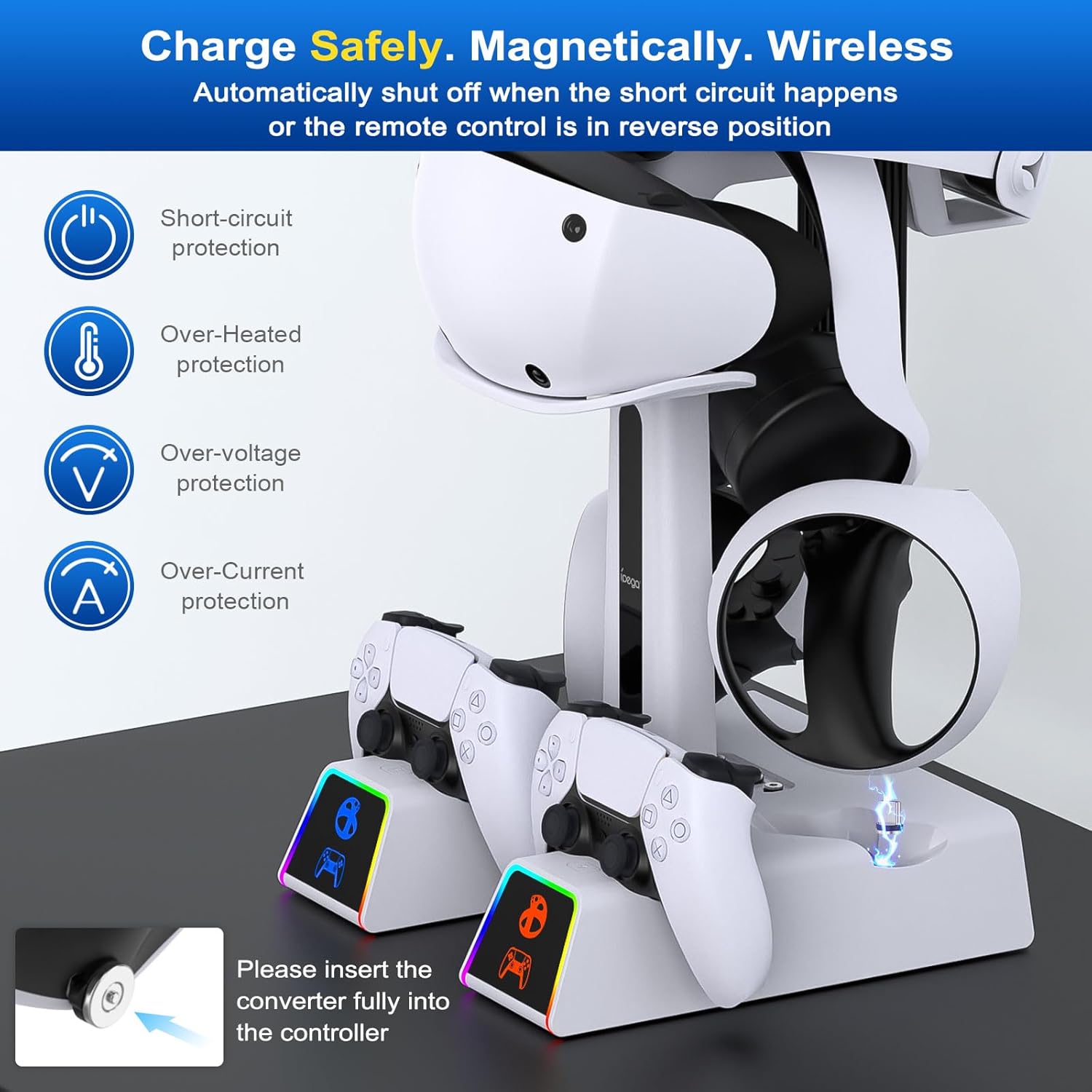
- Provide charging status feedback via indicator lights (red during charging, blue when finished)
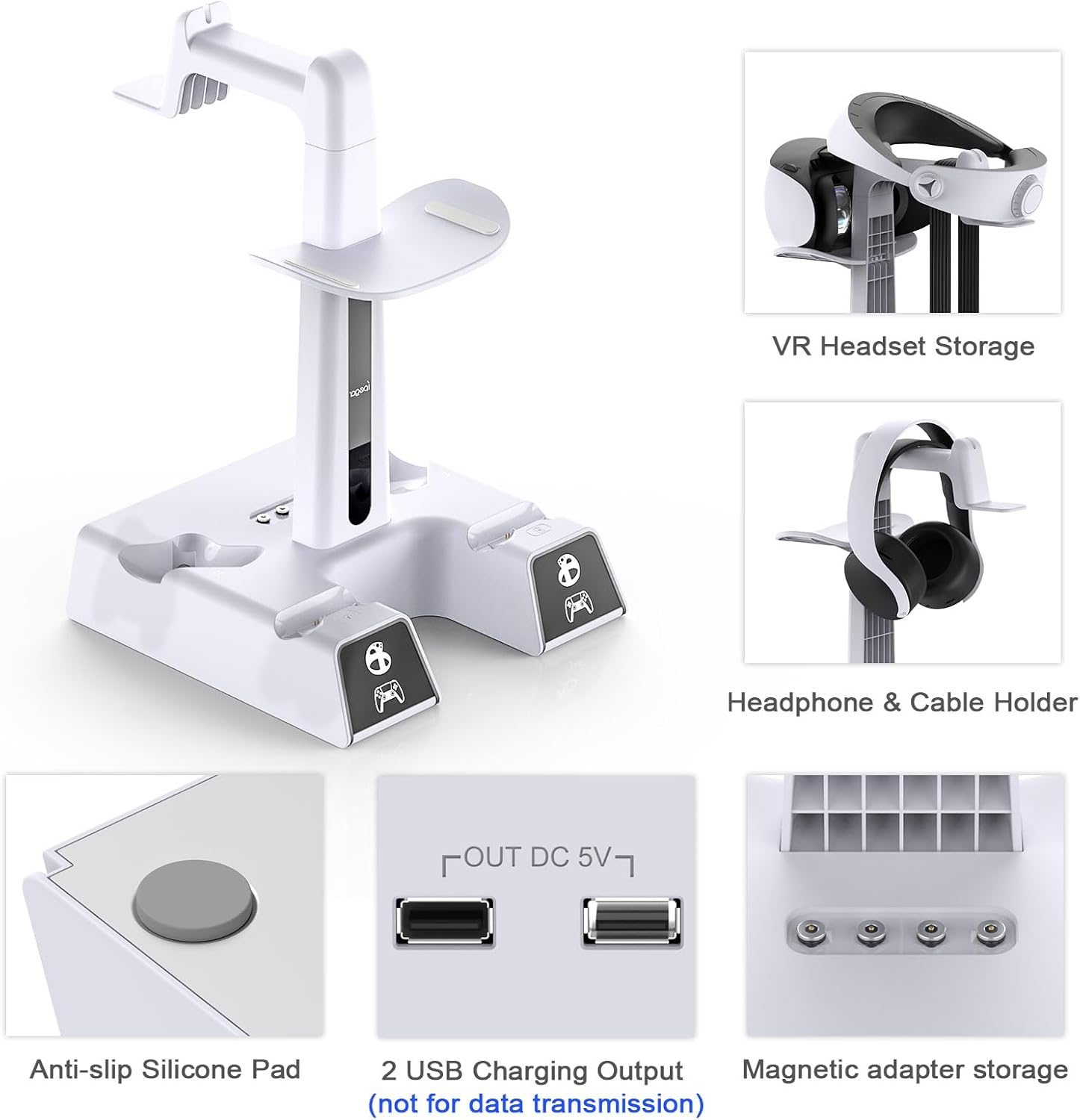
- Store multiple VR and controller items on the stand, so your setup looks more intentional
It also notes that the charging ports are for charging only (not data transfer). That’s a common expectation for docks like this, but it’s still worth keeping in mind so you don’t expect the USB ports to behave like a full-feature hub.
A micro-example: imagine you finish a VR session, set both controllers and the headset accessories onto the station, and then glance at the LEDs. During charging you see red, and once they’re done the lights switch to blue—no guessing, no “was it plugged in?” moment.
What you’ll notice in daily use
This dock isn’t just about charging—it’s also about reducing clutter and creating a consistent “home” for your VR2 accessories. It’s described as being able to securely store multiple controllers and other items on the stand, including mentioned accessories like VR2 headset items (as well as cables/headphones in the included storage description).
The LED behavior is designed to make status obvious. According to the description, each indicator becomes red while charging and then turns blue when finished. It also says you can control charging/indicator functions with an individual button, which suggests you won’t have to manage the dock entirely through power cycling.
The RGB lighting is controlled with a separate LED button: one type of press is described for remembering and turning off the existing mode, while a brief press switches modes. If you tend to leave lighting on all the time, this matters—because it lets you change the vibe without unplugging.
Key specifications (at a glance)
- Name: RGB Charging Station for PS VR2 / PS5 Edge/ PS5 Controller (with AC adapter)
- Brand: Auarte
- Charging adapter: AC adapter 5V/3A (included)
- Charging connection: magnetic Type-C adapter connection (described)
- Charging status indicators: red while charging, blue when fully charged (as stated)
- Safety/certifications: FCC and UL (as stated)
- Base material: aluminum base (described) for heat dissipation
- Light modes: 10 light modes (described)
- USB ports: for charging only, not data transfer (described)
Where it shines—and where it may fall short
This station makes the most sense if you’re trying to keep PS VR2 controllers and related accessories in one tidy spot, and you want simple visual feedback when charging completes. The RGB element is a plus if you already enjoy customizing your gaming environment.
That said, there are a couple of limitations to be aware of. First, the included manual language is noted as Spanish language not guaranteed—so if you rely on documentation and prefer a specific language, that could be a minor annoyance. Second, the USB ports are charging-only, so if your goal was “charging plus data,” this setup may feel restrictive.
Also, the stated charge times are for specific multi-controller scenarios. If your use pattern is different (for example, one controller at a time or different combinations), the real-world timing could vary—so it’s better to treat the listed times as the dock’s described performance under its stated conditions.
Compatibility & requirements
The product name and description point to support for PS VR2 controllers and DualSense controllers, and it mentions a stand for PS VR2 headset and PS5/PS5 Edge controllers. It also specifies that it uses a magnetic Type-C adapter connection.
If you’re building a setup around PS VR2 and you mainly want charging + storage for the controllers and related accessories, this is designed for that purpose. If you’re trying to charge something outside the PS VR2/DualSense ecosystem referenced in the description, you’ll want to double-check compatibility before relying on the dock.
Should you buy it?
Auarte’s RGB Charging Station is worth considering if you want a dedicated home for PS VR2 accessories and DualSense controllers, with clear charging status (red to blue) and multiple RGB light modes for atmosphere. It also leans into safety features and an auto-shutoff concept for issues like overheat/overvoltage/overcurrent, which is the kind of detail you’ll appreciate when charging devices every day.
You may want to skip it if you’re specifically looking for USB ports that support data transfer, or if you’re very sensitive to documentation language. And if you don’t care about RGB lighting or you already have a charging routine that works for you, the extra features might not feel necessary.
If your priority is a cleaner setup and easy status visibility, this dock seems built for that everyday “put it on the stand and forget it” workflow.
Mini FAQ
Is this charging station only for charging, or does it transfer data?
The description says the USB charging ports are for charging only and not for data transfer.
What do the indicator lights mean?
It states that indicators turn red while charging and blue when charging is finished.
Does it support multiple charging light modes?
Yes—it's described as offering 10 light modes, including options like rainbow/arcs and other color modes, plus flash and breathing.
What’s included in the box?
The listing mentions 4 magnetic Type-C adapters, a 5V/3A AC power adapter, a charging stand (4 pieces), and a user manual (Spanish language not guaranteed).
Final thought
A charging dock is only as good as its daily usefulness. Based on the details here, this one aims to simplify charging, reduce cable clutter, and add optional RGB ambiance—just keep expectations aligned with charging-only USB and the documented scenarios for charge times.