

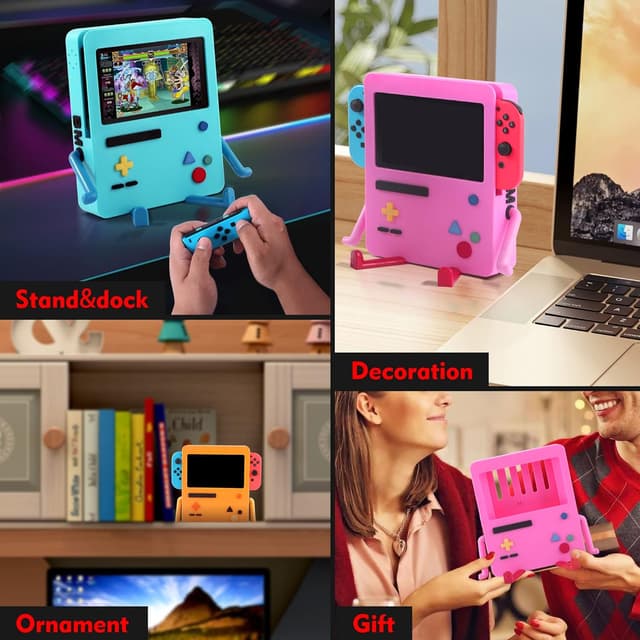
GRAPMKTG Charging Stand for Nintendo Switch Accessories (Portable Dock for Switch OLED) — Blue
Product description
What it is and the problem it solves
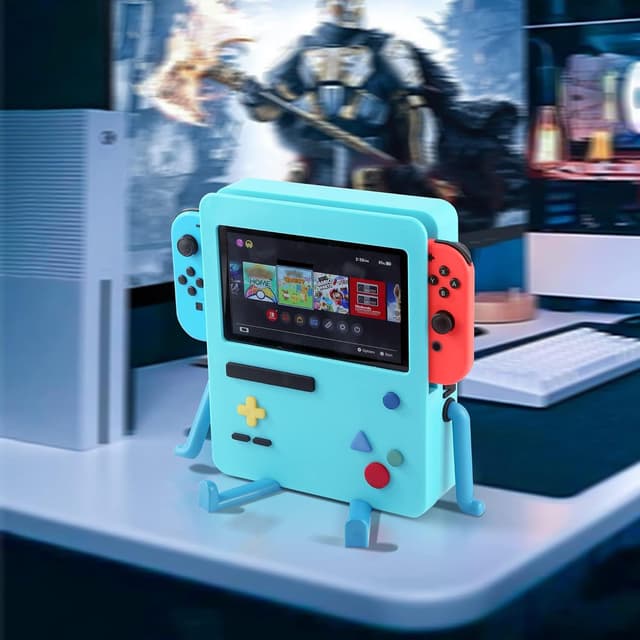
A charging stand is one of those small upgrades that can make your Switch routine feel more orderly. This GRAPMKTG charging stand is designed for Nintendo Switch accessories, with support mentioned for the Nintendo Switch OLED. Instead of placing your console on a surface and hoping the cable stays put, the stand’s setup is meant to let you rest the game screen directly on the product while it charges.
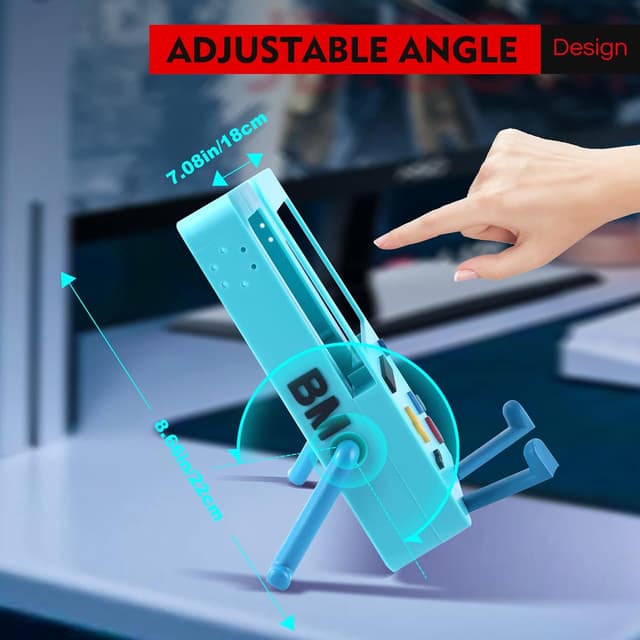
On paper, the pitch is straightforward: a dedicated stand for a neater desk/room setup, with a design that’s meant to look good in the space you actually use. It also mentions you can personalize the installation by changing the position of the product parts assembly, so it’s not just a one-size-fits-all arrangement.
Key points

The stand focuses on three things: easier placement, a cleaner desktop look, and some flexibility in how you set it up. The “new design” angle is aimed at aesthetics—so if you care how your setup looks, this is trying to be more than a functional accessory. It’s also described as easy to use, with the console able to sit directly on the stand.
Still, it’s not perfect for every situation. Because the provided information is mostly about design and usability (and doesn’t include specifics like charging capacity, exact fit tolerances, or cable/port details), you’ll want to be a bit cautious if you’re picky about how your Switch rests or how your existing charging setup works.
What you’ll notice in everyday use
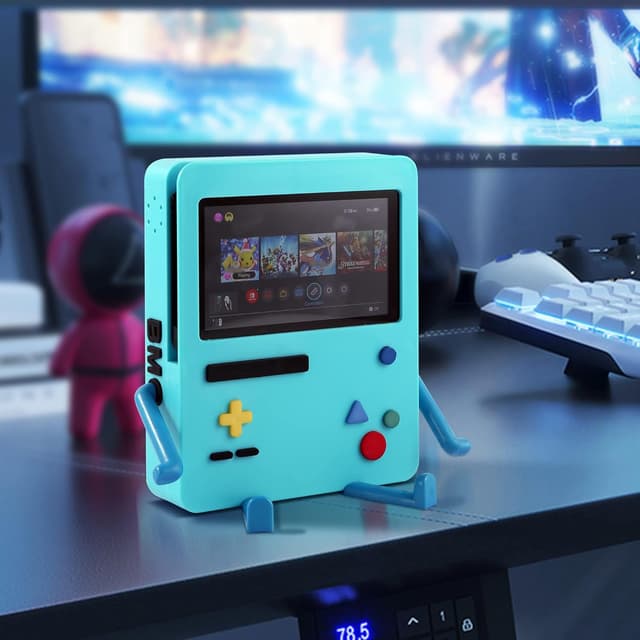
If you play at a desk or in a dedicated gaming corner, a stand like this can help reduce the “where did the console go” moment. The idea is that you position the game screen directly on the stand, then you get a consistent spot for docking/charging.
There’s also a practical element to the assembly flexibility. If your current setup is tight—like a crowded entertainment center—being able to adjust the placement of the stand parts can matter more than you’d expect. You’re effectively tuning the stand to your space instead of forcing your space to fit the accessory.
Where it shines (and where it may fall short)
This is best considered when aesthetics and desk-friendly convenience are part of what you want. The description explicitly calls out increased aesthetics and a desktop look that can feel more “decor” than “device accessory.”
But you may want to skip it if you’re expecting detailed, performance-focused specs. The listing doesn’t provide enough information here to confirm how strong the charging experience is under different conditions, or how precisely it lines up with your exact Switch setup. It’s also a smaller bet if you’re buying primarily for maximum versatility—because the stand is positioned around Switch OLED compatibility rather than broad, multi-device usefulness.
Who it’s for (and who should be cautious)
It suits you if you: - Want a dedicated place for your Switch OLED to rest while charging - Prefer a cleaner desk/desktop look - Like the idea of adjusting assembly position to better match your room layout
You may want to be cautious if you: - Need confirmed, detailed charging specifications before buying - Have a very specific setup and you can’t easily adapt it - Are looking for something that’s documented as universally compatible beyond what’s stated
Care & maintenance
There’s not much guidance included beyond the design and usability description, so treat this like most gaming stands: keep it clean, avoid abrasive cleaners, and be mindful about how you place the console so you don’t stress the contact areas. If the stand has adjustable assembly parts, you’ll also want to ensure those components are seated correctly before you set the console down.
In the box
The provided details don’t say what’s included beyond describing the stand itself and its assembly positioning. Before you buy, it’s worth checking the listing’s “included” section to confirm whether any cables, adapters, or additional parts are part of the package.
Is it worth it?
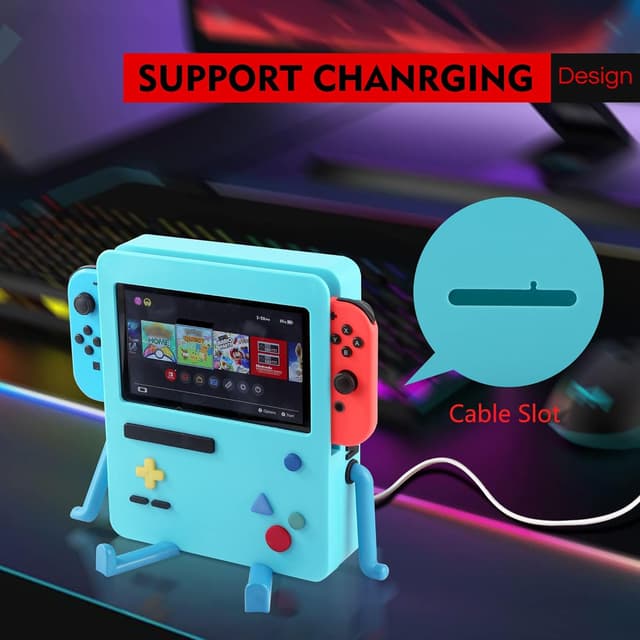
Worth it if you want a Switch OLED charging stand that’s also meant to upgrade how your desk looks, and you’re comfortable with the fact that this is presented more as an easy-to-use, design-forward accessory than a spec-heavy charging solution. It makes sense if your priority is convenience—rest the screen on the stand and keep your charging routine consistent.
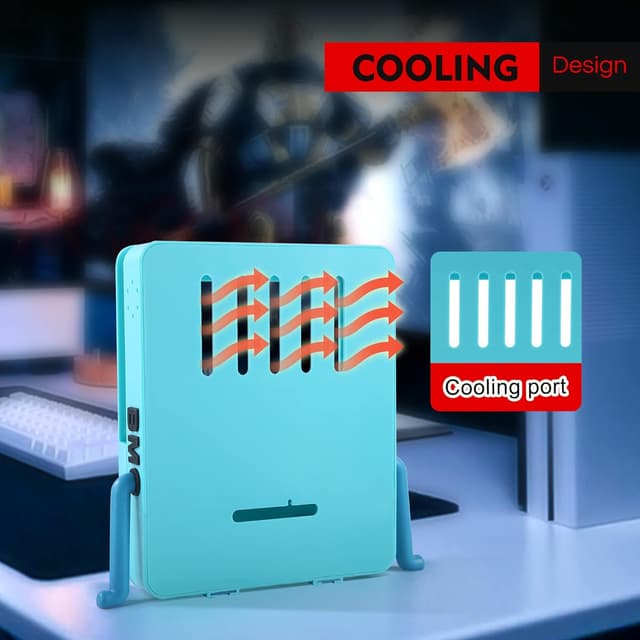
Not the best choice if you need performance specifics or detailed compatibility/charging information that isn’t present in the provided description. In that case, you may be better off choosing a stand where the listing spells out clearer charging details and package contents so there are fewer surprises.
Mini FAQ
Frequently asked questions
Does it work with Nintendo Switch OLED? The product description specifically mentions compatibility with the Nintendo Switch OLED.
Is setup difficult? It’s described as very easy to use, with the console placed directly on the stand.
Can I adjust how it’s installed? Yes, the description says you can personalize installation by changing the position of the product parts assembly.
Is it meant more for looks or charging performance? The emphasis here leans toward design and aesthetics (“increased aesthetics” and desktop appearance), though it’s still positioned as a charging stand.
Is it a good gift? The description suggests it as a gift for friends or kids who like video games, mainly based on the stand’s design and ease of use.