

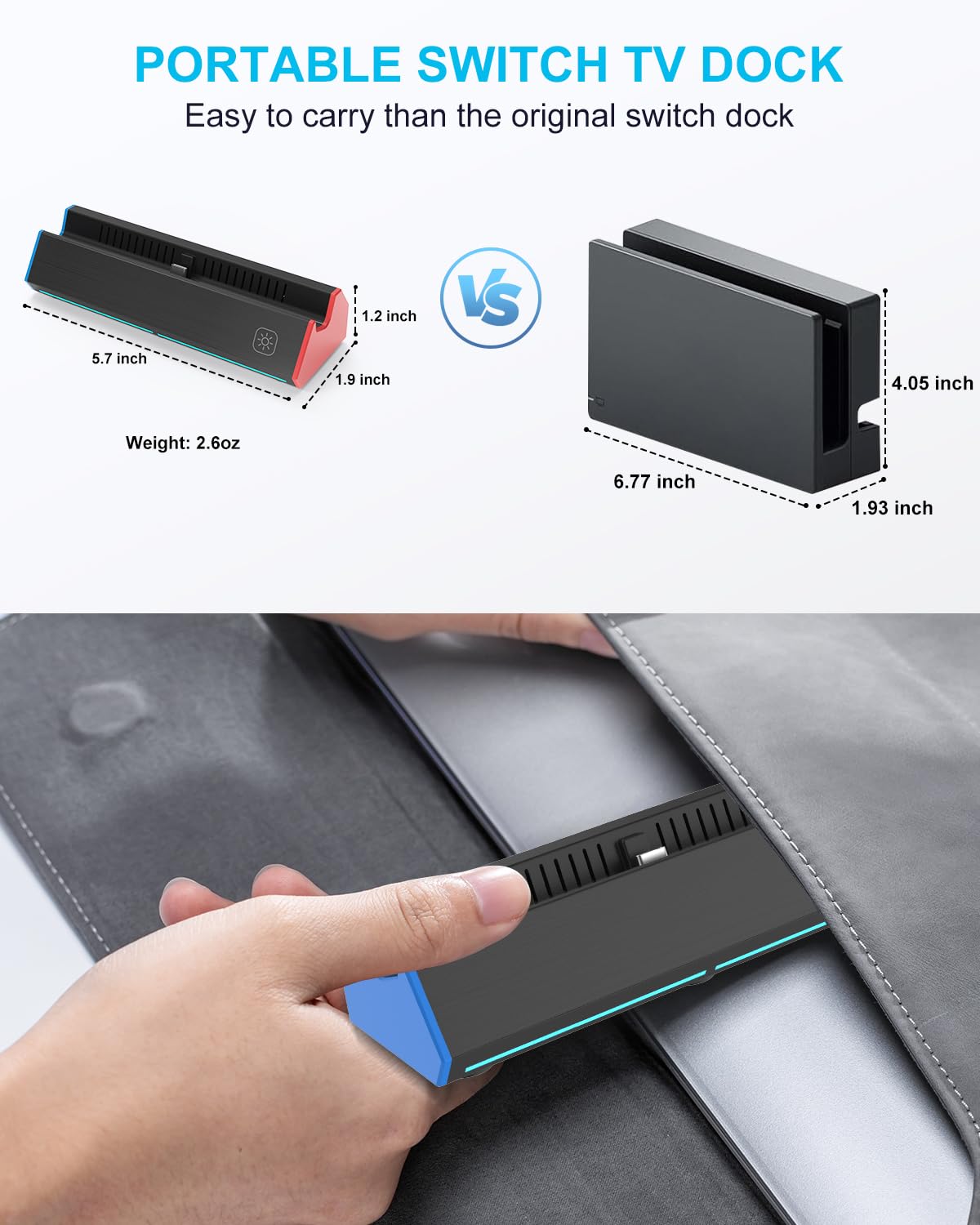
iPLYGAM Switch1 TV Dock (1000Mbps Ethernet, 4K HDMI, 7-in-1 ports) for Nintendo Switch & Switch OLED
Product description
If your Switch setup feels a bit too dependent on Wi‑Fi, a dock that adds wired networking can make a noticeable difference. The iPLYGAM Switch1 TV Dock is designed as a portable replacement base with a 1000Mbps Ethernet LAN port plus a 4K HDMI output, and it also includes a compact multi‑port layout so you’re not juggling adapters as much.
That said, it’s not a complete dock kit by itself—you’ll still need the right charger and an HDMI cable, and the console has its own output limitations. It’s a solid “get back to TV play” solution, but it’s not perfect for everyone.
Key takeaways
On paper, this dock focuses on three things: wired internet over Ethernet for a more stable connection than Wi‑Fi, TV/monitor video output (up to 4K by the dock’s specs), and a multi‑port design that keeps accessories handy.
Where it earns its keep is simple: you can switch between TV/tabletop mode with a button on the dock, and you can charge while playing by using the dock’s USB‑C input (up to 100w max, as stated). The built‑in protections for overcharge, overheating, short circuit, and recovery protection are also the kind of practical safety features you expect when you’re plugging everything in and leaving it running.
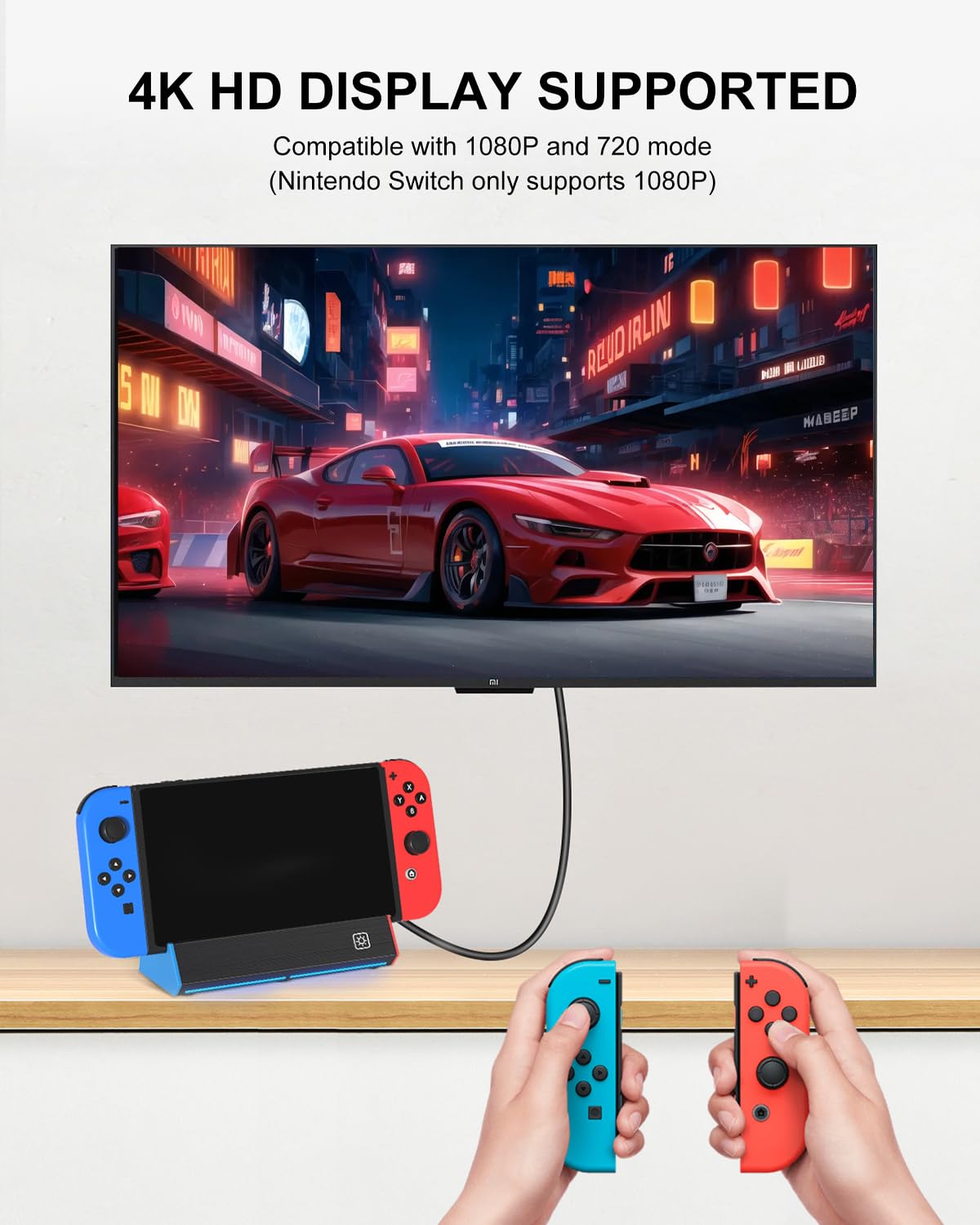
One limitation to be aware of: the listing explicitly notes that the Switch console only supports 1080P output to TV. So even if you see “4K” in the specs, your TV result for the console will be capped at 1080P—worth keeping in mind before you buy if you’re chasing maximum resolution.
What you get and why it matters for play
This model is a replacement/portable docking station base. The packing list is clear that you only receive the Switch dock and a user manual in the box—no AC adapter and no cables (and it also notes HDMI cable/adapter are not included). That means the real “setup time” depends on what you already own.
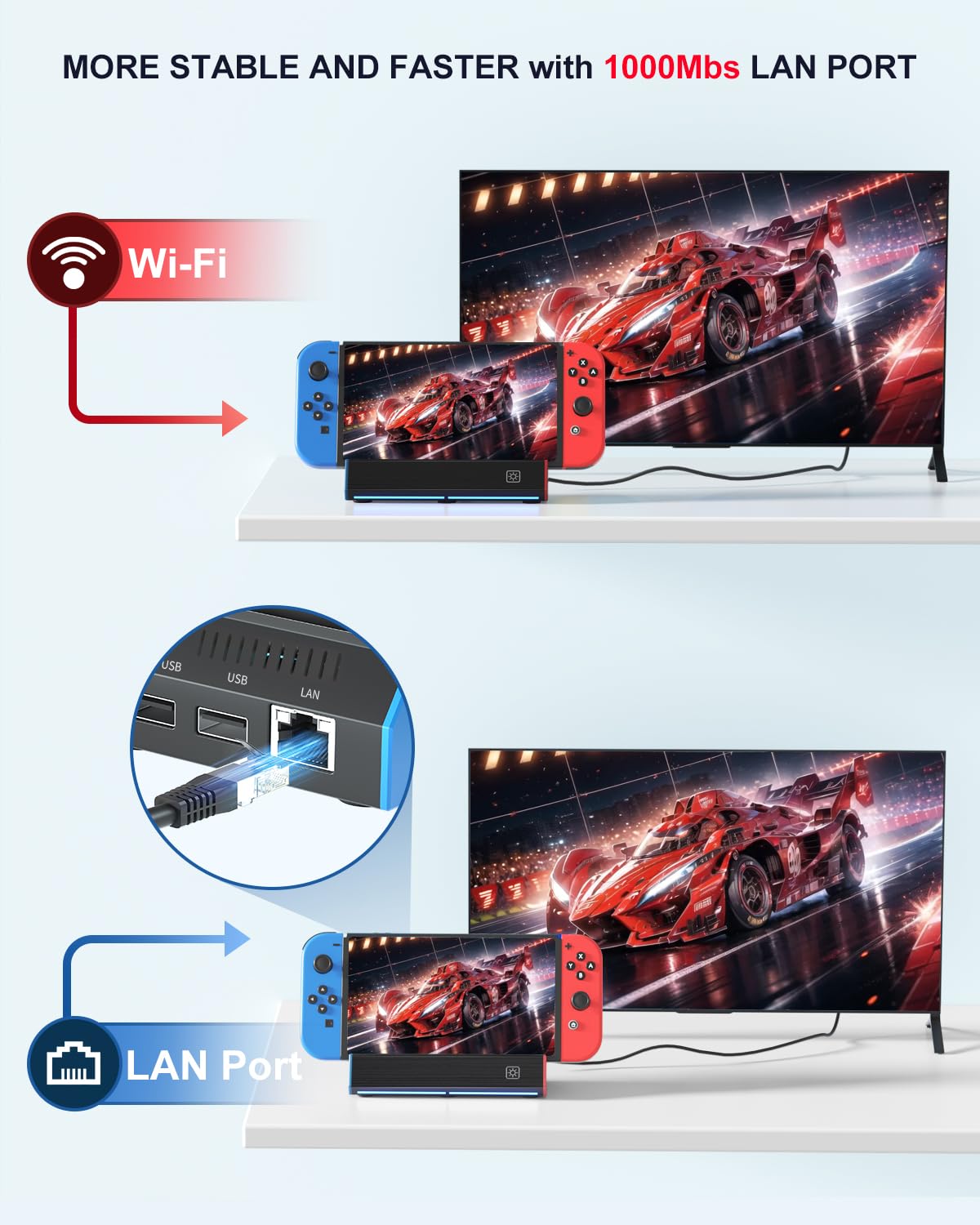
A practical way this fits real life: imagine taking your Switch to a friend’s place. You bring the dock base, plug in Ethernet for a steadier connection, connect HDMI to a TV or monitor, and you’re ready for TV mode. No extra network adapter needed for the wired connection, since the dock itself includes the Ethernet LAN port.
The essentials: ports, modes, and display output
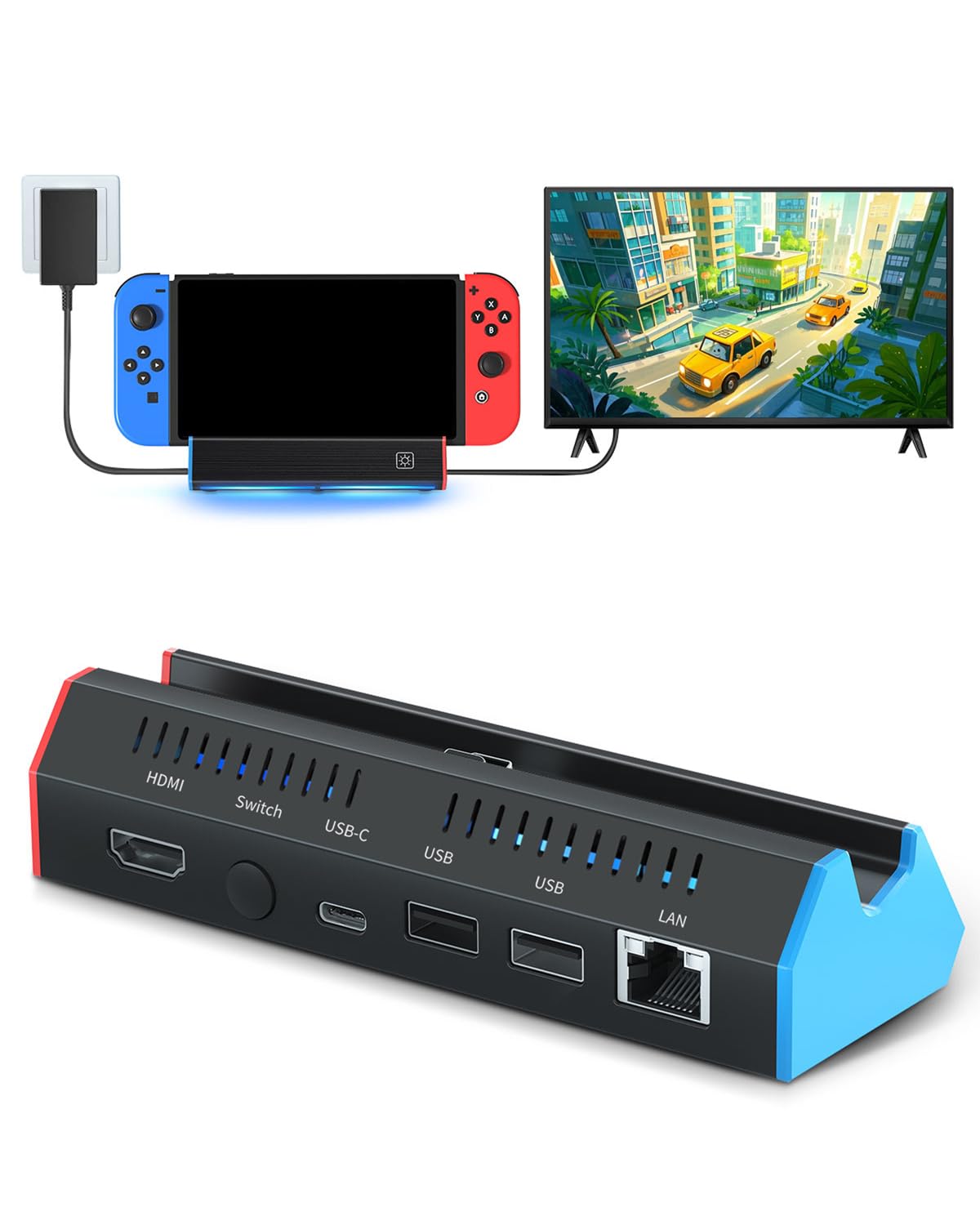
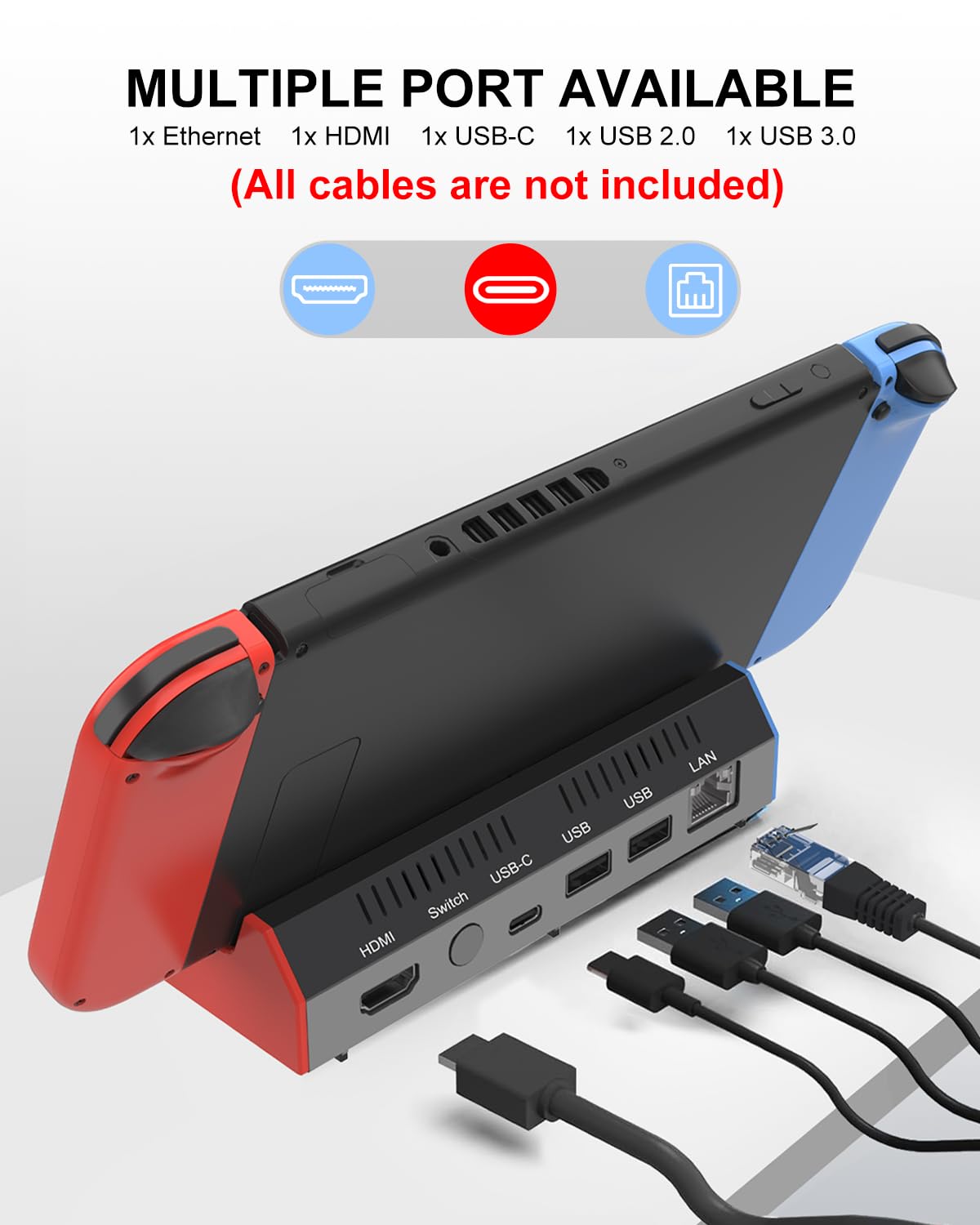
The dock is described as a 7‑in‑1 multi‑port design with:
- 1x HDMI 2.0 port (for TV/monitor video)
- 1x Ethernet port (1000Mbps LAN support)
- 2x USB 2.0 ports
- 1x Switch button
- 1x USB‑C (100w max) input port
- 1x type‑C output port
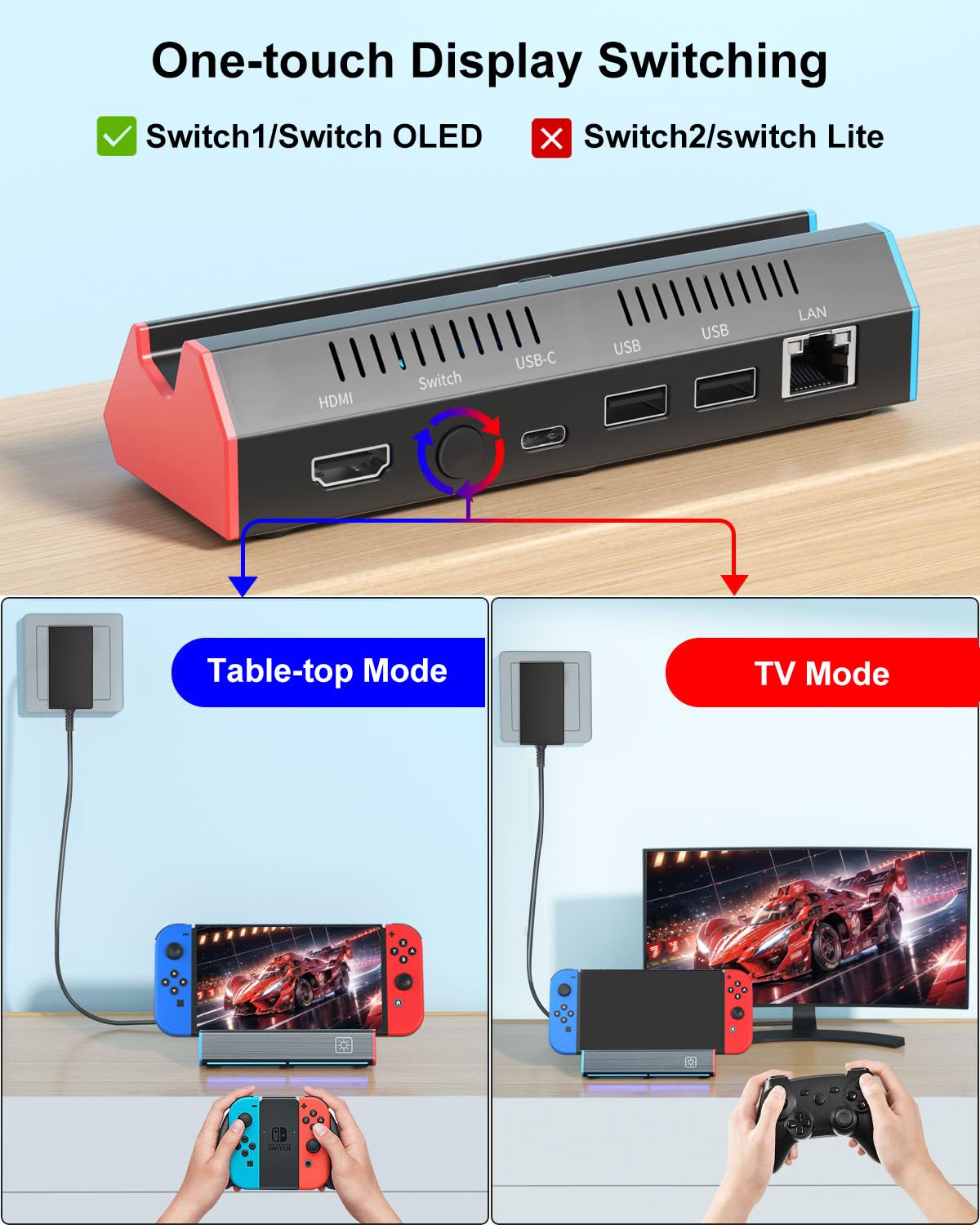
It also includes a TV/Tabletop Mode button on the back, so you can choose handheld/tabletop vs TV output without going through extra steps.
For video, the dock states it supports 4K (3840×2160P), 1080P (1920×1080P), and 720P output modes to TV, computer monitor, projector. Just remember the key console note: the Switch console only supports 1080P output to TV, so your expectation should be centered on 1080P for actual TV playback.
Ethernet speed vs. what you’ll notice
The Ethernet LAN port is the headline feature: the listing says 1000Mbps support, positioned as a way to get a faster and more stable experience than Wi‑Fi. In everyday terms, wired tends to reduce the connection variability that can show up with Wi‑Fi congestion or distance.
Still, Ethernet isn’t magic on its own. If your home internet is the bottleneck, that’s what you’ll hit first. But if you’ve ever had Wi‑Fi stutter or lag during downloads or online play, this is the kind of dock feature that targets that pain directly.
Charging and protection: useful, but read the setup note
The dock is built for charging while you play. The listing states that you plug in the official Switch charger and HDMI cable, then connect the Switch console to the dock using the USB‑C port.
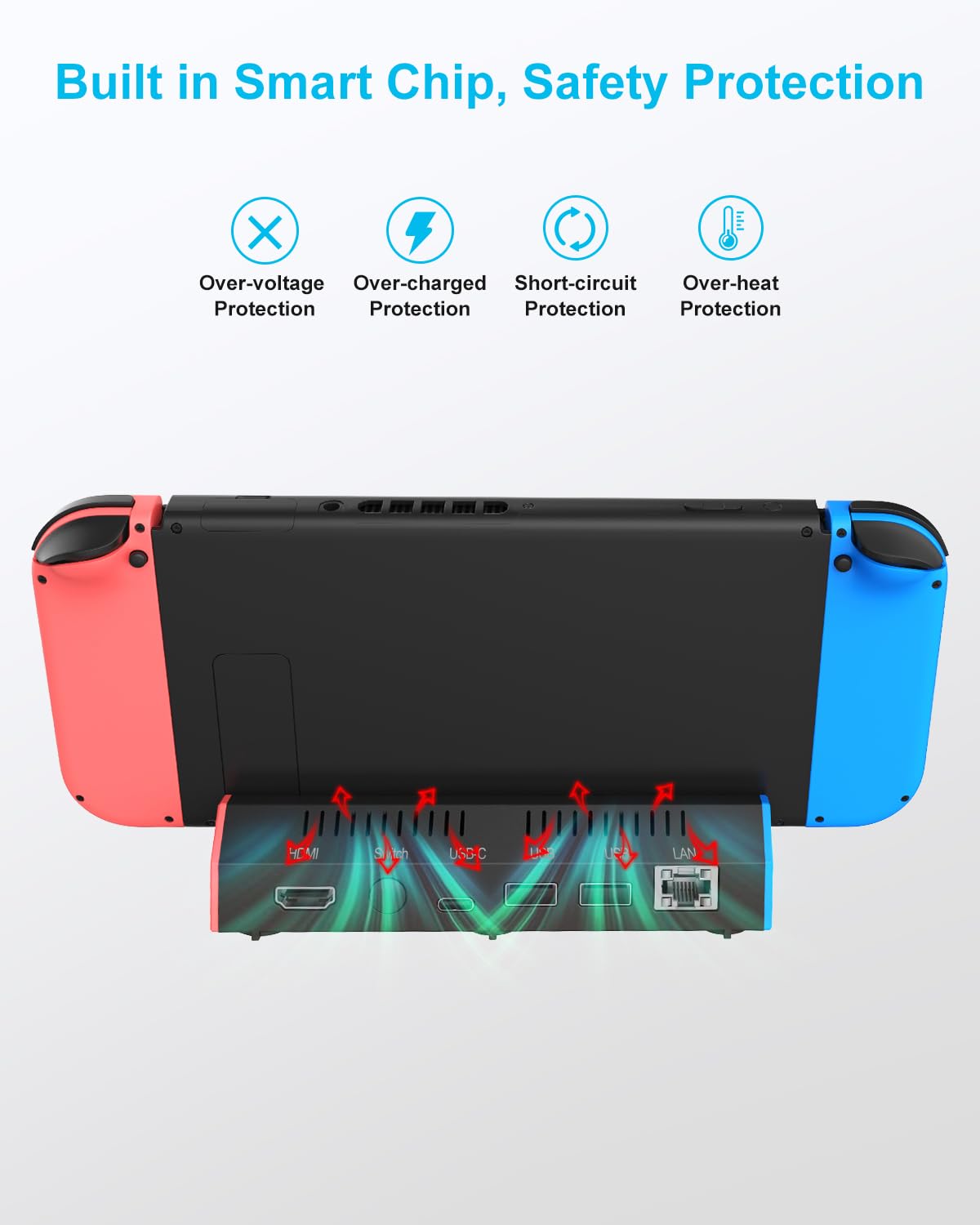
It also includes built‑in protections (overcharge protection, overheat protection, short circuit protection, and recovery protection). That’s a reassuring checklist for a third‑party dock replacement—especially if you plan to use it often.
One more caveat that’s easy to miss: since no AC adapter and no cables are included, you’ll want to confirm you already have what’s required before ordering.
Who should consider it (and who should skip)
It’s a solid pick if you: - Want a portable replacement dock base for Nintendo Switch or Switch OLED - Prefer a wired network connection via a 1000Mbps Ethernet port - Need TV mode switching via a button on the dock - Have the official charger and HDMI cable already (or you’re able to supply them) - Like the idea of keeping accessories connected via USB 2.0 ports
It may not suit you if: - You expected a full “in the box” dock experience with cables and adapter included (this listing says they are not) - You’re buying primarily for 4K TV output—because it explicitly notes the console only outputs 1080P to TV - You want a simple minimalist setup and don’t care about Ethernet or multi‑port convenience
Should you buy it?
If you’re trying to improve your Switch experience with a more consistent wired connection, the iPLYGAM Switch1 TV Dock makes sense. The Ethernet port and the straightforward TV/tabletop mode button are the practical reasons to choose it. It’s also built to be a replacement dock base that focuses on play at home or on the go.
Just go in with the right expectations: the Switch’s TV output is limited to 1080P, and you’ll need the charger and HDMI cable separately. For buyers who want wired stability and a portable dock-style setup, it’s worth considering. If you want maximum resolution marketing claims to translate into real TV output, or you don’t already have the required cables, you may want to look at options that include more of the setup.
Quick answers
Does it include the HDMI cable and AC adapter? No—this listing states cables and the AC adapter are not included.
Is the dock only for Nintendo Switch, or does it work with Switch OLED too? The product description positions it as a replacement dock base for both Nintendo Switch and Switch OLED.
Can I charge while playing in TV mode? Yes, the listing says you can charge while the TV is playing when using the official Switch charger and HDMI cable.
What Ethernet speed does it support? The dock is described as supporting a 1000Mbps Ethernet LAN port.