


Hearvo S7232H2 Dual-Monitor HDMI KVM Switch, 4K@60Hz, 4-Port USB 3.0
Product description
A two-computer workspace can be set up around one shared pair of monitors and one keyboard and mouse. The Hearvo S7232H2 KVM switch brings those connections together, with a wired controller for switching when the unit is tucked out of reach. Its four-port USB 3.0 hub also lets compatible peripherals serve either computer.
Technical details
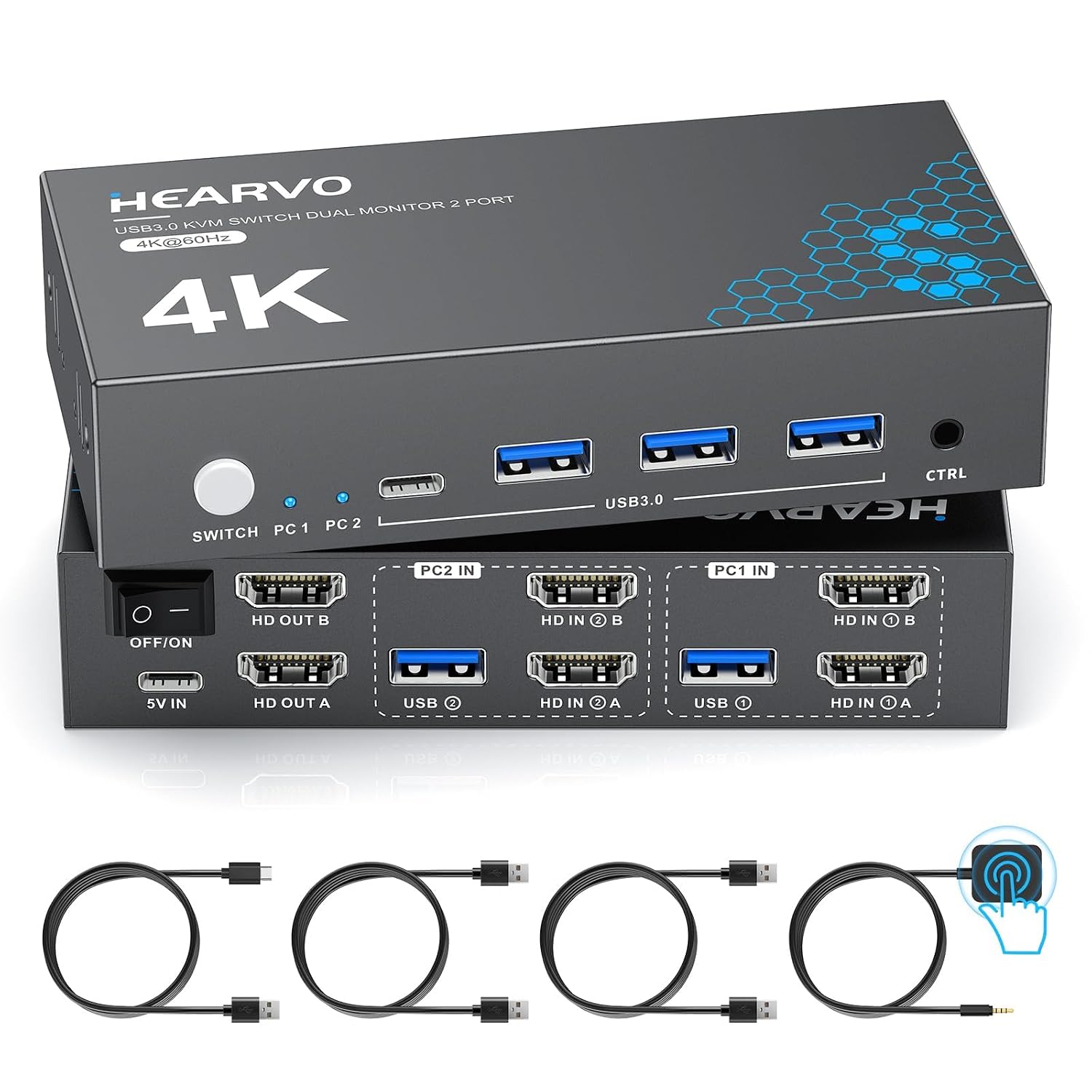
- Type: HDMI KVM switch for 2 computers and 2 monitors
- Display support: Up to 4K at 60Hz, also supports 4K at 30Hz, 2K, 1080p, and 3D
- Video: HDCP 2.2 and adaptive EDID
- USB hub: 4 USB 3.0 ports (3 USB-A and 1 USB-C), with transfer speeds up to 5Gbps
- Switching: Built-in push button or included wired controller
- Material and dimensions: Aluminum, 5.1 x 2.4 x 1.1 inches
- Included: 2 USB 3.0 cables, wired controller, and user manual
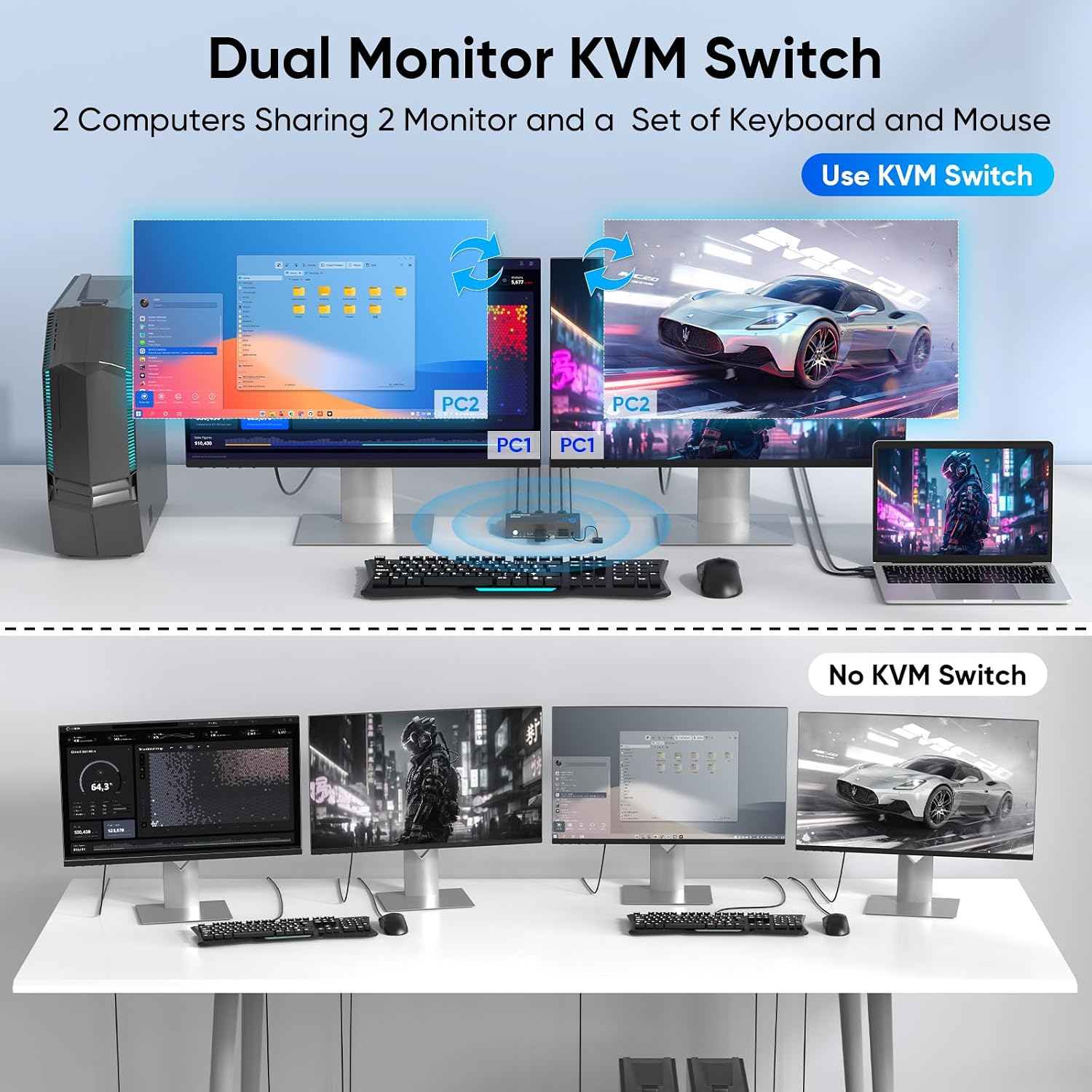
Adaptive EDID helps the connected displays maintain their recognition and settings when switching computers. The USB hub is useful for sharing devices such as a keyboard, mouse, printer, webcam, flash drive, scanner, or external hard drive, rather than reconnecting each one whenever you change systems. Buyers often highlight the straightforward setup and the convenience of the wired controller, feedback on switching speed and video quality is mixed, so results can vary by setup.
Everyday compatibility
Use the switch to connect two computers or laptops to a dual-monitor arrangement, then share the keyboard, mouse, and USB peripherals between them. This is a practical fit for a home office or workstation where separate systems handle different tasks but the desk has room for one shared set of controls. The USB-A and USB-C ports accommodate a range of common peripherals, while the HDMI connections carry the display signal.


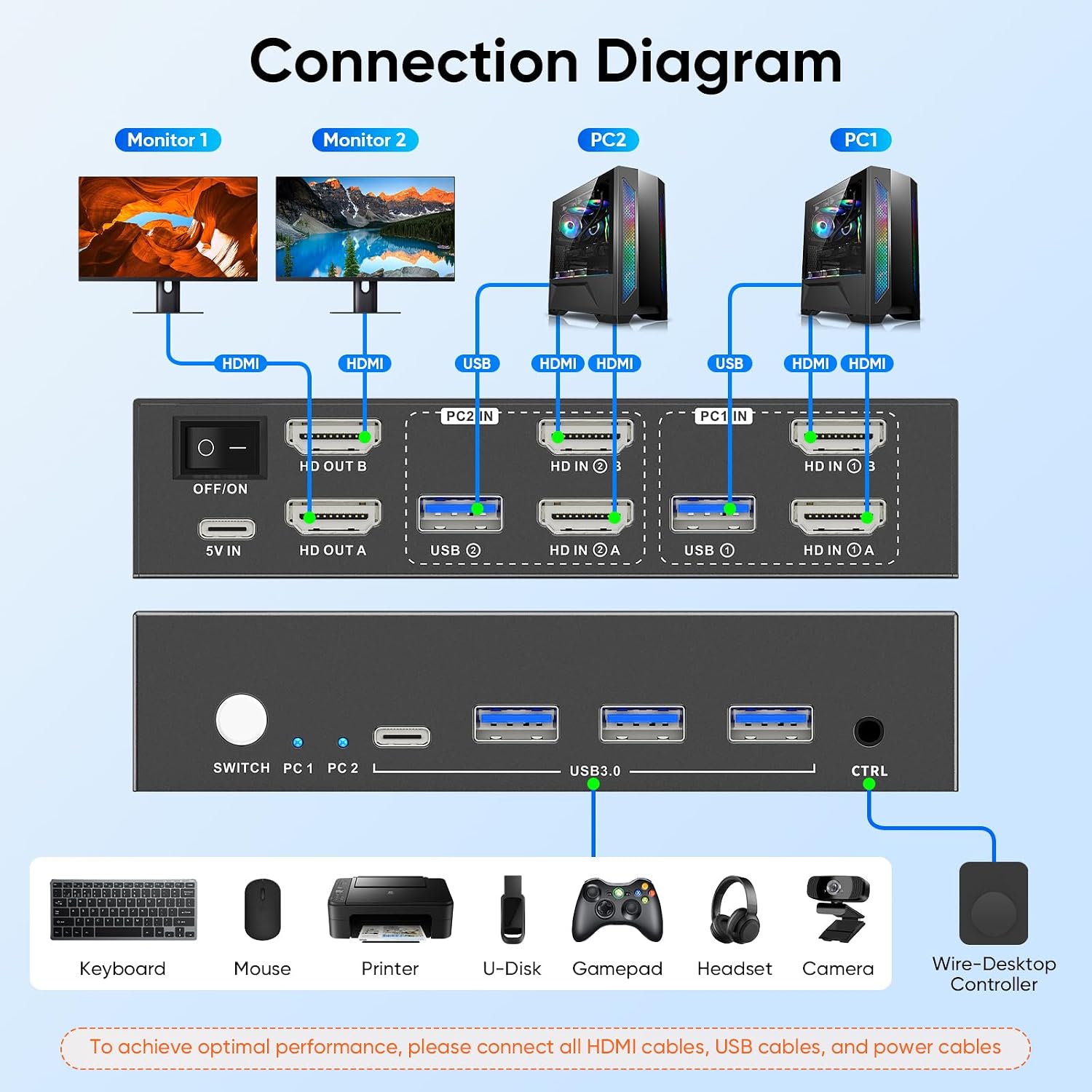
Compatibility feedback from buyers is mixed: some report successful use with PCs and Macs, while others mention MacBook issues. For a complete installation, prepare six HDMI 2.0 cables, the switch includes two USB 3.0 cables. Matching your computer, monitor, and peripheral connections to the switch makes it easier to plan a dual-screen setup before arranging the cables.
How to use it
Connect the two computers and two monitors through HDMI, and use the included USB cables to link the computers to the KVM switch. Plug shared USB devices into the hub, then choose the active computer with the switch’s built-in button or the wired controller. No driver or software installation is required, making the setup suitable for a workstation that needs to move between systems without changing its shared controls.
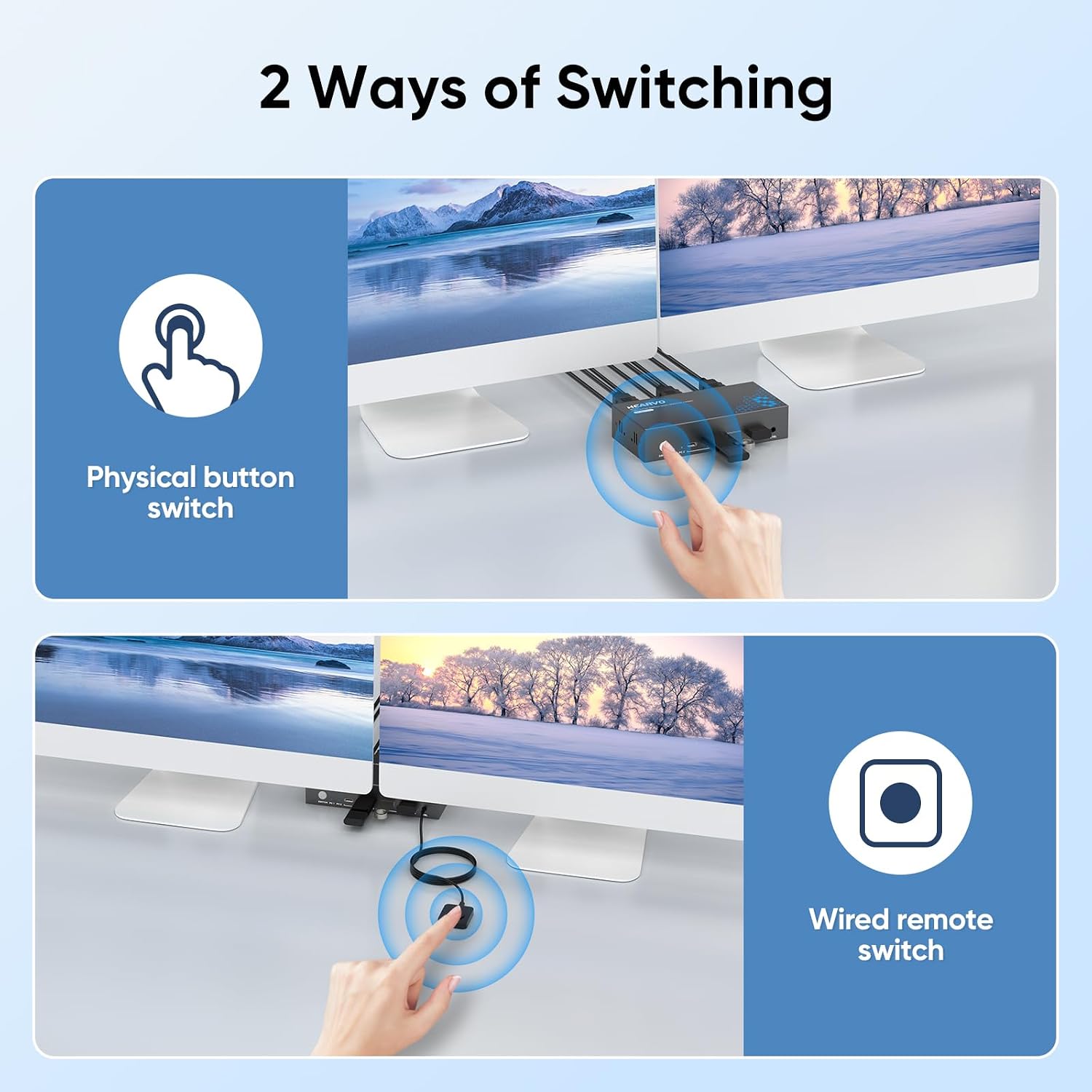
The controller is especially useful when the switch sits under a desk or behind a monitor: it gives you a reachable way to change computers without moving the unit. For example, a remote worker can keep a work laptop and a second computer connected to the same two displays, then switch the shared keyboard and mouse as needed.
Buying verdict
The Hearvo S7232H2 is designed for a specific desk setup: two computers sharing two HDMI monitors, a keyboard, a mouse, and USB accessories. Its 4K@60Hz display support, adaptive EDID, four-port USB hub, and wired switching controller bring the main connections and controls into one KVM switch. It suits users who want to manage multiple systems from a shared dual-monitor workspace while keeping everyday peripherals connected in one place.