

FYOUNG Switch 1 & OLED Controller Charger Dock (4-in-1) for Joy-Con Accessories
Reviews
Price
Product description
The essentials (what it is and what you’re solving)
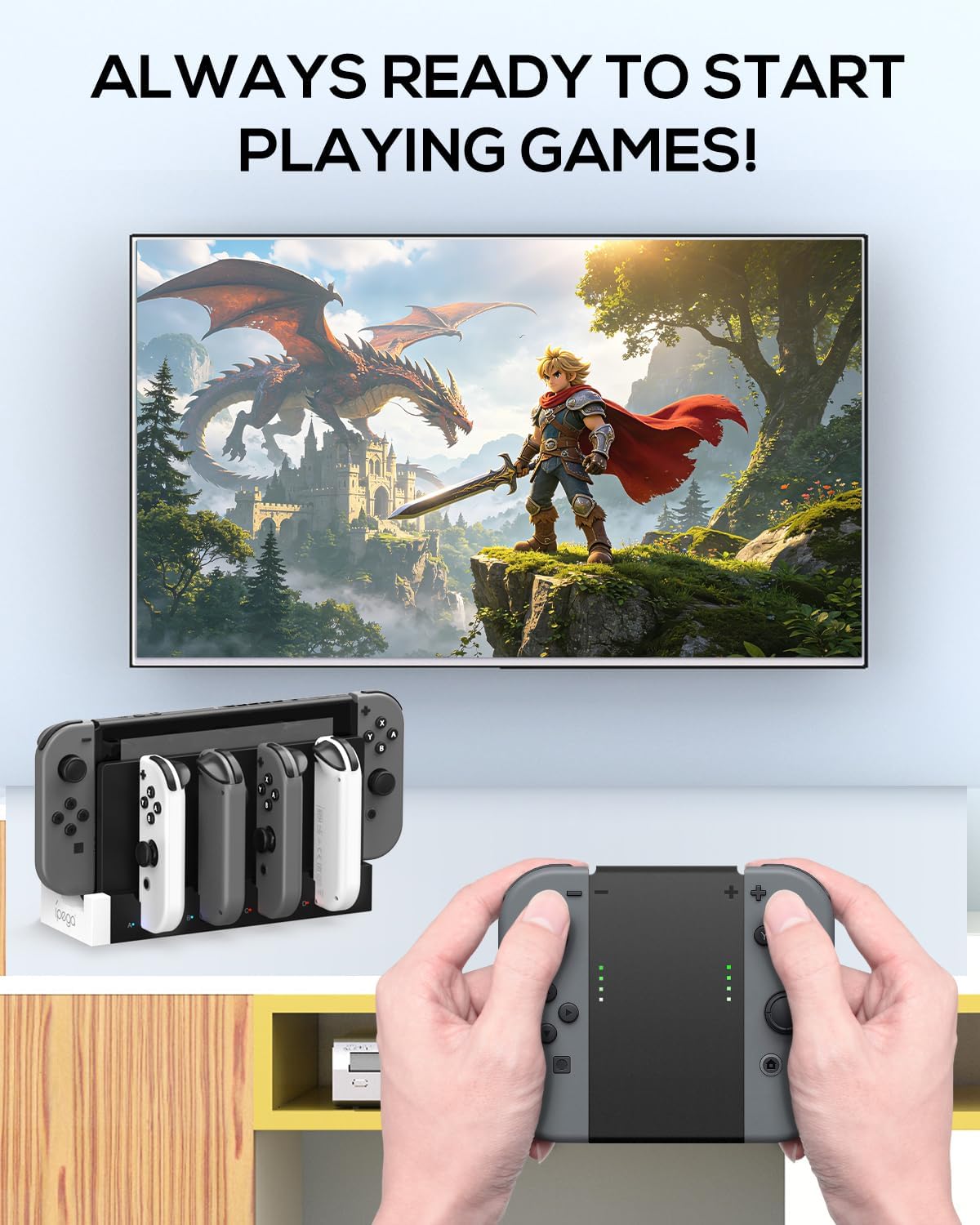
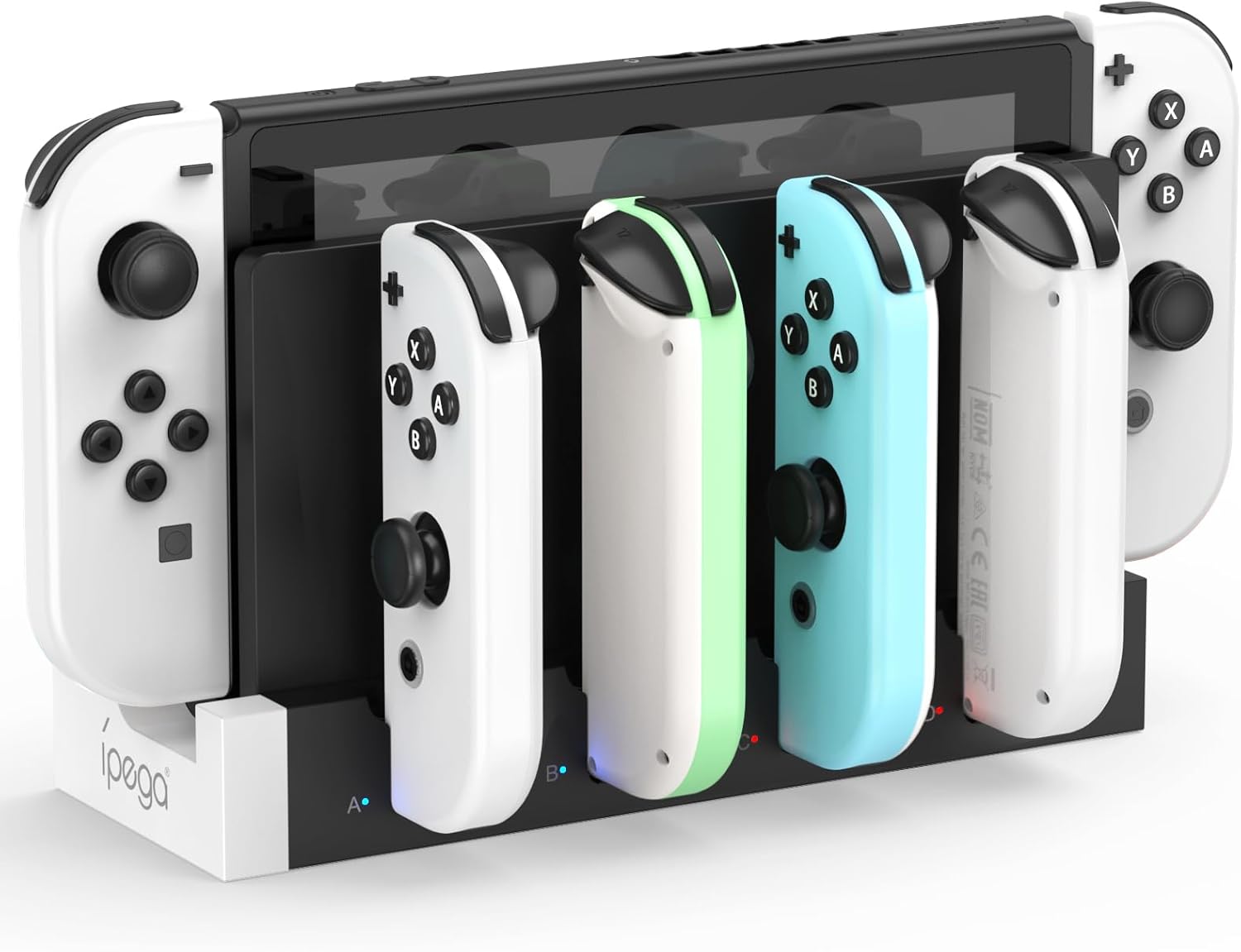
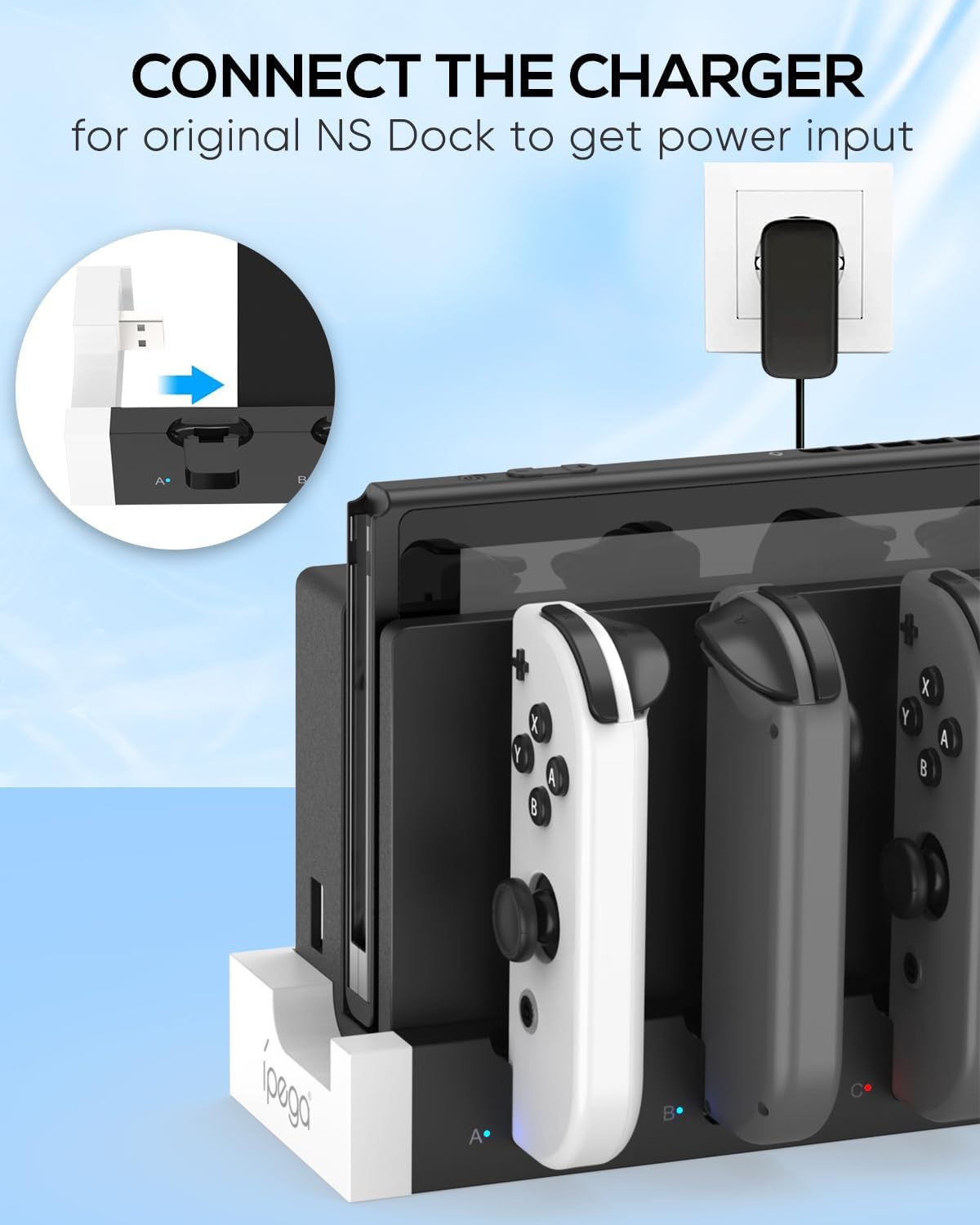
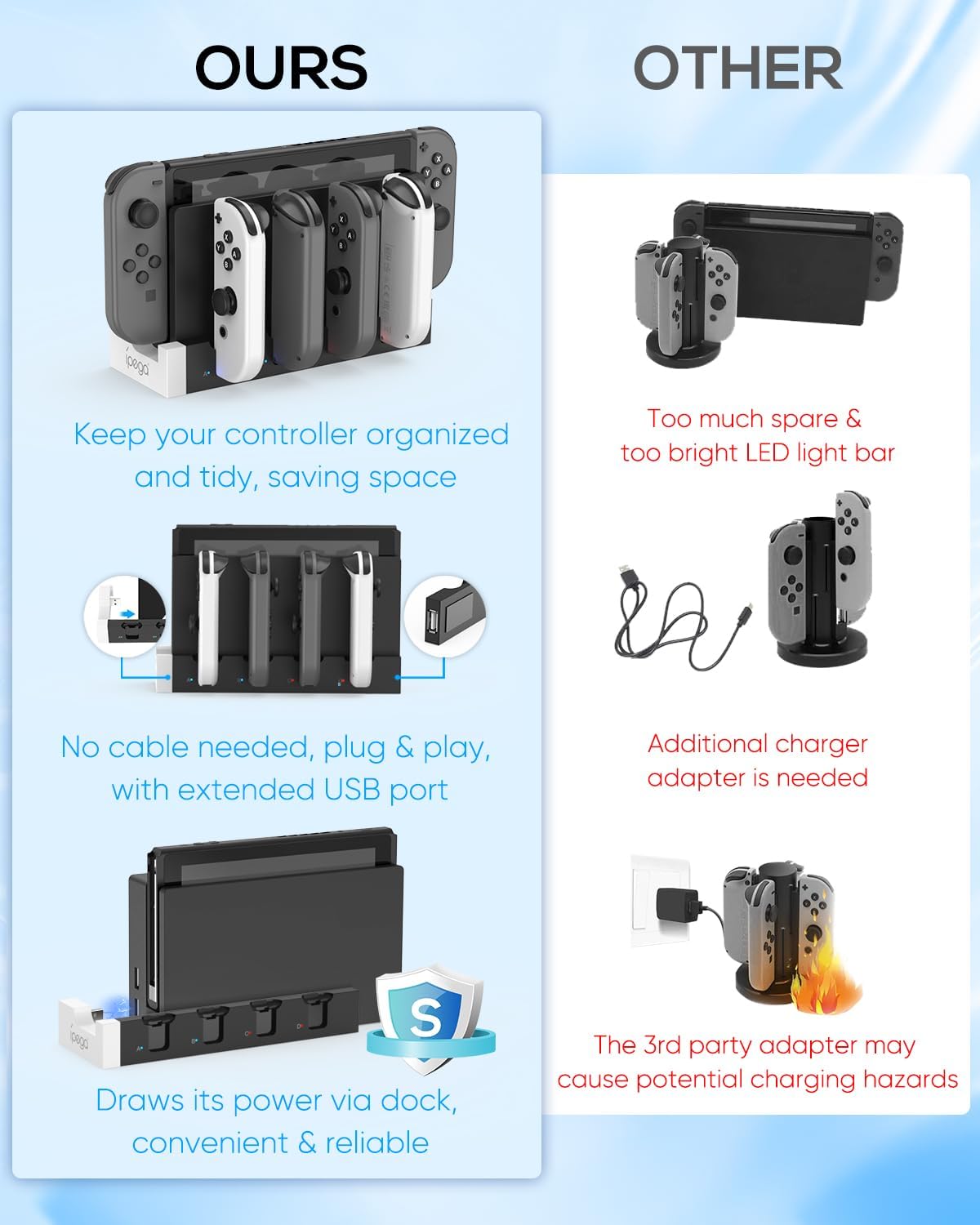
The FYOUNG Switch 1 & OLED Controller Charger Dock is a charging stand designed specifically for Nintendo Switch and Switch OLED controller accessories. The idea is simple: instead of leaving Joy-Cons and compatible controller accessories scattered around your setup, you drop them into the dock and keep your charging routine organized. It’s meant to connect to the original Switch dock through a USB connection, so it fits into the way most people already power their TV setup.
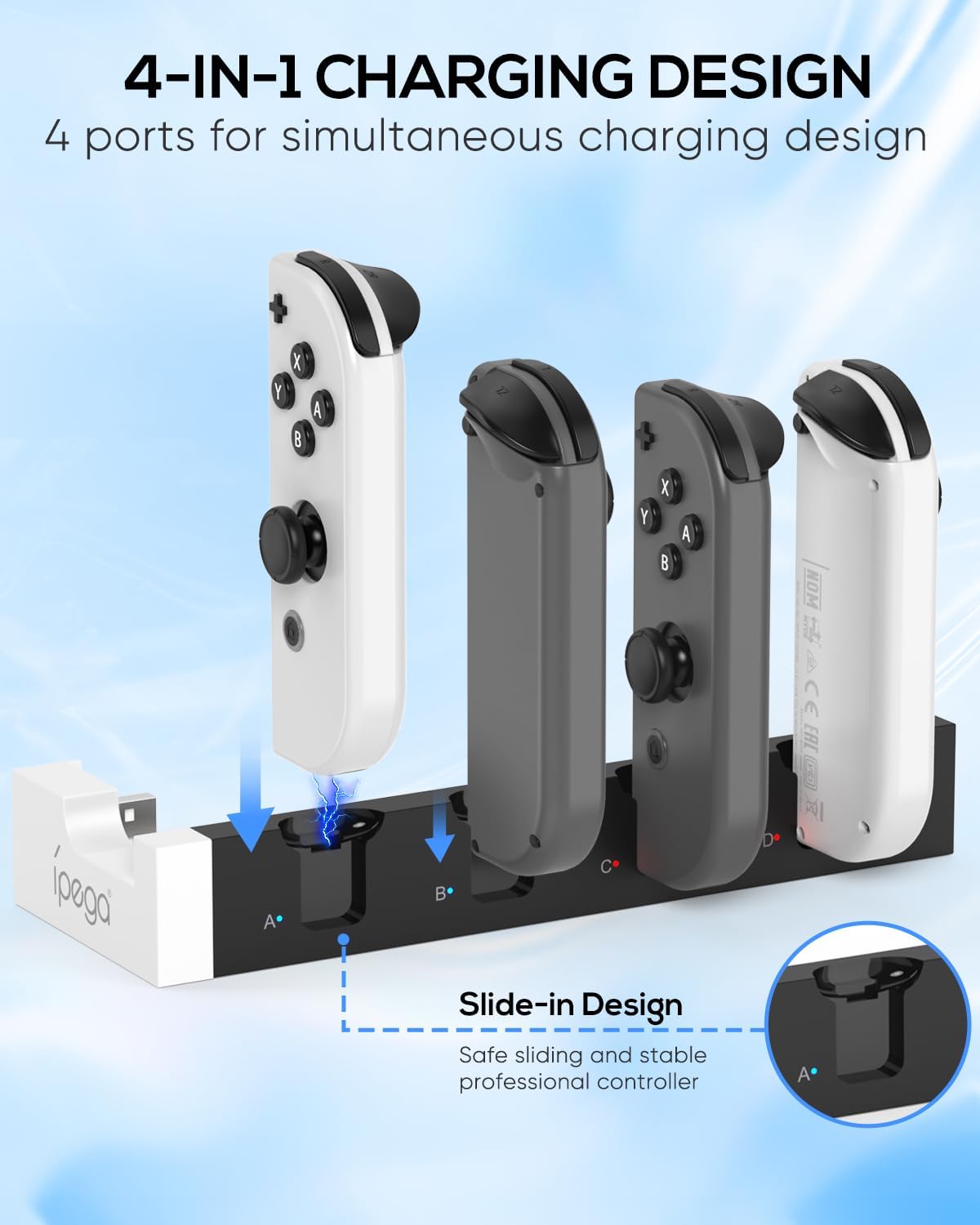
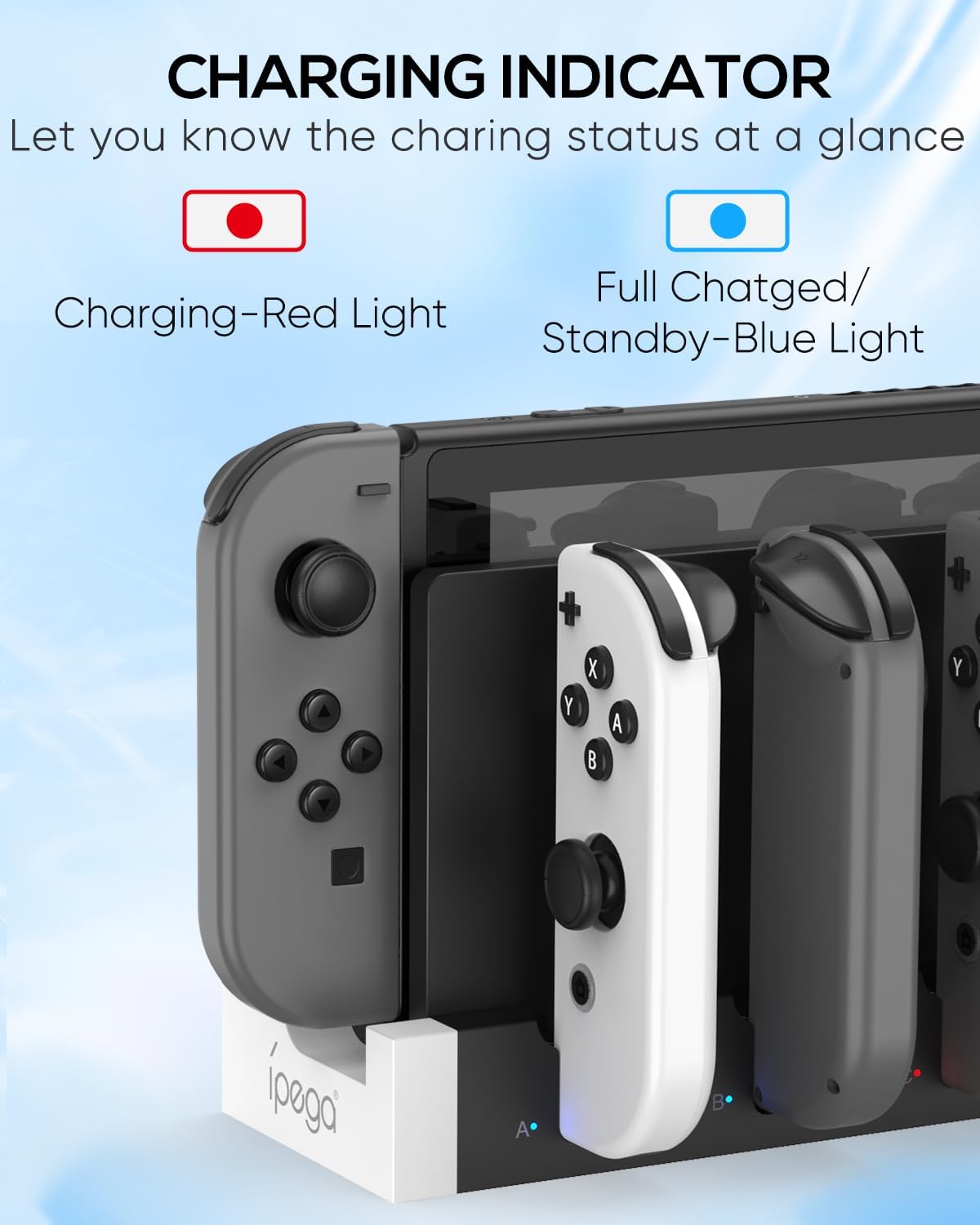
It’s also pitched as plug-and-play: once the dock is connected to power, you insert the controllers into the charging stations and it powers them. You’ll get clear visual feedback through LED indicators—red during charging, then blue when fully charged.
One thing to keep in mind: the listing talks about “Joy-Con accessories” and “compatible with Nintendo Switch and Switch OLED” in general terms, but it doesn’t spell out exactly which specific controller models or attachments are supported. If you have multiple accessories, it’s worth double-checking compatibility before you commit.
Key features that matter day to day
This charging dock leans into convenience and visibility. The LED indicator is one of those small features you’ll actually use, because you don’t have to guess whether controllers are charging or already topped off.
The dock is also positioned as a “fast charger” style station, and it includes a “smart chip” for safety. The provided safety protections include overload and short-circuit protection, with the circuit designed to shut off power automatically for added safety.
On paper, the build sounds durable. The body uses acrylic and ABS, which should hold up better to everyday home use than flimsy plastics.
And since this is a 4-in-1 portable charger dock setup, there’s an extra physical convenience: a USB Type-C cord is included (as stated), plus an additional USB 2.0 female port for charging or connecting other USB devices.
Tech specs (the practical bits)
- Name: Switch 1 & OLED Controller Charger Dock
- Brand: FYOUNG
- Type: Charging dock / charging station for Switch controller accessories
- Compatibility (stated): Nintendo Switch and Switch OLED
- Charging behavior: LED indicator turns red during charging and blue when fully charged
- Additional port: USB 2.0 female port for more USB device charging/connection
- Power connection approach (stated): plugs into the original Switch dock with a USB connection
- Safety features (stated): built-in smart chip, overload protection, short-circuit protection, automatic power-off
Where it shines (and where it may fall short)
Where this dock is most convincing is around daily habits. If you regularly rotate between controllers, a stand like this reduces clutter and makes it easy to keep your “next session” controllers ready. It’s also a good fit if your charging setup currently depends on cables laid across the room—this replaces that with a dedicated spot.
The listing says it can charge “up to 6 controllers at the same time.” That capacity is a strong selling point for households that share a Switch or for anyone with more than a couple of controllers/accessories.
That said, it may not be the best choice if you want something extremely flexible for every possible accessory shape. Since the product is specifically framed around Switch and Switch OLED controller accessories (and Joy-Con-related items), it’s not the kind of universal charger dock you’d grab for random electronics.
Quick setup in real life (what using it feels like)
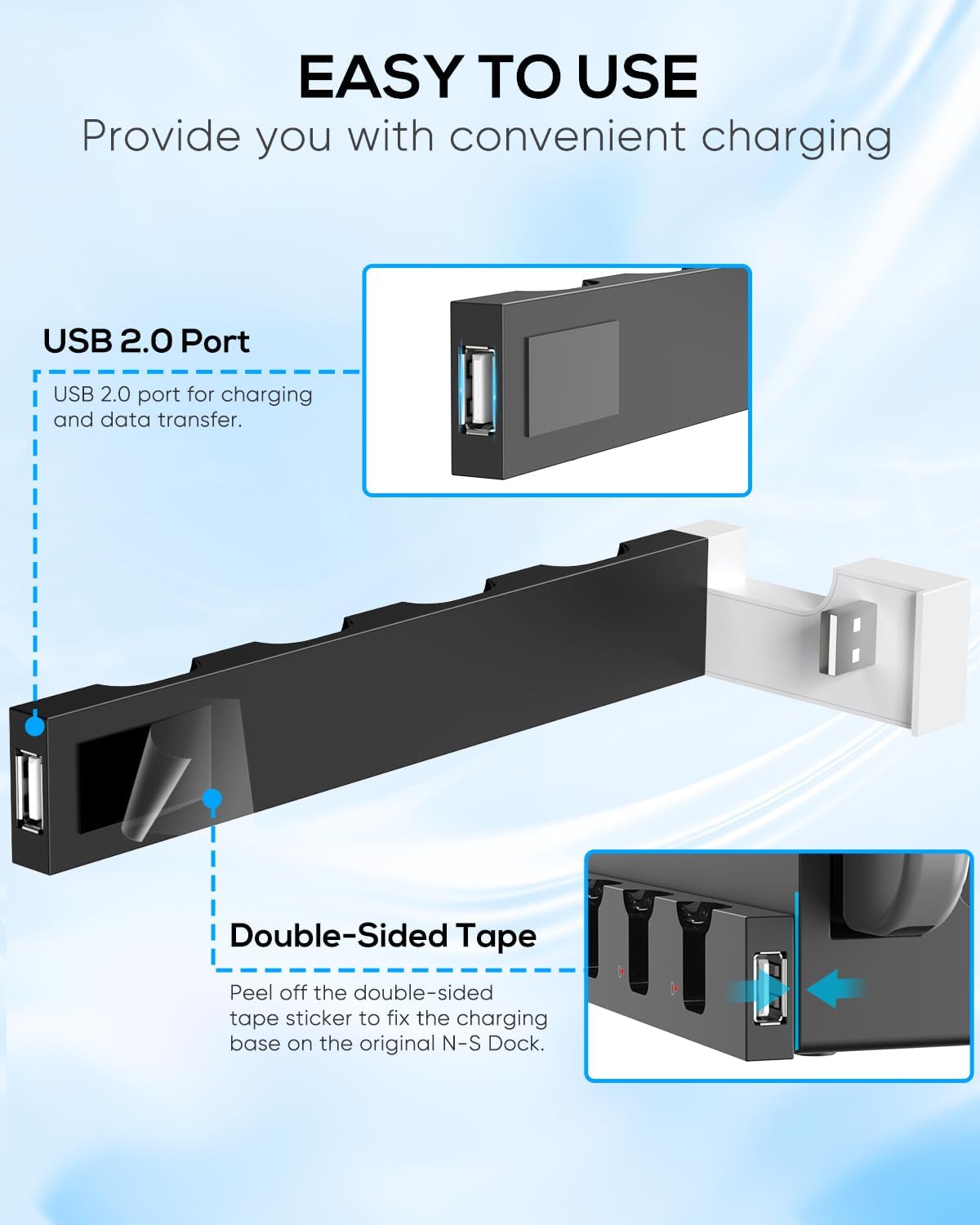
Imagine you’re done with a game session and want everything ready for tomorrow. You connect the dock to power via the original Switch dock using the USB connection described in the listing. Then you insert your controllers into the charging stand. At that point, the LED indicator shows red, so you know charging is underway without checking apps or settings. When the battery is fully charged, the indicator changes to blue—useful when you’re stepping away for a while and don’t want to babysit the process.
Mini FAQ
Is it compatible with both Switch and Switch OLED?
The product description states compatibility with Nintendo Switch and Switch OLED, and it connects using the original Switch dock through a USB connection.
Does it work like a traditional dock replacement?
Not exactly. This is a charging dock/stand that uses the original Switch dock’s power setup (via a USB connection), rather than replacing your TV dock.
How do I know the controllers are charging?
The LED indicator changes color: it turns red when charging and blue when the battery is fully charged.
Can I charge other USB devices with it?
Yes, the dock includes an additional USB 2.0 female port for charging or connecting other USB devices.
What safety features are included?
The description lists a built-in smart chip with overload protection and short-circuit protection, plus automatic power-off for added safety.
Should you buy it?
Buy it if you want a dedicated Switch controller charging station that keeps your setup cleaner, offers visible charging status via LED lights, and can charge multiple controllers at once. It’s especially reasonable if you’re regularly rotating Joy-Con accessories and want them ready without cables everywhere.
Skip it if you need guaranteed support for a wide range of non-standard controllers/accessories, or if you prefer charging only via standard cables rather than inserting controllers into a dock. Also, if you’re unsure whether your exact accessories are covered by the “Joy-Con accessories” framing, pause and confirm compatibility before you order.
In short: it’s a practical, home-focused dock for Switch owners who care about organization and want charging that’s easy to understand at a glance.