

Cooling Station for PS5 3-Level Fan
Product description
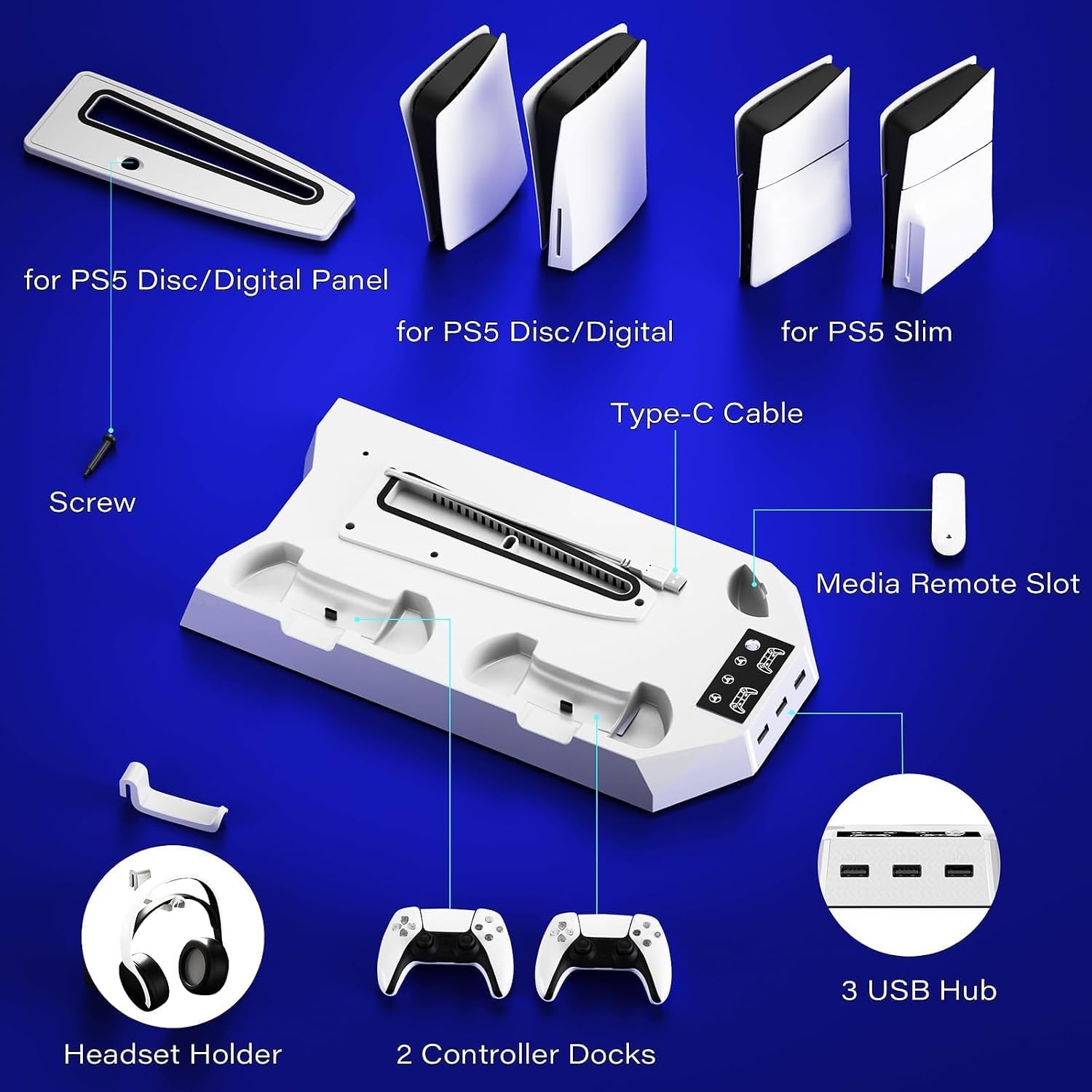
This PS5 cooling stand helps keep your console running smoother during long sessions, combining cooling, charging and storage in one tower. A practical PS5 cooling stand that aims to lower surface temperature and organize controllers and headset, useful for gamers who play hours at a time.
Key points
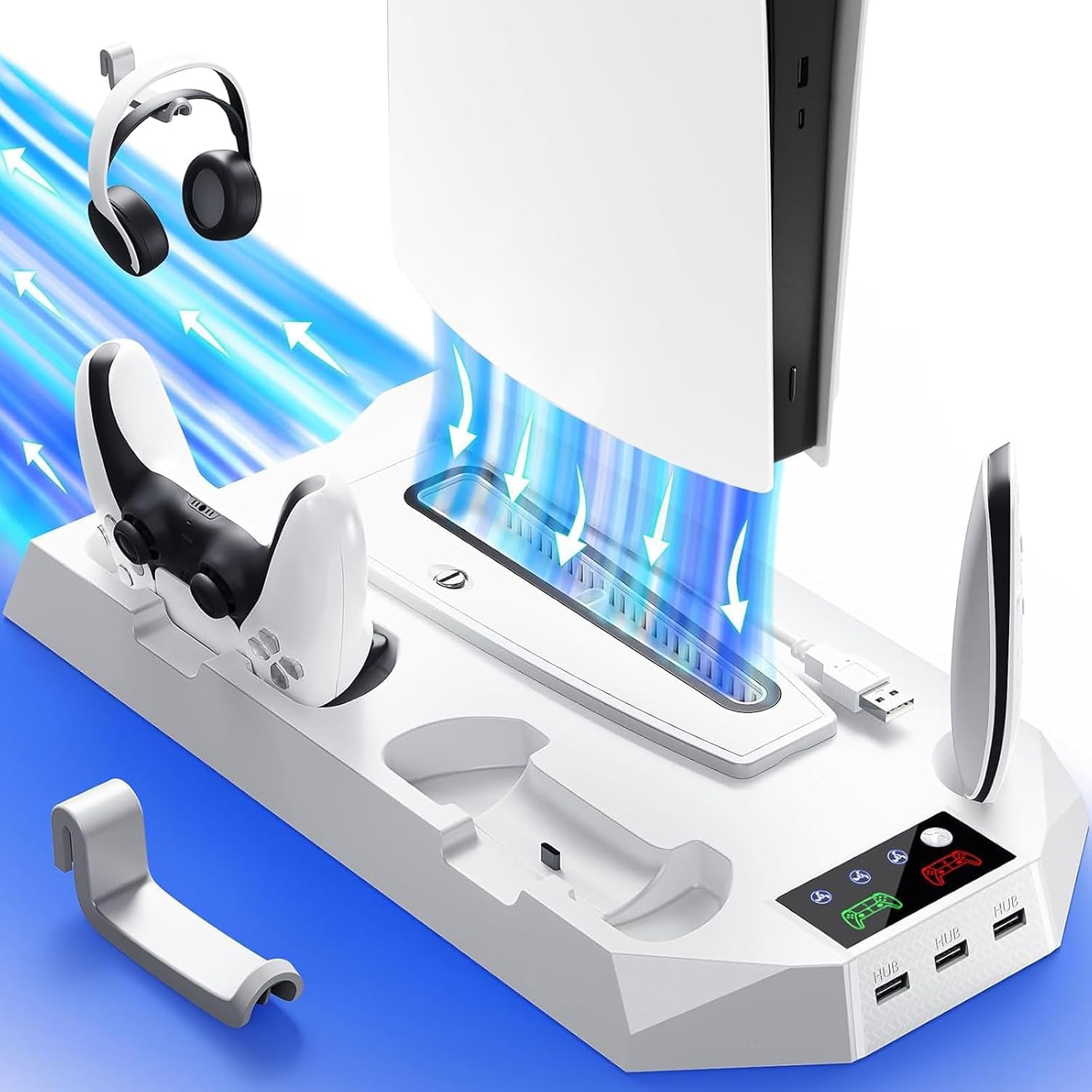

The stand integrates an adjustable turbo fan with three speed settings to exhaust heat from the bottom of the console, helping to reduce overheating during extended play. It also doubles as an organizer with dedicated spots for two controllers, a headset holder and space for a media remote, so cables and peripherals stay tidy. For convenience the dock offers three USB hubs for charging extra accessories and connecting devices to your console, and the LED indicators show charging status at a glance. ⚙️
Tech specs
-
Name: Cooling Station for PS5
-
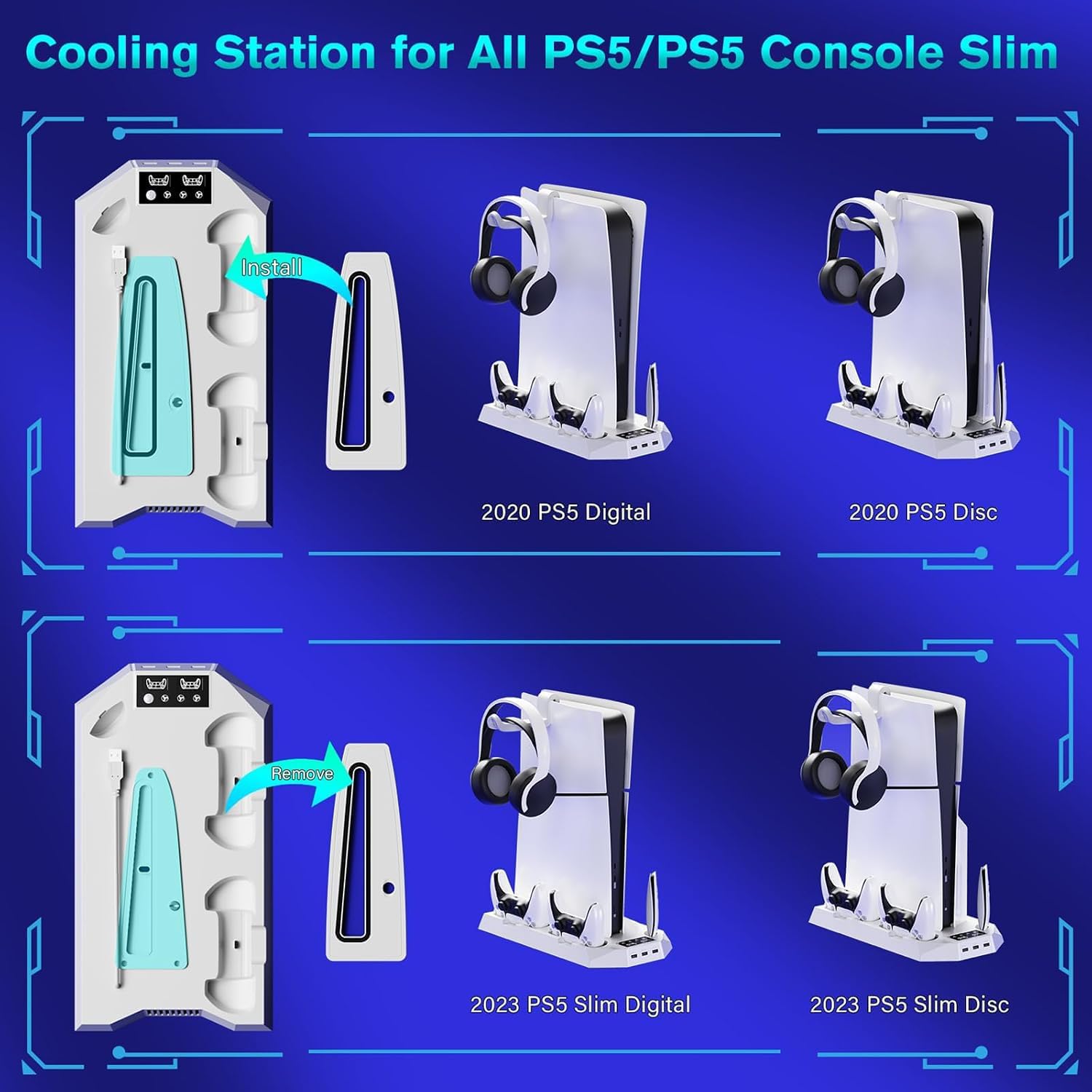
Compatibility: PS5 Slim Disc, PS5 Slim Digital, PS5 Disc, PS5 Digital
-
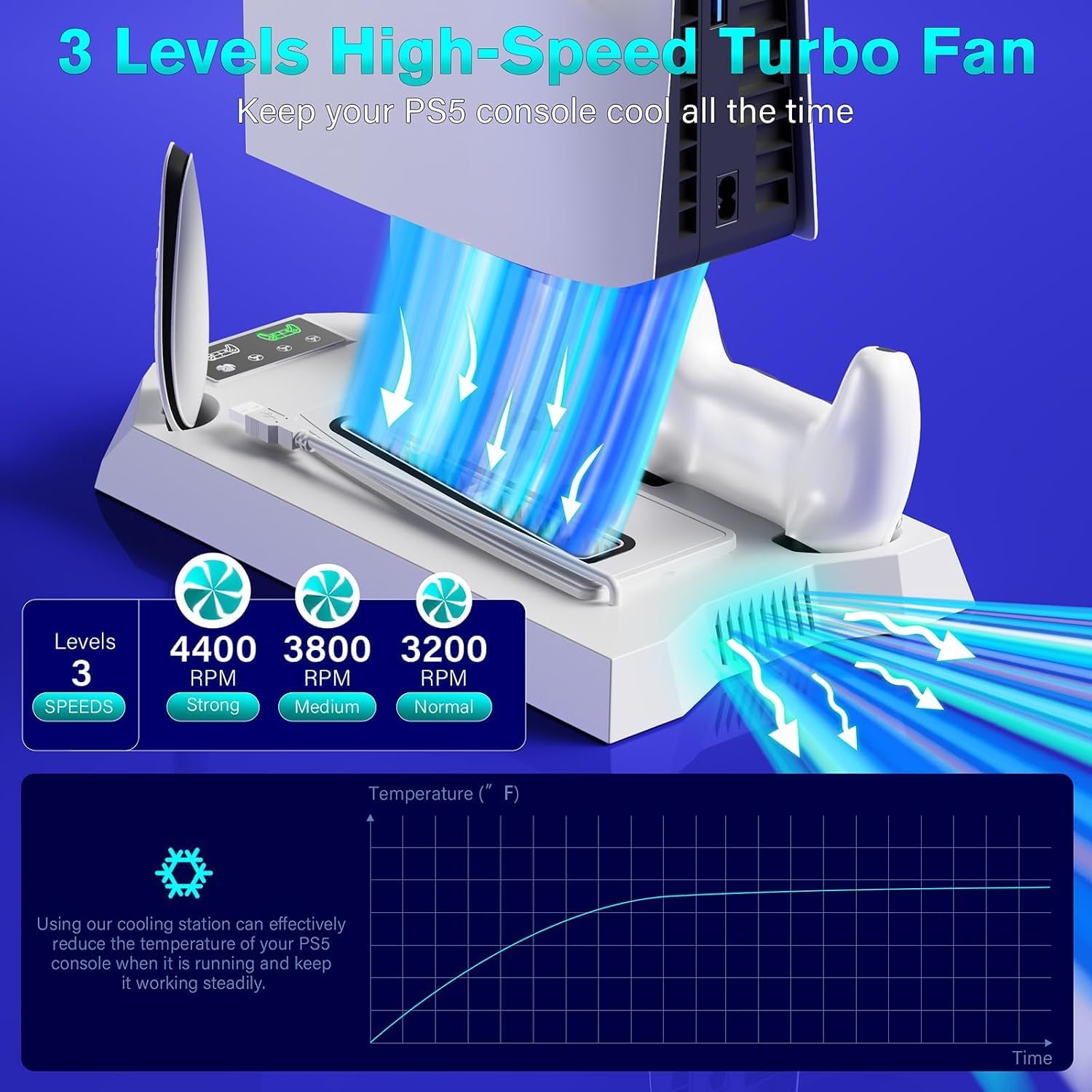
Cooling levels: 3 levels adjustable fan
-
Controller charge time: 3 hours full charge
-
USB ports: 3 USB hubs
-
Safety features: smart chip protection from overcharge overvoltage overheating and short circuit
Usage tips
Place the stand under the console base so the fan can blow hot air away from vents, and choose a fan speed based on ambient temperature and noise tolerance. Charge both controllers on the dual dock during loading screens to reduce downtime, and use the front USB ports for headsets or external drives. Keep the area around the fan clear for best airflow, and follow the included instructions for straightforward setup. 🎮
The product description cites manufacturer guidance on charging times and protective circuitry, and notes that installation is simple with step by step instructions included. Note that performance depends on room ventilation and usage patterns, so high ambient temperatures may limit cooling effectiveness. 🧰.