

MoKo RGB Backlit Keyboard for Xbox Wireless Chatpad with 2.4G Receiver
Product description
What it is and what it solves
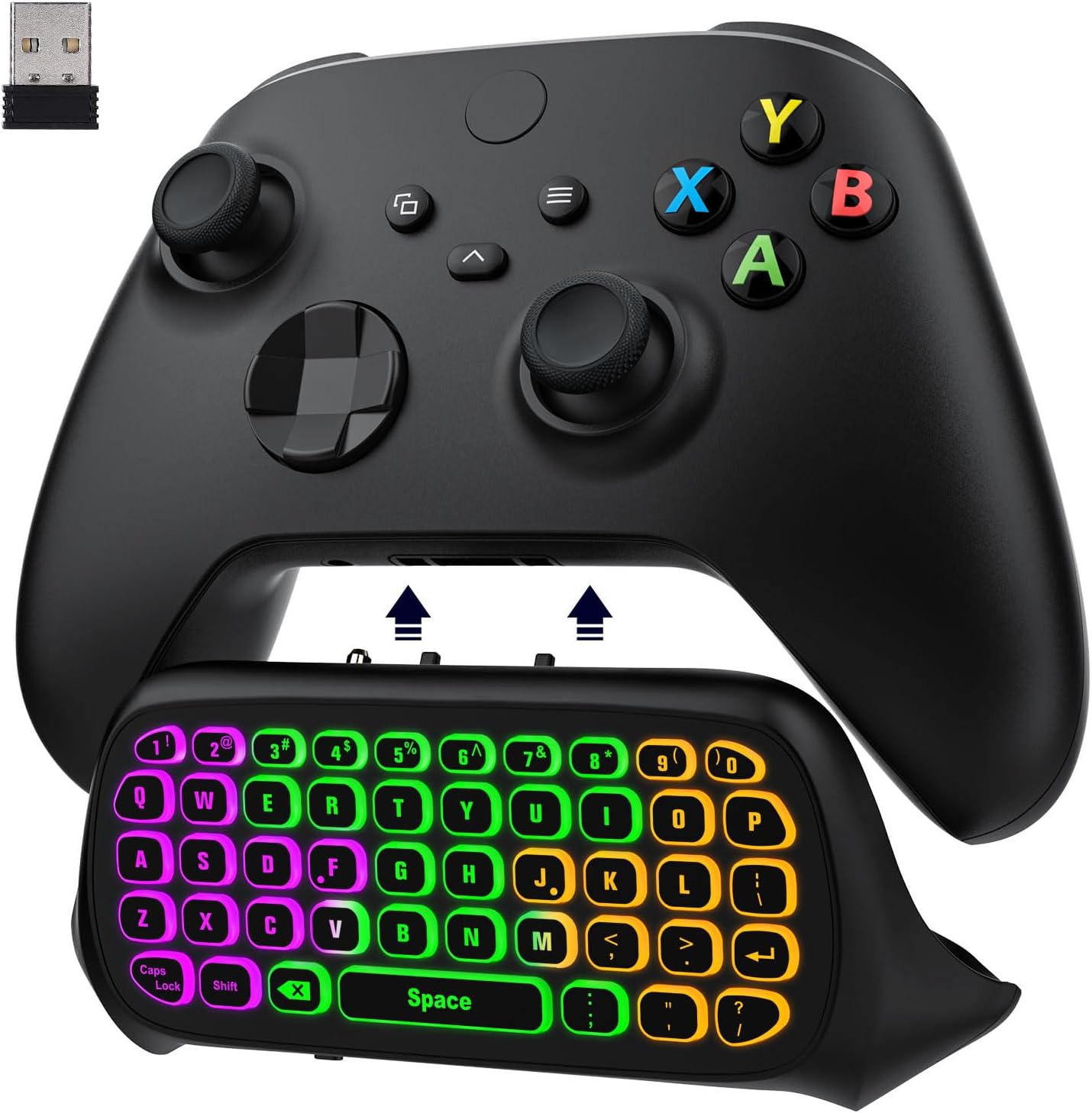
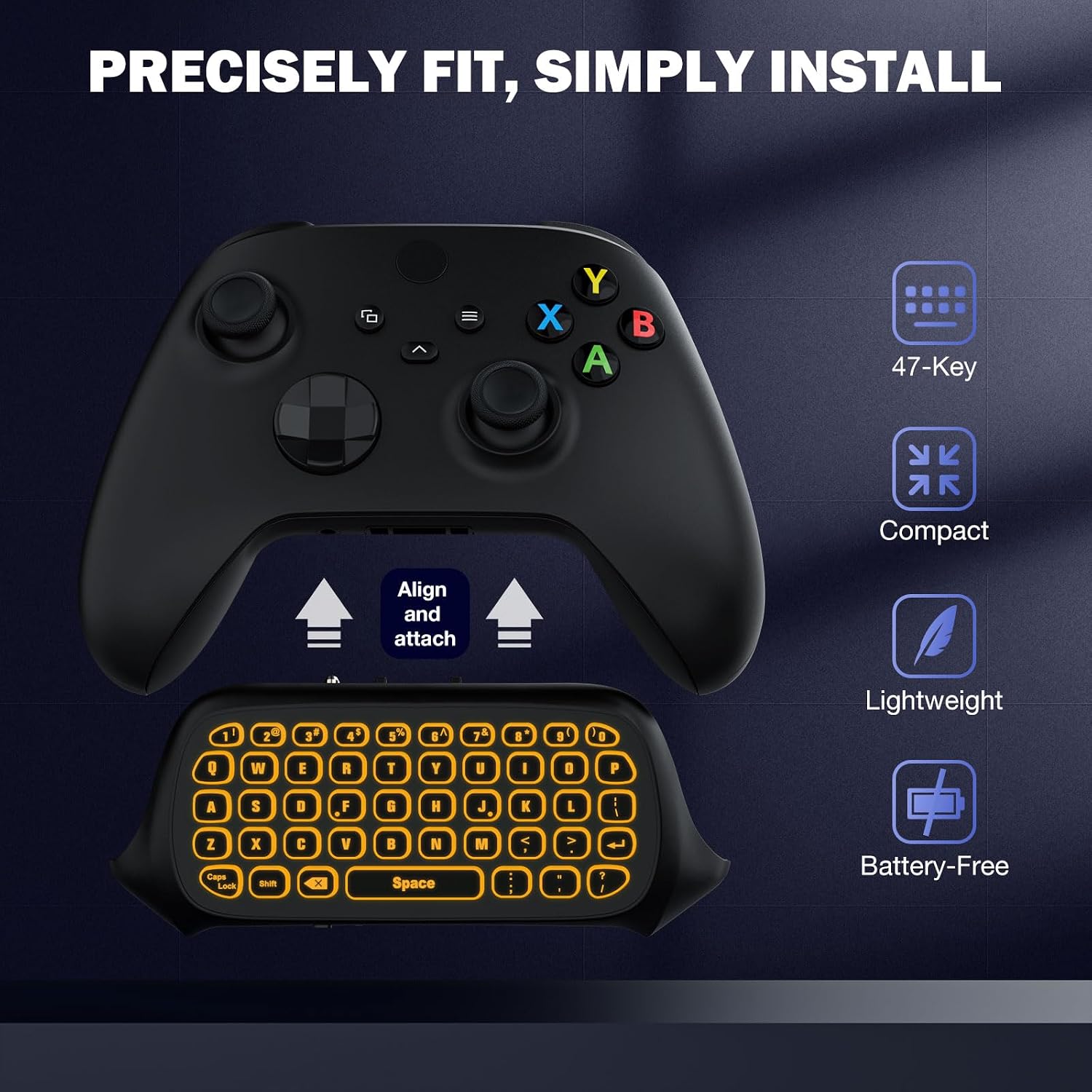
The MoKo RGB Backlight Keyboard is a wireless chatpad designed to attach to Xbox controllers from the Xbox One family through a 2.4G receiver. It adds a compact 47-key keyboard and a 3.5mm audio jack, so you can type, chat, and manage in-game messages without reaching for a touchscreen or external keyboard. It’s intended to improve quick text input and voice-chat convenience while gaming, especially when you want to stay in the game rather than pausing to type on a mobile device.
How it fits with your setup
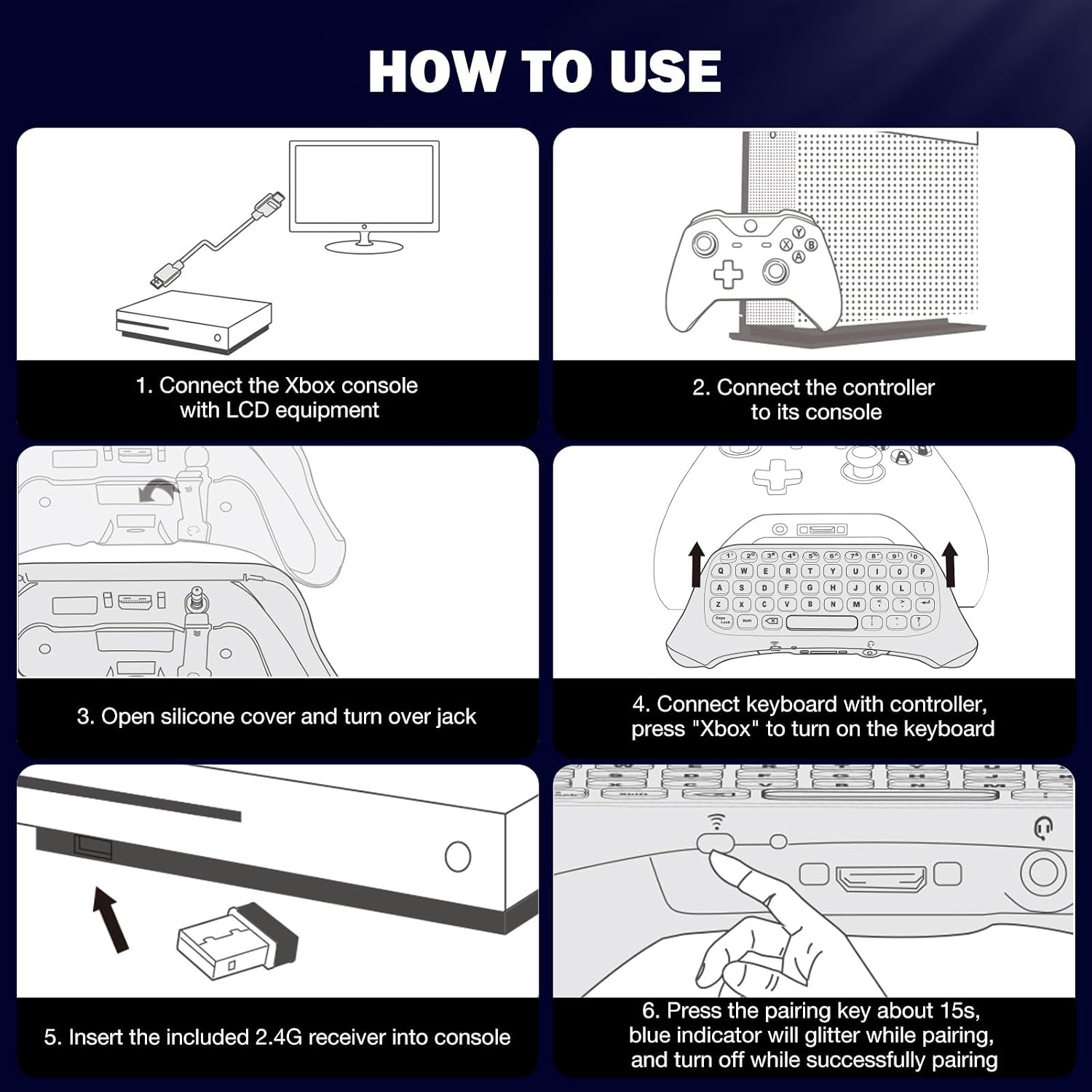
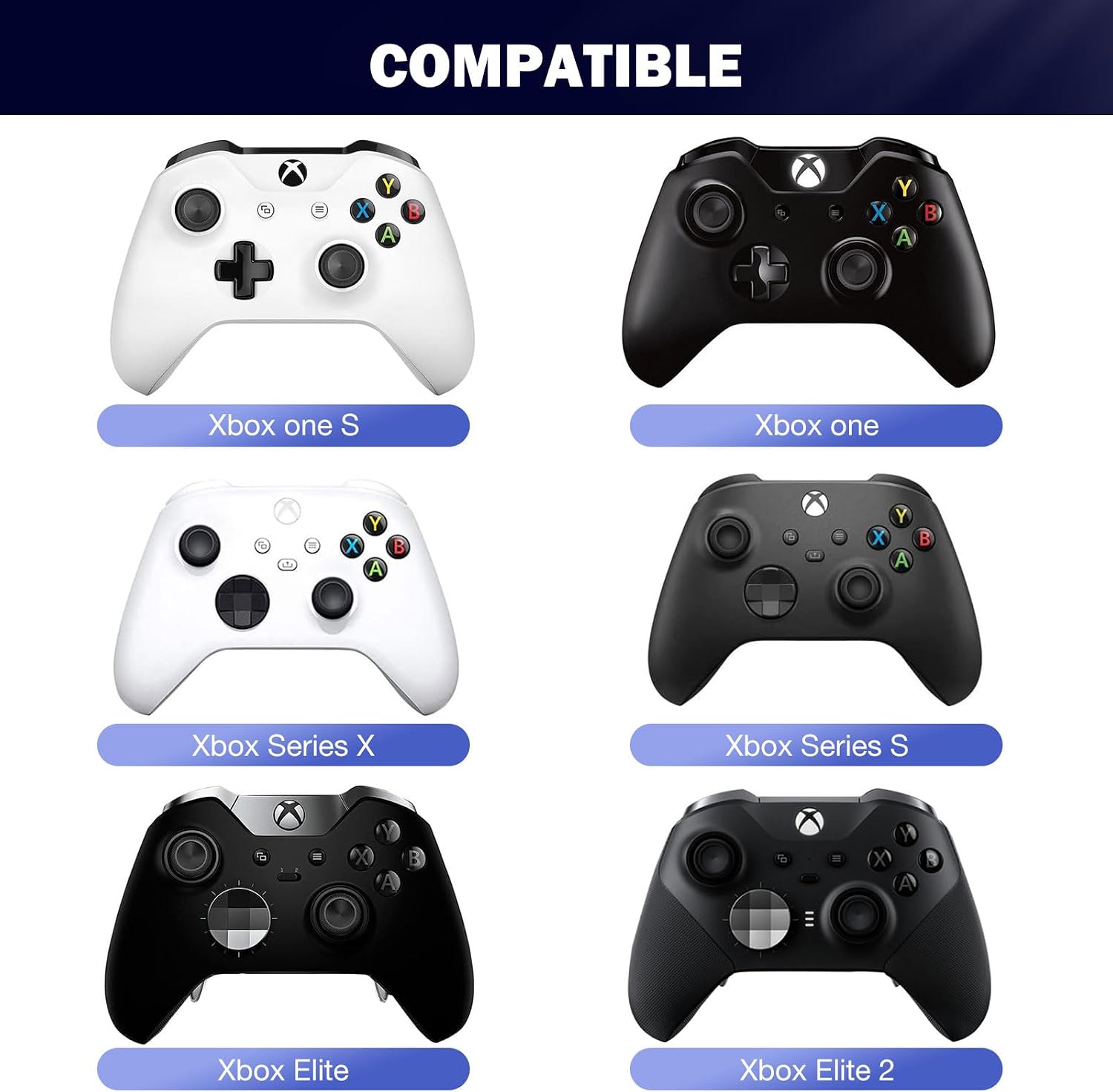
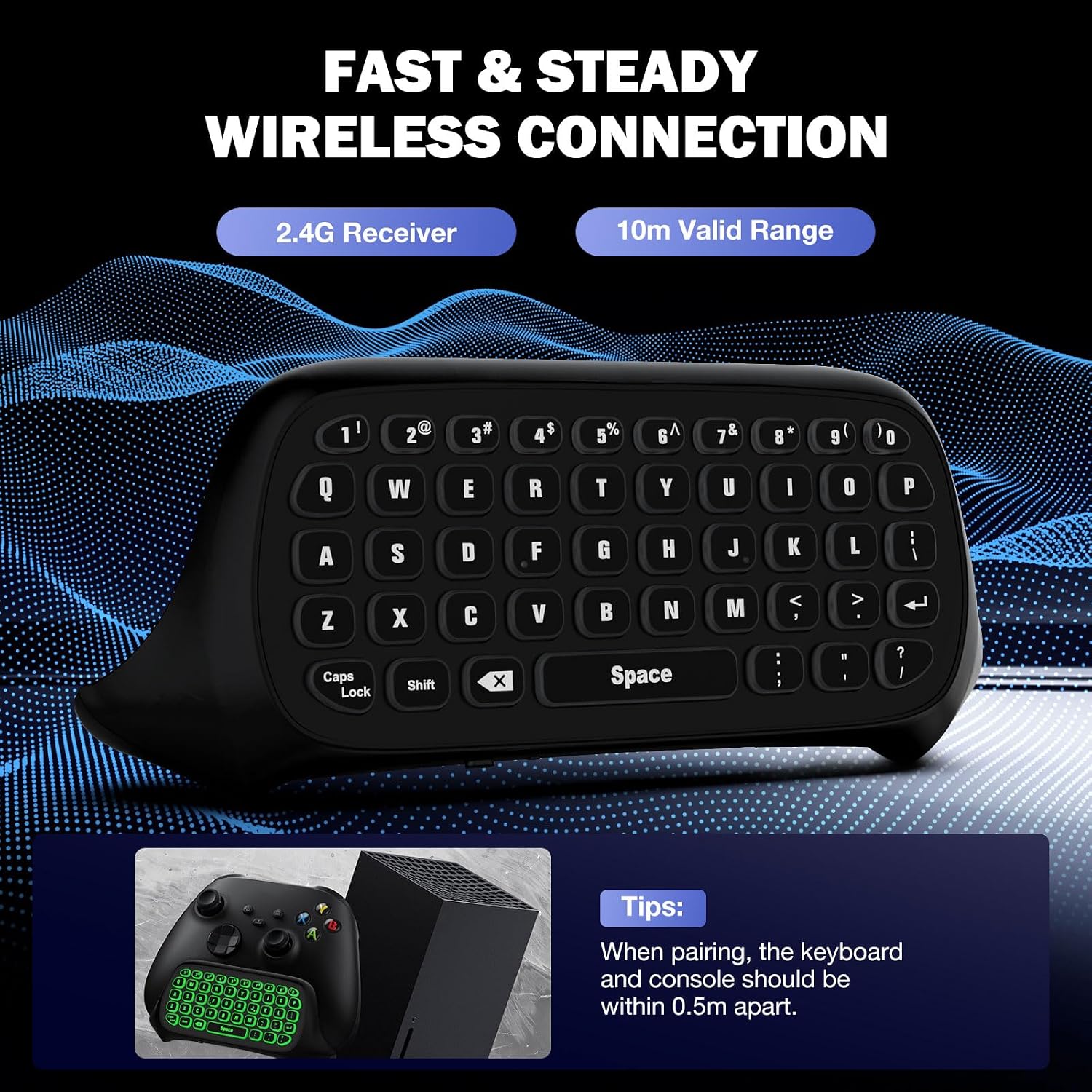
On paper, this keyboard supports Xbox One/One S/Series S/Series X/Elite/Elite 2 controllers and Windows 11. The pairing flow is straightforward: connect the console, insert the keyboard into the controller, plug in the 2.4G receiver into the console, then press the pairing key on the keyboard within 15 seconds. The receiver is detachable, which can help when you want to switch to a more permanent wireless setup.
What stands out in daily use
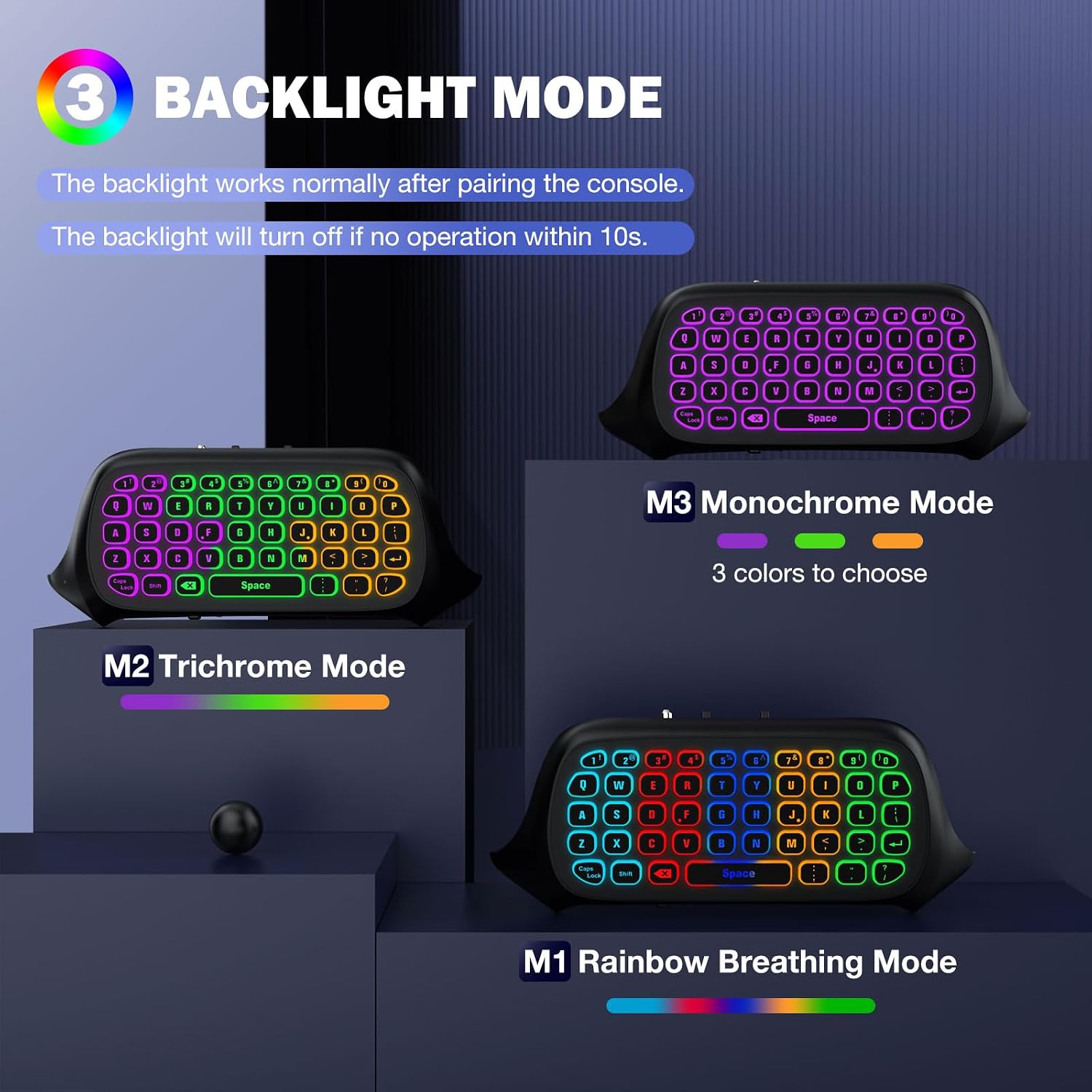
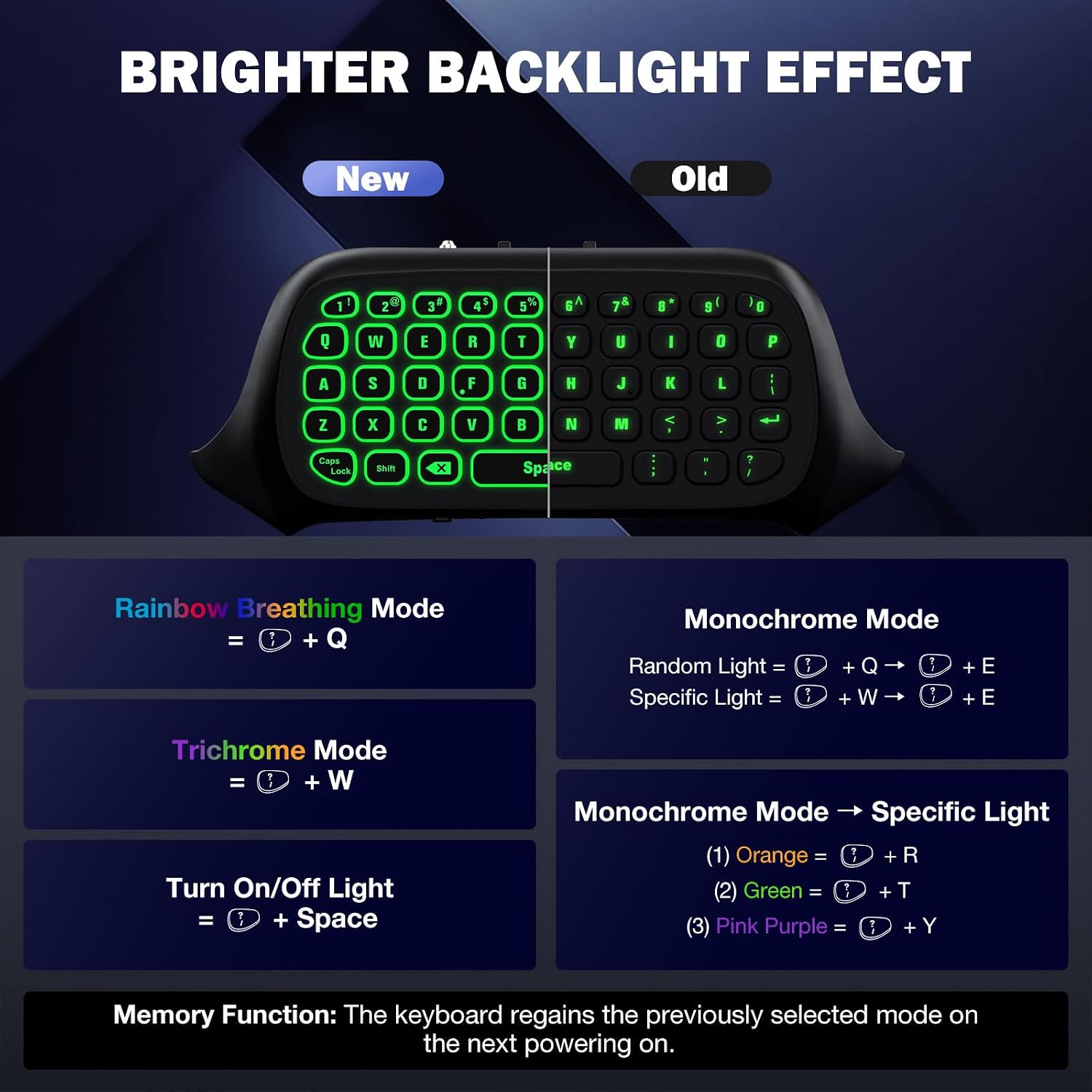
The RGB backlight is a notable feature for gaming sessions in dim rooms. It offers rainbow breathing, a tri-color mode, and a monochrome option, giving you some visual customization without complicating the experience. Special silicone keys help you locate letters in the dark, which can reduce mis-typed messages during heated matchups. If you’re the kind of gamer who values quick typing without leaving the dashboard, this keyboard aims to make those moments faster and more comfortable.
Limitations and caveats
If you’re aiming for the Xbox One X, this keyboard isn’t listed as compatible, which is a meaningful constraint for that specific setup. Another practical note: the backlight turns off after 10 seconds of inactivity and then restores the previous mode when powered again, so you’ll want to remember to re-activate brightness if you’ve set a preferred mode. Also, the device relies on the Xbox controller’s power state, if the controller drops below about 20% charge, performance may be affected.
Who it’s for
This MoKo chatpad is a good fit for players who value on-the-fly typing, efficient chat, and a cleaner in-game communication workflow. It’s especially appealing if you often text while gaming, stream, or manage in-game messages and emails from the couch or desk. If you prioritize a clutter-free desk and want a compact input device that travels with your controller, this could be a practical addition.
Who might want to skip it
If you primarily type long messages and rely on a full keyboard or voice-to-text, this compact chatpad could feel limited. Also, if you use an Xbox One X and expect universal compatibility across every model, the stated limitation is something to keep in mind.
When it makes sense to buy
Buying makes sense if you already use a compatible Xbox controller and you want a dedicated typing solution without adding a separate keyboard to your setup. The 2.4G wireless connection, the detachable receiver, and the multi-color backlighting provide a simple yet functional upgrade for better chat and quick input during play.
What to review before purchasing
- Verify compatibility with your exact controller model (within the Xbox One family and Series X/S).
- Check if your console can support the 2.4G receiver as described in pairing steps.
- Consider how important RGB lighting and silicone key feel are to your gaming experience, especially in dim spaces.
Practical usage example
Imagine you’re coordinating team strategy mid-match. You can tap out quick commands or share a quick message through the chatpad without interrupting your aim, then switch back to the game as soon as you’re done typing. The 3.5mm audio jack also allows wired headset use for teammates who prefer a wired connection.
FAQ (brief, based on available data)
- Q: Is this compatible with Xbox One X? A: The listing notes “not for Xbox One X,” so compatibility with that model isn’t guaranteed.
- Q: How is the connection established? A: Use the 2.4G receiver, pair within 15 seconds after inserting the receiver into the console.
- Q: How long does the backlight stay on? A: It turns off after 10 seconds of no activity and restores the previous mode after powering again.
- Q: Can I use it with Windows 11? A: The base description lists Windows 11 support, implying broader compatibility beyond console use.
Is it worth it?
Buying verdict