

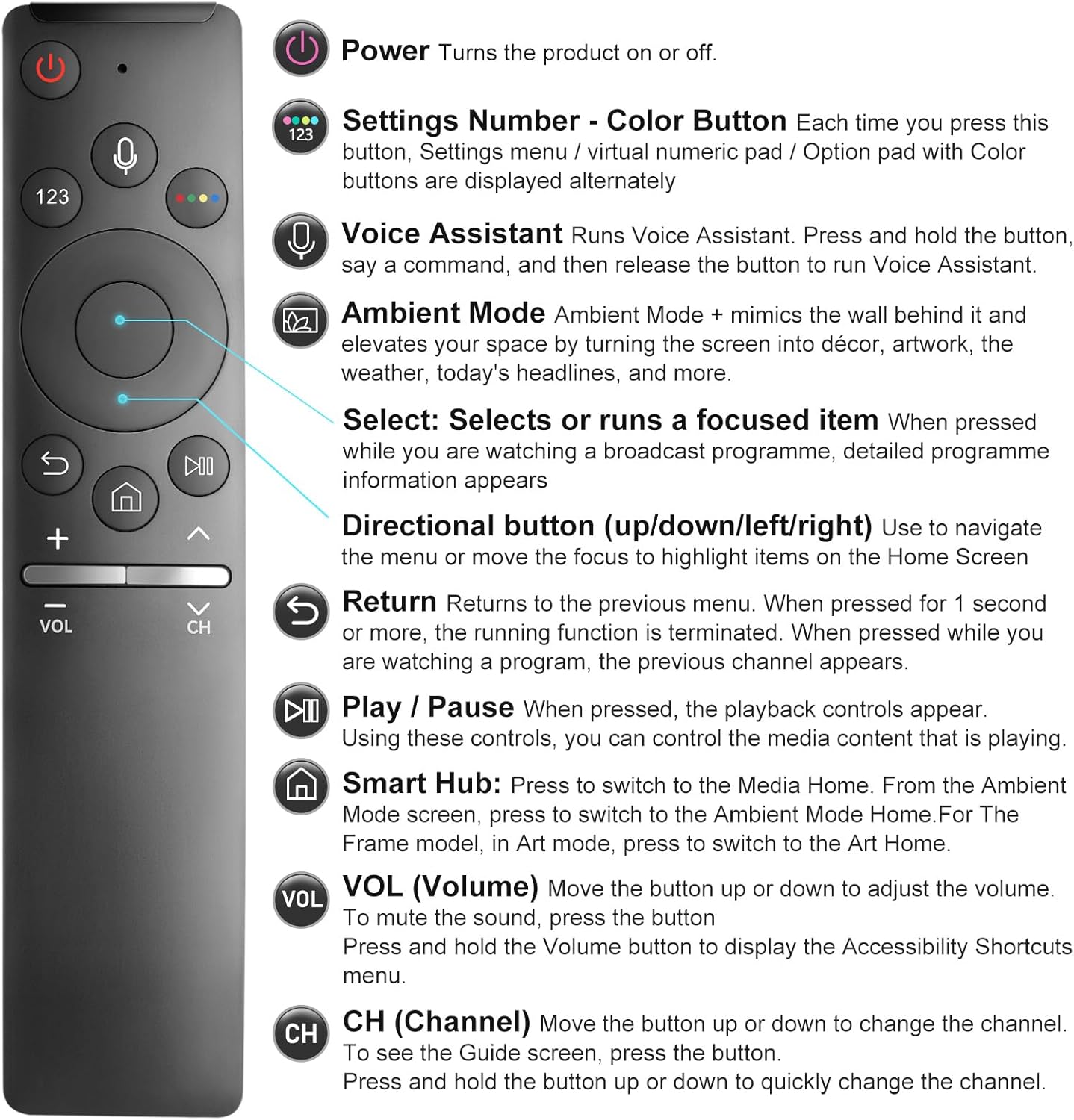
BN59-1266A Voice Replacement Remote for Samsung Smart TVs (Voice Function) — Pairing Included — 1-Year Warranty
Product description
What you’re really buying here
If you’ve lost your Samsung smart TV remote (or the voice controls stopped working), this BN59-1266A voice replacement is designed to get you back to using your TV like you did before—especially when you want to talk to the TV instead of hunting through menus.
On paper, the big selling point is simple: it replaces a Samsung voice-capable remote for Samsung TVs that support voice functions. The voice features are the reason this remote exists, so if your TV doesn’t support voice control, you may end up with a remote that feels incomplete.
Key takeaways (the part that matters for buying)
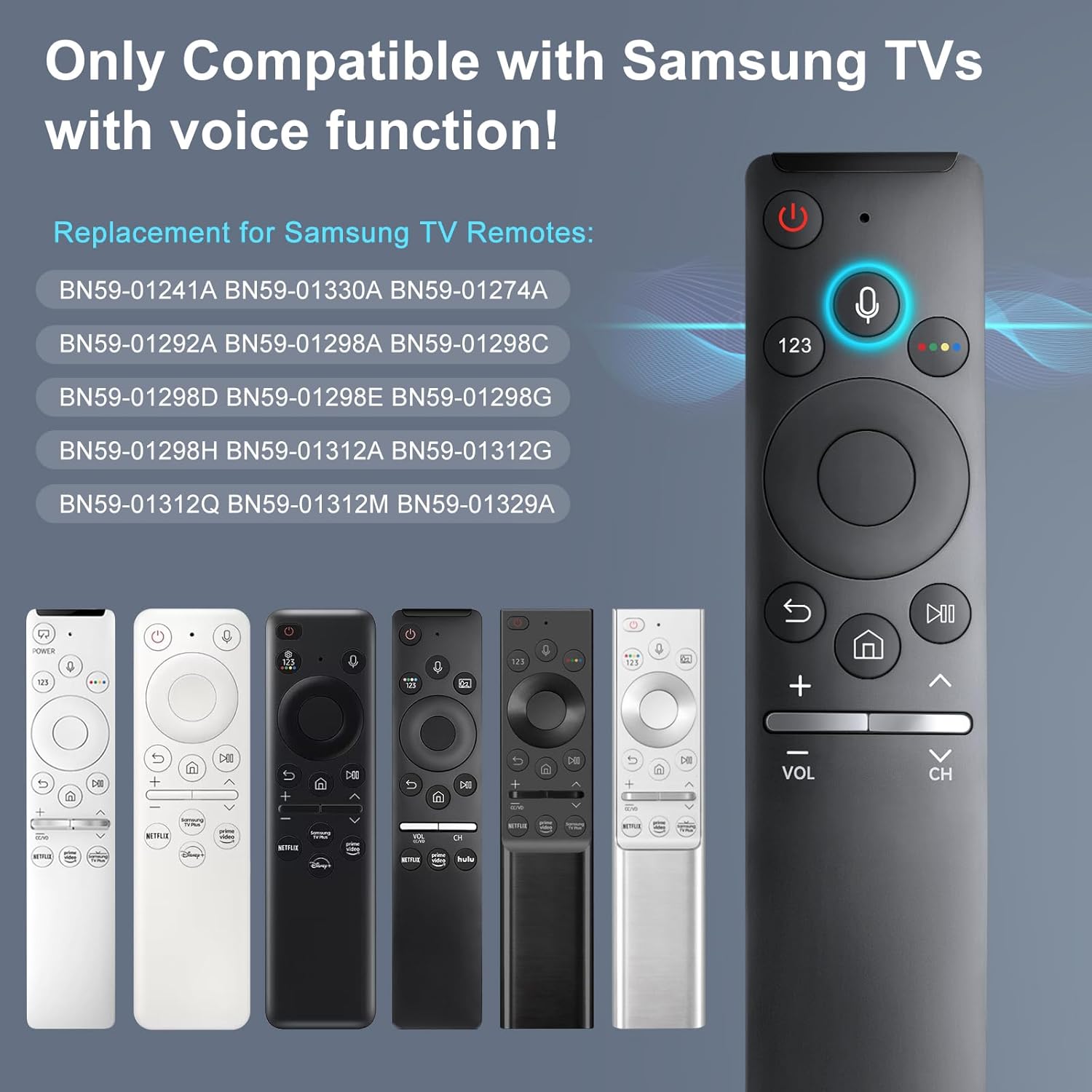
The remote is specifically positioned as a replacement for Samsung TV remotes with voice, including BN59-01266A. It also mentions compatibility with a range of Samsung TV series and models, and it includes an “easy to pair” method using on-screen confirmation.
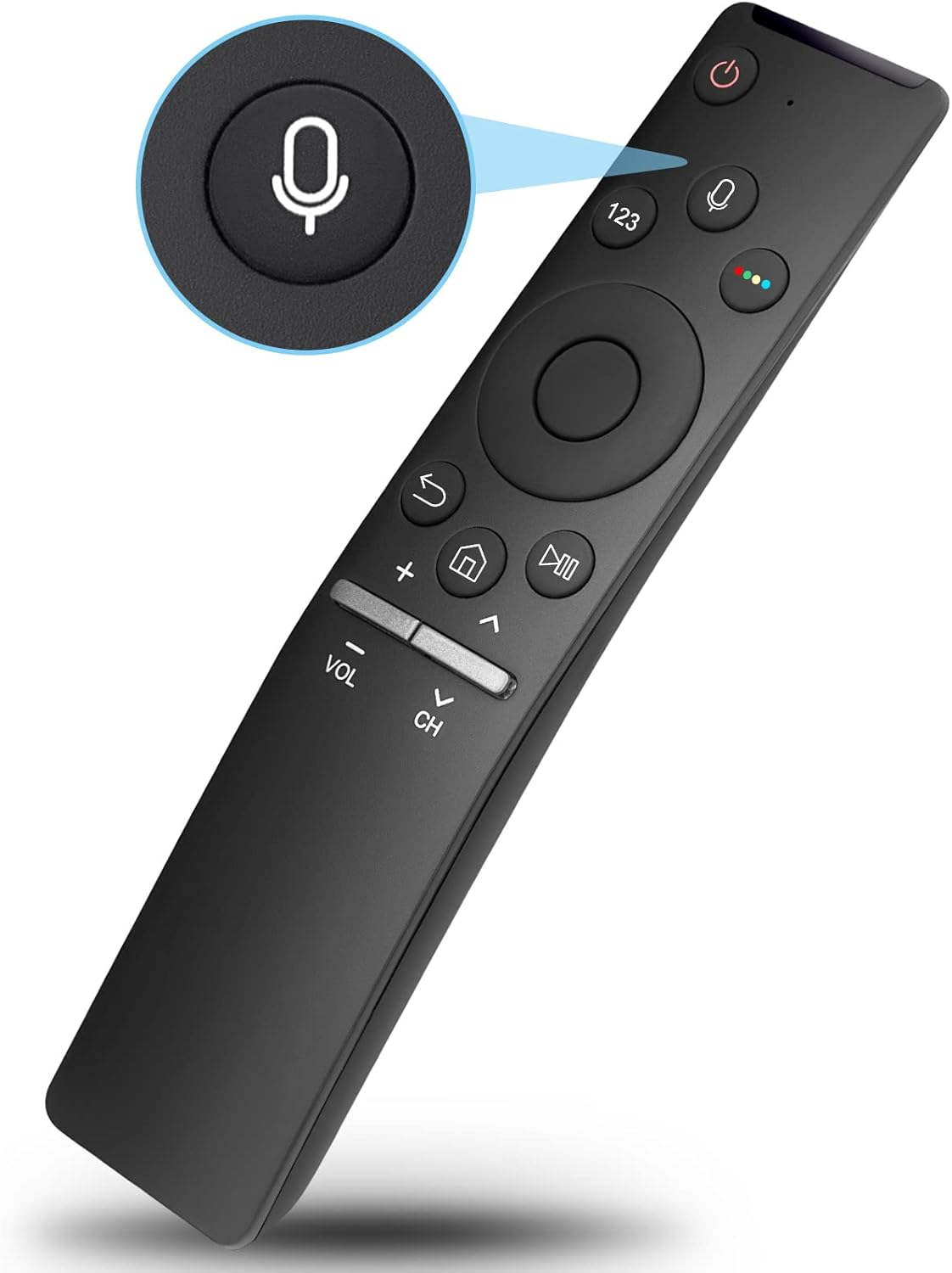
One important limitation is called out directly: the voice function only works when the original remote came with the voice function and when your Samsung TV supports voice control. That’s a meaningful restriction—worth checking before you rely on voice commands.
Compatibility and pairing: what to check before you commit
Compatibility is the make-or-break detail for a voice remote. This replacement is described as working with Samsung TVs that have voice function support, and it lists several series/models (including Q-series and TU-series families, along with LS/QN lines).
How pairing is supposed to work
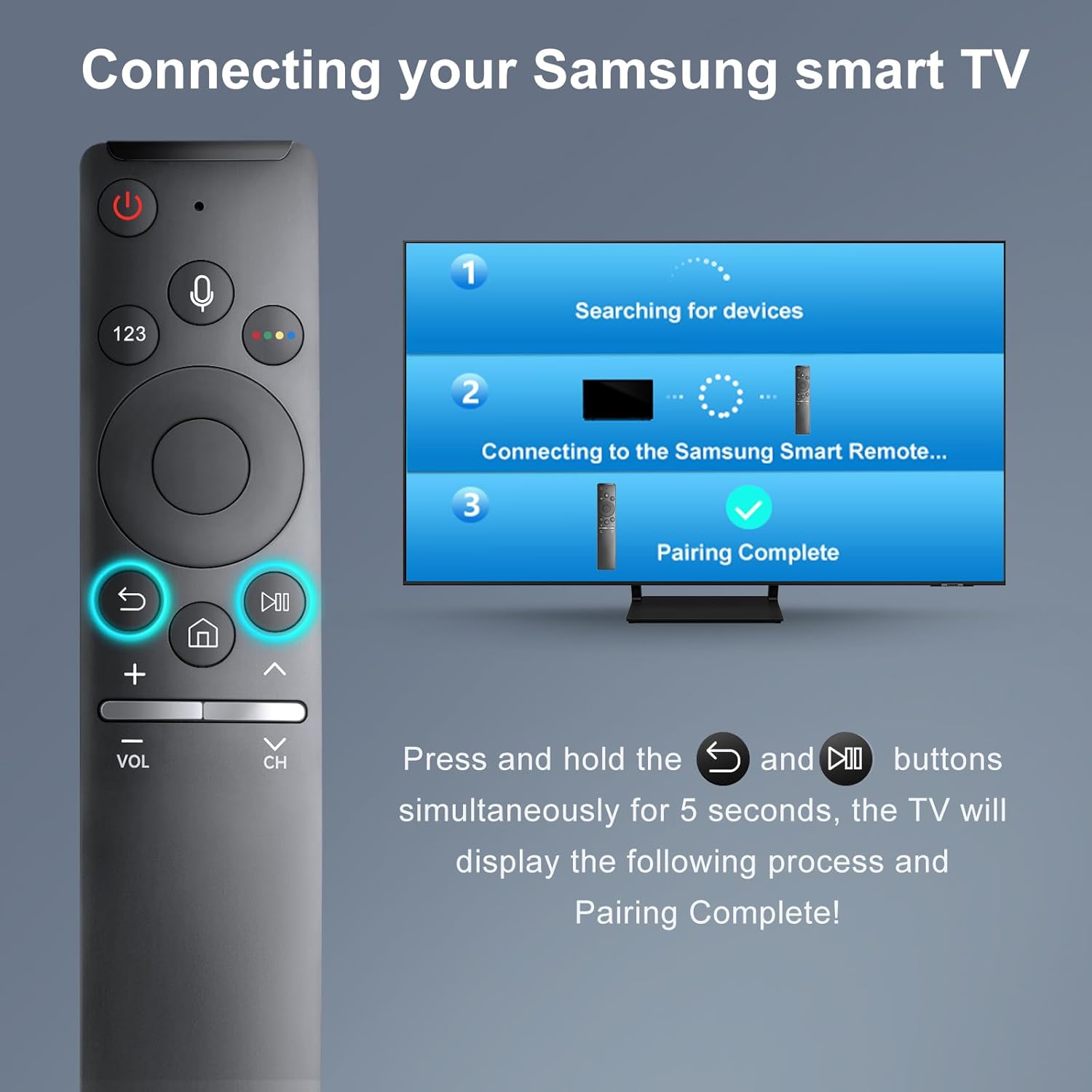
The instructions provided are straightforward: go to your TV home screen, then press and hold “Return/Exit” and “Play/Pause” for 5–10 seconds. You should see “Completed Pairing” on the TV screen.
If it doesn’t pair on the first try, the guidance is to repeat the steps. That’s normal for remotes, but it’s still one of those “don’t judge it too quickly” moments.
Where the remote feels useful in daily life
The voice function is aimed at making interaction with a smart TV easier and more intuitive. In real terms, that usually means fewer button presses for common tasks—like searching for content or navigating settings—when you’re not in the mood to scroll.
A small, practical example: imagine you want to switch inputs or find a show quickly from the couch. Instead of cycling through menus, a voice-capable setup can cut the back-and-forth considerably. It’s not a futuristic gadget, it’s just a faster interaction style—if your TV supports it.
What stands out (and what may disappoint)
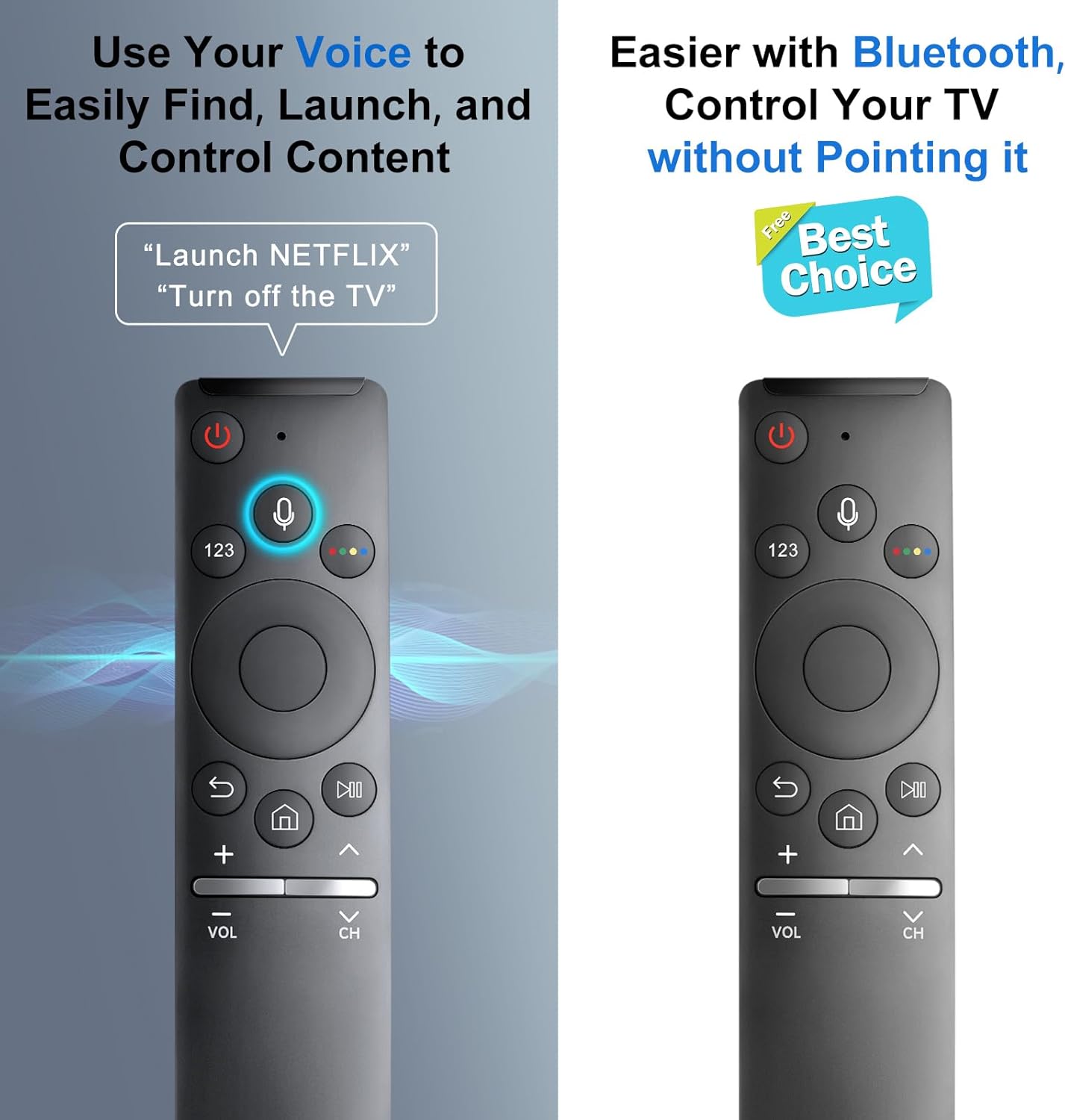
What stands out is the narrow focus: it’s made to replace a Samsung voice remote (BN59-01266A / BN59-1266A listing) and keep the voice experience working on supported TVs. The “easy to pair” process also helps reduce the hassle of replacing a remote.
That said, it may not be the best choice if: - Your Samsung TV model doesn’t support voice control (the voice function may not work). - You’re buying based on general Samsung compatibility without confirming the voice requirement.
In other words, it can feel slightly “over-specialized.” If your goal is just basic remote control, a non-voice replacement might suit better—this one is clearly aimed at keeping voice features alive.
The essentials: technical notes without the fluff
This is a replacement remote specifically tied to the BN59-1266A / BN59-01266A voice remote context. The instructions also mention that a network connection is required to use the voice recognition function.
So, even on a compatible TV, the voice part depends on two conditions mentioned in the listing: your TV must support voice control, and the setup needs network connection for voice recognition.
In the box / warranty
The listing states it comes with a 1-year warranty and emphasizes after-sale service support if you have questions about your order.
FAQ: quick answers before you buy
Is the voice function guaranteed on every Samsung TV?
No. The listing notes that the remote only works for Samsung TVs with voice function. If your Samsung TV doesn’t support voice control, the voice feature may not work.
Do I need internet for voice recognition?

Yes, the voice recognition function requires a network connection, according to the notice.
How do I pair it to my TV?
Go to the TV home screen, then press and hold “Return/Exit” and “Play/Pause” for 5–10 seconds. Look for “Completed Pairing” on the TV screen.
What if pairing doesn’t work right away?
The instructions suggest repeating the same pairing steps.
Should you buy it?
If you have a Samsung smart TV that supports voice control, and you specifically want your voice remote back, this BN59-1266A voice replacement makes a lot of sense. It’s built around voice capability, includes a pairing method, and targets the BN59-01266A replacement use case.
You may want to skip it if your TV model doesn’t support voice control, because the listing clearly warns that voice may not function in that scenario. Also be ready for the practical dependency: voice recognition needs a network connection.
Final verdict
Worth considering when you bought (or inherited) a voice-capable Samsung remote experience and you want to restore it. Not the best match if your priority is basic remote replacement without voice—and definitely not if you can’t confirm your TV supports voice control and voice recognition requirements.