

BBSDA Anki remote clicker ring, 6-button
Product description
When reviewing flashcards means repeatedly picking up your phone or reaching for a keyboard, it is easy to break your concentration. This BBSDA wireless ring remote is designed to let you move through Anki cards and submit ratings with one hand, so your device can stay put during a review session.
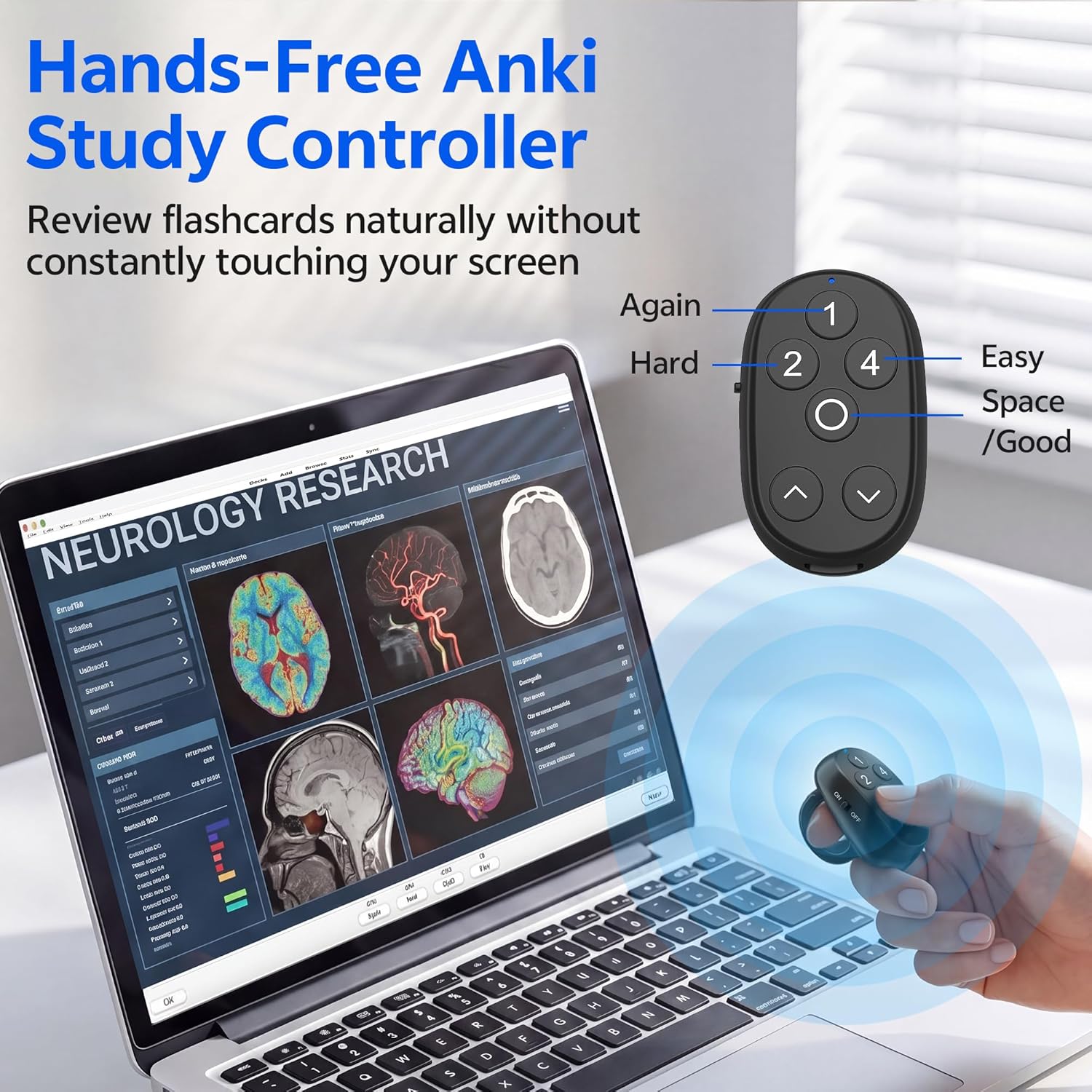
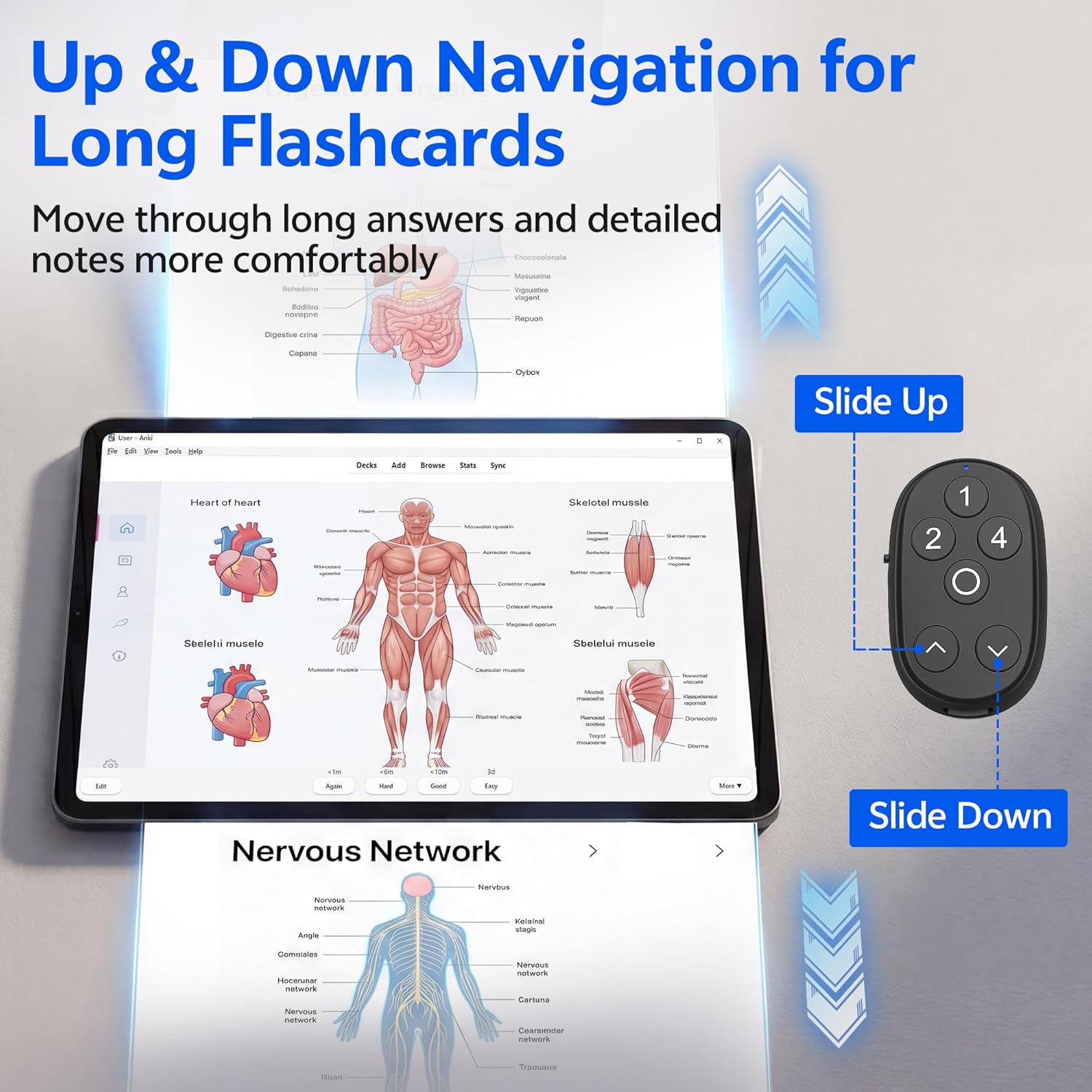
Its six buttons add up-and-down navigation alongside Again, Hard, Good, and Easy ratings. That makes it more capable than a basic clicker focused only on advancing cards, especially when an answer includes longer notes or images.
Technical details
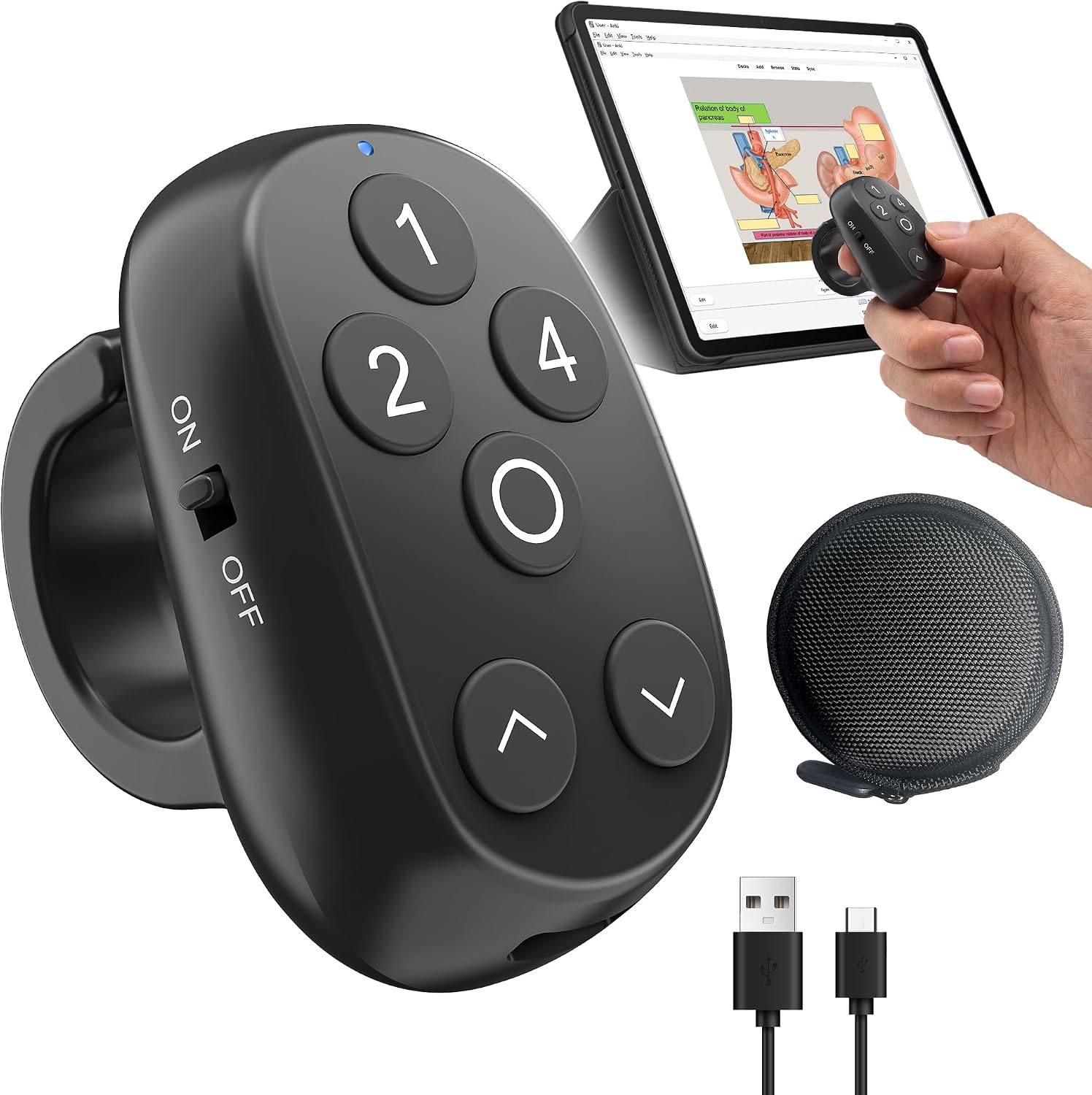
The black, rechargeable ring remote is described for use with Anki on iPhone, iPad, Mac, Android, and Windows devices. Its controls cover two parts of a review: moving up or down through card content and choosing one of the four rating options. The quiet tactile buttons are intended for shared spaces such as a library or classroom, while the ring form leaves one hand free for other tasks.
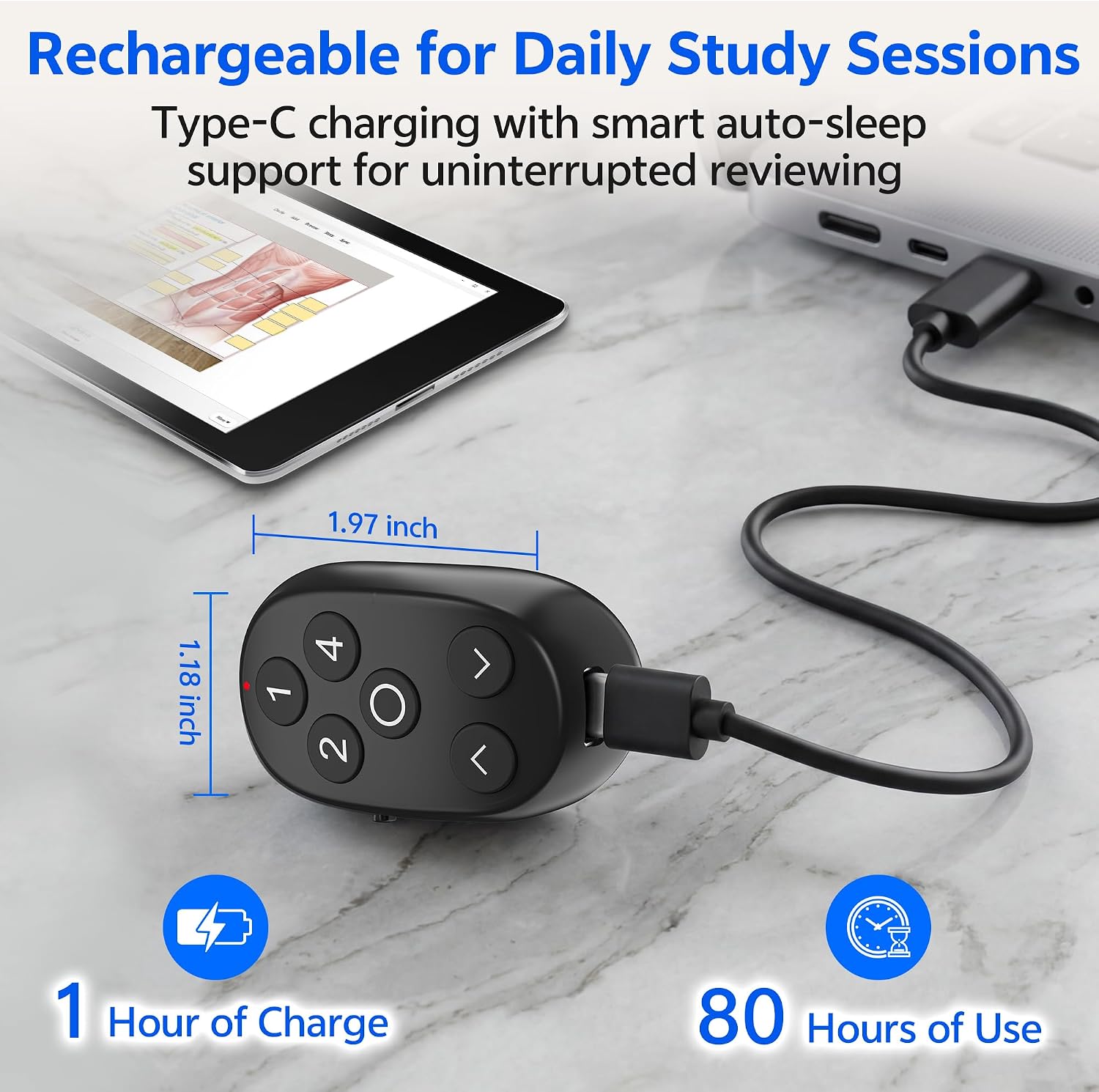
There is no battery runtime, charging time, or ring sizing information in the supplied details. Those omissions matter if you need a specific fit or want to plan around a long study day, rechargeable does not, by itself, tell you how often it needs charging.
Requirements
The listed use is with Anki on one of the named device platforms. The setup description says to power on and pair the remote once, without drivers, button remapping, or add-ons. It does not specify operating system versions or explain whether every Anki setup handles the buttons identically, so users with a particular device configuration should keep that in mind.
Usage tips

For a practical setup, place your phone or tablet on a desk, open a review deck, and use the ring to navigate and rate cards while keeping your hands off the screen. The up-and-down controls are especially relevant when you need to move through a detailed answer before choosing a rating. It is also intended for studying while walking, pacing, relaxing on a couch, or using a treadmill, though the listing does not provide fit or activity-specific guidance.
A carrying bag is included, and auto-sleep is described as a way to reduce interruptions between sessions. If you study in quiet rooms, the tactile buttons are meant to keep button presses less distracting. From the way it is set up, this is an Anki control accessory rather than a general-purpose remote for other apps.
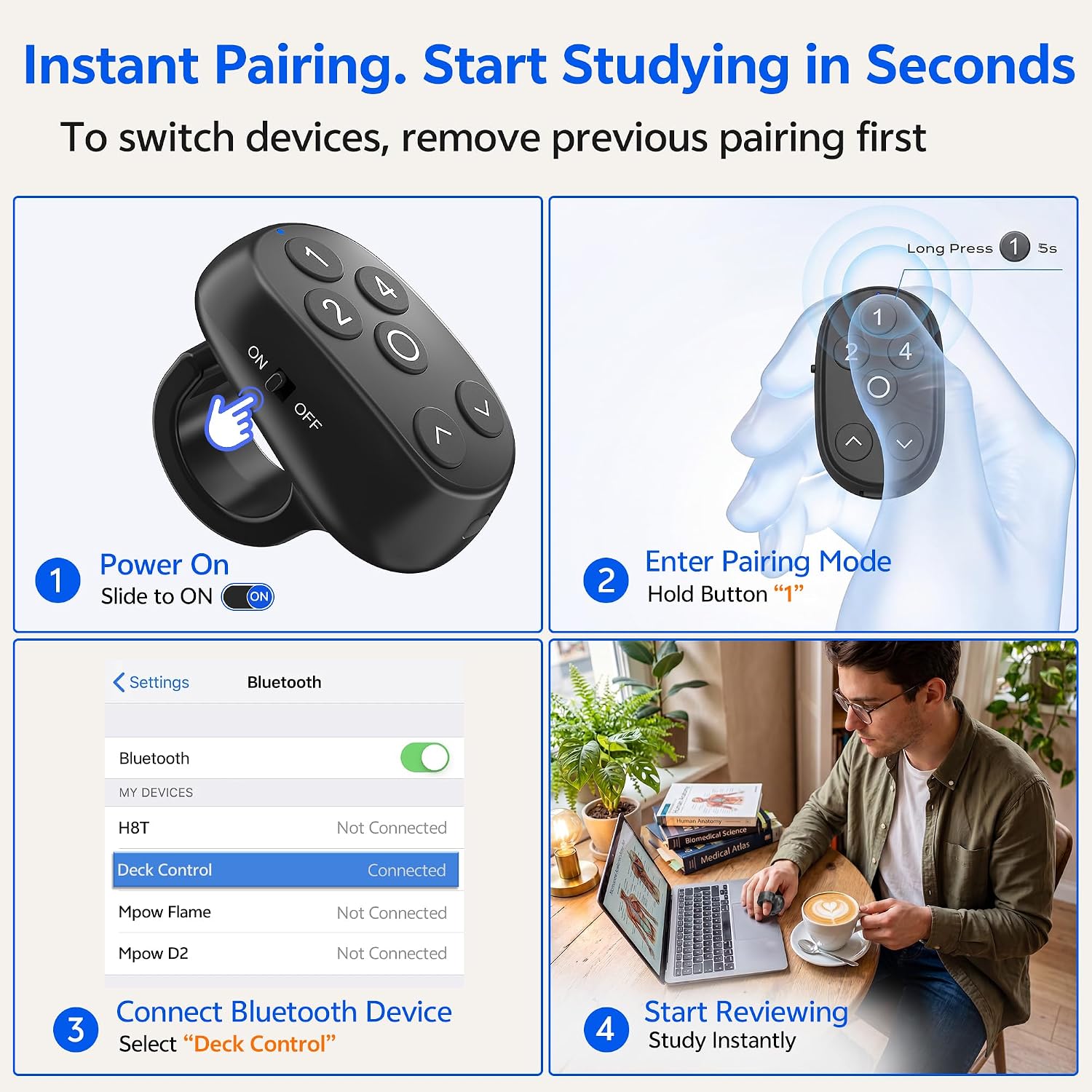
Before you decide
Which ratings can I select? The ring has dedicated options for Again, Hard, Good, and Easy, plus up-and-down navigation controls.
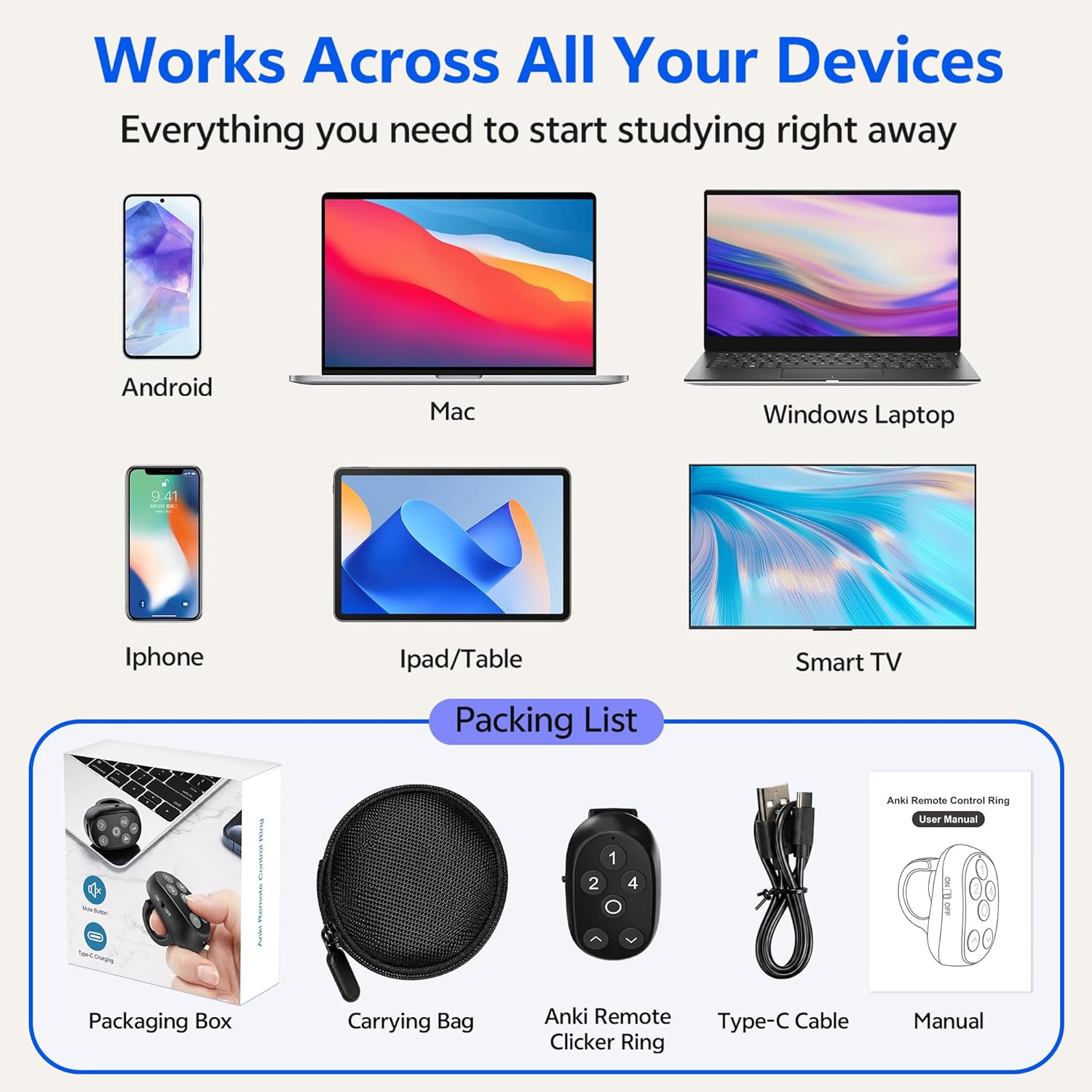
Do I need to install a driver or add-on? The product description says no, it describes powering on and pairing once, with no driver, remapping, or add-on required.
Is it rechargeable? Yes. The details also mention auto-sleep, but do not state battery life or charging time.
Is it worth it?
A solid pick if you use Anki regularly and want to keep reviewing without holding or repeatedly tapping your phone, particularly when cards have longer answers. The six-button layout offers more control than a simple next-card clicker, and the listed device support covers several common platforms. Not the best choice if you need confirmed battery runtime, a stated ring size, or assurance about a specific operating system version, those details are not provided. If your usual workflow already feels comfortable on a keyboard or touchscreen, the extra remote may not change much. Its appeal is clearest when hands-free navigation would make your study routine easier to stick with.