


Anehmeta 8K Fiber Optic HDMI Cable 30FT (HDMI 2.1, 48Gbps) for 8K@60Hz, 4K@120Hz, eARC, VRR & HDR10
Product description
The essentials (and where it fits)
If you’re dealing with a longer HDMI run—like a home renovation, in-wall cable job, or simply needing reach between a media box and a display—this Anehmeta 8K Fiber Optic HDMI Cable is designed to stay stable at distance. On paper, the big idea here is fiber optics: less signal attenuation than traditional copper runs, plus better resistance to interference.
It’s positioned as an HDMI 2.1-style cable with high-end video/game features listed in the specs: support for 8K@60Hz, 4K@120Hz, Dynamic HDR, HDR10, eARC, VRR, ALLM, QFT, and HDCP 2.3 (also mentioned as HDCP 2.2&2.3). It’s also described as lightweight for easier installs and “directional,” which matters during setup.
What stands out in real use
The practical value of a fiber optic HDMI cable isn’t just “more bandwidth.” It’s the combination of distance + signal stability. This one is marketed as a long active HDMI 2.1 cable (30FT) built to reduce attenuation and interference effects compared to typical copper HDMI cables. So the day-to-day benefit you’re aiming for is fewer dropouts or weird handshake issues when the run is longer than what most people can get away with using standard cables.

A concrete example: imagine you mount a TV on one side of a living room and your console/streaming box is across the wall, and you’d rather run a cable inside the wall than leave something exposed. With a 30FT fiber optic-style HDMI, you’re working with a setup that’s explicitly intended for in-wall installations.
Still, there’s a limit to expectations: fiber HDMI cables can be picky about how they’re connected (especially since this one is described as directionality-based). If you flip Source/Display, you may think the cable is “broken” when it’s really just installed the wrong way.
Key points to evaluate before buying
Before you order, make sure your goal actually matches what this cable is designed for. This cable is geared toward high refresh-rate and high-resolution signals, so it tends to make more sense if you care about:

- Faster gaming video modes (it’s listed as supporting up to 4K@120Hz and 2K@240Hz)
- Modern HDR features (Dynamic HDR and HDR10 are mentioned)
- eARC audio return (helpful if your TV and sound system support eARC)
At the same time, if your setup is mostly standard 1080p or basic content with no special gaming or HDR needs, the “fiber + HDMI 2.1 feature list” may be overkill. You can end up paying for capabilities you won’t fully use.
Also, keep in mind it’s described as directionality-based, with Source and Display labeling. That’s not a detail to ignore if you’re planning a wall run or placing the cable permanently.
Key specifications (as provided)
- Type: Fiber optic HDMI cable (HDMI 2.1 mentioned)
- Length: 30FT (30 ft)
- Bandwidth: 48Gbps
- Video support: 8K@60Hz, 4K@120Hz, 2K@240Hz
- HDR: HDR10, Dynamic HDR
- Audio/video features: eARC, VRR, ALLM, QFT
- HDCP support: HDCP 2.2 & 2.3 (as listed)
- Connector construction (listed): 24K gold plated connector
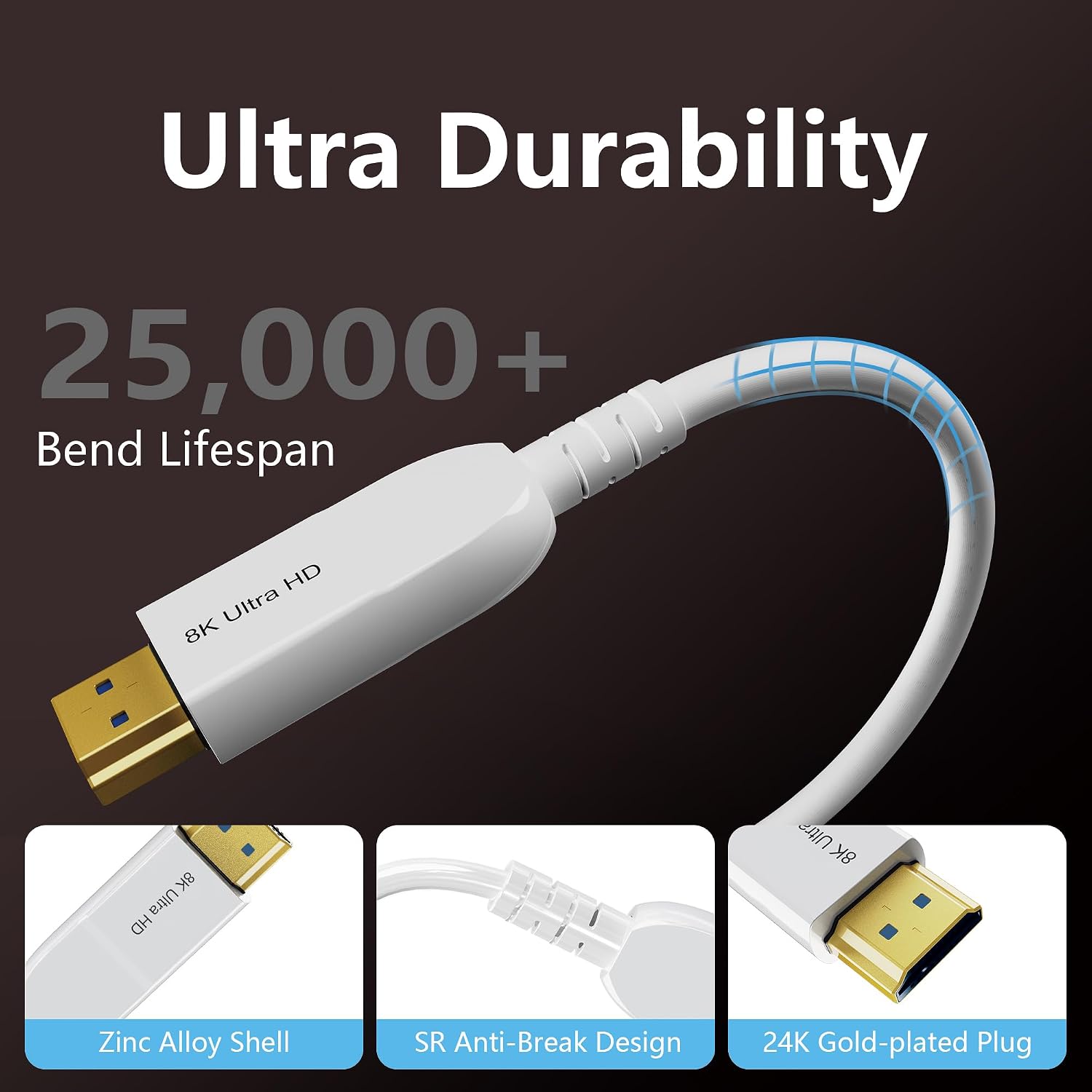
- Cable build (listed): zinc alloy shell, 28AWG high purity copper conductor
- Durability (listed): 25,000+ bend lifespan
Pros and potential downsides

Where it shines
- Built for long-distance use where copper HDMI may lose signal integrity more easily (fiber optic is the main selling point)
- Supports a broad set of modern HDMI 2.1-era features in the listing (HDR, eARC, VRR/ALLM)
- Designed for installs where cable length matters—specifically mentioned for in-wall installation
- Connection hardware is described as 24K gold plated, with a zinc alloy shell for durability
Where it may not be perfect

- Directionality is called out. If you install it backwards (Source vs Display), it can cause problems that aren’t obvious at first.
- This is a capability-heavy cable. If your devices don’t actually support the listed features or you’re not running high refresh/HDR content, you may not see the payoff.
Compatibility notes and what to watch
The listing frames it as universally compatible with HDMI devices (example devices are named: Blu-ray players, Apple TV, Roku, XBox, Nintendo Switch, PC/laptop, monitor, projector, and others). It also mentions that the cable is compatible with devices like PS5, PS4, Xbox, HDTV, and more.
Two details matter for a smooth setup:
First, directionality. The interface labeled “Source” should connect to the source device (like laptop/PC/console), and the “Display” side should connect to the TV/monitor/projector.
Second, performance claims depend on the whole chain. This cable can support the high-bandwidth modes listed, but your TV, console, laptop/PC, and receiver chain all need to be able to carry and negotiate those signals.
Mini FAQ

Is this HDMI 2.1?
The product description says it’s a “latest HDMI 2.1 Version” style cable and lists HDMI 2.1 features like 8K@60Hz and 48Gbps bandwidth.
Does it support eARC and VRR?
Yes—eARC, VRR, ALLM, and QFT are mentioned in the listing.
Is it really good for long-distance HDMI?
It’s specifically marketed as a fiber optic HDMI cable for long active HDMI runs, with claims aimed at reducing signal attenuation and interference compared to copper.
Does it work both ways?
The listing says it has directionality. You should connect “Source” to the source device and “Display” to the screen device.
Final verdict
Is it worth it?
This Anehmeta 8K Fiber Optic HDMI Cable 30FT makes sense if you need a longer HDMI connection and want a cable designed to handle higher-bandwidth signals with less fuss about distance—especially for in-wall installs, gaming modes, and modern HDR/eARC setups. It’s a feature-rich cable on paper, with the kind of specs you’d look for when you’re trying to keep a high-end picture and audio flow consistent.
You may want to skip it if your setup doesn’t use high refresh rates, HDR, or eARC, or if you’re not comfortable following the Source/Display directionality during installation. In those cases, a simpler cable may get the job done without paying for capabilities you won’t use.