

WALI GSM001XL Ultrawide Monitor Arm (13–49 Inch) – Heavy-Duty Single Monitor Desk Mount
Product description
What matters most
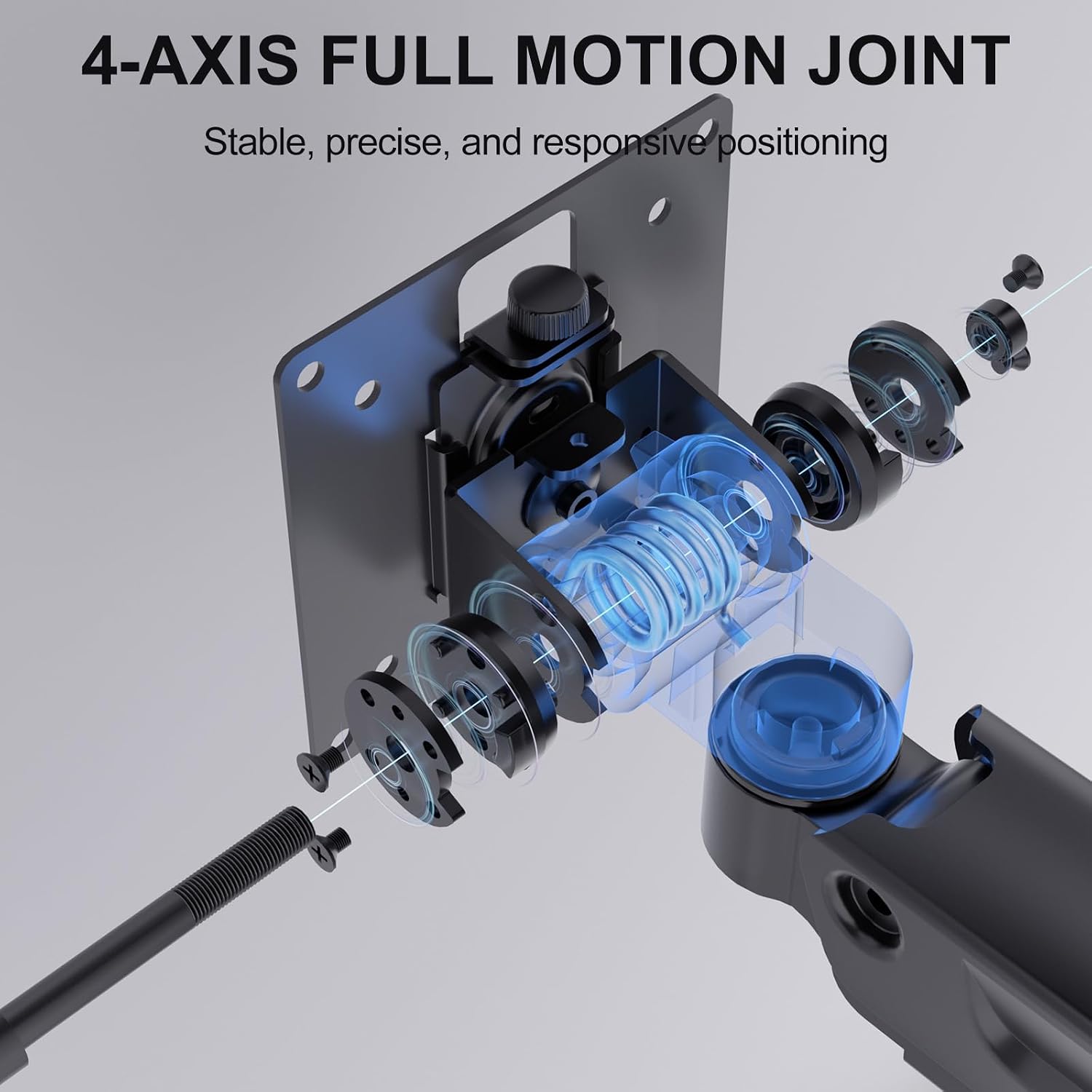
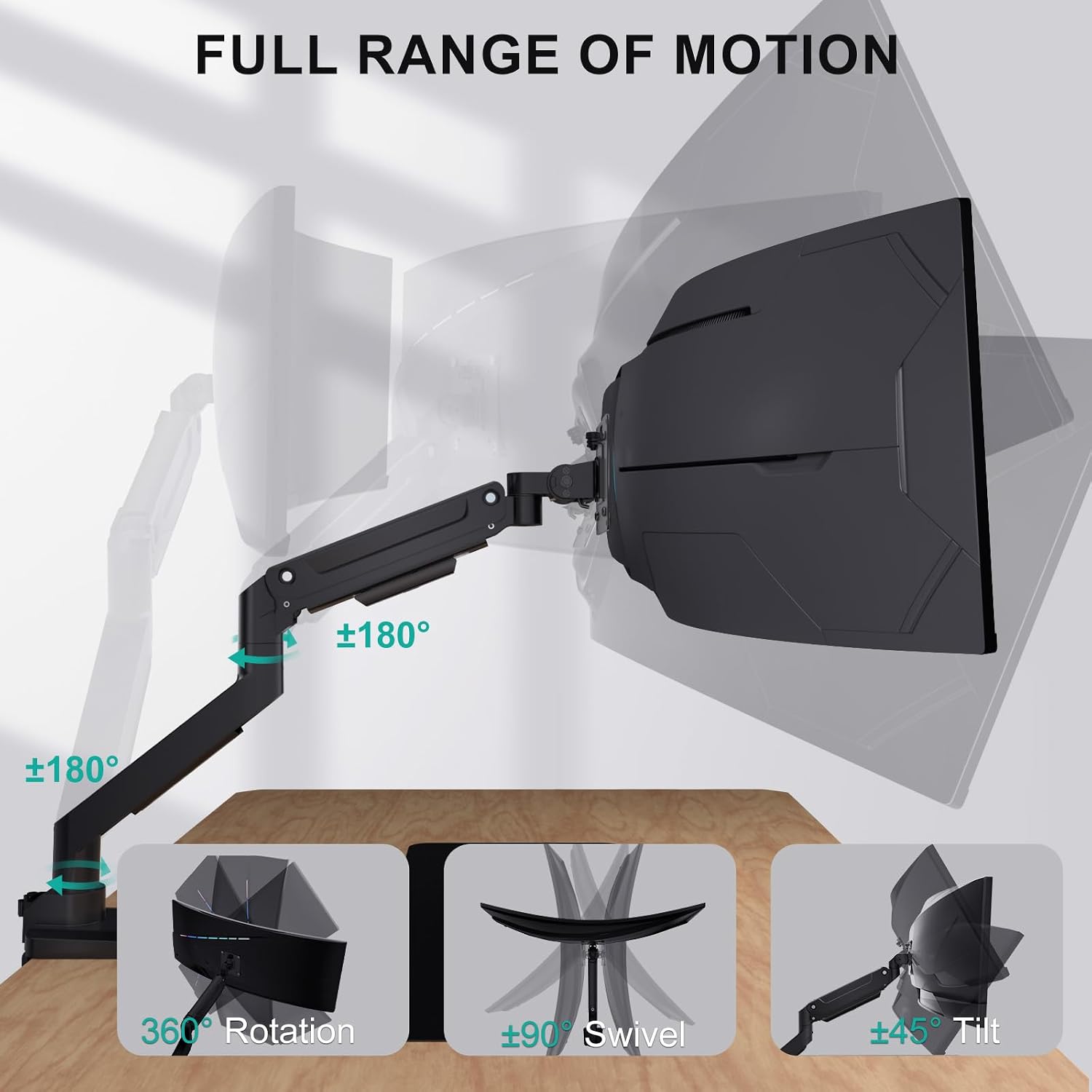
If you’re after a sturdy, single-monitor solution for an ultrawide or curved screen, the WALI GSM001XL aims to deliver. It supports monitors from 13 up to 49 inches and a maximum load of 20 kg, making it a practical choice for heavier displays. The standout here is the range of motion: tilt ±45°, swivel ±90°, and a full 180° rotate from landscape to portrait. On paper, that gives you plenty of flexibility to dial in eye level and reading angles, potentially helping neck and eye comfort during long sessions.
Tech specs
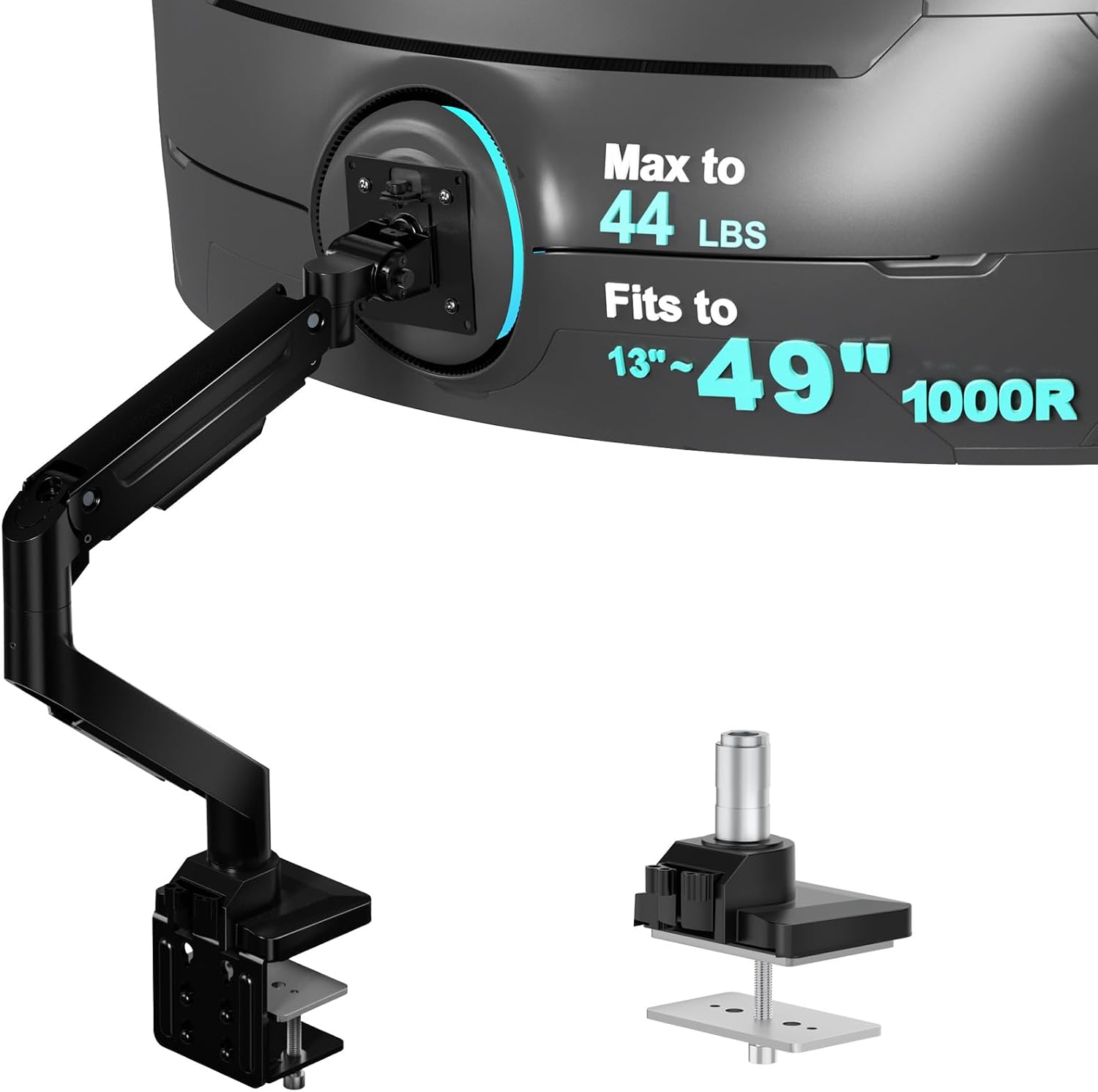
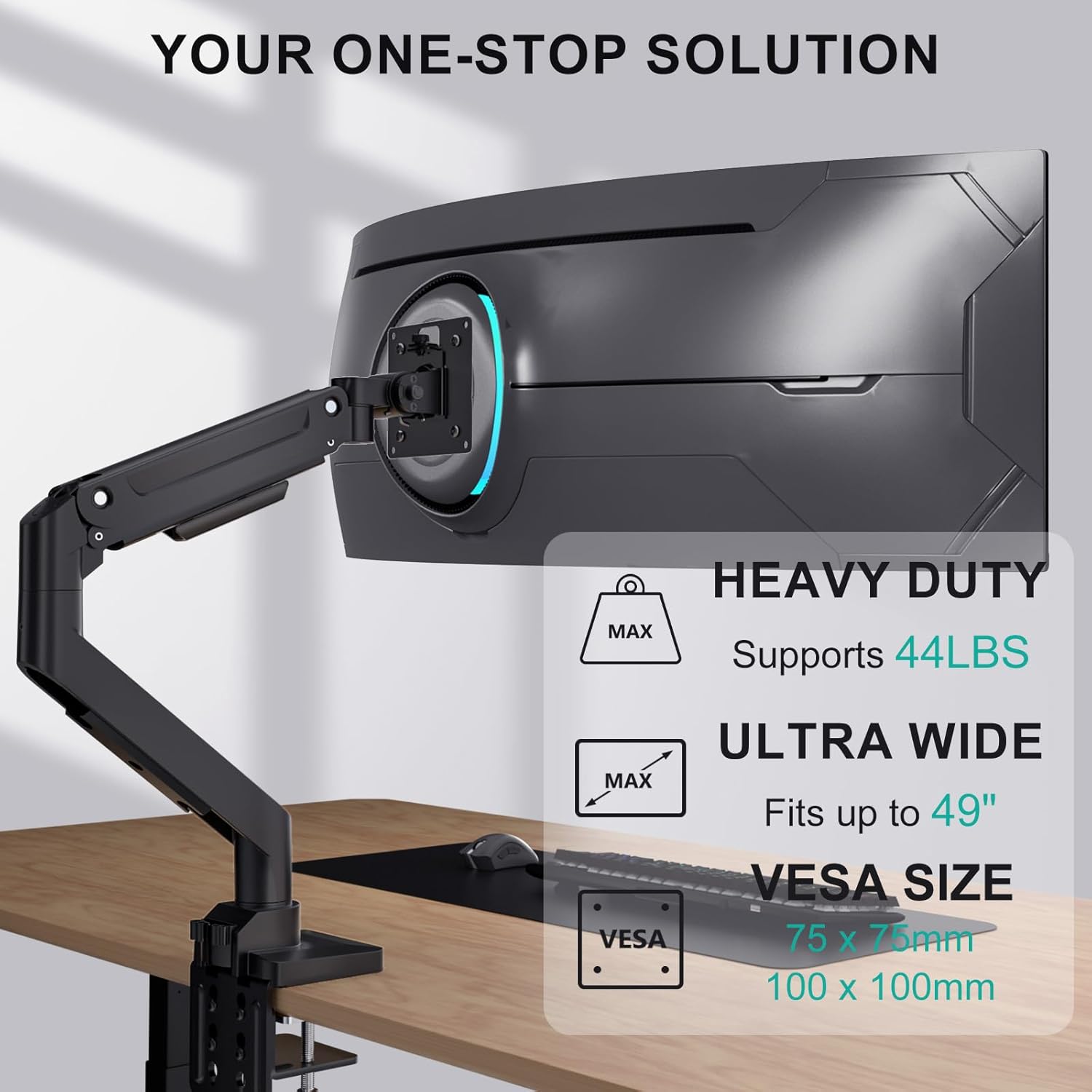
This is a wall-to-desktop desk mount with versatile mounting options and a broad VESA compatibility: 75x75 mm or 100x100 mm. The arm is designed to accommodate curved and ultrawide panels, which is a plus if you don’t want to be limited by a standard 16:9 screen. It’s built to be durable and keep the screen steady through daily adjustments.
- Supported screen size: 13–49 inches
- Max weight: 20 kg / 44 lbs
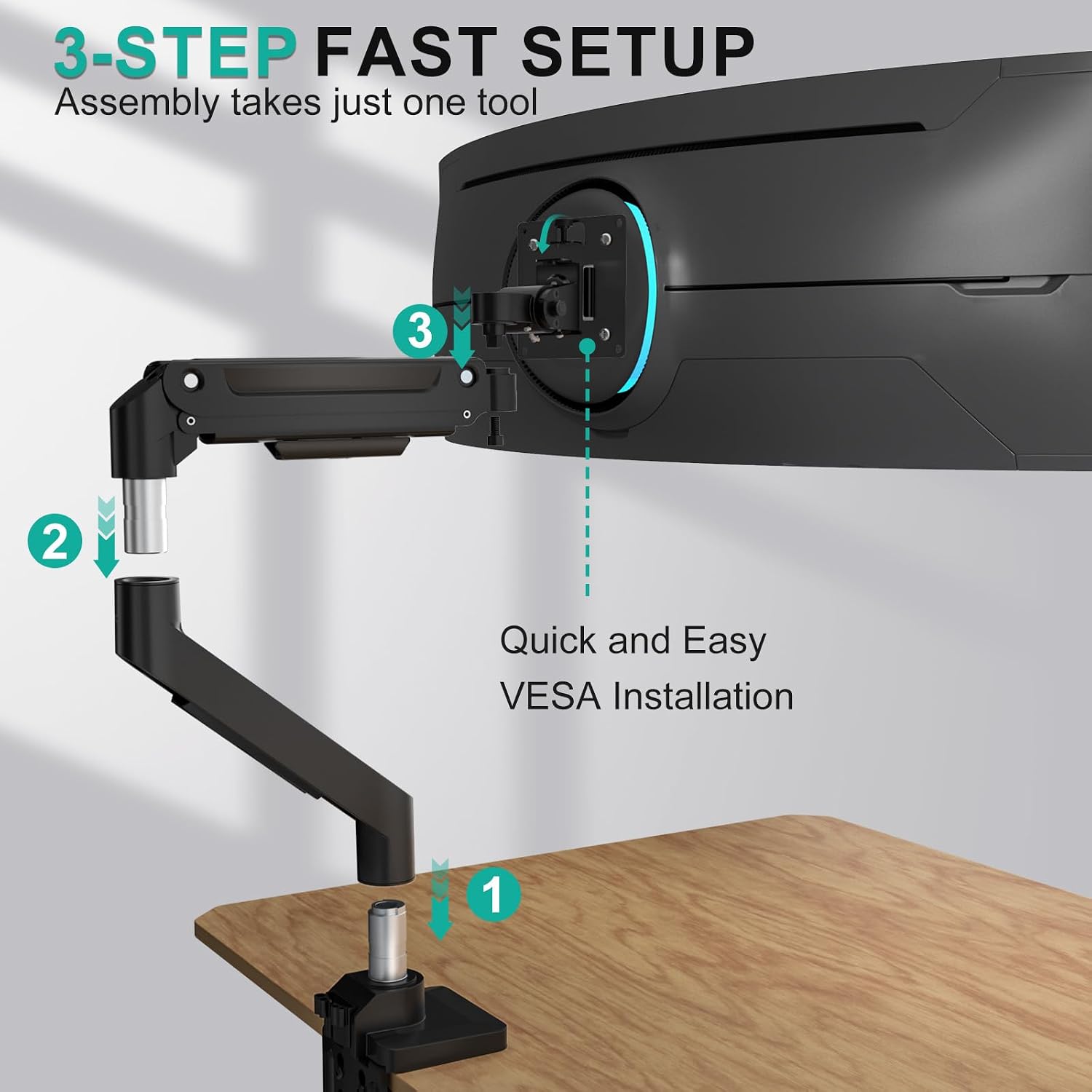
- VESA patterns: 75x75 mm, 100x100 mm
- Tilt: +45° / -45°
- Swivel: +90° / -90°
- Rotation: 180° (landscape to portrait)
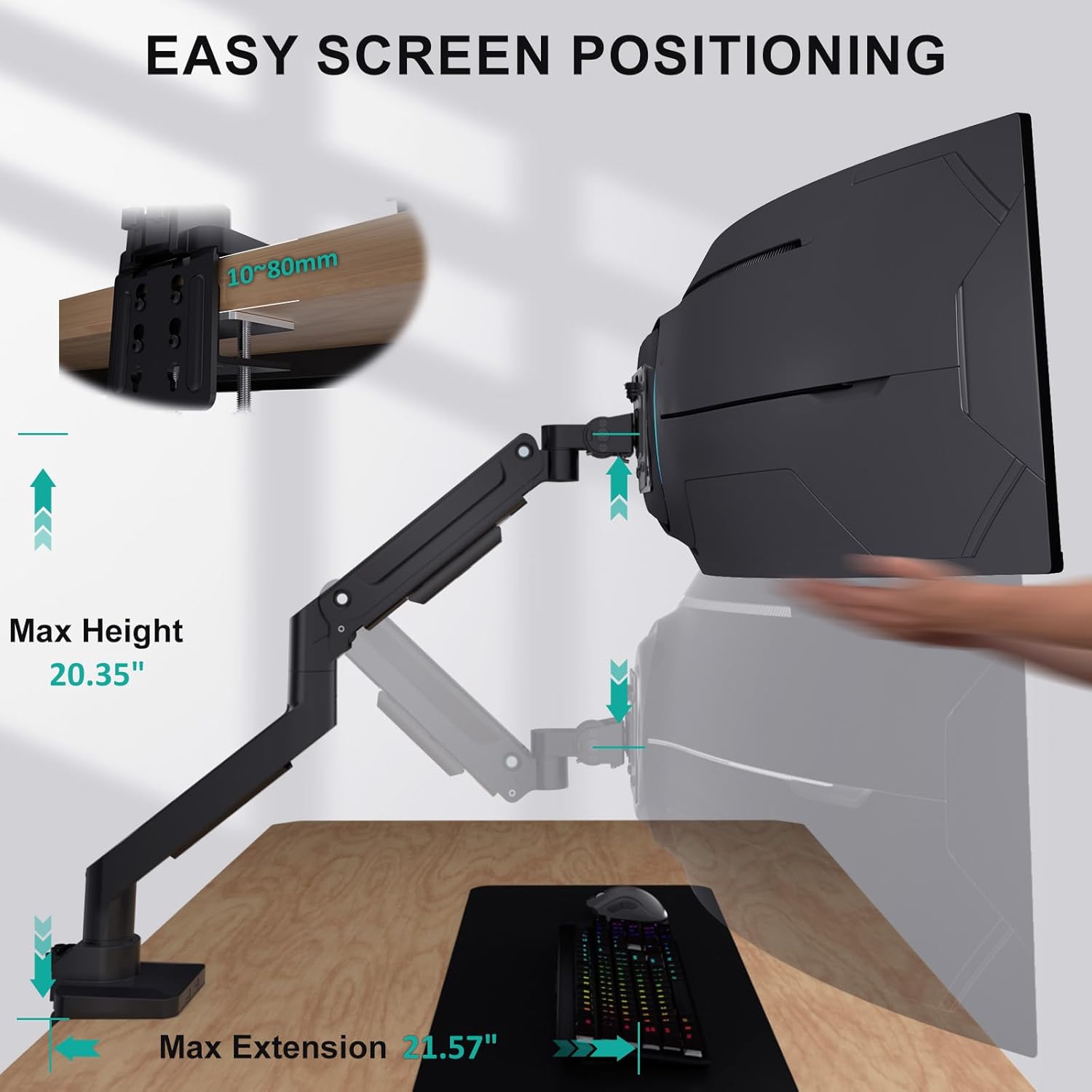
- Mounting: C-clamp or grommet base for desks 1 cm–8 cm thick
- Includes mounting hardware and user manual
What stands out
On the plus side, the GSM001XL covers ultrawide and curved screens, which aren’t always reliably supported by budget arms. The dual mounting options (C-clamp or grommet) add versatility for different desk setups, and the broad tilt/swivel/rotation range helps you tailor the viewing angle without moving the whole desk. The claim of endurance through 20,000 fatigue cycles hints at long-term stability—an important factor if you frequently adjust your setup.
Who it’s for
This arm seems well-suited to students, remote workers, and professionals wanting a clean, ergonomic single-monitor arrangement for screens up to 49 inches. If you prioritise the ability to rotate to portrait, and you have a heavier or ultrawide monitor, this model may be a better fit than lighter-duty options.
Who it’s not for
If you’re aiming for a multi-monitor setup or you have a desk that isn’t compatible with either C-clamp or grommet mounting, this unit won’t help. Likewise, if your monitor is near the upper end of the weight limit or you require very specific mounting directions, you’ll want to double-check compatibility before purchase.
When it makes sense to buy
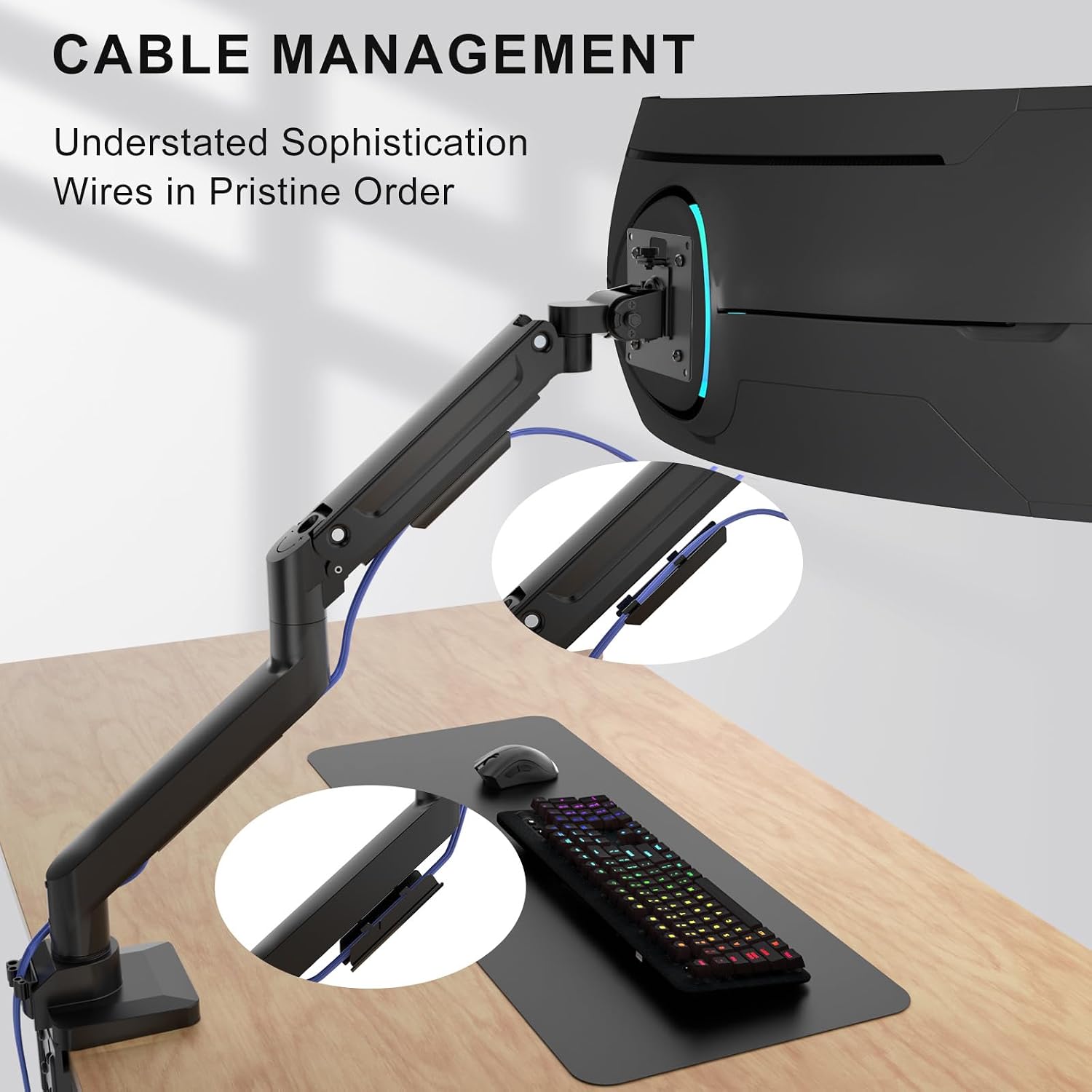
If your priority is a robust, single-monitor arm that can handle large ultrawide screens with easy adjustment and a straightforward installation, this could be sensible. It’s also worth considering if you need both clamp and grommet mounting options and want to keep cables tidy with built-in management.
What to review before buying
- Ensure your desk thickness falls within 1 cm–8 cm to use the grommet or clamp base as planned.
- Verify your monitor’s VESA pattern is 75x75 mm or 100x100 mm and that weight is within 20 kg.
- Confirm you’re comfortable with the level of adjustability (tilt, swivel, rotation) for your typical workflow.
- Consider whether you’ll ever need a multi-monitor setup, this arm is designed for a single display.
- Check what support is offered after purchase, the unit mentions US-based customer support during the week.
In use: what it actually feels like
You might set up a curved ultrawide so the screen sits at eye level, then fine-tune the tilt for comfortable viewing distance. The ability to rotate to portrait can be handy for reading long documents or coding. The cable management feature helps keep your workspace tidy, which makes a real difference if you move the screen often or share the desk.
Alternatives and context
If you’re weighing between a budget arm and something with similar capacity, this model sits in the middle ground: it provides heavy-duty support for large panels without venturing into professional-grade, multi-monitor configurations. For someone wanting to replace a fixed monitor with an adjustable, ergonomic option, this is a sensible route to explore. If you need to support two screens or require extra low-profile mounting, you may want to look at what other arms offer in terms of multi-monitor compatibility or lighter-duty options.
Buying verdict
Should you buy it?
Worth considering if you prioritise support for a large ultrawide or curved screen and want the flexibility of clamp or grommet mounting with straightforward installation. It may not be the best choice if you require a multi-monitor setup or have a desk that doesn’t fit the mounting options.
FAQ - Can it fit a 49-inch curved monitor? Yes, up to 49 inches with a 20 kg weight limit. - What mounting options are included? Both C-clamp and grommet base are supported for desks 1 cm–8 cm thick. - Is portrait orientation possible? Yes, 180° rotation allows switching to portrait mode.
Is it worth it?
For a single, large screen where ergonomic flexibility and durability are priorities, this arm offers tangible value, if your needs extend beyond a single monitor, you’ll likely want to explore other options.