

TP-Link RE405BE BE6500 Wi‑Fi 7 Dual Band Range Extender with 2.5Gbps Port (RE405BE)
Product description
What it is and why people buy it
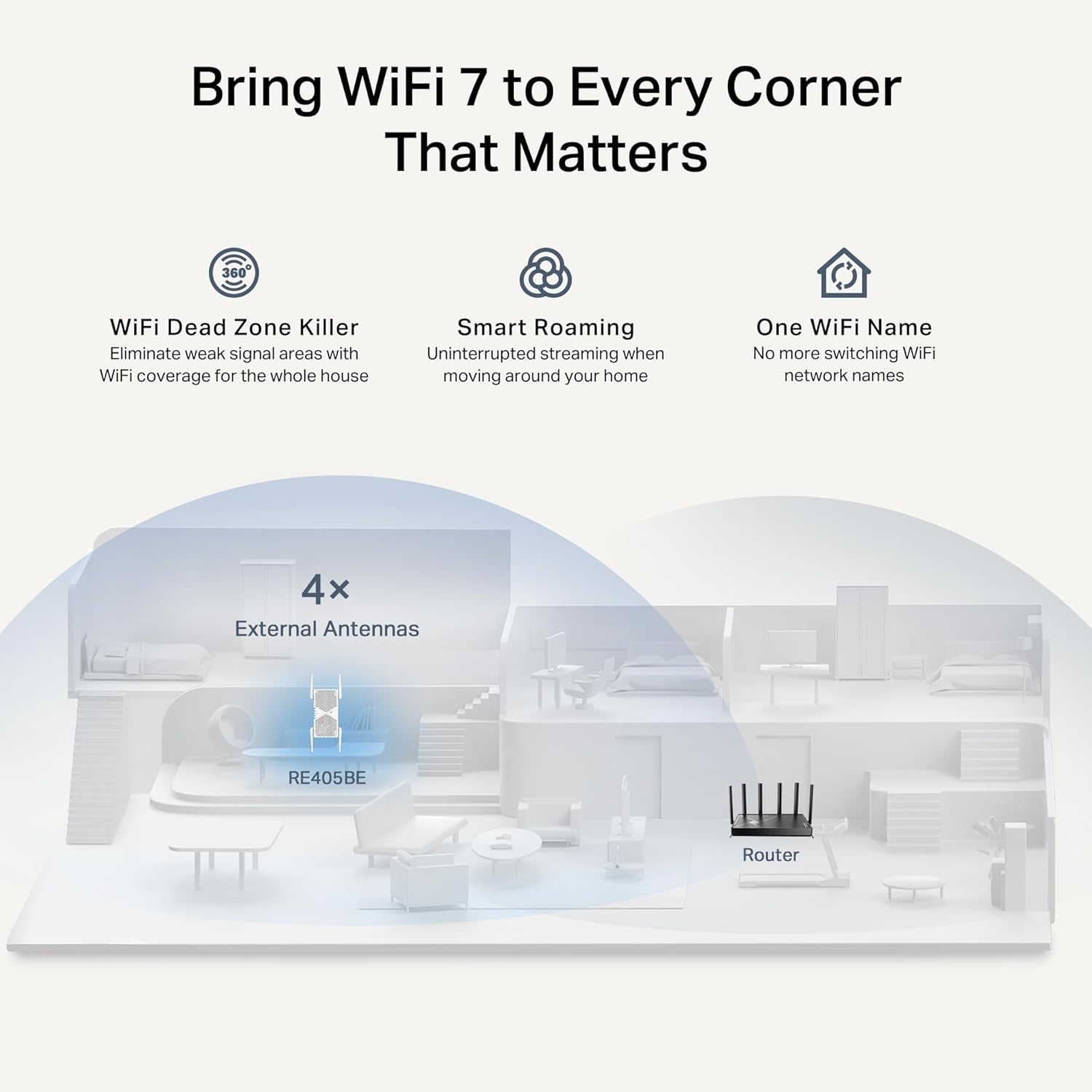
The TP-Link RE405BE BE6500 is a dual-band Wi‑Fi 7 range extender designed to boost coverage around the home, especially as you move between rooms. On paper it aims to do more than “just repeat Wi‑Fi”: it brings Multi‑Link Operation (MLO) to help improve throughput, reduce latency, and add reliability for newer, more demanding uses.
If your current router signal is fine in one room but drops off in bedrooms, hallways, or offices, a unit like this can be a practical middle ground. You get a way to extend coverage without relying purely on thicker walls and hope.
The essentials: speeds, bands and how it’s positioned
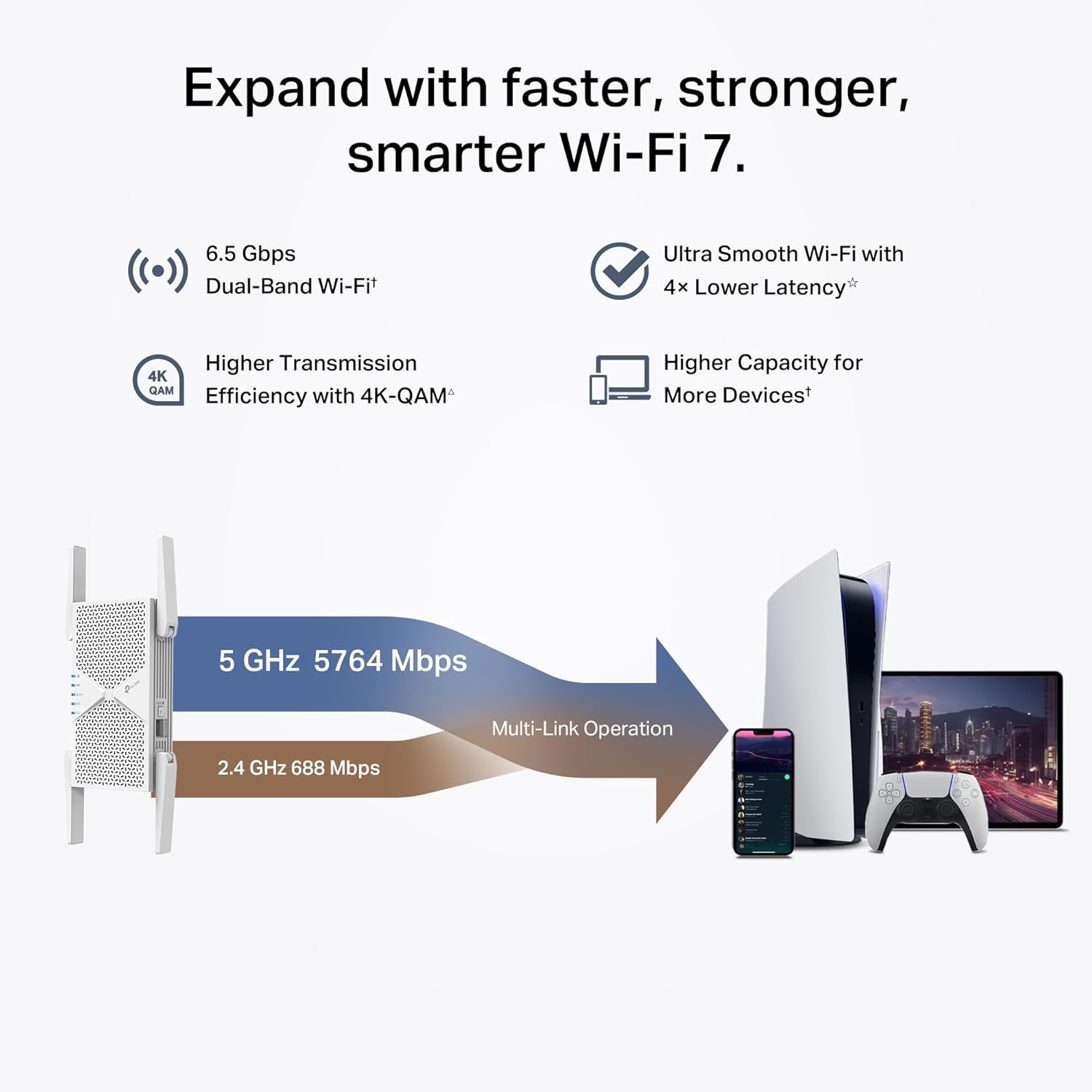
This extender is built for Wi‑Fi 7, with advertised performance of 5 GHz (up to 5,764 Mbps) and 2.4 GHz (up to 688 Mbps). In reality, your speeds will depend on distance, interference, and how your main router behaves—but the key point is that it’s not aimed at basic “offline coverage”. It’s positioned as a modern, feature-led extender that matches the direction of Wi‑Fi 7 networks.
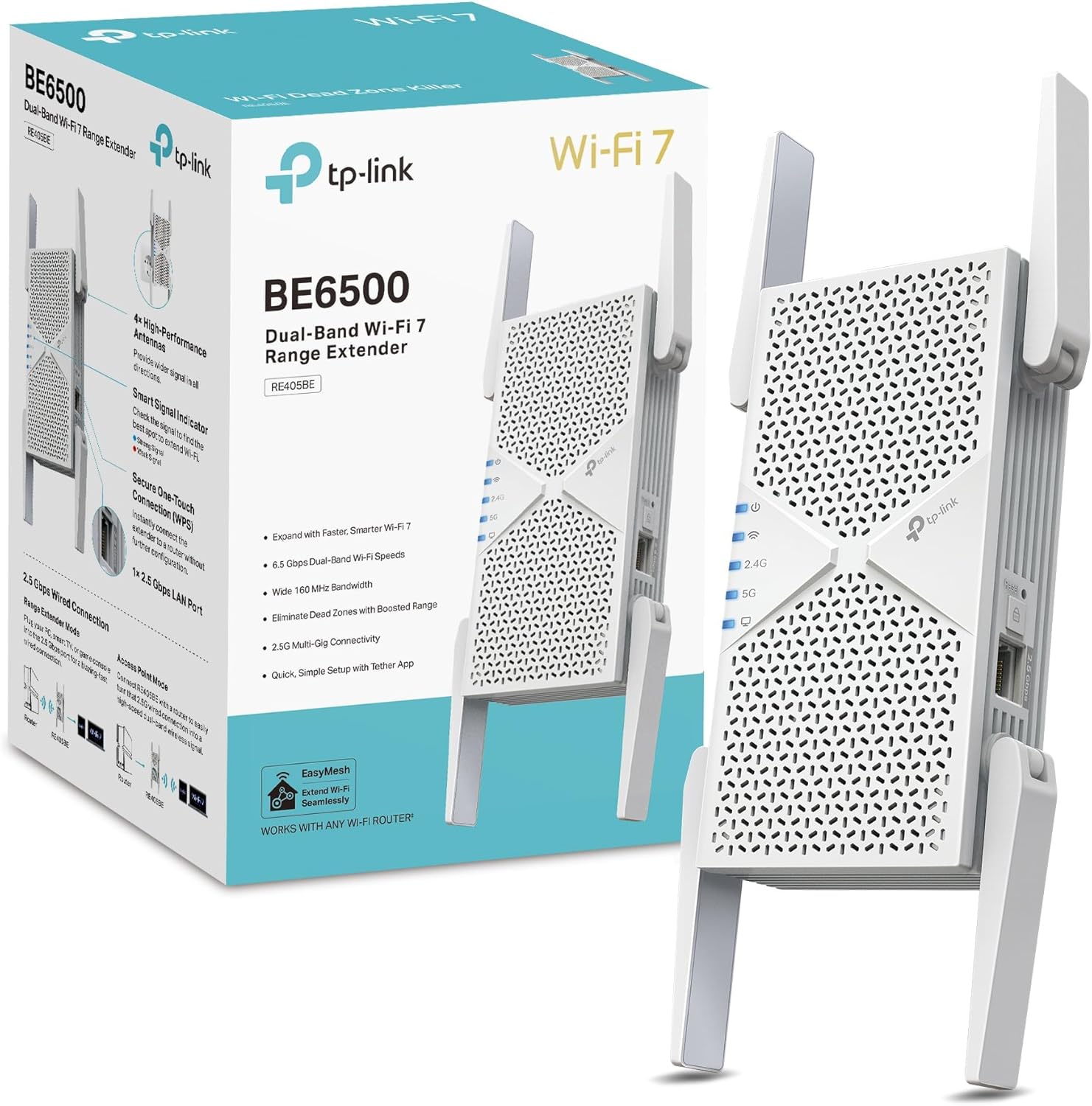
It also includes a 2.5Gbps multi-gigabit Ethernet port. That matters if you want to backhaul or connect a wired device (for example, a desktop, games console, TV, or streaming box) that would benefit from a steadier, higher-capacity link than Wi‑Fi alone.
Tech that’s meant to help day-to-day
A few features here are clearly chosen for performance consistency.
Multi‑Link Operation (MLO) is intended to increase throughput and reliability while reducing latency for emerging applications. The practical takeaway: if your network setup supports it and your devices are compatible, you may see smoother performance compared with extenders that only replicate a single link.
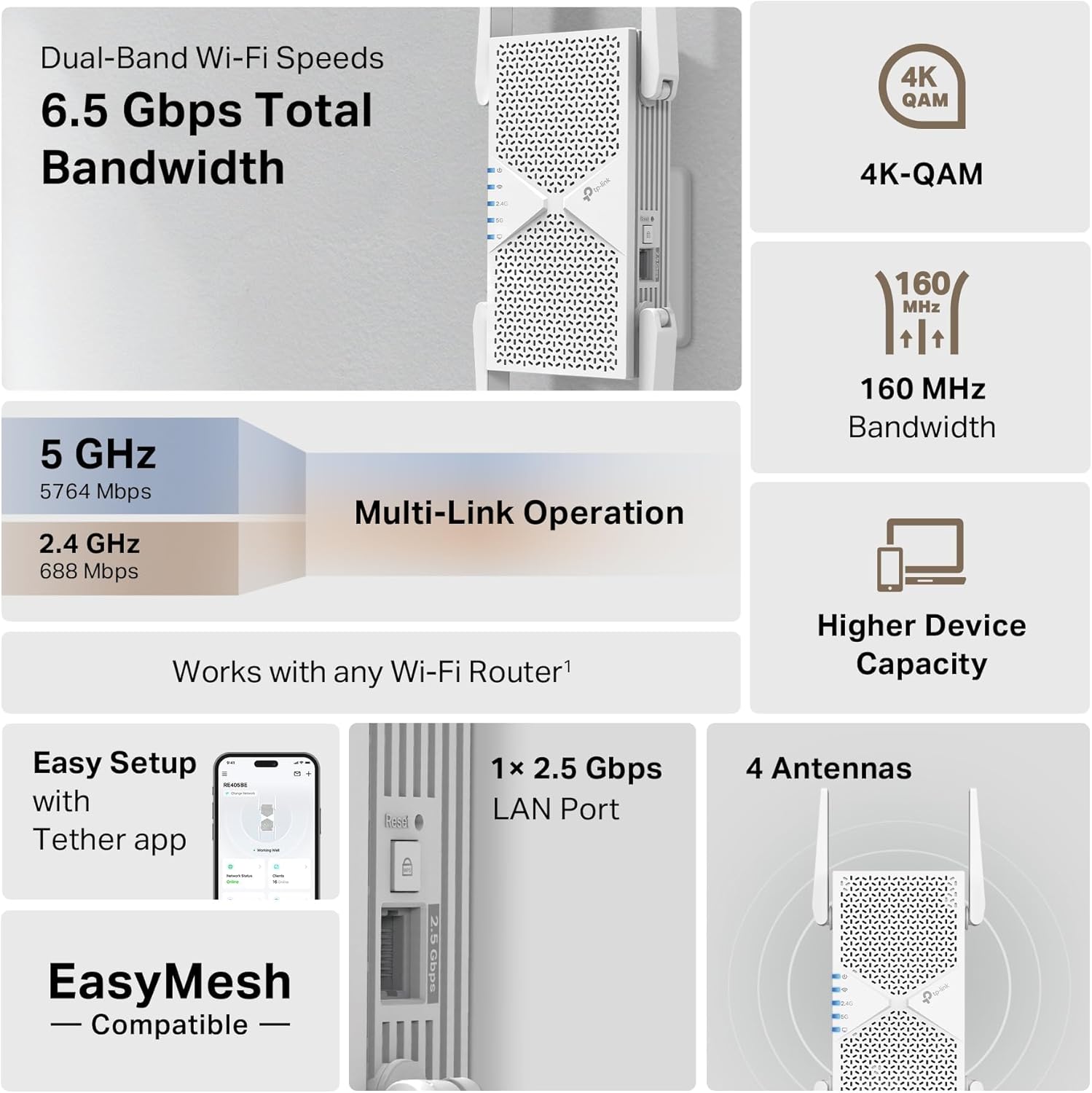
The RE405BE also supports EasyMesh. The idea is to work with compatible EasyMesh routers and other range extenders to build a more seamless whole-home mesh experience. In the real world, that’s the difference between your phone sticking to an old signal and struggling, versus moving room to room with fewer “drops and lag” moments.
Setup and control: less hassle than you might expect
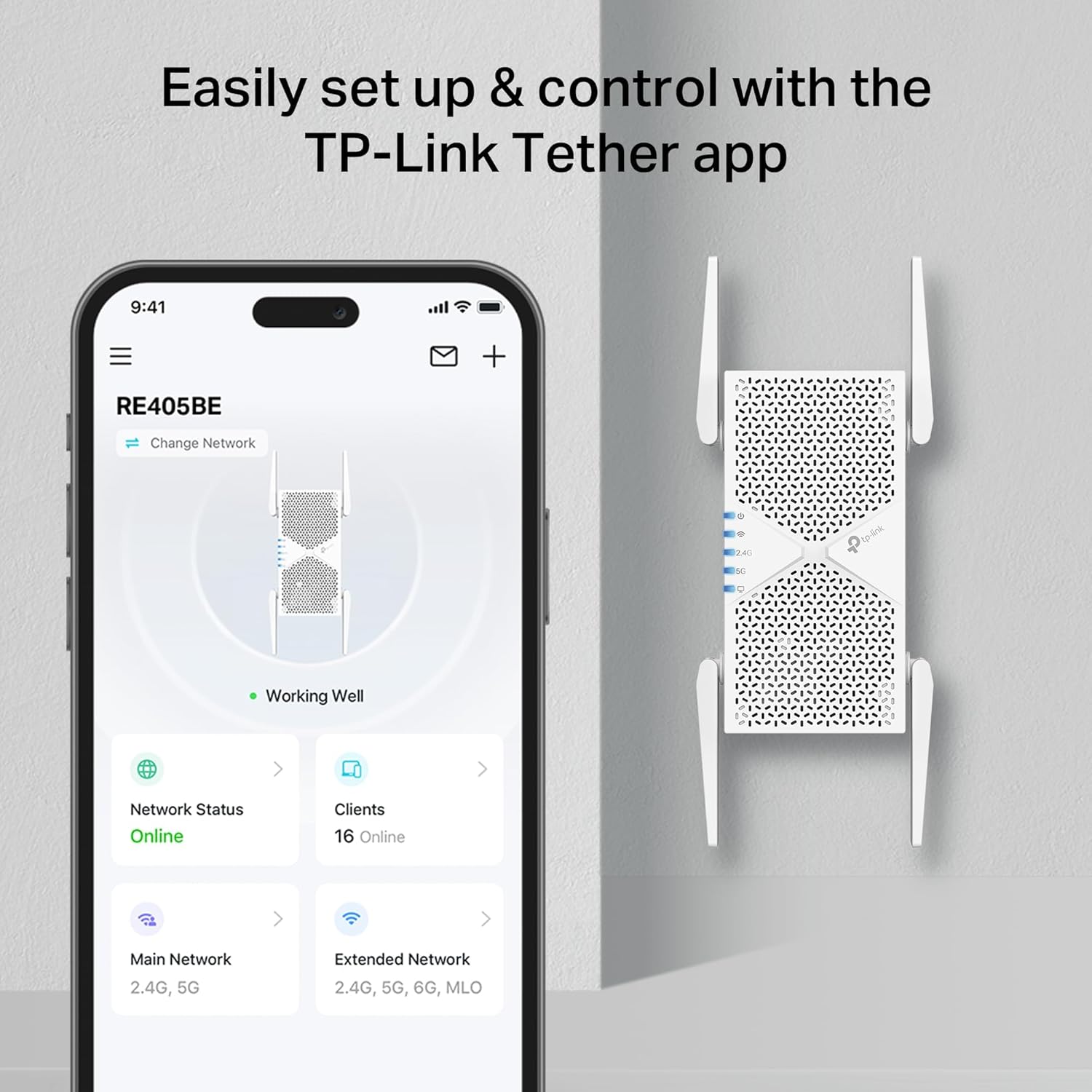
Setup is described as easy: you can plug it in, then use either the WPS button or the Tether App. That’s useful because extenders often fail by being placed in the wrong spot or configured half-right. With WPS/app-assisted setup, you’re more likely to get it running quickly.
The “smart roaming” concept also points at walk-around use—moving from room to room while staying connected to the fastest possible speeds.
Where it shines (and where it may not)
It’s a solid fit if: - You want stronger coverage and more consistent performance across rooms, not just a weak signal in one extra corner. - You have a compatible EasyMesh setup (or you’re planning one) and care about fewer interruptions when devices roam. - You can make use of the 2.5Gbps port for a wired device, where stable throughput helps more than “best-effort” Wi‑Fi.
It’s not the best choice if: - You’re expecting guaranteed “same-as-router” performance everywhere. Extenders still face distance and signal quality limits—especially if the unit is placed far from the main router. - Your network is very basic and you don’t have any realistic need for Wi‑Fi 7 features. In that case, you might be paying for capabilities you won’t fully use.
Also, a key limitation to keep in mind: the benefits of MLO and EasyMesh depend heavily on your router and devices supporting the relevant behaviour. If they don’t, it may still extend range, but the “it feels seamless” experience could fall short of what you hoped.
Tech specs you can act on (quick take)
Tech specs
- Type: Dual Band Wi‑Fi 7 range extender / Wi‑Fi booster
- Wireless performance (5 GHz): up to 5,764 Mbps
- Wireless performance (2.4 GHz): up to 688 Mbps
- Ethernet: 1× 2.5 Gbps multi-gigabit port
- Antennas: 4 antennas
- Multi-link feature: Multi‑Link Operation (MLO)
- Mesh support: EasyMesh compatible
- Setup: WPS button or Tether App
- Compatibility claim: Works with all Wi‑Fi generations and devices, and all internet providers (as stated)
Practical example: what setup could look like
Imagine your laptop and phone are happy in the living room, but in a home office at the far end of the house you start getting buffering on video calls or slower downloads. You’d plug the RE405BE in somewhere between the router and that office, run setup via WPS or the app, and then keep the office device connected through the extended coverage. If you have a smart TV or games console nearby, using the 2.5Gbps Ethernet port for wired connection can be an extra step toward steadier performance.
Buying verdict
If you’re after a modern Wi‑Fi extender that leans into Wi‑Fi 7 features—MLO for smoother performance and EasyMesh for less disruptive roaming—the TP-Link RE405BE looks like a sensible purchase, particularly if you can place it well and your router ecosystem is compatible.
It may not be worth it if you just need a small coverage lift and don’t care about mesh-style roaming, or if you’re buying without a plan for placement and device connection (wired versus wireless).
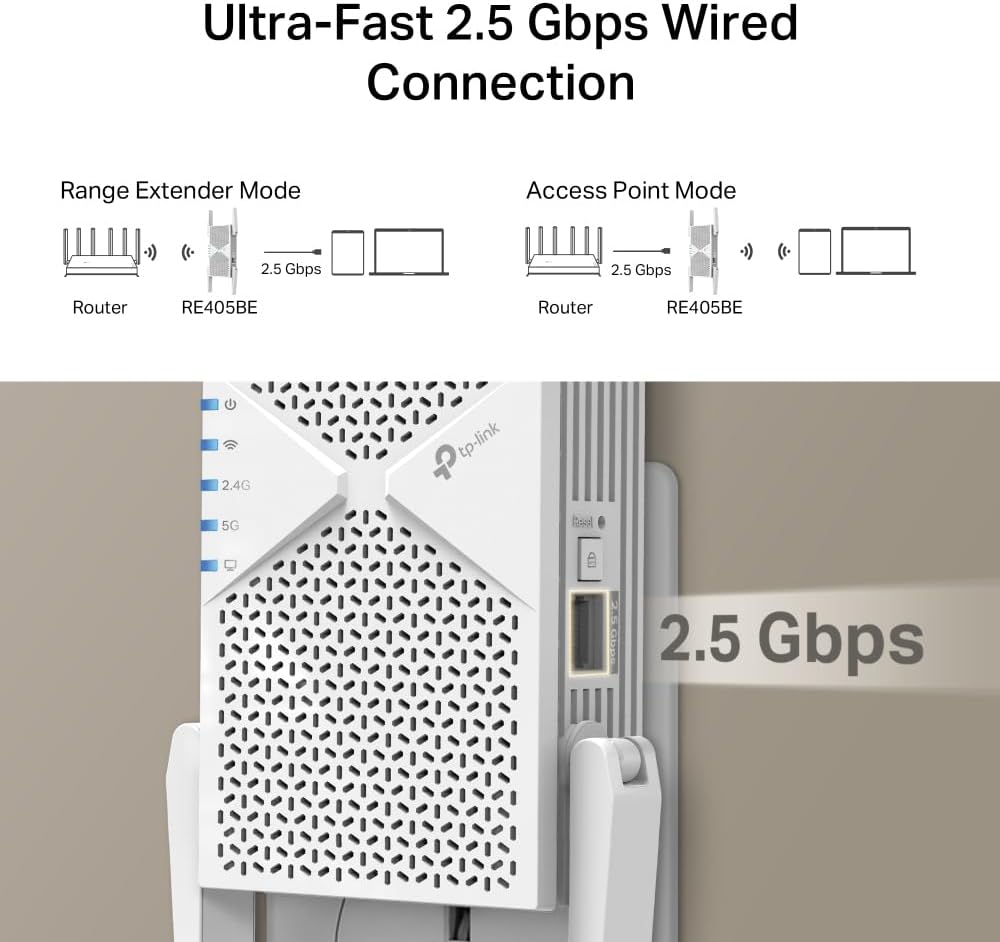
For best results, double-check two things before you commit: whether your main router supports the EasyMesh approach, and whether you actually have a wired device that can benefit from the 2.5Gbps port.
Mini FAQ
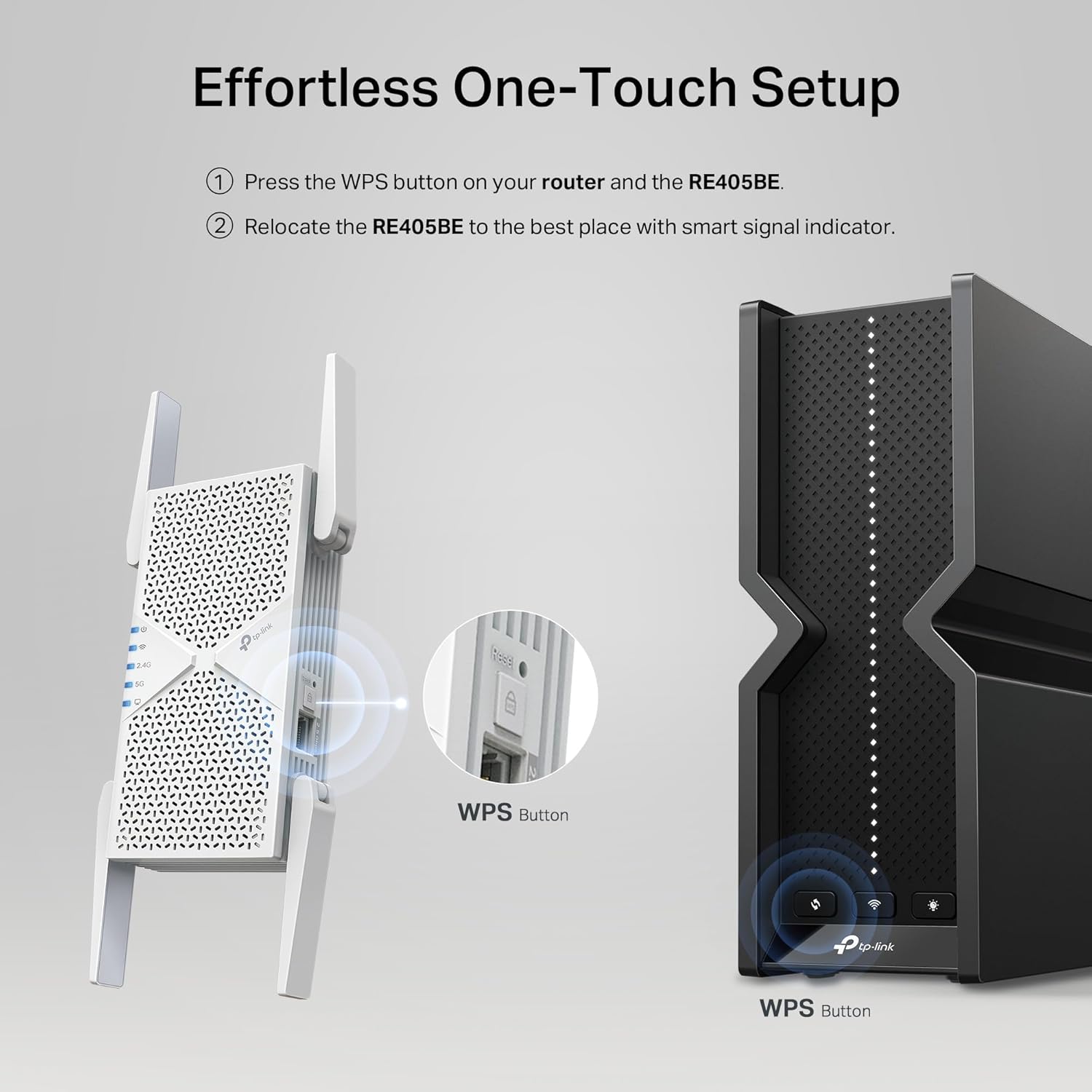
How do I set this Wi‑Fi extender up?
The product info states you can set it up by pressing the WPS button or using the Tether App.
Does EasyMesh work with this extender?
Yes—it's described as compatible with EasyMesh routers and range extenders, aimed at whole-home mesh behaviour.
What’s the benefit of the 2.5Gbps Ethernet port?
The 2.5Gbps port is meant to add flexibility and boosted throughput for wired devices, rather than forcing everything over Wi‑Fi.
Is it only for Wi‑Fi 7 devices?
It claims broad compatibility with all Wi‑Fi generations and devices, but the more advanced performance features are more likely to matter when your devices support the relevant capabilities.
Where should I place a range extender like this?
As with any extender, you’ll generally want it positioned where it can still “hear” a decent signal from the main router—otherwise you’ll extend a weak link rather than fix it.