

Tivique LX15 Pro 15.6-inch Laptop review: balanced performance for daily work
Product description
What it is
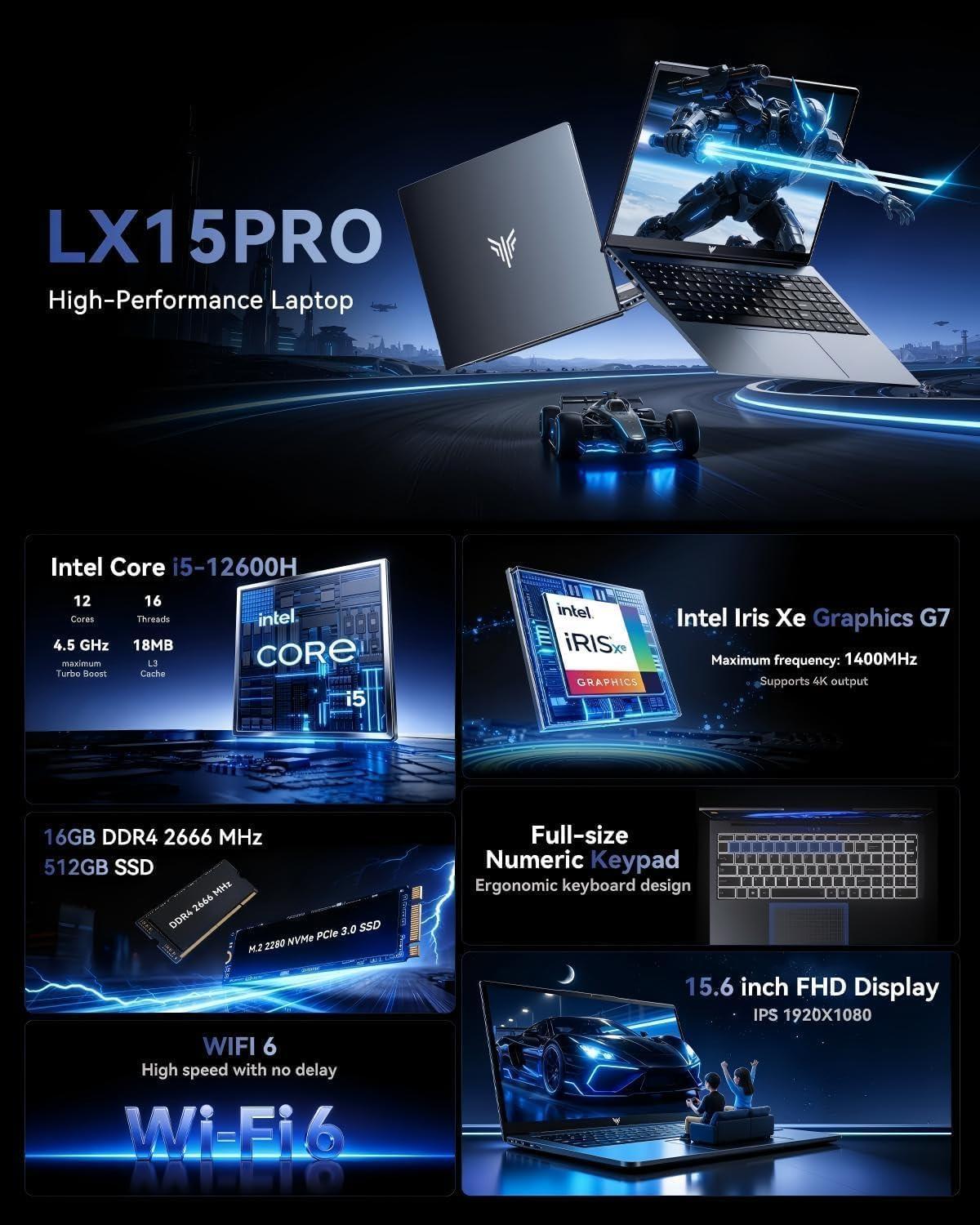
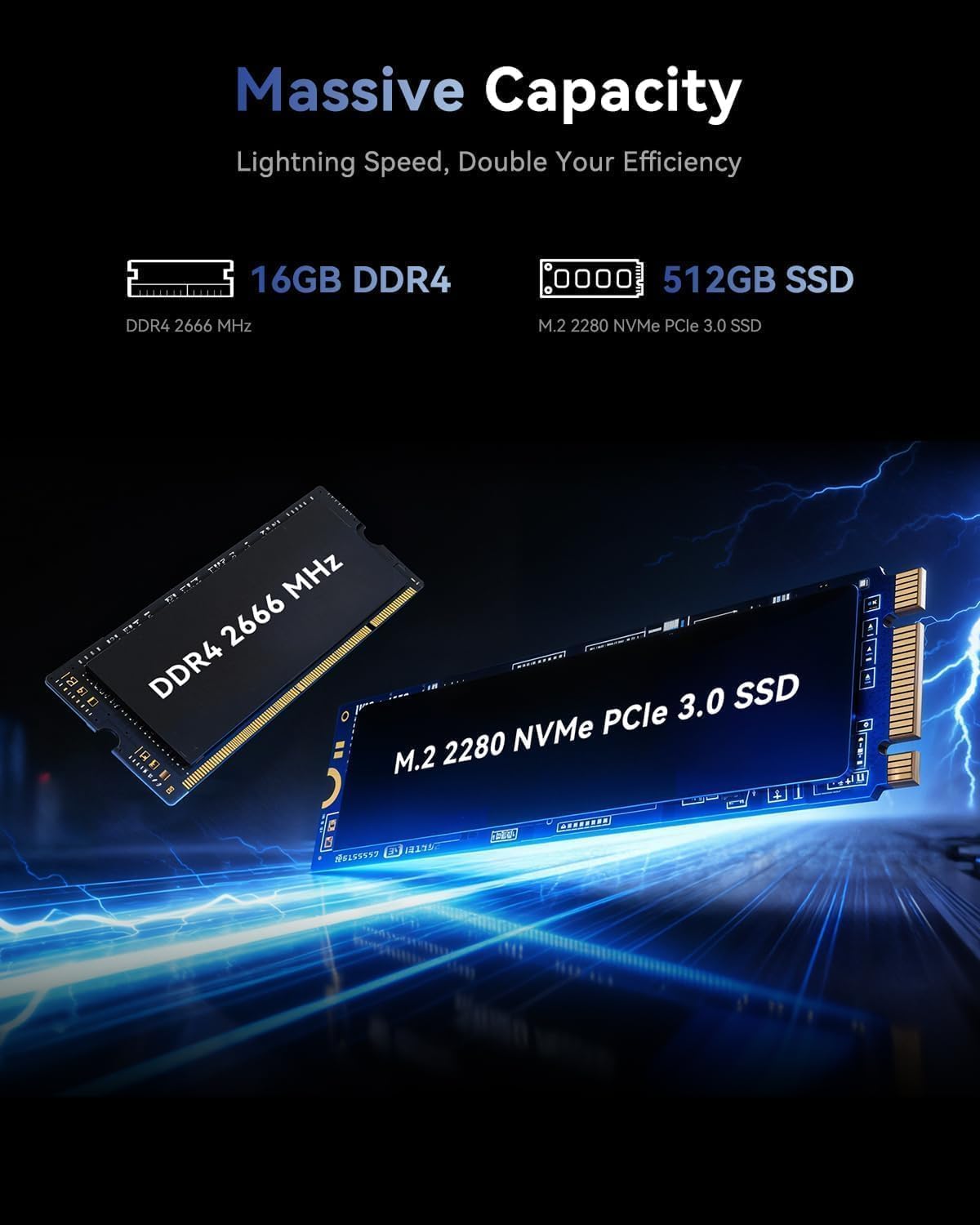
The Tivique LX15 Pro is a 15.6-inch laptop designed for everyday tasks, light gaming and smooth multitasking. It pairs a 12th Gen Core i5-12600H with 16GB of DDR4 RAM and a 512GB M.2 PCIe 4.0 SSD, aiming to offer responsive app launches and comfortable day-to-day use without entering flagship pricing.
Performance and power under the hood
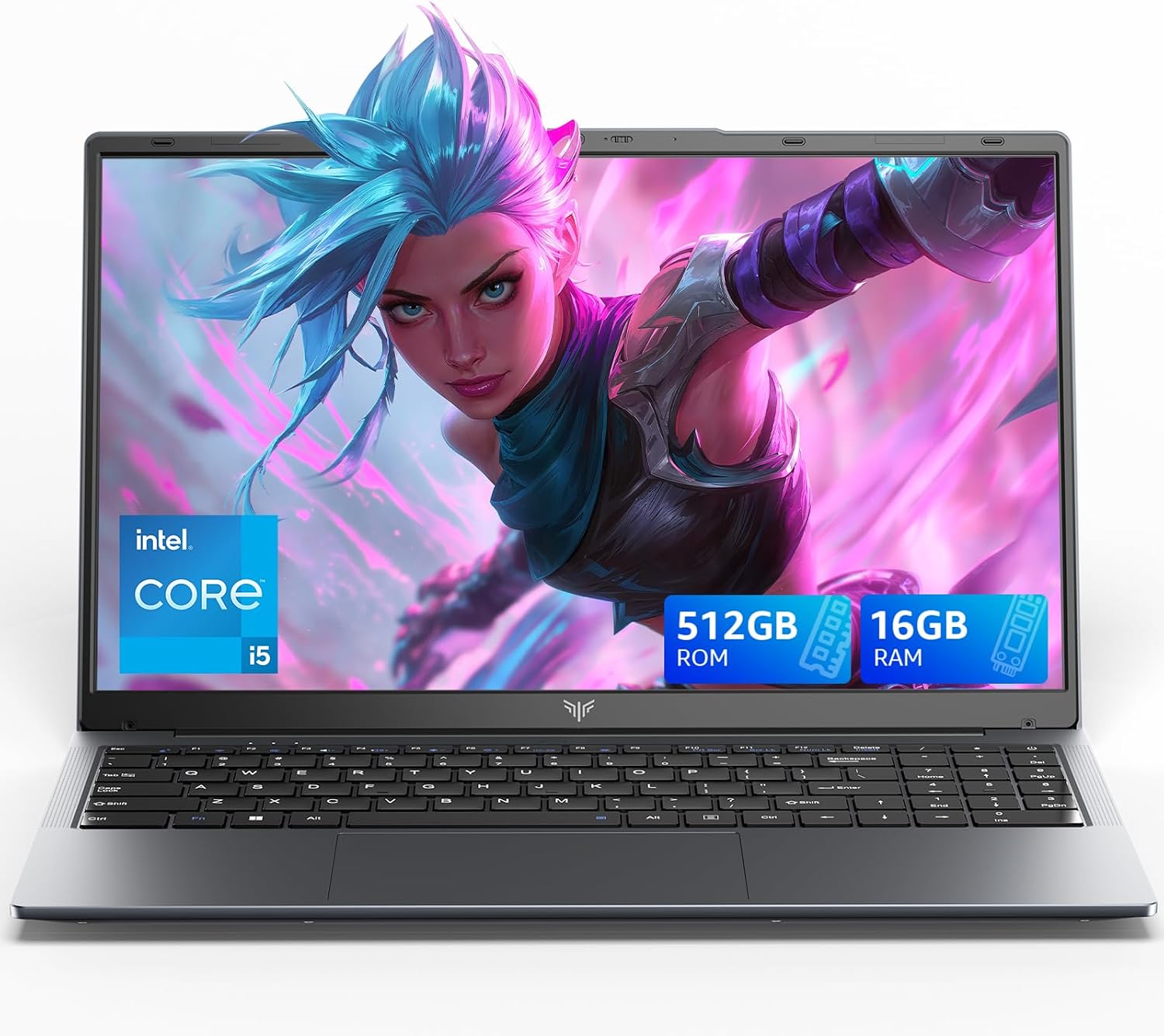
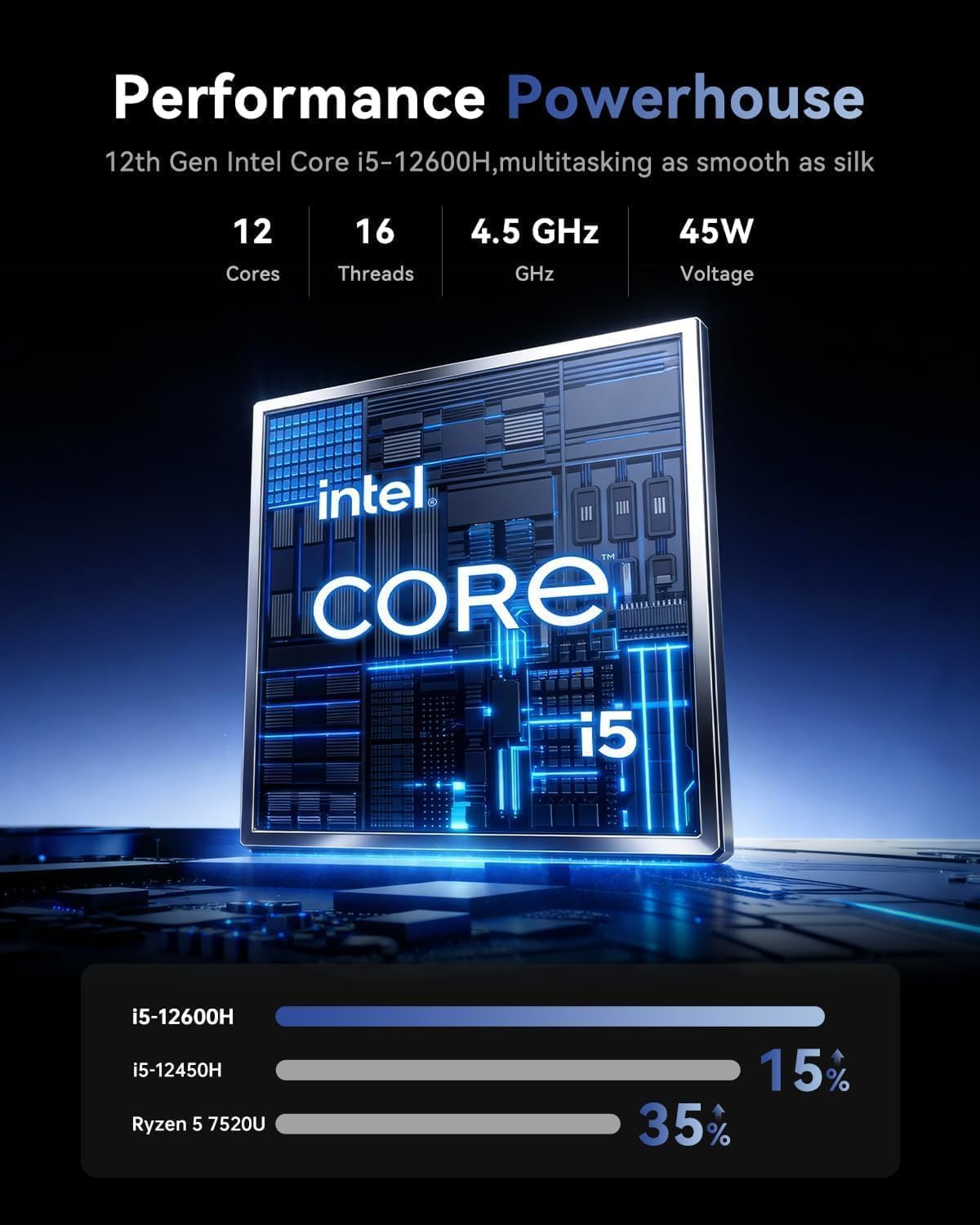
On paper, the i5-12600H brings 12 cores (4 Performance, 8 Efficient) and up to 4.5GHz, which supports typical office work, web browsing, media consumption and some casual or e-sports titles at modest settings. The 16GB RAM gives headroom for multitasking, and the 512GB SSD helps with fast boot times and quick file access. If you need more storage, the spec mentions expansion options, though you should verify exact upgrade routes and compatibility in practice.
Display, connectivity and practical use
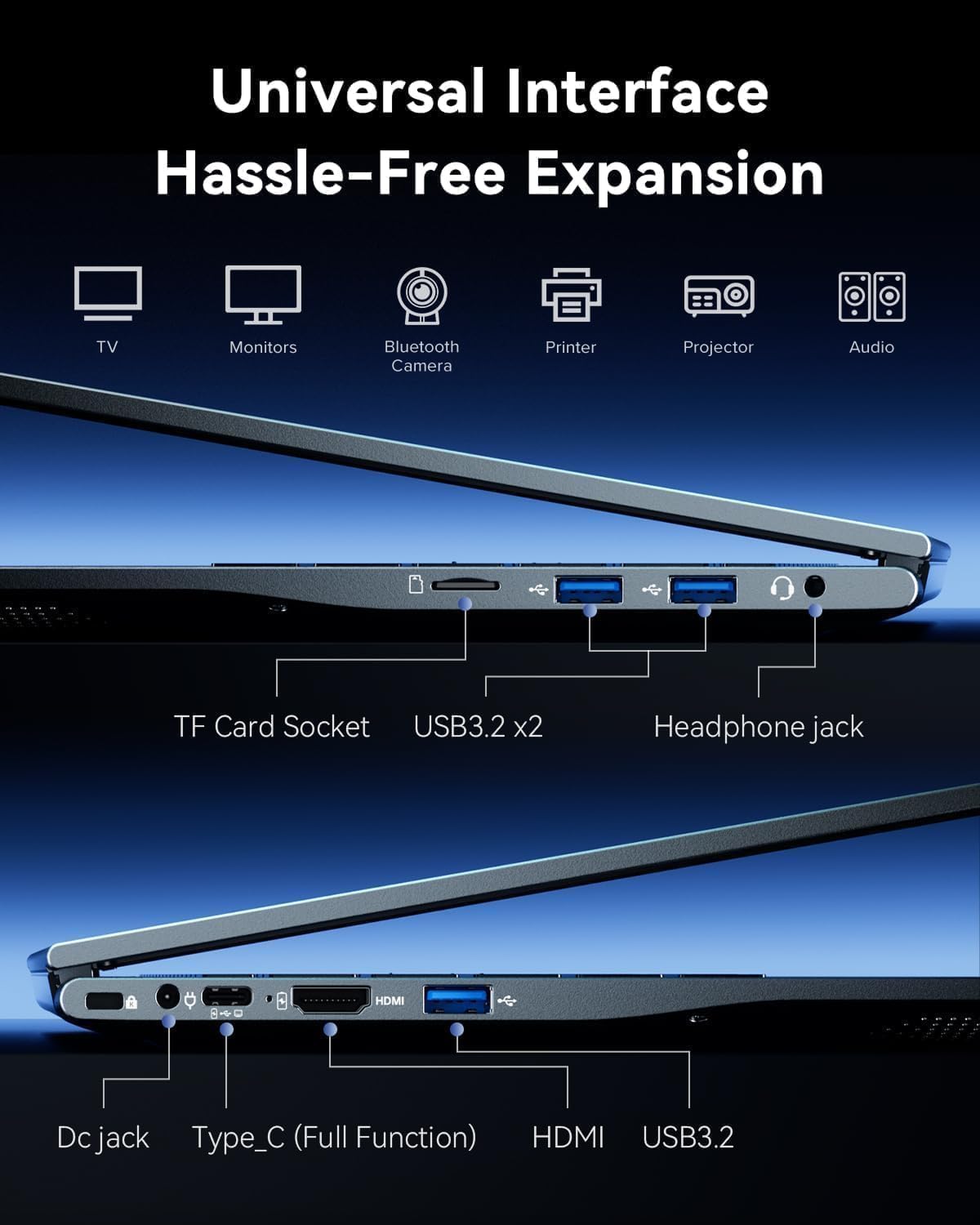
The 15.6-inch 1080p IPS panel promises wide viewing angles and solid colour reproduction for tasks like photo editing or streaming. Wi‑Fi 6 can help with more stable connections in busy networks, and a PM-enabled front-facing camera plus a privacy switch are practical touches for meetings. A dual speaker setup aims to deliver clearer audio for calls and media, while a responsive touchpad helps navigation. Several USB 3.2 ports, a Type-C connector and HDMI provide flexible external connectivity for peripherals and external displays.
Battery, cooling and longevity
Equipped with a 54.72Wh battery and a 65W charger, the LX15 Pro targets everyday mobility—sufficient for a typical day of work away from a desk. The cooling system combines a single fan with copper tubes to help manage heat under heavier loads, though long gaming or video editing sessions may still cause temperature or fan noise to rise. If uptime is critical, consider how your workload translates to thermals and battery drain.
Build, upgradeability and ports
The machine is described as upgrade-friendly to some extent, with mentions of RAM and SSD expansion possibilities. In practice, you’ll want to confirm exactly which RAM slots are available and the maximum supported memory, as well as the ease of upgrading storage. Ports cover essential needs: headphone combo, multiple USB 3.2 Gen2 ports, Type-C data, HDMI 1.4 and Wi‑Fi 6. The combination should work well for students and professionals who frequently connect peripherals or external displays.
What stands out and where it may fall short
What stands out is the attempt to balance performance with a reasonable price point, offering a capable CPU, decent RAM, and fast storage for everyday workflows. It may be a solid choice if you prioritise multitasking and a clear, no-nonsense design without paying for higher-end gaming hardware. On the downside, the 60Hz display and 1080p panel limit how immersive video or gaming experiences feel, and real-world performance will depend on the exact workload and cooling efficiency under sustained load. It’s not the best option if you require all-day, high-end gaming or professional-grade photo/video work.
Who it’s for
This laptop is suited to students, remote workers and general users who need reliable everyday performance, decent multimedia capabilities and straightforward upgrade paths. If you value a pragmatic setup with a clear path to faster storage or more memory, this could be a sensible fit.
Who it isn’t ideal for

If you need top-tier gaming at high frame rates, or professional-grade content creation with demanding software, you might quickly reach the limits of the display and cooling profile. It also depends quite a lot on how much you rely on sustained performances over long sessions, if your typical day involves heavy rendering or long video timelines, lighter alternatives could stay cooler and faster.
When it makes sense to buy
Choose this model if you want a capable, all-around laptop for daily work, streaming and light gaming, with a RAM/SSD combination ready for practical multitasking and fast storage. It’s sensible when you want a pragmatic, no-fuss machine that won’t break the bank, and you don’t necessarily need the latest-gen GPU or a high-refresh screen.
What to check before buying
Confirm the exact RAM upgrade path (slots and maximum supported), real-world battery life under your workload, and whether the SSD’s NVMe performance meets your expectations in practice. Check the keyboard feel, trackpad responsiveness and the quality of the webcam and microphone for video calls. If you rely on external displays, verify HDMI version compatibility and any limitations on the number of external monitors.
Practical use case
Imagine commuting with a laptop that boots quickly, quickly opens your documents, and handles multiple browser tabs while you work on a spreadsheet and have a video call running in the background. It’s also a handy device for streaming films in the evening and light gaming when you have time to unwind.
FAQ
- Is it good for school tasks? Yes, for writing, browsing and presentation work, with enough RAM for multi-tab use.
- Will it run demanding software smoothly? It handles everyday software well, but heavy video editing or 3D rendering may push it beyond its comfort zone.
- Can I upgrade storage or RAM easily? The description hints at upgradeability, but you should confirm the exact upgrade options and compatibility before purchasing.
Is it worth it?
Worth considering if you prioritise value-for-money, upgradeability and steady performance for general use, rather than blazingly fast gaming or professional-grade media work. If your needs lean towards high-end gaming or intensive content creation, you might look for options with stronger GPUs and a higher-refresh display.