

TCNOUMT Voyage201 replacement remote control for Heymell Soundbar Voyage 201
Product description
What it is and what it’s for
If your Heymell Soundbar Voyage 201 remote has gone missing, stopped responding, or simply doesn’t feel right in day-to-day use, a replacement remote can be the quickest fix. The TCNOUMT Voyage201 replacement remote is designed to take over the basic controls so you can manage your soundbar from the sofa again.
On paper, the pitch is simple: it’s meant to mirror the original remote’s functions closely enough for normal listening, using an easy setup rather than programming steps. That matters if you just want something that works without tinkering.
There is, however, one important caveat to keep in mind: depending on the button and the exact soundbar model, some functions may not be available. In other words, this can be a very practical swap for core controls, but it’s not guaranteed to be a perfect clone of every feature.
The essentials before you buy
This replacement remote is positioned as a convenience purchase rather than a high-tech accessory. It’s described as:
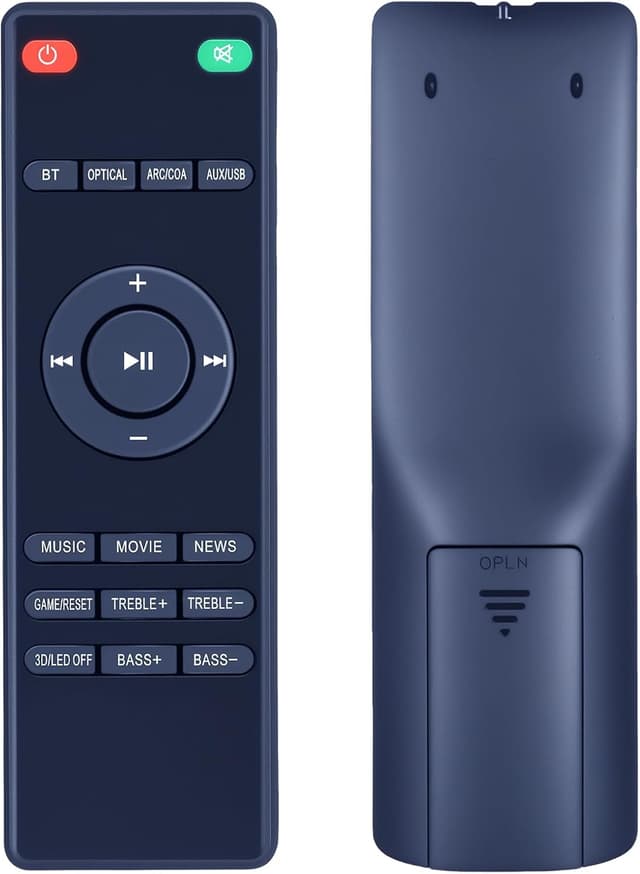
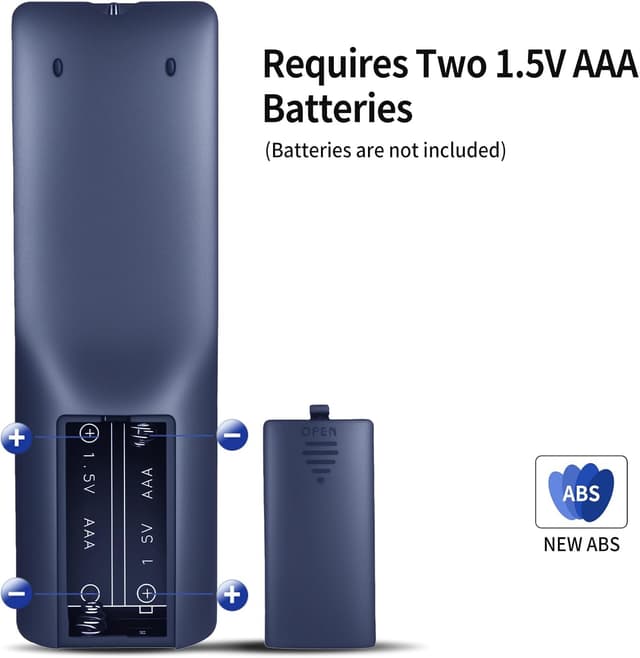
- Easy setup: it uses 2x AAA batteries (not included), and there’s no programming required.
- Comfortable handling: an ergonomic shape intended to be easy to grip for a wide range of users.
- Built for routine use: a durable plastic body with a battery compartment cover, plus soft silicone buttons.
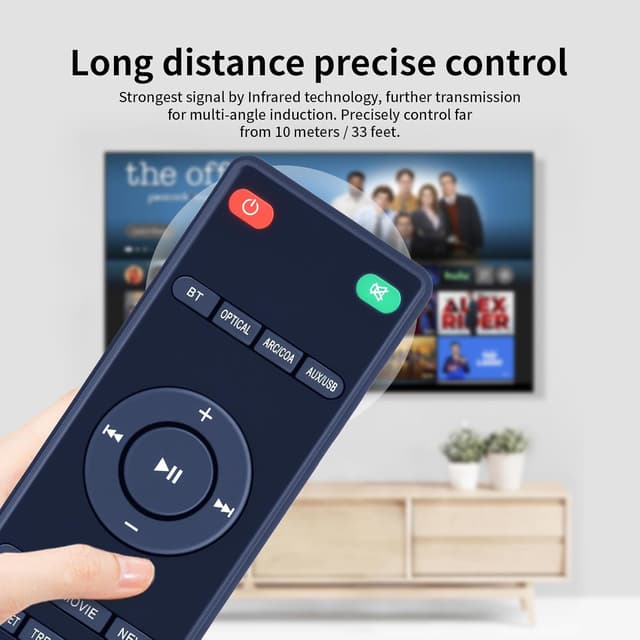
It’s the kind of remote you buy to remove friction. You’re not looking for “smart” extras here—you’re looking for something reliable for everyday volume changes, playback control (where supported), and basic soundbar interaction.
What you’ll notice in use
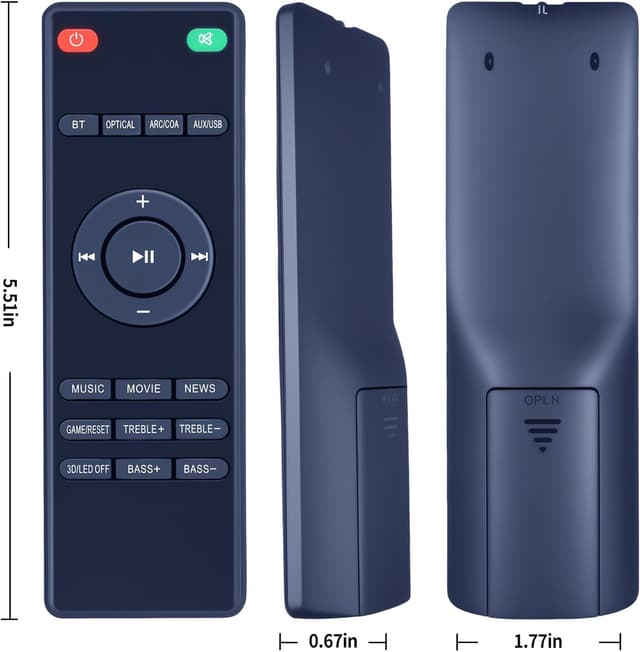
In real-world terms, a replacement remote lives or dies by two things: how quickly you can get it working and how usable the buttons feel. The TCNOUMT Voyage201 leans into both.
Because setup doesn’t require programming, you can usually swap batteries, test the main buttons, and be back in control fast. And the soft silicone button feel is a small detail that can matter more than you’d expect—especially if multiple people use the soundbar or if you don’t want fiddly, stiff controls.
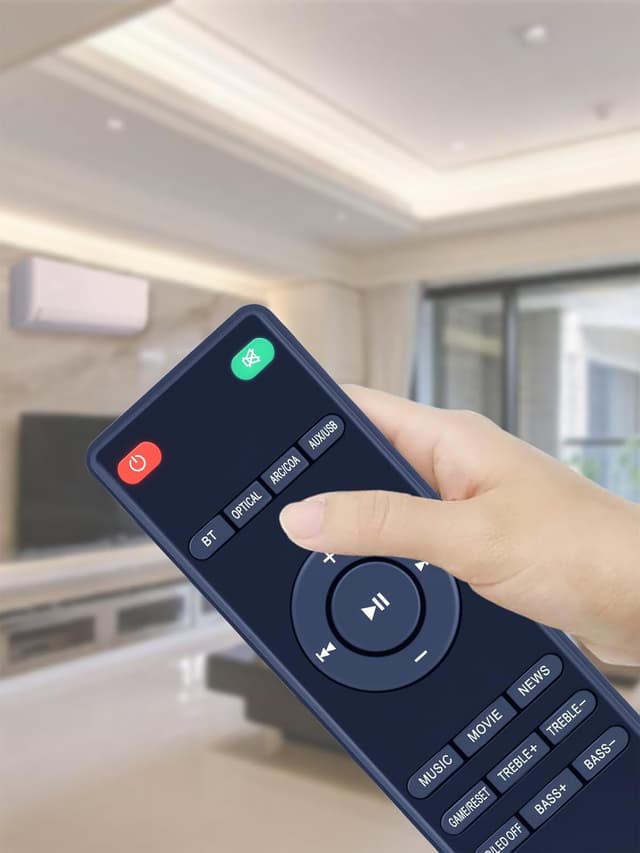
Still, it may not match the original button layout or function coverage exactly. The manufacturer specifically notes that you should pay attention to the button symbol on the remote, which is a strong hint that compatibility depends on the precise control set.
Ergonomics and day-to-day comfort
The remote’s light, ergonomic design is intended to suit different hand sizes. That includes older users and children, according to the product description—so it’s not aimed purely at tech enthusiasts.
The soft silicone buttons and the idea of a straightforward grip suggest it’s built for quick taps rather than careful navigation. If your current remote is awkward to hold or has buttons that feel hard or inconsistent, a replacement like this can feel more natural for daily use.
Compatibility and the one thing to double-check
The biggest “worth noting” point is compatibility. The description asks you to check the remote image carefully before ordering, with special attention to the button symbol, so it matches exactly what your current remote uses.
Why this matters: it’s possible to get a remote that looks right and even operates some core commands, yet still misses certain functions. The product also warns that some functions might not be available depending on the button and the model.
So, before you buy, it’s sensible to compare the buttons visually. If you can identify your current remote’s key symbols, matching them is the safest route.
Who it suits (and who should be cautious)
It’s a good fit if you want a straightforward, battery-powered replacement remote with no programming, and you mainly rely on core controls.
It may not be the best match if you need every single function from the original remote—especially if your current remote offers extra buttons or special features that you’ll want to retain.
It may also be a little risky if you can’t clearly verify the button symbol layout. If you’re buying without being able to compare the button symbols on your current remote, you’ll want to be more careful.
Quick FAQ
Will I need to programme it?
No programming is required, based on the product description. You simply insert 2x AAA batteries (not included).
What batteries does it use?
It uses 2x AAA batteries, but they’re not included in the box.
Is it guaranteed to have the same functions?
Not fully. The description states that depending on the button and the model, some functions may not be available.
What should I check before ordering?
Check the remote image carefully and pay close attention to the button symbol so it matches your original remote.
Is it comfortable for different users?
The remote is described as ergonomic, lightweight, and easy to grip, intended to suit children, adults, and older users.
Should you buy it?
This is worth considering if your Heymell Soundbar Voyage 201 remote is damaged or missing and you want a simple, non-programming replacement that focuses on everyday control. It also suits people who prefer soft, easy-to-press buttons and an ergonomic shape.
However, you may want to skip it if you need every original function and can’t confidently verify the button symbol and layout. In that scenario, the “some functions may not be available” warning becomes the key risk—so double-check compatibility first to avoid ending up with a remote that’s only partially useful.