

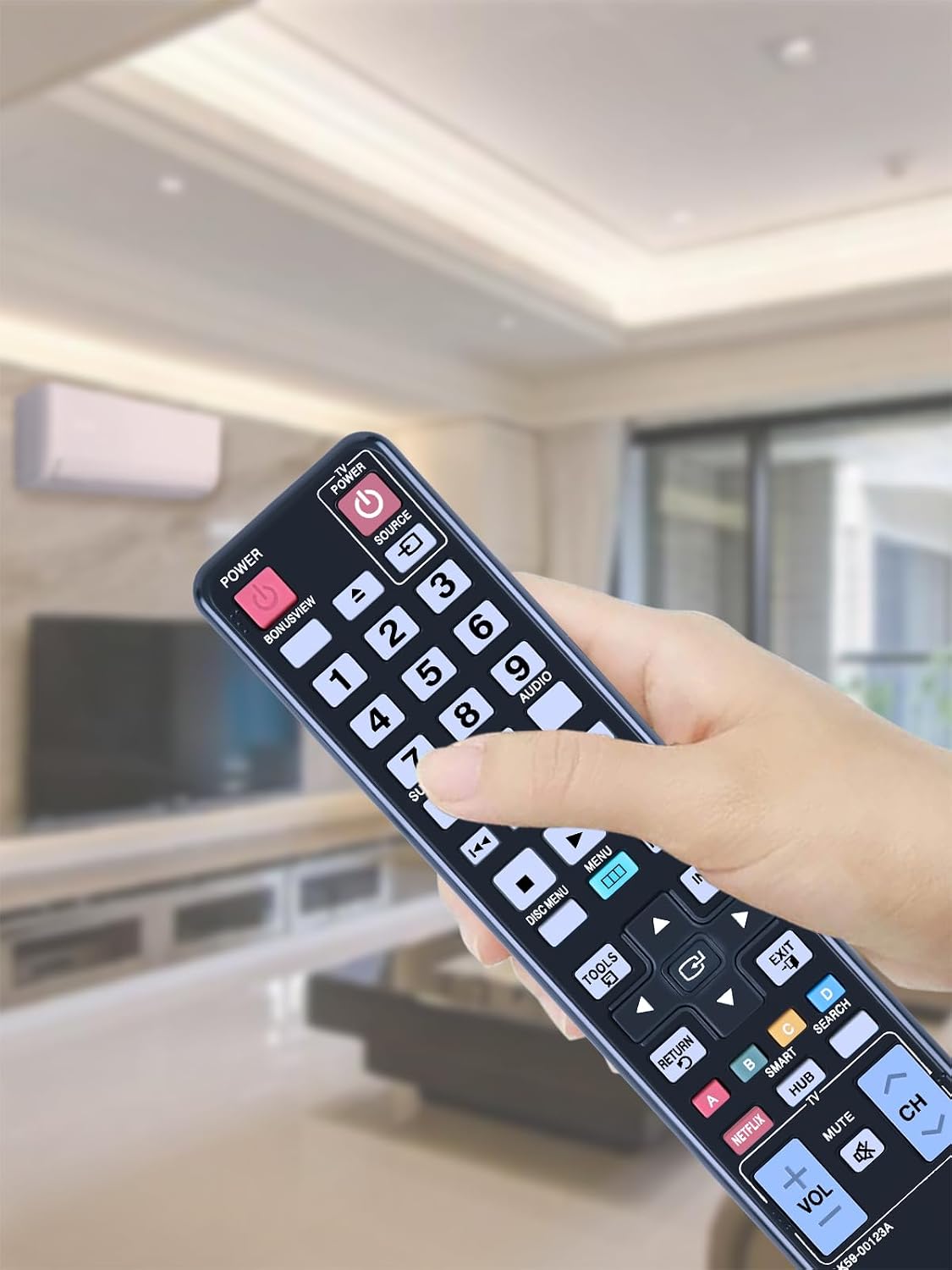
TCNOUMT AK59-00123A replacement remote control for Samsung DVD players (BD-D5500/BdD6500 and more)
Reviews
Price
Product description
What it is and why people buy it
A replacement remote is one of those small parts that can still stop you enjoying your DVD player. The TCNOUMT Replacement AK59-00123A Remote is designed to replace a worn, broken, or missing remote for compatible Samsung DVD disc player models listed in the product name/description. On paper, it’s a sensible value-for-money move if your original remote has finally given up, but you don’t want the hassle (or cost) of alternatives.
The key theme here is straightforward: this remote is intended to be a direct replacement that’s easy to get going. The description also claims it doesn’t require programming—so there’s less to figure out once it arrives. Of course, compatibility always depends on matching the exact remote style and button/symbol layout, so you’ll want to be a bit careful before ordering.
Key features that affect everyday use
This remote control is built around practical use rather than anything fancy. It uses an ergonomic shape that’s described as easy to hold, lightweight, and comfortable for a wide range of users. That matters more than it sounds if multiple people in the household use the player, including older adults.
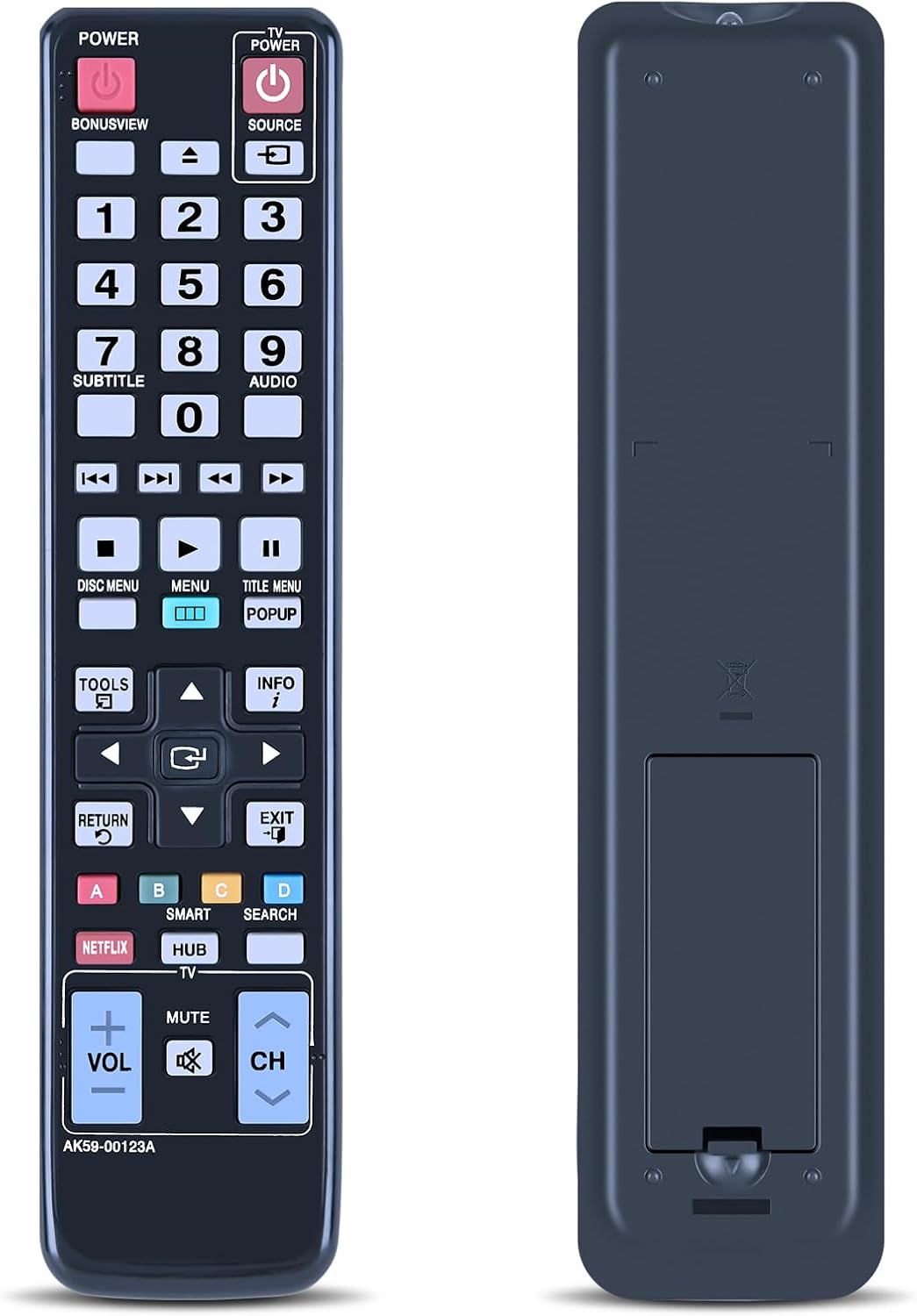
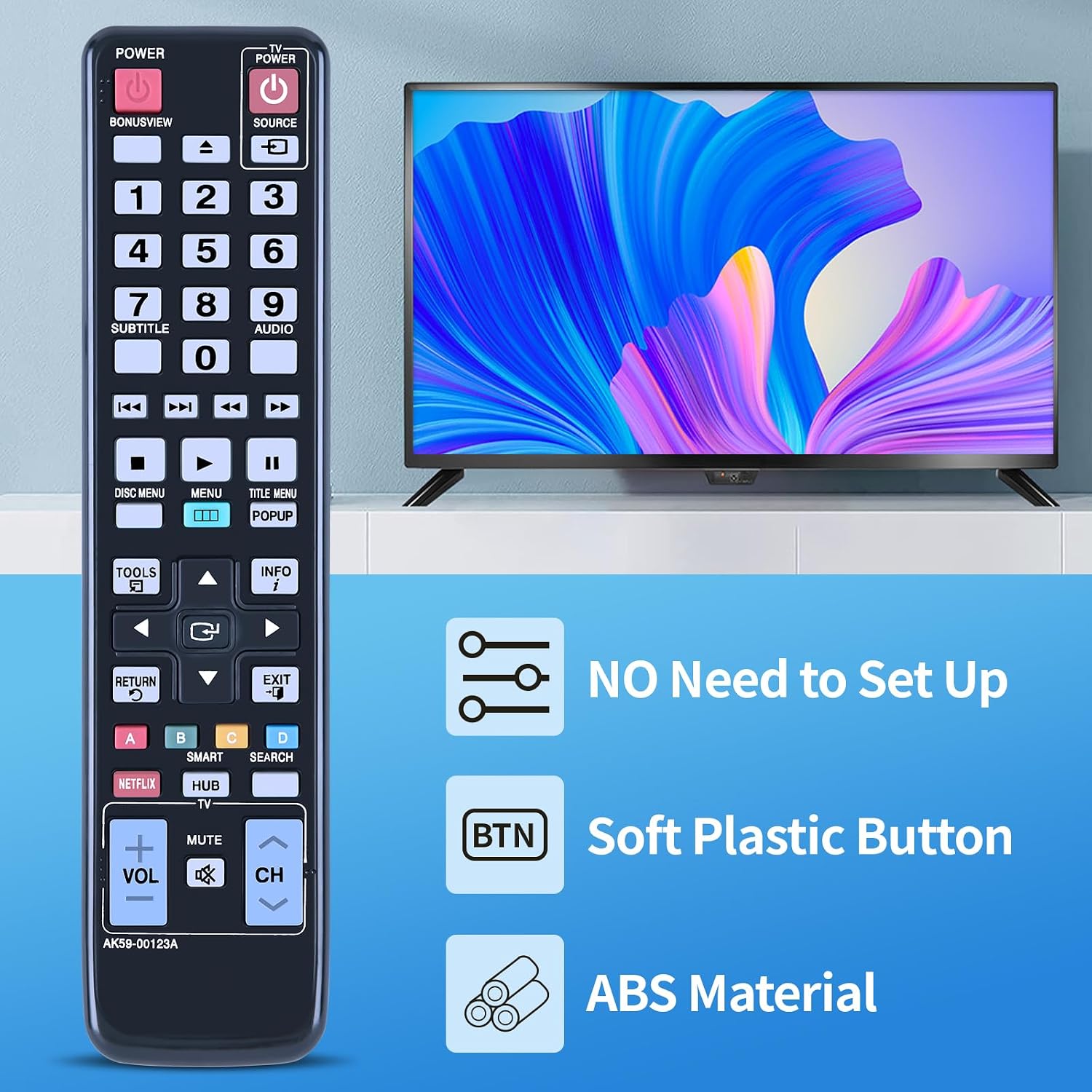
Buttons are described as soft silicone, which is the sort of detail that can make day-to-day control feel less “clicky” and more forgiving if you press often. The housing is said to be durable plastic with a covered battery compartment, which should help with basic longevity—again, not glamorous, but it’s exactly what you want in a replacement you’ll reach for every few days.
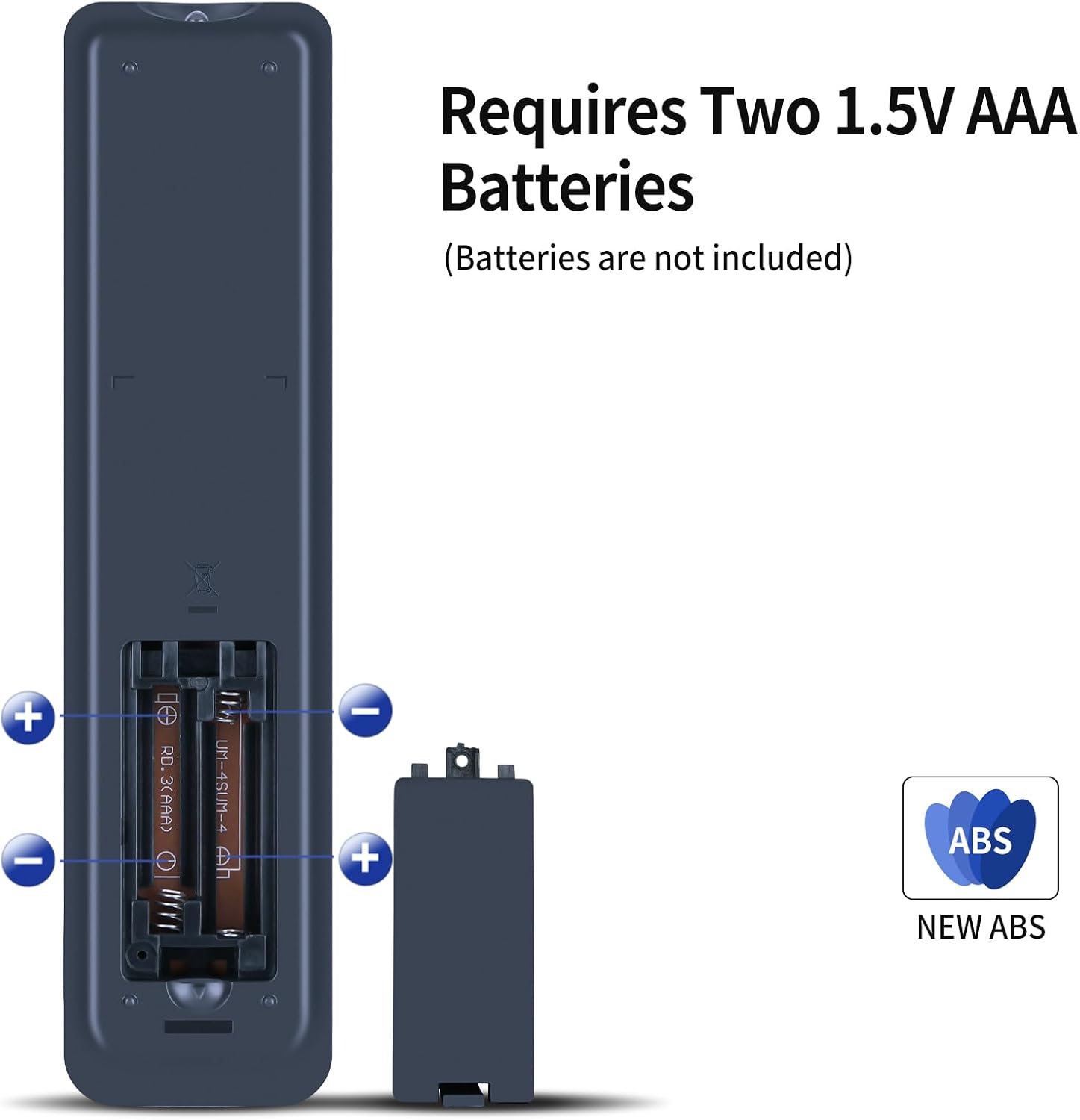
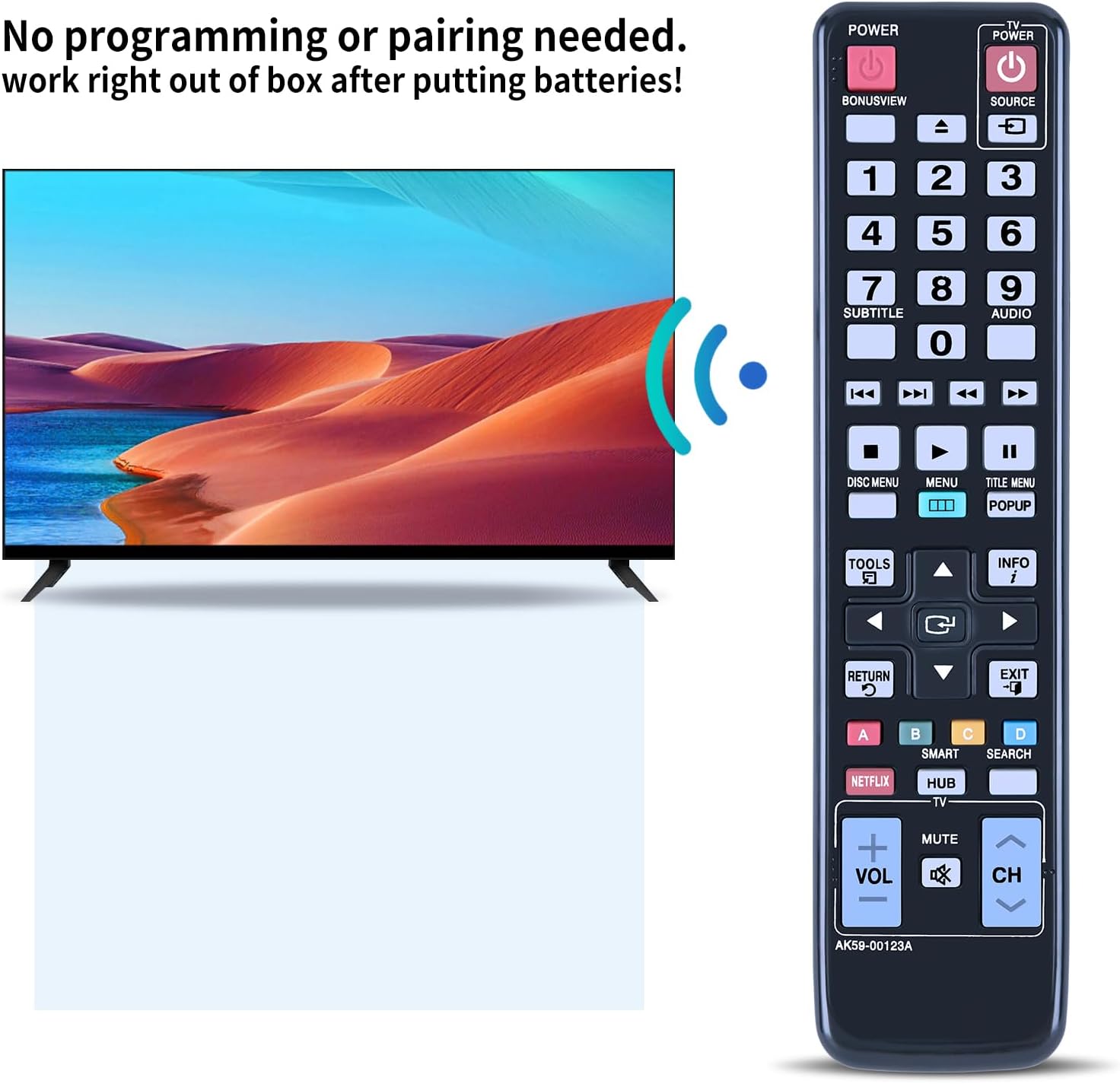
A notable point is the “quick start” approach: the remote works simply by inserting batteries (batteries are not included). If you’re the type who just wants the DVD player back in action, this is where the product aims to reduce friction.
What to know about setup and compatibility
The description is pretty clear that this alternative remote does not require programming. In practical terms, that usually means you can swap it in and use it straight away—assuming it matches your unit.
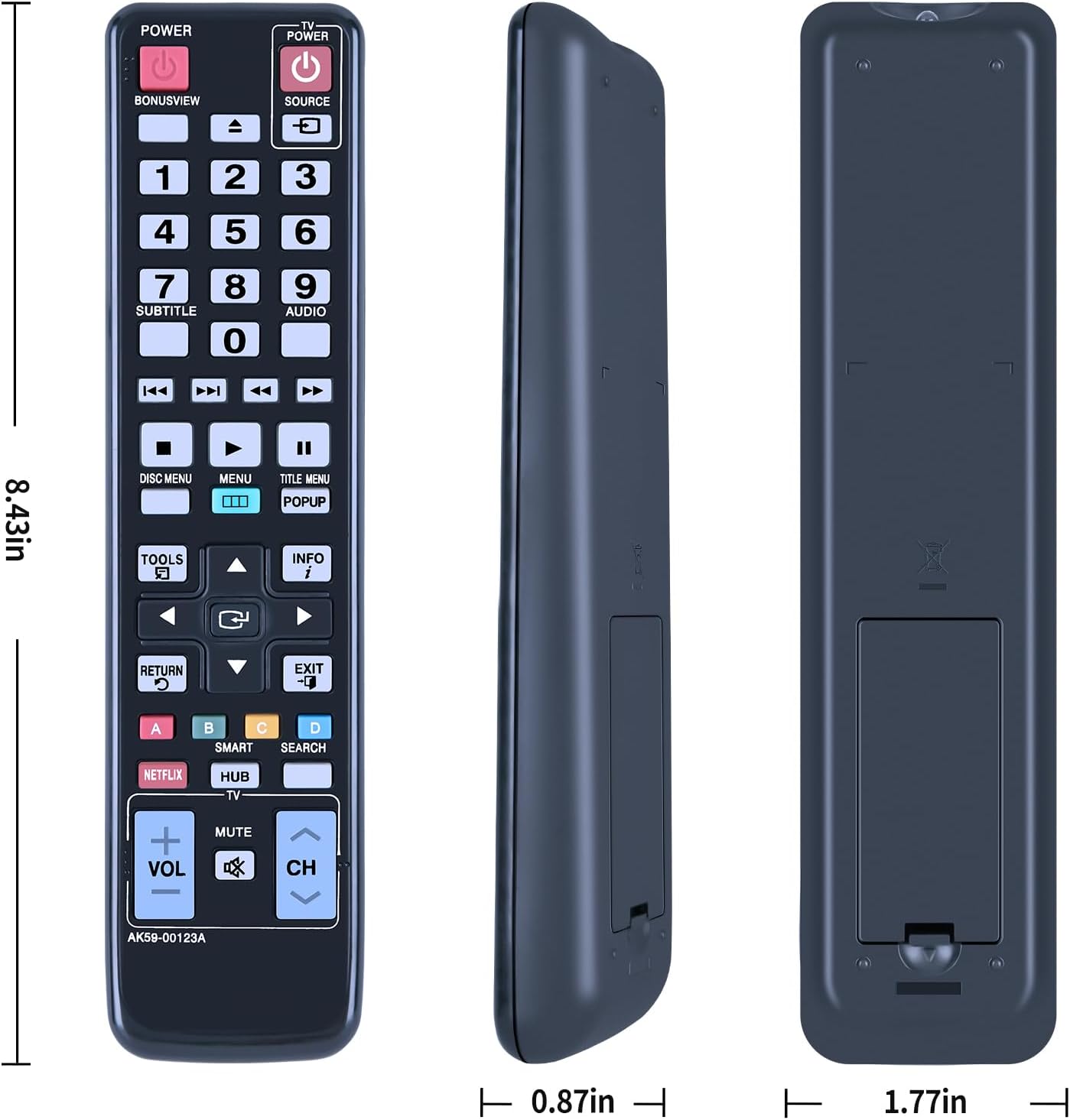
However, there’s a big “but”: you should carefully check the image of the remote before buying. The note specifically asks you to pay attention to the key symbols and make sure they match exactly what you need. This is one of those cases where “compatible” models can still vary by remote layout, so it’s worth confirming visually rather than assuming all remotes look the same.
If you’ve ever bought a replacement that looks close but has different button markings, you’ll know the feeling. This product tries to avoid that issue by telling you to double-check—so take that advice seriously.
Where it shines (and where it may fall short)
It’s not hard to see why this kind of replacement remote is appealing. It’s meant for people who want their Samsung DVD disc player controlled again without needing to learn a new setup. If your current remote is damaged or unresponsive, replacing it can be the fastest route back to watching.
That said, it may not be the best choice if you’re unsure about the exact remote variant. If you can’t confirm the key symbols or the remote shown in the listing doesn’t clearly match your existing one, you may end up with a remote that’s the right brand and model family—but not quite the right button layout.
Usage tips for first-time setup
Getting it working should be uncomplicated, but here’s a realistic approach that avoids common mistakes.
1) Compare the remote image to your current (or original) remote layout. Match key symbols/buttons as closely as possible. 2) Insert batteries into the battery compartment (not included). 3) Test basic controls first—power and navigation/play-type functions—so you can confirm it’s responding before you spend time on more specific buttons.
A quick micro-scenario: imagine you press play and nothing happens—before assuming the remote is faulty, re-check that the symbols and layout match your device’s original remote. These remotes can look similar at a glance, but the “right button set” is what usually makes the difference.
Pros
- Simple replacement concept for a damaged/old remote
- No programming required, per the description
- Ergonomic, lightweight design intended to be comfortable
- Soft silicone buttons and durable plastic housing for everyday handling
- Battery compartment cover for added practicality
Cons / limitations to consider
- Batteries are not included
- Compatibility depends on matching the correct remote layout and key symbols—so you may need to verify carefully
- It’s positioned as a replacement remote (so if you want premium build or advanced features, it may feel basic)
Buying verdict
It’s a good fit if you have a Samsung DVD disc player from the models referenced in the product name/description and you’ve confirmed the remote’s key symbols match what you need. If your current remote is failing, this is the kind of straightforward replacement that can get your setup back to normal quickly—without programming.
You may want to skip it if you’re buying without being able to compare the listing image to your existing remote. If the button layout doesn’t match, it’s the wrong kind of risk. Also, if you’re expecting batteries included or any setup beyond inserting them, note that the description says you’ll need to add the batteries yourself.
For most households, this sits in the “replacement for everyday use” category: not trying to be more than it is, but aiming to be reliable enough for regular DVD control.
Frequently asked questions
FAQ
Do I need to program this remote?
No—according to the description, it doesn’t require programming and should work once you insert the batteries.
Are batteries included?
No, batteries are not included.
How can I be sure it’s the right replacement?
Carefully check the product’s remote image and compare the key symbols/button layout. The listing specifically asks you to confirm they match exactly.
What should I do if I’m unsure before buying?
If you can’t confidently match the button symbols, it’s safer to double-check your current remote first (or contact the seller with your question), since compatibility is emphasised as image/symbol dependent.
Who will find this comfortable to use?
The description suggests the ergonomic, lightweight design is comfortable for children, adults, and older users—so it’s a practical option for shared households.