

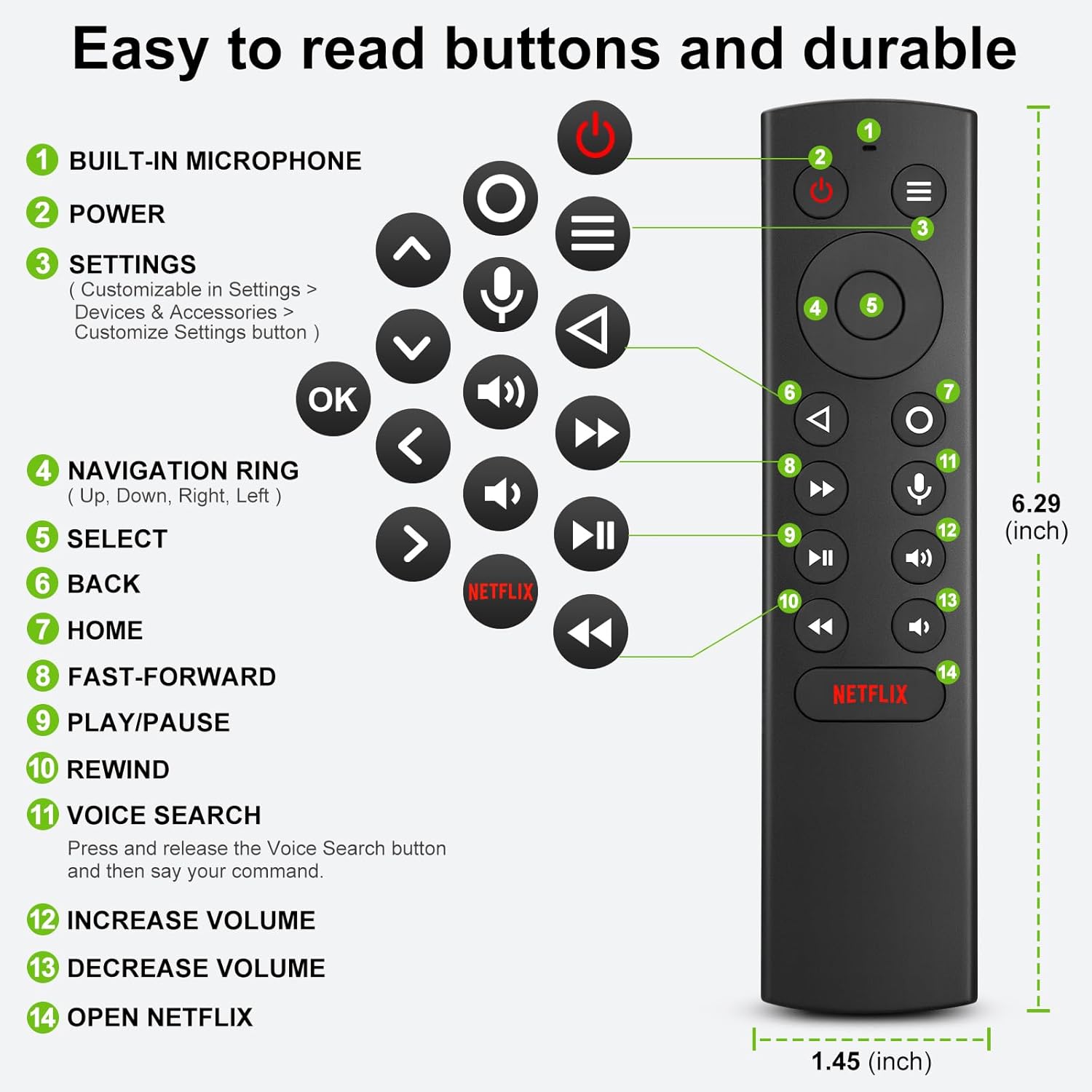
OMAIC Voice Replacement Remote Control for NVIDIA Shield TV (2015/2017/2019) streaming media players
Price
Product description
What it is and why you’d want it
If your NVIDIA Shield TV remote has gone missing, stopped responding, or you just want a second controller, this OMAIC voice replacement remote is built for that exact kind of everyday problem. On paper, it’s designed to work with NVIDIA Shield TV streaming media players from the 2015, 2017 and 2019 generations, covering all models listed in the product description.
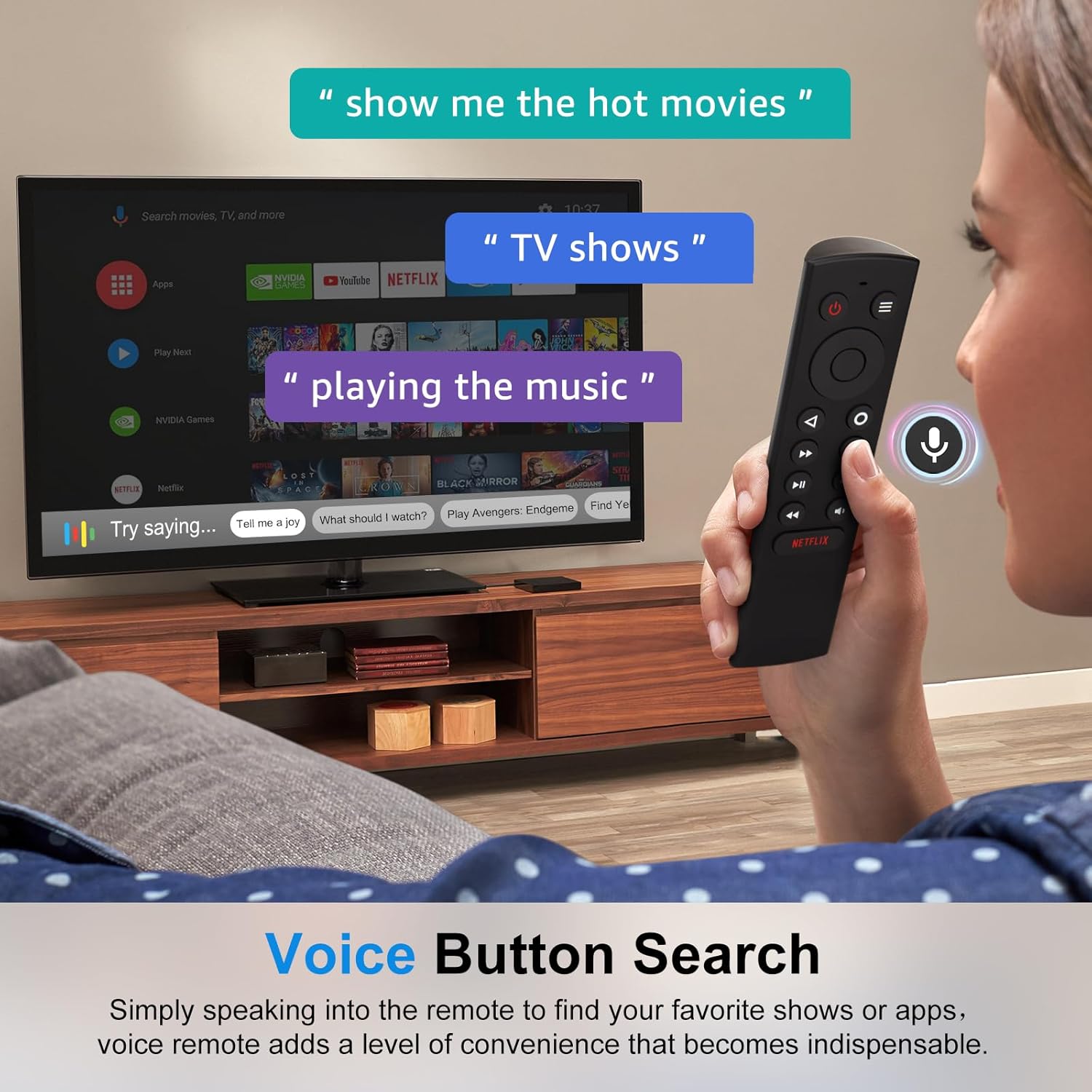
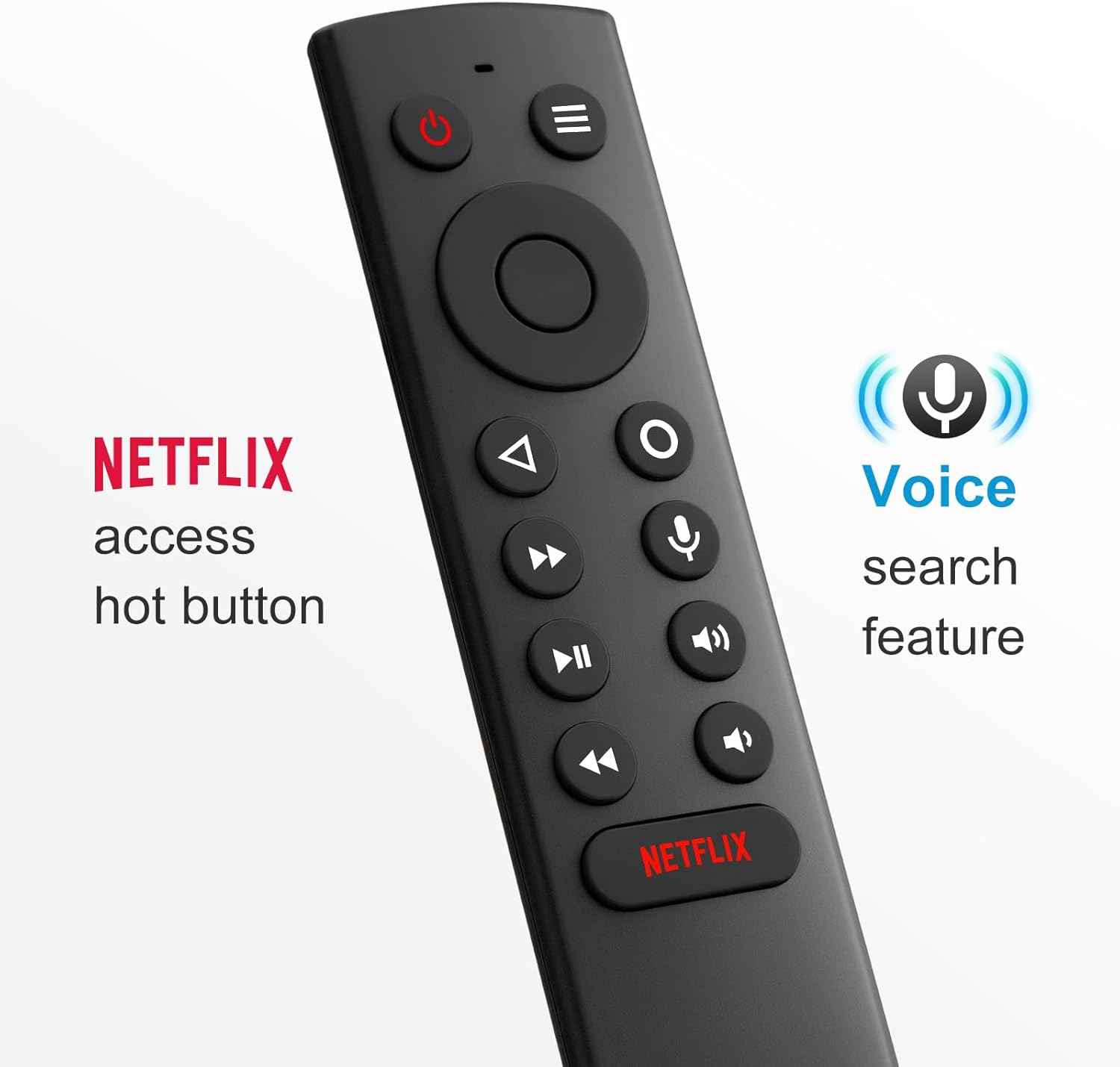
The headline feature is voice control. Instead of scrolling for ages, you press and hold the voice search button, speak your command into the remote, and let the Shield handle the navigation. For many people, that convenience becomes the “why didn’t I replace it sooner?” factor, especially when you’re trying to find an app or a programme quickly.
Key features that matter in day-to-day use
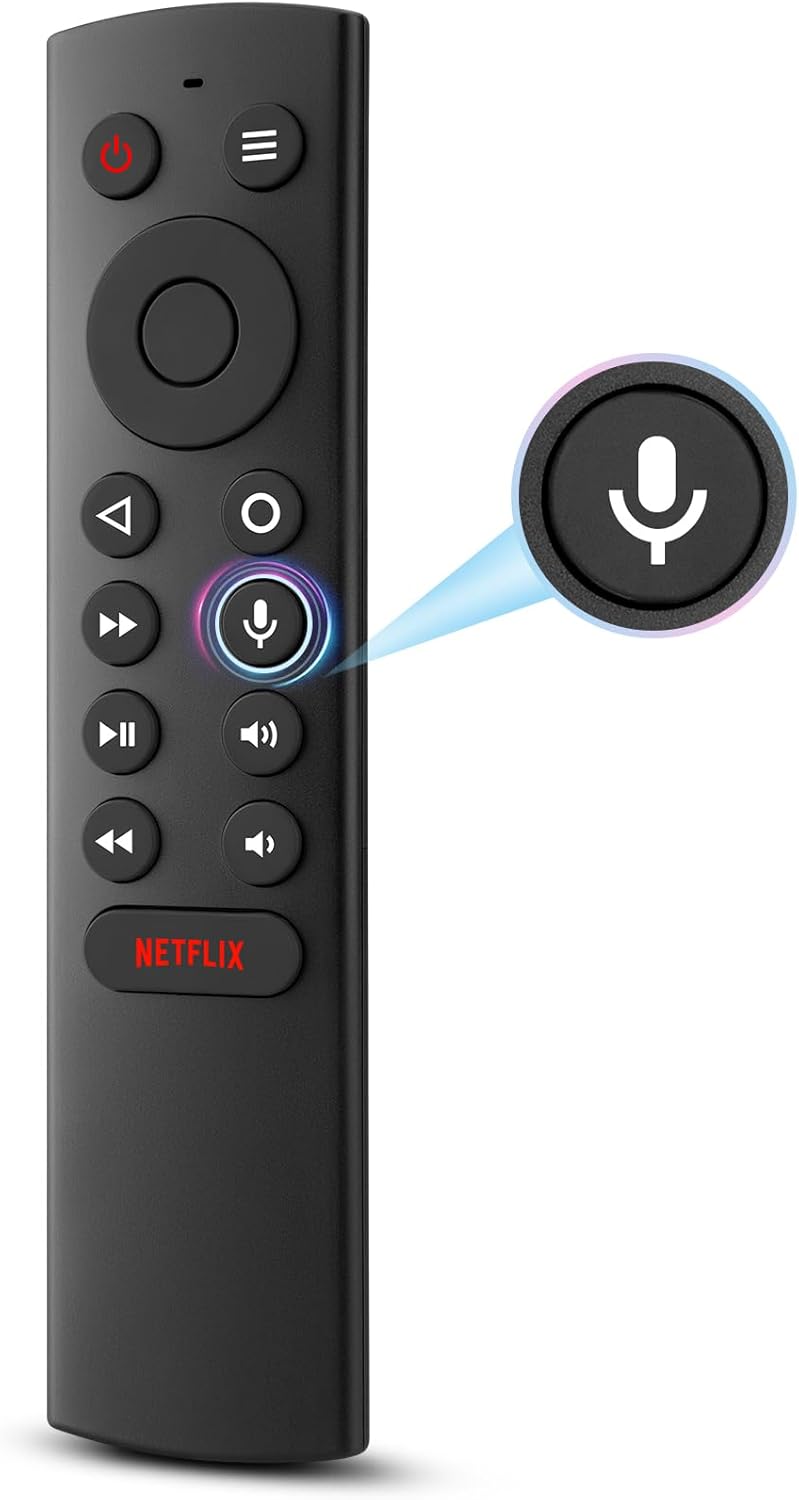
The voice search workflow is straightforward: press and release the voice search button, then speak the command. It’s aimed at letting you search for TV programmes, start applications, and control your TV’s volume.
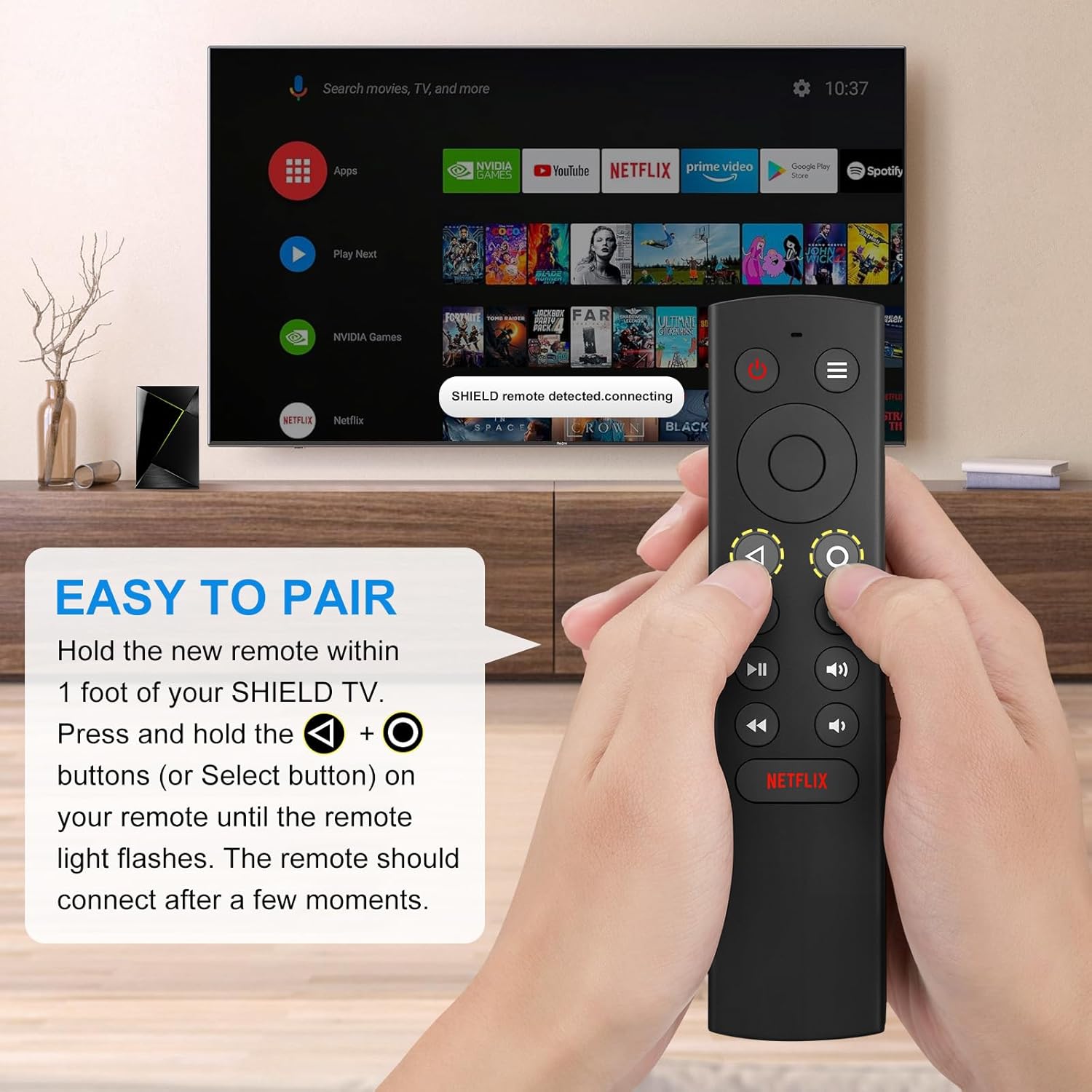
There’s also the practical side of pairing. The description says pairing is simple: keep the new remote held on the Shield TV, then keep holding the “Select” button on the remote until the indicator on the remote starts blinking. After a moment, the remote should connect.
One more detail worth noting: it’s described as precise for voice control, including in noisier environments, and the buttons are meant to feel good under the fingertips, with a decent grip and key pressure points. That’s the sort of thing you notice more after a week than after five minutes.
At a glance: where it fits, and where it might fall short
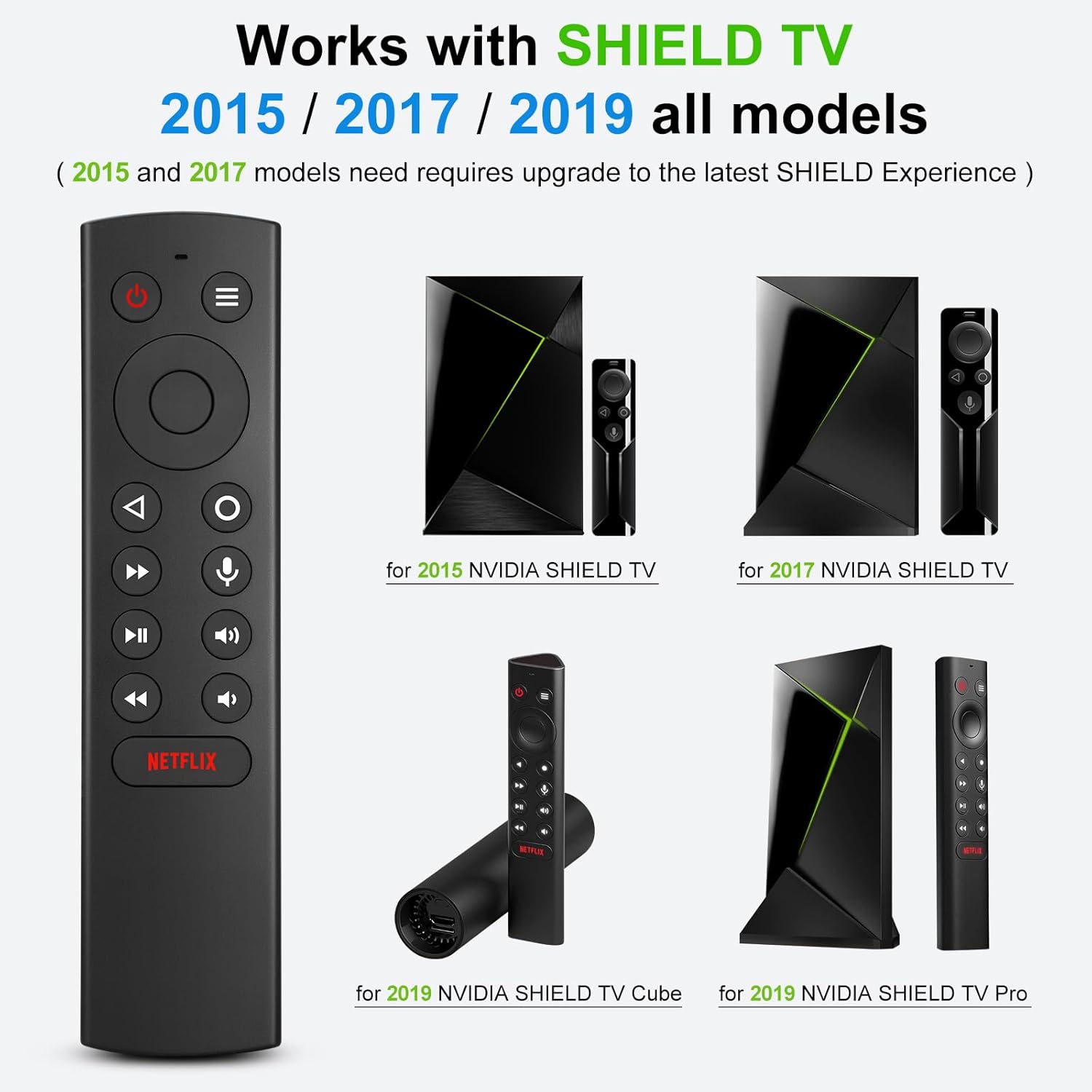
It makes sense if you want a voice-enabled replacement remote for a Shield setup and you prefer the speed of voice search. It also makes sense if you like keeping a spare remote around—households often end up with one controller for the sofa and another for the sideboard.
However, it’s not perfect for everyone. The instructions/manual language is described as “Spanish not guaranteed”, which is a small reminder that documentation may not be as straightforward as you’d hope. Also, as with any replacement remote, you’ll want to double-check that your specific Shield model is one of the ones mentioned (2015, 2017, and 2019 models listed in the description). If your device doesn’t match, the remote may not pair or behave as expected.
Tech specs (as stated)
- Type: Voice replacement remote control
- Compatible models: NVIDIA Shield TV 2015, NVIDIA Shield TV 2017, NVIDIA Shield TV Cube 2019, NVIDIA Shield TV Pro 2019 (all models stated in the description)
- Voice control: press-and-release voice search button, speak command to the remote
- TV functions: voice search plus TV volume control (as described)
- Battery type: requires two AAA batteries (batteries not included)
- What’s included: remote control and instruction manual (language not guaranteed)
Pairing and using it in real life
In practice, the biggest win is speed. For example, imagine you’re half-way through the evening and the kids are shouting about what to watch. Instead of hunting through menus, you press the voice button, say something like the programme name or the app you want to open, and let the Shield’s search do the work.
And when you’re setting it up, the process described is fairly painless: hold the new remote against the Shield TV during pairing, then hold the “Select” button until the remote’s indicator blinks, then wait for it to connect.
Should you buy it?
This is a solid pick if you need a voice-capable replacement remote for an NVIDIA Shield TV streaming media player from the 2015/2017/2019 range and you’d benefit from quick voice search for apps and programmes.
You may want to skip it if you’re not confident your Shield model matches the specific compatibility list in the description, or if you prefer replacement remotes that come with guaranteed documentation in your preferred language. Also, if you don’t plan to use voice search much, you may feel like it’s more features than you need.
Finally, consider the basics: it requires two AAA batteries, so you’ll want to have those ready (they’re not included).
Mini FAQ
FAQs
Does it work with NVIDIA Shield TV Pro?
The description includes compatibility for NVIDIA Shield TV Pro (2019) models, as well as other Shield TV models listed for 2015, 2017 and 2019.
Are batteries included?
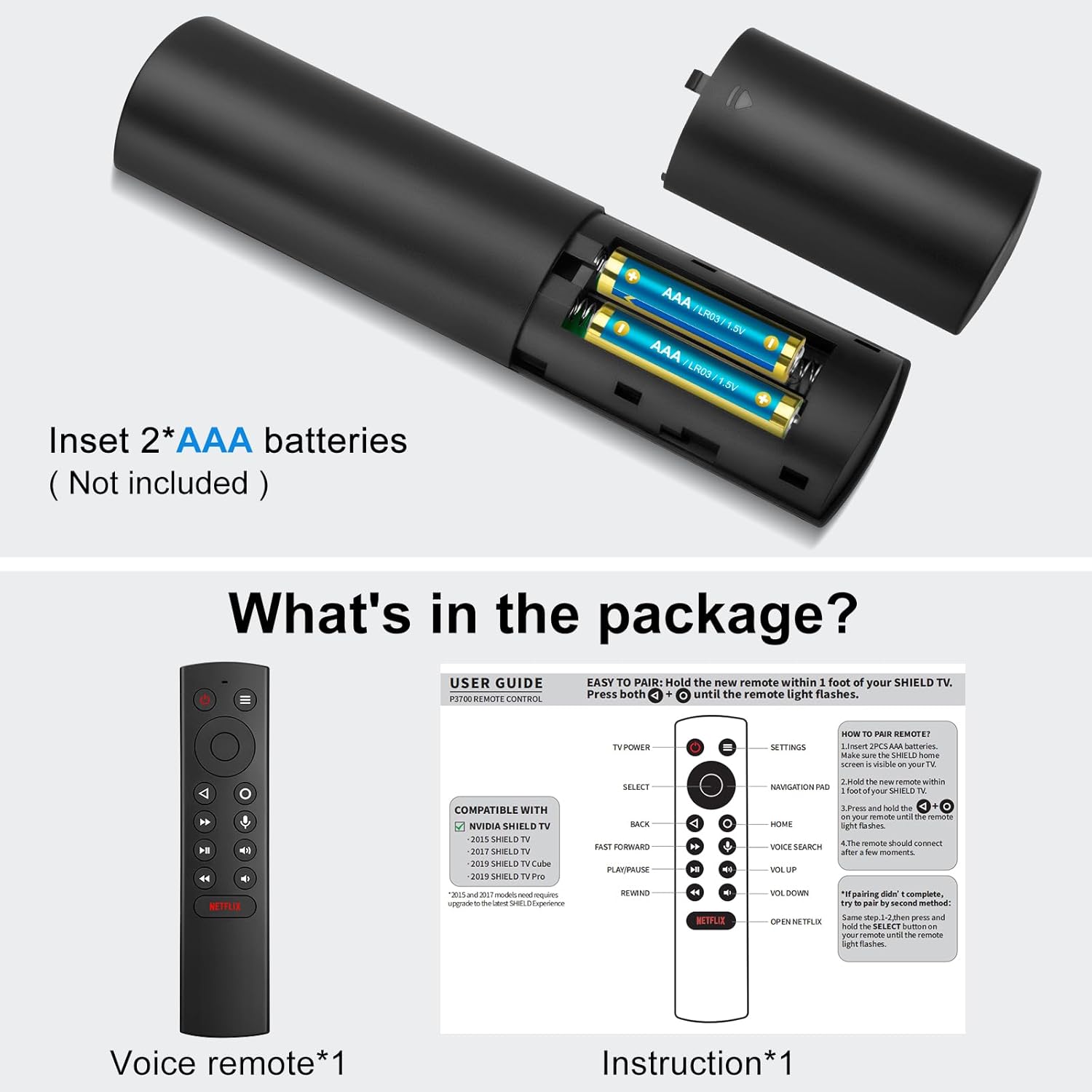
No. It requires two AAA batteries, but the batteries are not included.
How do you pair the remote?
The description states pairing is done by holding the new remote on the Shield TV, then holding the “Select” button until the remote indicator flashes. The remote should connect after a short moment.
Can more than one remote be used on the same TV?
The description says it’s possible to use two or more remotes at the same time on the same TV, including the original remote.
Is the voice control reliable?
It’s described as precise and generally includes what you say even in noisy environments—useful if you’re not always in a quiet room.
Final verdict
If your Shield remote is missing or worn out, OMAIC’s voice replacement remote looks like a practical way to get voice search back on your NVIDIA Shield TV setup—provided your exact Shield model matches the 2015/2017/2019 list in the description. It’s the kind of replacement that earns its keep quickly, especially for finding programmes and launching apps without endless menu scrolling.