

TCNOUMT RC-0015 Replacement Remote Control for BenQ Mobiuz monitors (RC-0015, EW2880U/EW3270U/EW2780/EW2480)
Product description
What it is and why people buy it
If your BenQ Mobiuz monitor remote has gone missing, stopped responding, or looks a bit worse for wear, a replacement is often the simplest fix. The TCNOUMT RC-0015 Replacement Remote Control is designed to act as a direct substitute, bringing back the same general control experience you expect from an original-style remote.
On paper, it’s a straightforward swap: no setup routine, no programming steps, just basic battery power. That makes it a practical buy if you mainly want everyday control back in the room—without having to troubleshoot more complex options.
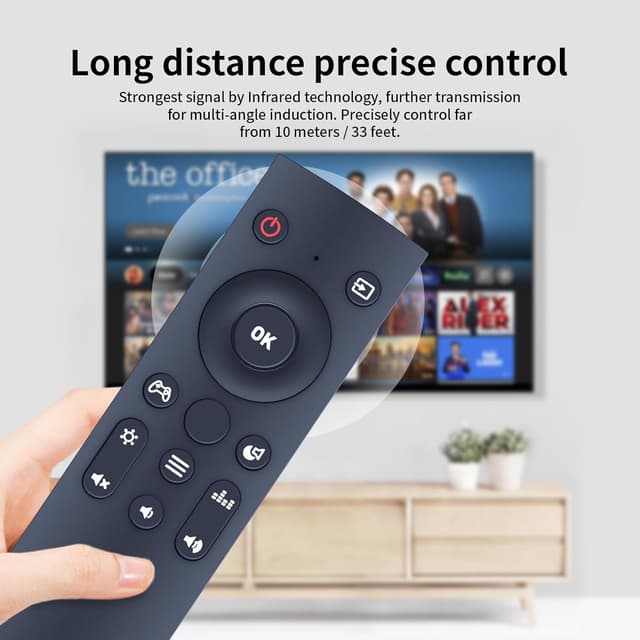
There is one important caveat, though: compatibility can depend on the exact button layout and markings. The listing specifically advises checking the remote image carefully and paying attention to the button symbol so you get the right match for your current remote.
Quick overview: key features that matter day to day
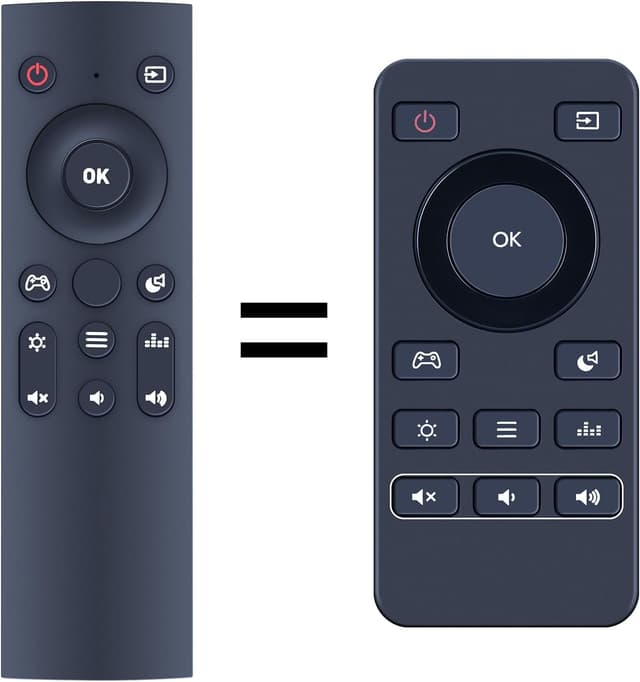
This replacement remote leans into the usual things you want from a monitor remote: easy handling, quick activation, and buttons that are comfortable to press.
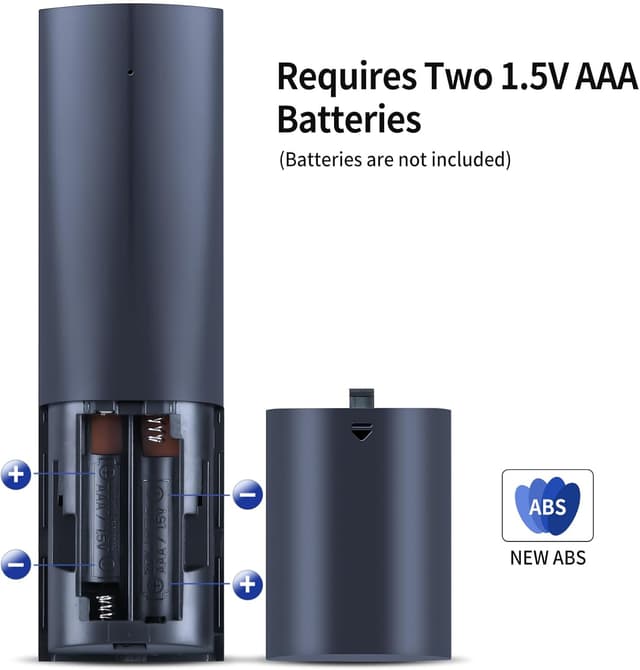
It uses 2x AAA batteries (not included), so you’ll need to have a couple to hand before you can test it. The remote also includes a battery compartment cover, and it’s built with a sturdy plastic shell intended for regular daily use.
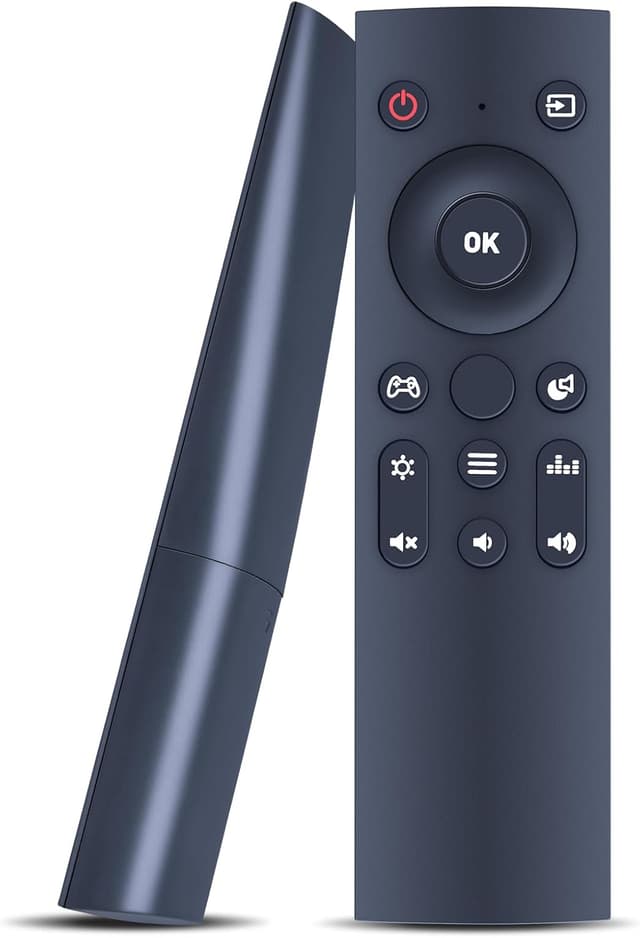
Button feel is covered too. The remote has silicone-style soft buttons, which can help with more comfortable pressing—especially if you use the remote fairly often for menu navigation or switching settings.
The setup: simple batteries, no programming (but plan for AAA)
One of the more convincing points here is the “no programming” approach. In practical terms, that means you’re not expected to pair it to the monitor via a code, a sequence of button presses, or an app.

Instead, you insert 2 AAA batteries and use it. That’s a big advantage if you just want to get back to watching content or adjusting settings quickly.
Still, take note that the batteries aren’t included. If you don’t already keep AAA batteries at home, that’s a small extra step before it’s usable.
Ergonomics and build: comfortable enough for everyone
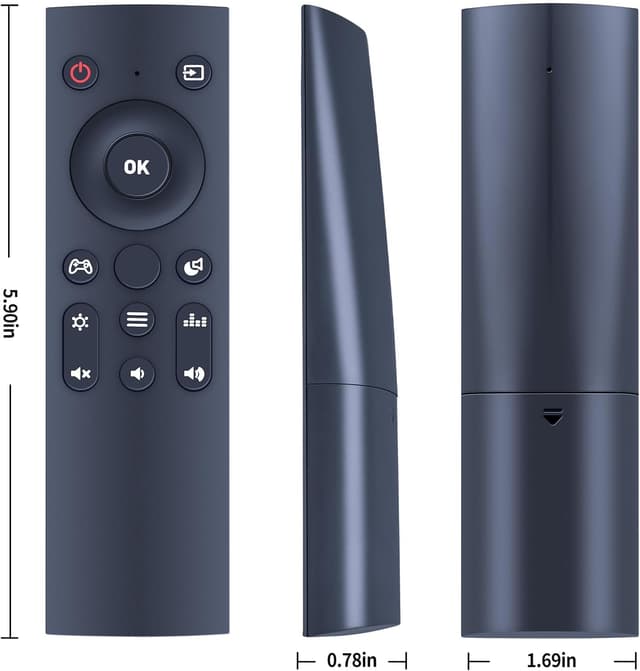
The remote is described as lightweight and ergonomically shaped, aimed at being easy to hold. The manufacturer also suggests it’s comfortable for a wide range of users, including children, adults, and older users.
This type of claim is usually about general grip and button accessibility rather than advanced control features. Where that tends to be a real benefit is in everyday use: shorter presses, less fiddling, and fewer “why is this awkward?” moments when you’re switching inputs or adjusting display settings.
Limitations to keep in mind before you buy
Replacement remotes are rarely one-size-fits-all. Even when compatibility is “compatible with” a model family, not every button function is guaranteed. The description is clear that depending on the button and the exact monitor model, some functions may not be available.
So if you have a very specific setting you rely on—something mapped to a particular button—this is the part you should be mindful of. It’s not necessarily a deal-breaker, but it could mean you get most day-to-day control rather than every last function exactly as before.
Who it suits (and who should think twice)
It’s a sensible buy if you: - want a basic replacement remote that’s quick to get working (batteries in, start using) - need a replacement because yours is damaged, worn out, or no longer working reliably - prefer an uncomplicated remote rather than anything that needs pairing or setup
It may not be the best match if: - you’re very particular about using every single original button function - you’re not confident you’ve identified the exact RC-0015 variant and button symbols (because the listing urges careful comparison)
In other words, it’s aimed at getting you back to normal use, not at being a fully guaranteed “identical clone” in every scenario.
Tech essentials (useful for checking fit)
The listing highlights a few practical details you can verify quickly:
- Name: TCNOUMT RC-0015 Replacement Remote Control
- Type: Replacement remote control for BenQ Mobiuz review monitors (compatible models listed)
- Batteries: Requires 2x AAA batteries (not included)
- Build: Durable plastic casing with a battery compartment cover
- Buttons: Soft silicone-style buttons for comfortable pressing
Also, the compatibility note matters: compare the remote image and button symbol carefully before ordering.
Buying verdict
If you want a replacement BenQ Mobiuz remote that’s easy to activate and built for day-to-day button use, the TCNOUMT RC-0015 makes sense as a practical repair. The “no programming” approach and simple AAA battery setup remove a lot of friction.
That said, don’t assume every button function will be identical. Take the compatibility warning seriously—check the image and button symbol—especially if you depend on a particular control.
Should you buy it? It’s a solid pick if your main goal is to restore normal remote control for an EW2880U, EW3270U, EW2780 or EW2480-style setup and you’re comfortable with a basic replacement experience. You may want to skip it if you need guaranteed 1:1 function availability from every original button.
Mini FAQ
Do I need to programme this remote?
No programming is described. The listing says you simply insert 2 AAA batteries (not included) and use it.
What batteries does it take?
It requires 2x AAA batteries.
Are all remote functions guaranteed?
Not necessarily. The description notes that depending on the button and the model, some functions may not be available.
How can I be sure it matches my current remote?
Check the image of the remote carefully before buying and pay attention to the button symbol so it matches exactly.
What should I do if I’m unsure?
The listing encourages contacting the seller if you have questions before ordering.