

TCNOUMT replacement remote control for ZDK Wielio MEER YG300 ARTSEA mini projectors
Product description
The essentials
If your mini projector remote has gone missing, cracked, or simply stopped responding, this TCNOUMT replacement remote is aimed at getting you back to normal use without any faff. On paper, it’s designed as a direct substitute with the same functions you’d expect from the original remote, so you can carry on switching inputs, controlling basic playback/menu actions and getting the projector working the way you’re used to.
It’s also presented as truly plug-and-play: you drop in 2×AAA batteries (not included) and use it. No programming, no pairing steps mentioned, which is exactly the kind of simplicity you want when the original remote is already out of action.
What it’s for (and what to expect)
This remote is a practical fix for a specific kind of problem: you own one of the compatible mini projector models listed in the product title, but your remote isn’t working or has been damaged. In that scenario, it can be a straightforward way to restore day-to-day control.

One limitation to keep in mind is that “some functions may not be available” depending on the button and the model. That’s pretty common with replacement remotes, especially when compatibility is based on matching the remote’s layout rather than a guaranteed 1:1 command set. So, it’s best viewed as restoring the core controls, not something you should assume will replicate every last button perfectly.
What stands out in everyday use
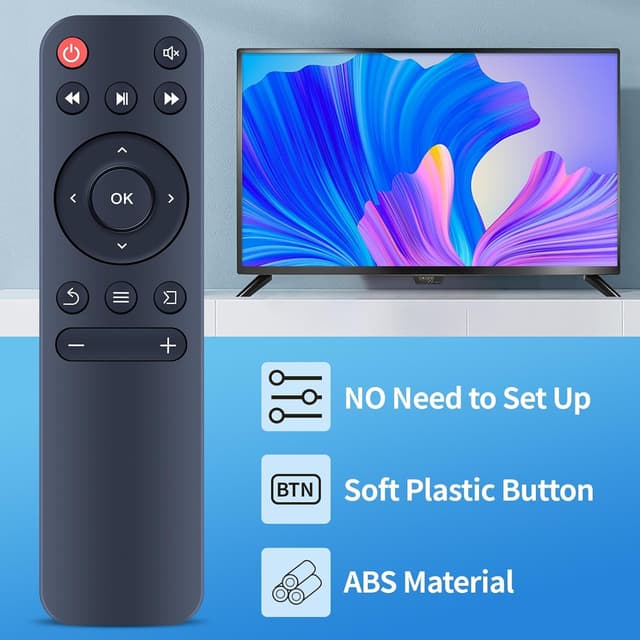
The design is geared towards normal handling. The case is described as sturdy plastic, and the battery compartment cover is included, which matters if you frequently pack the projector away, move it between rooms, or use it in a more casual setting.
The buttons are also noted as soft silicone. That small detail tends to make remotes feel nicer to use—less clicky or hard-on-the-fingers—while still offering tactile feedback for quicker, less error-prone operation.
There’s also a responsiveness angle here: the remote is described as having buttons crafted for tactile feedback, which can be helpful when you’re adjusting things in the dark or from across a room.
Key points before you buy
This is the part that could save you hassle. The listing specifically asks you to check the remote control picture carefully before purchasing and pay attention to the button symbols so they match what you need exactly.
That means compatibility isn’t just about the model name, it’s about matching the button layout and iconography. If your current remote looks slightly different—different symbols, different number of buttons, or a different layout—this is exactly where you may run into issues.
A practical “sanity check” is to compare the button icons on your existing remote (or a photo of it) with the listing image. If the symbols don’t line up, it may not be the right match.

Tech specs
- Type: Replacement remote control
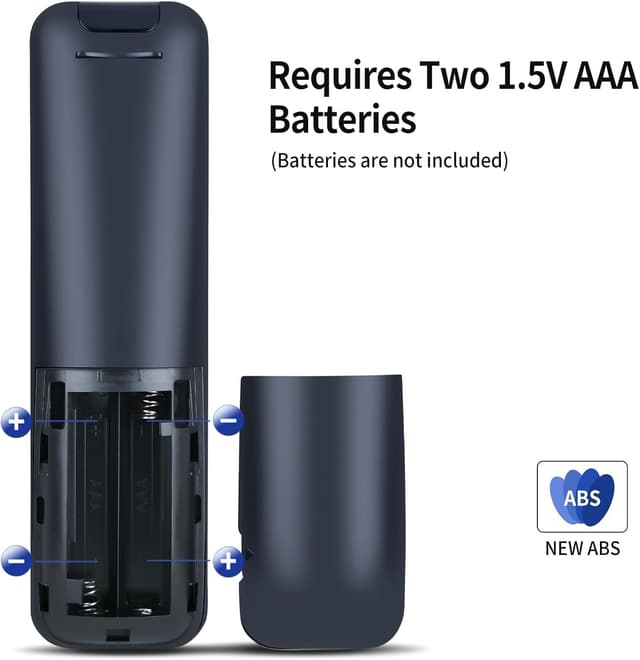
- Batteries required: 2×AAA (batteries not included)
- Construction: Sturdy plastic case, battery compartment cover
- Buttons: Soft silicone buttons
Is it worth it?
It makes sense if you want a simple replacement remote for a compatible mini projector and you prefer a no-setup option. If your current remote is damaged or unresponsive, this is the kind of fix that can get your projector back in use quickly.
You may want to skip it if you’re expecting guaranteed full feature parity for every button and every model variant. The listing itself notes that some functions may not be available depending on the model and button layout, and compatibility relies heavily on matching the remote picture and button symbols. If your current remote doesn’t visually line up with the listing, it’s safer to keep searching rather than hope.
Mini FAQ
Will I need to programme or set it up?
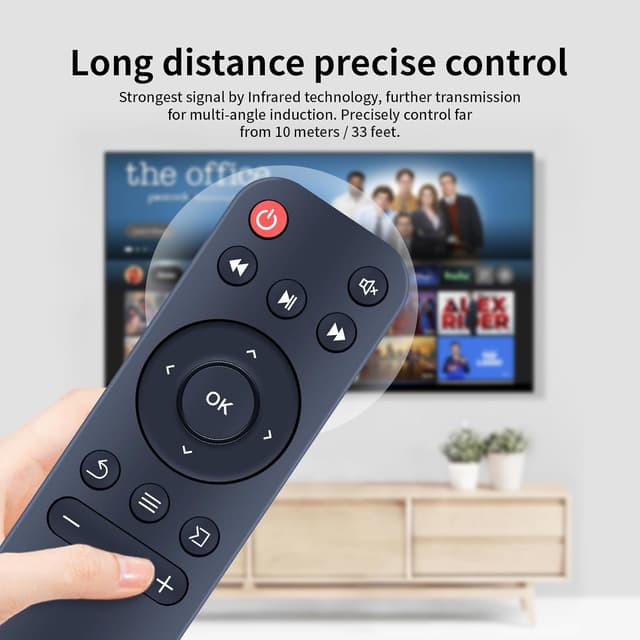
No programming or setup is described. You’re meant to insert 2×AAA batteries and it should work.
Are the batteries included?
No, batteries are not included.
What if not all buttons work?
The listing warns that depending on the button and model, some functions may not be available, so it’s worth checking button symbols carefully.
How do I confirm it’s the right replacement?
Check the remote control picture on the listing and pay attention to the button symbols so they match your remote exactly.
Where does it fit in the bigger picture?
Compared with hunting for an original remote from the same unit, a replacement like this can be better value—if compatibility checks out. But if the button layout doesn’t match, a different replacement approach is likely to be less frustrating.