

TCNOUMT Replacement Remote Control for Optoma BR-3071N / UHL55 / UHD55 / UHZ50 Projectors
Product description
The essentials
If your Optoma projector remote has gone missing, stopped responding, or looks a bit worse for wear, a replacement remote can be the quickest way to get back to normal viewing without changing your projector setup. This TCNOUMT replacement remote is built as a like-for-like alternative, aiming to provide the same functions you’d expect from the original remote for the listed Optoma models.
On paper, the main selling points are straightforward: it’s designed to act as a direct replacement, it’s easy to get running (no programming), and it’s made to be comfortable to hold for longer sessions. That “just works” approach matters if you’re trying to keep movie nights, presentations, or everyday home viewing moving.
Key points
This is a replacement remote control designed to match the original remote’s functions for compatible Optoma projectors. It doesn’t require programming, so there’s less hassle before you can use it again. The design focuses on day-to-day handling: it’s lightweight and ergonomically shaped, with soft silicone-style buttons and a sturdy plastic body. The battery compartment cover is also included, which helps with durability for regular use.
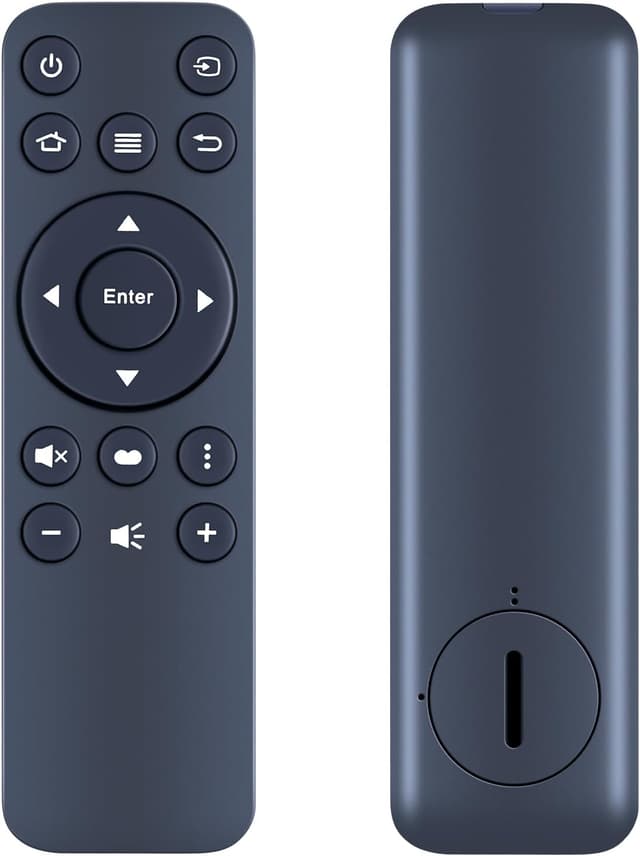
There is one sensible caution, though: replacement remotes can look very similar across models. The supplier specifically advises you to carefully check the remote control picture and pay attention to the button symbol so you’re buying the exact one your projector needs.
What you’ll notice day to day
Most of the practical value here is about reducing friction. You install the battery (battery is not included), then use it straight away. For many people, that’s the difference between a projector that’s only semi-usable and one you can operate comfortably.
The ergonomic, lightweight feel is also a real-world consideration. Whether it’s adults using it on the sofa or kids switching inputs during a family weekend, a comfortable grip and responsive buttons are the sort of thing you tend to notice after the first week.

A quick example: imagine you’re setting up a projector for an evening film. If the old remote is dead or missing, you can pop in a new battery and return to switching sources and controlling playback style settings without walking back and forth to the projector.
Tech specs
- Type: Replacement remote control
- Requirements: Battery not included
- Connection setup: No programming required (insert battery and use)
- Construction: Sturdy plastic case with battery compartment cover
- Buttons: Soft silicone buttons
Where it shines (and where it may fall short)
This replacement remote makes sense if you want the original-style experience—same functions, simple setup, and a comfortable grip—without the extra step of learning a new remote.
However, it may not be the best choice if you’re unsure which remote matches your exact projector model. Even with the listed compatibilities, the listing strongly emphasises checking the remote image and button symbols before buying. If you can’t verify that, it’s easy to end up with a remote that looks right but isn’t the exact match.

Is it worth it?
Worth considering if you need a straightforward replacement remote for a compatible Optoma projector and you prefer a quick setup with no programming. It suits people who just want their projector back under control—at home, for casual entertainment, or for presentations.
You may want to skip it if you can’t confirm the remote picture and button symbol match what you currently have (or what your projector expects). Replacement remotes aren’t always interchangeable, and this one explicitly asks buyers to double-check.
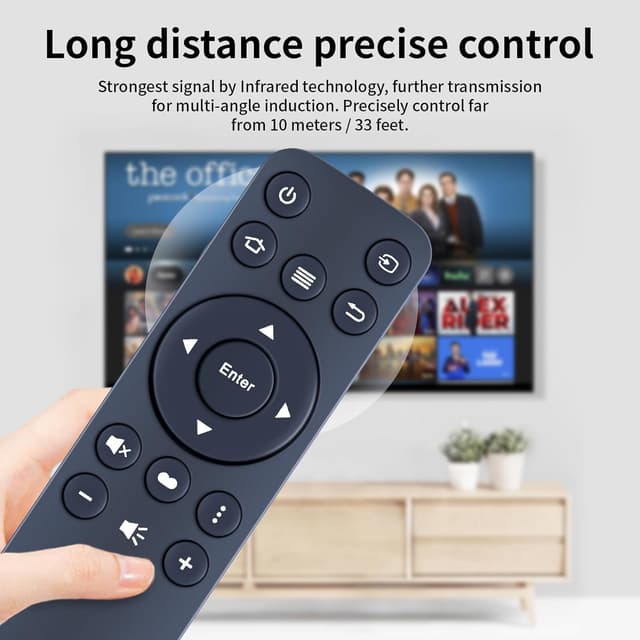
Quick FAQ
FAQ
Does it need programming to work?
No programming is required. The remote is set up by inserting the battery (not included).
Is the battery included?
No, the battery is not included.
How do I make sure it’s the right remote for my projector?
Carefully check the remote control picture in the listing and pay attention to the button symbol to confirm it matches the remote you need exactly.
What models is it intended for?
The listing states compatibility with Optoma projectors including BR-3071N, UHL55, UHD55, UHD566, UHZ50, and BR-3081B. If your model is close but not listed, it’s still important to verify the remote image and button symbols.