


Switch 2 Joy-Con Charging Dock (4-in-1) – Magnetic Fast Charger with LED, Wall Mount & USB-C Cable
Product description
What it is and why people buy it
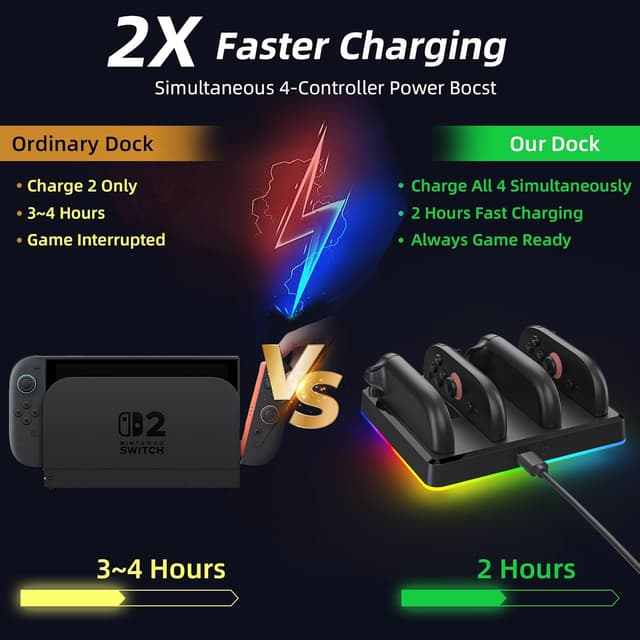
This Switch 2 charging dock is designed to charge both Joy-Con controllers at the same time, using a 4-in-1 layout that can charge multiple controllers in one go. The key idea is convenience: you don’t have to plug and unplug every time you’re swapping between sessions, especially if you’re the sort of player who takes multiplayer seriously.
On top of that, it’s built around magnetic alignment. You “snap” the controllers into place for a secure fit (the description mentions a click and a beep), which is meant to feel reliable rather than fiddly. In day-to-day terms, that’s the difference between a dock you’ll actually use and one that you avoid because it’s annoying.
Key takeaways
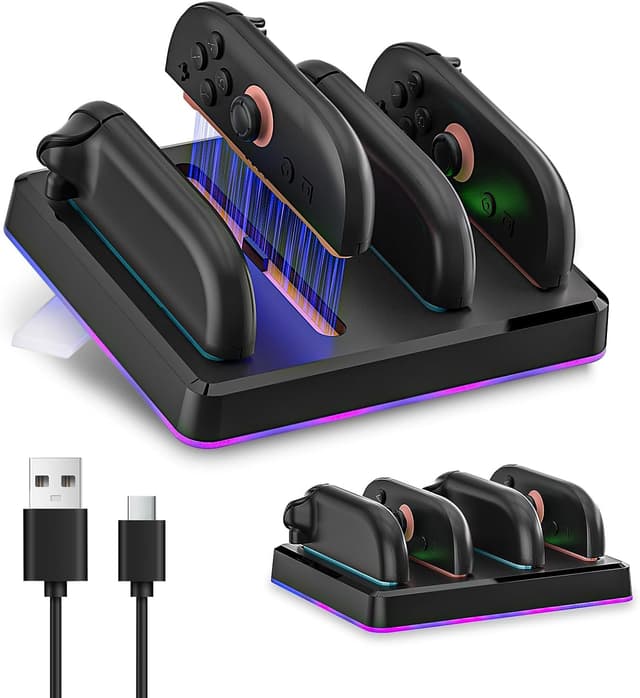
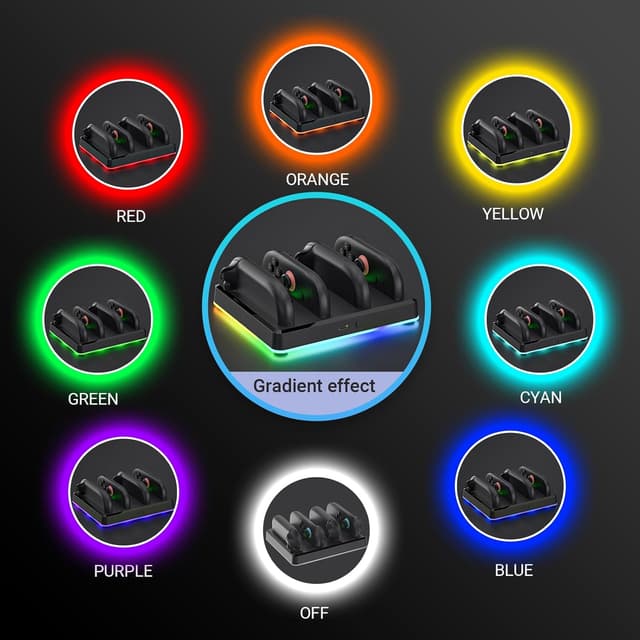
If you want a compact charging station that stays safe overnight and looks tidy on your gaming setup, this one has a clear selling point. The dock includes LED traffic-style indicators (red for charging, green for fully charged), a wall-mount option, and a kickstand for desk use. It also comes with an LED lighting feature with 9 light modes, plus controls for changing modes and turning the lights off.
That said, it’s not automatically the best choice if you only ever charge one controller, or if you’d rather have a super-simple, no-light dock. The extra features are nice, but they can be more than you need.
What you’ll notice day to day
The charging side is straightforward: the dock is positioned as a fast-charging solution, stated as 200mA×4. You can also expect the dock to be “hands-off” thanks to overcharge protection. That matters if you often leave devices to charge between matches, or if bedtime charging is your default.

The LED indicators are also practical. When you walk past your setup, red vs green gives quick confirmation without hunting for a charging screen. Meanwhile, the LED lighting modes (with tap-to-change and hold-to-power-off) are more about ambience than essential function—fun for some, possibly distracting for others.
A small but meaningful detail is the “remembers your settings after power loss” claim. That helps if your power flickers, and it reduces the nuisance of reconfiguring lights.
Safety and convenience features
Overcharge protection is specifically mentioned, which is reassuring if you tend to charge overnight. The description also frames the LED indicators as a simple “traffic light” system: red means charging, green means fully charged.

There’s also the everyday convenience angle: the dock includes a wall-mount kit and a 17° kickstand, and the design is described as compact enough for travel. In other words, it’s not just for a fixed entertainment unit—you can pack it away when you’re heading to a friend’s place for a gaming weekend.
Where it shines (and where it might fall short)
This dock fits best if you’re using Switch 2 and want a dedicated place to charge Joy-Con controllers without cable hassle. It’s particularly compelling if you frequently switch between controllers and want them ready for back-to-back play.
It may not suit you as well if your setup is minimalist or you don’t care about lighting modes. Also, while it’s compatible with “any USB-C cable or adapter” (as stated), the dock is meant for Switch 2 Joy-Con use—so if you’re looking for a more universal charging approach for different controller types, you may want to check your exact controller needs first.
Tech specs
- Name: Switch 2 Charging Dock for Nintendo Joy-Con – 4-in-1 Magnetic Fast Charger
- Type: Charging dock / charging station for Joy-Con controllers
- Format: Magnetic alignment docking with LED indicators and LED light modes
- Charging: 200mA×4 (stated)
- LED indicators: Red (charging) and green (fully charged)
- LED lighting modes: 9 light modes
- Safety: Overcharge protection (stated)
- Mounting: Wall-mount kit included, 17° kickstand (stated)
- Connectivity: Compatible with any USB-C cable or adapter (stated)
Final verdict
Worth considering if you want a compact Switch 2 Joy-Con charging dock that can charge controllers together, uses magnetic alignment for a reliable “snap in”, and includes LED indicators for quick status at a glance. It also makes sense if you’re the kind of person who charges overnight and appreciates the stated overcharge protection.
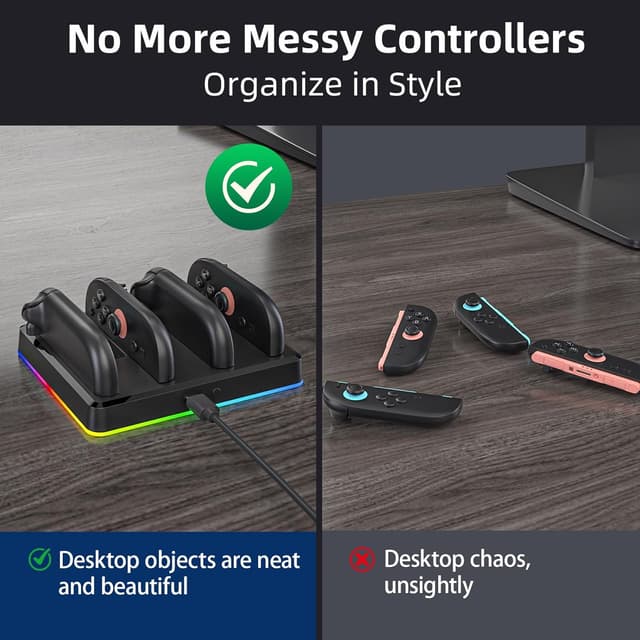
You may want to skip it if you only charge one controller at a time, if LED lighting modes aren’t your thing, or if you prefer a dock with fewer moving parts and no ambience features. For most people who want daily convenience—desk use, wall mounting, and quick visual confirmation—this is the sort of accessory that earns its place.
Mini FAQ
Will this dock charge controllers at the same time?
The description says it’s designed to charge 4 Joy-Con controllers and specifically mentions charging 2 controllers simultaneously.
What do the LED lights mean?
The dock uses LED traffic indicators: red means charging and green means fully charged.
Does it protect against overcharging?
Yes—overcharge protection is included (as stated in the product description).
Can it be mounted on a wall?
Yes. A wall-mount kit is included, and it also has a 17° kickstand for desk use.
Does it use the cable included in the box?
The description says it includes a USB-C cable and is compatible with any USB-C cable or adapter.