

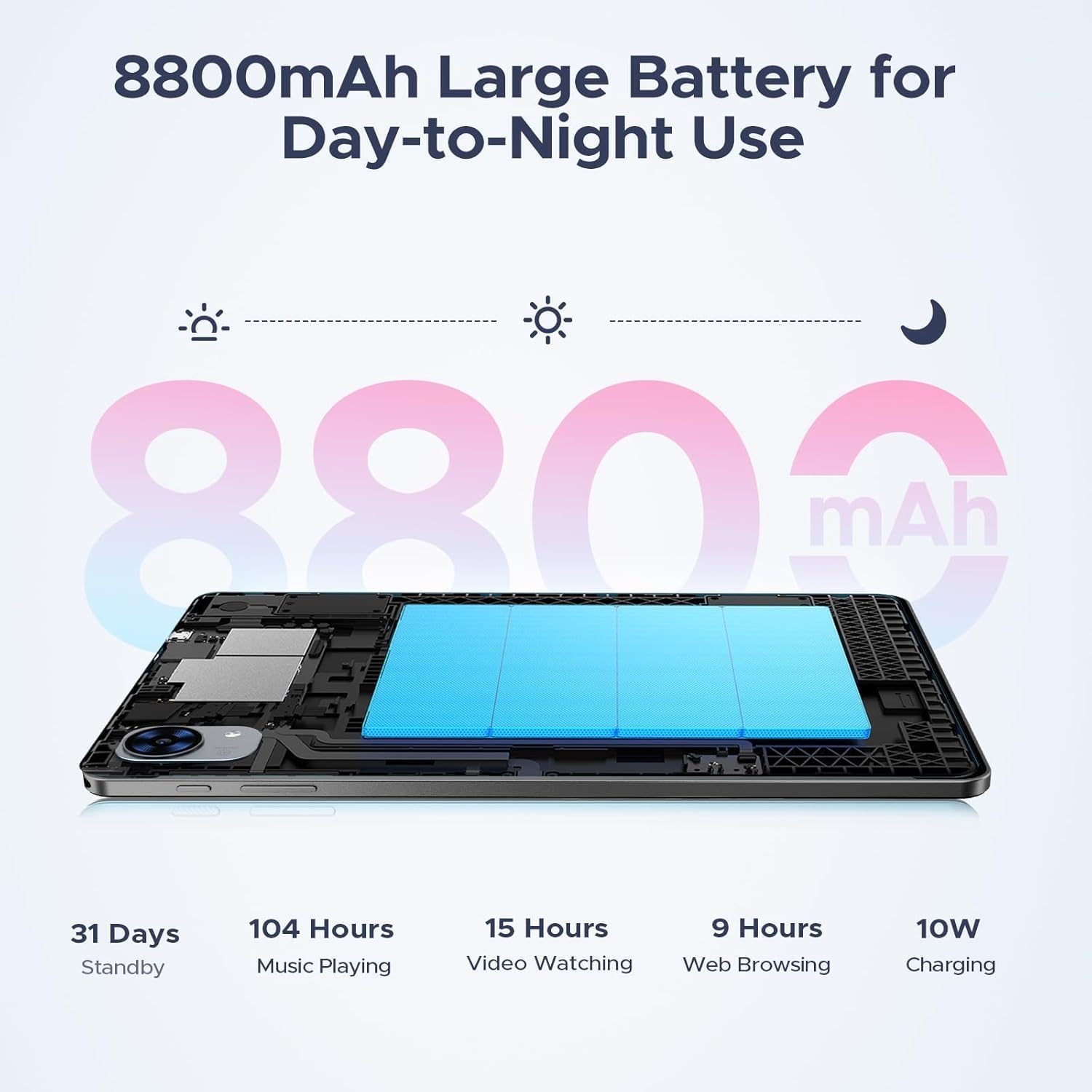
P10 PRO 10 Inch Tablet with Android 16 and Gemini AI
Product description
What it is and the problem it solves
The P10 PRO is a 10.1-inch Android tablet that aims to offer a capable multitasking device for study, work, and entertainment. With Android 16 and built‑in Gemini AI, the tablet promises smarter search, instant translation, and an AI-assisted workflow. It sits in a space where you want a reliable, all‑round tablet that can handle web browsing, streaming, and light productivity without a desktop or laptop. If you prioritise smooth everyday use and the convenience of smart features, this model presents a sensible starting point.
What stands out in everyday use
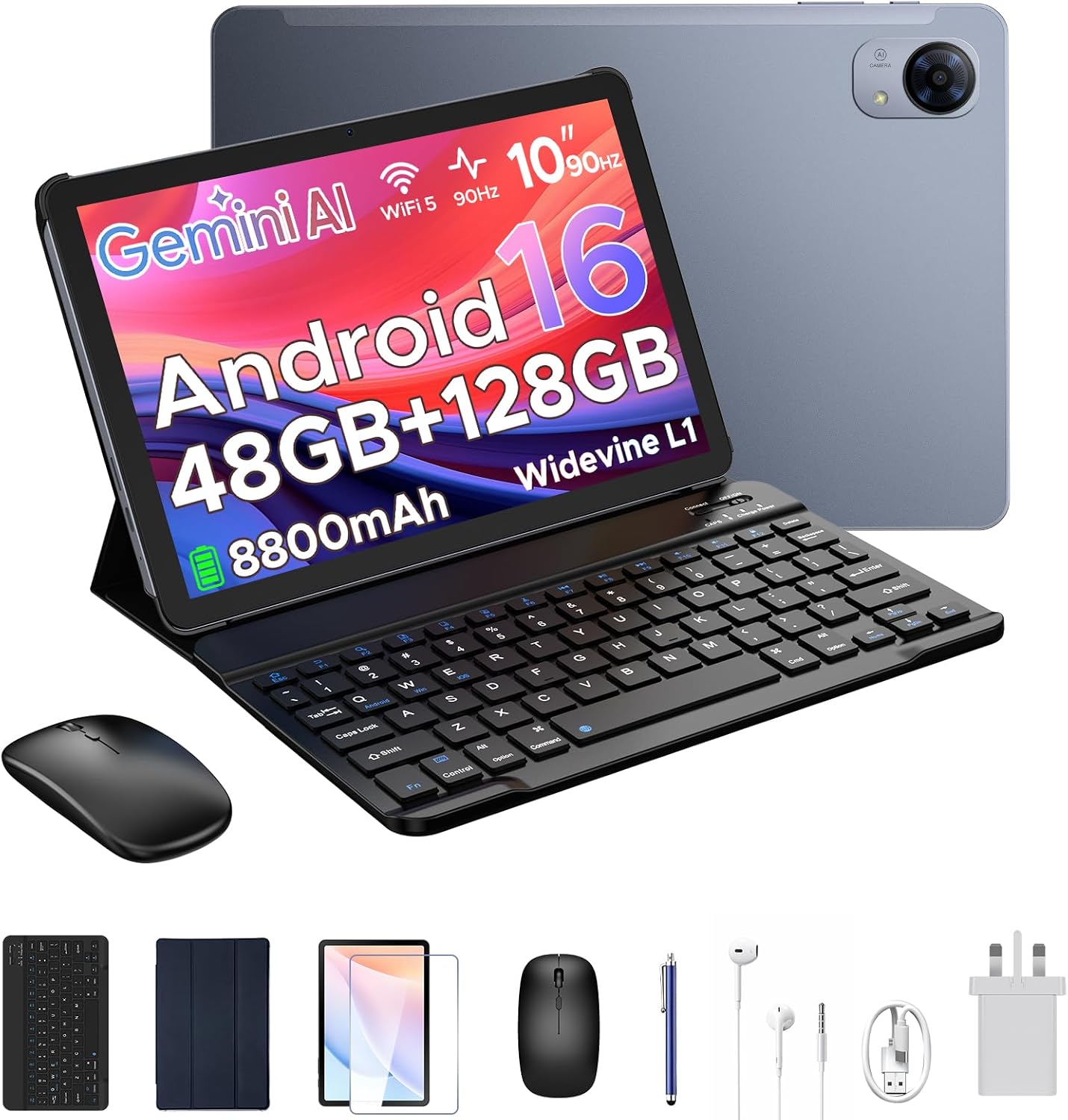
A key talking point is the 120Hz IPS display. The higher refresh rate should make scrolling feel smoother and the visuals more fluid when streaming, browsing, or navigating apps. The eye‑friendly adjustments and dark modes are meant to reduce eye strain during longer sessions. In practice, you’ll notice crisper motion and more responsive touch input, which helps with web tasks, note‑taking, and light gaming.
Performance on paper and real‑world feel
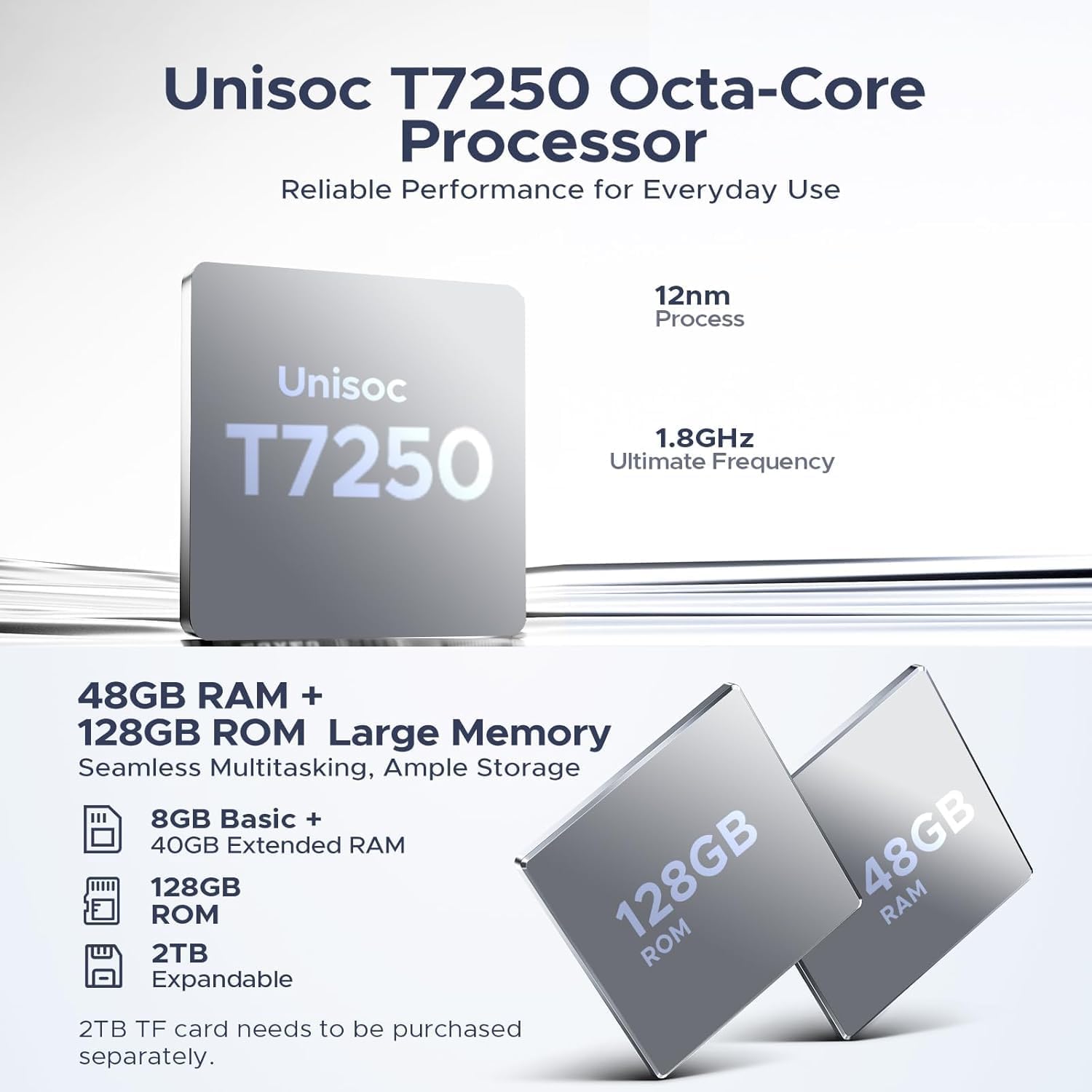
Powered by the Unisoc T7250 octa‑core processor with 12nm technology, backed by 48GB RAM (8GB physical + up to 40GB extended) and 128GB of internal storage, the tablet targets multi‑tasking users who run several apps or want to keep learning tools running in the background. This isn’t the top‑tier flagship spec, but for day‑to‑day use—video calls, document apps, streaming, and homework—it should feel more responsive than average budget tablets. It’s worth noting that real‑world speed depends on app choices and storage management, if you push heavy 3D gaming or extremely chunky workloads, you may see some slowdown.
Media, cameras and audio
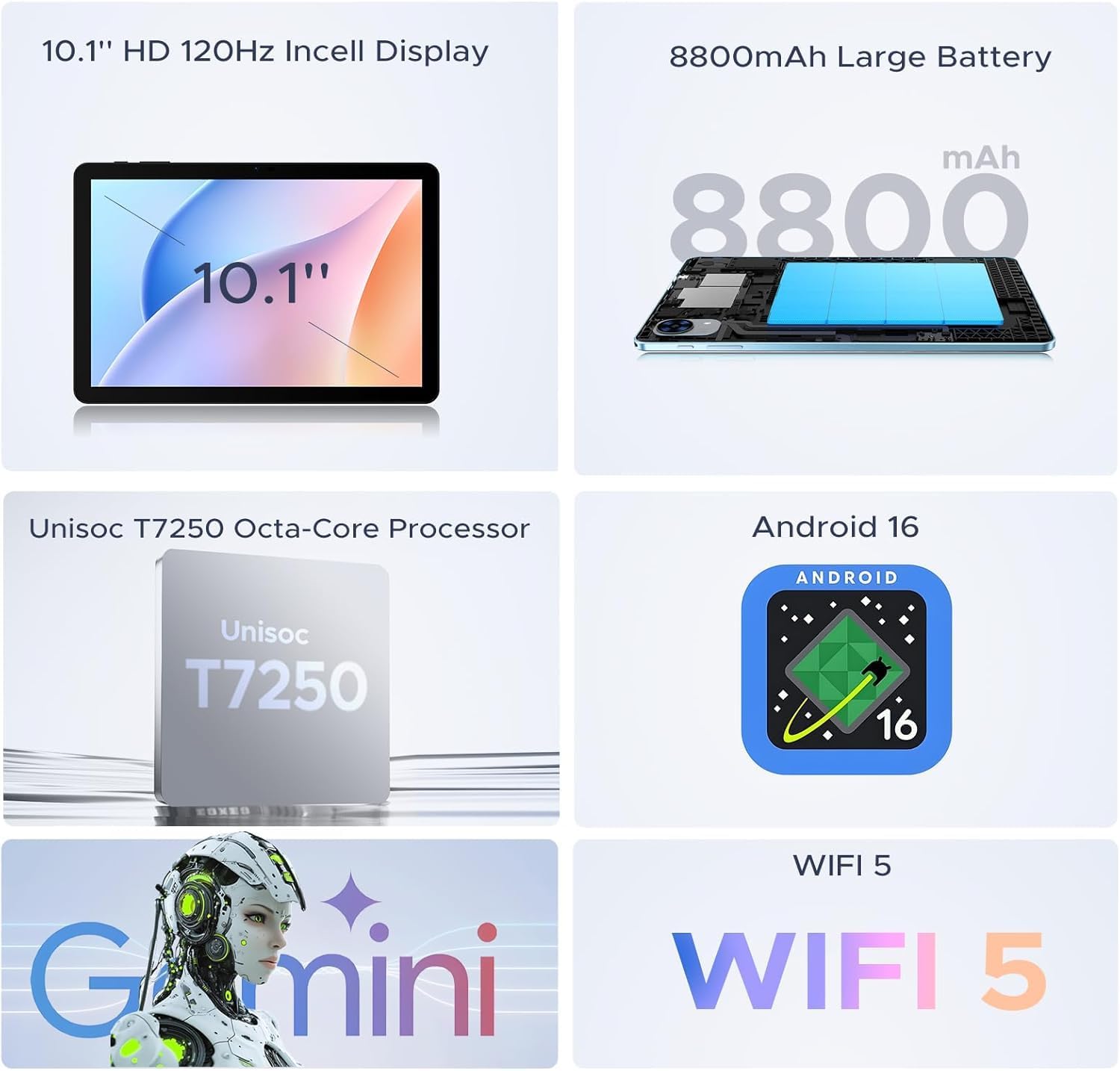
With a 13MP rear camera and a 5MP front camera, the P10 PRO covers video calls and basic photography reasonably well for its class. Dual speakers are intended to deliver a richer media experience, which helps when watching films or listening to music without headphones. If you rely heavily on camera quality, you might find this segment average, but it’s functional for everyday use.
Battery life and charging
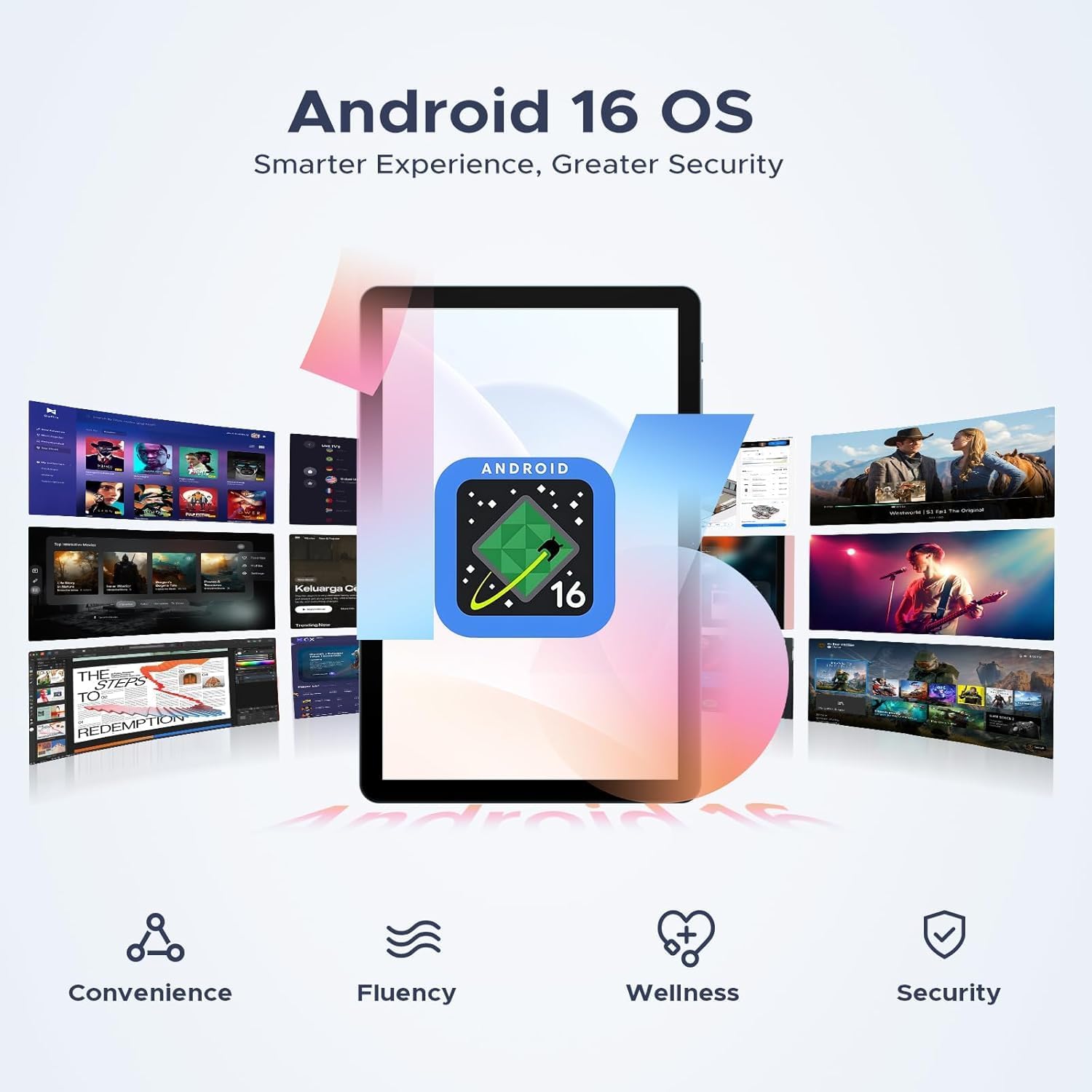
An 8800mAh cell aims to support long sessions away from a charger, particularly when combined with the efficiency improvements in Android 16. The included 10W charger offers convenient, modest fast charging, but it isn’t a rapid‑charge solution. If you’re travelling or commuting with long gaps between plugs, you’ll want to manage screen time and background apps to maximise uptime.
Design, build and included accessories
The tablet ships in a grey finish and is marketed as compatible with a keyboard, pen, mouse and earphones, suggesting a bundle approach for productivity on the go. This can be advantageous for students or professionals who want a portable PC‑like setup without buying accessories separately. The overall impression is of a practical, mid‑range tablet that leans into versatility rather than single‑purpose performance.

Who it’s for and who it isn’t ideal for
This model seems well suited for students, families and light‑to‑moderate productivity users who want a single device for browsing, learning and media. If your needs include high‑end gaming, professional video editing, or photography where camera quality and peak processing power matter most, you may want to look at more powerful or specialised options. Also consider how much you value a higher refresh rate over battery life or how much you’ll rely on AI for study tasks.
What to check before buying

- Confirm the storage configuration you expect (the base mentions a mix of RAM and ROM options and potential expansion). Ensure it matches your needs for apps and media.
- Check whether the bundled accessories meet your intended workflow (keyboard, pen, mouse, earphones) and whether you’ll need extra Bluetooth peripherals.
- Consider your typical usage: if you stream a lot, the 120Hz display is beneficial, if you mainly read and surf, it’s less critical.
- Review software expectations: Android 16 with Gemini AI can improve search and learning tasks, but some apps may behave differently on newer Android versions.
How it compares to basic tablets and why you might choose this one
If you’re choosing between a basic entry‑level tablet and a machine like this, the P10 PRO offers more RAM and a faster refresh rate, which translates to smoother multitasking and visuals. It also presents a more complete ecosystem for study and work with the potential addition of keyboard, pen and mouse. The caution here is that the overall experience still depends on how demanding your apps are, and battery constraints can become a trade‑off with screen brightness and background activity.
Included sections for decision making
Final verdict
It’s worth considering if you want a mid‑range tablet that blends AI features, a smooth display and a productivity‑oriented accessories bundle for study and light work. If your priority is top‑tier gaming performance or camera quality, this may not be the best fit. For everyday tasks, long streaming sessions, and a flexible learning tool, the P10 PRO offers solid value for money within its segment.
Practical example of use
Imagine a student who spends mornings researching with multiple tabs open, attends virtual classes, and does a few notes with a stylus. The 120Hz display makes scrolling through lecture slides comfortable, Gemini AI can help with translations and quick summarisation, and the bundled keyboard turns it into a compact travel companion rather than a separate laptop.
FAQ (if data allows)
- Does the device support expandable storage to TF cards? The base data mentions TF 2TB, but confirm actual supported formats and speeds when purchasing.
- Is the AI features suite available in all markets? Android 16 and Gemini AI are highlighted, check regional availability and language support in the UK.
- Can I charge via USB‑C and use fast charging? A 10W charger is included, verify if USB‑C PD charging is supported for faster top‑ups.