

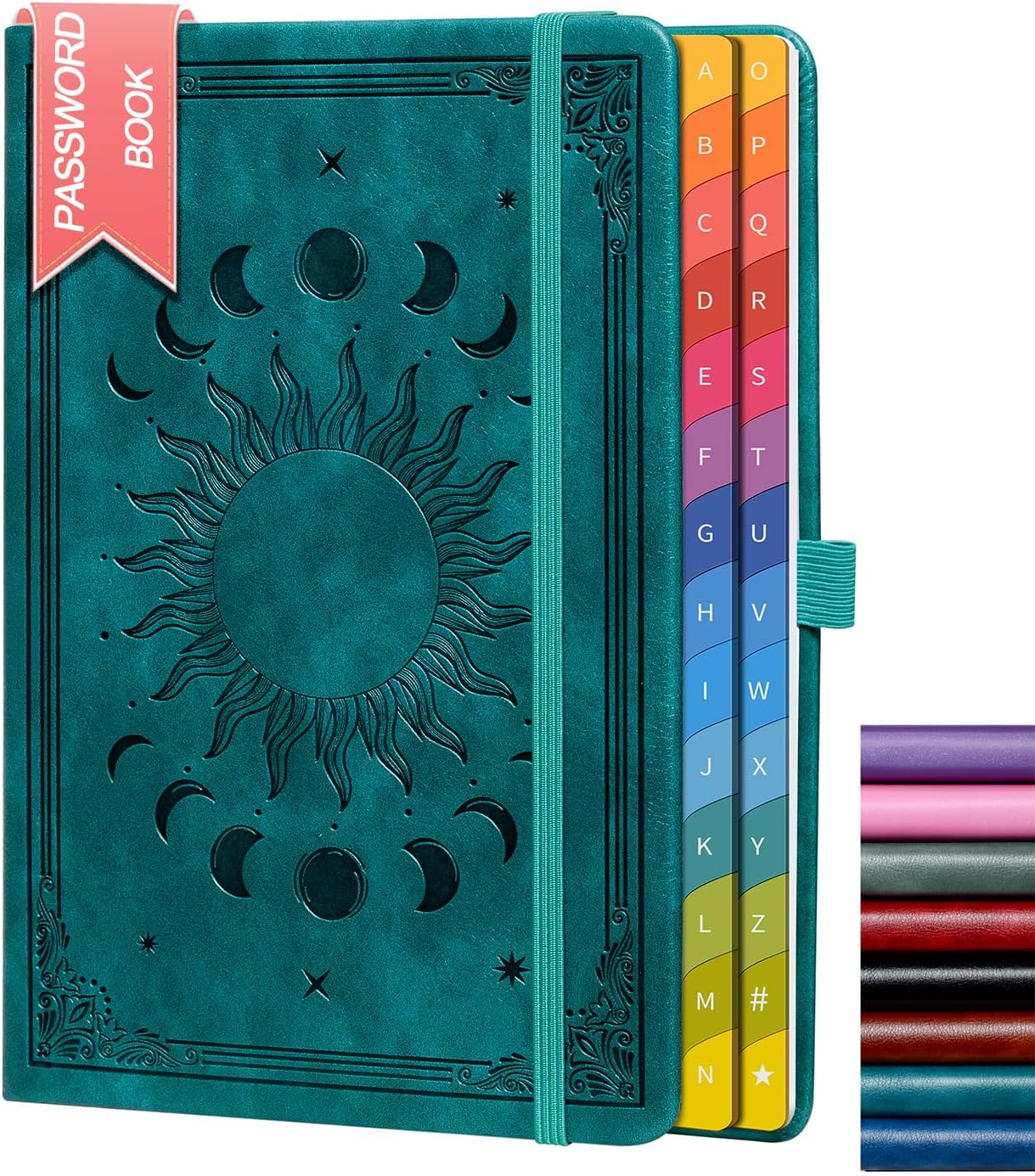
HwxBen Password Book with Colourful A–Z Tabs (Seagreen) – Hardcover internet password keeper
Product description
If you’re tired of password chaos—remembering, resetting, and reusing the same handful of credentials—this type of notebook can be surprisingly calming. The HwxBen Password Book is a hardcover password keeper designed to keep your logins and key account details in one place, with colourful A–Z tabs to help you find what you need quickly.
That said, it’s still a paper-based solution: it can help organisation, but it won’t replace good password hygiene. If you’re expecting top-level “digital security”, it may leave you a bit short.
The essentials
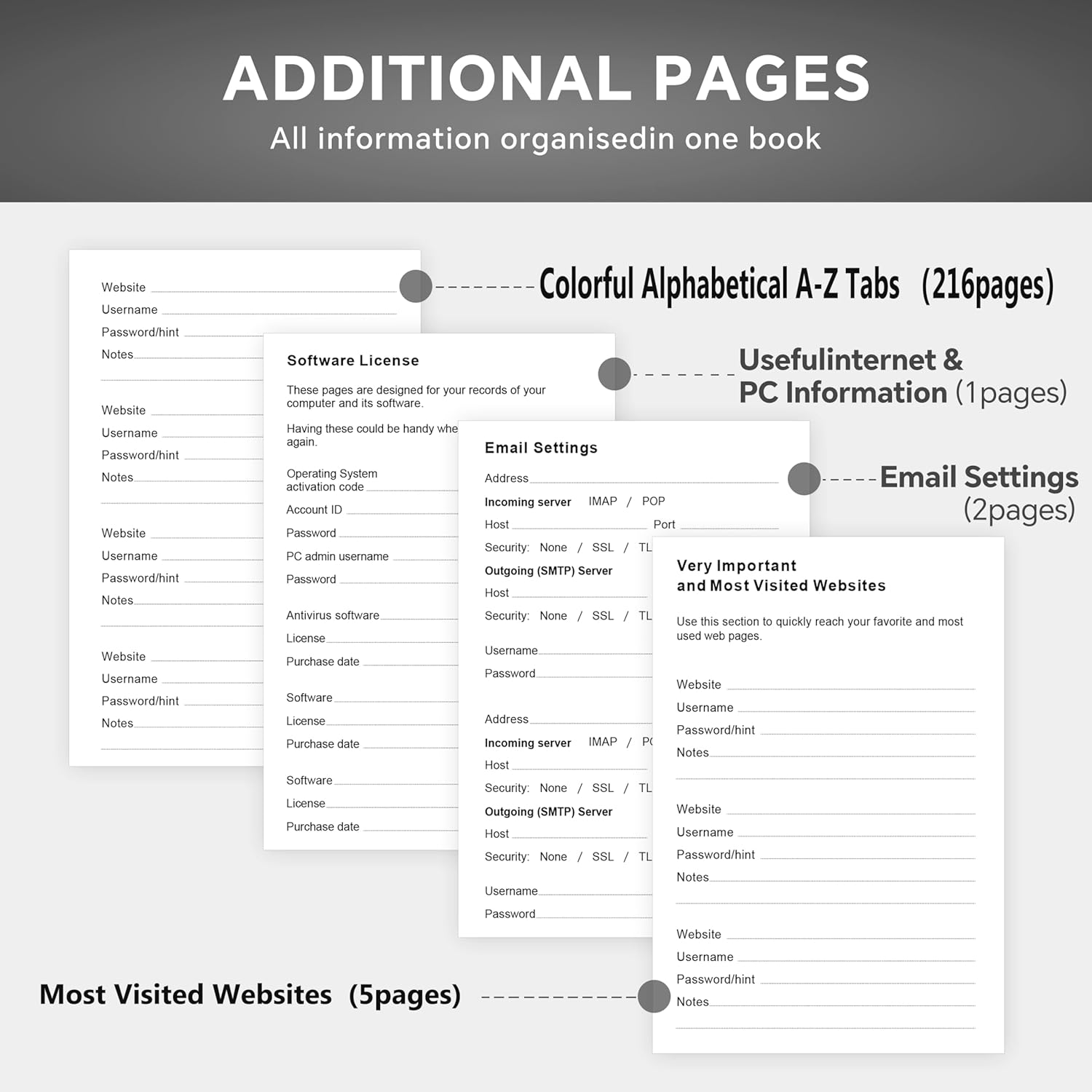
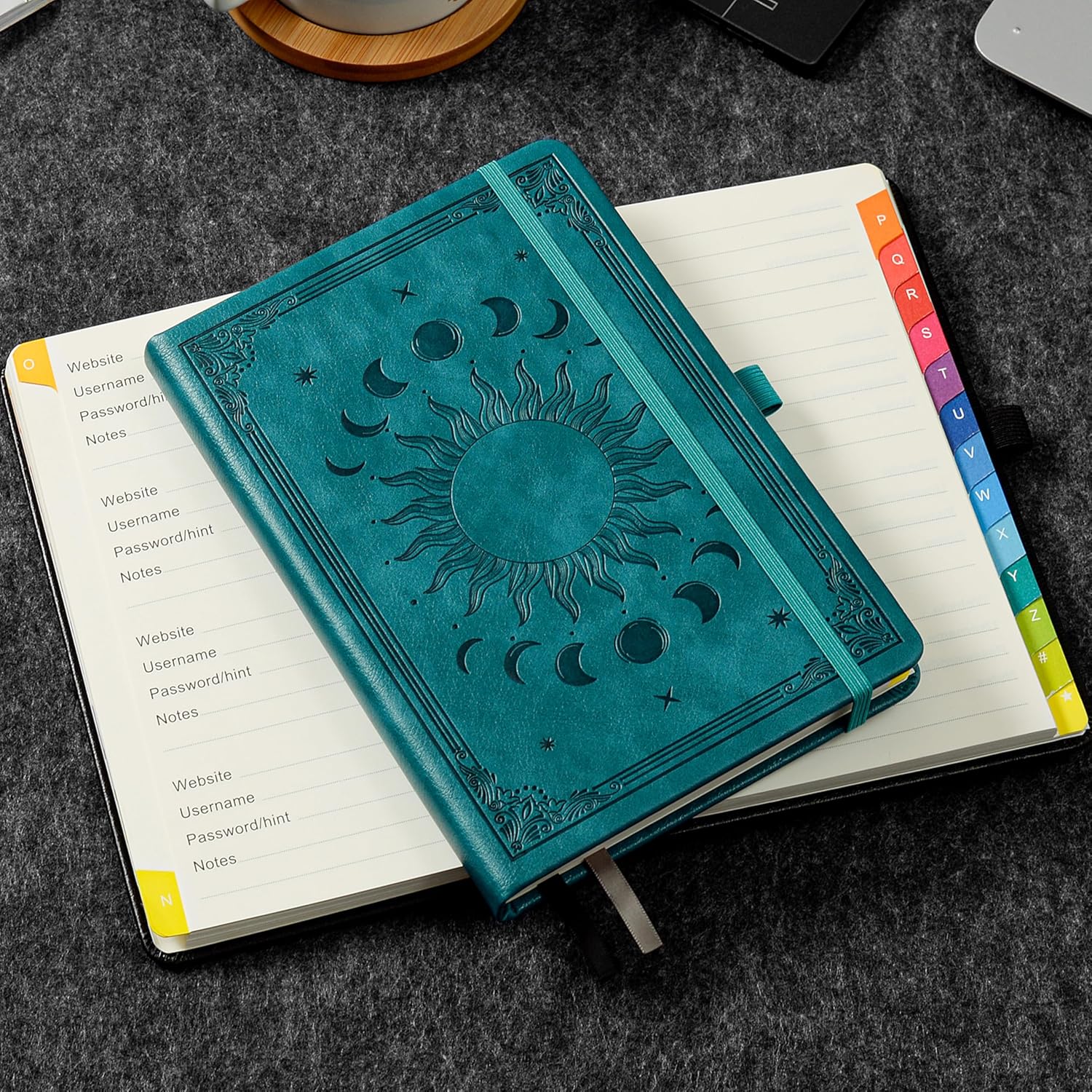
This password book is built around an alphabetical tab system (A–Z) and is set up to store more than just a single username/password line. It includes sections intended for several everyday categories such as the most important passwords, wireless and email settings, software licence information, phone numbers, special days, and notes. The idea is to make account access details easier to locate without digging through multiple scraps of paper.
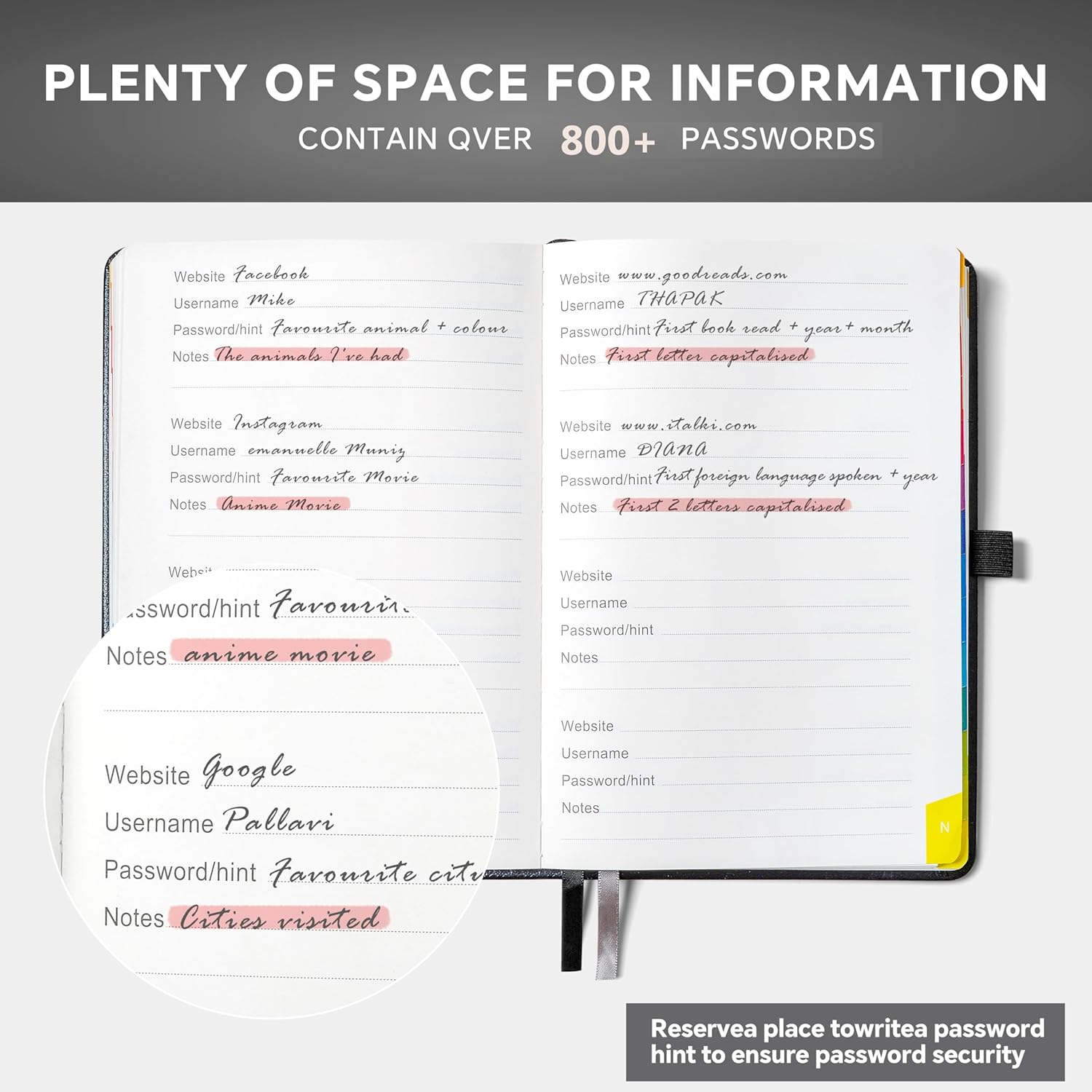
The book also includes a privacy-minded approach on the page design: instead of pushing you to write the actual passwords in full, it provides space where you can write hints. On paper, that’s a sensible compromise if you’re worried about someone casually seeing your notes.
What stands out in daily use
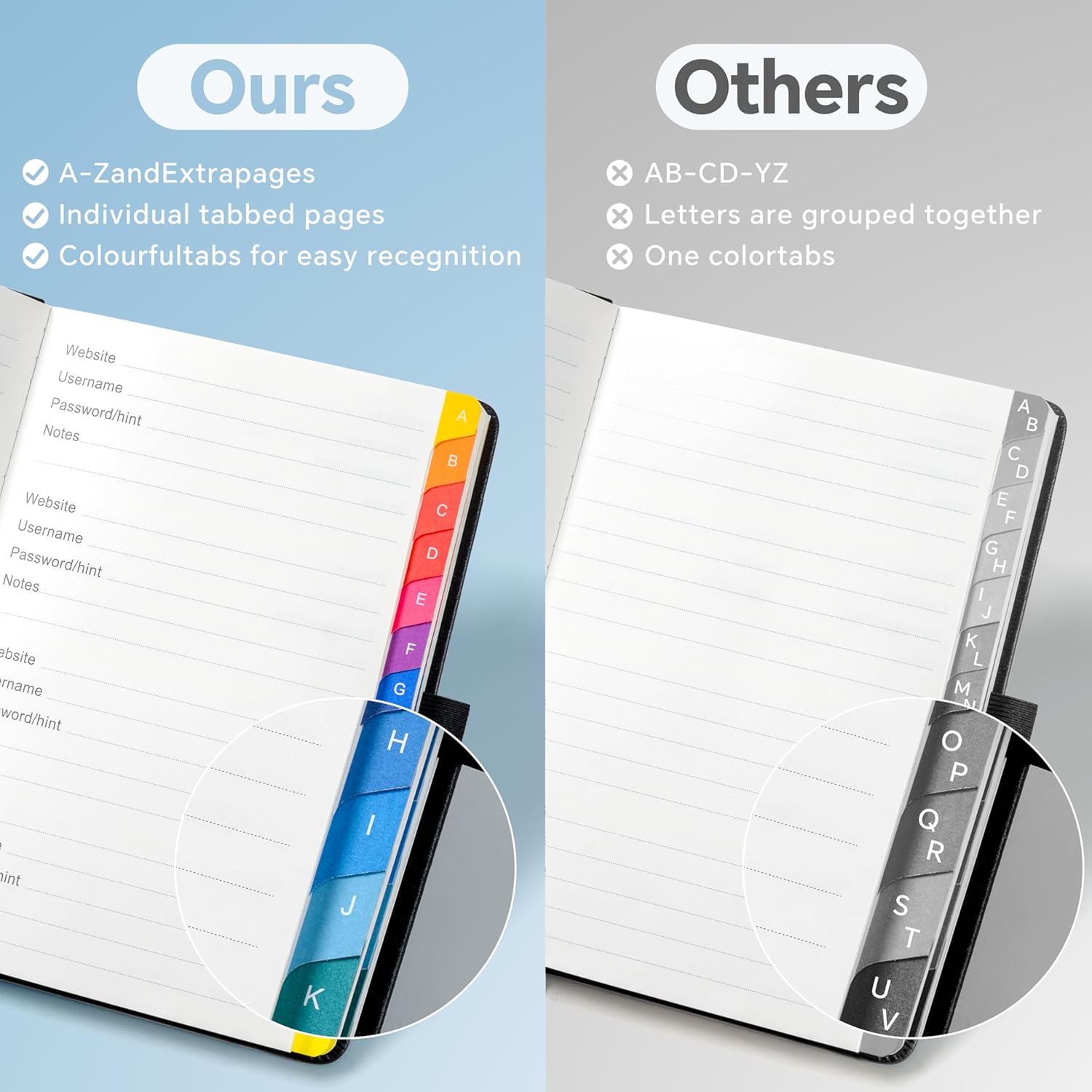
The colourful alphabetical tabs are the main “day-to-day” advantage. When your brain goes blank—say you’re trying to log into your broadband settings or find a forgotten account login—having a visible A–Z structure can save time.
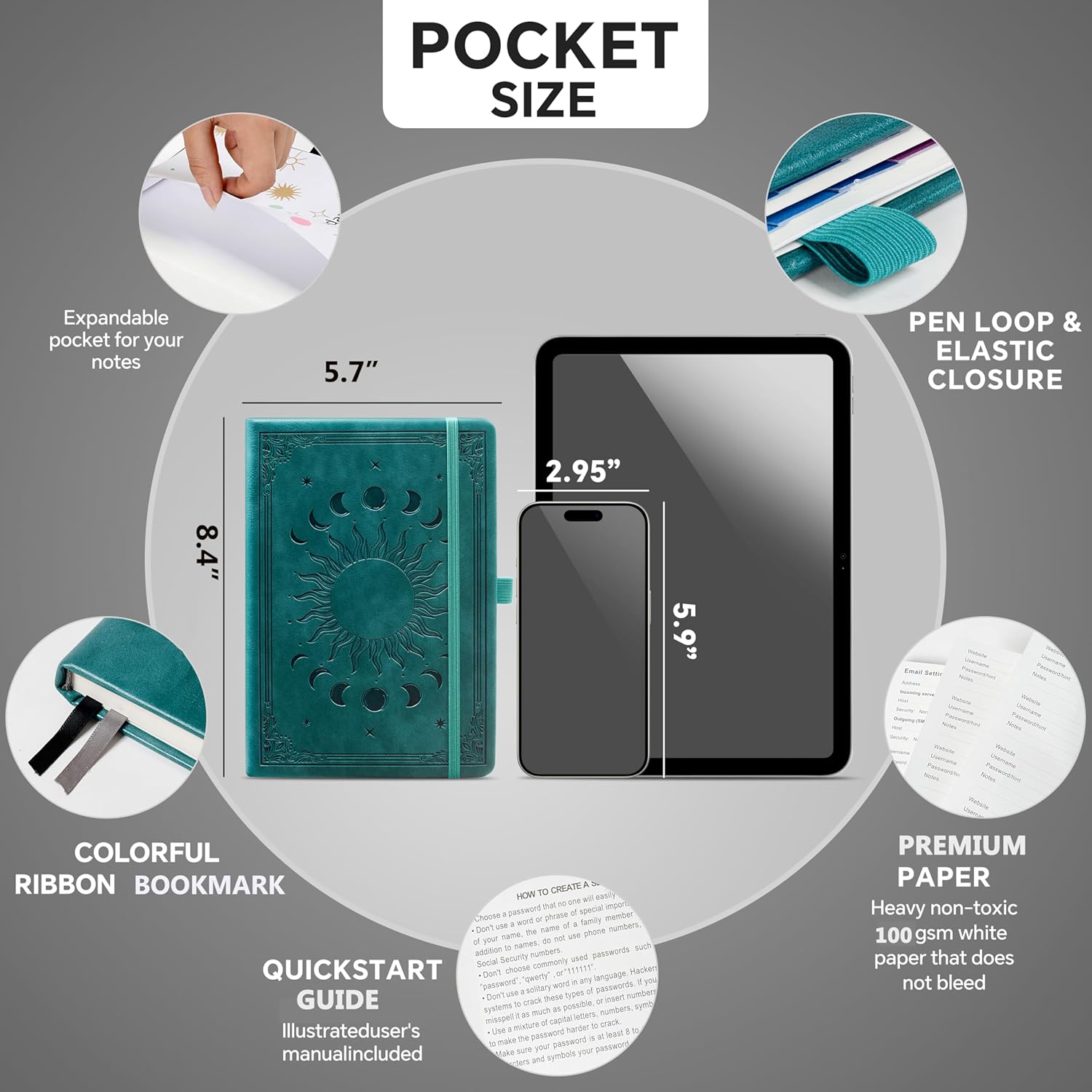
There are also practical add-ons that make it easier to live with: two ribbon bookmarks help you keep your place, an elastic closure strap keeps the cover shut, and a pen holder is included so you’re not hunting for a biro. A pocket is also included for storing small reference items you don’t want loose.
To picture a realistic use case: you might set up one tab for your key email account, another for your home broadband provider details, and use the notes area to record what’s needed for recovery (without necessarily writing the full password in plain view, if you prefer hints).
Key points for buying this password keeper
It’s designed with simplicity in mind, including for older users who may want an easier way to keep track of credentials without constantly forgetting or rechecking.
It also sits in the “home office” category: useful if you’re managing passwords for multiple accounts in a household (work accounts, email, Wi-Fi, software licences) and would rather have a single, structured place than a folder of unlabelled documents.
The book is sized at 5.7"x8.4" and comes with 232 pages on 100gsm paper. That page count and paper weight are the kind of details you notice once you start using it regularly—less risk of the pages feeling flimsy when you write a lot.
Tech specs
- Name: HwxBen Password Book with Colourful Alphabetical Tabs
- Type: Hardcover internet password keeper book
- Colour: Seagreen
- Format: Password keeper book with colour-coded alphabetical A–Z tabs
- Size: 5.7" x 8.4"
- Capacity: 232 pages
- Paper: 100gsm
- Cover: Leather cover (without obvious prompts)
- Included accessories: 2 ribbon bookmarks, elastic closure strap, pen holder, pocket
Strengths and possible limits

Where it makes sense, this book is strong on organisation. The A–Z tab system, plus dedicated categories like wireless/email settings and software licence information, should reduce the “where did I write that?” problem.
However, it may not be the best choice if you’re looking for maximum confidentiality. The product design includes anonymity-minded elements (leather cover without obvious prompts, and space for hints), but it’s still a physical notebook. If you’re the sort of person who prefers fully digital, access-controlled password management, a notebook will never be the same league.
Also, it’s worth noting that “senior-friendly” here is about keeping things simple—not about providing any extra security features beyond the book’s layout.
Is it worth it?
Buy it if you want a structured, paper-based way to keep internet and account details together, especially if you value quick alphabetical access. It’s a practical match for home office use, and it may suit older users or anyone who wants a calmer system than constantly resetting passwords.
It’s not the best choice if you require advanced security controls, remote access, or a method that doesn’t rely on storing sensitive information in physical form. If you’re mainly trying to solve security risk rather than organisation, you may want to look for a different approach first.
Mini FAQ
FAQ
Is this meant for writing full passwords?
The book is designed to store password-related information in one place, and it provides space for hints rather than insisting on writing the actual passwords in full.
How easy is it to find an entry?
On paper, the colourful alphabetical A–Z tabs are there to make searching faster, with categories intended for common account details.
What extra features does it include?
It includes two ribbon bookmarks, an elastic closure strap, a pen holder, and a pocket, alongside 232 pages of 100gsm paper.
Who is it designed for?
It’s tailored for simpler use, including for older users who want an easier way to manage account logins and related information.