

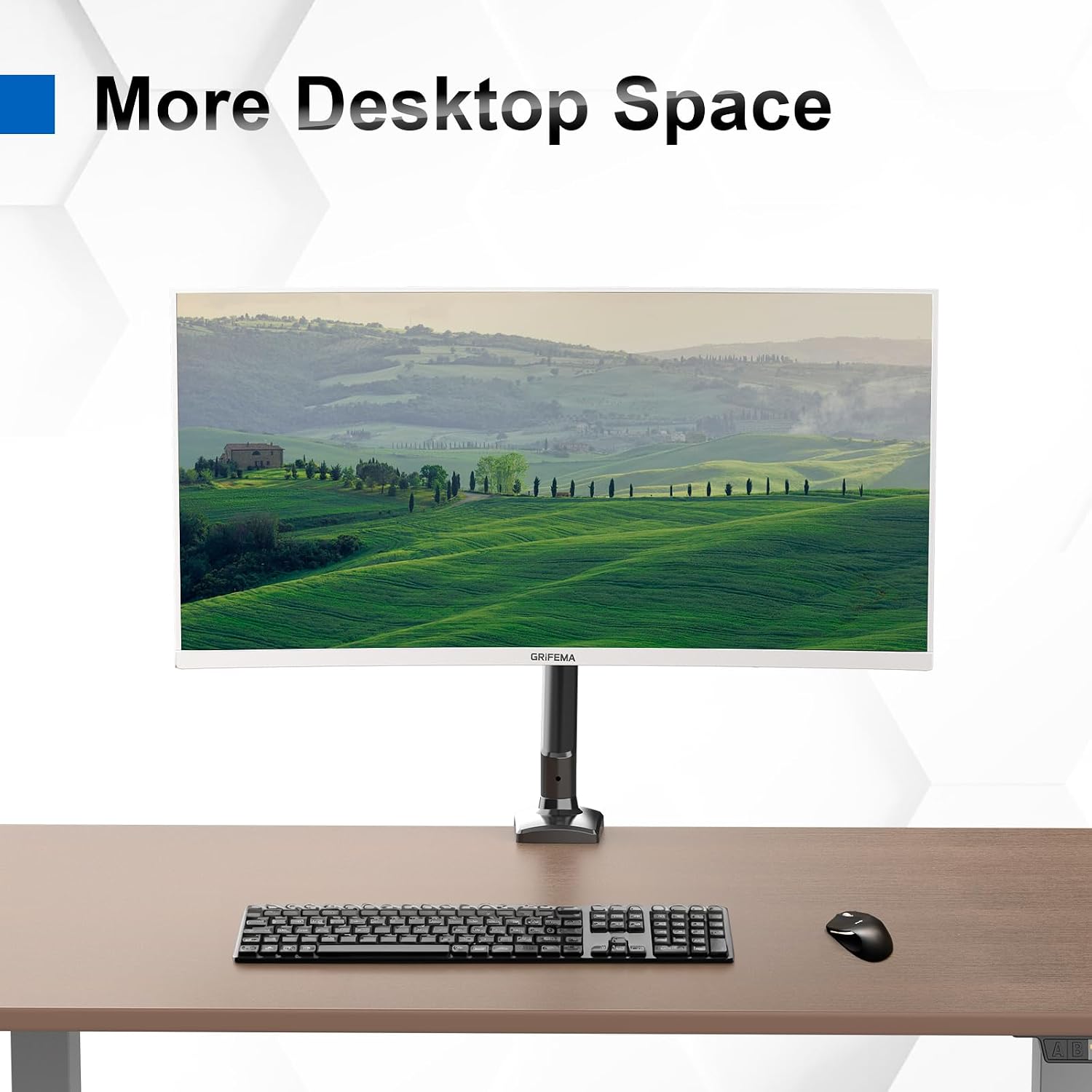
GRIFEMA GB2003-1 Single Monitor Arm Desk Mount (13–32 in) with Gas Spring, VESA 75/100mm, Black
Product description
The essentials (and what you’re really buying)
The GRIFEMA GB2003-1 is a single gas-spring monitor arm for desks, aimed at people who want a more flexible viewing setup without turning their workspace into a wiring mess. Over the back-and-forth of everyday work—coding, spreadsheets, emails—this kind of arm can make a noticeable difference because you can position the screen to a comfortable height and angle rather than forcing your chair and neck to adapt.
On paper, it’s built for larger screens (rated for 13 to 32-inch) and it uses a weight-balanced gas spring so the screen stays in the position you set. It also includes a wide range of movement (height adjustment plus 360° rotation and significant tilt/swivel), which is useful if you sometimes switch between landscape work and a reading-style angle.
Key features that matter in daily use
A desk-mounted arm like this is mostly about control and practicality. This model focuses on three things: range of motion, stability under load, and easier desk management.
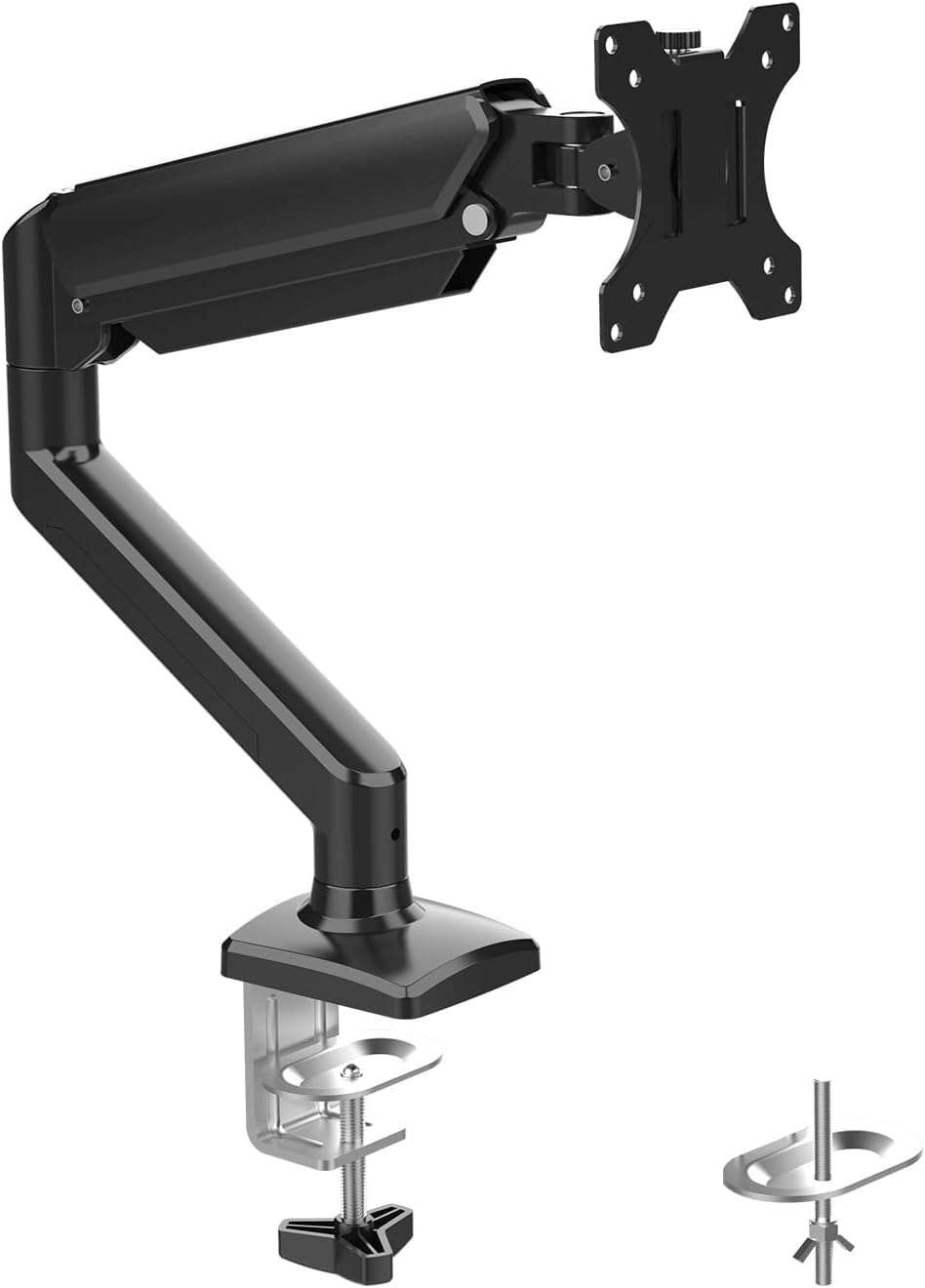
For movement, it’s designed to rotate the screen 360° from landscape to portrait. Tilt is listed as +90° and -45°, with swivel of ±90°. That’s the sort of range that can help if you need the screen angled for reading or you want to pivot it to suit different tasks—rather than leaving it in one default direction.
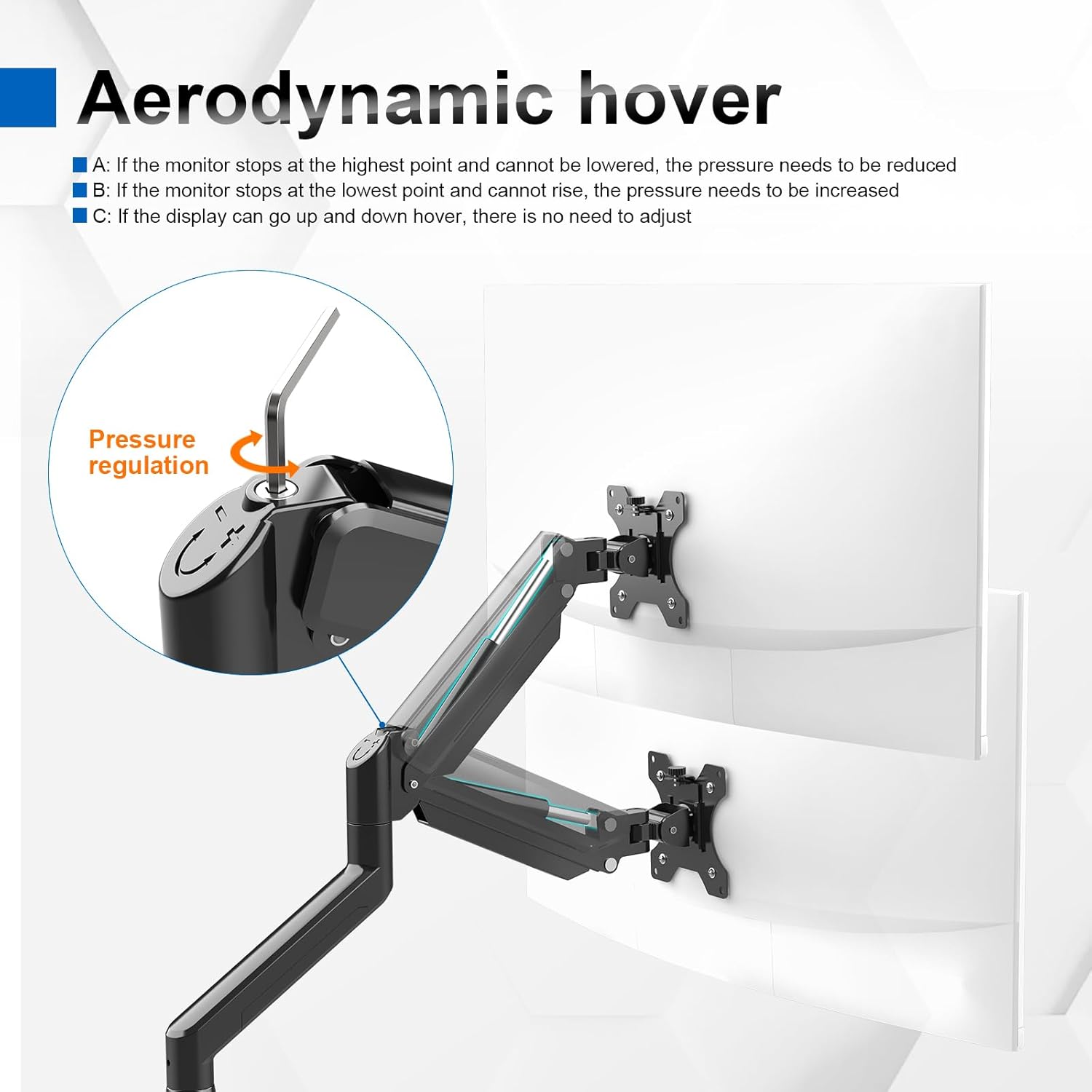
The height adjustment is also a big deal. The stated height range is 160–420mm, so in real terms it should suit a decent chunk of desks and setups. If you raise your monitor often, or you’re sharing a desk and need to make quick adjustments, gas spring arms tend to be quicker and smoother than heavier manual repositioning.
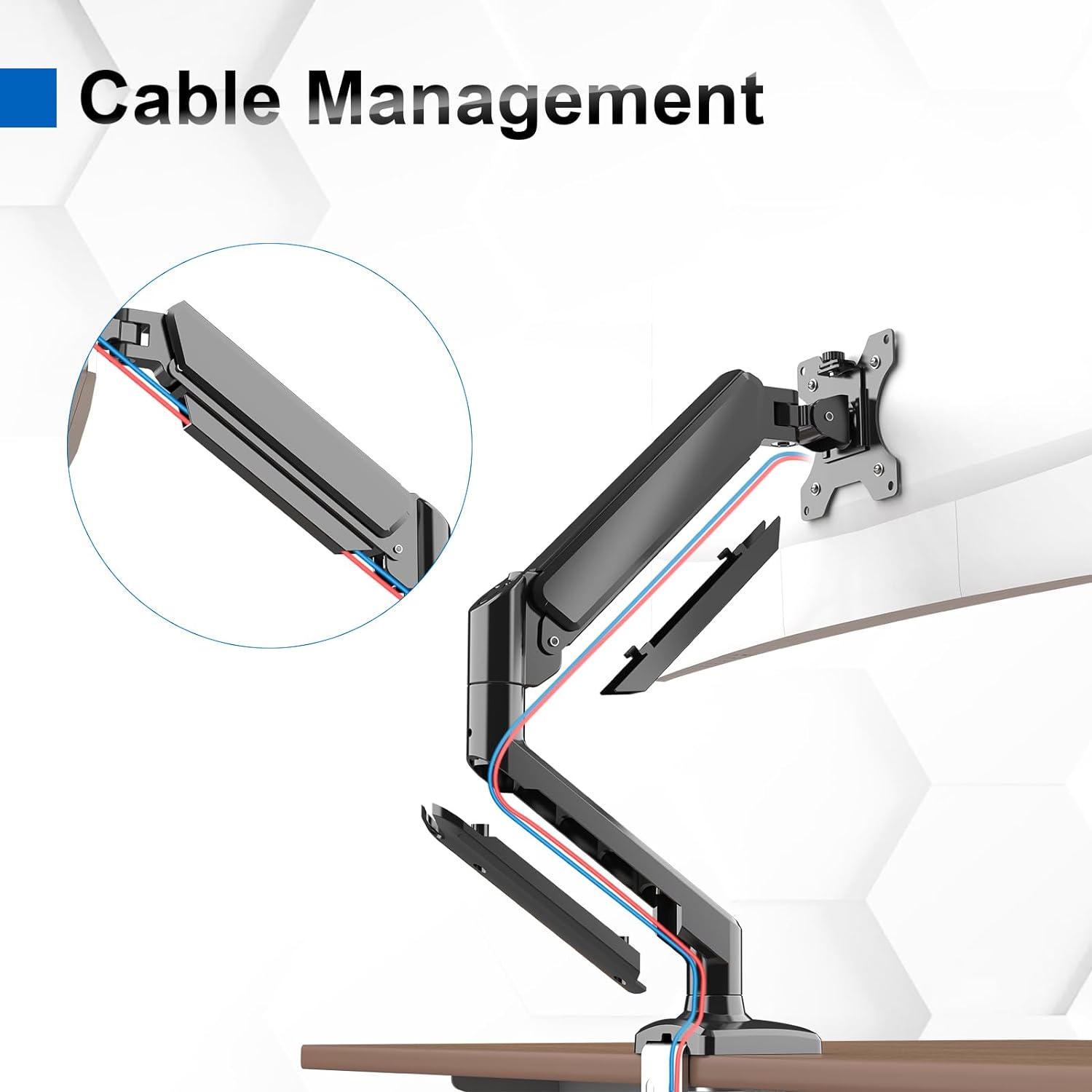
Cable management is included as part of the design intent too: you get a cleaner desk area compared with leaving cables draped around the back of a fixed monitor stand.
Installation and mounting options (what to watch)
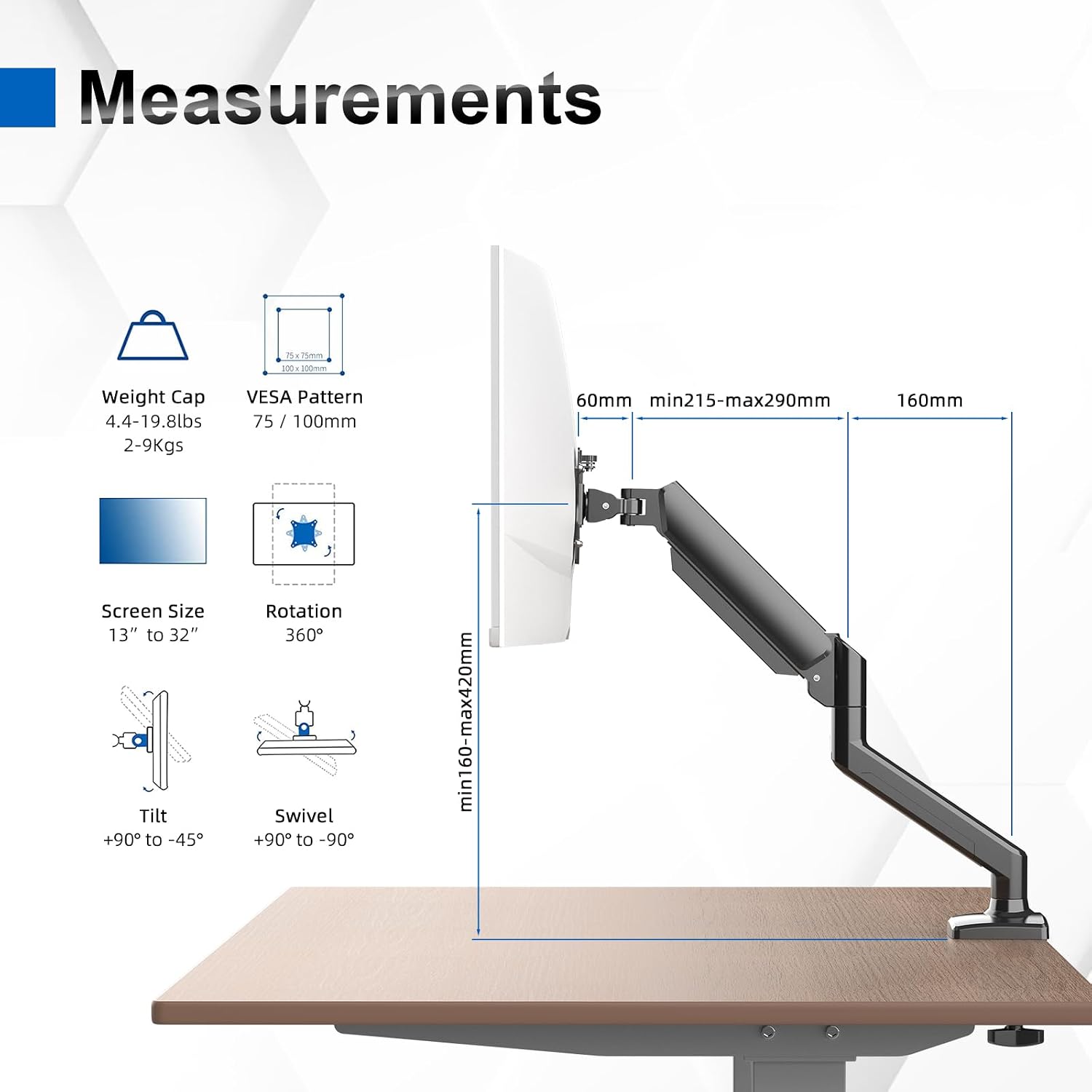
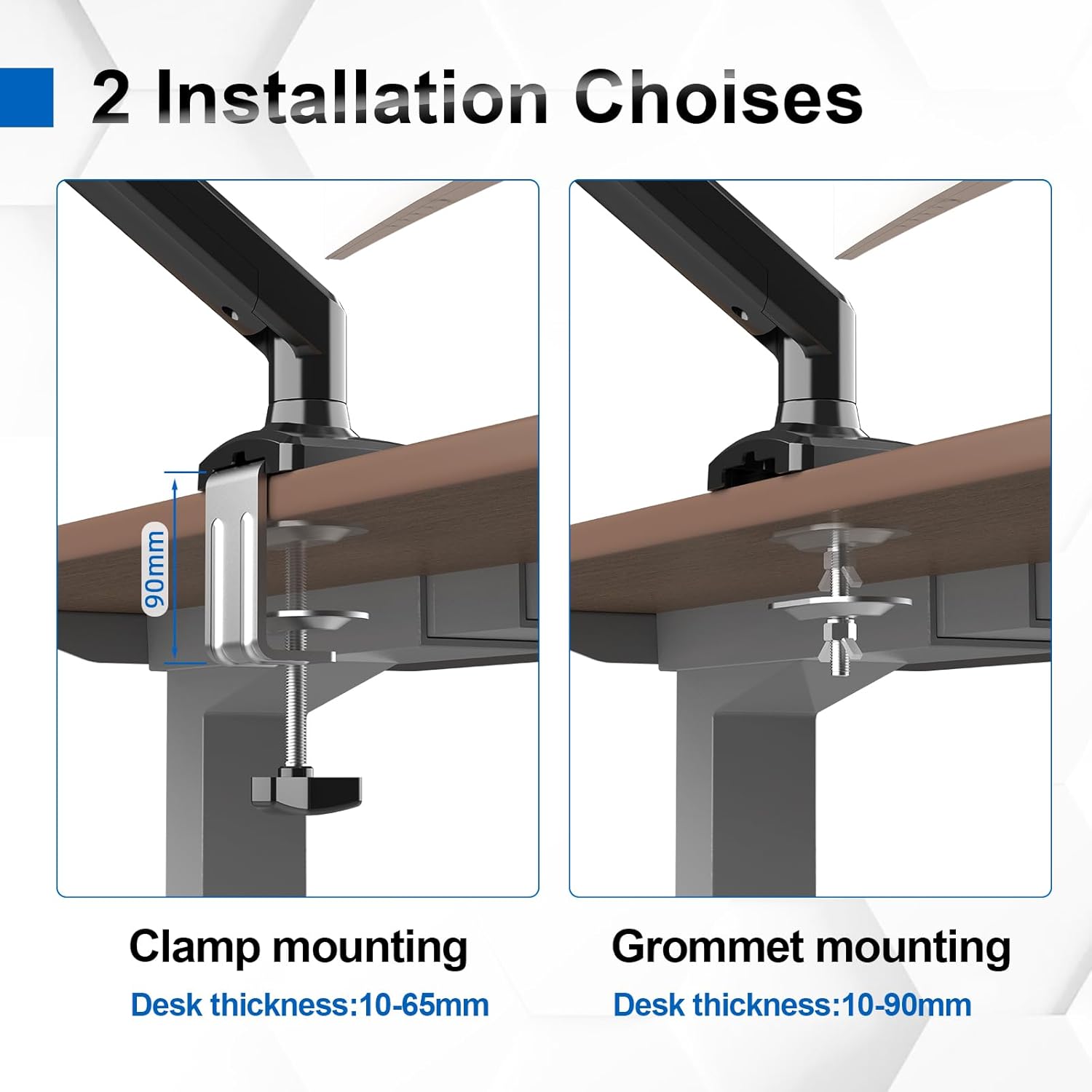
This arm supports two installation methods: an edge clamp and grommeting. That flexibility can make the difference between “fits my desk” and “I have to rethink the setup”. The listing says it includes the required tools and accessories, and that setup can be completed in 10 minutes—helpful if you’re not keen on lengthy builds.
Worth considering that desk mounts are always a bit dependent on your desk thickness and structure. Even with clamp/grommet options, you’ll still want to check you can secure the arm properly where you want it before committing.
Tech specs, simplified
Here’s the practical spec snapshot you should use to confirm compatibility before buying.
Technical details
- Type: Single monitor arm desk mount (gas spring)
- Screen size support: 13" to 32"
- Weight capacity: up to 9kg
- VESA mounting: 75x75mm and 100x100mm
- Height adjustment: 160–420mm
- Rotation: 360°
- Tilt: +90° / -45°
- Swivel: ±90°
- Installation: c clamp and grommeting
- Construction: high-strength steel with anti-scratch surface
- Colour: Black
- Mount material/finish: high-strength steel components
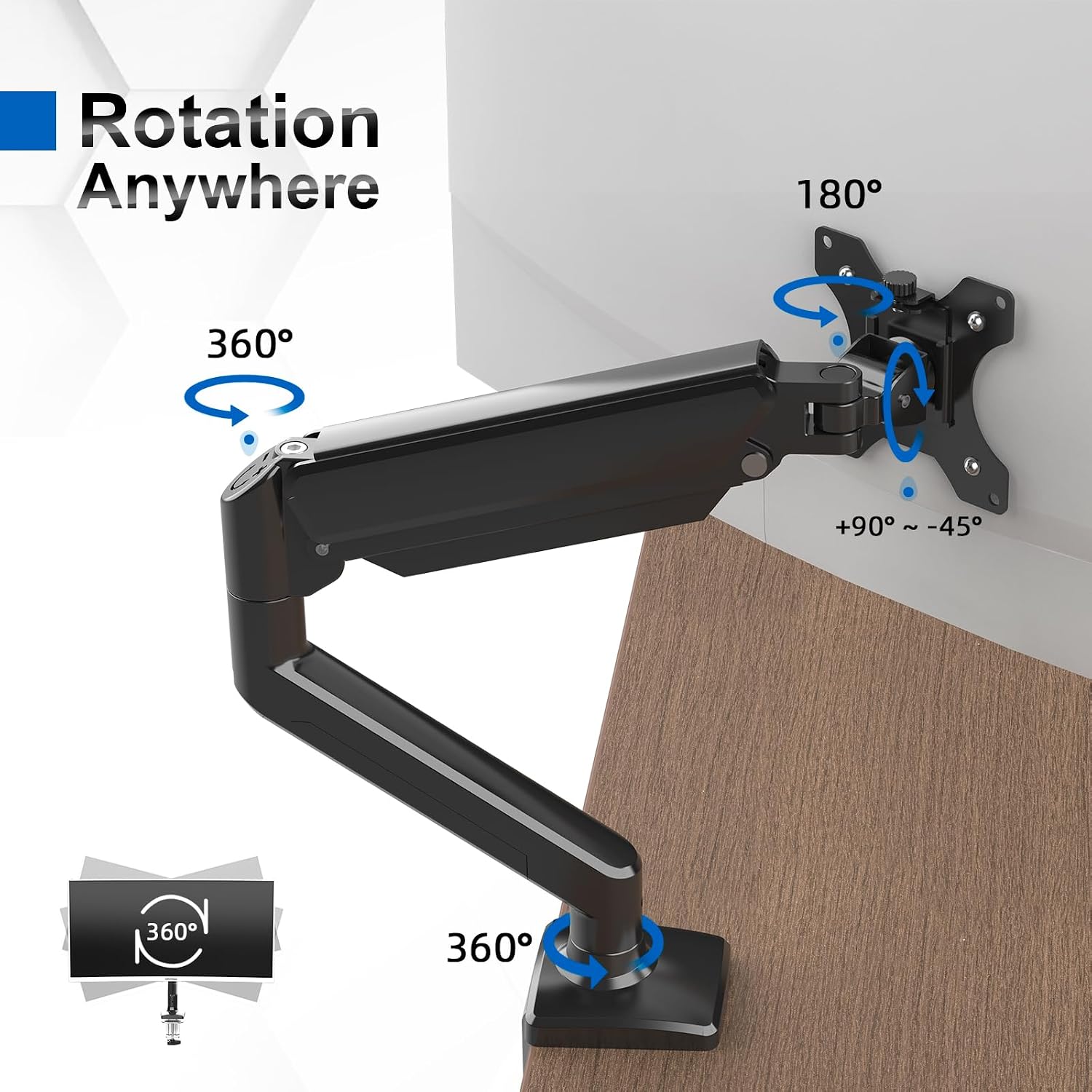
If your monitor sits outside the stated weight range, or uses a different VESA pattern than 75/100, the arm may not be the right match—so it’s the first thing to double-check.
Where it shines, and where it may feel a bit limited
Where this model looks strongest is in setups that benefit from frequent repositioning: switching between desk height levels, changing the reading angle, or using the screen in portrait for documents and longer text.
The movement numbers are generous, and for a single-arm solution that’s a genuine selling point. It’s also positioned as a middle-of-the-road upgrade: not a complicated multi-monitor system, but a serious desk-mounted arm with enough range to justify replacing a basic stand.
That said, it’s not perfect for every scenario. If you only ever need a fixed monitor height and angle, you may not get much value from the extra complexity of an arm. And if your monitor is near the upper end of the listed weight range, it’s still worth being mindful that the arm’s stability depends on the monitor being within spec and mounted correctly.
Who it suits (and who should skip it)
It makes sense if you want: - a desk space upgrade over a pole-mounted arm style - an adjustable setup for different working styles (landscape + portrait, plus reading angles) - a single monitor setup for monitors in the 13–32-inch band with VESA 75/100
It may not suit you if: - your monitor is heavier than 9kg (as listed) or uses a VESA size other than 75x75/100x100 - your desk setup doesn’t allow a proper clamp or grommet installation - you don’t plan to adjust position often (then a fixed stand might be simpler)
A practical example: say you do morning spreadsheet work in landscape, then later switch to reading reports in portrait. With this arm, the 360° rotation and portrait support are the type of features that make that transition quick—without needing to move the monitor by hand and then re-balance it.
Is it worth it?
If you’re shopping for a single monitor arm that can handle a larger screen within the 13 to 32-inch range, and your monitor matches VESA 75x75 or 100x100 with a weight up to 9kg, the GRIFEMA GB2003-1 looks like a solid “get your desk ergonomics sorted” choice. The gas spring approach and the listed movement range are the parts most likely to feel worth it once it’s installed.
However, don’t buy based on the motion alone. Check your monitor’s weight and VESA pattern first, and make sure your desk can work with either the clamp or grommet method. If those boxes don’t tick, the arm can quickly stop being practical—even if it sounds impressive on paper.
FAQ
What VESA sizes does the GRIFEMA GB2003-1 support?
It’s listed for VESA 75x75mm and 100x100mm mounting holes.
What screen size and weight is it designed for?
The arm is rated for screens from 13" to 32" and supports monitor weights up to 9kg.
Can it rotate the monitor to portrait?
Yes. It’s rated for 360° rotation from landscape to portrait.
How is it mounted to the desk?
It supports both an edge clamp (c clamp) and grommeting mounting, and the listing says it includes the tools and accessories.
Does it help with desk cable management?
It’s intended to improve cable management and reduce clutter compared with a fixed stand.