

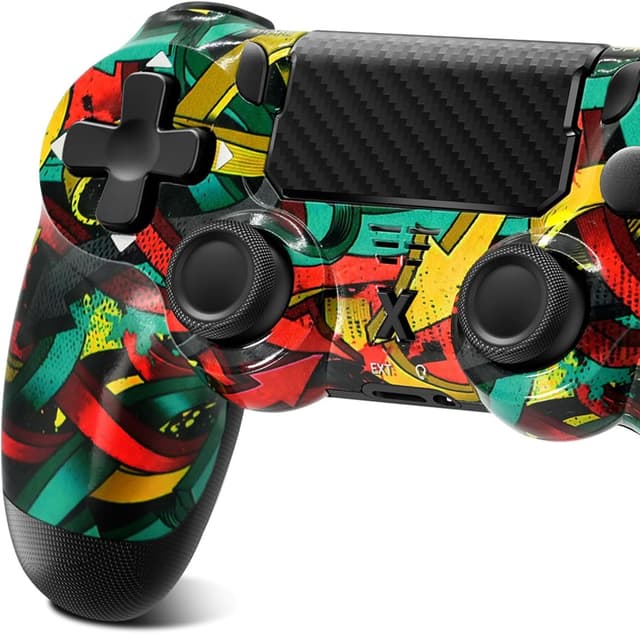
Glitfix Wireless Controller for P4 series (P4/Pro/Slim) and PC with touch panel, vibration & 3.5mm audio jack (dark blue)
Product description
What it is and why you might want it
If you’re looking for a wireless gamepad to use across a couple of devices, this Glitfix wireless controller is built around convenience rather than just raw buttons. On paper, it brings together a touch panel, a 6-axis gyro sensor, vibration feedback, and a 3.5mm audio jack, so it’s aiming to cover both gameplay feel and practical in-session comms.
That mix matters because many controllers in this space can feel a bit “single-purpose”: either you get basic controls, or you get extra features but lose flexibility elsewhere. Here, the idea is you can keep the same controller for compatible P4 variants and for PC, and add audio through the jack without needing to switch accessories.
It’s also not a tiny, stripped-back pad. The included “comfortable grip” approach is clearly part of the pitch, and the controller layout is described as ergonomic for longer sessions.
The essentials: what stands out
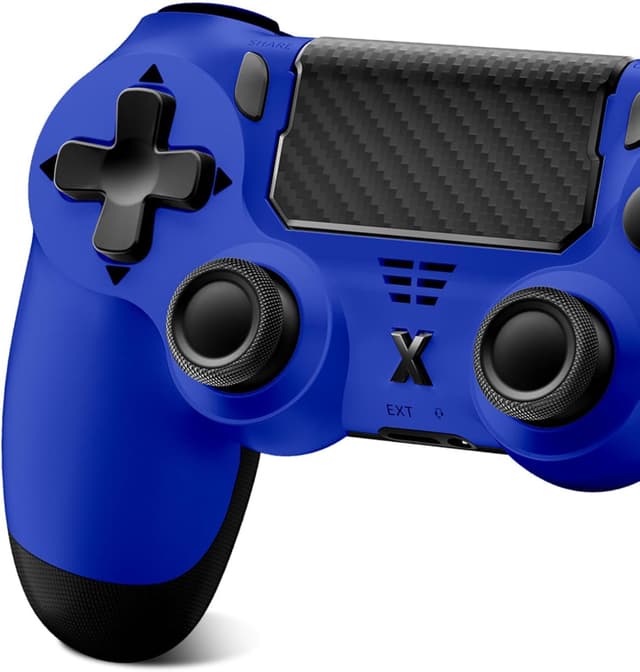
The headline features are fairly clear:
- A touch panel for more intuitive navigation (useful if your games support touch-style input)
- A 6-axis gyro/gyro sensor, which typically helps with more nuanced movement or aiming styles in supported titles
- Vibration function with different feedback depending on the game scenario, so you’re not only seeing what’s happening—you’re feeling it
- A 3.5mm audio jack for connecting a stereo headset or microphone, supporting both “immersive” audio and team communication
Is it perfect? Probably not, and it depends quite a lot on the games you play. If your preferred titles don’t make use of touch input or gyro controls, you may not fully benefit from those extra features.
Still, as a controller built for day-to-day use, it ticks a lot of boxes that people usually end up buying separately (extra audio setup, sensor-focused controls, and stronger “feedback” immersion).
What you’ll notice in use
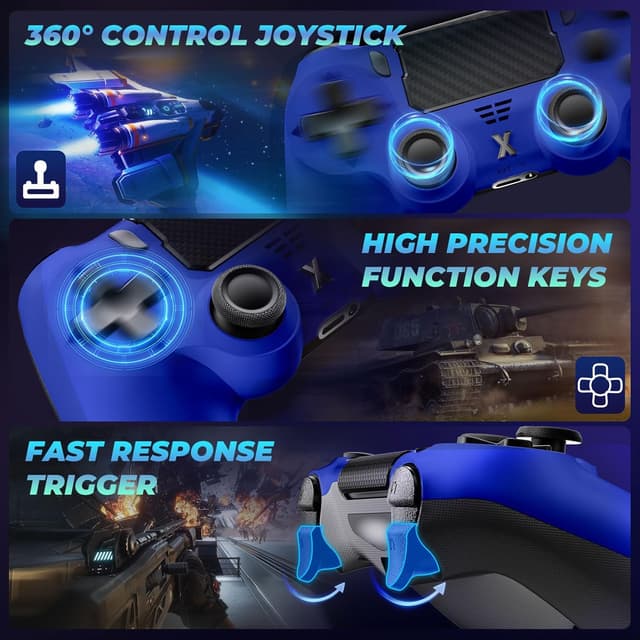
The most “real life” difference on a controller like this is the combination of vibration and the controller’s feel in-hand. Vibration feedback that changes with the in-game scenario can make gameplay feel more grounded—think of it as a layer of cues beyond visuals. For example, during a fast action sequence, you might feel distinct vibration patterns tied to impacts or events, which can be helpful if you’re reacting quickly.
Then there’s the ergonomics claim: the grip texture and button layout are designed to reduce hand fatigue during extended sessions. Again, that’s something you’ll only truly confirm once you’ve had a session with it, but the description gives a sensible rationale—comfort is being treated as part of the design, not an afterthought.
Compatibility and practical limits to check
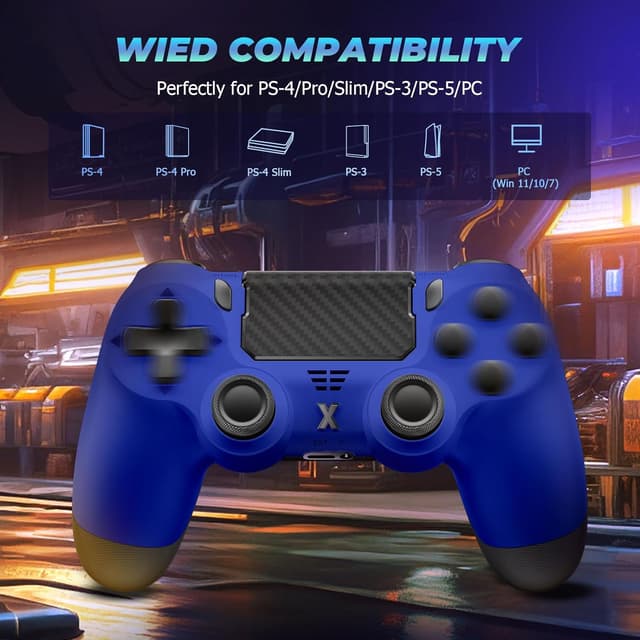
Compatibility is one of the strongest points mentioned. The wireless controller is described as developed for P4, P4 Slim, P4 Pro, and PC running Windows 7/8/10.
That’s broad enough to be useful if you own multiple devices in the P4 family. It also suggests you won’t be stuck buying separate controllers just to cover your setups.
However, you should still take a moment to double-check what you’re connecting it to and how your specific games support extra features (touch panel and gyro are only as good as the software that uses them). If a game doesn’t recognise those inputs, the controller can feel more basic than its feature list suggests.
Tech specs, in plain terms
Tech specs
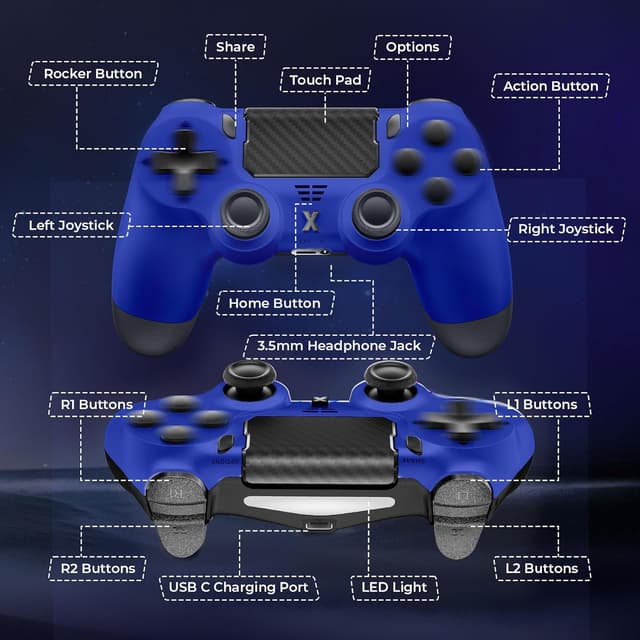
- Type: Wireless game controller (Bluetooth)
- Sensors: Upgraded six-axis sensor / 6-axis gyro
- Input features: Touch panel, vibration feedback
- Audio: 3.5mm audio jack for stereo headset or microphone
- Compatibility (as stated): P4, P4 Slim, P4 Pro, and PC (Windows 7/8/10)
- Colour: Dark blue
- What’s included: P4 controller, USB-C charging cable, user manual
Who it suits best (and who should be cautious)
It’s a good fit if you want one controller that can follow you between a P4 family setup and a PC, while still offering extra controls like gyro support and a touch panel. The 3.5mm audio jack also makes sense if you prefer a wired headset/mic or already own a compatible headset you like.
It’s not the best choice if you only play games that don’t benefit from touch/gyro features, or if you’re expecting a heavily “premium” feel based purely on specs. Also worth bearing in mind: vibration feedback depends on the game’s implementation. If the title doesn’t trigger rich vibration cues, you may not get much difference beyond basic feedback.
Is it worth it?
It makes sense to buy the Glitfix Wireless Controller for P4 series and PC if you value feature variety on one pad—touch panel input, a 6-axis gyro sensor, and vibration feedback—plus the convenience of a 3.5mm audio jack for headset/mic use.
You may want to skip it if your main goal is a simple controller with no interest in gyro or touch-style input, or if you’re buying without checking whether your games actually use those extra features. In other words, it’s designed to do more than the basics, so it’s best when your library matches what it’s built to support.
Mini FAQ
How does the audio jack work?

The controller includes a 3.5mm audio jack for connecting a stereo headset or a microphone, described as suitable for both immersive audio and communication with teammates.
Is it compatible with all P4 models?
It’s stated to be compatible with P4, P4 Slim, and P4 Pro, and also with PC running Windows 7/8/10. Still, it’s wise to confirm your exact setup.
What is the touch panel for?
It’s designed to make navigation more intuitive, but it will only be useful if the games you play support that kind of input.
Does it need charging?
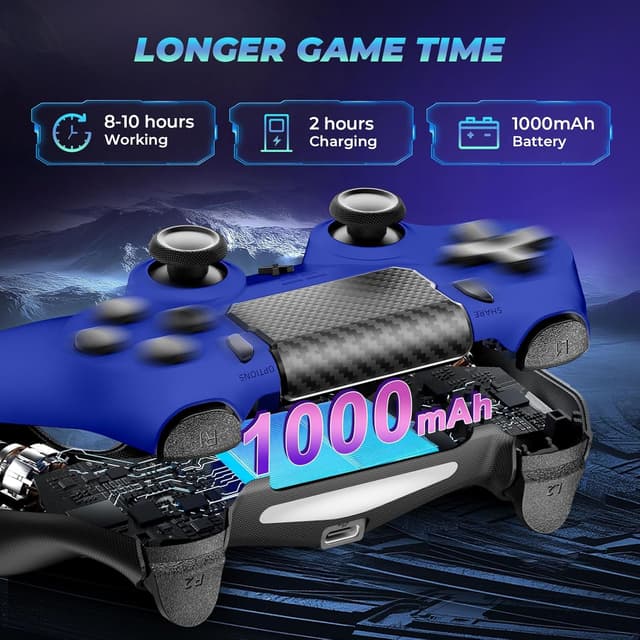
It comes with a USB-C charging cable, so you should plan on charging it as part of regular use.
What’s included in the box?
The pack includes the P4 controller, a USB-C charging cable, and a user manual.