

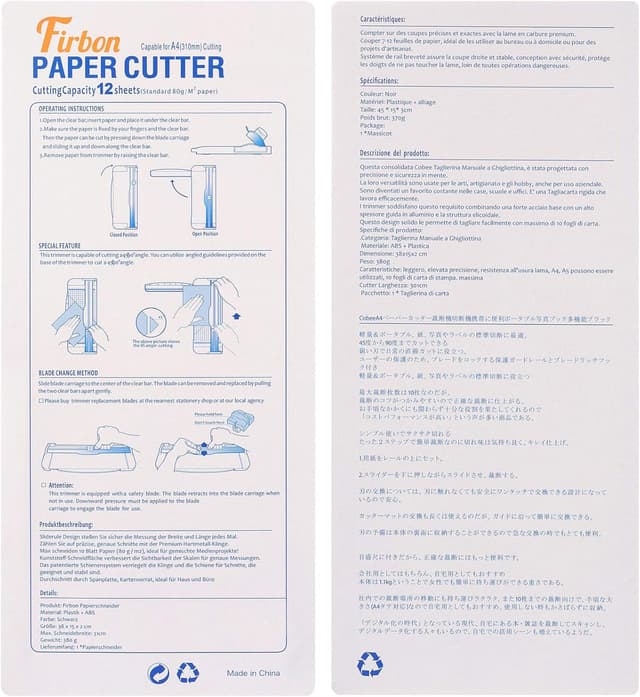
Firbon A4 Paper Cutter 12 Inch Titanium Paper Trimmer (Pink) for Scrapbooking & Card Craft
Product description
The essentials
If you regularly cut paper for cards, scrapbooking, labels or coupons, a paper trimmer like this Firbon model is designed to give you cleaner, straighter results than doing it all with a craft knife. The idea is simple: align the sheet with the printed line, press the blade to cut, and you get a straight edge with less dragging through the material.
It’s also a “get on with it” tool. The cutter is described as lightweight and convenient for home, office and school use, and it includes measurement guidance so you can repeat sizes without guessing. The blade is user-replaceable once it becomes blunt, which matters if you want a trimmer that keeps working rather than turning into a one-season purchase.
One thing to keep in mind, though: this isn’t trying to be a heavy-duty industrial guillotine. It’s positioned as a practical craft and paper-cutting tool, so if your projects regularly involve very thick stacks or unusually dense materials, you may need a more specialised solution.
What it’s designed for

On paper, this Firbon cutter is built to handle A3, A4 and A5 paper, photos and cards. It also mentions laminated items, as long as they’re within 1.5mm thickness, which can be useful for craft pieces that aren’t just plain sheets. The trimming is intended for tasks like wedding invitation cards and greeting cards, where straight, consistent edges make the finished layout look more intentional.
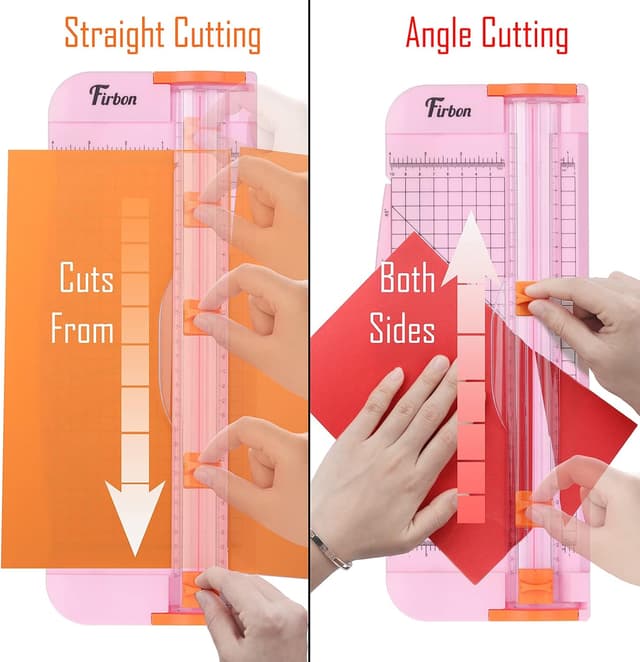
A concrete way to picture it in use: imagine you’re making a set of A4 cardstock panels for birthday invitations. You line up each sheet against the side ruler, aim for a consistent trim length, and then press the blade to cut. Because the tool is set up to cut along a straight line, it’s meant to help you avoid that slightly “wobbly” look you can get when freehand cutting.
Key features that affect everyday results
The biggest practical benefits here are control and measurement.
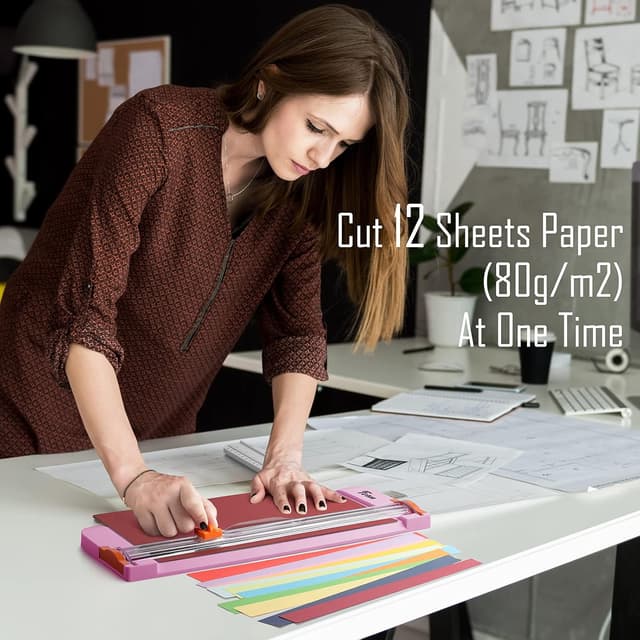
- Clean, straight cuts with minimal drag: the description focuses on presenting a clean straight cutting action along your printed line.
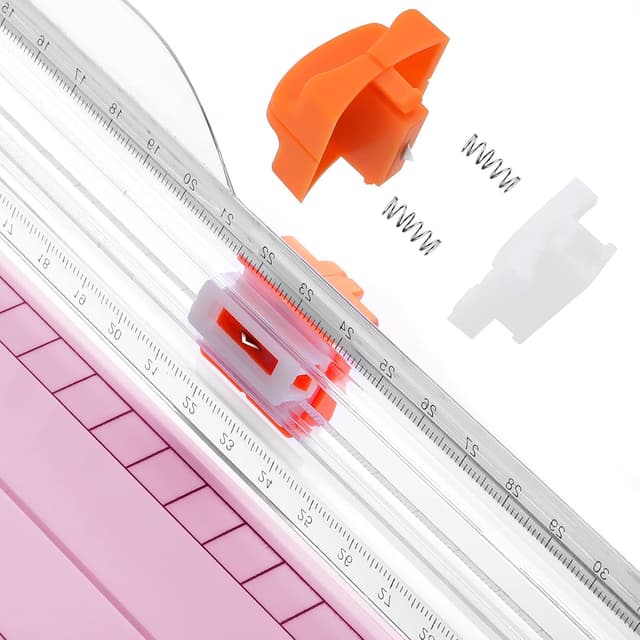
- Replaceable blade: if the blade dulls over time, the plan is that you can swap it rather than replacing the whole cutter.
- Measurement support: there’s a 45-degree to 90-degree angle measuring plate, plus both cm and inch scaling. That’s helpful if you’re trimming angles or trying to hit exact lengths.
- Side ruler for alignment: this makes it easier to keep the same margin when you cut multiple pieces.
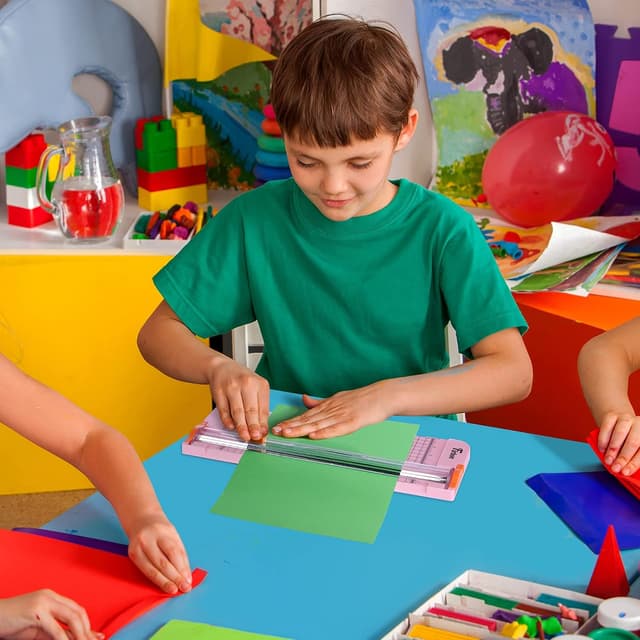
Safety is also a feature, and it’s not just marketing wording: the cutter is described as only working when you press the blade, with an automatic security safeguard intended to protect users, especially children. That sort of “press-to-cut” approach usually helps reduce accidental contact in shared households or classrooms.
Capacity and limitations to watch
The stated maximum cut is 12 sheets of paper (80g/m2) in a single go. For most home and craft workloads, that’s a workable stack size—especially if you’re cutting cardstock panels, photo prints or repeated label sheets.
Still, it can be a limitation if you’re the sort of user who constantly needs huge stacks at once. And while laminated items are mentioned, the thickness constraint is within 1.5mm, so it’s worth checking your material thickness before you assume it’ll glide through as easily as plain paper.
Getting the measurement right
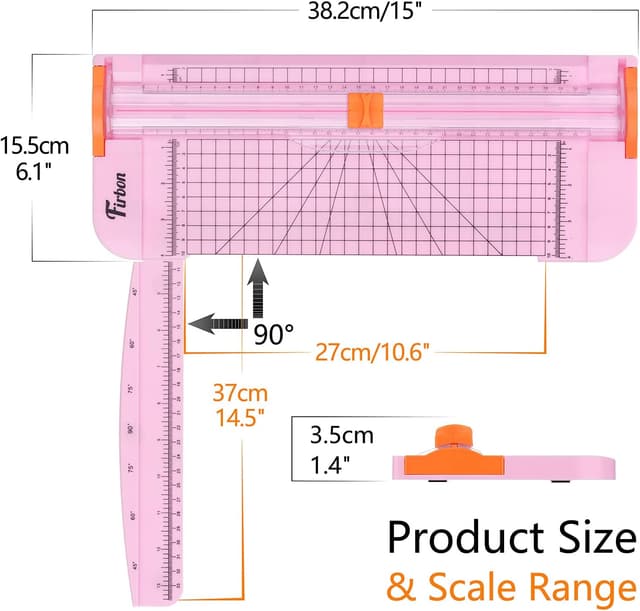
Where paper trimmers often fall down is not the cut itself, but the setup. This one includes angle measuring guidance (45 to 90 degrees) and both metric and imperial scales, which can reduce trial-and-error.
If you’re creating craft pieces from A4 and want consistent repeats, start by setting your target length using the cm/inch scale and use the side ruler for alignment. Then cut a single sheet first as a test, especially if you’re aiming for an angle or a non-standard size. Once you’re happy, you can move to batch cutting.
It’s not “set and forget” if you need complex templates, but for straightforward trims and repeat sizes, the measurement approach should be fairly practical.
Who it suits (and who should think twice)
It makes sense if you want a paper trimmer for everyday craft and paper projects—things like cards, scrapbooking pieces, labels and wedding invitations—where straight edges matter and you want a safer press-to-cut design.
It may not be the best match if: - you routinely cut more than the stated stack capacity (12 sheets at 80g/m2), - your workflow involves very thick or high-density laminated materials beyond 1.5mm, - or you expect a level of “precision engineering” that goes beyond simple craft and office trimming.
Also, it’s designed to cut paper, photos, cards and certain laminated items. If your main use is something outside those categories, you might find other cutting tools align better with your materials.
Buying verdict
Final verdict
Worth considering if you’re after a straightforward, measured paper guillotine/trimmer for A3/A4/A5 paper, photos and cards, with a press-to-cut safeguard and a replaceable blade plan. The inclusion of cm/inch scaling and an angle measuring plate suggests it’s aimed at repeatable sizes rather than one-off cuts.
You may want to skip it if your projects frequently require cutting far more than 12 sheets at once, or if your laminated materials regularly exceed the stated thickness limit. In those cases, a more heavy-duty approach is likely to save you time and frustration.
Tech overview
Tech specs
- Type: Paper trimmer / guillotine-style cutter
- Size range: Designed to cut A3, A4 and A5 paper
- Max cut: Up to 12 sheets of 80g/m2 paper at once
- Laminated thickness: Within 1.5mm
- Cutting/measurement support: 45-degree to 90-degree angle measuring plate
- Measurement scale: cm/inch scale
- Safety approach: Works only when you press the blade, with automatic security safeguard
Quick FAQ
Questions to think about before buying
Does it cut only paper? It’s described for paper, photos, cards, and laminated items within the stated thickness, so it’s more than just plain sheets.
Is it suitable for making cards and invitations? Yes, the description specifically calls out craft projects like wedding invitation cards and greeting cards where straight edges are useful.
How safe is it around children? The cutter is described as only operating when you press the blade, with an automatic security safeguard intended to protect the user, especially children.
What if the blade gets blunt? The plan is that the blade is easy to replace when it becomes blunt, rather than having to replace the whole cutter.
Will it handle laminated sheets? It mentions laminated items, but only within 1.5mm thickness—if your laminate is thicker, it may not be the right tool.