


ACMER Laser Engraver Machine K1 Desktop 7W (150×150mm) enclosed laser cutter for wood, plywood & acrylic
Product description
What it is and what it’s for
The ACMER K1 Desktop 7W is a compact, enclosed laser engraving machine aimed at desktop-friendly crafting and small-run personalisation. The pitch here is pretty clear: a small work area (150×150mm) plus a fine laser spot for engraving details, without needing a full workshop setup. It’s positioned as a practical option for things like gift personalisation, signage making, craft show pieces, or small business batches where you want consistent results.
If you’re comparing it to larger, more workshop-orientated laser cutters, this one is much more about fitting into a home studio or maker desk. The trade-off is that it’s not trying to be a big fabrication tool, it’s for smaller items and workflows where you can work within the 150×150mm limits.
Key takeaways for buyers (the stuff that matters)
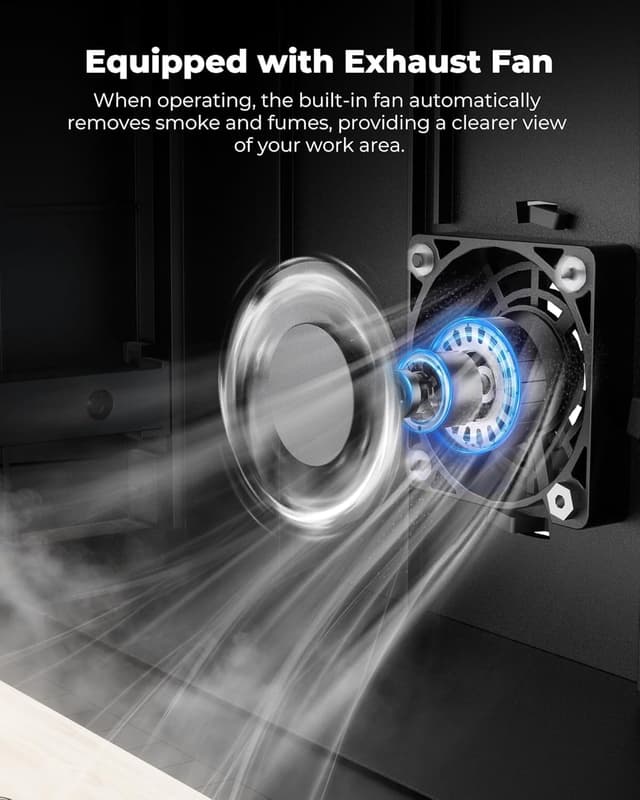
On paper, the K1’s enclosed Class 1 design and built-in exhaust fan are meant to keep engraving activity contained, while also helping reduce smoke and odours. That’s a big deal if you’re operating in a home, studio, or a smaller business workspace.
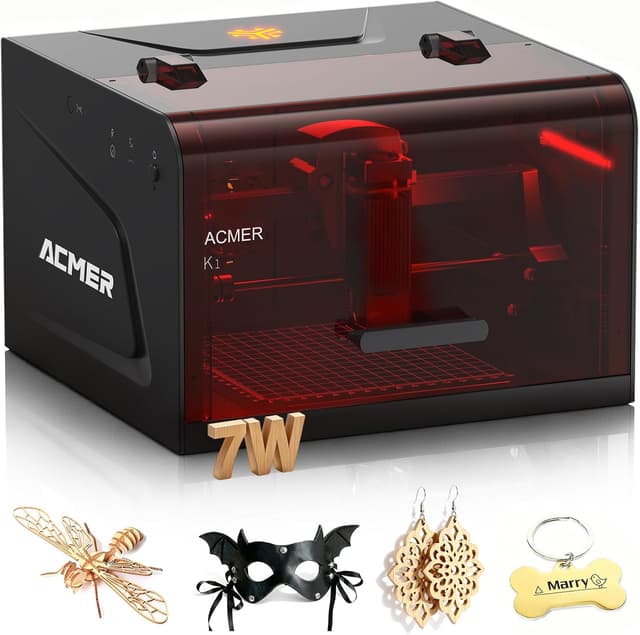
The other major hook is the laser setup: it uses a 455±5nm blue diode laser and the company claims a true factory-measured 0.08×0.08mm laser spot, plus 0.01mm repeat positioning accuracy. In plain terms, that’s the kind of spec you look at when you care about fine engraving lines and sharper detail.
One limitation to bear in mind: as with many desktop laser systems, the machine is only as good as the workflow you’re comfortable with (file preparation, software choice, and material suitability). If you want cutting performance rather than engraving, you may end up wishing you’d chosen a higher power variant—ACMER does mention power scaling across 3.5W, 7W and 12W options.
Where it shines in everyday use
The K1 is designed to be moved around and set up on a desk: it weighs 2.4kg and uses an aluminium profile frame with a pulley-track motion system, aimed at keeping engraving stable while still staying compact.
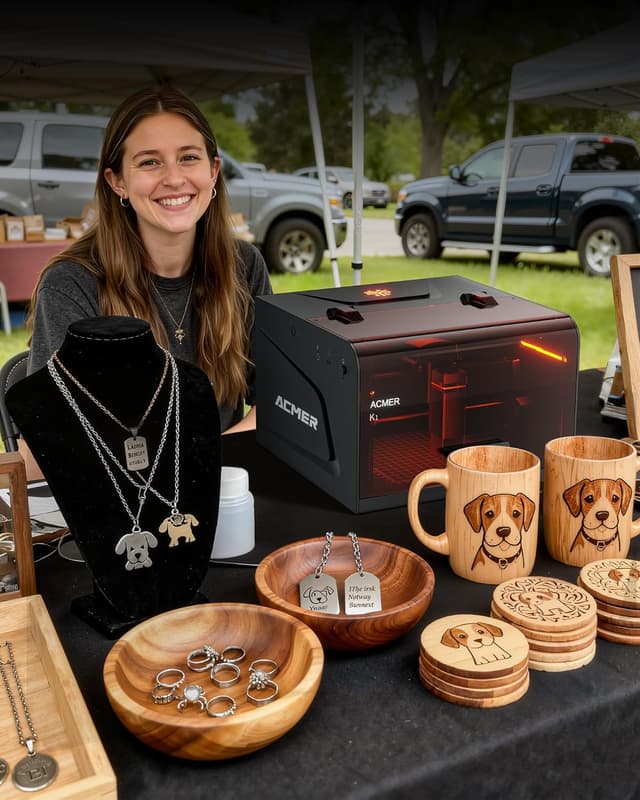
A realistic micro-scenario: imagine you’re making a batch of small wooden gift tags. You prepare your artwork (or convert it to a supported format), load the design, and run a series of engravings one after another. The desktop size helps you avoid constant repositioning for small pieces, while the enclosure and fan support the idea of doing this in a typical indoor workspace.
For faster work, ACMER states a maximum motion speed reaching 10,000mm/min. That’s useful when you’re doing multiple pieces and want engraving to progress at a sensible pace, rather than taking forever.
Tech specs (what the machine claims)
- Laser type: 455±5nm blue diode laser
- Enclosure: Class 1 enclosed design
- Work area: 150×150mm
- Fine engraving spot size: 0.08×0.08mm
- Repeat positioning accuracy: 0.01mm
- Motion speed: up to 10,000mm/min
- Weight: 2.4kg
- Compatibility: macOS, Windows, Linux
- Supported formats (examples): NC, DXF, BMP, JPG, PNG
Software and file workflow: how painless it really feels
The machine is optimised for AcmerTool, ACMER’s self-developed engraving software, which is described as free to use and ready out of the box. It also supports other popular engraving software if you already have a workflow you don’t want to abandon.

So, if you’re the type of buyer who wants to start quickly with minimal fuss, AcmerTool being “ready right out of the box” should help. If you’re already committed to a specific software flow, the fact it supports other popular engraving software can be a relief.
A practical caveat: “supported formats” is only half the story—how well they convert and how they engrave can vary depending on your source files and the material. It’s worth planning for a bit of trial on scrap material.
Compatibility and material expectations (and where it can fall short)
ACMER lists a broad set of materials and use cases, including wood, plywood, acrylic, leather, paper, and “more”. It also frames the K1 as suitable for craft shows/fairs, flea markets, souvenir shops, and small business work.
Where you might want to slow down: the entry is talking about power scaling across 3.5W/7W/12W, and only gives a cutting claim for the 12W option (up to 8mm Paulownia in one pass). Since you’re looking at the 7W model, it’s sensible to set expectations around engraving and lighter work rather than assuming it will match the higher-power cutting figures.

If you primarily want to cut thicker material, you may be better off selecting based on power and intended material thickness from the start—otherwise the machine could feel underpowered for your goal.
Pros and cons to consider
What you’ll likely like: - Enclosed Class 1 body with a built-in exhaust fan aimed at reducing smoke and odours - Desktop-friendly footprint and low weight (2.4kg) - Fine spot size and repeat positioning accuracy for detailed engraving - Broad OS compatibility (macOS, Windows, Linux) and multiple input formats
What could frustrate you depending on your plans: - A 150×150mm work area means larger projects will require segmentation or a different setup - 7W is positioned for a range of uses, but cutting performance may be more limited than higher-power options - Software support is there, but results still depend on your files and how you tune settings per material
In the box and setup notes
The description confirms it’s ready right out of the box with AcmerTool included, but it doesn’t list additional inclusions beyond the software. That means it’s worth checking the listing details for what’s physically included (and what accessories you may need) before you commit.
Is it worth it?
The ACMER Laser Engraver Machine K1 Desktop 7W looks worth considering if you want a small, enclosed desktop engraver for detailed personalisation and craft work—especially if you’re working in a home studio, maker space, or small business environment where you’d rather keep the process contained. The fine 0.08×0.08mm spot claim and the 150×150mm workspace fit well with gifts, signage-like engraving, and repeatable small-run production.
It may not be the best match if your priority is big cutting jobs, very large items, or thick-material cutting, because the work area is limited and the cutting headline performance is described for the higher-power 12W model. If your projects routinely exceed the 150×150mm size or you expect strong deep cutting on thicker stock, you may find yourself outgrowing this setup sooner than you hoped.
Quick FAQ

Is the K1 suitable for home use?
The machine is described as a Class 1 enclosed design with a built-in fan to help reduce smoke and odours, which is exactly the kind of feature you’d look for if you plan to run it in a home or small studio environment.
What operating systems does it work with?
It’s listed as compatible with macOS, Windows, and Linux.
What file types can I use?
ACMER mentions support for NC, DXF, BMP, JPG, PNG, among other engraving formats.
Does it include engraving software?
Yes—AcmerTool engraving software is described as included, free to use, and ready right out of the box.
What should I watch for before buying?
Check whether your typical project sizes fit within 150×150mm, and consider whether 7W is enough for what you want to cut versus mainly engrave. It’s also worth planning for a few test runs on scrap materials to dial settings in.