

Creality Falcon A1 10W Enclosed Engraver & Cutter with Smart Camera (CoreXY up to 600mm/s)
Reviews
Price
Product description
At a glance
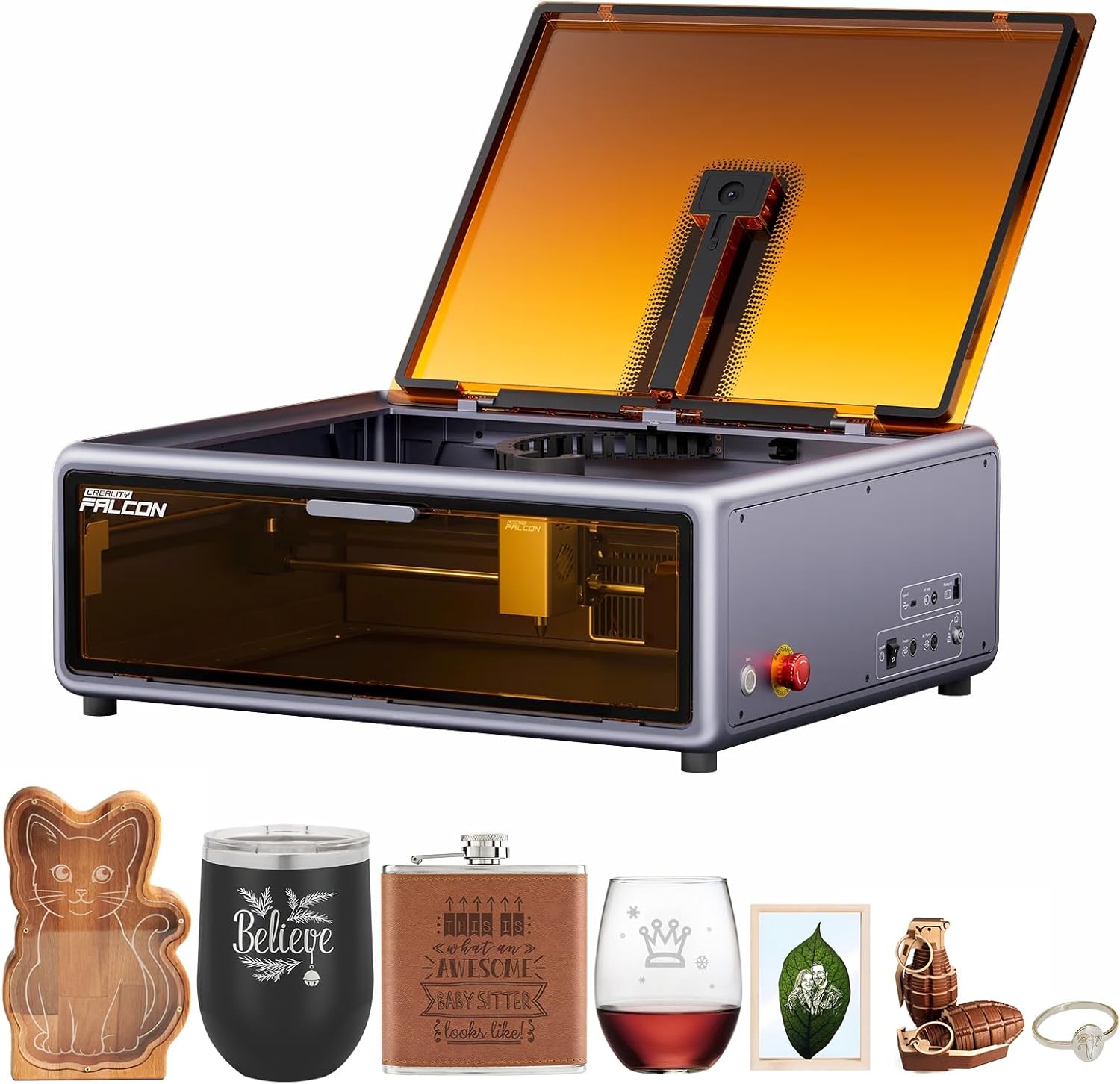
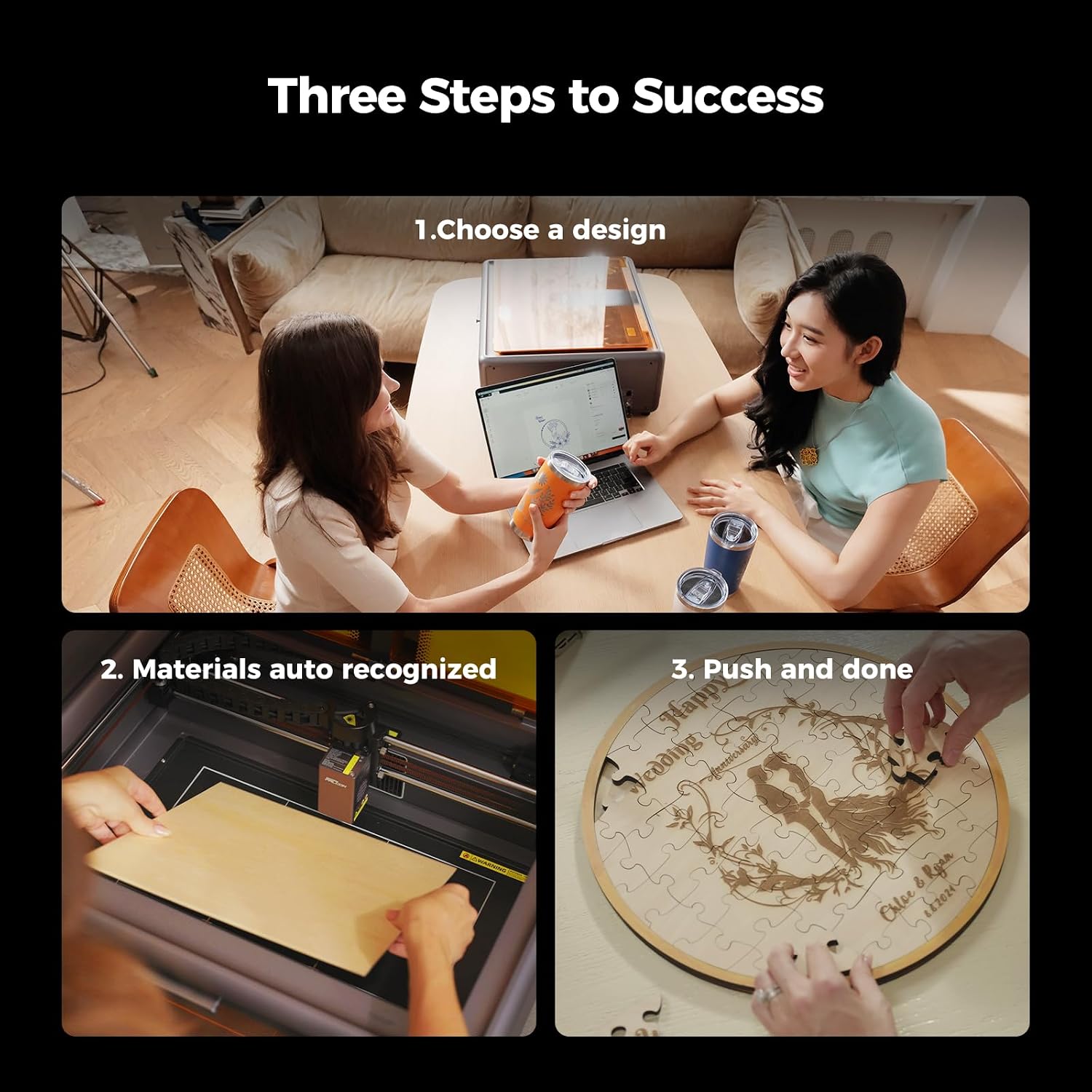
The Creality Falcon A1 is a fully enclosed 10W engraver and cutter built around a smart camera workflow. On paper, that matters more than people expect: instead of constantly fiddling with focus and alignment, the machine leans on a pre-calibrated high-definition camera with a live preview, plus features intended to reduce manual adjustment during engraving and cutting.
It’s also designed to be quick to start. The listing suggests it arrives pre-assembled and ready to use straight out of the box, and the “one-click” style batch workflow is aimed at making production-style jobs (repeatable shapes, batches, or simple graphic runs) less fiddly.
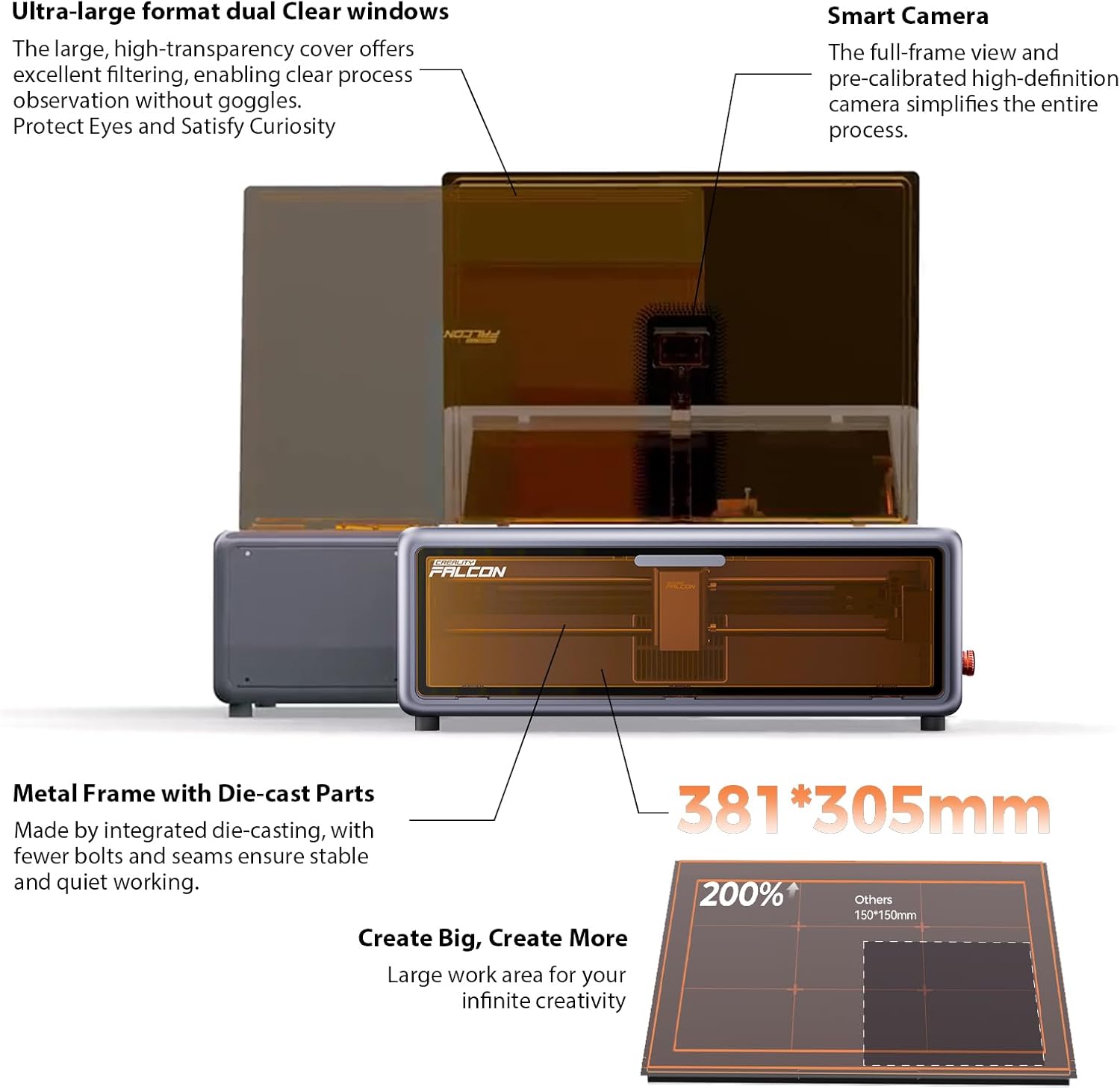
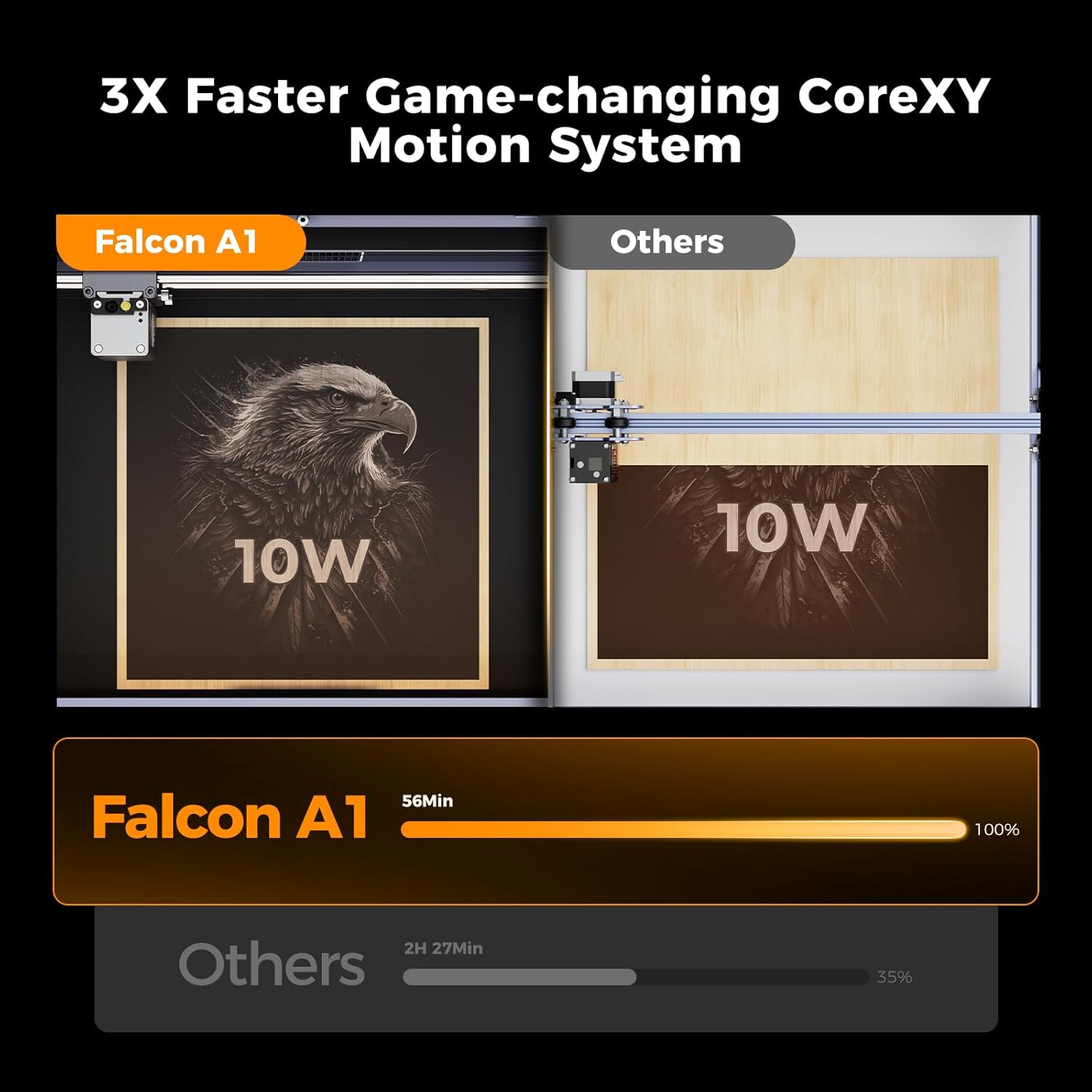
If you want speed, the Falcon A1 uses CoreXY motion rated “up to 600mm/s”. It’s paired with a structural approach that aims to keep movement stable and quiet—an enclosed metal-frame design with die-cast parts and fewer bolts and seams.
What you’ll notice day to day
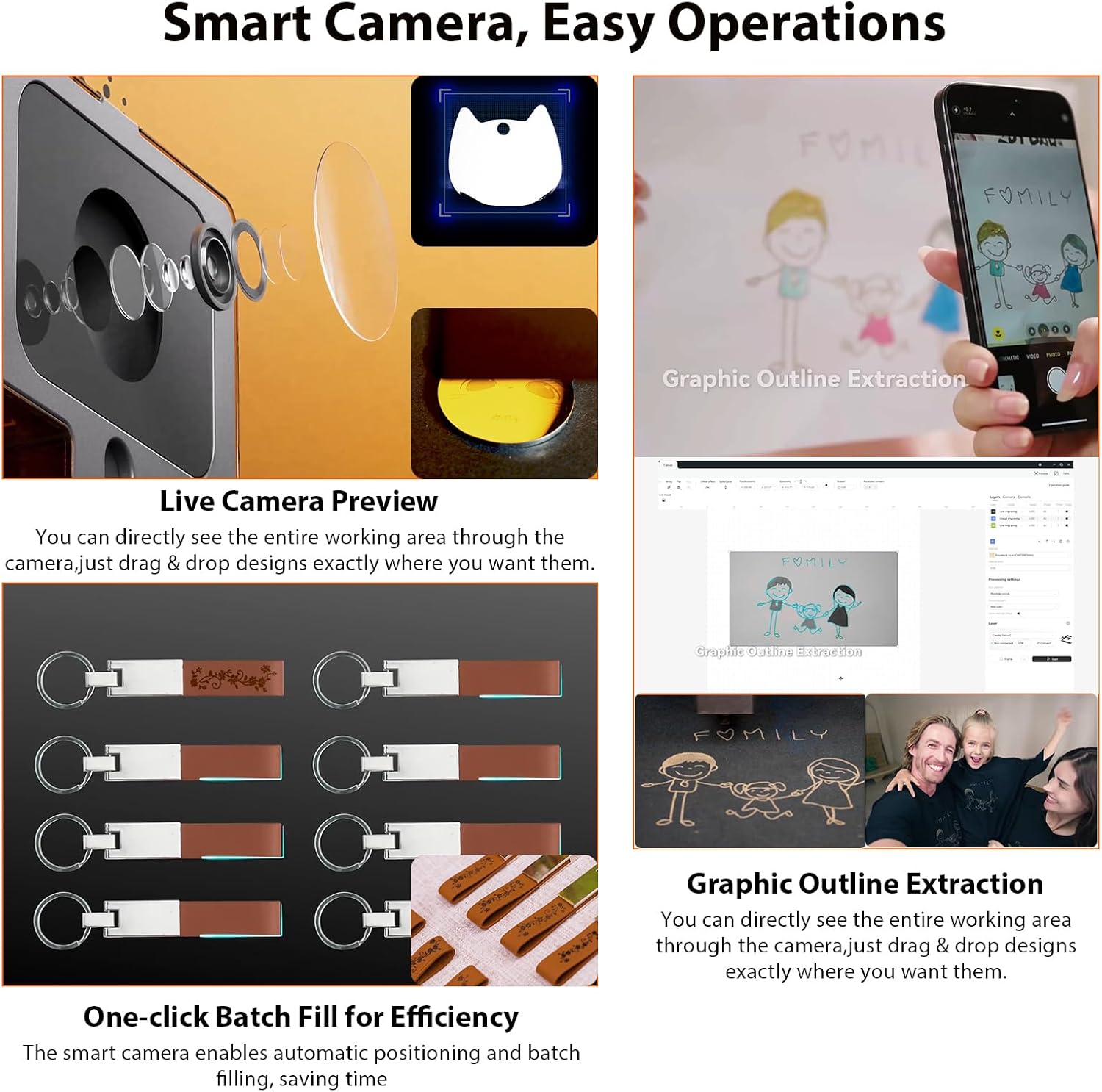
The Smart Camera is the headline feature here. You get a full-frame view and Live Camera Preview, which can make setup feel more like checking a feed than doing guesswork. The idea is that you can line up and monitor the process with less reliance on manual adjustments.
There’s also an “outline extraction” graphic function and “one-click batch fill” for efficiency. In practical terms, this is the kind of thing you’ll appreciate when you’re running the same design across multiple items, or when you’re working with graphics where clean edges matter. It’s not the same experience as a purely “hands-on” engraver, but if you prefer a guided workflow, this will likely feel more comfortable.
The machine also uses auto materials recognition: it detects supported materials using a built-in QR code system selected for Falcon materials. The promise here is fewer trial runs. That can be a genuine time-saver if you regularly engrave on the same shortlist of materials rather than constantly experimenting.
One limitation to keep in mind: auto recognition is only helpful if you’re actually using the materials it can detect well. If your workflow leans heavily on unusual sheet stock or bespoke materials, you may still need testing and manual tweaking.
Key specifications
- Type: Engraver & cutter (enclosed)
- Power: 10W
- Motion system: CoreXY
- Speed: up to 600mm/s
- Positioning accuracy: up to 0.01mm
- Working area (printer dimensions): 447.5 × 553 × 200mm
- Materials recognition: built-in QR code system for Falcon-selected materials
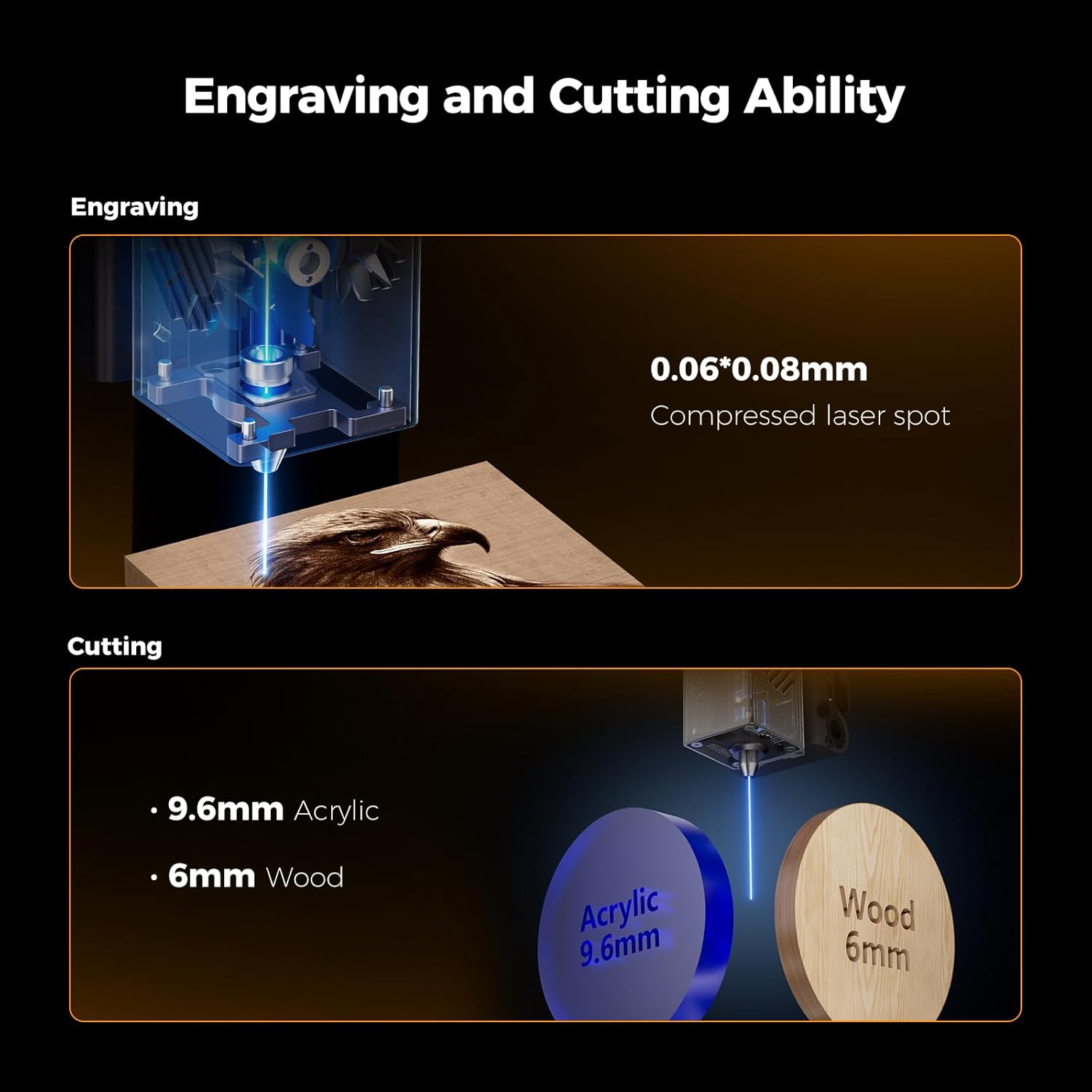
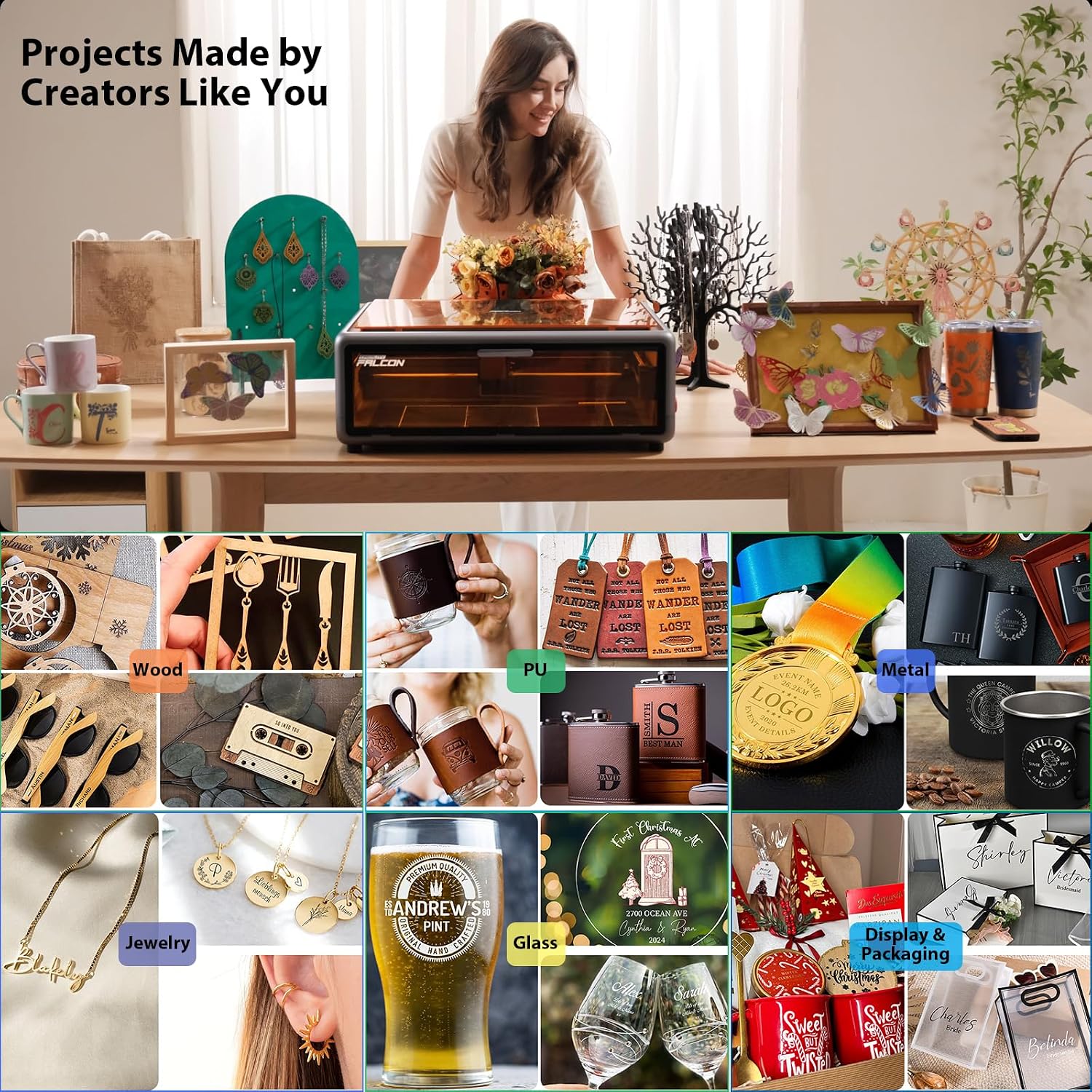
- Materials mentioned as supported: cardboard, wood, bamboo, rubber, leather, fabric, acrylic, plastic, and other materials
- Camera features: Smart Camera with Live Camera Preview, pre-calibrated high-definition view
Where it shines
If your goal is dependable engraving and cutting with less setup friction, the Falcon A1 is built around that. The combination of a large, high-transparency cover (for clear process observation without goggles) and a guided camera workflow suits people who want to spend time making items, not endlessly calibrating.
It also seems well-aligned with small business or maker bench use—logos, repeat batch engraving, craft runs, and projects where you’ll value repeatability. The “full-frame view” and pre-calibrated camera approach could reduce the learning curve compared with machines that rely more on manual adjustments from the start.
And if you’re chasing faster throughput, the CoreXY setup rated up to 600mm/s is aimed at keeping jobs moving, while the enclosed metal frame and die-cast parts are intended to support stable and quiet operation.
Practical tips (and what to check before buying)
A quick checklist before you commit: make sure your expected materials are realistically covered by the QR-code auto recognition system. The listing lists multiple material types, but auto recognition is specifically for “Falcon-selected materials”, so it’s worth aligning your usual stock with what the machine is meant to detect.
Also consider what you’ll be making. With a working envelope described via printer dimensions (447.5 × 553 × 200mm), it’s a “create big, create more” sort of option for many engraving/cutting projects, but it may not suit very large panels or unusually tall workpieces.
Example of how this could look in everyday use: imagine you’re producing a set of acrylic name tags. You’d upload the design, use the camera live preview to confirm placement and edges, then run a batch if you’re repeating the same shape across multiple pieces—rather than doing the full setup again from scratch each time.
Finally, don’t ignore the camera workflow itself: it’s helpful, but it also becomes part of how you operate. If you’d rather minimise screen-based setup and keep things purely manual, you might find the guided approach less to your taste.
Mini FAQ
Is the Falcon A1 enclosed, and why that matters?
Yes, it’s described as an enclosed engraving machine with a large high-transparency cover. The enclosure is part of how it aims for stable, quiet operation, and the clear cover is meant to let you watch the process without goggles.
Does it need manual tests for every new material?
The listing says auto materials recognition is intended to reduce time-consuming tests by optimising engraving and cutting settings. That said, auto recognition is tied to Falcon-selected materials, so if your materials don’t fall into that system, you may still need some trialing.
What does the smart camera actually do?
It provides a full-frame view with Live Camera Preview, and the machine uses camera-related workflow features such as one-click batch fill and graphic outline extraction, aiming to simplify setup and execution.
How fast is it, in real terms?
The speed is specified as up to 600mm/s using CoreXY. Real job times will still depend on your design complexity and the settings you use, but it’s clearly positioned as a faster motion system.
Should you buy it?
A solid pick if you want an enclosed engraver/cutter that prioritises guided setup, repeatable workflows, and speed—especially if you plan to work regularly with the kinds of materials supported by the Falcon QR-code recognition system.
It’s not the best choice if you’re constantly using very niche materials that aren’t part of the auto-recognition list, or if you prefer a fully manual setup style with minimal reliance on camera-driven alignment and workflow.
Final verdict
If your projects are the sort that benefit from repeat batches, clean outlines, and reduced setup hassle, the Creality Falcon A1 looks like it belongs in the “move quickly, stay consistent” category rather than a slow-bench tinkering machine. Whether it’s a great fit for you will mainly come down to whether your usual materials match what its recognition system is designed for, and whether you’re comfortable letting the smart camera be part of the process.