


eSynic Professional 192kHz eARC/ARC to Optical Audio Extractor Cable
Product description
What it is
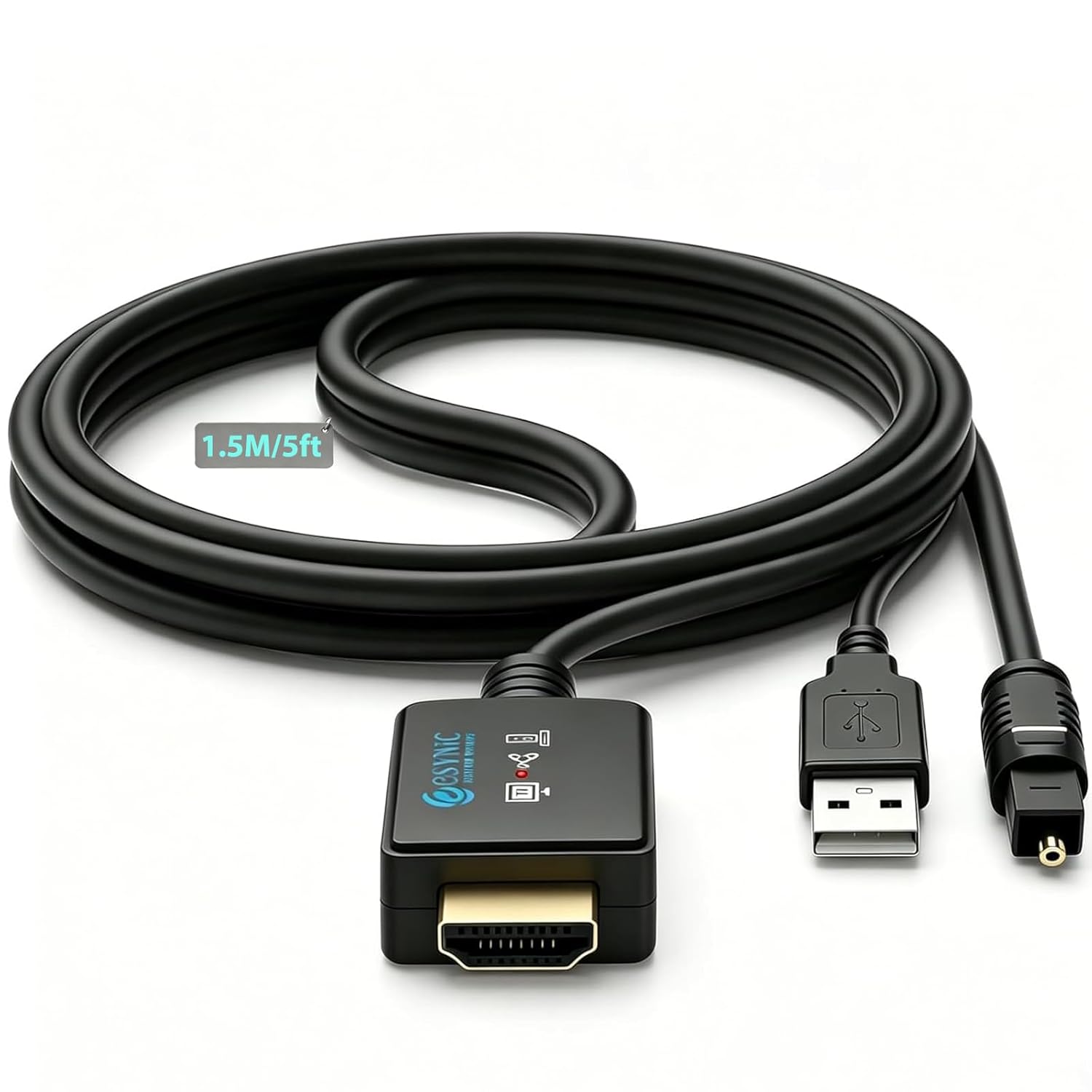
The eSynic Professional 192kHz eARC/ARC to Optical Audio Extractor is an all-in-one HDMI setup that combines the HDMI eARC/ARC connector, an audio processing chip and a 1.5m fibre optic cable into a single unit. It is designed to connect your TV’s ARC/eARC port directly to a soundbar or home theatre system, eliminating the need for extra converter boxes or extra cables for a tidy, hassle-free arrangement.
What it resolves
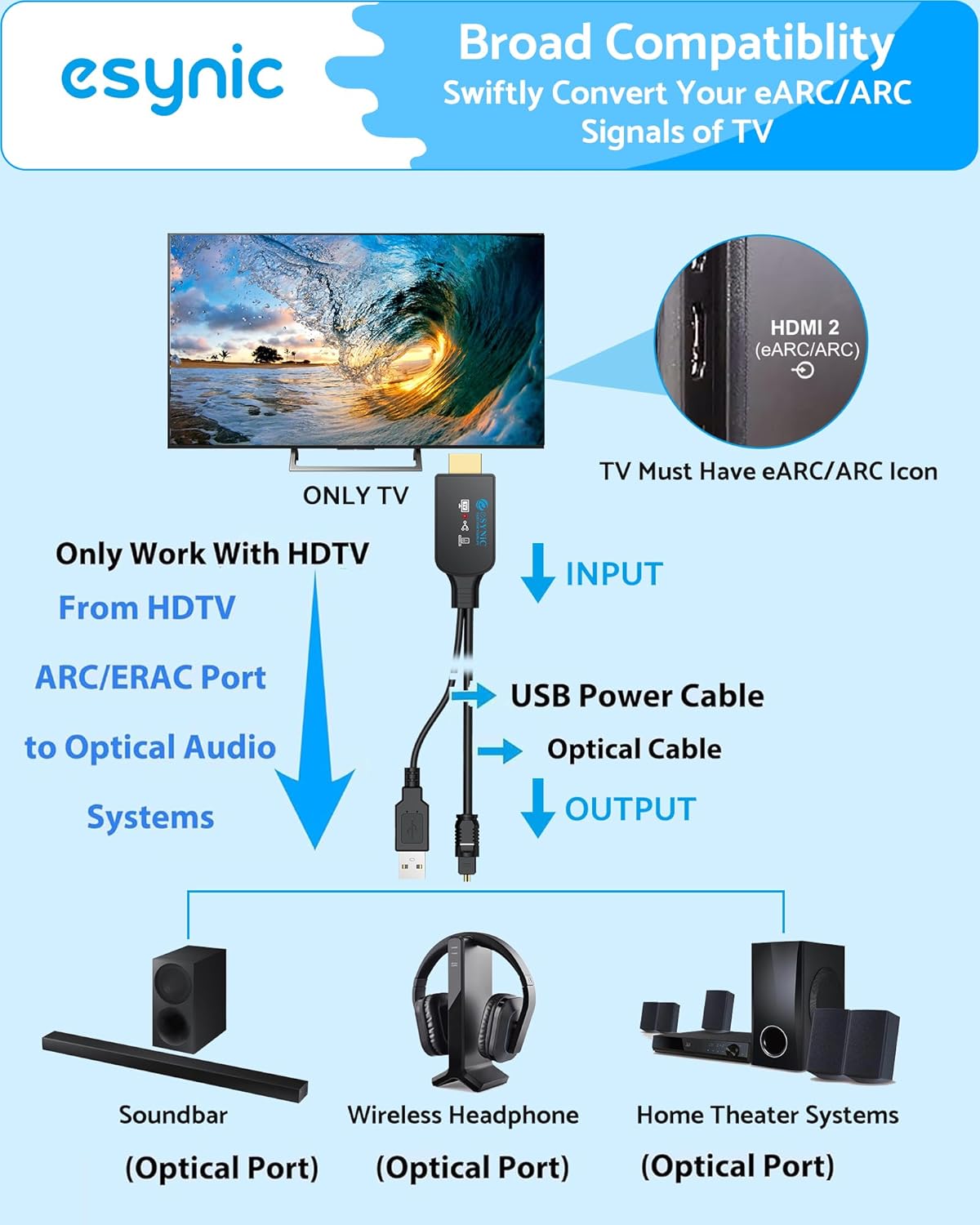
If your TV supports eARC/ARC, this extractor aims to deliver high‑fidelity audio through an optical link to your existing speaker system. It’s particularly useful when your soundbar or receiver only accepts optical input, or you want to avoid juggling multiple adapters. On the paper, it simplifies wiring and keeps the entertainment space clean.
How it performs
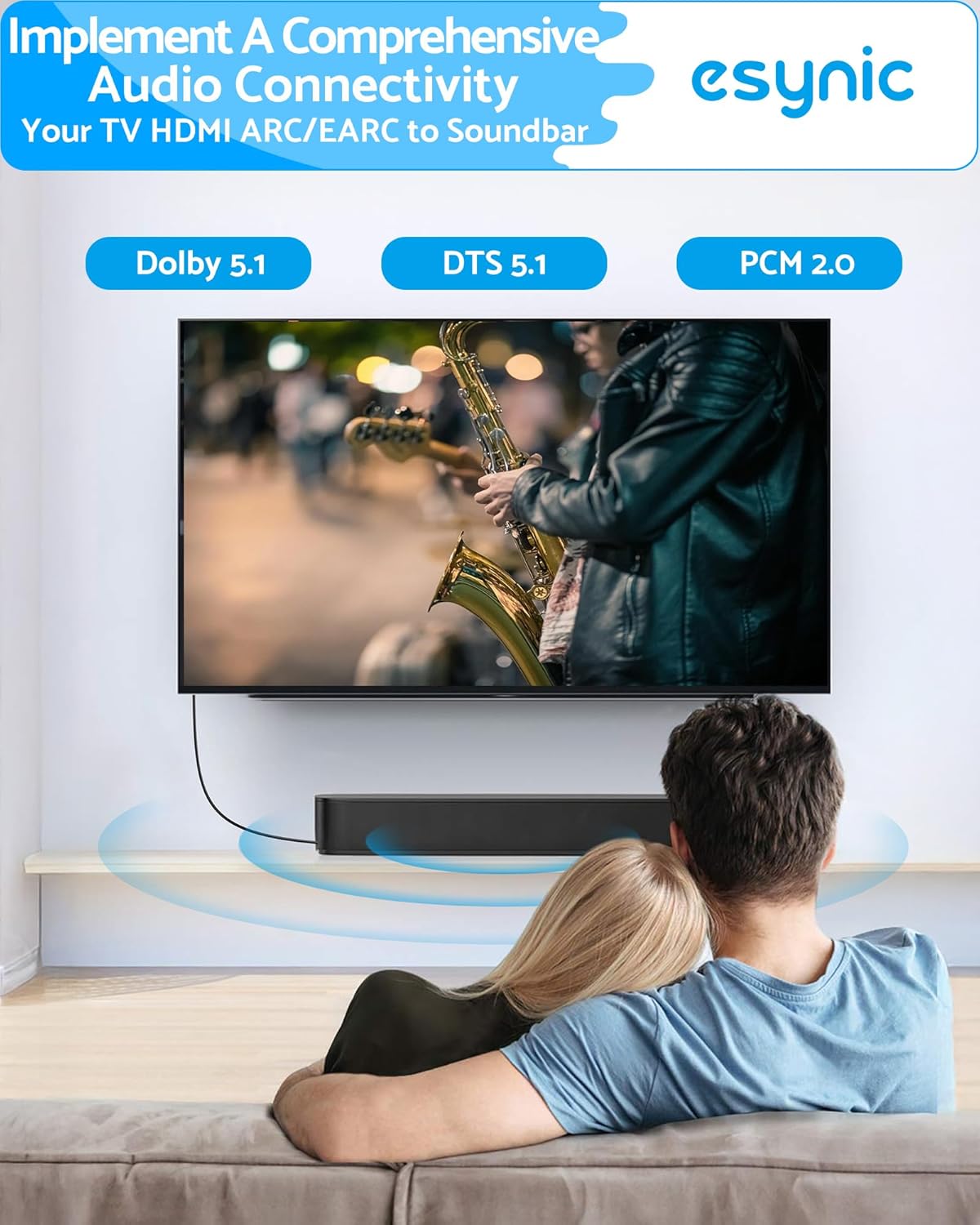
The device supports audio sampling up to 192kHz/24bit, with a built‑in chip that extracts high‑definition audio from the TV signal. Supported formats include PCM 2.0, Dolby Digital 5.1 and DTS 5.1, which covers most film, gaming and music scenarios. The design emphasises plug-and-play use: power is provided via a USB connection to the TV, with no need for drivers or software.
What stands out

The integrated fibre optic link removes the need for separate cables, which helps minimise clutter. The emphasis on high‑resolution audio (192kHz/24bit) makes it a reasonable choice for cinematic audio setups where you want more detail than basic stereo can offer.
Limitations and cautions
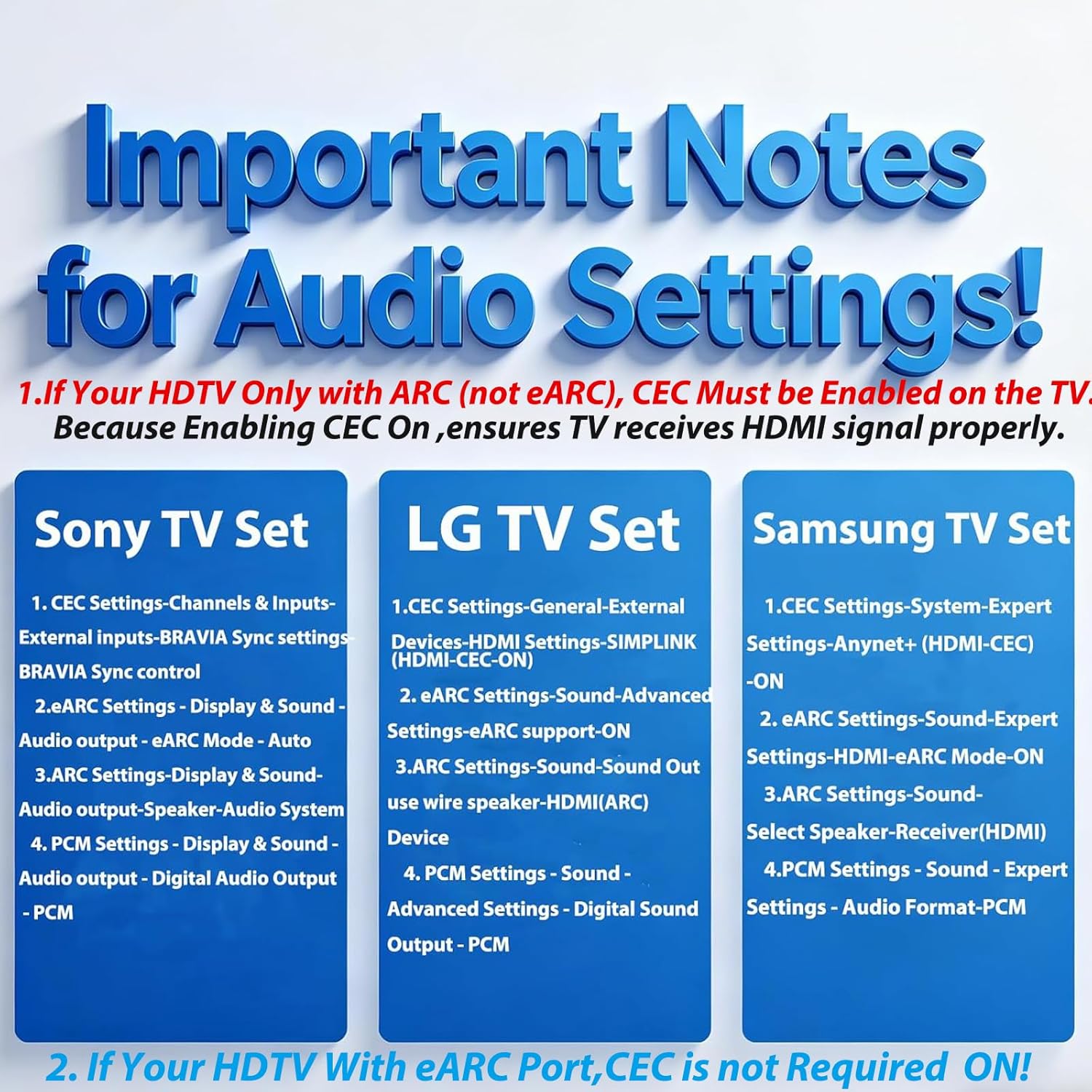
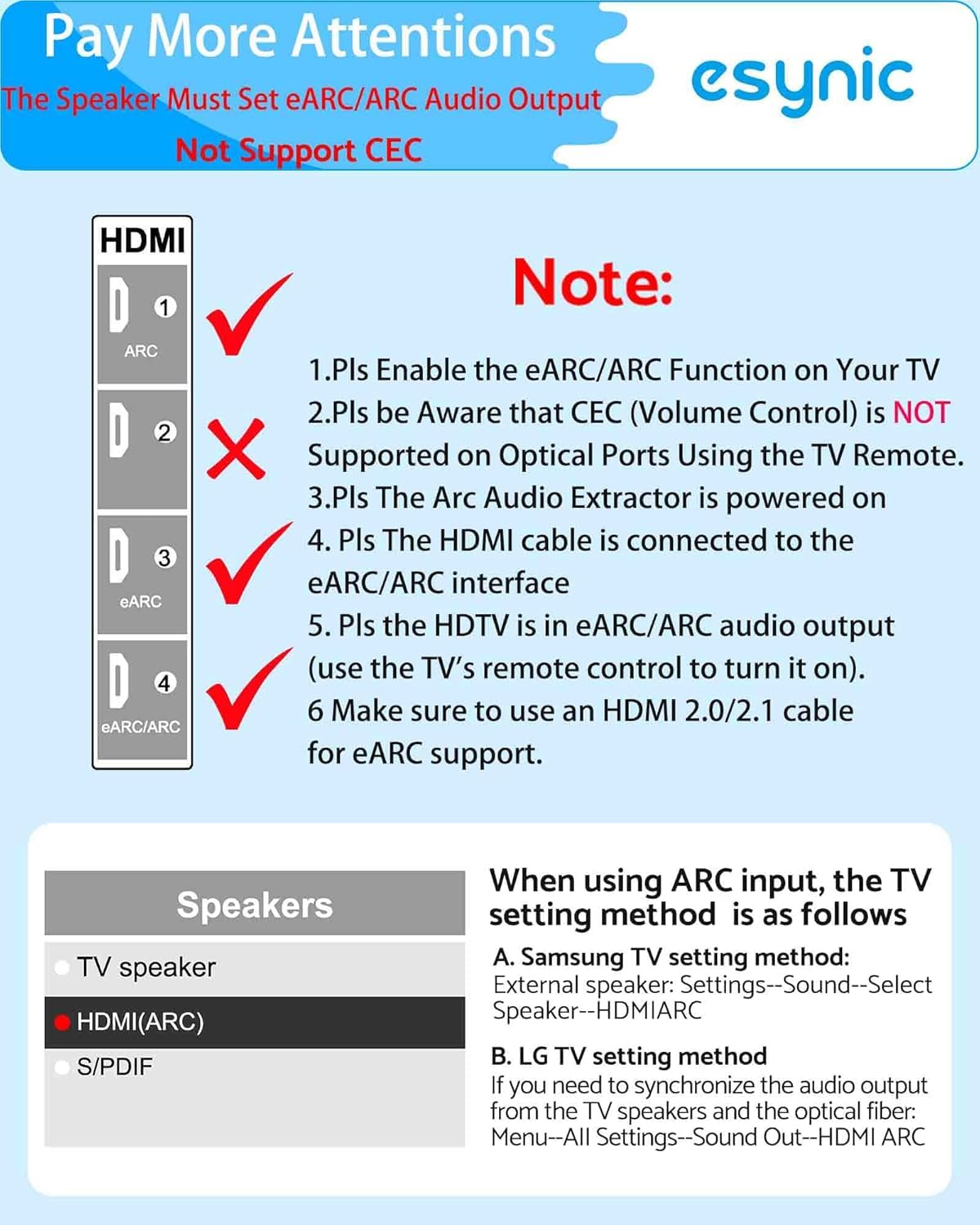
Be aware that TV remote volume control (CEC) via the optical path isn’t supported. You’ll need to use your soundbar or amplifier’s remote to adjust volume. Additionally, the unit requires the TV’s HDMI port to be clearly marked with an eARC/ARC icon, without it, audio extraction may not work as intended.
Who it’s for
Ideal for households with a TV that has eARC/ARC and a soundbar or home theatre system that accepts optical input but not HDMI audio. If your setup already uses an HDMI‑based audio path with compatible devices, this extractor could still help declutter cables and simplify routing.
Who it isn’t for
If you rely on HDMI‑based audio controls or you want CEC‑driven volume management through the TV, this device may feel limiting. It also hinges on your TV supporting eARC/ARC, non‑ARC TVs won’t benefit from this extractor.
When it makes sense to buy
If you’re chasing a neater entertainment area and your sound system accepts optical input while your TV exports audio over HDMI ARC/eARC, this product offers a straightforward, driver‑less solution. It can be a practical upgrade for those looking to avoid buying extra converters.
Before you buy
-check that your TV’s HDMI port is clearly labelled with eARC/ARC. -Confirm your sound system can accept optical input and that you’re comfortable controlling volume via the soundbar/receiver remote rather than the TV. -Consider whether you need the 1.5m fibre optic length or whether you’d prefer a different cable length elsewhere in your setup.
Practical use example
Imagine you’re watching a film with a soundbar that supports Dolby Digital but not HDMI audio passthrough from your TV. You plug the eSynic extractor into the TV’s ARC/eARC HDMI port, run the optical cable to the soundbar, and power the unit from the TV’s USB port. The movie audio comes through in 5.1 surround, with less cable clutter and a simpler cooling of the HDMI path.
What you get in practice vs alternatives
Compared with loose adapters or multiple components, this single unit keeps the path from TV to speaker clean. If you prioritise minimal setup and clear, surround‑ready audio through optical, it’s worth considering. If you already have a ready HDMI audio path or require remote control of TV volume via HDMI, you may notice some friction since CEC will not operate over the optical link.
Included in the pack
Included is the main extractor unit plus a 1.5m fibre optic link and a USB power lead, enabling quick plug‑and‑play use without extra software.
FAQ
- Will this work with any HDMI‑ARC TV? It should work with TVs that clearly mark eARC/ARC on the HDMI port and with soundbars or receivers that accept optical input.
- Do I need drivers or software? No, it’s designed for plug‑and‑play operation.
- Can I control volume from the TV? Not via CEC through the optical path, use the soundbar/receiver remote.
Final verdict
Is it worth it? Worth considering if you want a tidy, straightforward route from an eARC/ARC TV to an optical‑input speaker system and you don’t need TV‑driven volume control. It may not be ideal if your setup relies on TV‑side control or if your TV’s ARC labeling is unclear.