


DigitPro VHS to Digital Converter 3.0
Product description
If you have old VHS, Hi8, Mini DV, or camcorder recordings that you want to watch again on modern devices, the DigitPro VHS to Digital Converter 3.0 offers a straightforward path to MP4. It helps preserve those memories by capturing legacy video and digitising it for easier sharing and playback. With a built-in 5 inch screen, you can preview footage and keep everything simple without relying on a PC workflow.
DigitPro VCR to Digital Converter is built around the idea of turning analogue recordings into digital files in MP4 format so you can share them with family and friends. According to the manufacturer, you can work with multiple legacy sources such as VHS tapes, Hi8 Mini DV VCR tapes, and Set top recorded videos, and output them as digital video. You can choose recording options including 720p and 1080p, and the unit also supports 4K recording resolution via its digitisation setup.

Key features
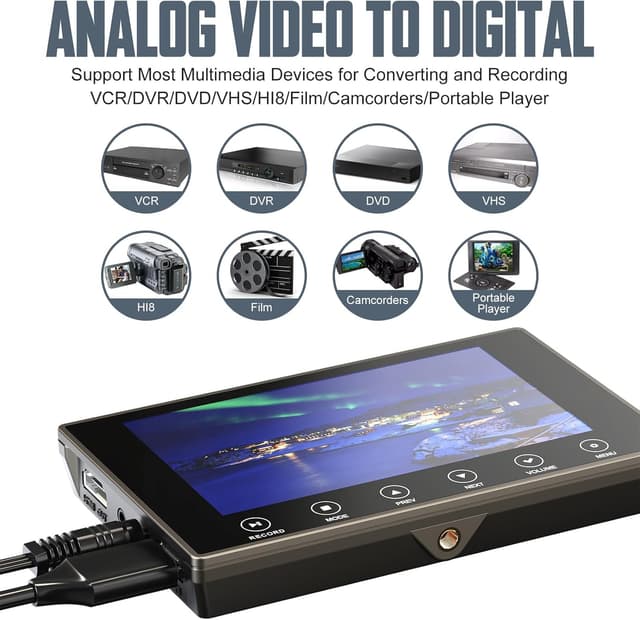
This converter is designed to be used as a standalone device, which is useful if you do not want to install drivers or run digitisation software. It captures video from an HDMI video source and saves the resulting MP4 files onto a compatible USB flash drive or SD card, noting that both USB and SD card are not included. There is also an internal 3.5 mm mic jack, so you can add live commentary while capturing if you want to provide context for your footage.
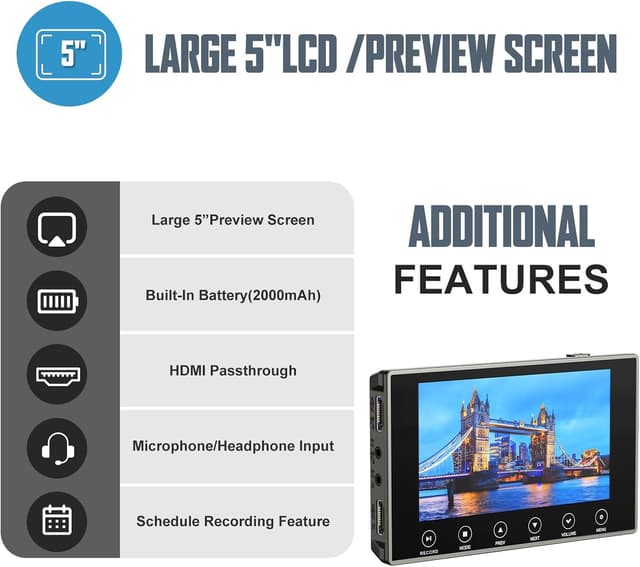
A built-in 5 inch screen and built-in speakers make it easier to preview and play back what you have captured right away. If you would rather share with a wider group, the HDMI port lets you connect to a larger display. For private listening, there is a separate headphone output for use with headphones, which can be handy when digitising at home. The inclusion of audio recording alongside the capture workflow is also a practical benefit for preserving conversations and background sound.
Tech specs

- Type: VHS to digital converter
- Resolution: 4K recording resolution
- Resolution options: 720p and 1080p
- Output format: MP4
- Screen size: 5 inch
- Audio connection: 3.5 mm mic jack
- Playback time: up to 3 hours after a full charge
What’s included and how it works
DigitPro focuses on making digitisation feel more like a capture session than a computer project. In everyday use, you connect an HDMI video source to the converter, start recording, and then store the captured MP4 files onto your chosen USB flash drive or SD card. During capturing, you can rely on the built-in screen and speakers to check what you are recording, and you can switch to a bigger viewing setup via HDMI if you prefer. This setup is particularly useful when you want to move footage from older formats into a format that is easier to keep, label, and share.


It also helps if you have several types of older recordings you want to convert. The manufacturer describes the converter as a way to preserve memories captured on VHS tapes and other legacy sources, including Hi8 and Mini DV VCR tapes, as well as DVD and set top recorded videos. Keep in mind that the unit saves files to external storage, so you will need to supply an SD card or USB flash drive yourself. © When you are ready to listen carefully, you can use the headphone jack for audio monitoring without disturbing others in the room. 📼
If portability matters, the built-in 2000 mAh battery supports up to around 3 hours of playback after a full charge, making it easier to use around the home. That battery life is useful if you want to preview, check, or play captured clips without always being tied to a nearby socket. 🤝
It makes sense if you want a simple, standalone VHS and analogue video digitisation workflow with on-device preview and MP4 storage. It’s not for you if you specifically need a fully software driven PC capture setup, or if you are expecting included storage media like SD cards or USB drives. 🎧
The converter is a practical option for home users who want to keep older tapes watchable on modern TVs and computers using digital MP4 files. It suits families and anyone building a small archive of legacy clips for long term viewing. You can start small with a few tapes, verify playback using the screen, and then continue digitising at your own pace.