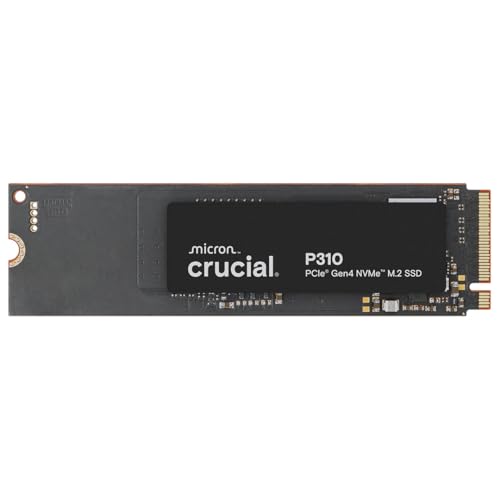
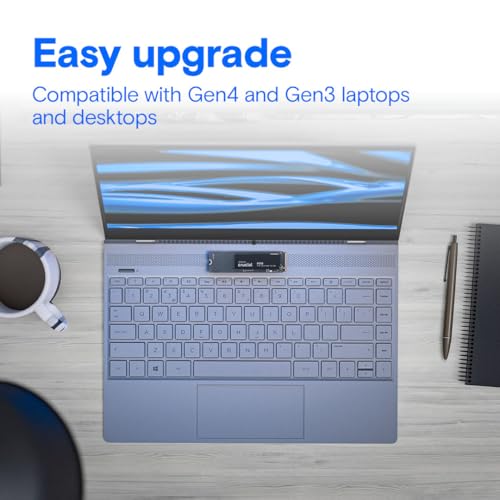
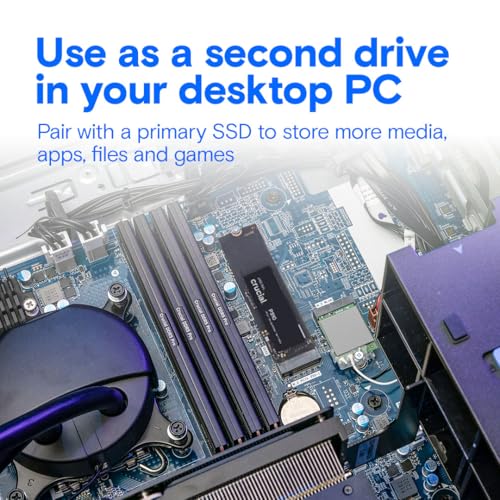
What it is and what it solves\nThe Crucial P310 is a 2TB NVMe solid state drive in an M.2 2280 form factor. Intended to upgrade laptops and desktops, it aims to speed up bootups, file transfers and game loads without sacrificing reliability. It’s a mid-to-high performance option for users looking to add storage capacity while benefiting from Gen4 bandwidth. The drive is backed by a 5-year limited warranty, which can provide some peace of mind for a storage upgrade that users rely on day to day.\n\n## Real-world performance and efficiency\nOn paper, the P310 reaches up to 7,100 MB/s, which translates into noticeably faster boot times and quicker loading of large files or applications compared with older Gen3 or SATA solutions. In practical terms, users often see about 20% faster bootups and gameplay, and up to 20% faster performance in common tasks like starting applications (e.g., Photoshop, Illustrator) or working in productivity suites. There’s also a focus on efficiency, with up to 40% better performance-to-power ratio than the previous Gen4 generation, which can help preserve battery life in laptops during heavy use.\n\n## What sets it apart (and what could be better)\nOn the plus side, the P310 offers a substantial jump in throughput for a PCIe Gen4 drive, coupled with a sizeable 2TB capacity and broad compatibility with both laptops and desktops. The sustained benefit is most evident in tasks that involve large file transfers, system boot or loading times, and everyday workloads that benefit from quicker storage access.\nHowever, it’s important to temper expectations: real-world gains depend on the rest of the system, including CPU, RAM and the motherboard’s PCIe implementation. If you’re using an older platform or a low-end motherboard, you may not see the peak 7,100 MB/s speeds in every scenario.\n\n## Who it’s for\nThis drive suits users needing a straightforward capacity increase with a clear speed uplift—especially those upgrading older laptops or desktops to reduce boot and load times, or professionals who regularly copy large files and run design or editing software. It’s a sensible choice if you value a balance between speed, capacity and warranty support.\nIt may not be the best fit if you’re after cutting-edge performance beyond Gen4 or if your system bottlenecks elsewhere (CPU, GPU, or RAM) more than storage. In a tightly budget-conscious build, you might weigh whether Gen4 speeds are fully utilised by your workload.\n\n## When to buy and when to pass\nBuy it if your PC or laptop supports PCIe Gen4 and you want a concrete uplift in everyday tasks and media workflows, along with generous storage. Pass if your system data path is already saturated by other components or if you need top-tier PCIe Gen5 performance and you’re not yet ready to refresh the rest of the platform.\n\n## What to check before buying\n- Verify your device supports M.2 2280 and PCIe Gen4 to approach the stated speeds.\n- Consider whether you need a 2TB upgrade or a smaller capacity, depending on your storage needs.\n- Check the warranty and whether the current system is compatible with Crucial’s ecosystem for firmware updates.\n\n## How it compares to other approaches\nAn upgrade like this sits between basic SATA SSDs and higher-end Gen4/Gen5 options in terms of price-per-GB and real-world gains. If you primarily need quick OS boot and faster app launches on a Gen4 capable platform, this drive aims to deliver a well-rounded improvement without pushing into premium pricing. If you require maximum sequential throughput for sustained workloads or future-proofing beyond Gen4, you might explore higher-end or newer-gen alternatives when available.\n\n## Practical use case\nImagine booting into Windows a few seconds faster, opening large design files in Photoshop with less waiting, and transferring a multi‑GB project folder in a fraction of the time you’re used to. In a typical daily workflow, you’ll notice snappier responsiveness and quicker file operations, which adds up over a workday.\n\n## FAQ (brief)\n- Q: Is this drive compatible with PCIe Gen3 systems? A: It will work in Gen3 interfaces, but speeds will be limited to Gen3 capabilities.\n- Q: Does it fit in all laptops? A: It fits M.2 2280 slots, check your device’s compatibility.\n- Q: How long does the warranty last? A: It’s backed by a 5-year limited warranty.\n\n## Is it worth it?\nYes, if you need more storage and faster everyday performance on a Gen4-capable system, and you value a solid warranty and real-world productivity gains. It’s a practical step up for many users, though not a miracle upgrade if other bottlenecks dominate your workflow. If your priority is peak gaming frames or purely synthetic performance, you might want to compare with higher-end options or newer generations when budget allows.