

Vobafe Case with Keyboard for iPad Air 13-inch and iPad Pro 12.9-inch (QWERTY, multi-touch trackpad, 7-colour backlight) – Black
Product description
Quick overview
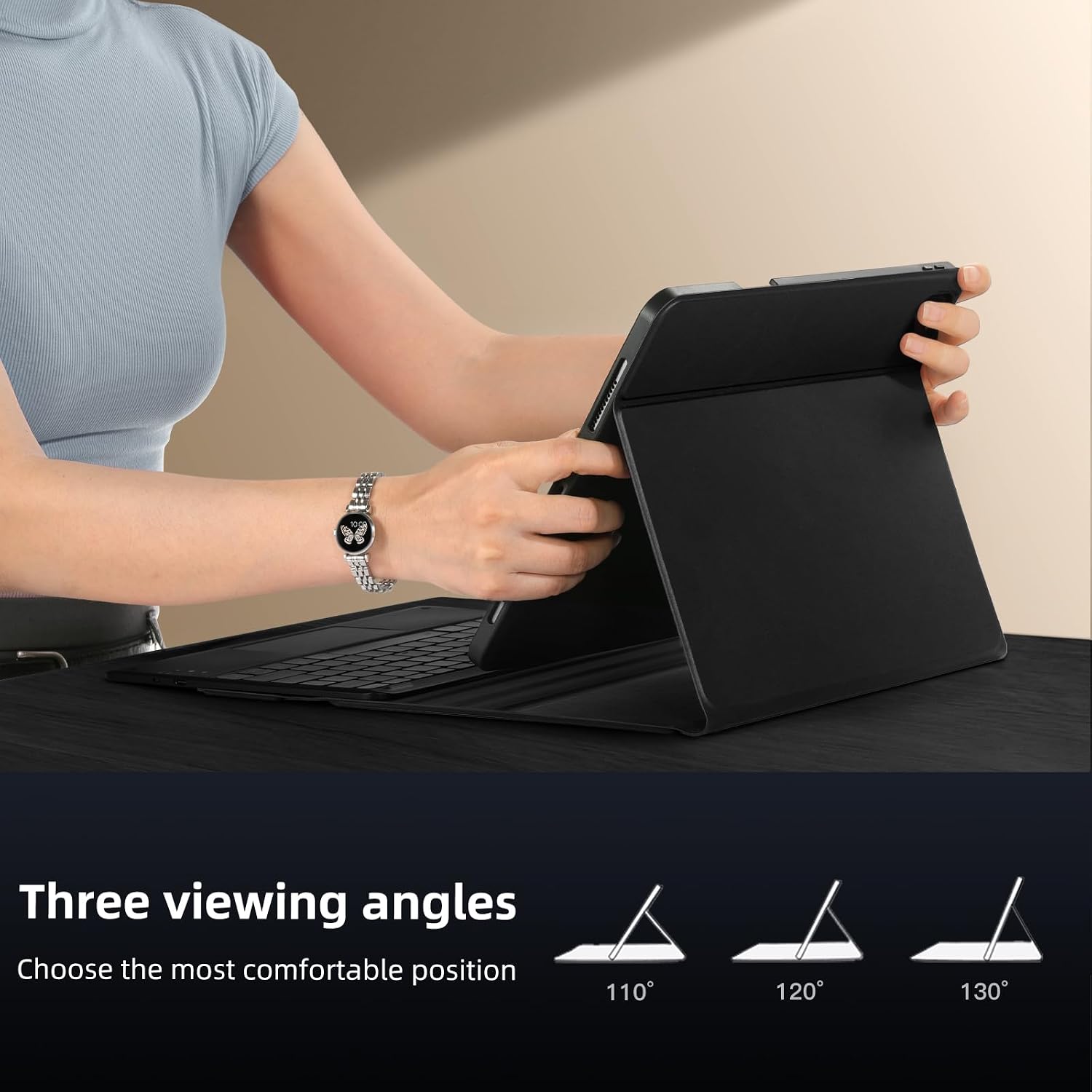
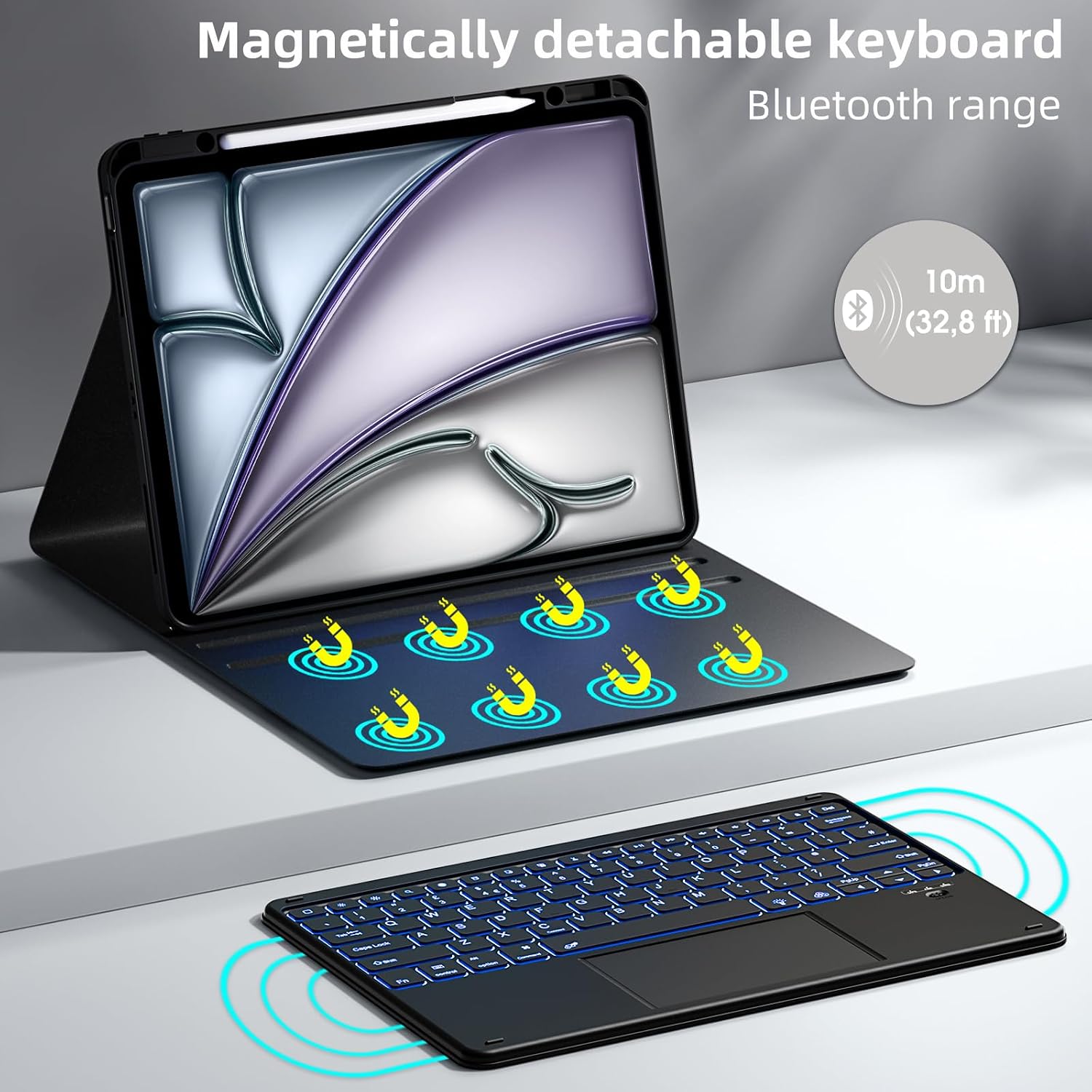
If you want more than a basic case and you regularly type on your iPad, this Vobafe keyboard case is aimed at making your iPad feel closer to a small laptop. It combines a detachable QWERTY keyboard with a multi-touch trackpad, plus a 7-colour backlight for darker rooms. There’s also a pencil holder and a viewing-angle adjustment, so day-to-day use for writing, studying, or drafting notes is meant to be fairly comfortable.
That said, it’s worth keeping expectations realistic: this is a keyboard case setup, not a full laptop replacement. You’re gaining a physical keyboard and trackpad, but the overall experience will still depend on how you prefer to work on iPadOS and how much you value a slim, lightweight carry.
What it’s for (and what you’ll notice in use)
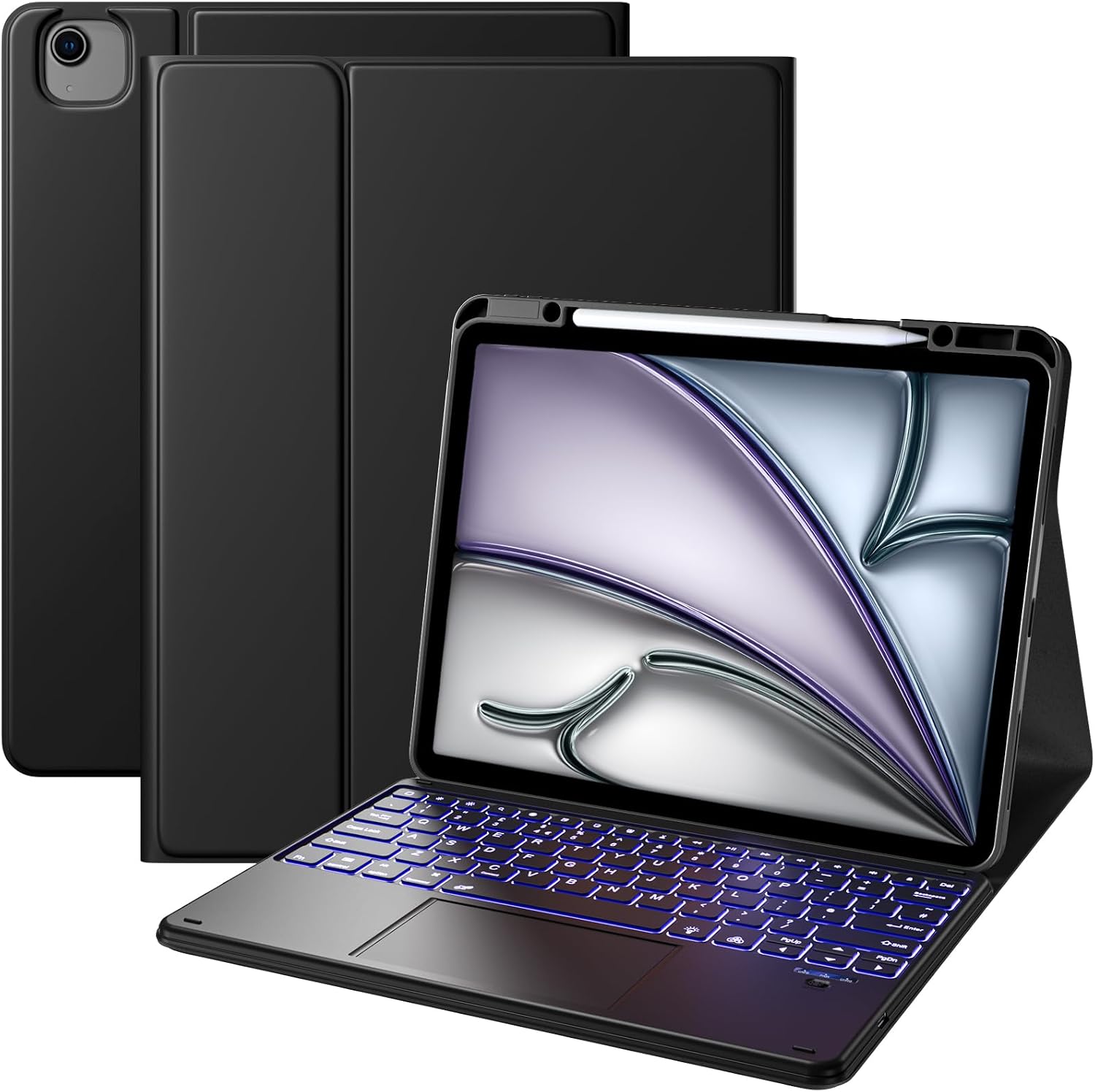
On paper, the biggest win here is practical productivity. The detachable magnetic keyboard lets you position the keyboard at a comfortable angle for typing. When you’re browsing or switching apps, the multi-touch trackpad is designed to respond precisely and support multiple gestures, which can make it easier to move through content without constantly tapping the screen.
A simple example: imagine you’re in a kitchen or café doing a draft email or notes. With the keyboard attached, you can type without balancing the iPad on your hands, then use the trackpad to highlight text or jump between apps more quickly than touch-only navigation. In darker conditions, the 7-colour backlight is intended to keep the keys readable without switching on a bright lamp.
Keyboard, trackpad and backlight
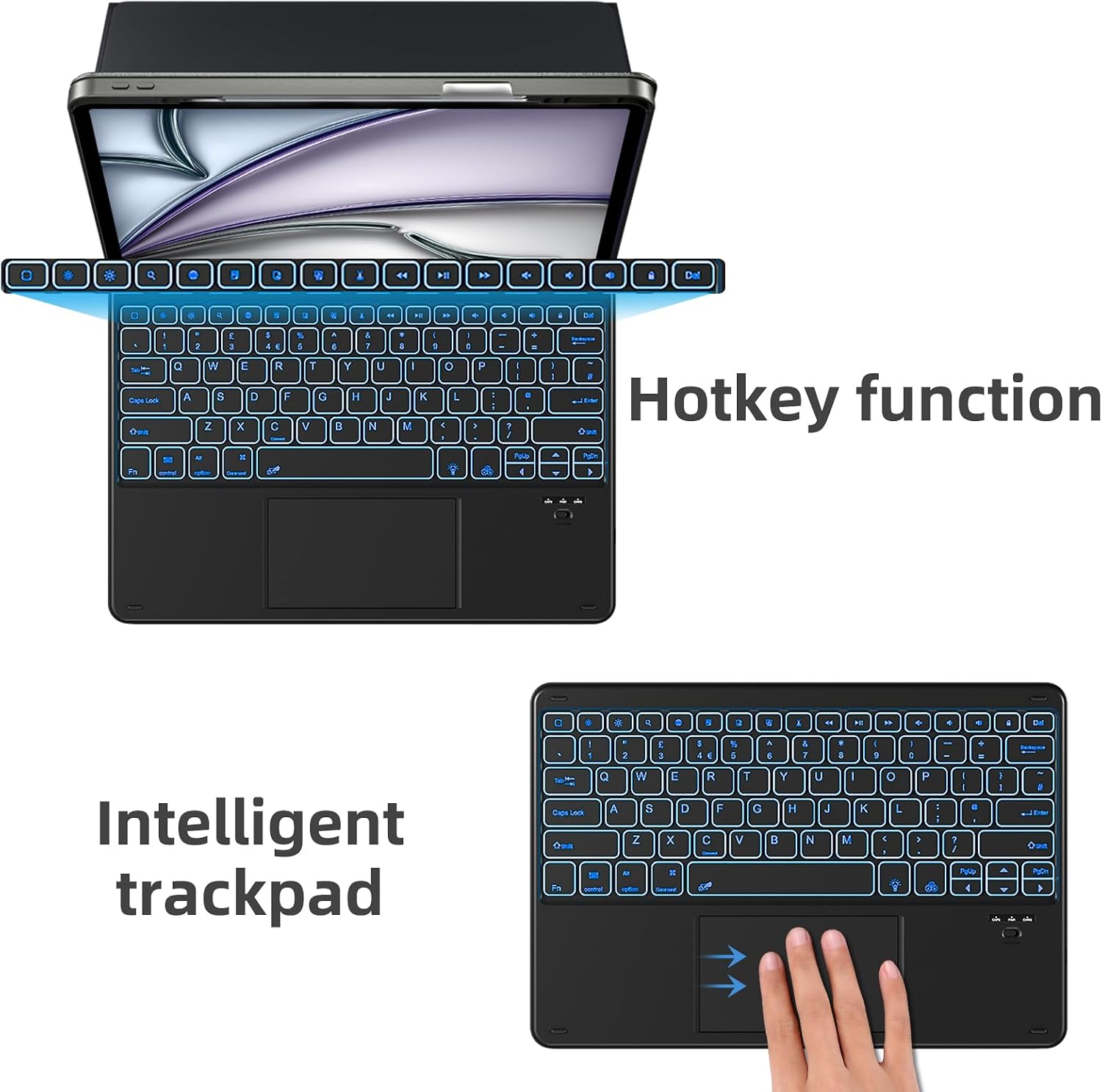
The keyboard uses a QWERTZ layout and includes additional hotkeys. The keys are described as ergonomic mechanical scissor-switch style with a rebound function, with the goal of reducing noise compared with more clicky options. If you type for a while, it’s the kind of detail that can make the difference between “usable” and “actually manageable”.
The trackpad is the other half of the productivity story. It’s specified as a multi-touch trackpad designed for accurate touch response and multiple gestures, which should help for scrolling, swiping and switching apps.
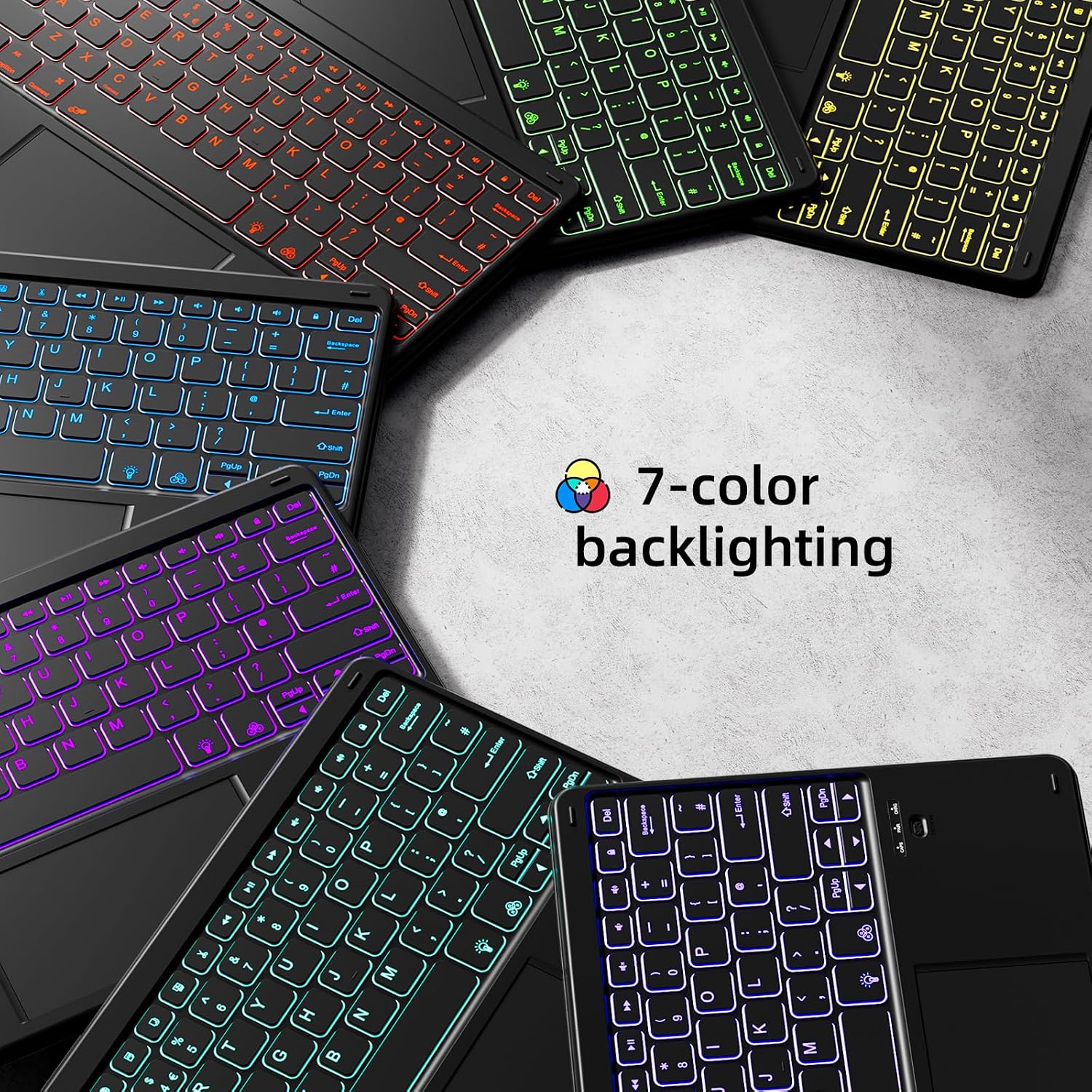
For low-light typing, the 7-colour backlight is meant to be adjustable in colour and brightness via shortcut key combinations, using just a tap.
Compatibility: make sure the model number matches
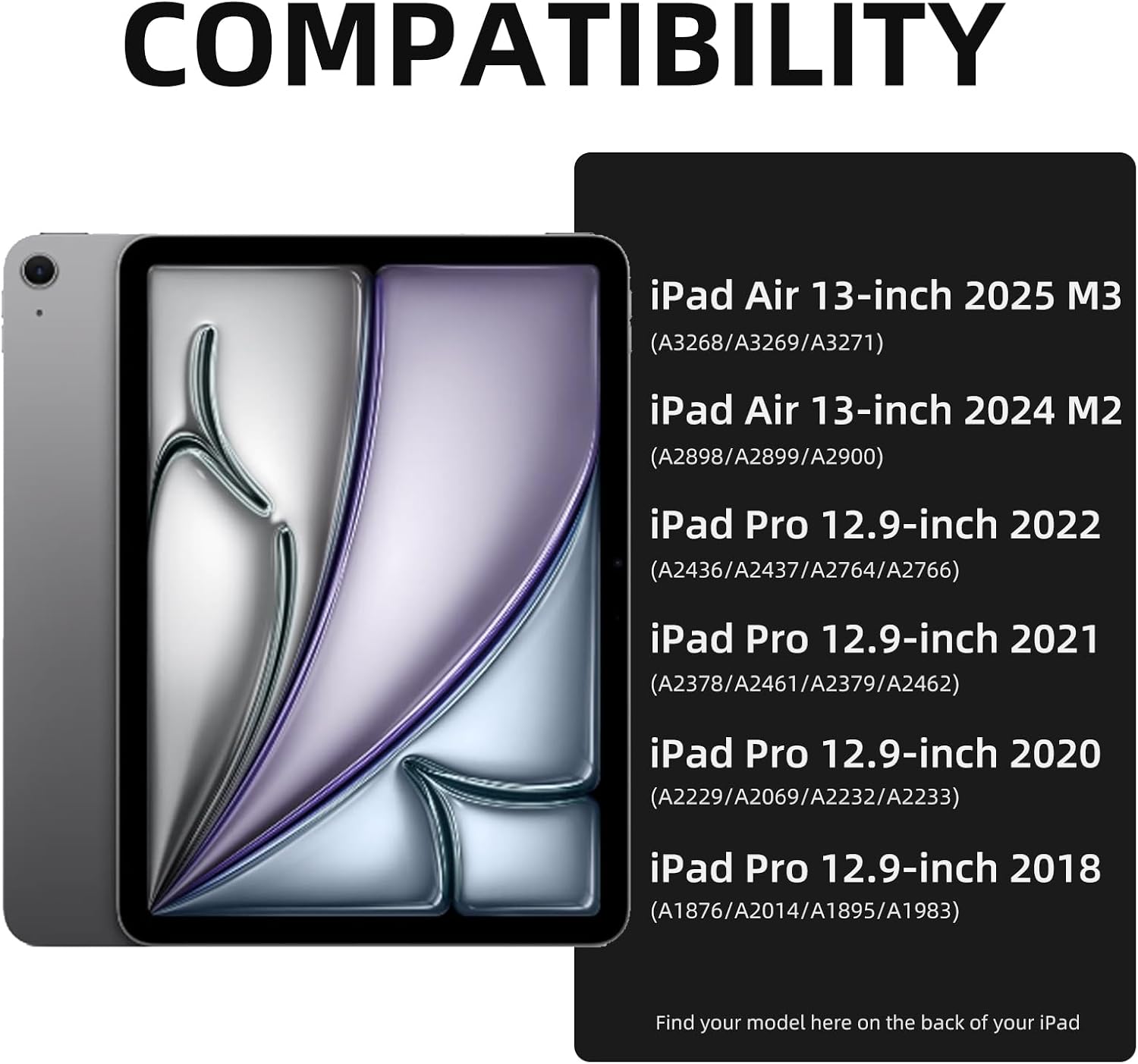
This case is listed as compatible with specific iPad models: - iPad Air 13-inch (2026 M4 / 2025 M3 / 2024 M2), model numbers: A3268, A3269, A3271, A2898, A2899, A2900 - iPad Pro 12.9-inch (6th Gen 2022), model numbers: A2436, A2437, A2764, A2766 - iPad Pro 12.9-inch (5th Gen 2021), model numbers: A2378, A2461, A2379, A2462 - iPad Pro 12.9-inch (4th Gen 2020), model numbers: A2229, A2069, A2232, A2233 - iPad Pro 12.9-inch (3rd Gen 2018), model numbers: A1876, A2014, A1895, A1983
Vobafe explicitly advises checking the model number on the back of your iPad before buying. That’s genuinely important with iPad cases, because “12.9-inch” can still mean different generations and fit.
Battery and charging notes
There’s a built-in long-lasting battery in the keyboard case, described as 500mAh. The claim is at least 230 hours of usage, and it can be fully charged in 2 hours using a Type-C charging cable (cable is referenced, but whether it’s included isn’t stated).
This is one of those features that can be handy if you don’t want to think about battery replacement. Still, you’ll want to remember that “at least” means real-world time can vary with brightness, usage patterns, and how often you use the backlight and trackpad.
Build, cleaning and protection
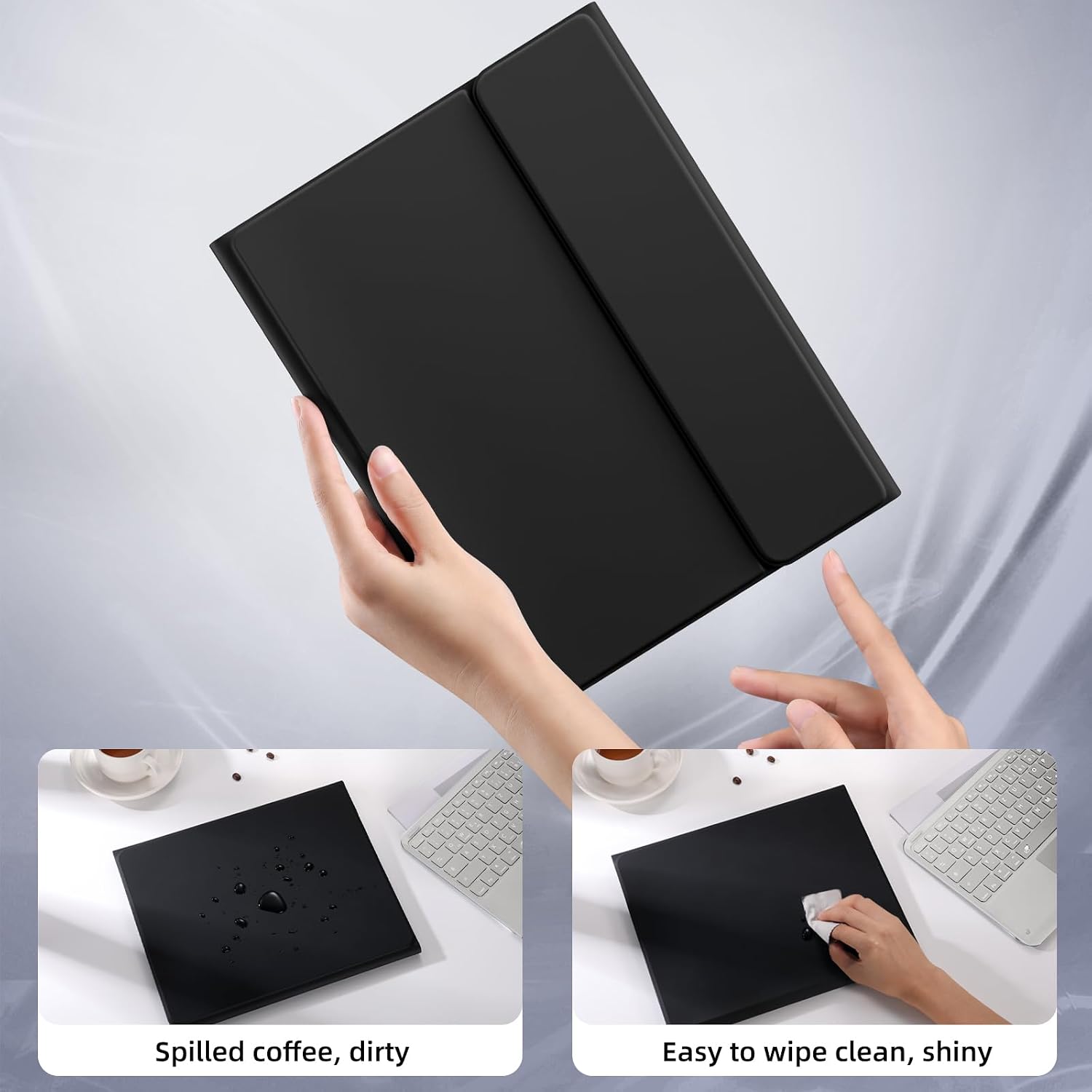
The case is made from an upgraded new PU material, described as soft and smooth to the touch. It’s positioned as scratch-resistant and drop-proof (in line with typical keyboard-case expectations), and it’s also said to help prevent stains from common spills like ink, tea, juice and coffee.
The easy-cleaning angle is practical: it’s described as cleanable with a single wipe. That’s the sort of detail you appreciate if you work around food, drinks, or you just don’t want to fuss when marks happen.
Is it a good fit for you?
It’s a good fit if you want a keyboard-and-trackpad setup for typing and navigation, and you like the idea of adjusting your viewing angle while keeping a pencil stored on the case. The 7-colour backlight is also a clear plus if you regularly work in evenings or low-light.
It might not be the best choice if you’re chasing a super-light, minimalist carry, because keyboard cases naturally add bulk. Also, if you specifically need a layout that matches your preferred keyboard style, note that the layout is listed as QWERTZ, not QWERTY.
Final verdict
This Vobafe keyboard case is worth considering if your iPad is your main “work” device at home, on study days, or when travelling between rooms, and you want something that supports more than touch-only input. The detachable magnetic keyboard, multi-touch trackpad, adjustable angle, and wipe-clean PU build are the core reasons it makes sense.
Buy it with caution if your top priority is a sleek, lightweight case, or if you’re picky about keyboard layout and key feel. And before anything else, double-check the iPad model number on the back—compatibility depends on the exact listed models.
Mini FAQ
Can I use it without the keyboard attached?
Yes—it's designed with a detachable magnetic keyboard, so you can remove the keyboard and use the case in a simpler mode.
Does it come with a pencil?
No. The pencil holder is described as supporting magnetic charging with compatible Apple Pencil options, but Apple Pencil is not included.
What lighting does it offer?
It has an adjustable 7-colour backlight, with shortcut key combinations to change colour and brightness.
How do I confirm compatibility?
Check your iPad’s model number on the back and compare it with the list provided for iPad Air 13-inch 2026/2025/2024 and iPad Pro 12.9-inch (specified generations).