

Cozyla Mate Digital Calendar+ 2 32" 4K smart wall planner with touchscreen, chores and family profiles
Product description
If you’re the sort of household where plans get scattered across messages and half-finished sticky notes, the Cozyla Mate Digital Calendar+ 2 is built to bring it into one shared view. It’s essentially a large 32-inch, wall-mounted smart touchscreen that’s designed around family organisation: shared calendar, routines and a chore chart, plus meal planning tools.
That said, it isn’t a plug-and-play “calendar replacement” for everyone. On paper, you’ll get the most from it if your family already uses calendar services and you’re happy managing schedules through app-based updates rather than purely manual entries.
Key points
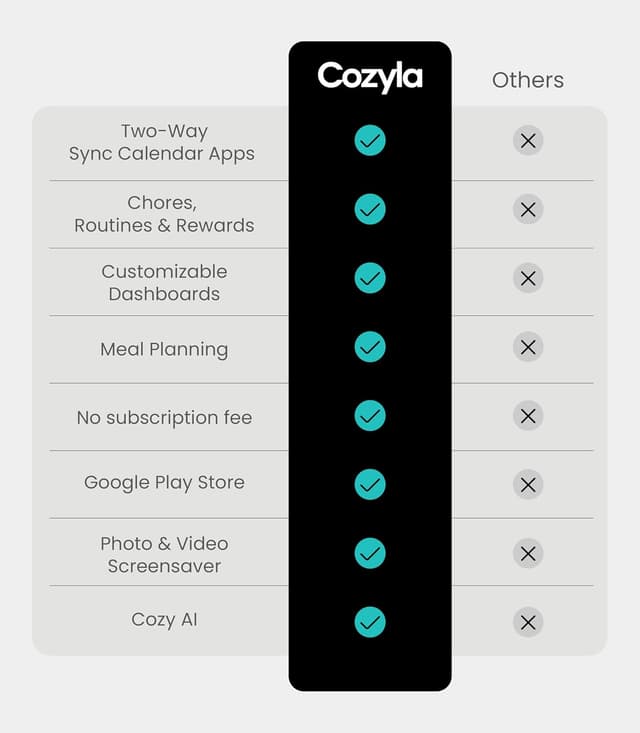
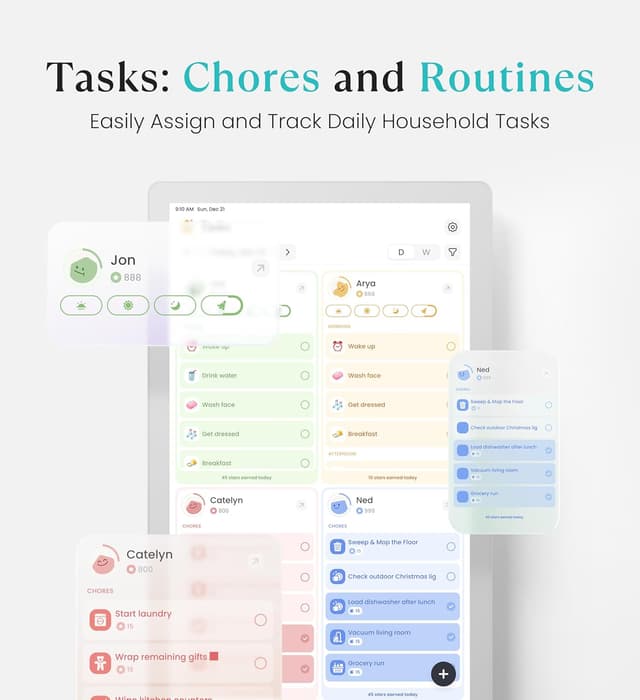
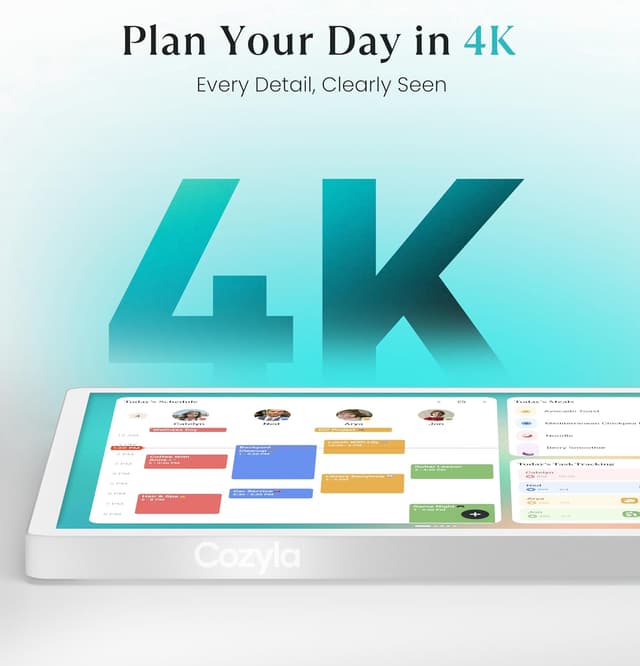
What stands out most is the “family shared” angle. The calendar auto-syncs with popular services and lets you create individual family profiles, then shows colour-coded events together so everyone’s commitments are easier to spot in one place. It also leans into day-to-day life with a built-in chore/rewards setup aimed at making routines feel less like a battle.
For meals, there’s a built-in recipe area and pantry tracking that can generate grocery lists. If you routinely search for what to cook, that could cut down on the back-and-forth—especially if you like using the included support for YouTube cooking videos as a step-by-step guide.
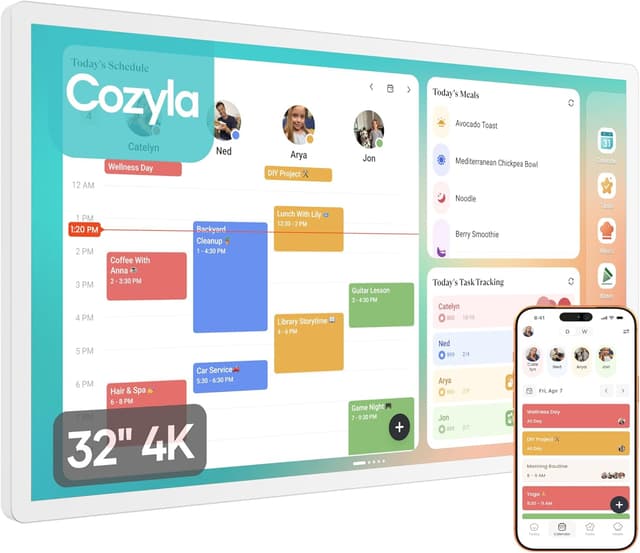
And because it’s a wall display, not a phone or tablet, it’s meant to be visible where decisions happen—kitchen, hallway, or home office—rather than living in someone’s pocket.
The essentials
This is a smart touchscreen wall calendar and planner: a 32" 4K UHD interactive display, designed for shared family scheduling, chores with reminders, and meal planning. It’s controlled via the Cozyla+ app, which is positioned as the way you handle updates “anytime”.
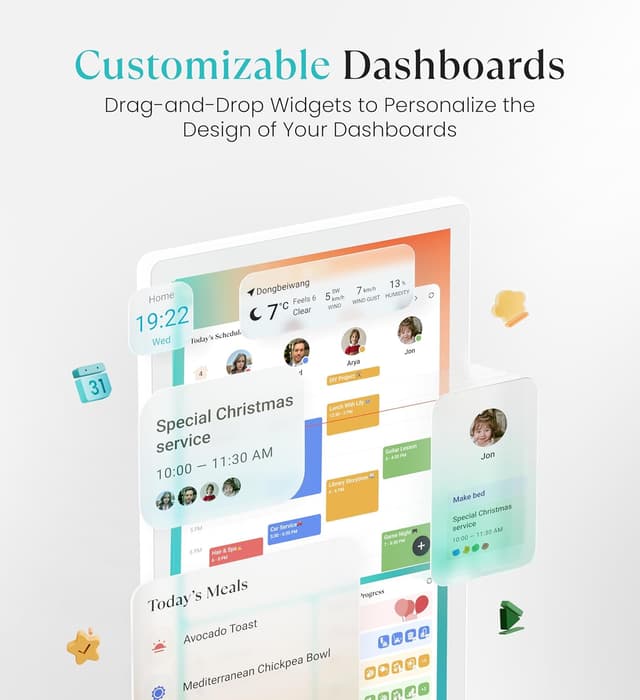
There’s also a customisable dashboard concept, where you can personalise widgets—calendar, tasks, meals, weather and media—then arrange and resize them to fit how your household actually moves through the day.
One practical note before you commit: a wall-mounted smart display is only as useful as its placement. If it’s hard to see from where you plan meals or organise mornings, the experience may feel more like “extra screen” than “family system”.
What you’ll notice day to day
Family calendar that stays in sync
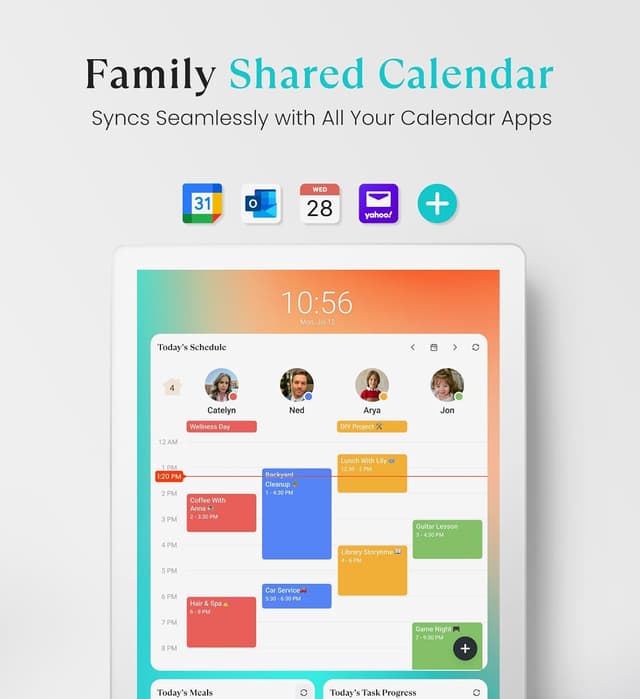
The calendar is described as auto-syncing with services like Google, Apple, Outlook and Yahoo, with the aim of keeping schedules updated without constant re-entry. Colour-coded events and individual profiles are the core “day-to-day clarity” features—so you’re not guessing whose appointment is whose.
Chore chart with reminders and rewards
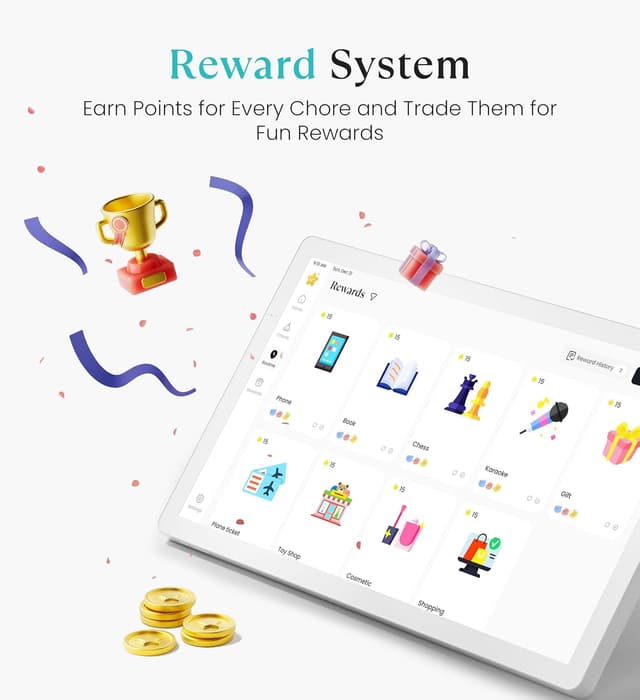
The routines side is handled through the tasks and chores chart with reminders, plus a built-in reward system aimed at motivating kids to complete tasks proactively. It’s a reasonable setup if you’re already trying to build accountability, it may feel a bit over-designed if your approach is purely verbal or you don’t want rewards tied to chores.
Meal planning that’s more than just a list
For meal planning, you get built-in recipes and pantry tracking, with auto-generated grocery lists. There’s also support for YouTube cooking videos for step-by-step meal guidance, which is handy when you want an explanation as you cook rather than just an ingredient list.
What matters most when choosing
Setup and control style
Because updates are described as working seamlessly with the Cozyla+ app, the experience depends on how comfortable you (and the rest of the household) are with app-driven planning. If you prefer making quick changes on the screen only, you may find the workflow slightly less direct than a purely on-device calendar.
Room layout and visibility
The wall mount support is flexible—portrait and landscape are both mentioned—so you can align it with your space and routines (kitchen vs hallway vs office). Still, you’ll want to think about viewing angles. A large touchscreen sounds straightforward, but households differ: some need it near the breakfast area, others near the entrance.
Subscription-like services and compatibility
The wording focuses on syncing with major calendar providers, plus app control. If your family relies on other systems not mentioned here, you’ll want to double-check whether your specific setup is covered.
Who it suits (and who should pause)
It’s a solid pick if you want one shared family hub—calendar, chores, and meal planning—on a wall where people actually look. You’ll likely like it if: - you already use Google, Apple, Outlook or Yahoo calendars and want them all in one place - you want a visible routine system with reminders and rewards - you prefer planning meals using built-in recipes, pantry tracking and grocery lists
It may not be the best match if: - your household doesn’t plan together (or keeps everything on private accounts) - you’re not keen on app-led updates and prefer fully manual entries - wall mounting isn’t realistic in your home right now
Is it worth it?
The Cozyla Mate Digital Calendar+ 2 makes the most sense when family organisation is a shared project and you want schedules to stay synced automatically in a single, colour-coded view. The chores/rewards and meal planning features give it more purpose than a simple electronic calendar, especially if you’re trying to nudge routines and reduce daily “what’s for dinner?” friction.
It might feel like overkill if you only need basic appointments, or if your planning habits don’t fit a central, wall-mounted display. Before buying, it’s worth checking whether you’re happy to run updates through the Cozyla+ app, and whether you can mount the display in a genuinely visible spot.
Quick FAQ
Does it sync with multiple calendar services?
It’s described as auto-syncing with services including Google, Apple, Outlook and Yahoo.
Can the family have separate profiles?
Yes—individual family profiles are mentioned, with colour-coded events in a shared view.
Is there a chore chart and rewards system?
Yes. It includes routines/tasks with reminders and a built-in reward system intended to motivate kids.
Can it help with meal planning?
It includes built-in recipes, pantry tracking and auto-generated grocery lists, with support for YouTube cooking videos for step-by-step guidance.
Can it be mounted in different orientations?
Wall mount support is stated for both portrait and landscape.