

Basicolor N3 Macro Keypad review: a compact command centre for streaming and content creation
Product description
What it is and who it’s for
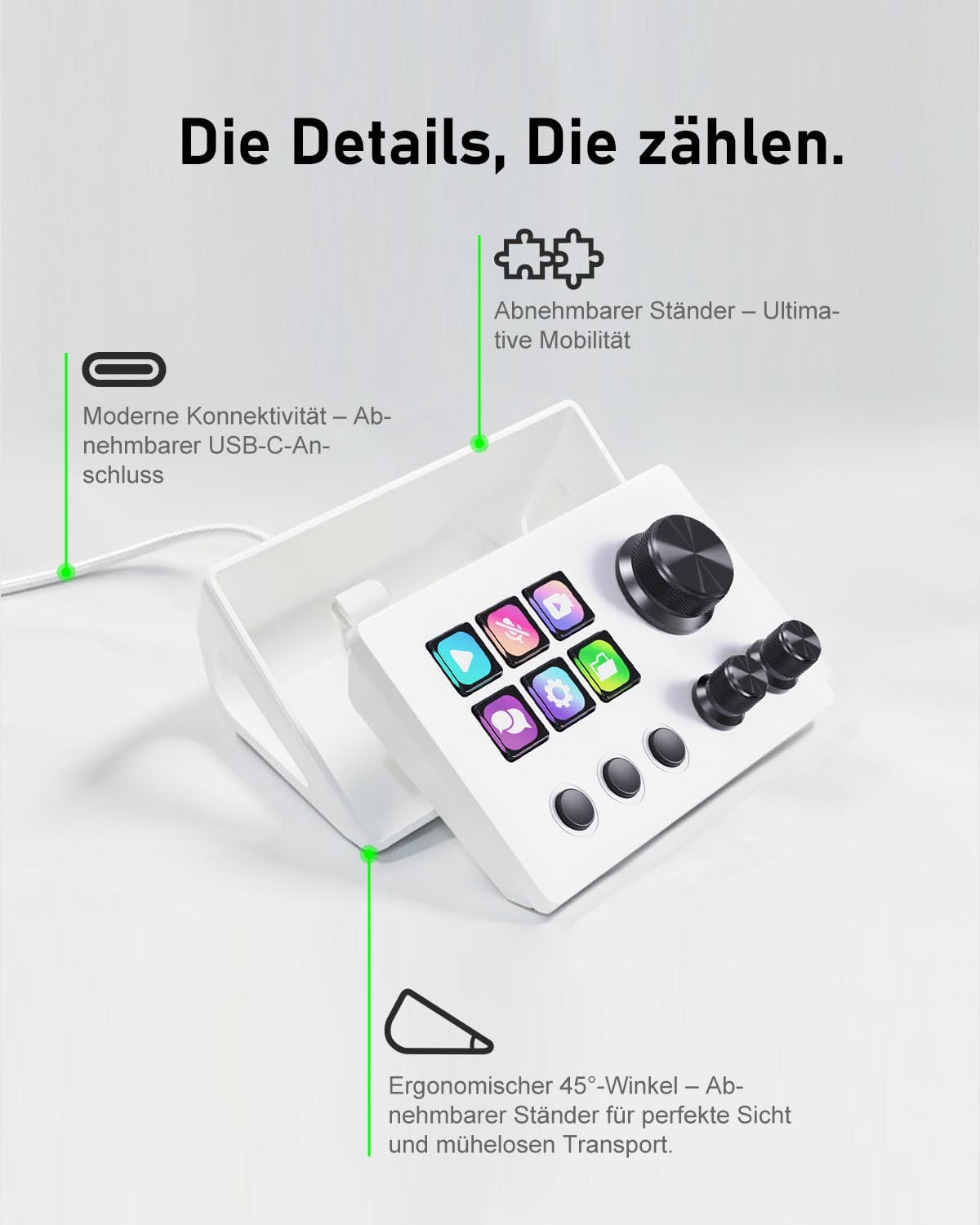
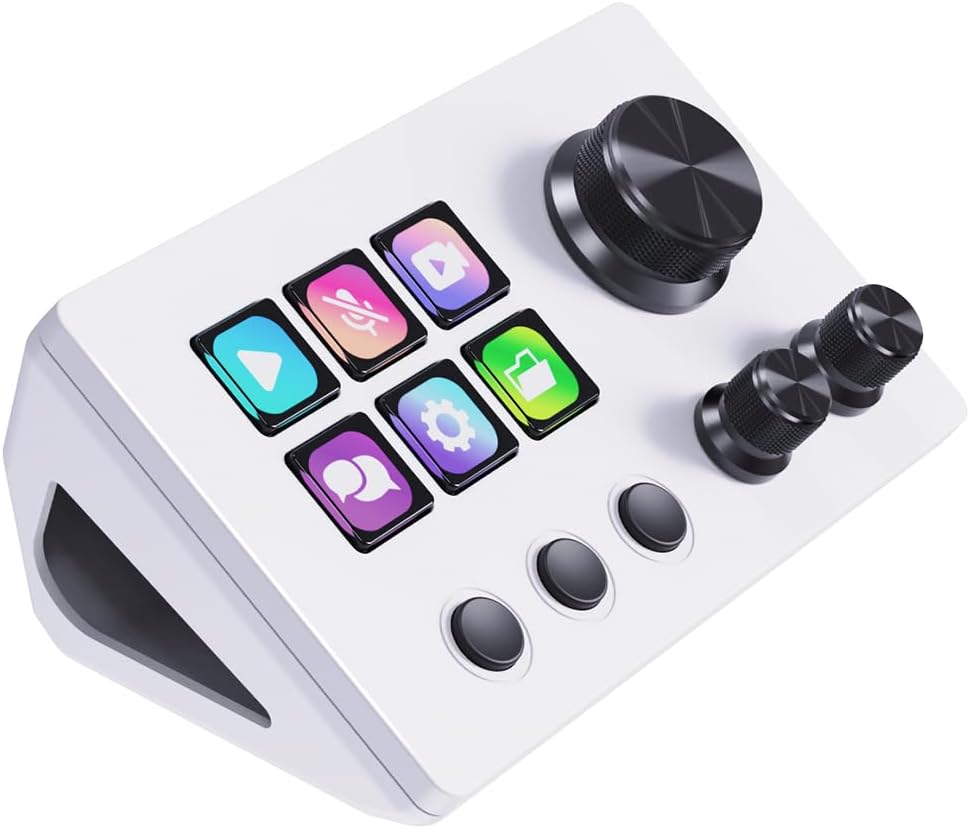
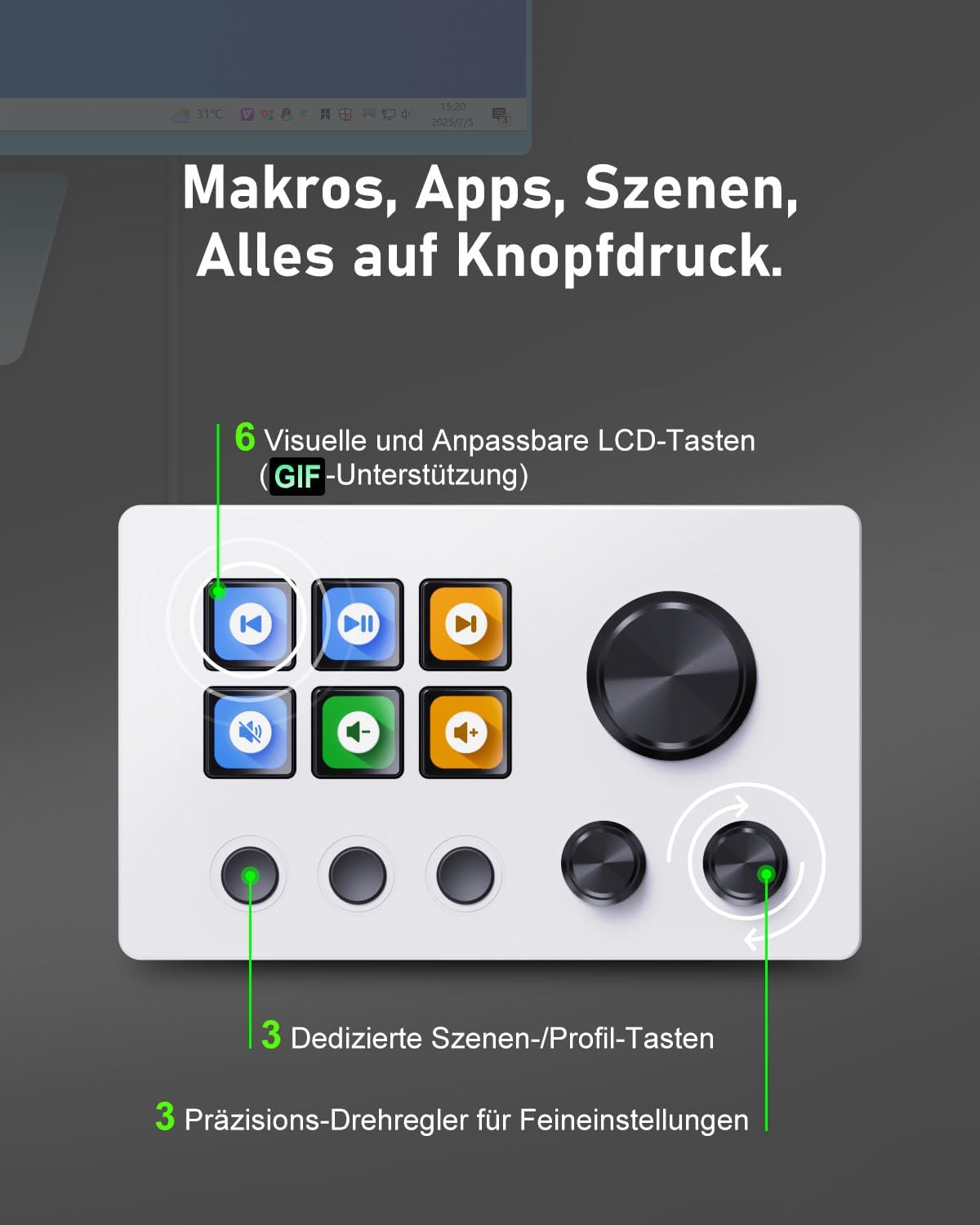
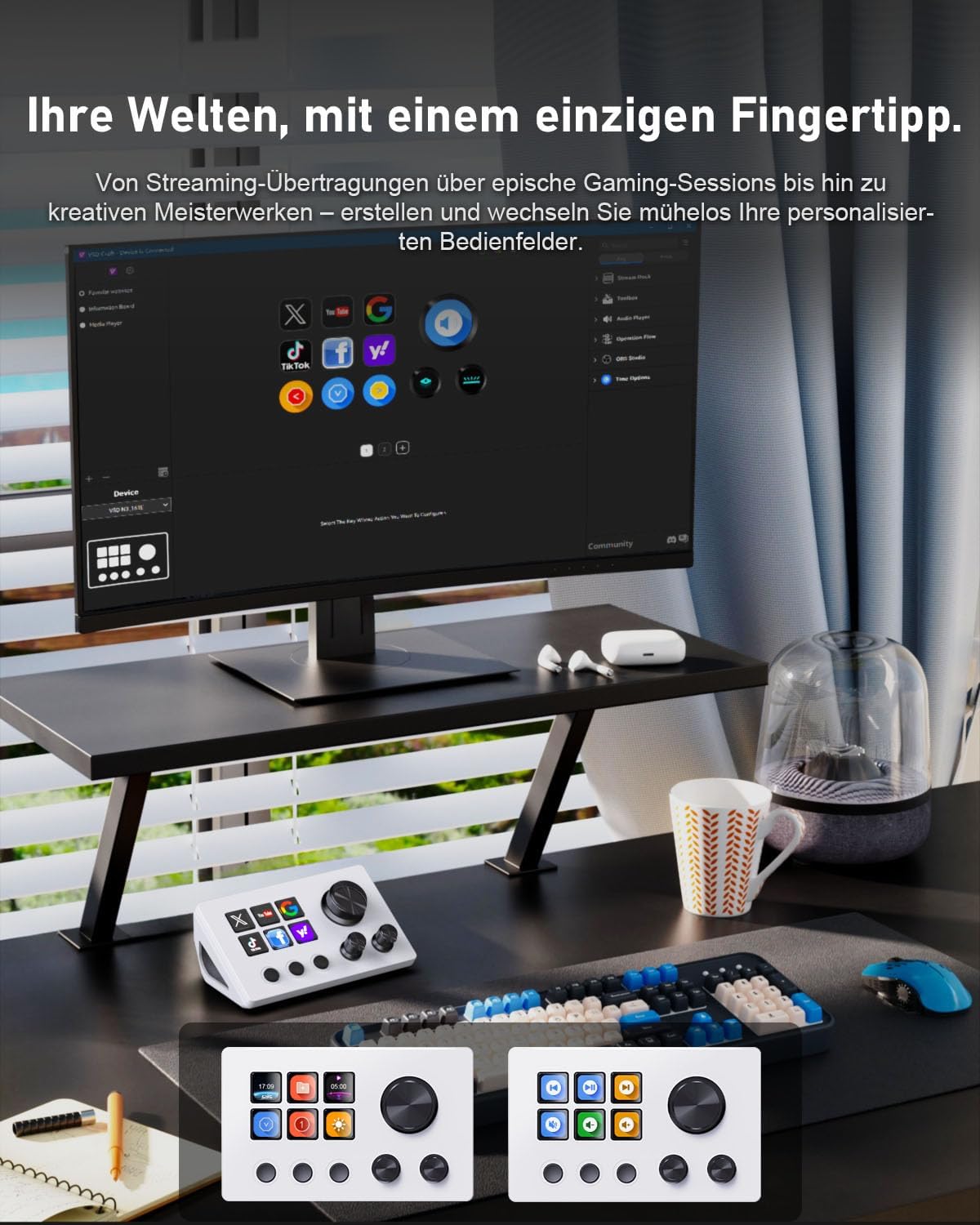
The Basicolor N3 Macro Keypad is a compact stream controller deck built to simplify live streaming, video editing and content creation. With 6 LCD shortcut keys, 3 multi‑function rotary knobs and 3 dedicated scene change buttons, it aims to put complex macros and app actions at your fingertips. It’s pitched as a practical upgrade for streamers, editors and gamers who want quicker, more repeatable workflows without wrestling with software settings.
How it works in practice
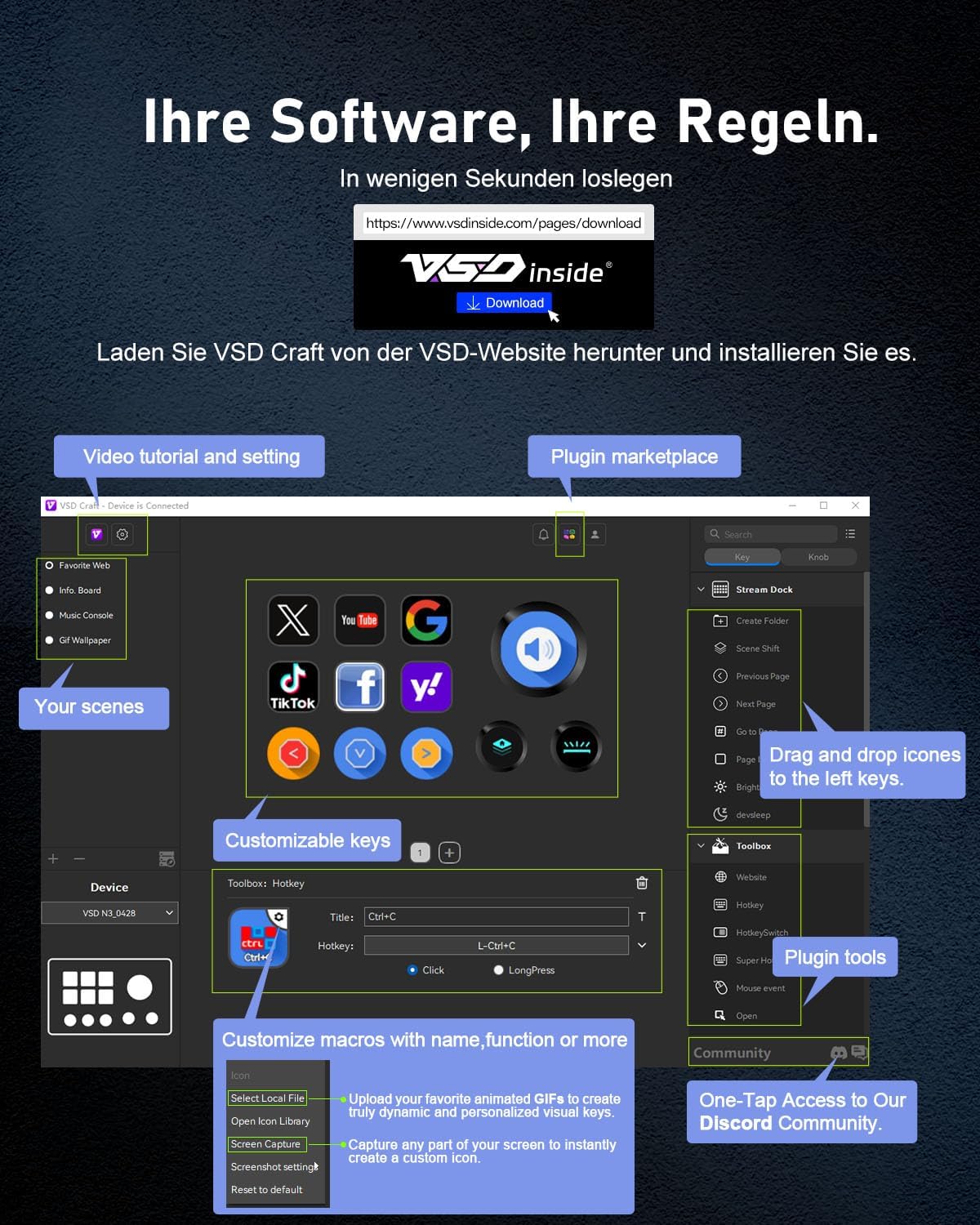
On paper, the device centres around a personalised control surface. The LCD macro keys can display animated GIFs and be programmed to trigger macros, launch applications or execute multi‑step commands across your tools. The three knobs offer precise adjustments—useful for volume, zoom or parameter tweaks during a shoot or live stream. Scene switching is intended to streamline changing layouts or camera setups on the fly.
What stands out
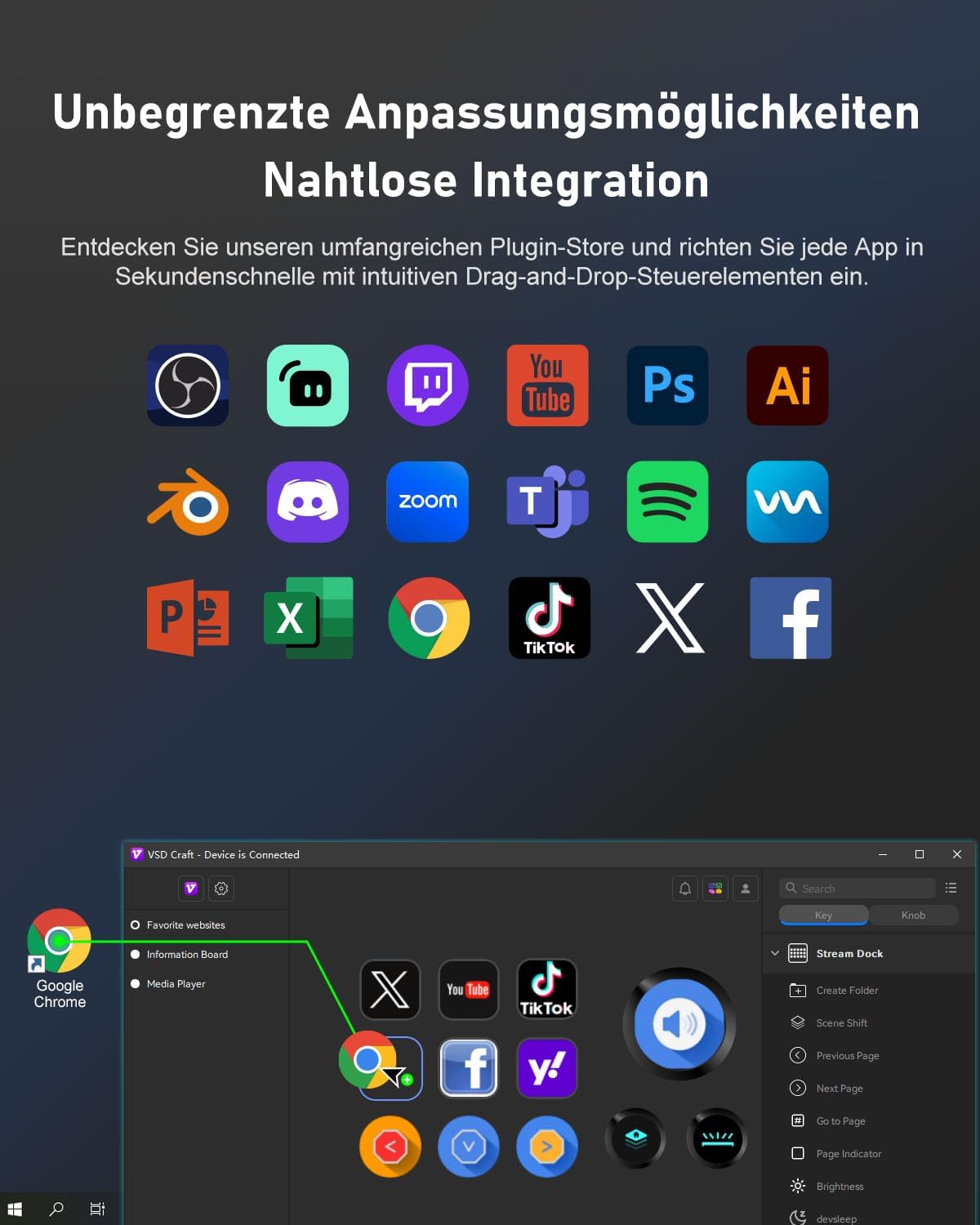
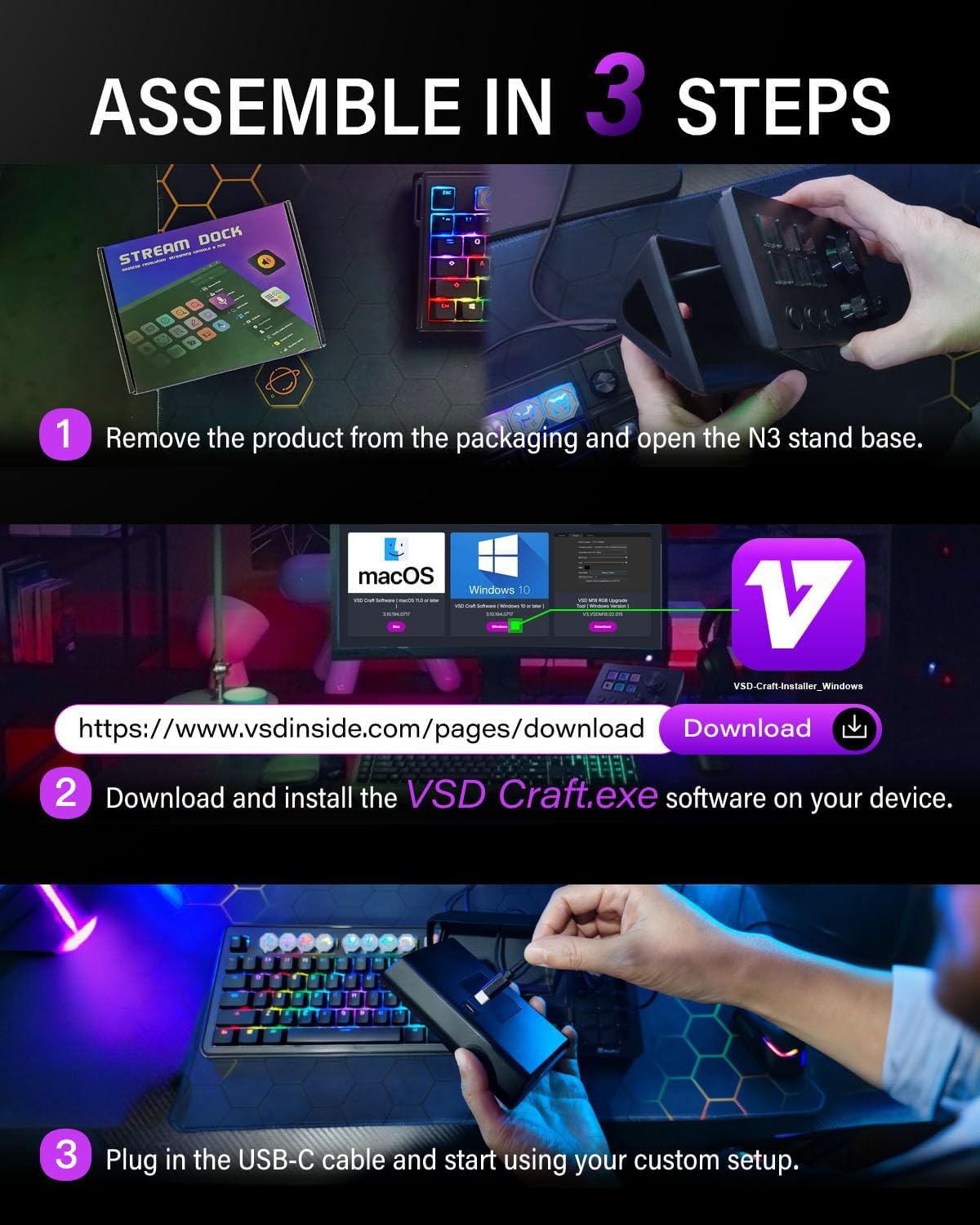
The integration approach is pragmatic: broad compatibility with Windows and macOS, and sensible ties to widely used software like OBS, Twitch, YouTube and Adobe Creative Suite. The idea is to reduce setup friction and keep your hands on the content, not the keyboard. The device is positioned as a value-focused option that still borrows features from higher‑end macro pads, including programmable macros and a dedicated control surface.
Limitations and caveats
If you rely on very specialised control surfaces or need ultra‑specific key mappings for niche software, the N3's flexibility may feel limited compared with more mature or enterprise‑level controllers. The claim of animated GIF support for keys is helpful for some workflows, but it may not be essential for everyone. Also, while the kit emphasises software updates and plug‑ins, the real-world pace of feature additions can vary, so expectations should be measured.
What it’s best for
- Streamers who want quick scene changes and macro access without a large keyboard.
- Content creators who use OBS, YouTube or Adobe apps and could benefit from a dedicated control panel.
- Gamers or editors who value physical controls for volume and parameter tweaks during production or live sessions.
Who it may not be the best fit for
- If you require a vast number of programmable keys or highly specialised macros across many apps, a larger or more customisable controller might be preferable.
- If you work primarily with software that relies on on‑screen UI rather than hardware shortcuts, the payoff from a dedicated keypad could be modest.
What to check before buying
- Confirm you’re on Windows or macOS and that your main apps (OBS, YouTube suite, Adobe) are listed as targets for quick integration.
- Consider your typical workflow: do you need frequent scene changes and simple macros, or more granular console control?
- Look at the warranty and support terms (12 months with 24‑hour support is helpful for a productivity device).
How it compares to other approaches
This keypad sits between a basic macro keyboard and a full streaming control surface. If you want a compact, affordable way to consolidate actions, it can be a sensible upgrade. If you need deeper integration, higher‑end devices or more extensive macro libraries, you might consider alternatives with expanded key counts or broader plug‑in ecosystems.
Final verdict
Final verdict: it’s a solid pick if you’re after a compact, practical control deck that integrates well with popular streaming and content‑creation tools, and you’re mindful of its scope as a value‑oriented device rather than a high‑end controller. It’s not perfect for every pro workflow, but for the right user it can genuinely streamline day‑to‑day tasks with a straightforward, reliable setup.
FAQ
- What platforms does it support? Windows and macOS with integration to OBS, Twitch, YouTube and Adobe Creative Suite.
- How many programmable keys does it have? 6 LCD macro keys plus 3 knobs and 3 scene buttons.
- Does it come with software updates? Yes, with a stated approach of regular software updates for feature improvements.
- What’s the warranty? 12 months warranty with professional customer support.
- Is it worth it for beginners? It offers a gentle entry into macro control with guided tutorials, which can help new users build confidence quickly.