

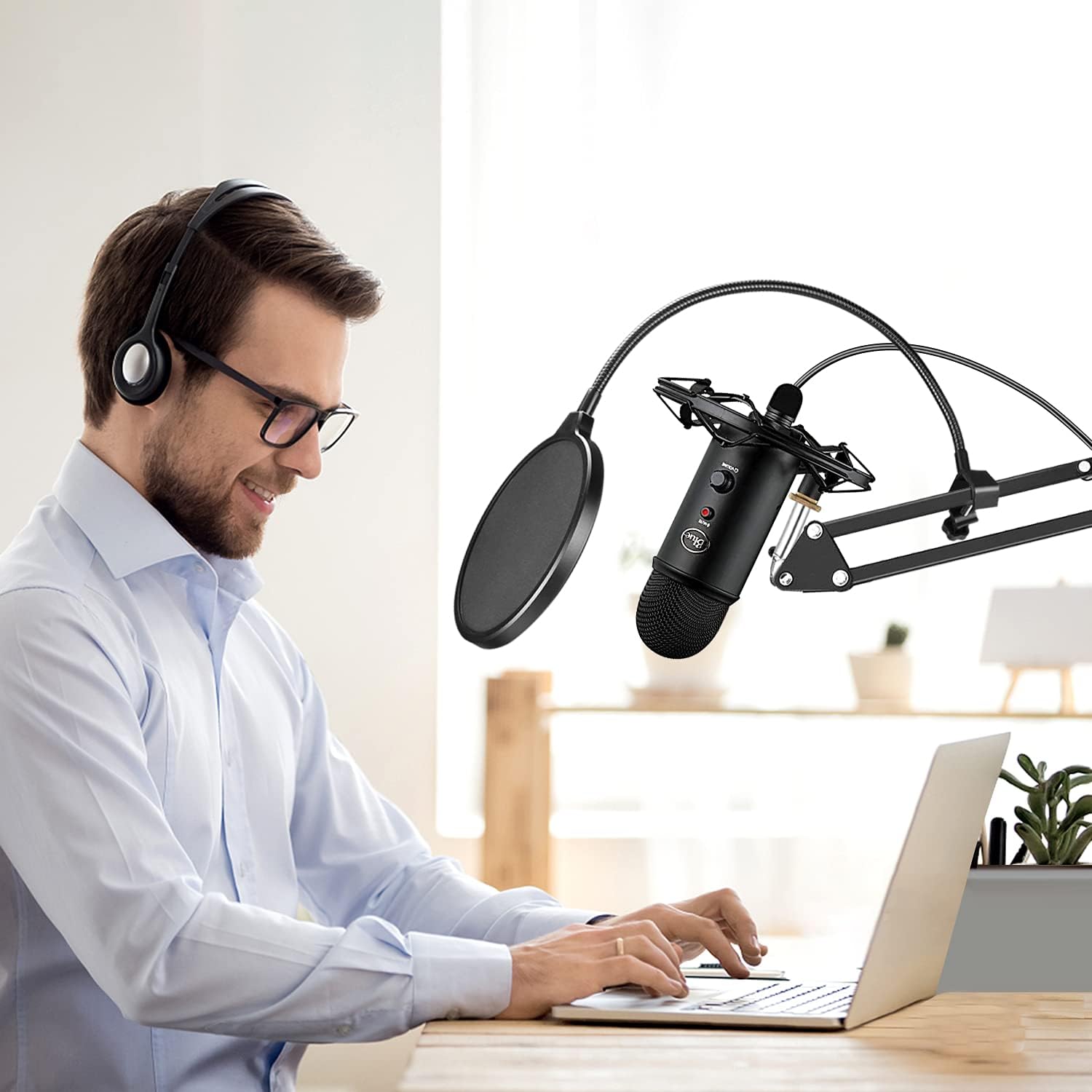
Aokeo AK-35 desk microphone boom arm with scissor arm design (for Blue Yeti, Snowball, QuadCast, Wave and more)
Product description
What it is and why people buy it
This Aokeo AK-35 is a desk-mounted microphone boom arm aimed at giving you flexible positioning without the mic sitting awkwardly on a stand. If you’re setting up a Blue Yeti/Snowball-style desk mic, or you’ve got a shock mount and want the whole thing to sit neatly on your workbench, this kind of arm helps you dial in the angle quickly.
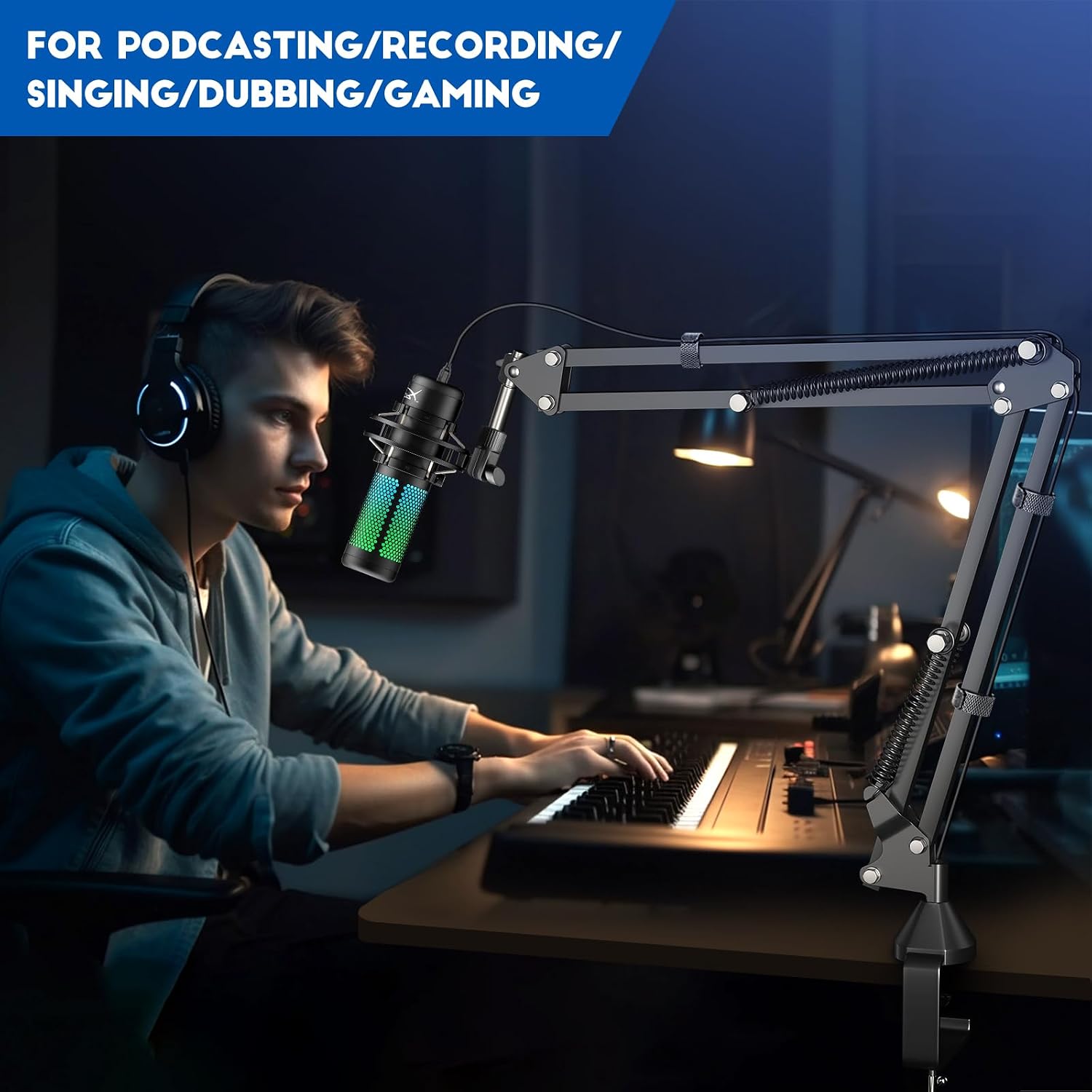
On paper, it’s built for exactly the day-to-day stuff: streaming, YouTube-style recording, radio-style voice work, ASMR sessions, and general desk/table recording setups. You get a compact suspension/boom solution rather than a bulky floor stand, which is often the difference between a clean desk and a “trip hazard” in the corner.
One practical way to think about it: imagine you’ve finished recording a podcast, and you want to swing the microphone slightly to avoid blocking your screen while still keeping it at mouth level. A boom arm like this is designed for that sort of repositioning.
Key features that matter in practice
The AK-35 leans on a few design choices that directly affect how it feels to use.
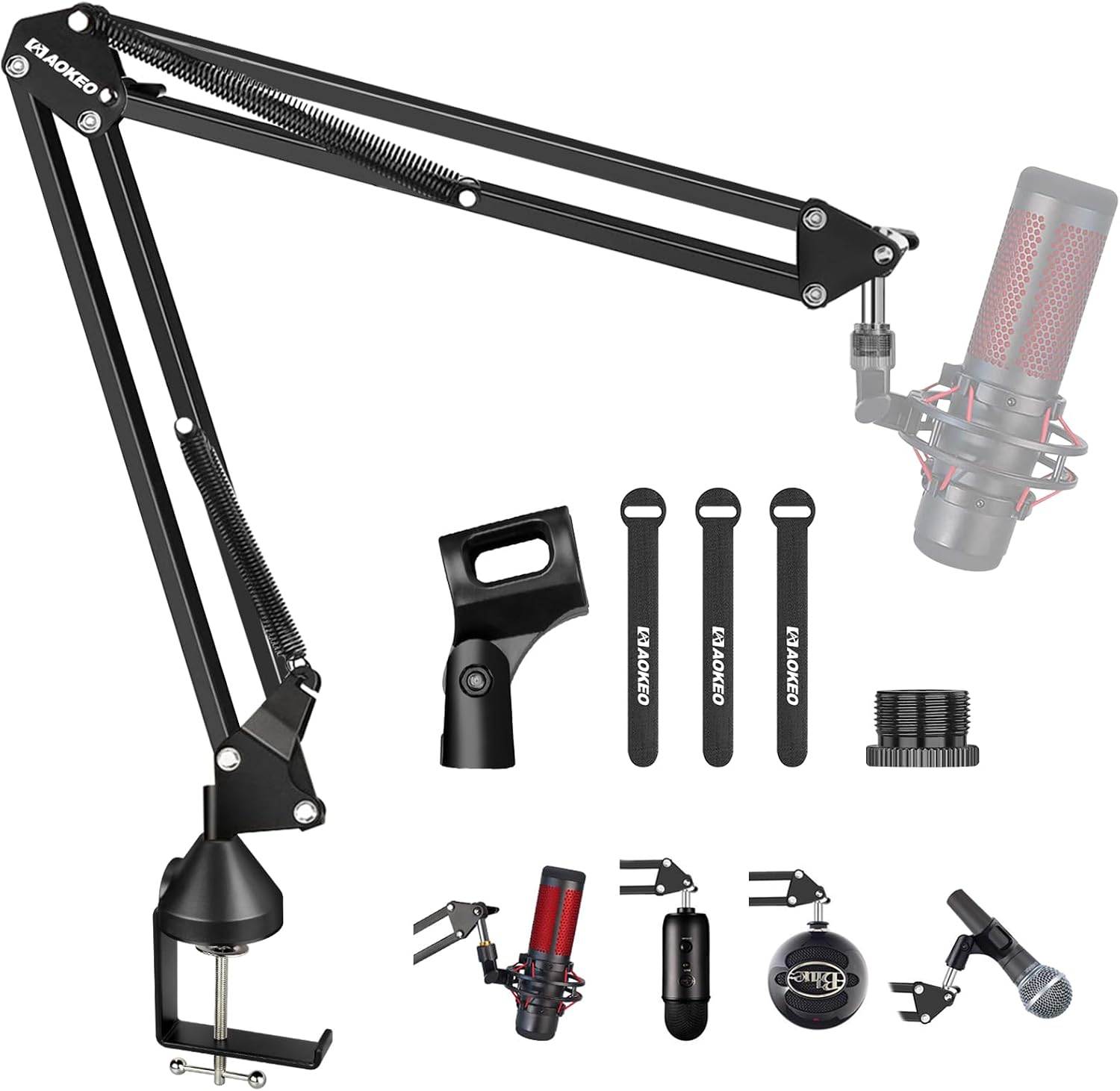
First, it uses steel with an electrostatic powder-spraying finish, with the claim of better durability and anti-rust performance compared with normal stands. If you’re working in a home studio where things can get a bit humid (or you just like to avoid corrosion issues), that matters.
Second, the arm is described as having “super spring support”, with movement that’s intended to stay solid and smooth rather than drooping. The pitch here is that it shouldn’t dip or sink over time—something worth caring about if you’re repeatedly adjusting the mic angle to keep consistent audio.
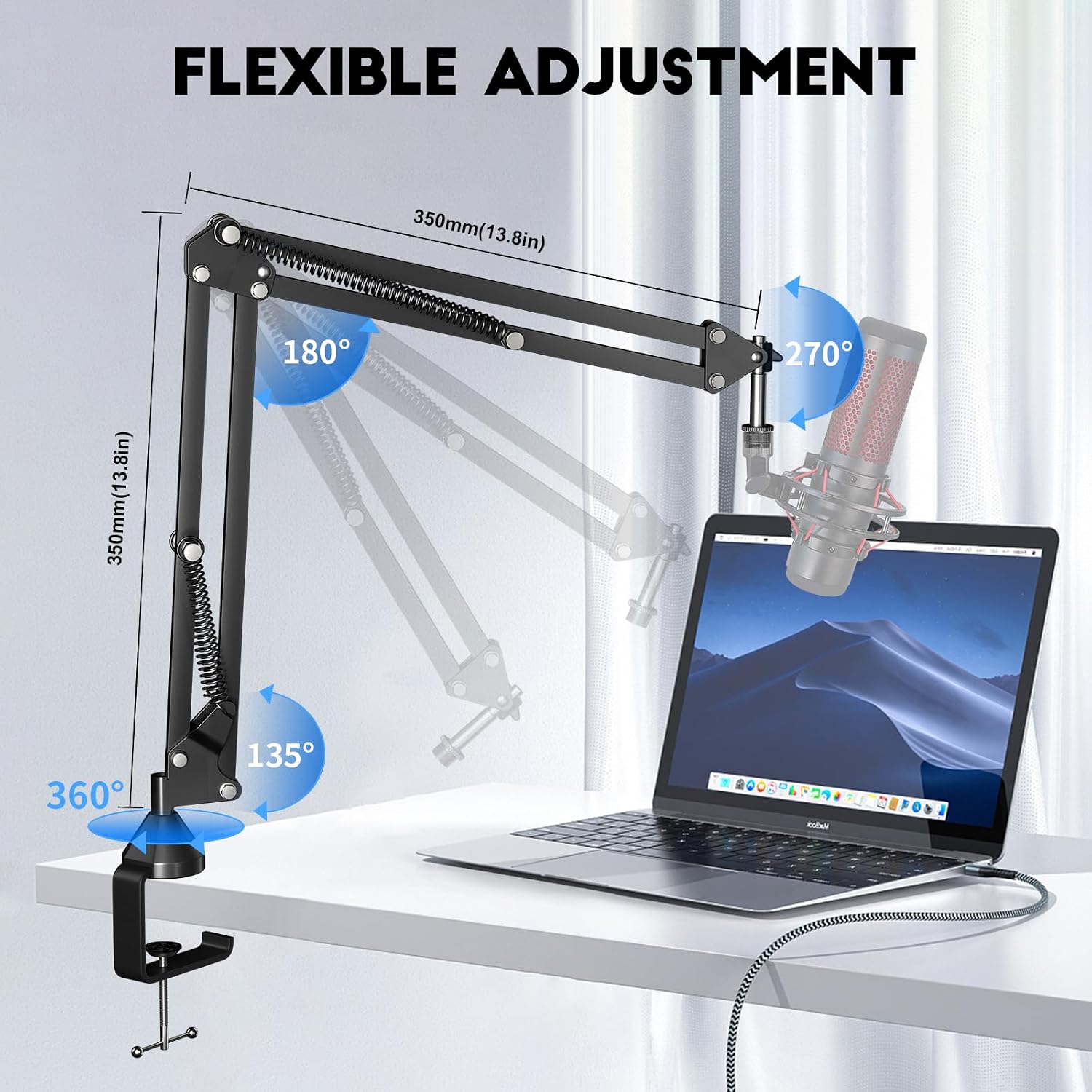
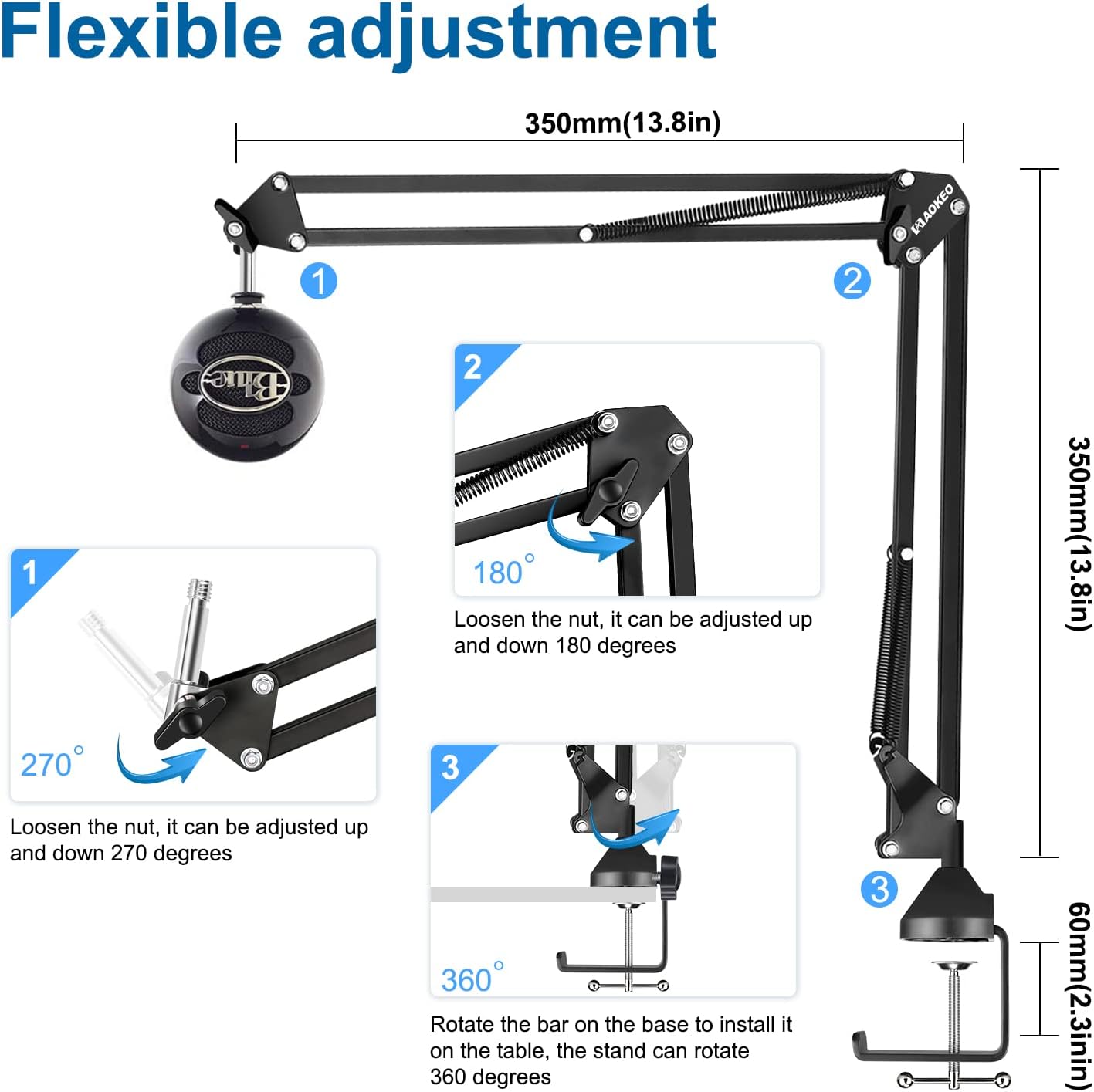
Third, it’s designed to rotate and reposition. The desktop clip is described as newly designed, attaches to desks up to 2.3in/6cm thick, and allows 360° rotation. In plain terms: you shouldn’t feel forced to leave the mic pointing in one direction just because you clipped it in.
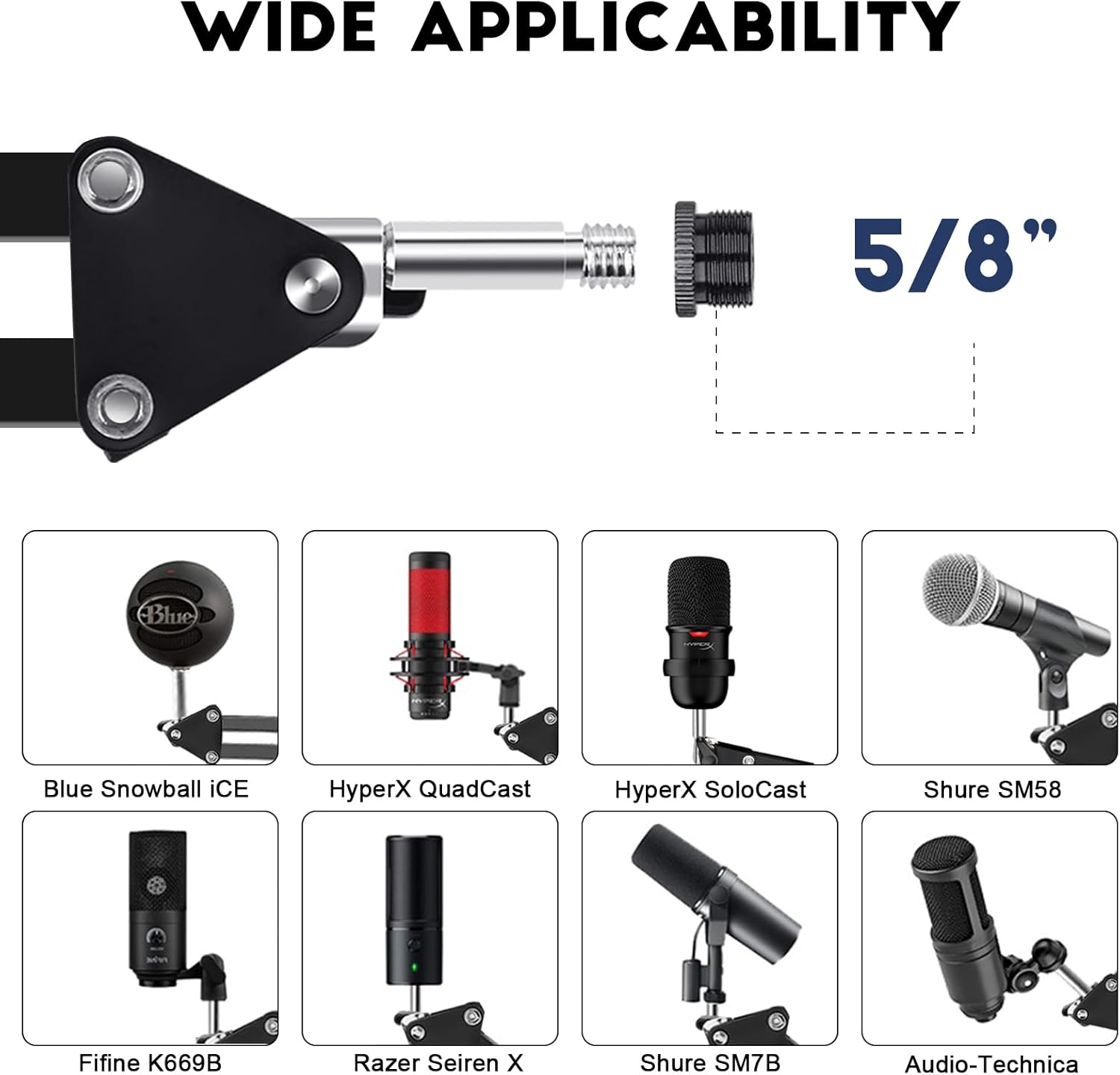
And yes, it’s meant to be fairly universal: if your mic uses a different adapter clip, you may be able to detach that clip and attach the appropriate one for your mic using the mount’s end hardware. It also mentions a threaded screw adapter at the end of the mount.
Tech specs (the bits you should check before buying)
- Max load: Approx 70oz / 1.8KG
- Desk clamp thickness support: up to 2.3in / 6cm
- Rotation: 360° (via the desktop clip design)
- Compatibility note: includes a 3/8" to 5/8" adapter for use with most microphones or microphone shock mounts
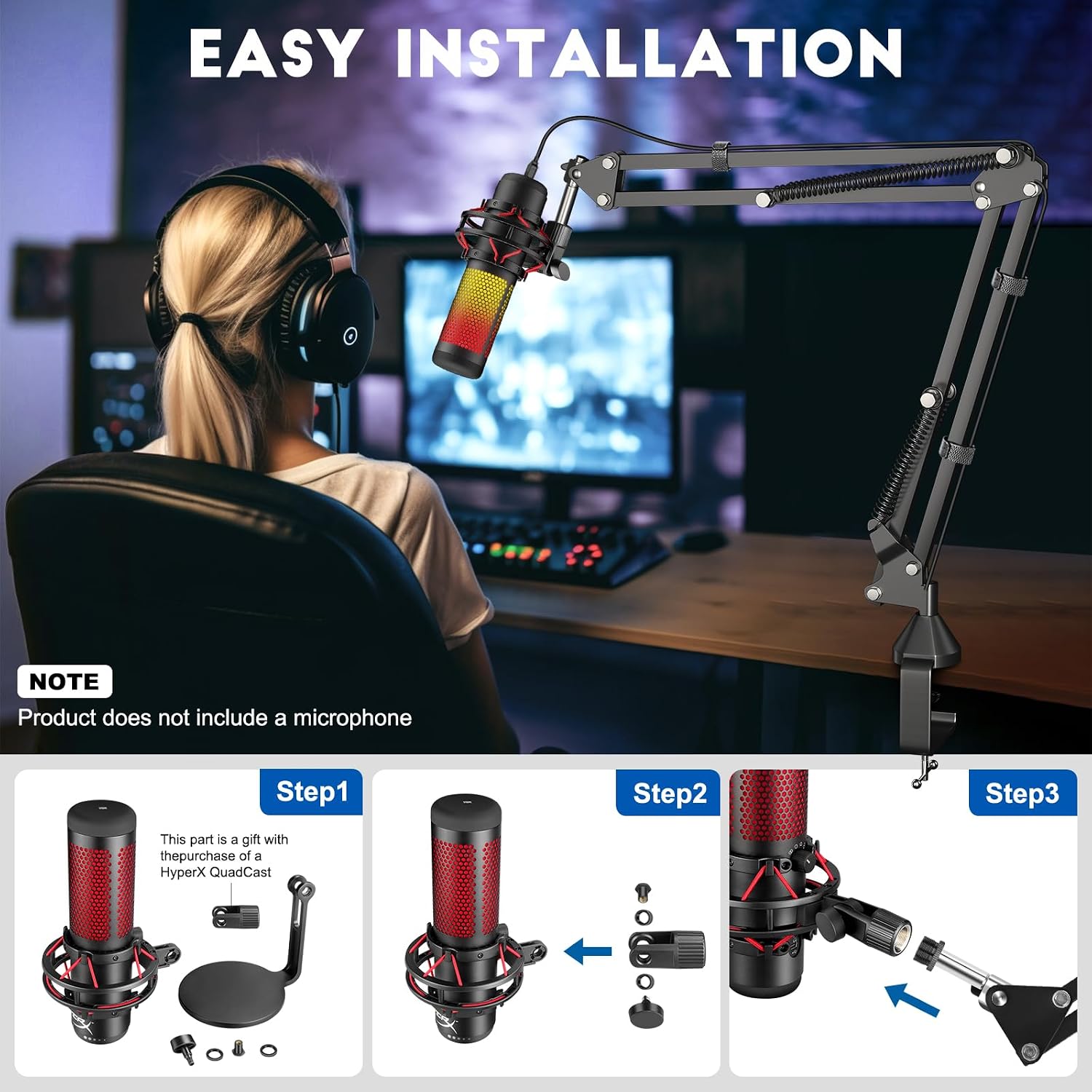
- Shock mount note: the installation guidance says you must first install the Elgato Wave on the shock mount, then attach the Wave + shock mount to this arm mount
There are also compatibility limitations to be aware of: the product listing specifically notes that an adapter for the HyperX QuadCast accessory needs to be attached before it can be attached to this microphone arm.
Where it shines (and what it’s best suited for)
This is the sort of boom arm that makes sense if you want a desk setup that’s quick to adjust and looks tidy.
It’s described as suitable for uses like: - stores and office-style desk setups - Voice-Over, ASMR sound studio use - YouTube/Facebook video recording - radio broadcasting - table/desk use, TV stations - restaurants, stage, battle station setups, and family performances
That list is broad, but it hints at what the arm is designed to do: hold popular desk mics securely, keep the mic stable, and make repositioning straightforward.
It also tends to be the right kind of purchase when you’re moving between activities: one day you’re recording voice, the next you’re streaming, and you want the mic at a consistent angle without re-rigging everything.
Things to be careful about before you commit
This arm looks flexible, but it’s not “plug and play for everything” in the strict sense.
For one, adapters matter. The listing says you may need to detach your mic’s existing adapter clip and attach the right adapter clip to hold your microphone properly. It also includes a 3/8" to 5/8" adapter, but that doesn’t remove the need to check how your microphone or shock mount connects.
Also, the HyperX QuadCast accessory needs an adapter first, according to the notes. So if your setup relies on a specific QuadCast accessory connection, make sure you can match it.
Finally, while the arm is described as not dipping or sinking, that promise will still depend on correct installation and within the stated load. If you’re near the max load, or if the desk clamp isn’t tightened properly, you may not get the “rock solid” behaviour you’d expect.
Installation mindset: how to check it fits your setup
Before you buy, don’t just check that your microphone is mentioned by name—check your whole connection chain.
You’ll want to confirm: - your desk thickness is within the clamp support (up to 2.3in/6cm) - how your microphone (or shock mount) attaches (and whether the 3/8" to 5/8" adapter is the right path) - whether your specific mic setup needs a separate adapter (the HyperX QuadCast note is a clear example) - whether you’re using a shock mount: for Elgato Wave, the listing explicitly describes an order of installation (Wave on shock mount first, then attach both to the arm)
It’s also worth planning your desk placement. Because it offers 360° rotation, you can swing the mic around to suit your camera angle—just make sure the boom doesn’t end up hitting monitor arms or shelves when you rotate.
Pros, cons, and the honest buying verdict
Pros
- Steel construction with electrostatic powder-spraying finish, pitched as durable and anti-rust
- Smooth, solid spring-supported movement, described as not dipping or sinking
- Desktop clamp for desks up to 2.3in/6cm thick, with 360° rotation
- Universal approach for desk mic setups, with included 3/8" to 5/8" adapter
- Comes with an after-sales and returns policy mentioned as one year after-sales service and 30 day returns
Cons
- Adapter requirements are explicitly called out (especially for HyperX QuadCast accessories)
- Shock mount and connection order matters (Elgato Wave installation has a specific sequence)
- “Universal” depends on whether your exact mic/shock mount connection matches what the arm supports
If you prioritise clean desk space, quick angle changes, and a boom arm designed around common desk microphones, the AK-35 is a sensible middle-ground choice. It doesn’t read like an ultra-expensive studio rig, it reads like a practical desk accessory that should cover most home studio and creator setups—provided your adapters line up.
Is it worth it?
It’s worth buying if you’re setting up (or upgrading) a desk recording setup with a compatible microphone like Blue Snowball or Blue Yeti, and you’re confident your mounting/adapter needs fit what the arm supports (including the 3/8" to 5/8" adapter and any shock mount requirements).
You may want to skip it if your current microphone/shock mount combination relies on an accessory adapter you’re not sure you have (the HyperX QuadCast accessory note is a good reminder to check first). It might not be the best match if you prefer a completely universal, no-adapter-required experience.
Mini FAQ
Does this boom arm fit desks up to 2.3in/6cm thick?
Yes, the desktop clip is described as attachable to desks up to 2.3in/6cm thick.
Is it suitable for Blue Yeti and Blue Snowball?
The listing explicitly says it can attach Blue Snowball and Blue Yeti microphones.
What adapter does it include?
It mentions a 3/8" to 5/8" adapter for use with most microphones or microphone shock mounts.
Is the Elgato Wave compatible?
The listing says it can be used, but it gives specific installation order guidance: install the Elgato Wave on the shock mount first, then attach Wave + shock mount to the arm.
Does the HyperX QuadCast need an extra adapter?
Yes—please note the listing states an adapter for the HyperX QuadCast accessory needs to be attached before it can be attached to the arm.