

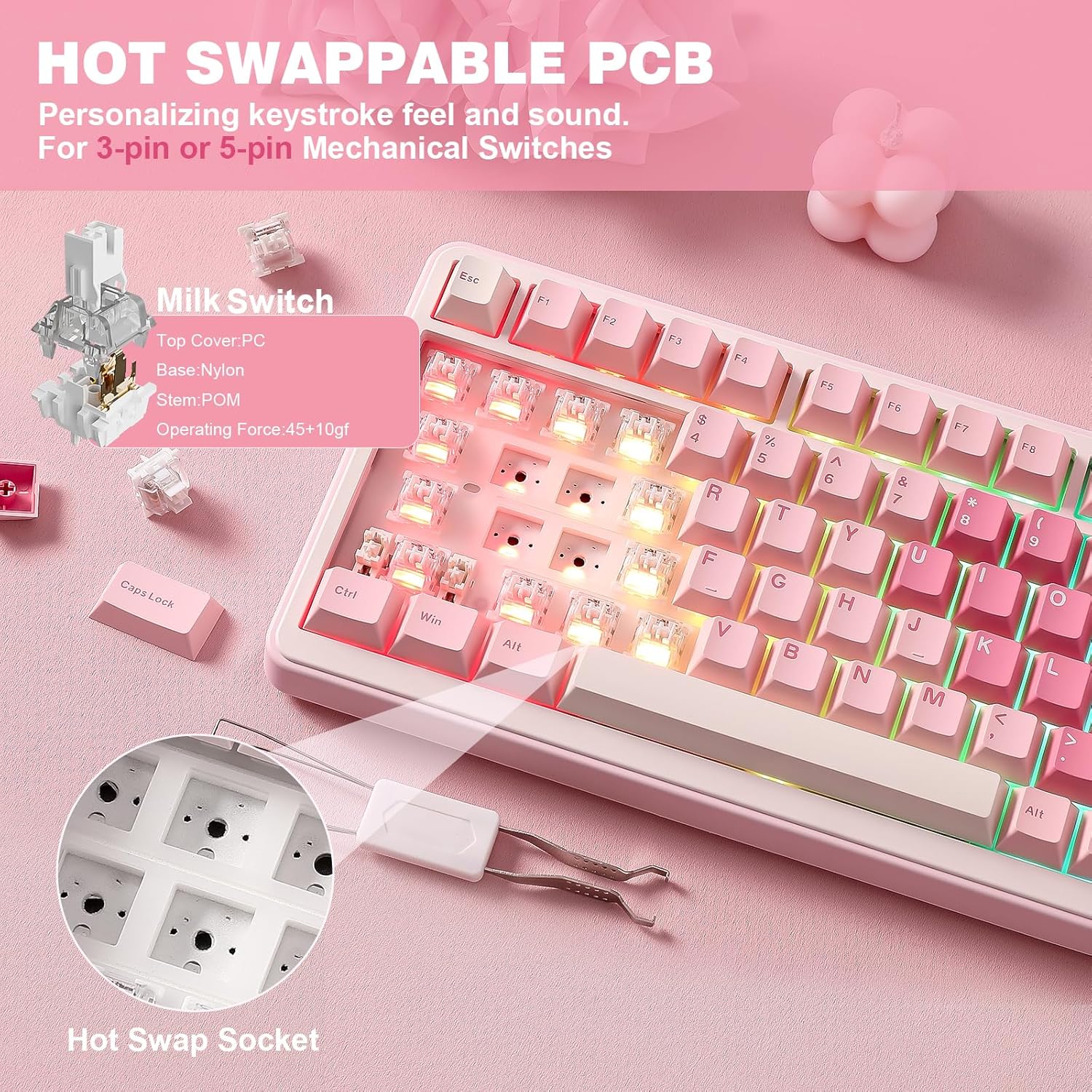


YUNZII B75 PRO Keyboard 🖥
Product description
This YUNZII B75 PRO keyboard combines compact design with advanced functionality, ideal for users seeking a responsive, customizable typing experience whether for gaming or daily productivity. With a TKL layout and a built-in multifunctional button, it streamlines control over settings like volume and backlight brightness, allowing quick switching between gaming and office modes through a simple press.
Key Points
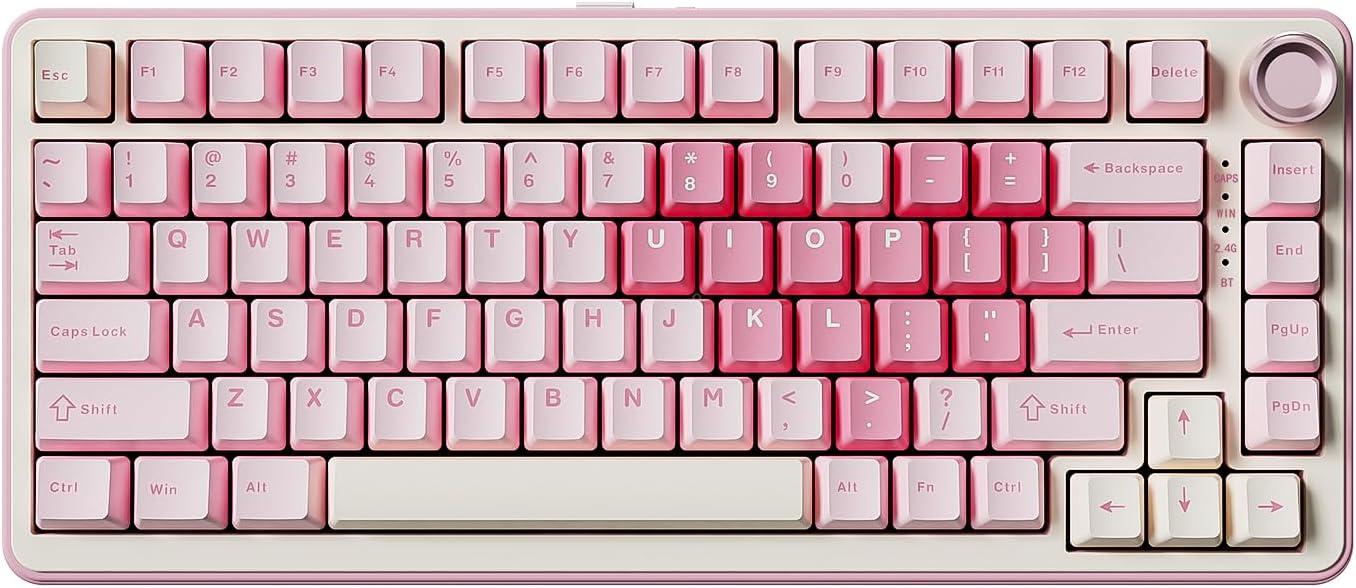
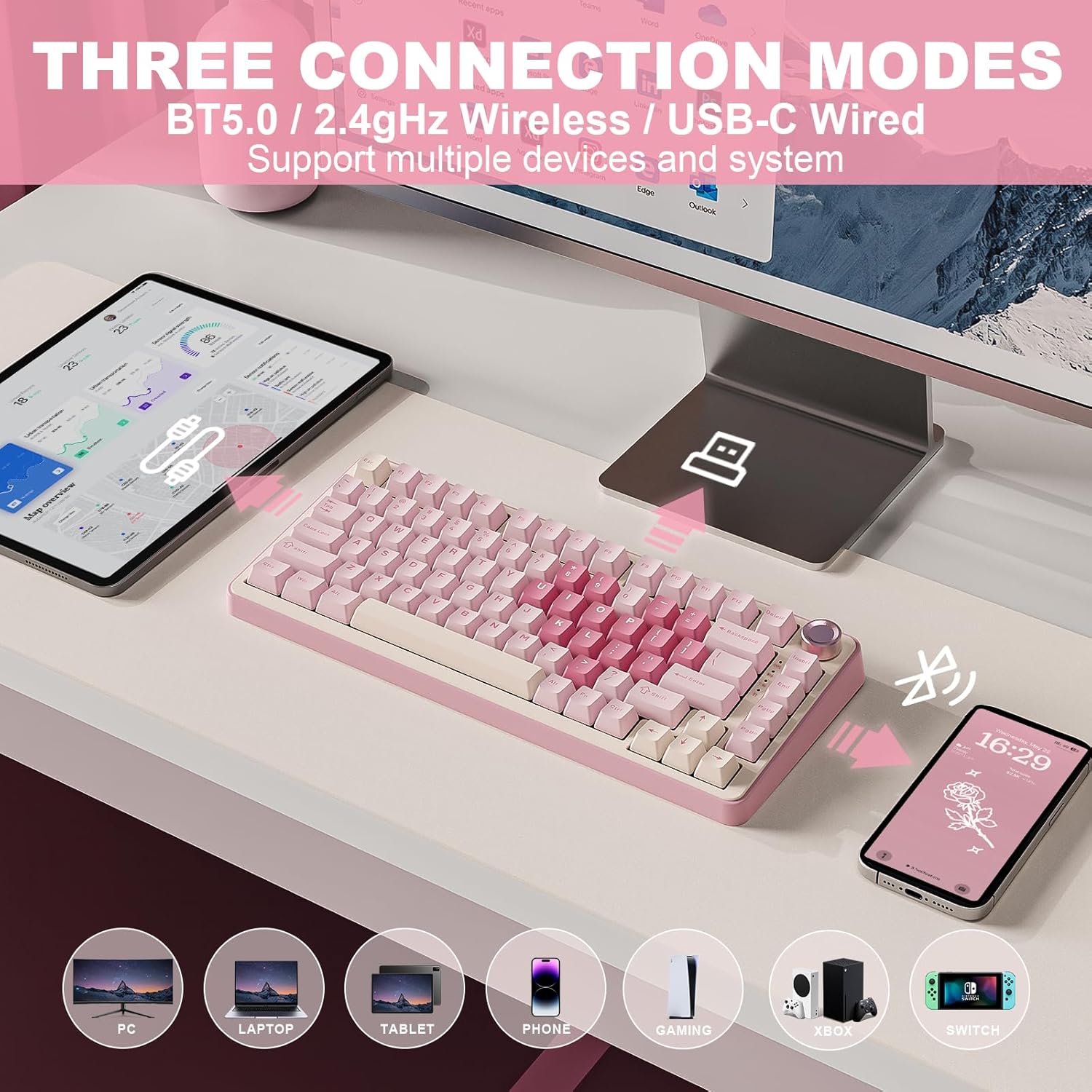
The YUNZII B75 PRO features a 75% layout with 82 keycaps, offering a streamlined yet full-featured typing surface. It includes numeric keys, function keys, and arrow navigation, making it practical for both work and entertainment. A dedicated multifunction button lets users adjust volume and backlight intensity, while a physical knob enables fine-tuned control over audio and RGB lighting. The keyboard supports three connection types: Bluetooth, 2.4 GHz wireless, and a wired option, ensuring compatibility across devices.
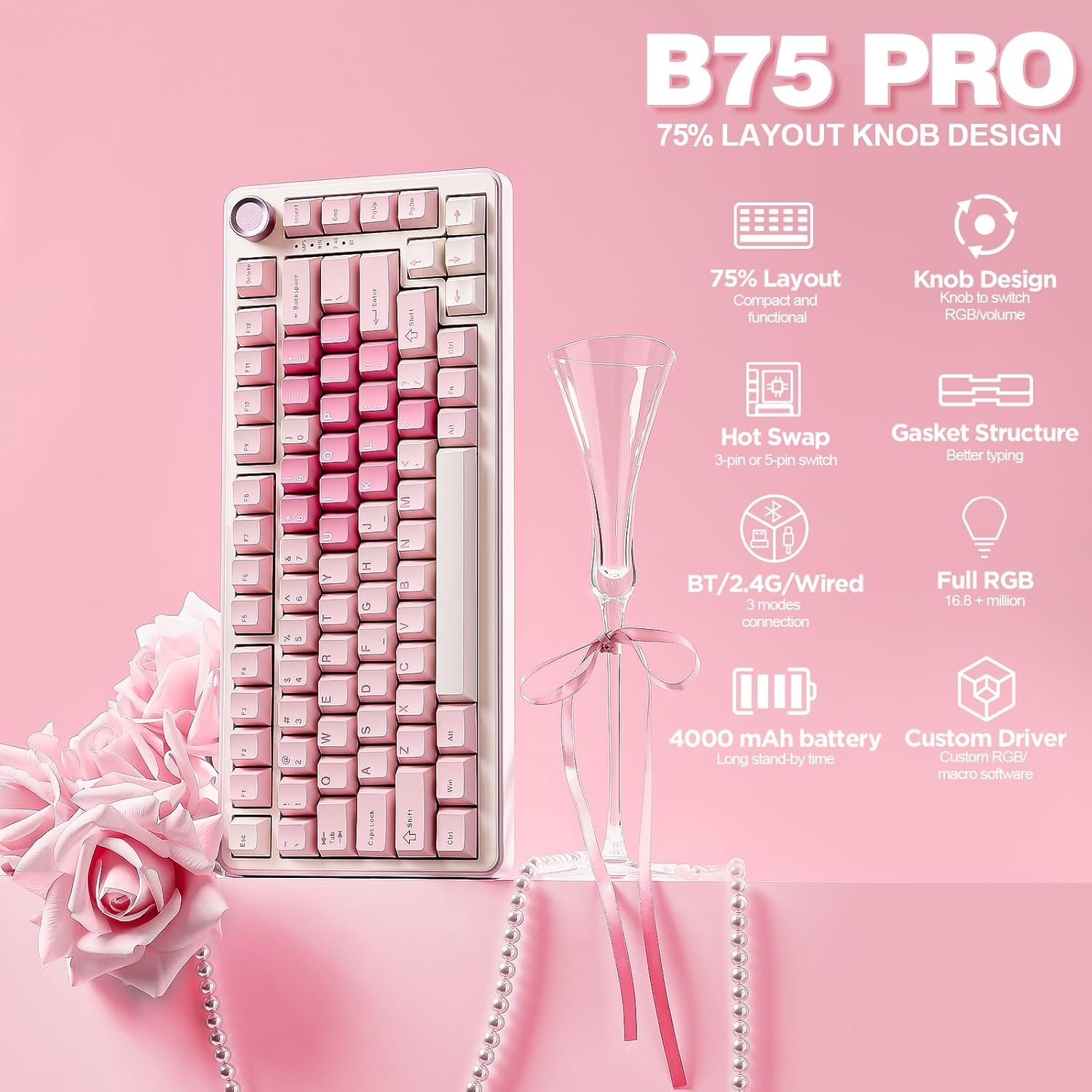
Technical Specifications
Brand + model: YUNZII B75 PRO
Layout: TKL (75% key count)
Keycap type: Double shot, cream-colored, linear
Switch type: Linear and tactile, pre-combusted
Connectivity: Bluetooth 5.0, 2.4 GHz wireless, USB-C cable
Battery capacity: 4000 mAh
Backlight: Over 20 RGB modes, directional LEDs
Compatibility: Windows and macOS
Benefits
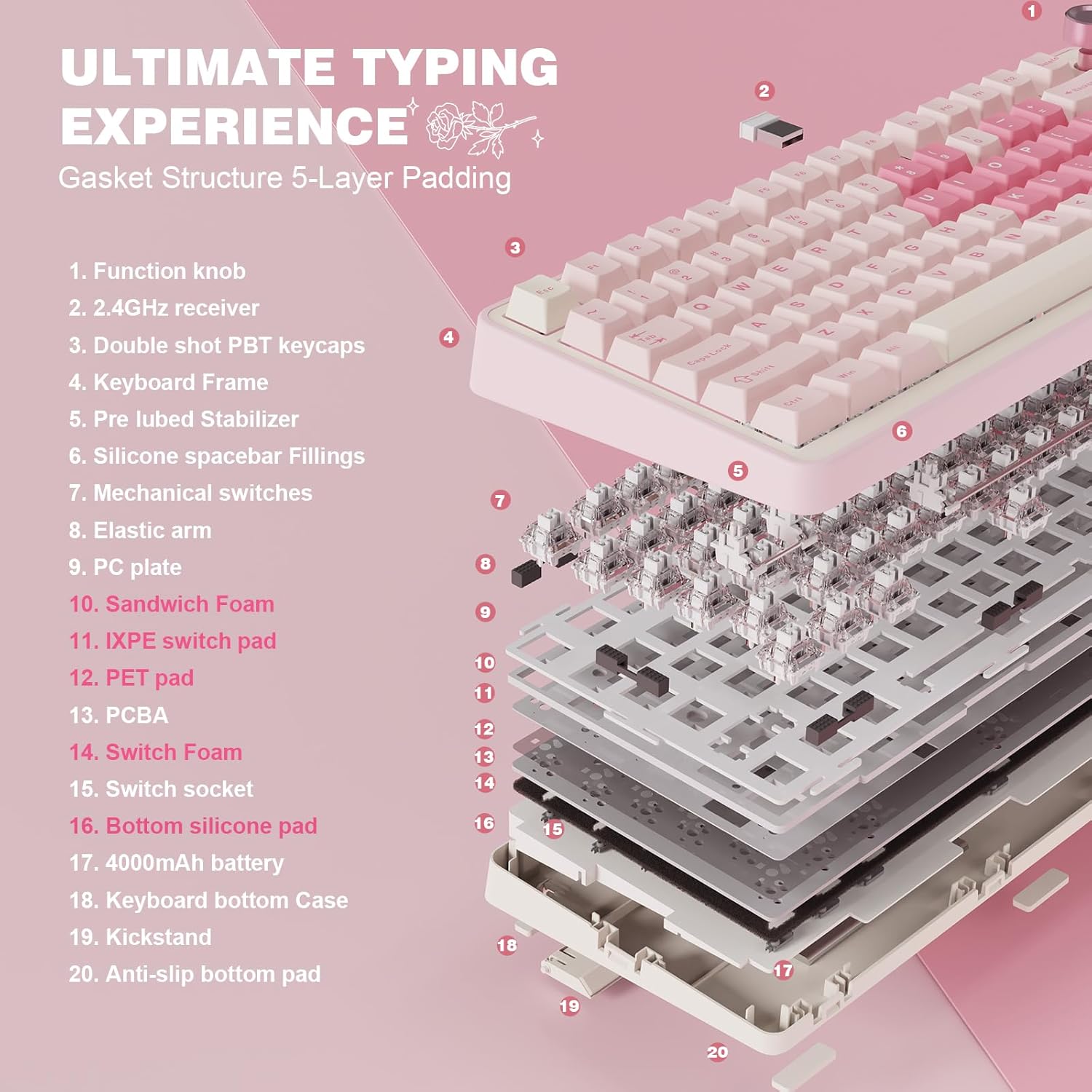
The linear key switches deliver a smooth, quiet typing feel with minimal tactile feedback, which suits users who prioritize comfort during long sessions. The programmable key functions allow for macro shortcuts and custom key mapping, enhancing workflow efficiency. The high-capacity battery ensures extended usage without frequent recharging, especially in mobile or wireless setups. The RGB lighting system offers dynamic effects that can be customized through dedicated software, adding a personal touch to your workspace.
Usage Recommendations
For gamers, the low-latency switches and quick mode switching help maintain responsiveness during fast-paced action. In office environments, the compact size and efficient layout reduce desk clutter while maintaining access to essential functions. The backlight adjusts automatically in low-light conditions, improving visibility without draining power. Always keep the keyboard updated via the companion software to access the latest lighting profiles and macro settings. Consider pairing it with a laptop or desktop for optimal performance.