

Tokluck Switch Docking Station for TV with Controller Charger and USB 3.0 Port
Reviews
Price
Product description
The essentials
If you’re trying to streamline your Nintendo Switch setup, this Tokluck Switch docking station is aimed at one practical goal: getting your console onto the TV while also handling charging and organization in one spot. On paper, it combines TV docking, a controller charging area, and extra ports for accessories—so you spend less time hunting for cables and more time actually playing.
A big note before you get excited: this is not a Switch Lite dock. If your console is a Switch Lite, you’ll want to look elsewhere, because this dock’s role is specifically built around the Switch TV docking use case.
Key features that matter in real life
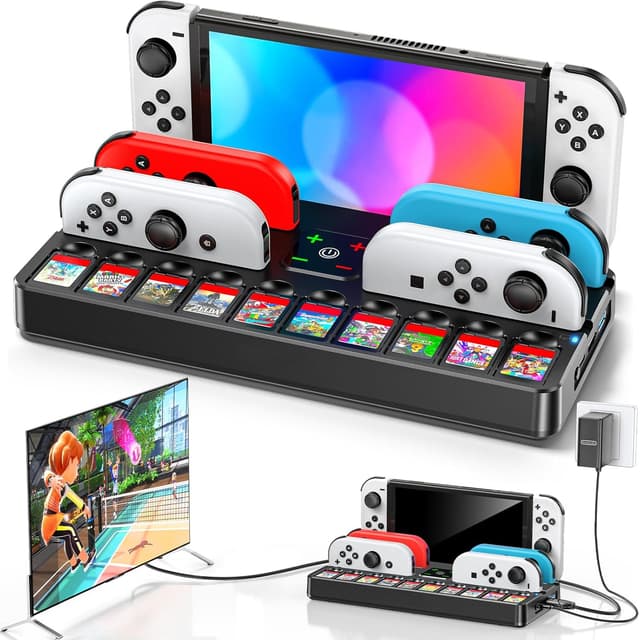
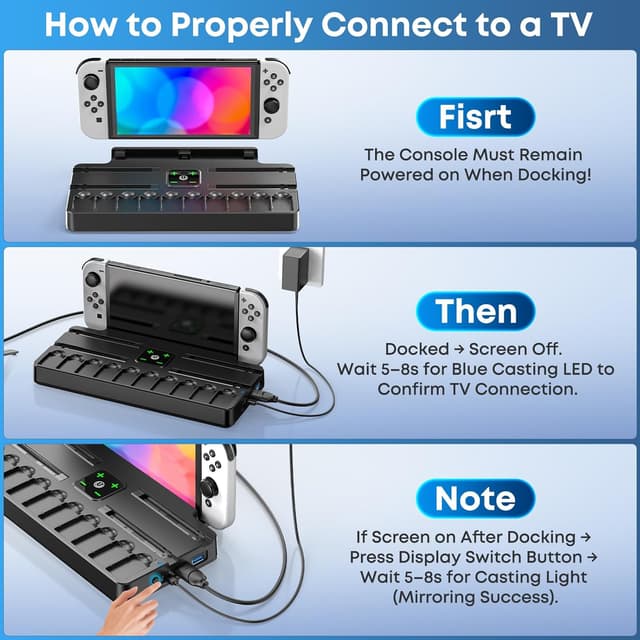
The dock includes a side button for a quick switch between TV mode and tabletop/desktop mode. The idea is straightforward: press the button, and if the transition succeeds the LED indicator turns blue. That’s the kind of small detail that matters day to day when you’re moving from handheld play to a couch/TV session.
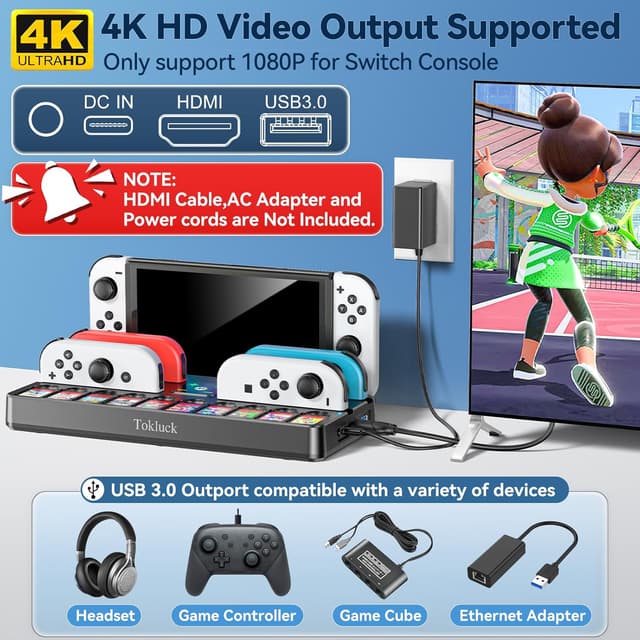
On the connectivity side, it supports video outputs including 4K, 1080P, and 720P. One limitation to keep in mind is that when switching (the “toggle” action), the output is described as 1080P. So if you’re chasing a specific higher-output behavior during the switch moment, the dock may not match every expectation.
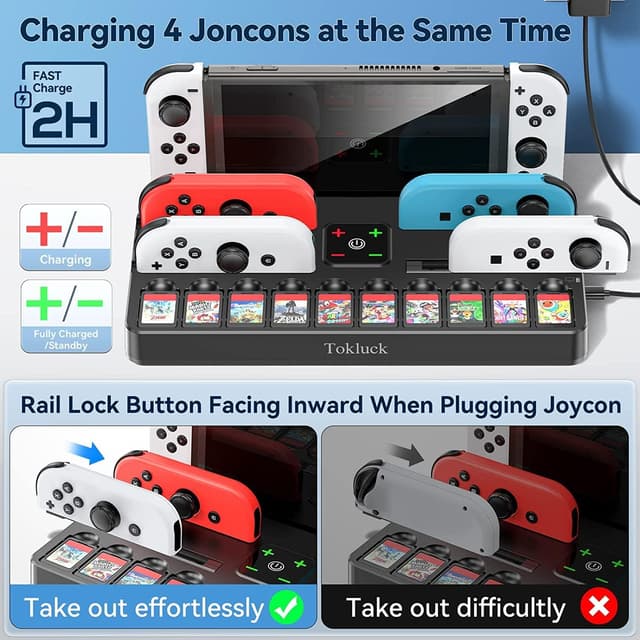
For charging, the setup is built to hold multiple items. It’s described as able to charge up to 6 consoles simultaneously in about 2 hours, with touch-switch control for changing charge status. That “up to” phrasing suggests flexibility for collectors or households, but it also means you should plan around how your consoles/controllers are positioned on the base.
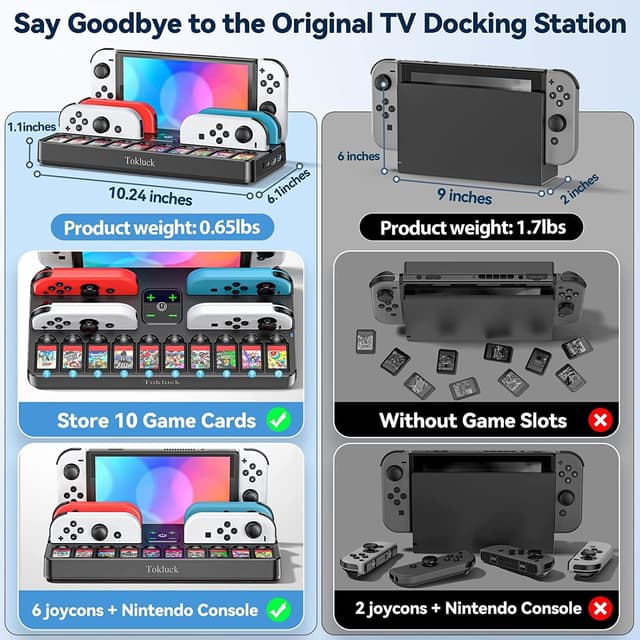
There’s also a dedicated controller charging area and a storage concept built around game management. The dock is described as holding 6 controllers and 10 game cards, plus the console—so it can function as a compact command center rather than just a basic stand.
Storage + charging layout (what you’ll notice day to day)
Where this dock feels most appealing is how it tries to reduce clutter. Instead of a separate TV dock, separate controller charging, and a pile of game cartridges somewhere nearby, you get an integrated storage/charging station.
A concrete example: imagine you finish a session, press the dock’s button to reconfigure for tabletop/desktop use, then place controllers into the charge area and store the game card(s) in the included slots. Later, when you want to go back to TV play, everything is already seated and ready—no cable re-routing, no “where did that controller go?” moment.
What’s included—and what you’ll need to bring
Tokluck is also pretty clear on one point: the AC adapter and HDMI cable are not included. That means you’ll want to check what you already have at home (or what you’re planning to use) before buying.
The dock is powered by an AC adapter rated 15V/2.6A, and the description adds that it supports third-party PD protocol adapters in addition to an original-style adapter. That can be useful if you already own a compatible setup, but it also means you should be careful not to assume every adapter in your drawer will work as-is.
Compatibility & limitations to watch
This dock is described as suitable for Nintendo Switch and OLED models, but not for Switch Lite. It’s also described as designed around the Switch case, with an emphasis on reducing scratch/damage risk compared with using an original dock or other bases—so if you keep your Switch in a case, this design focus may be a plus.
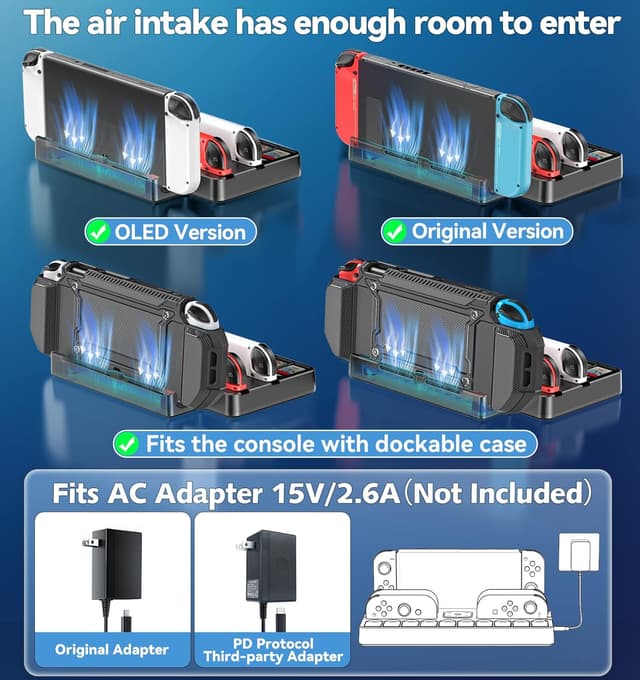
Cooling is another practical detail mentioned: the dock has an improved ventilation design with reserved space for airflow, intended to keep the console cooler even after long play sessions. That doesn’t guarantee silence or perfect thermals, but it’s a sensible inclusion for a charging dock.
If you’re expecting premium TV docking performance with zero quirks, you may find yourself slightly underwhelmed—the toggle-mode note about output during switching suggests there are tradeoffs versus higher-end docking approaches. Still, for a mixed-use setup (TV + charging + storage), the feature list reads like it’s built for everyday convenience rather than maximum spec-chasing.
Is it worth it?
Buy it if you want a single station that does more than dock your Switch: TV toggling on demand, controller charging, and storage for game cards in one place. It makes sense if you often move between handheld play and TV mode and you’d like your accessories to have a dedicated home—especially if you already keep your Switch in a case.
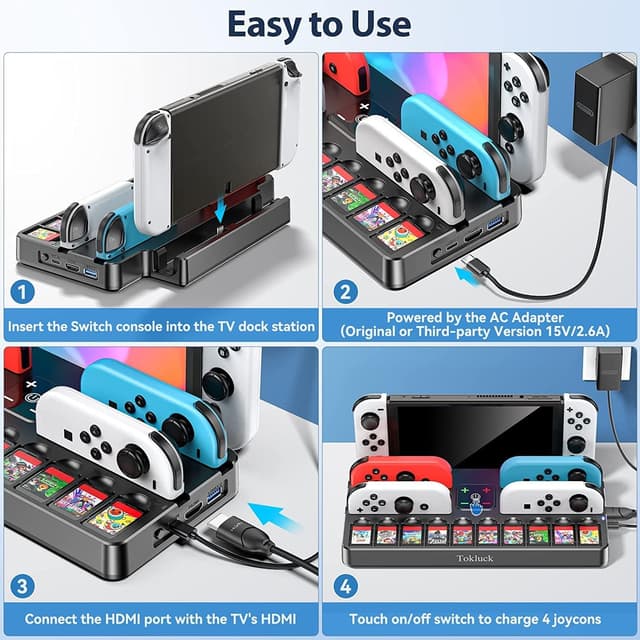
Don’t buy it if your console is Switch Lite, because the dock is specifically called out as not suitable for that model. Also consider whether you’re missing the required components: the HDMI cable and AC adapter are not included, so you’ll need to account for that before you plan your setup.
One more practical checkpoint: if you care about the exact video behavior around switching, note that the description states 1080P during the toggle. That’s the kind of detail that can matter more than people expect if you’re sensitive to resolution changes.
Quick FAQ
Does this dock work with Switch Lite?
No. The description says it’s not suitable for Switch Lite.
What outputs does it support?
It’s described as supporting 4K, 1080P, and 720P, with the note that switching mode outputs 1080P.
Is the HDMI cable included?
No. The AC adapter and HDMI cable are not included.
How do you switch between TV mode and desk mode?
There’s a button on the side of the dock. If the transition is successful, the LED turns blue.
How many accessories can it store and charge?
It’s described as able to contain 6 controllers, 10 game cards, and the console, and it also claims charging support for up to 6 consoles simultaneously within about 2 hours.