

Plaud Note Pro AI Voice Recorder: Transcribe, Summarize, and Manage Meetings
Product description
What is Plaud Note Pro AI Voice Recorder
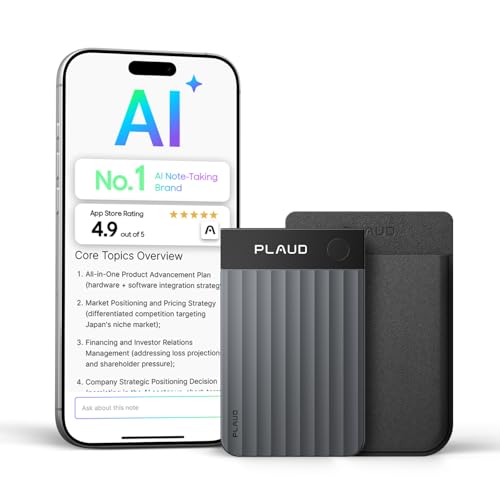
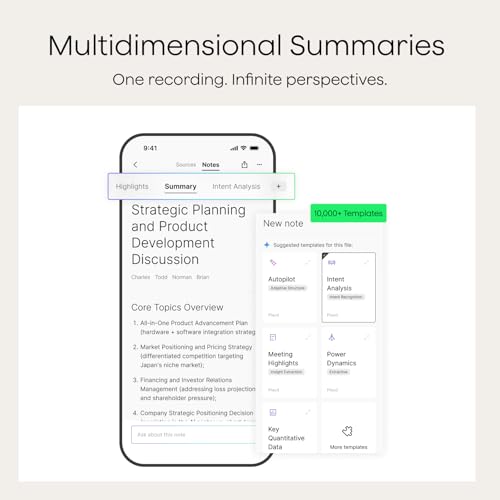
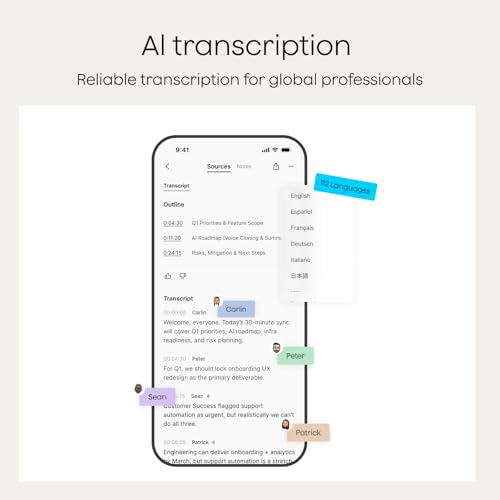
Plaud Note Pro is an AI-powered voice recorder designed for meetings, calls, and professional conversations. It goes beyond simple audio capture by offering high-accuracy transcription in 112 languages with auto speaker labels, plus multi-dimensional summaries, mind maps, To-Do lists, and proposals tailored to your role and industry. On paper, it aims to be a complete note-taking workflow device—from recording to actionable outputs—so you don’t have to toggle between apps or manual note-taking. In practice, the value hinges on how well the AI directions, multimodal inputs, and cross-device sync fit into your daily routine.
How the system handles context and input
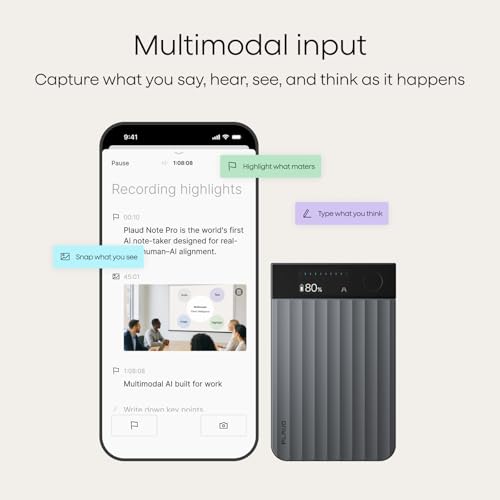
Note Pro supports multimodal input: you can capture audio, type notes, attach images, and highlight moments with a single button press. This design helps preserve context during a recording and gives you richer material to work with later. The app’s ability to anchor highlights and attach supporting imagery can be especially useful for legal, medical, or project-management scenarios where documents or references come up during discussion. However, the strength of this multimodal approach depends on how consistently you use the highlights and how well the app organizes the resulting context for retrieval later.
Language and transcription capabilities
The device promises high-accuracy transcription across dozens of languages and automatic speaker labeling. If your workflow involves multilingual meetings or cross-border teams, this can be a meaningful upgrade over basic voice recording. The effectiveness of speaker labels and translation quality will depend on the complexity of the dialogue and the clarity of each speaker, which means you might still need a quick review to confirm who said what in brisk conversations.
What stands out in daily use
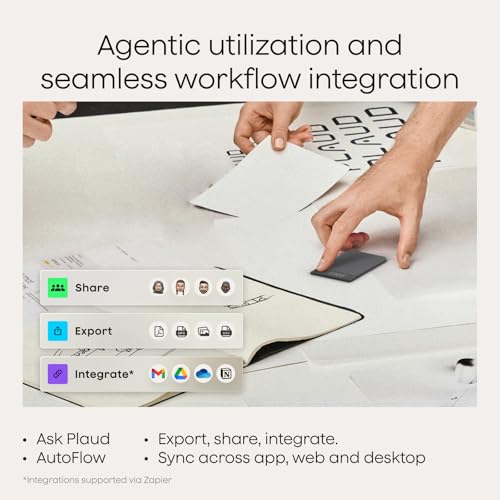
A standout feature is the “Ask Plaud” interactive assistant embedded in the recordings. You can query the audio to pull out key points, draft emails, or generate next steps, all grounded in the original content. It’s tempting to rely on this for reducing post-meeting soak time, but it’s wise to validate critical outputs before sending, especially in high-stakes settings.
The best and the less convincing parts
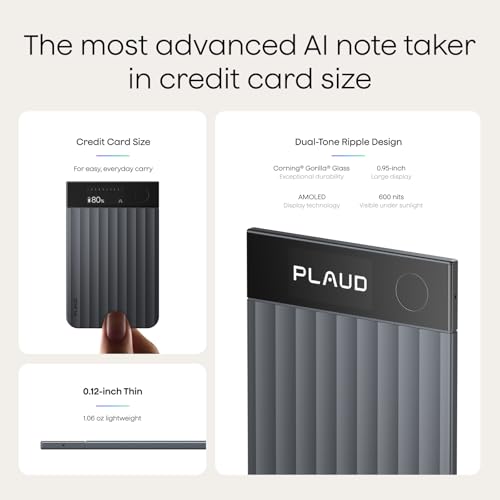
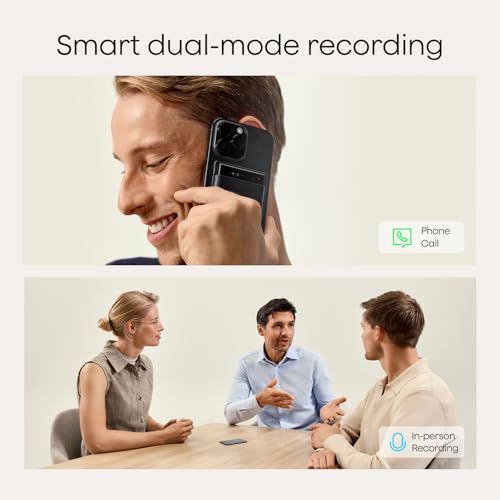
What helps Plaud Note Pro stand out is its end-to-end approach: intelligent recording, AI-driven direction between call and meeting modes, and real-time spatial audio optimization. The hardware is described as ultra-slim with a vivid AMOLED display, which can make quick status checks easier during use. On the flip side, the system’s real-world performance will depend on battery life under heavy transcription workloads, smooth cross-device syncing, and how the privacy/compliance suite translates into everyday security for sensitive conversations. The enterprise-grade privacy claims are compelling, but you’ll want to confirm how data is processed and stored in your specific environment before relying on it for regulated chats.
Who it’s for and who might skip it
This device is likely to appeal to professionals who juggle meetings, calls, and document-heavy workflows—lawyers, consultants, project managers, and sales engineers may find the pairing of transcription, summaries, and actionable outputs particularly valuable. If you don’t frequently run long meetings or you don’t need structured outputs like mind maps or To-Do lists, a simpler recorder might suffice. Also, if you rely heavily on cloud-only workflows or already have a preferred note system, you’ll want to map how Plaud’s notebooks and export options integrate with your current stack.
When it makes sense to buy
Consider Plaud Note Pro if you want to reduce post-meeting friction, capture multi-language conversations, and get structured outputs without manual note-taking. If your role benefits from immediate summaries, highlighted moments, and the ability to invite teammates into a centralized workspace, the Team Plan option could be appealing. The 30-hour endurance mode and up to 50 hours of continuous recording cover extended sessions, which is a practical advantage for all-day events or series of back-to-back meetings.
When it might be a poor fit
If you don’t need AI-driven transcripts or you prefer a more minimal device, the extra features may feel more like overkill. The value hinges on how often you’ll actually use the AI directions, the interactive Plaud features, and the cross-device sync in real-world tasks. In noisy environments, even with directional microphones and noise minimization, some recordings may still require post-processing. Also, if you work primarily with a single language or you already have a robust note-taking workflow, the incremental benefit might be smaller.
What to review before purchasing
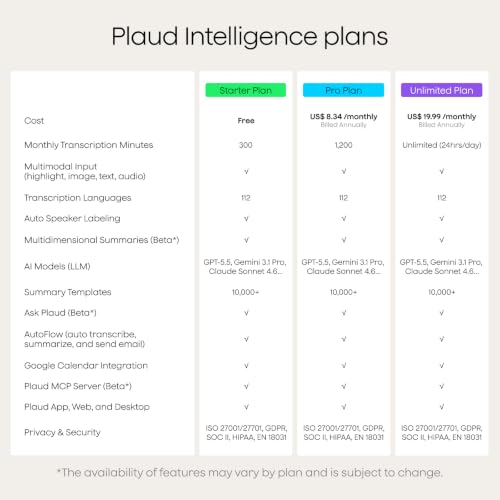
- Confirm which plan matches your typical usage: Starter, Pro, or Unlimited, and whether the monthly minutes align with your meeting cadence.
- Consider how you’ll manage data privacy in your industry and how Plaud’s compliance certifications map to your regulatory needs.
- Think about your typical meeting formats (in-person, online, or hybrid) and how the device’s directional audio and spatial awareness perform in those contexts.
- Check how the produced outputs (summaries, mind maps, proposals) export or integrate with your existing systems.
- Evaluate battery life against your meeting lengths and downtime between sessions.
Practical usage example
Imagine a weekly cross-functional meeting with 6–8 participants. You record the session, snap a photo of a project brief, and type a quick note about a critical decision. Plaud notes the key moments, auto-labels speakers, and generates a structured summary with a to-do list and a preliminary proposal draft. Later, you ask Plaud to draft a follow-up email recapping decisions and assign tasks to teammates. The combination of audio clarity, contextual highlights, and AI-assisted outputs can cut post-meeting work significantly—provided you verify the AI-generated actions before sending.
Tech specs at a glance
- Name: Plaud Note Pro AI Voice Recorder
- Type: AI-powered voice recorder with transcription and summarization
- Material: Premium ultra-slim aluminum body with AMOLED display
- Weight: 1.06 oz
- Dimensions: 0.12 inches thick (approximately credit-card slim)
- Display: Vivid AMOLED display for status checks
- Memory/Capture: 4 MEMS microphones + 1 VPU microphone array, directional audio, up to 30 hours in Enhance Mode, up to 50 hours in Endurance Mode
- Transcription: 112 languages with auto speaker labels
- Privacy/compliance: ISO 27001/27701, SOC 2, HIPAA, GDPR, EN18031
- Connectivity: Cross-device sync via Plaud Desktop, Web, and mobile app
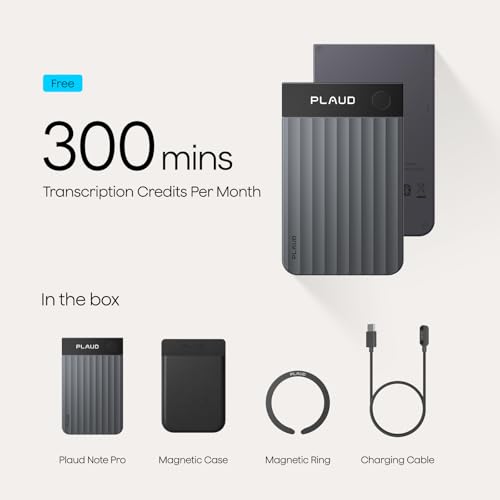
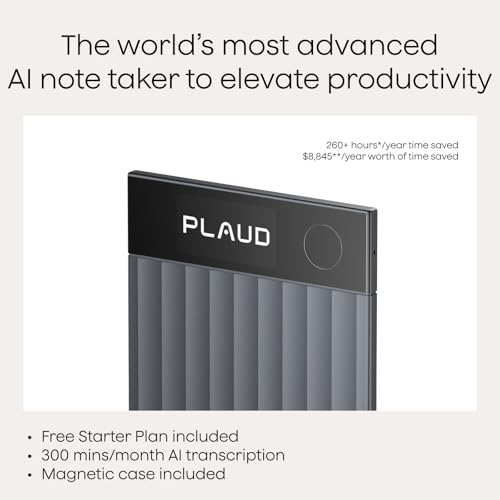
- In the box: Plaud Note Pro, magnetic case, magnetic ring, charging cable, Starter Plan
Tech notes on usage and care
The device emphasizes offline data handling and secure processing. As with any AI-driven recorder, the best results come from clear speech, minimal background noise, and consistent mic placement. If you expect long recording sessions, keep the device charged or use Endurance Mode to avoid interruptions. The premium finish and Find My compatibility are nice extras for daily business use, though they require pairing with the Plaud app ecosystem.
Is it worth it?
Final verdict: Plaud Note Pro offers a compelling bundle for professionals who want more than just audio capture. It’s worth considering if you regularly run meetings in multiple languages, need structured outputs, and value centralized workspace collaboration. It may not be the best pick if your needs are simple note-taking or if your environment doesn’t justify AI-driven transcripts or if you’re cautious about data handling in your organization.
FAQ
- How accurate are the transcriptions across languages? The product promises high accuracy across 112 languages with auto speaker labels, but results can vary by speaker clarity and background noise.
- Can outputs be shared with a team? Yes, there is a Team Plan option for a centralized workspace to manage multiple users and devices.
- What about privacy in regulated environments? The device touts enterprise-grade privacy and multiple certifications, verify how data is processed in your specific workflows.