

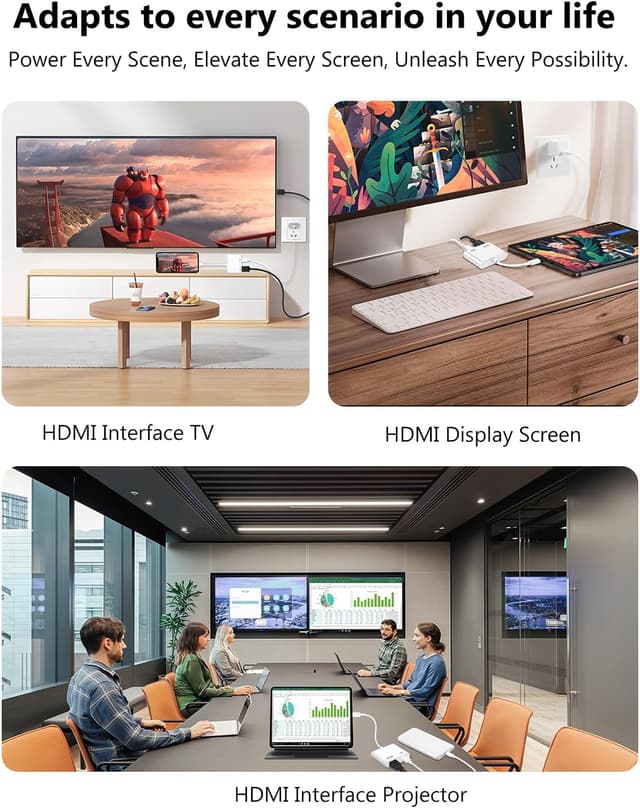
Lightning to HDMI Adapter for iPhone (Apple MFi Certified) — Digital AV Dongle with Lightning Charging Port for 1080P Screen Mirroring
Product description
What it is and what it solves
If you want your iPhone or iPad screen on a bigger display, a Lightning to HDMI adapter is one of the simplest ways to get there. This Apple MFi certified Digital AV dongle is built for HDMI-equipped TVs, monitors, projectors, and other compatible displays, aiming to mirror what’s on your device—images, movies, games, websites, presentations, slide shows, and more—up to Full HD (1080p).
The big practical win here is that it’s designed to be low-friction: plug it in, trust the connection, and let the screen mirroring do the rest. It also doesn’t require a separate power supply based on the provided details, which helps if you’re setting up quickly or moving between rooms.
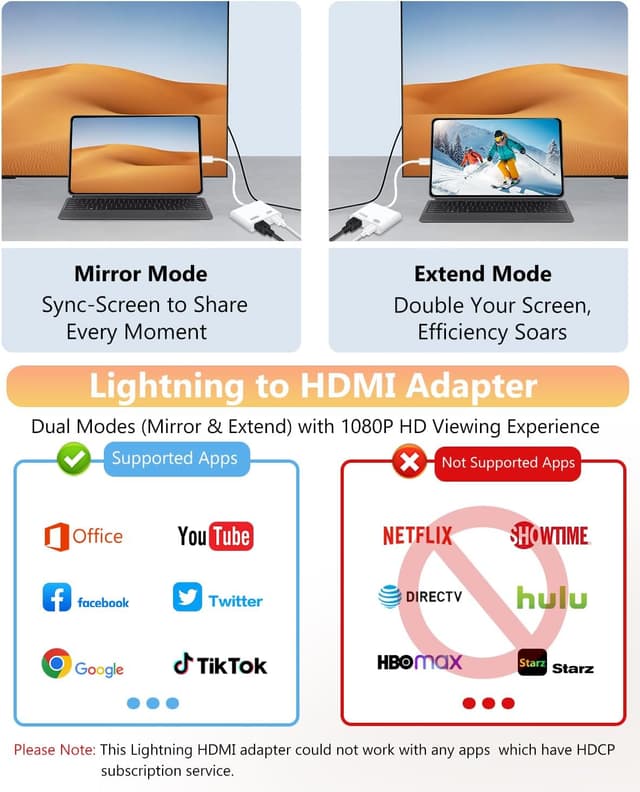
That said, it’s not a universal “every app works” solution. It’s also limited by content protection rules (HDCP), so some popular streaming apps may not display over HDMI.

The essentials: screen mirroring in 1080p
On paper, the core promise is straightforward: mirror your Lightning device’s screen to an HDMI display in up to Full High Def (1080p). That covers a lot of everyday needs—like showing photos on the TV, playing supported videos, running slide shows, or turning a phone into a quick presentation screen.
A micro-example: imagine you’re at home and want to show a vacation album on your living-room TV. You’d connect the adapter to the phone (Lightning side), connect HDMI to the TV (HDMI side), then wait a few seconds and tap “Trust” on your iPhone. After that, the TV becomes a larger view of the phone’s display.
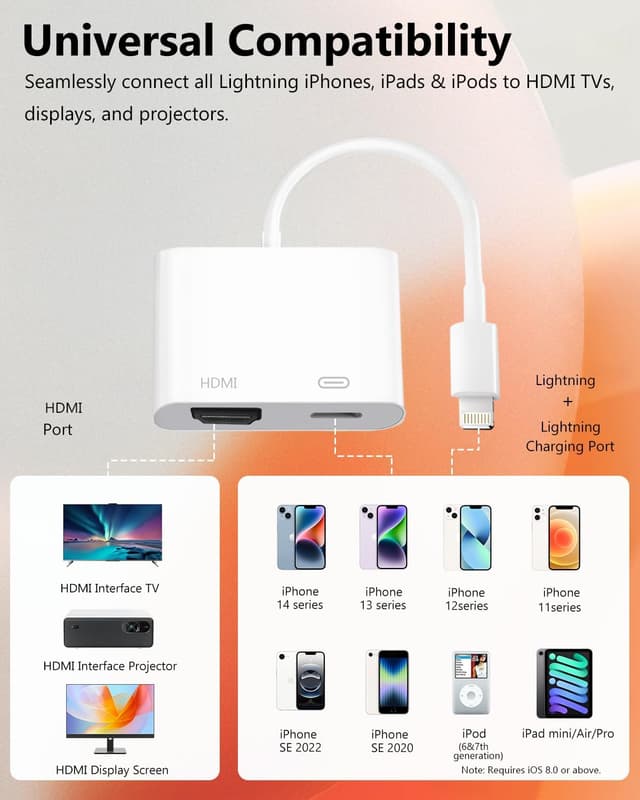
Depending on your use, the “it just mirrors” approach can feel more convenient than copying files or casting content manually. Still, if your priority is streaming specific apps that use HDCP-heavy playback, this is where you’ll want to slow down and verify compatibility.
What stands out day to day
Two things are worth calling out because they change how usable the dongle feels:
1) Plug and play without drivers or hotspots. The description emphasizes no drivers/apps, no need for personal hotspot or WiFi, and no special settings beyond the “Trust” step.
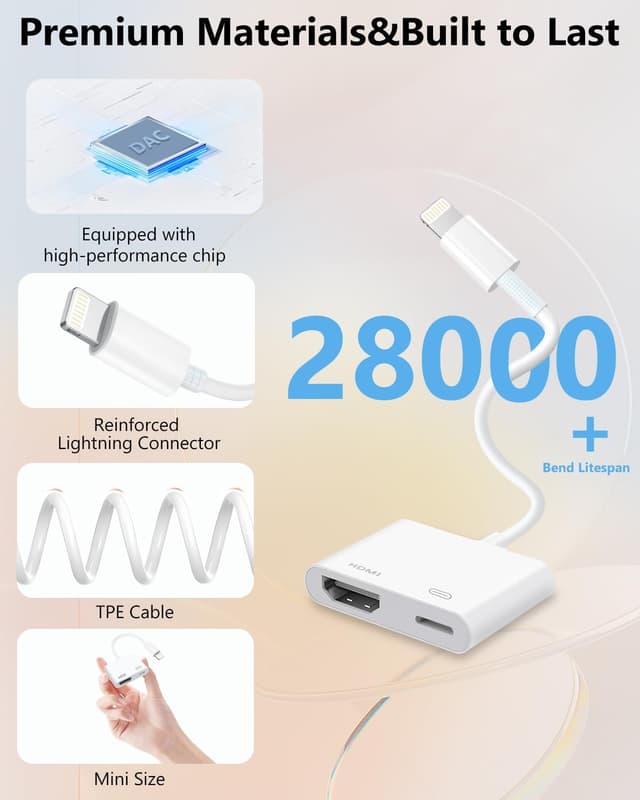
2) Portable, compact build. It’s described as lightweight and durable with a small design, which matters if you travel with an adapter or move between home and office.
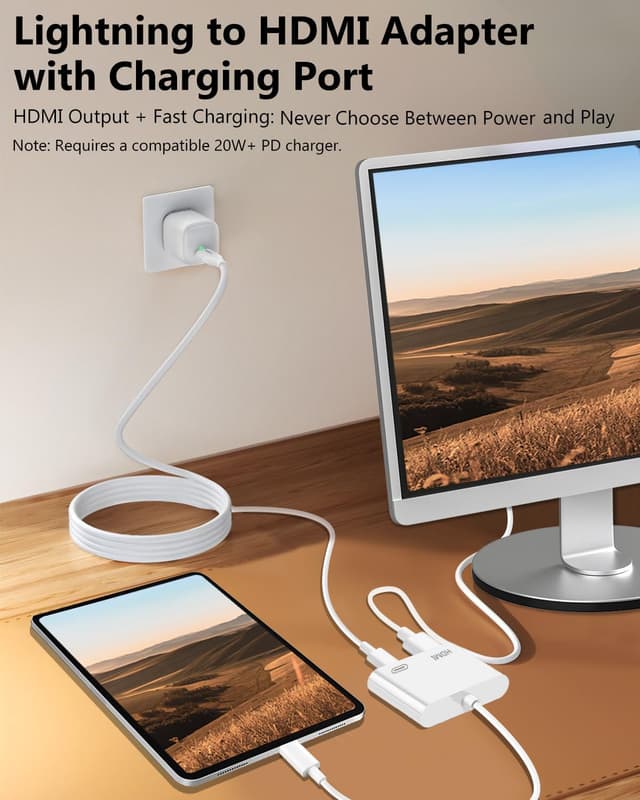
Also, the product is presented as using a Lightning charging port while connected, which can help reduce the “dongle + dead battery” problem during longer mirror sessions—just keep in mind that the exact charging behavior isn’t detailed here.
Key limitations to consider before buying

This adapter is mostly about mirroring what your device can output through a compatible HDMI path, but there are clear boundaries:
- App compatibility can be mixed. The provided note says it’s compatible with certain services and media types, but not compatible with Netflix, amazon video, HBO go, HULU, and some other apps. It also mentions that some apps using HDCP content protection won’t work.
- iOS updates may affect behavior. The listing notes that if compatibility issues arise due to iOS updates, you can contact support to claim a free firmware upgrade guide (a remote, computer-assisted process).
So, if your main plan is “watch whatever streaming app I open on the big screen,” you may be disappointed. This is more reliable for screen mirroring of general device content than for guaranteed support of every subscription app.
Tech specs (from the details provided)
- Type: Lightning to HDMI Digital AV adapter (screen mirroring)
- Maximum display output: Full High Def (1080p)
- Certification: Apple MFi Certified
- Power requirement: No power supply needed (per provided description)
- Connectivity: HDMI to compatible TV/display, Lightning to iPhone/iPad
Who it’s for—and who should skip it
It makes sense if you want a simple wired mirroring setup for activities like showing photos, running slide shows, sharing websites, using supported video sources, or displaying games and presentations on a TV or monitor.
It may not be the best fit if you primarily want HDMI output for popular streaming apps that the listing explicitly says are not compatible, or if you’re relying on HDCP-protected playback from specific services.
It’s also a cautious buy if you don’t want to deal with the possibility of needing an iOS-related firmware upgrade guide after updates—though the listing does say support is available.
When it makes sense to buy (quick decision checklist)
You’ll probably be happy with this adapter if you’re trying to solve one of these problems: - You need a wired way to mirror your iPhone/iPad to an HDMI display. - You want up to 1080p mirroring for everyday content like photos, videos that work, websites, and presentations. - You want something portable that doesn’t require drivers, WiFi, or a separate power supply.
You might want to look elsewhere if: - Your “must-have” is working with streaming apps that the listing names as not compatible. - You expect every app on iOS to behave the same over HDMI regardless of HDCP rules. - You’re not comfortable with the idea that an iOS update could require a firmware upgrade guide.
Final verdict
Is it worth it?
This Lightning to HDMI Adapter for iPhone looks like a practical, mainstream choice for people who want quick wired screen mirroring up to 1080p, with the convenience of no extra power supply and no driver/WiFi setup. It’s strongest for general content mirroring—presentations, photos, browsing, and media that’s compatible.
Where it may fall short is exactly where listings like this usually do: streaming app compatibility. The explicit note about not supporting several major apps (and HDCP-protected playback) is the tradeoff to respect. If your use lines up with mirroring the device screen rather than relying on specific locked-down streaming apps, it’s a solid way to get your phone on the big display without turning the setup into a project.