


COOPER TabStand 20" Tall iPad stand for desk
Product description
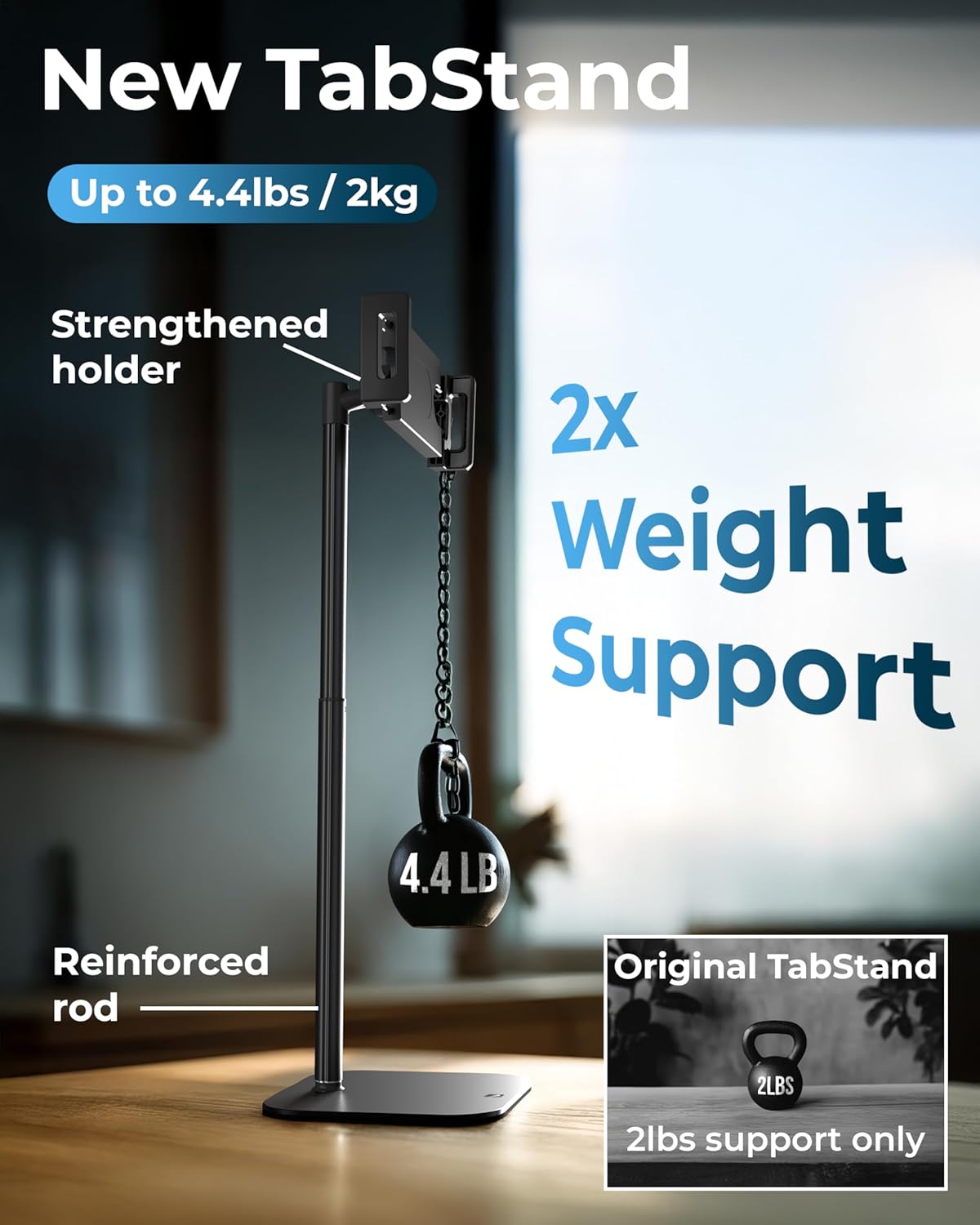
This 20-inch tablet and portable monitor stand raises screens to eye level to reduce neck strain and make video calls, dual-monitor setups, or desk work more comfortable. It supports tablets and portable monitors up to 17 inches and up to 4.4 lb, offering a stable, adjustable mount for frequent remote work or content consumption.
Key Points
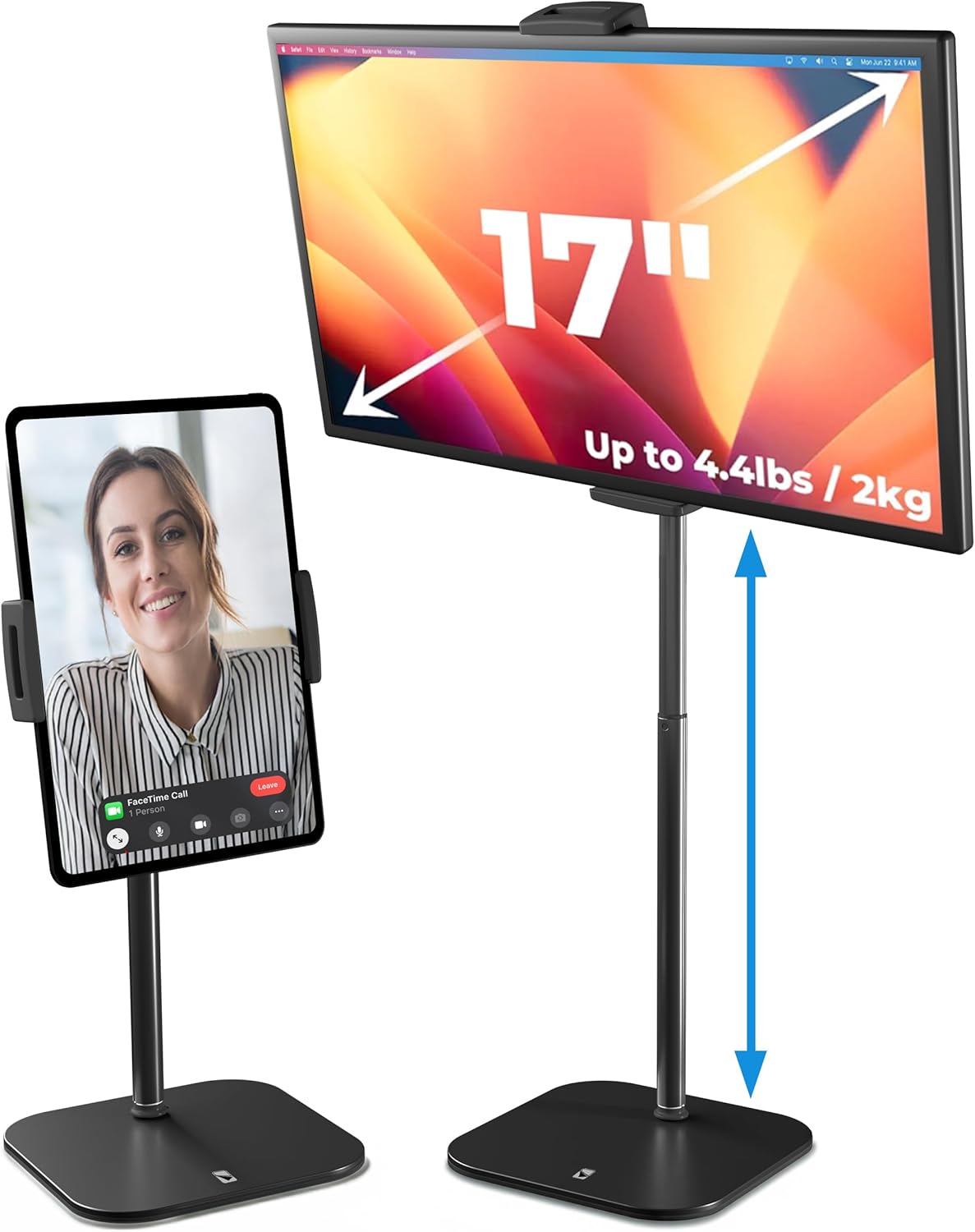
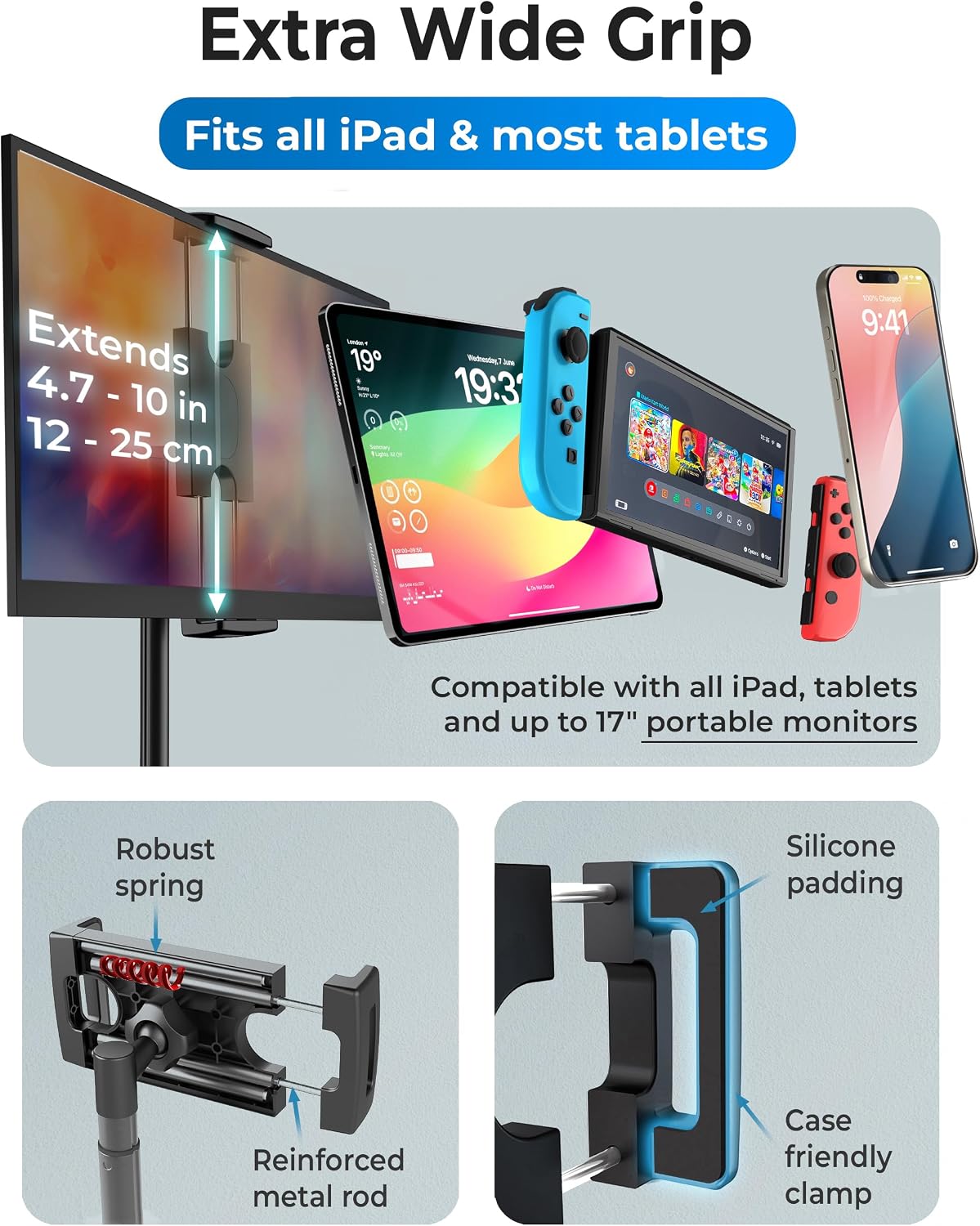
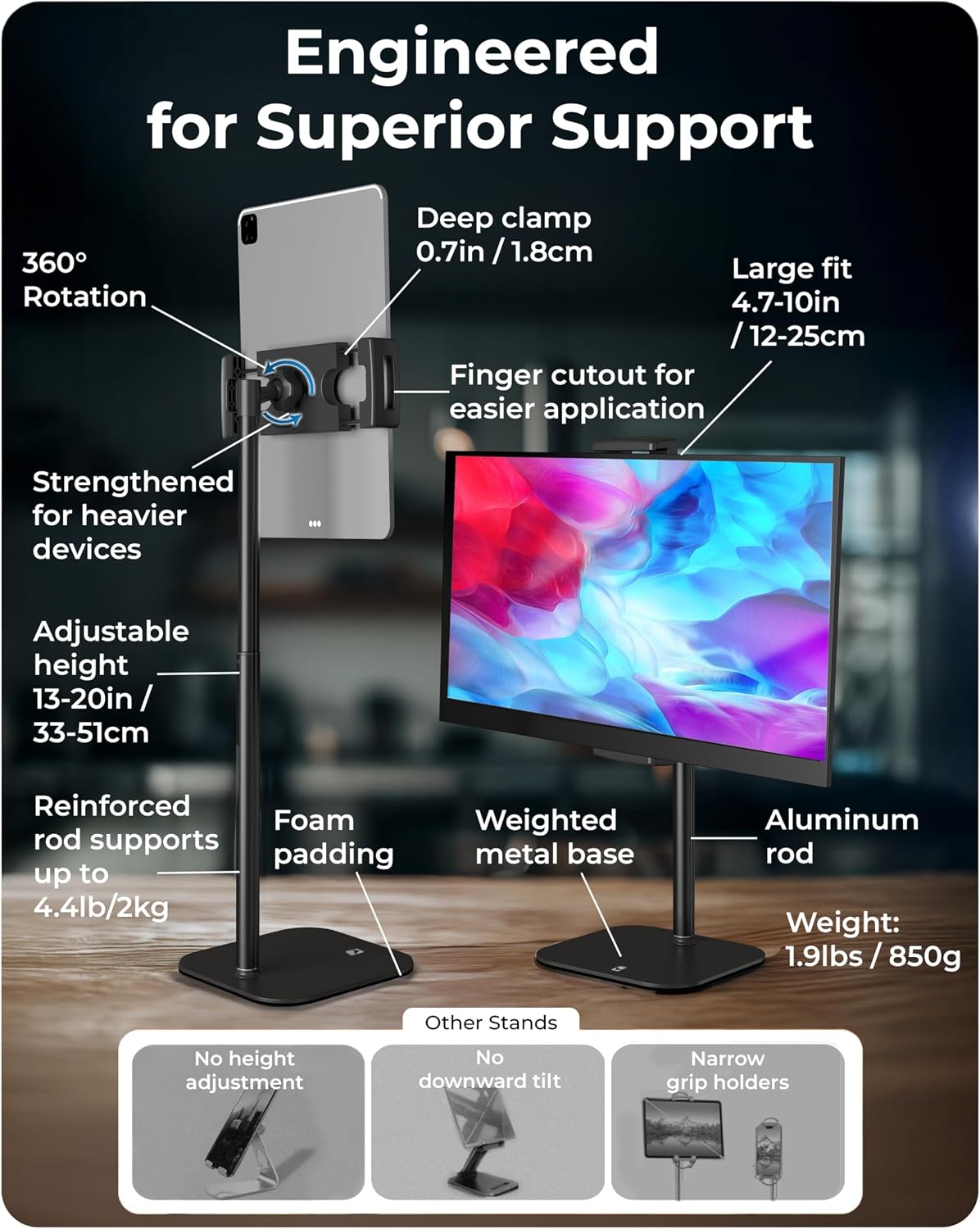
The TabStand reaches 20 inches of height adjustment to position a tablet or small monitor at a better viewing angle for video conferences and multi-screen workflows. It features a reinforced clamp with silicone padding to hold devices securely while protecting edges and finishes. The base is weighted and anti-slip for steadiness on desks, and the stand offers 360° rotation to switch between portrait and landscape quickly. Assembly is straightforward and the stand is designed to be portable for moving between workstations or temporary setups.
Technical Specifications
- Name: COOPER TabStand
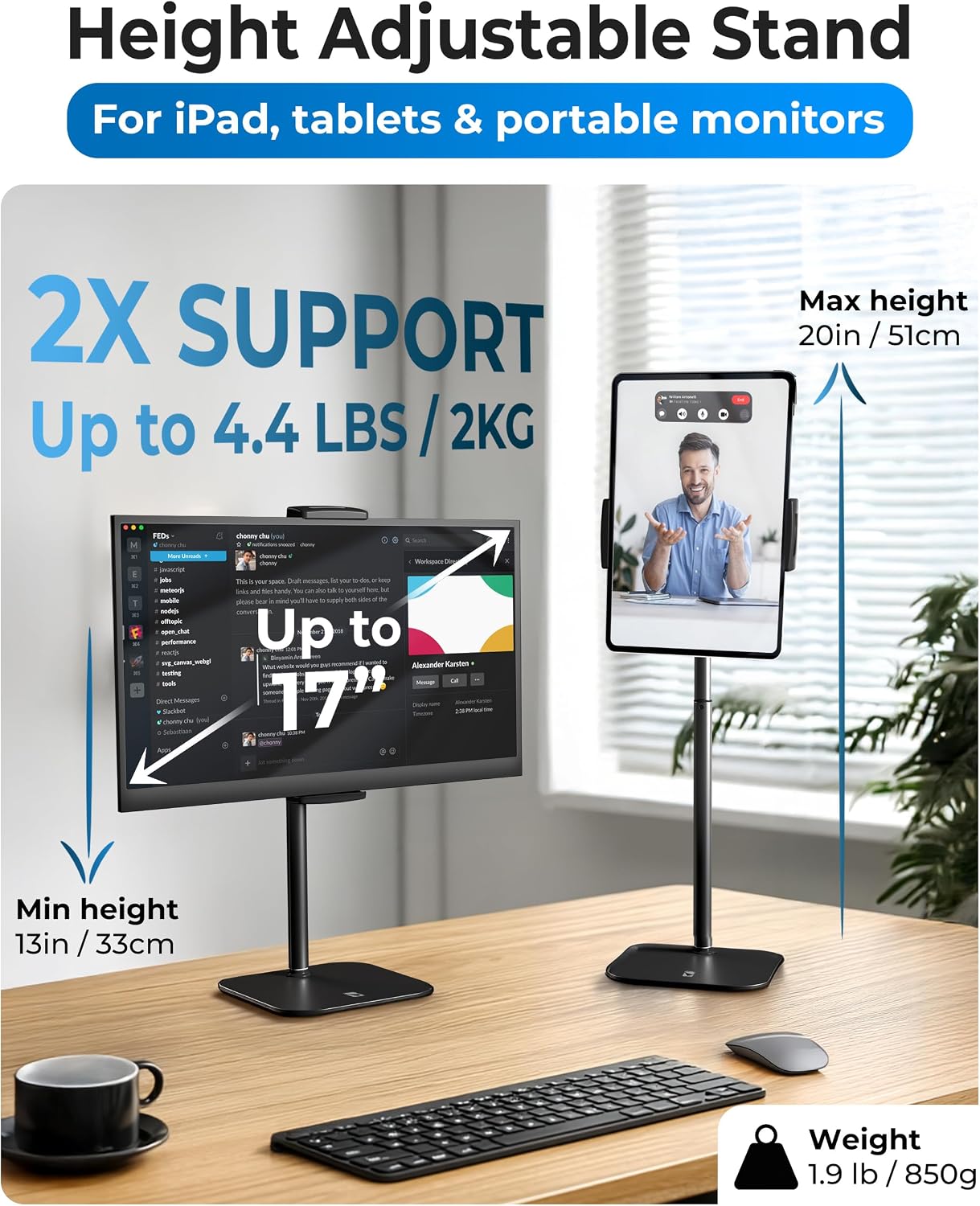
- Height adjustment: 20 inches
- Maximum device size supported: up to 17 inches
- Maximum load capacity: up to 4.4 lb
- Materials: aircraft-grade aluminum, silicone padding on clamp
Why This May Interest You
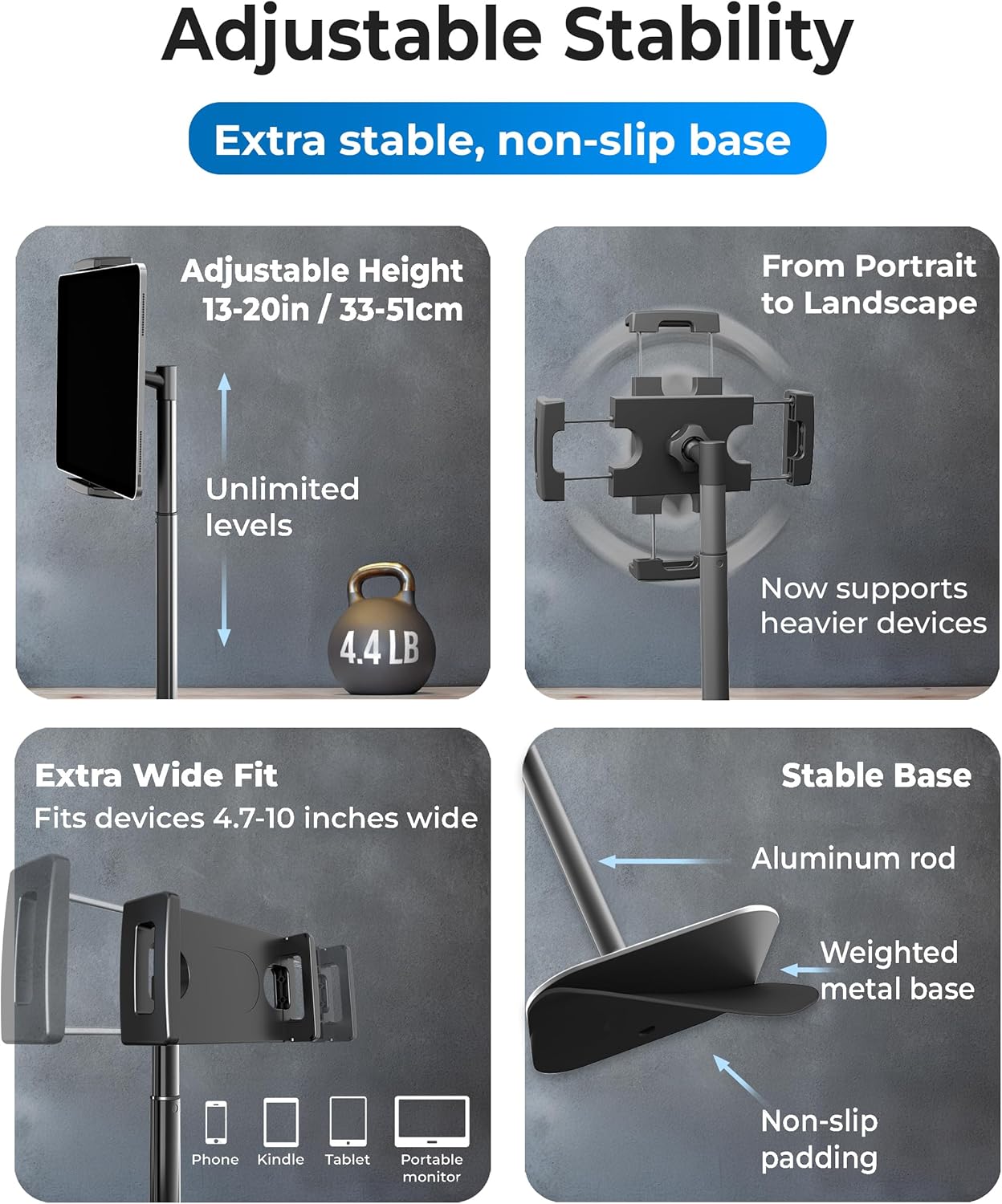
Professionals who spend long hours on calls or who use a tablet as a second screen may find the improved ergonomics helpful for reducing neck and shoulder discomfort. The metal construction gives a durable feel while keeping the unit relatively lightweight for transport. It works with a wide range of devices including iPad models, Samsung tablets, Kindle and many portable monitors. Consider that very heavy monitors above the stated weight limit or unusual device thicknesses may not fit as securely according to the manufacturer.
Usage Recommendations
Place the stand on a stable desk surface and adjust the height so the top third of the screen aligns near eye level for neutral neck posture. Use the silicone-padded clamp to protect the device and tighten it just enough to prevent wobble while still allowing rotation. For multi-monitor setups, position the COOPER TabStand next to a main monitor to create a comfortable dual-screen layout for trading, design, or reference material. When transporting the stand between locations, collapse or detach components gently to avoid scratching the finish.