


ASUS TUF Gaming VG32VQM5AZ 32" Curved Full HD Gaming Monitor (240Hz, 0.5ms, FreeSync Premium)
Product description
What it is and why people shop for it
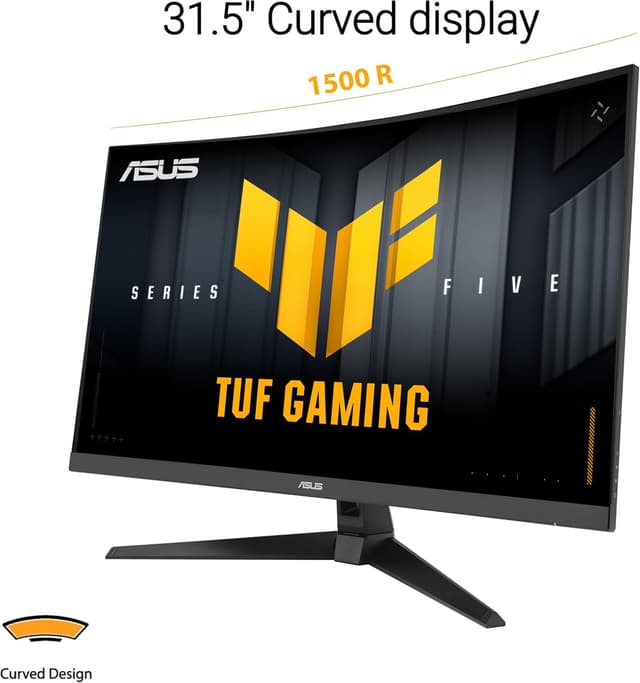
This ASUS TUF Gaming Series 5 curved monitor is built for players who want smoother motion and fewer distractions during fast gameplay. On paper, the 31.5-inch Full HD panel with a 1500R curve, up to 240Hz refresh rate, and a listed 0.5ms GTG (min.) response time is aimed at the “high refresh + low blur” crowd.
The curve matters more than you might expect for long sessions. A 1500R radius is designed to keep more of your view feeling naturally wrapped, so the screen doesn’t feel as flat and distant once you’re locked into a match. It’s not a curved TV-style immersion gimmick—it’s the kind of geometry that helps your eyes settle in.
Key points
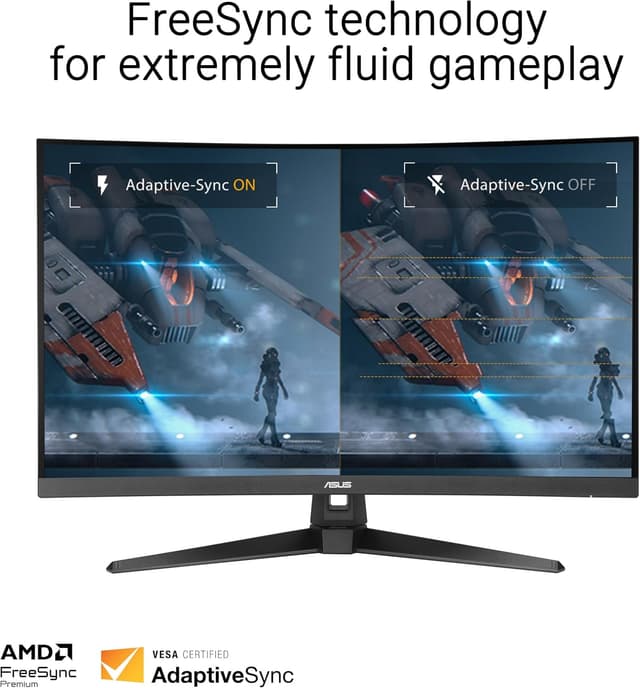
If you care about motion clarity, this model’s feature stack is trying to address it from two angles: speed (high refresh) and reduced perceived blur (ELMB SYNC). On the gaming side, FreeSync Premium is there to target tearing and stutter through variable refresh rate behavior by default.

You also get ASUS DisplayWidget Center, which is positioned as a simple way to adjust settings with a mouse instead of digging through menus. That’s a small quality-of-life thing, but it can make calibration and switching game modes less of a hassle.
That said, this is Full HD on a 32-inch display. That choice can look great for esports and fast movement, but it may feel less crisp than higher-resolution panels if you’re the type who notices pixel density from the desk.
What’s great in everyday gameplay
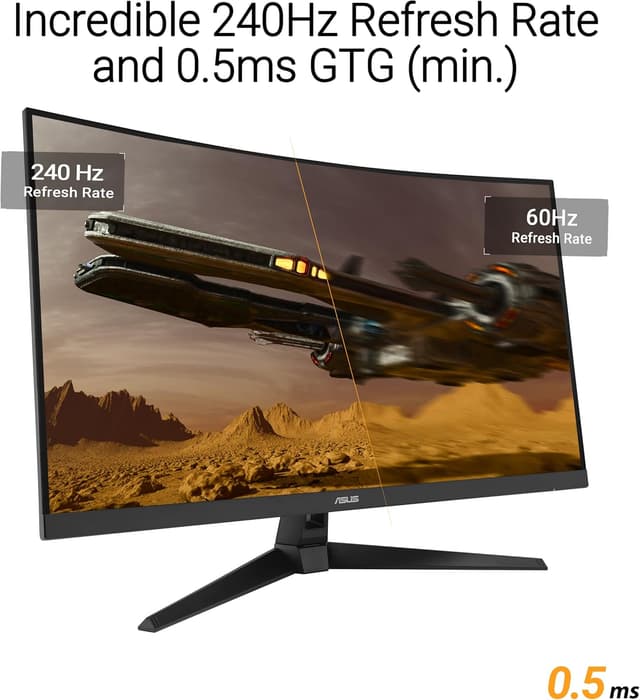
The headline is refresh rate. A 240Hz target is meant to feel responsive in shooters, fighters, and anything where input-to-motion matters. Overclocking is mentioned as part of reaching the 240Hz refresh rate, so if you’re the cautious type, it’s worth double-checking how that behaves in your specific setup.
For motion blur control, ASUS calls out Extreme Low Motion Blur (ELMB) SYNC to further reduce ghosting and motion blur. In practice, this is the type of technology you’ll appreciate when you’re tracking targets quickly or when game scenes are filled with fast movement. It’s not magic—brightness, scene content, and your tuning still matter—but it’s a meaningful direction.
And because FreeSync Premium is included, it’s designed to keep gameplay smoother when your frame rate isn’t perfectly locked to the monitor’s maximum.
Here’s a concrete “day one” example: imagine you jump from a training aim routine into a match with inconsistent frames. With VRR enabled, you should see fewer tearing artifacts than you’d typically get with fixed refresh. Then, when things heat up with fast camera pans, ELMB SYNC is there to reduce trailing/ghosting so motion doesn’t smear as badly.
Tech specs
- Name: ASUS TUF Gaming Series 5 32” Curved Monitor (VG32VQM5AZ)
- Type: Gaming monitor
- Format: 32” curved
- Display: Full HD
- Size: 31.5-inch
- Refresh rate: up to 240Hz (overclock)
- Response time: 0.5ms GTG (min.)
- Curve: 1500R
- Sync technology: Extreme Low Motion Blur (ELMB) SYNC
- Adaptive sync: FreeSync Premium
- Color coverage: 120% sRGB
Where it fits—and where it doesn’t
It makes sense if you’re shopping with one main goal: competitive-style smoothness and cleaner motion. Worth considering if you play fast games, prefer a curved viewing experience, and want VRR already built in via FreeSync Premium.
It may not be the best match if your priority is maximum image sharpness for general desktop work or you’re sensitive to pixel density on a 32-inch Full HD screen. Also, because 240Hz is described as an overclock, you should be comfortable that reaching the top number may depend on how you run it.
Finally, if you’re planning to do color-critical creative work, the provided data only mentions 120% sRGB—fine for many purposes, but you’ll want to compare it against what your project actually demands before assuming it’s a creative powerhouse.
What to verify before you buy
Before you commit, it’s smart to check a few practical things based on your setup:
- Your GPU’s ability to handle high refresh rates at Full HD, especially if you want the “up to 240Hz” behavior.
- Whether you’ll actually use the VRR experience via FreeSync Premium, since that’s part of the value proposition.
- How you like the curve at your viewing distance—1500R is comfortable for many, but not everyone.
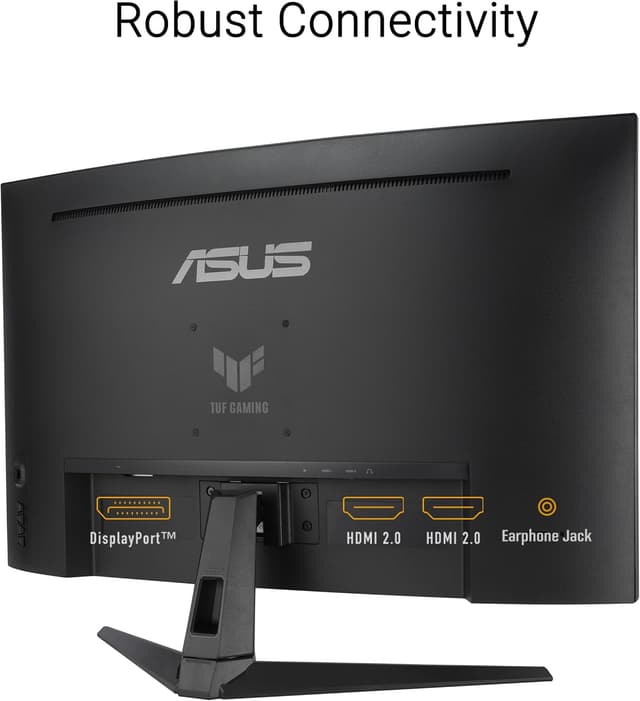
Also consider that while the box includes key basics (a DisplayPort cable is listed), your workflow may still require other accessories depending on your current desk setup.
Is it worth it?
This ASUS TUF Gaming VG32VQM5AZ is a solid “high refresh curved” pick if you primarily play games that benefit from smoother motion and you want VRR for tear-free gameplay without constantly fighting settings. The combination of up to 240Hz, ELMB SYNC for motion blur reduction, and FreeSync Premium is designed to make fast scenes feel cleaner.
Skip it (or at least look harder) if you’re buying a 32-inch monitor expecting maximum sharpness like you’d get from higher-resolution displays, or if you don’t care about competitive responsiveness and would rather spend on features you’ll actually use.

If you’re the kind of buyer who tunes monitors for motion and fluidity, this one has the right priorities. If you mainly browse and edit and seldom play, its value may depend more than usual on whether you’ll benefit from the gaming-focused motion stack.
Mini FAQ
Does this monitor support variable refresh rate (VRR)?
Yes—FreeSync Premium is included, and it’s described as enabling a seamless, tear-free gaming experience via VRR by default.
Is the 240Hz refresh rate guaranteed?
The information states it’s “up to 240Hz” and that it’s designed with an overclock to reach that refresh rate, so performance can depend on how you run it.
What comes in the box?
Included items listed are a DisplayPort cable, L-shaped screwdriver, power cord, quick start guide, and warranty card.
Is it good for content creation?
It’s listed with 120% sRGB, which is a helpful spec for many workflows. However, the entry doesn’t provide broader creative specs beyond that, so color-critical needs may require extra confirmation.
What’s the warranty coverage?
A 3-year warranty is included in the product description.