

Enzion Enzion Laptop Screen Extender (15.6-inch) – Upgraded FHD Triple Portable Monitor, Detachable Dual Screen, Plug & Play
Product description
What it is and why people buy it
The Enzion Laptop Screen Extender is a portable IPS monitor setup built to expand what your laptop can show at once. If you’ve ever had to constantly switch windows because your laptop screen feels cramped, this kind of extra display is usually the fix. On paper, you get a 15.6-inch FHD (1920 x 1080) IPS panel designed to deliver a wider, more comfortable viewing experience, plus a flexible multi-screen layout thanks to detachable additional screens.
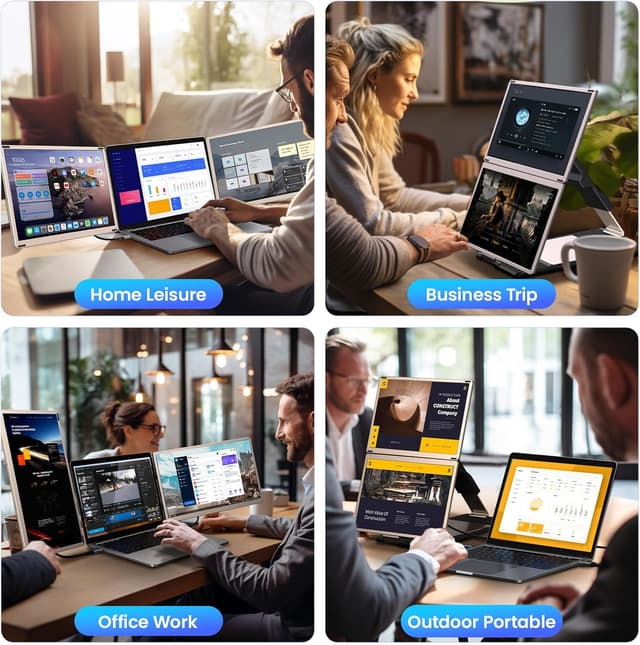
The goal here is simple: more workspace without permanently changing your setup. The brand positions it for things like multitasking, video conferencing, presentations, home office work, and travel—basically, any situation where you want more than one “screen worth” of space.
Key takeaways on the display experience
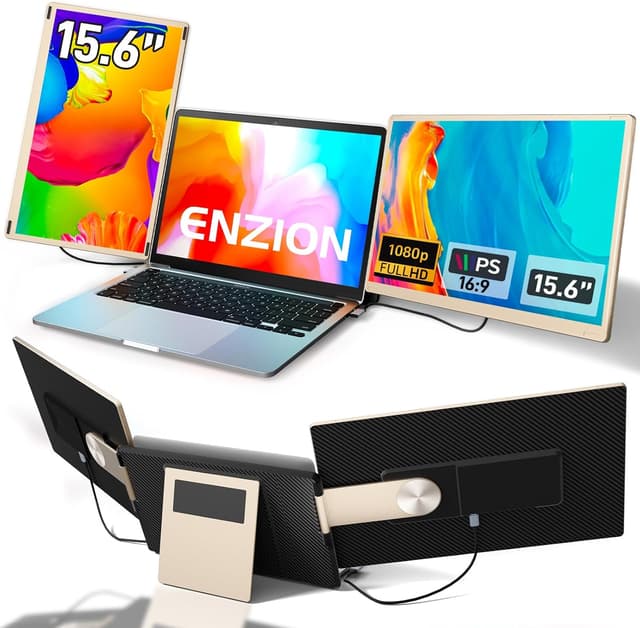
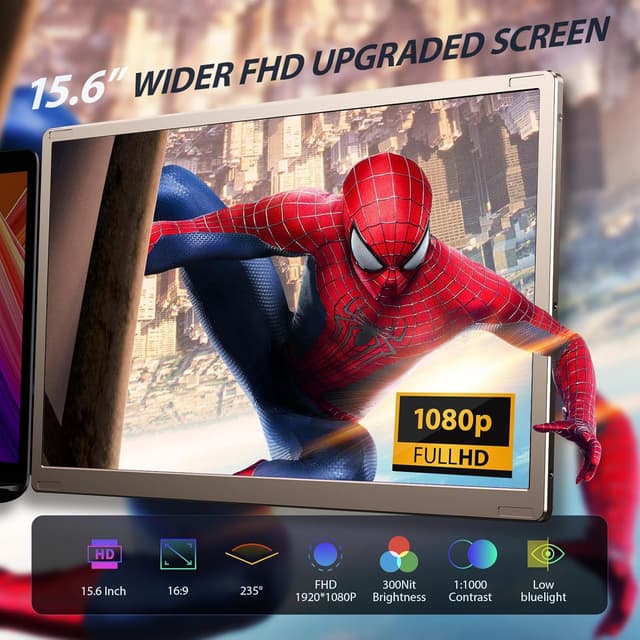
This extender uses an IPS 1080p FHD panel and is described as offering brighter, more vibrant visuals than you’d normally get from a small laptop panel. It also includes independent controls for things like brightness, sound, and contrast, so you can tune each screen’s settings without relying on your laptop’s display controls.
The numbers provided are meant to help you judge picture quality before you buy: 300 nits brightness, NTSC color gamut at 80%, and contrast listed as 1000:1. None of that guarantees perfect results in every room (lighting always matters), but it does suggest this is intended to be noticeably usable, not just a gimmick.
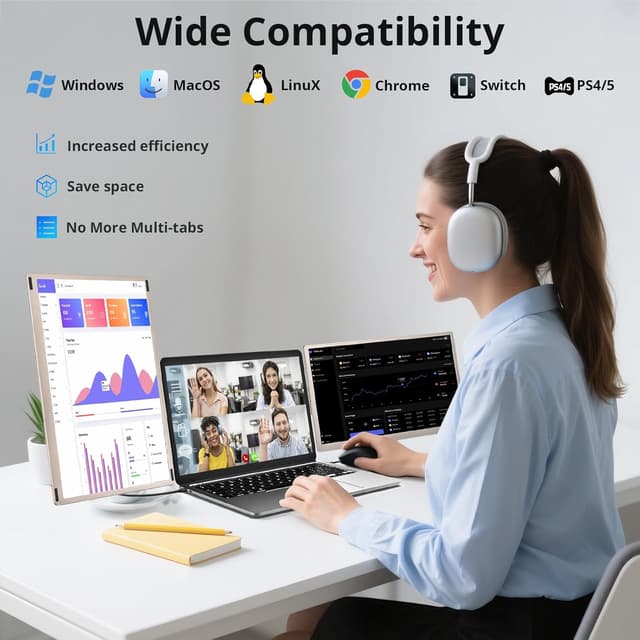
A practical example: say you’re in a video call while taking notes. You can keep the call on one screen, your notes on another, and still have room for a browser window—so you’re not alt-tabbing every few seconds.
Multi-screen layout you can actually change
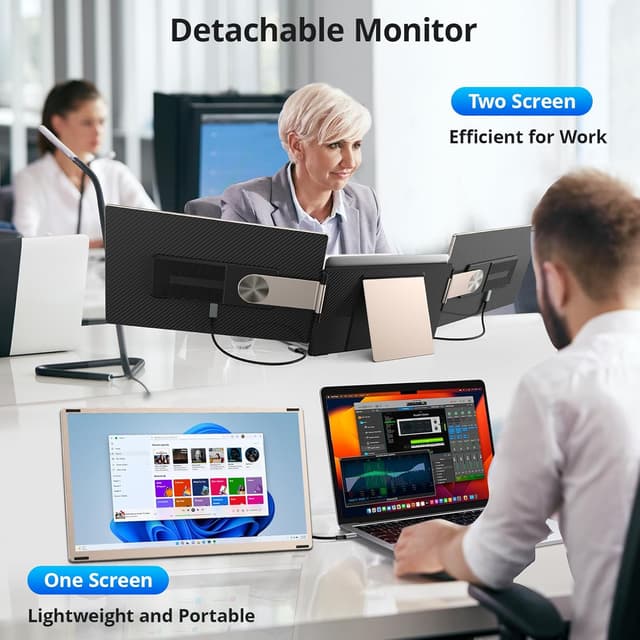
One of the biggest “why this vs. a single portable monitor” reasons is the detachable dual monitor approach. The product description says it’s a triple portable screen setup with two additional removable screens, and it supports rotations of 90°, 235°, and 360° using a unique stand.
That rotation flexibility matters because it’s what lets you work the way you want: horizontal for spreadsheets and docs, vertical for long pages, and even mirror-like combinations for certain sharing or viewing needs. It also mentions using combinations to open multiple windows at once—exactly the kind of everyday workflow improvement that portable extenders are supposed to deliver.
Setup and compatibility: plug & play, with a couple of caveats
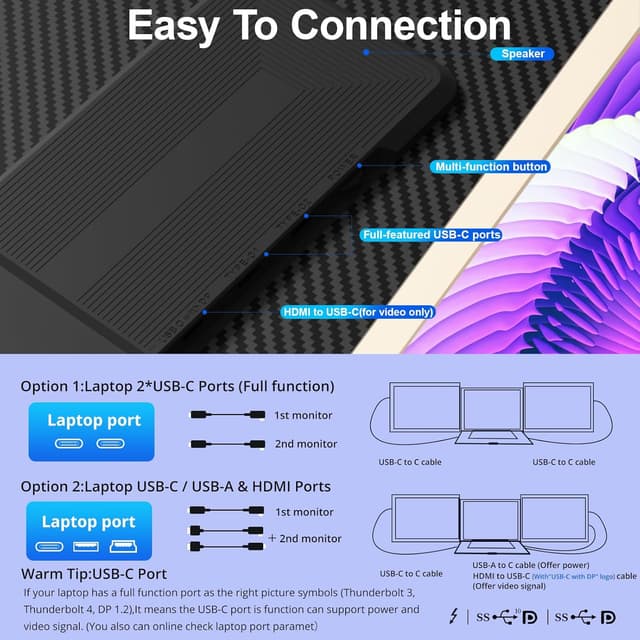
The Enzion extender is described as Plug & Play, with the needed cables included. It supports connecting through USB-C and also through HDMI to USB-C, and it includes a USB-C to USB-A cable.
Important limitation to keep in mind: the cable USB-A to USB-C is stated to support power only. So if you’re planning a setup using USB-A, you’ll want to rely on the other connection paths described (USB-C or HDMI-to-USB-C) rather than assuming any port will handle everything.
Compatibility is broad, but not universal. The listing says it works with Windows, Mac, Chrome, Android, Linux, Dex, and Switch. There’s also a clear note that it is not compatible with the M1/M2/M3 chip on Mac. That’s a big deal if you’re shopping with a newer Apple Silicon Mac—worth checking your model before you commit.
Portability: easier to carry than a typical workstation upgrade
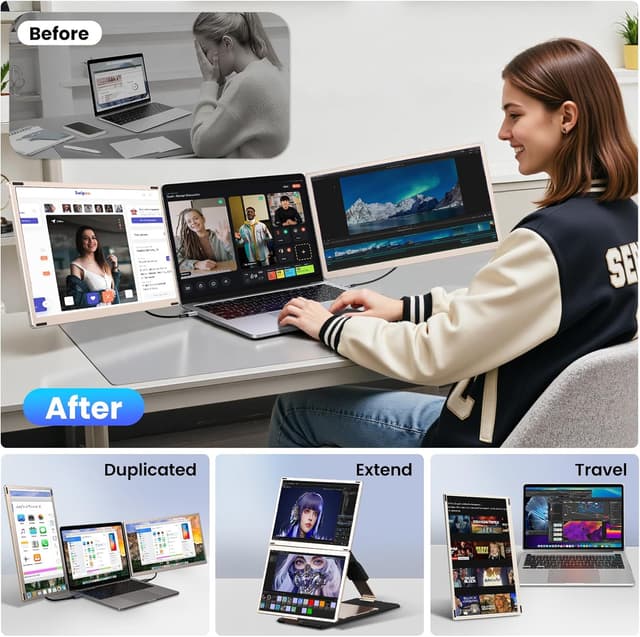
This is designed to be foldable and portable, with the ability to store it in an included storage bag. If your “second screen” use case is based on commuting, coffee shops, or moving between rooms, that portability angle matters more than specs.
Still, it’s not perfect in every sense: a triple/detachable multi-screen setup can take a bit of practice to fold and arrange quickly, especially compared with a single monitor. If you want something that’s effortless to set down and use in 10 seconds flat, you may find this takes a little more handling.
Should you buy it?
It’s a solid pick if you want a portable way to seriously expand your laptop workspace—especially for multitasking, office/home-office use, travel, and video calls where you’d benefit from having multiple windows visible.
It’s not the best choice if you’re on a Mac with an M1/M2/M3 chip (the listing explicitly says it’s not compatible). You might also want to skip it if your main goal is “one extra screen, minimal fuss,” because the detachable triple layout is more of an expanded-workflow product than a simple add-on.
If you prioritize flexible screen rotation and multi-window layouts, the Enzion makes more sense than basic one-screen extenders. But if your device compatibility or connection expectations aren’t clear—especially around the USB-A cable being power-only—be sure to double-check your laptop’s ports and the connection path before purchasing.
What to know before you buy (mini FAQ)
What kind of output does it use?
The listing states you can connect via USB-C or via HDMI to USB-C, and it includes cables for USB-C to USB-A as well. The USB-A to USB-C cable is described as power-only, so you’ll want the data connection handled through USB-C or HDMI-to-USB-C.
Does it work with Mac?
It’s described as compatible with Mac, but specifically notes it is not compatible with Mac models using the M1/M2/M3 chip.
Can I use it for both extended and duplicate display?
The description says it supports extended and duplicate modes, which is useful if you want different window layouts or mirroring for presentations.
Does it include the cables?
Yes—according to the product details, it comes with multiple included cables (USB-C to USB-C, HDMI to USB-C, and USB-C to USB-A).
Is it better for productivity or entertainment?
The listing frames it for both: productivity (multi-tasking, home office) and entertainment/screen viewing (like watching movies). Where it shines is when you need more visible workspace at once.
Final verdict
Worth considering if you want a larger, brighter-than-typical portable display plus the flexibility of detachable extra screens for real multitasking. Skip it if you’re on an M1/M2/M3 Mac or if you want a no-thought, single-screen experience with zero setup complexity.