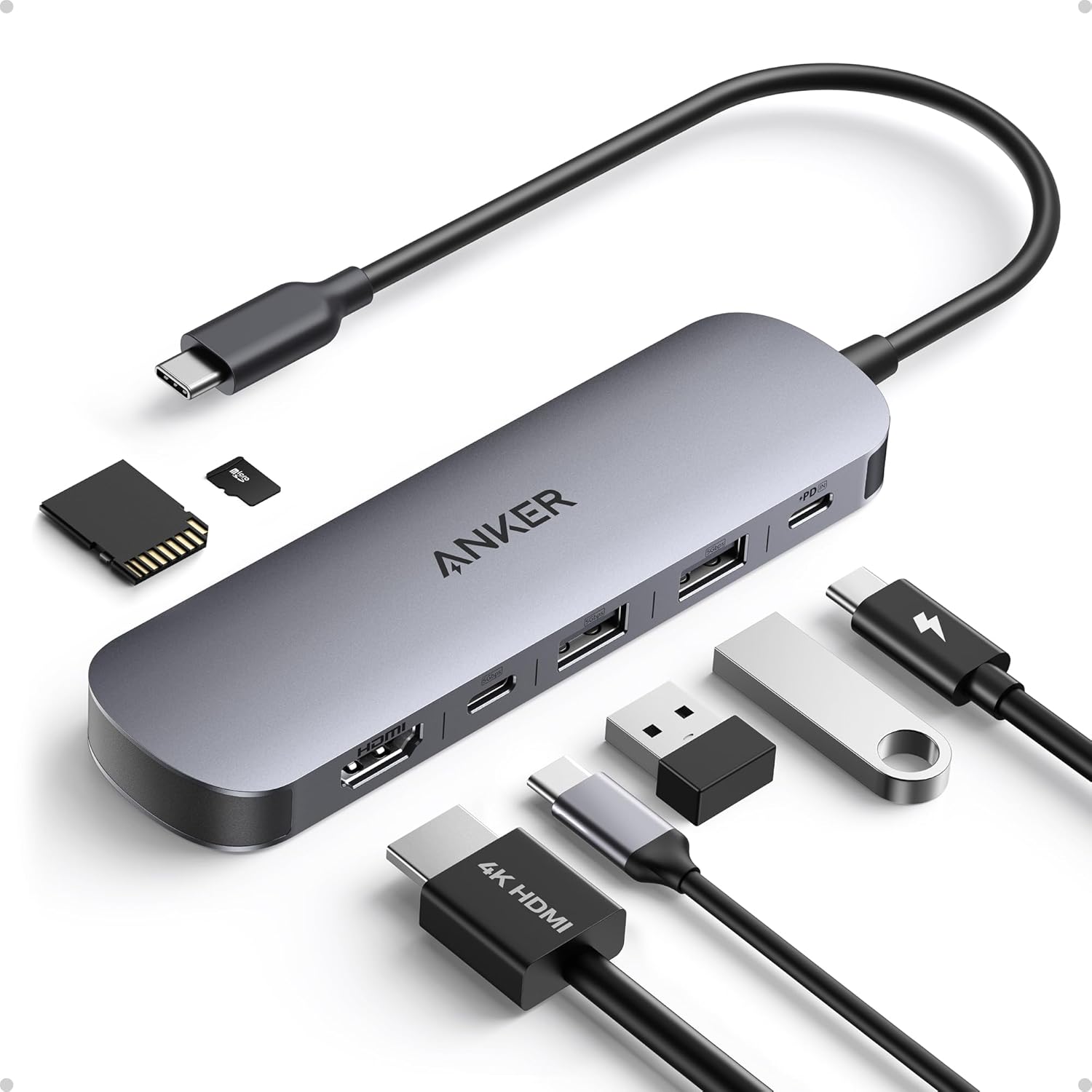
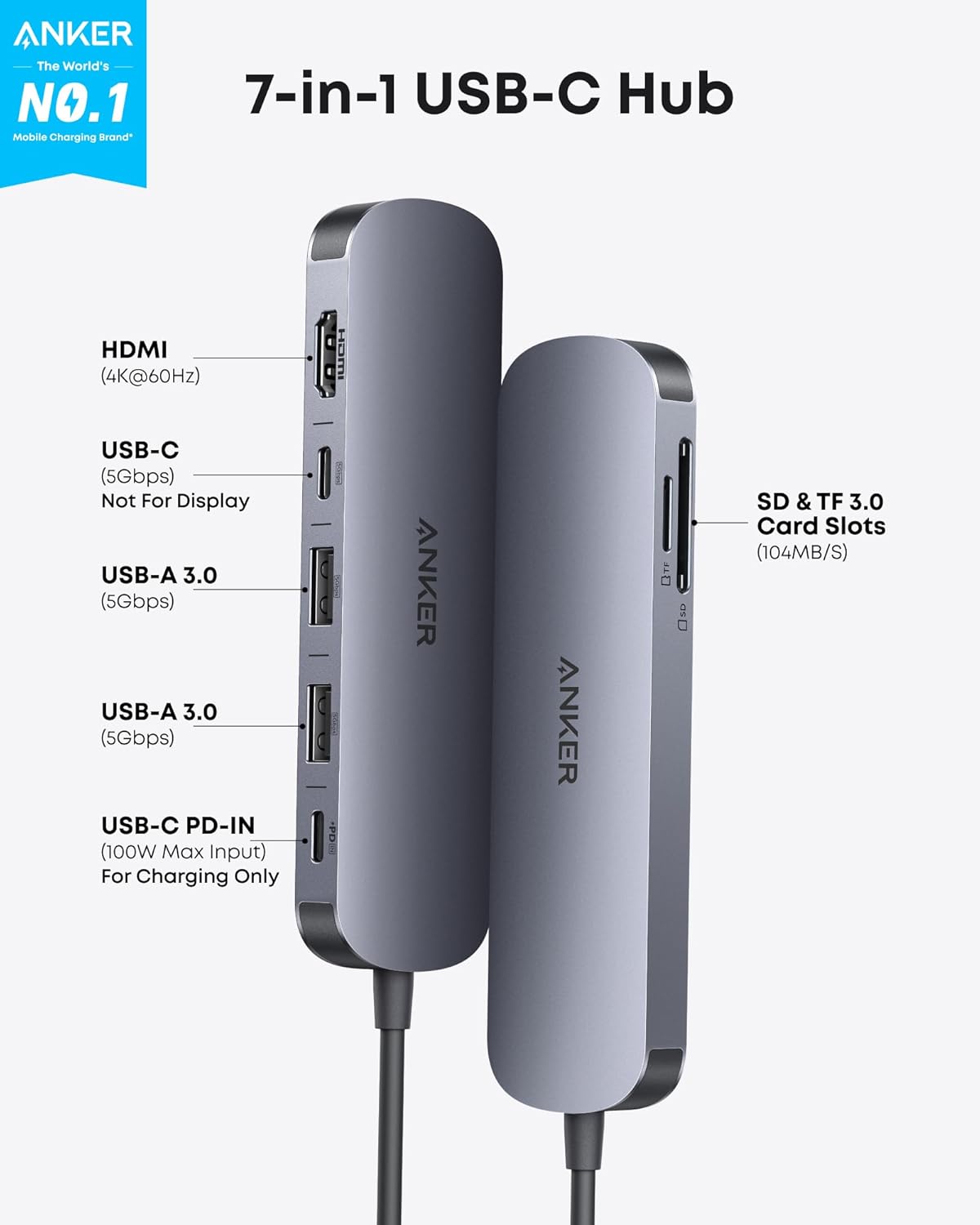
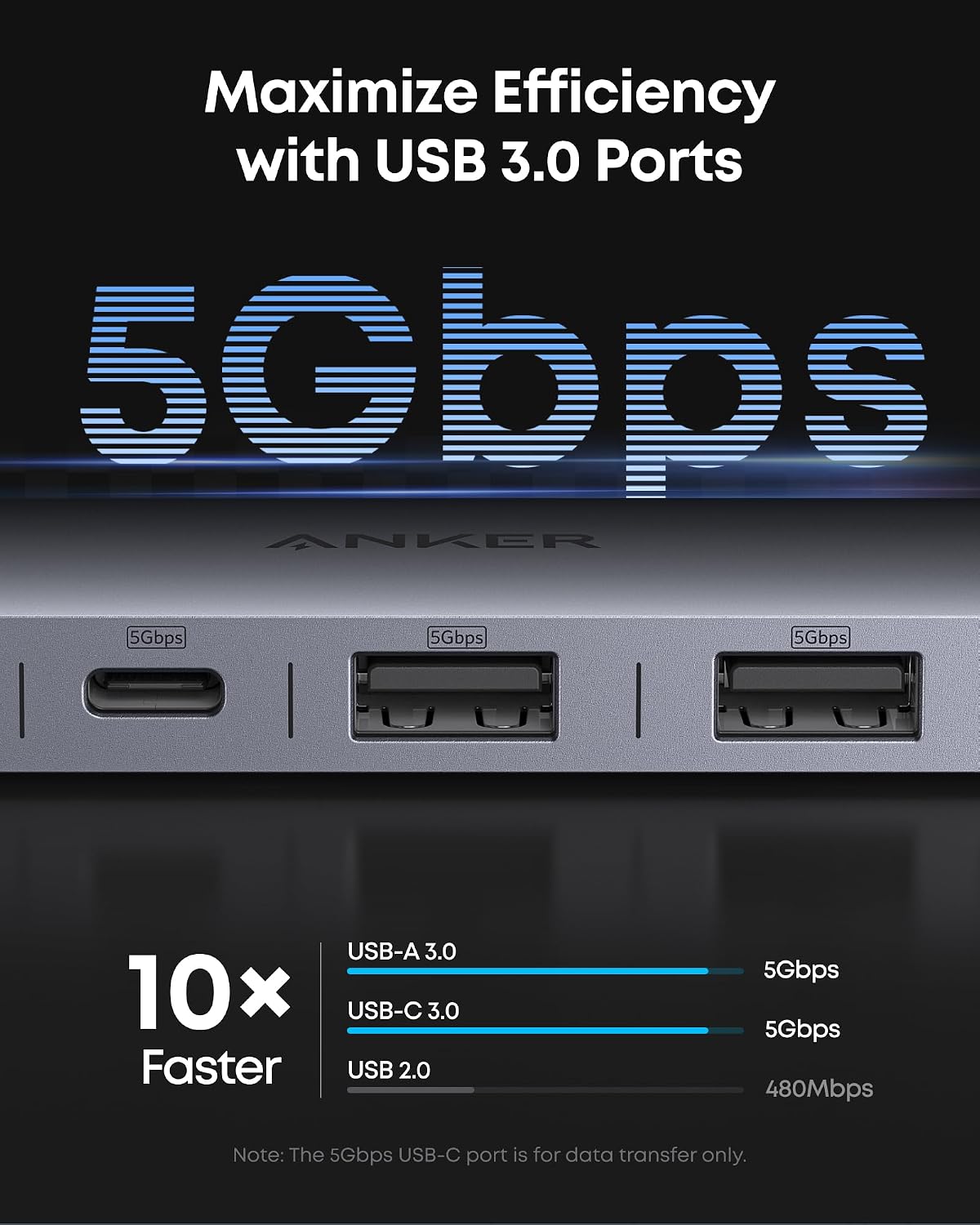
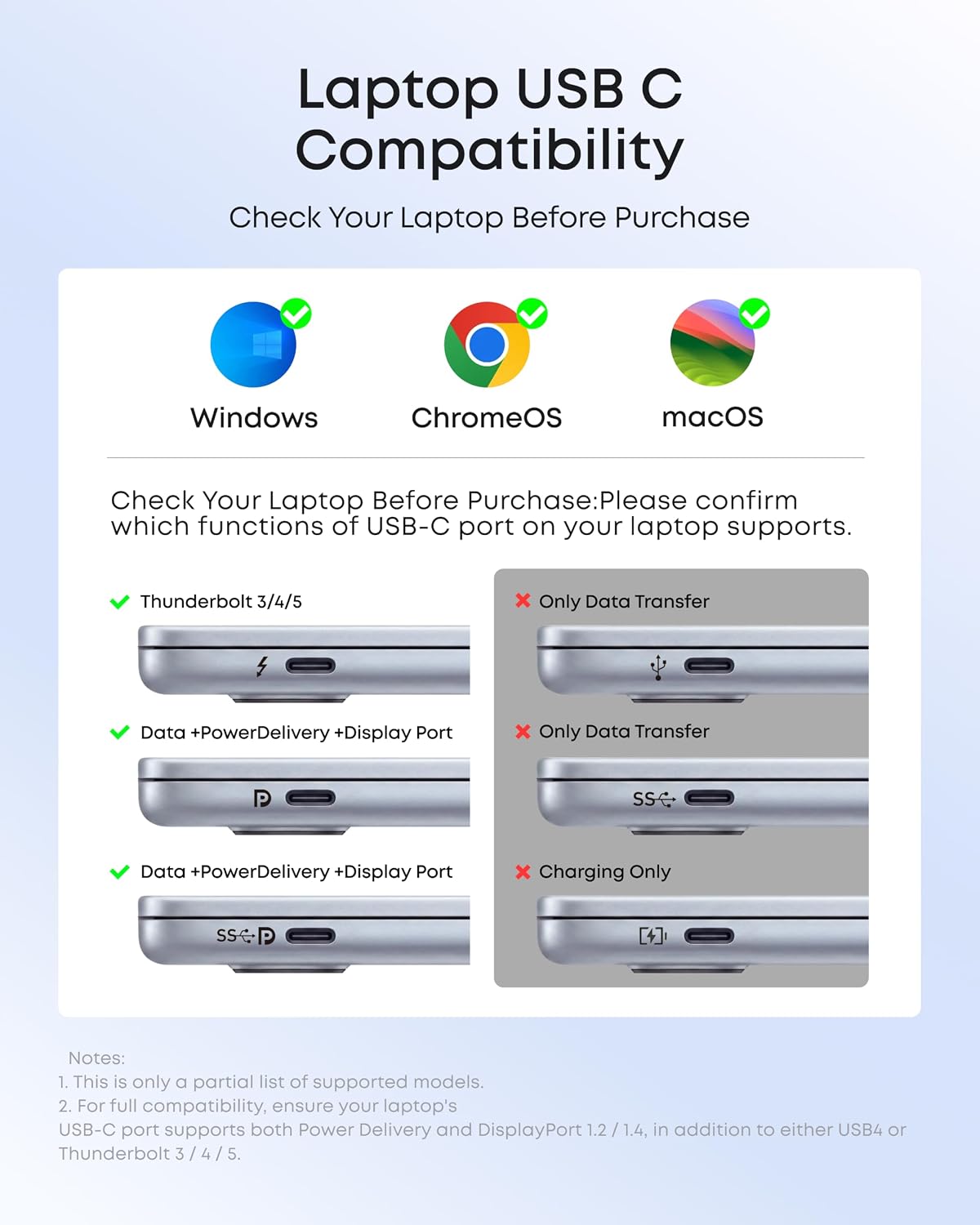
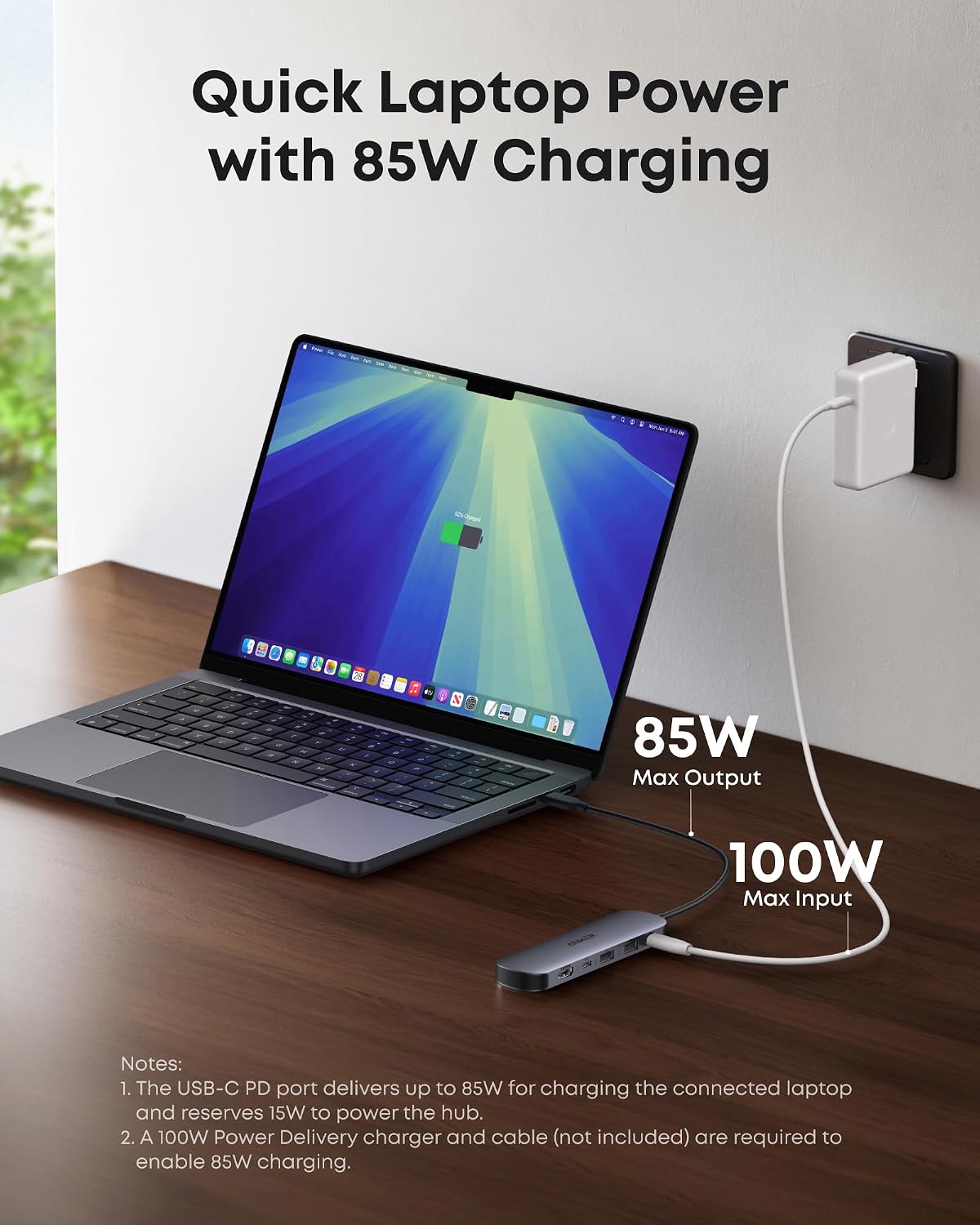
What it is and what problem it solves\nThe Anker USB-C Hub 7-in-1 is a compact multi-port adapter designed to turn a single USB-C laptop or device into a fuller workstation. It provides a high-speed HDMI output for 4K@60Hz video, two USB-A 3.0 ports for peripherals, a USB-C data port, a USB-C PD input for charging up to 100W, and dual SD/TF card slots. If you often juggle a laptop, a monitor, a keyboard, a mouse, and external storage, this hub aims to simplify the setup without carrying extra docks. On the paper, it’s framed as a balanced balance between connectivity, power delivery, and portability.\n\n## Practical usage and what stands out in daily use\nIn real-world use, the HDMI port handling 4K@60Hz stands out for presentations and media playback, offering crisp visuals when connected to a compatible display. The USB-A 3.0 ports are useful for peripherals like a keyboard, mouse, or flash drive, with respectable 5Gbps transfer speeds. The USB-C data port expands file transfers with compatible devices, while the SD/TF card slots add quick access to memory cards from cameras or drones. A key caveat to note: the HDMI port is the video output, while the USB-C port is for data only. If you’re counting on alternate video out of the USB-C port, you’ll want to adjust expectations.\n\n## Pros and potential drawbacks\nPros: compact chassis, 4K@60Hz HDMI output, 100W PD charging capacity, dual card slots, solid transfer speeds across USB-A and USB-C data. It helps cut cable clutter and keeps a small footprint on the desk. Cons: the HDMI/video capability is isolated to the HDMI port, so you’ll need to route video exclusively through that port, the device doesn’t expand video output beyond HDMI, limiting multi-monitor setups. If you rely on multiple high-resolution outputs or require charging for power-hungry rigs beyond 100W, you may want to compare with higher-capacity docks.\n\n## Who it’s for\nThis hub fits students, remote workers, and professionals who want a single, portable adapter to connect peripherals, external storage, and a display without grabbing a full-size docking station. It’s especially appealing if your workflow includes video presentations or media viewing at 4K, and you don’t need extra video outputs.\n\n## Who it’s not for\nIf your setup requires more than one 4K display, or you need sustained power delivery beyond 100W for demanding laptops, this 7-in-1 may feel limited. Also, if you prioritize USB-C video out for a second screen, you’ll find the HDMI-only video support restrictive.\n\n## When it makes sense to buy\nConsider this hub when you want a light, travel-friendly solution that adds essential ports (HDMI, USB-A, USB-C data, SD/TF) and keeps charging capabilities intact. It’s a practical upgrade for everyday tasks, quick presentations, and casual media streaming from a single hub.\n\n## What to check before buying\nEnsure your display supports 4K@60Hz and that your host device can deliver 100W PD charging if you rely on power passthrough. Check that your peripherals align with USB-A 3.0 speeds to maximize throughput. If you need additional video outputs or higher power delivery, consider alternatives with more robust specs.\n\n## A quick comparison angle\nIf you’re choosing between a compact multi-port hub and a larger docking station, weigh portability and the specific ports you actually use. For pure desk setups with a single monitor and a few peripherals, this Anker hub provides a solid mix of speed and convenience without the bulk. If you regularly juggle several high-speed peripherals or require multiple displays, a more expansive dock could be worth the extra size.\n\n## Is it worth it?\nFinal verdict: worth considering if you value portability, a capable 4K HDMI output, and efficient power delivery for everyday tasks. It may not be the best fit if your needs include multiple video outputs or sustained charging above 100W.\n\n## FAQ\n- Does it support 4K@60Hz with all features enabled? Yes, for the HDMI output, assuming a compatible display and source.\n- Can I charge my laptop while using the hub? Yes, up to 100W via the PD input.\n- Are the SD/TF slots fast enough for high-resolution media cards? They offer convenient card access, but speeds depend on card type and device compatibility.